Leaving Later? Switch in an afternoon.
PostSyncer schedules Instagram first comments (Later adds hashtags as one), and goes on posting to X and Google Business Profile, with a comment inbox from the free plan up. Below: why people leave, what you get instead, and a checklist to move.
- No card for free
- Cancel anytime
- Unlimited posts on paid plans

Moving from Later
5 of 5 done
- Free account opened, no card
- Instagram, TikTok and Google Business Profile connected
- Next 3 weeks scheduled from Claude
- Upgraded to Starter: team invited, approvals on
- Claude connected
Why people leave Later
Every reason, answered
Each reason comes from Later’s own pages. Next to it, the PostSyncer screen that answers it.
01 · Why people leave Later
X is no longer supported
Later’s help center announced the end of its X support, and X isn’t on its list of supported networks.
Source: Later’s page (opens in a new tab)
With PostSyncer
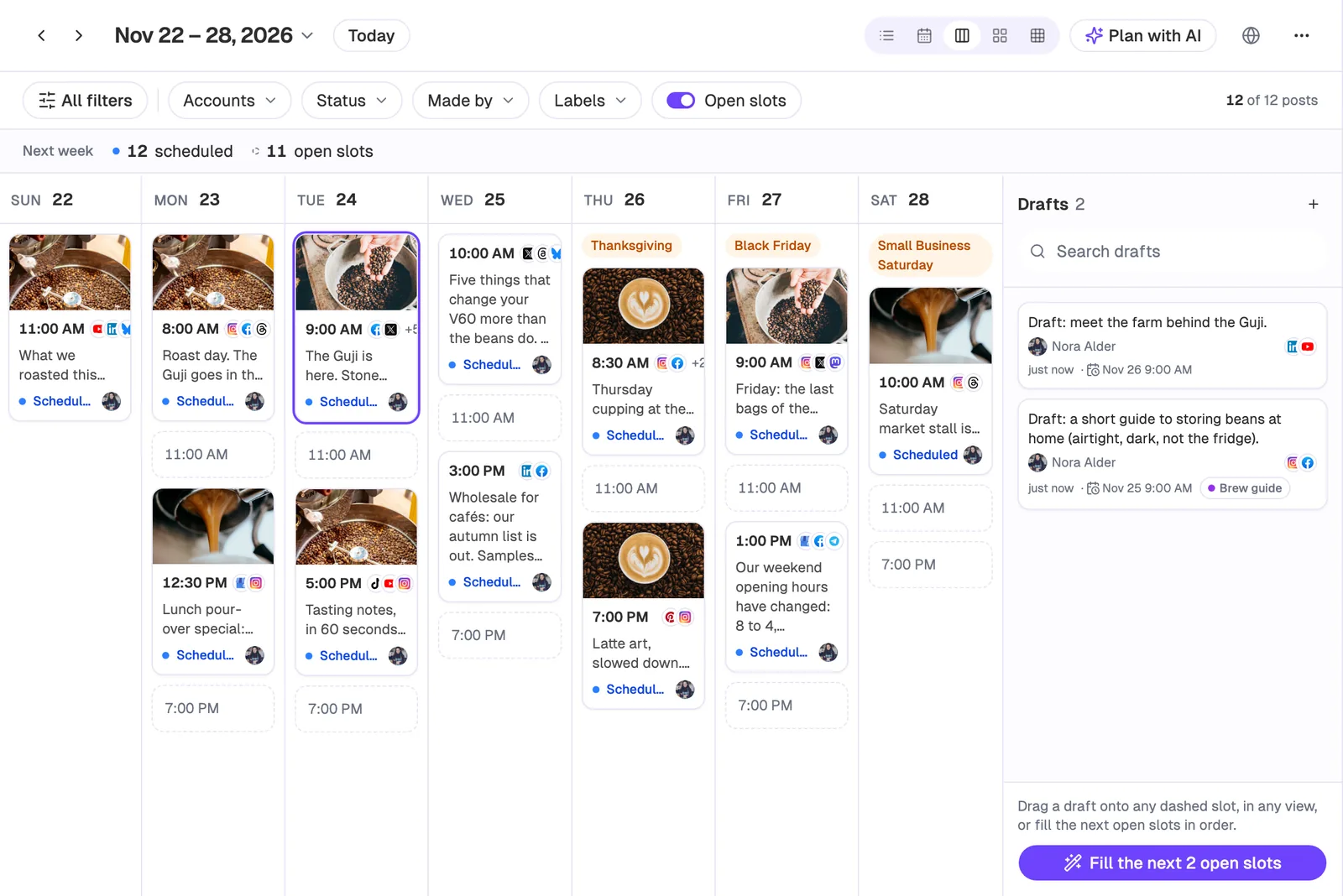
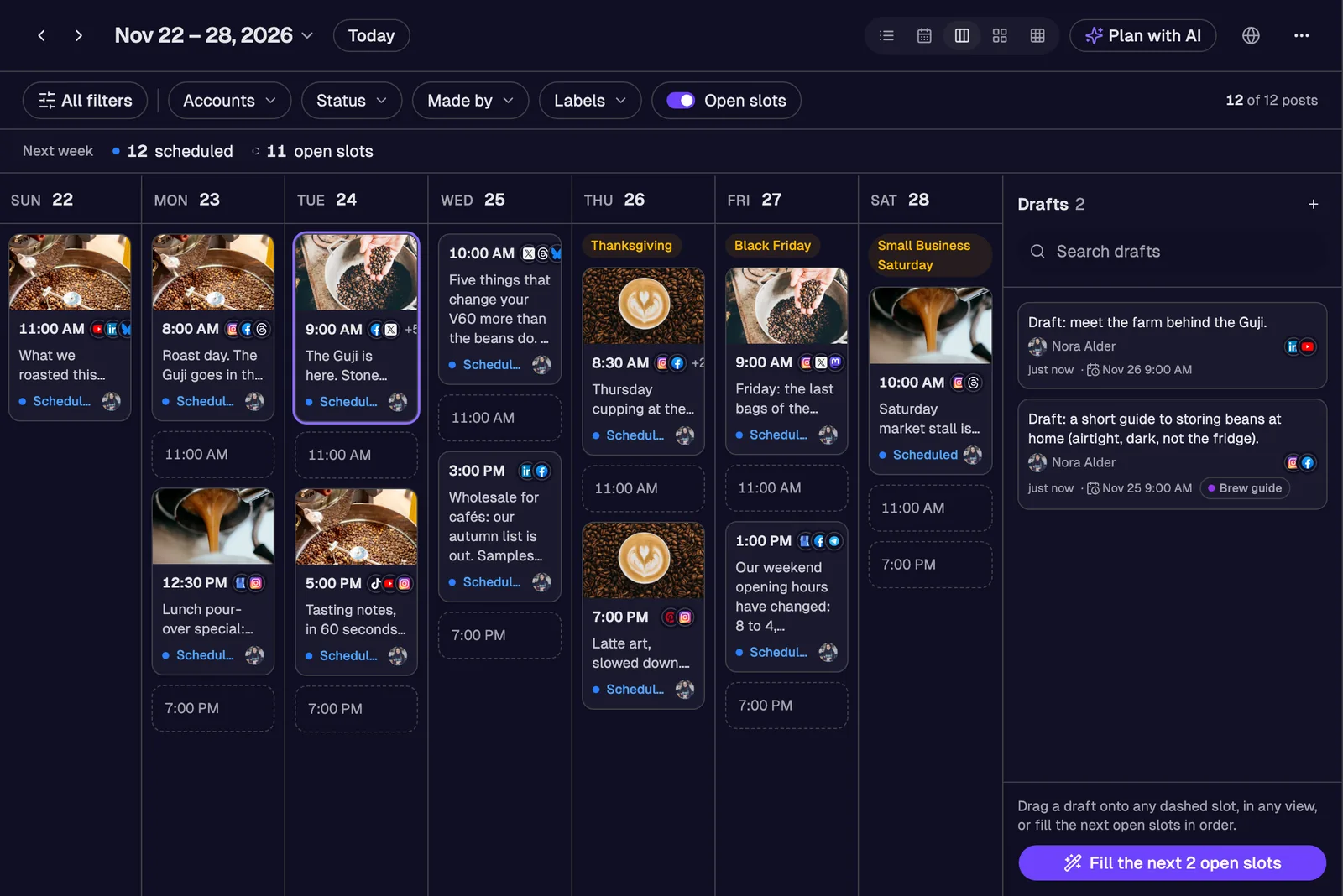
X stays on your calendar
PostSyncer schedules posts, threads, polls and Community posts on X on every plan, in the same week view as your Instagram, TikTok and Pinterest posts.
02 · Why people leave Later
Google Business Profile isn’t there
Google Business Profile isn’t on Later’s list of supported networks.
Source: Later’s page (opens in a new tab)
With PostSyncer
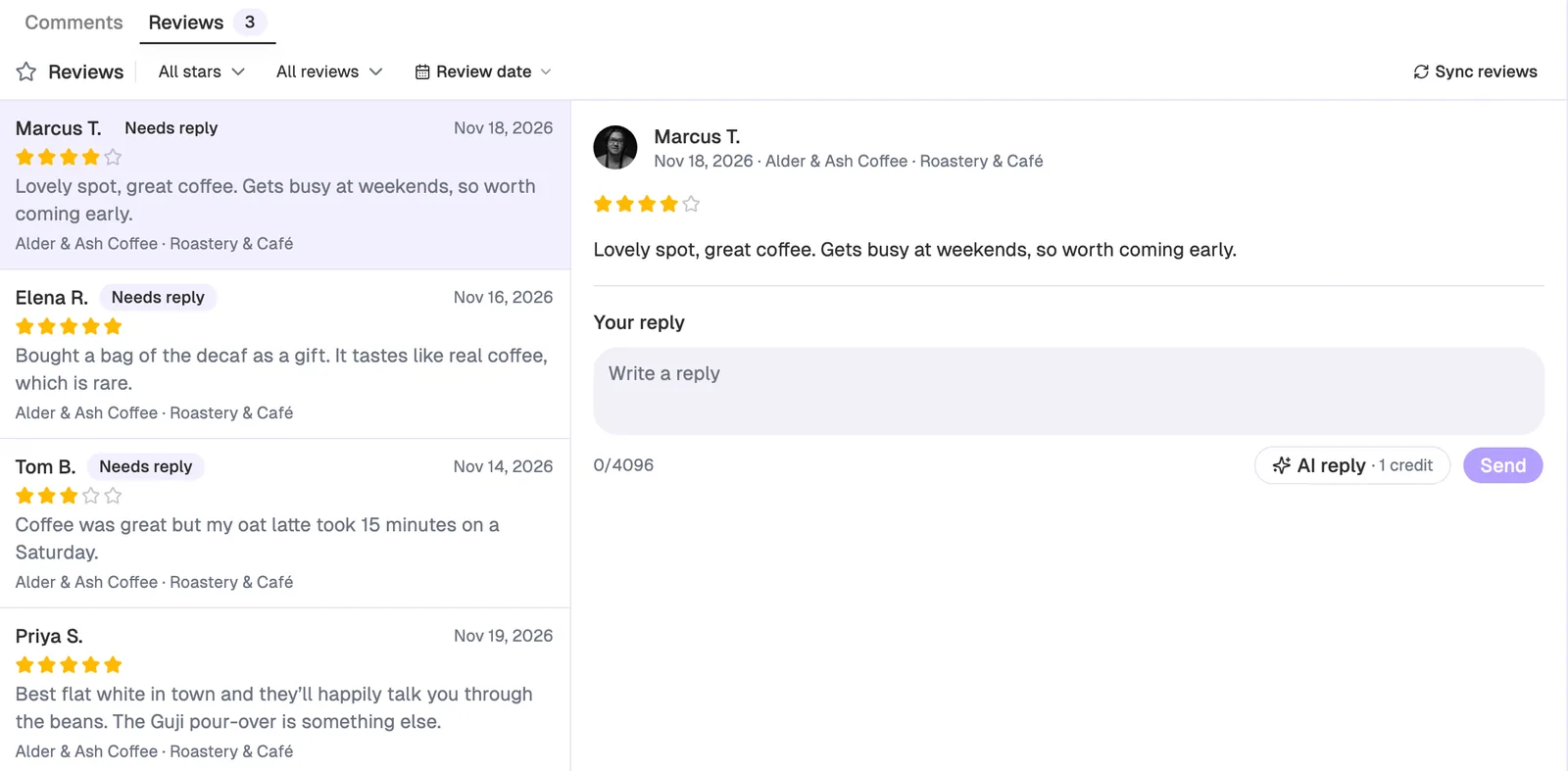
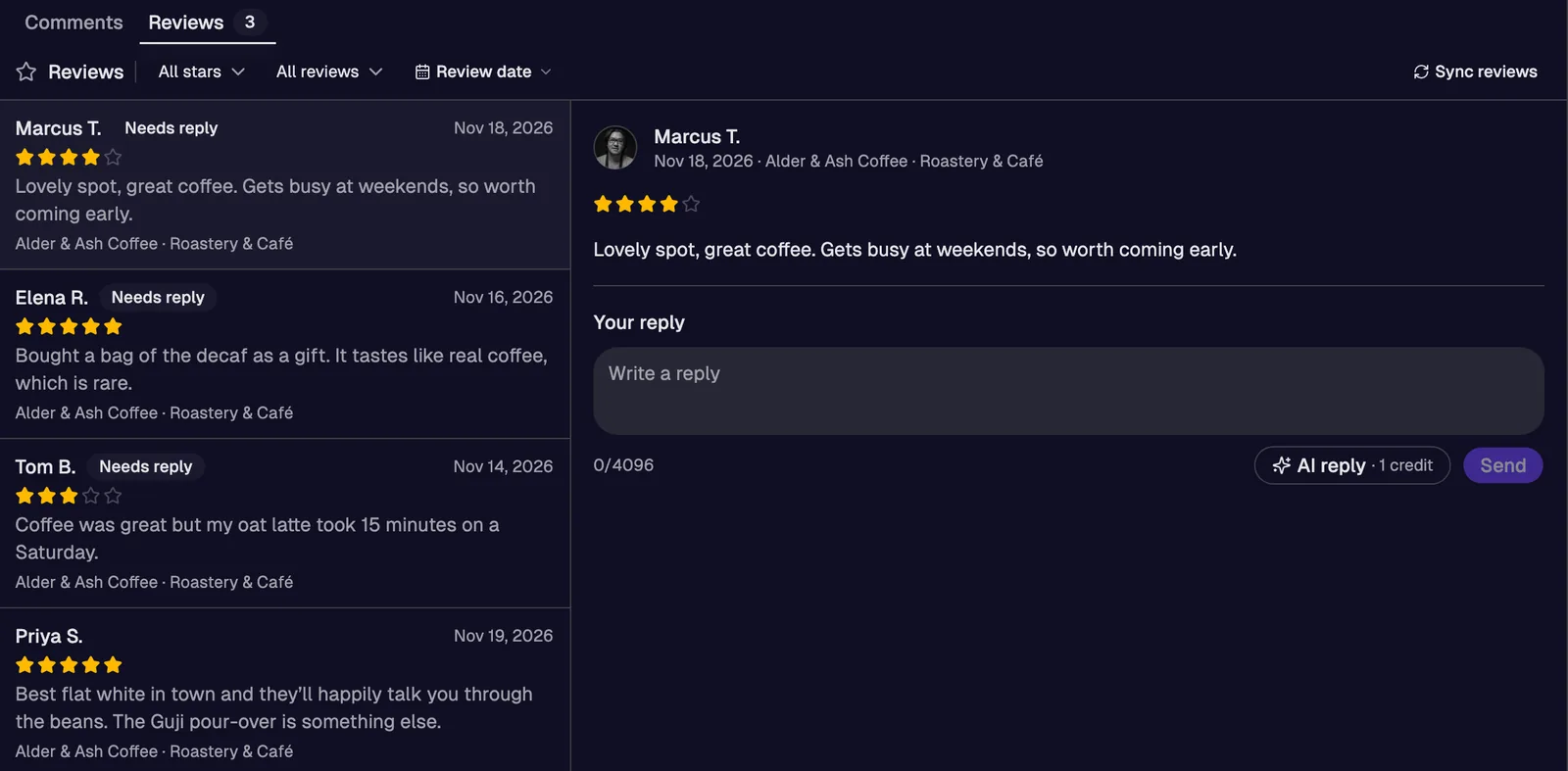
Your Google Business Profile, posts and reviews
Schedule updates, offers and events to your Google Business Profile, and answer its reviews from a Reviews tab that marks the ones still waiting for a reply.
03 · Why people leave Later
No plan to stay on for free
Later’s three plans are all paid; each starts with 14 free days.
Source: Later’s page (opens in a new tab)
With PostSyncer
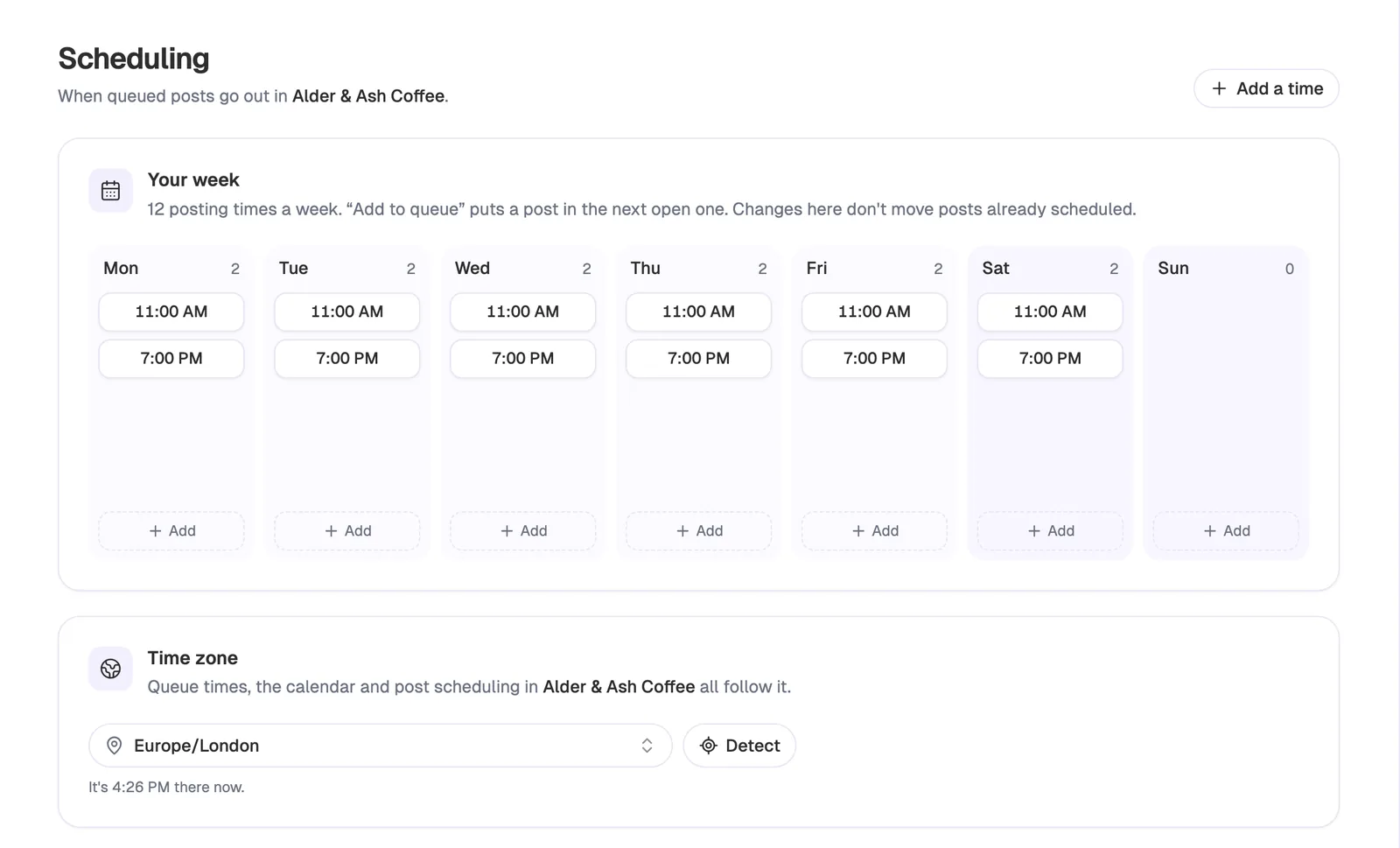
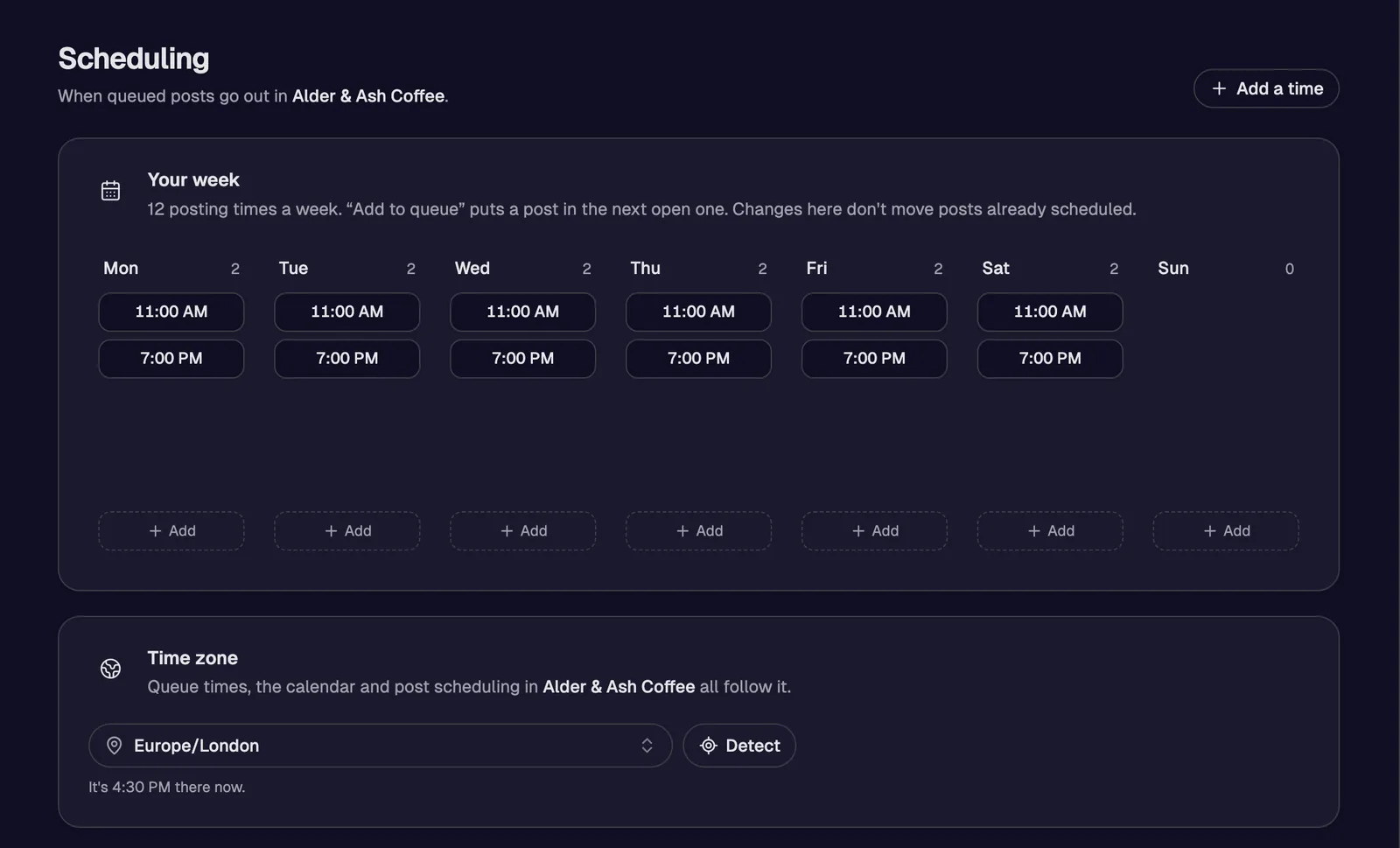
A free plan without a countdown
There’s no clock on PostSyncer’s free plan and no card to enter. Connect your accounts, set the queue’s slots and post every month without paying.
04 · Why people leave Later
The inbox starts on Growth
Later’s social inbox, on Growth and Scale, handles Instagram, Facebook and TikTok conversations.
Source: Later’s page (opens in a new tab)
With PostSyncer
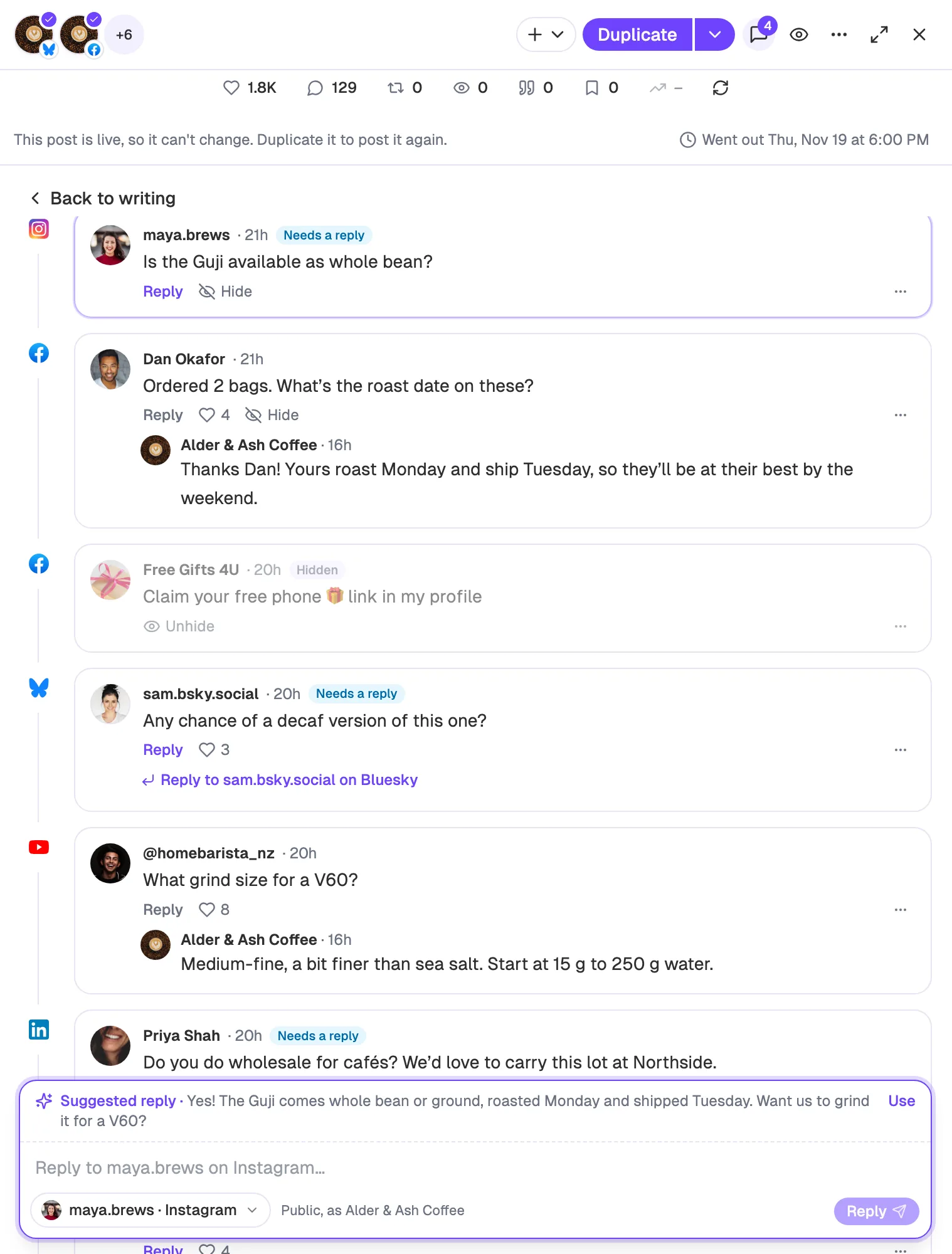
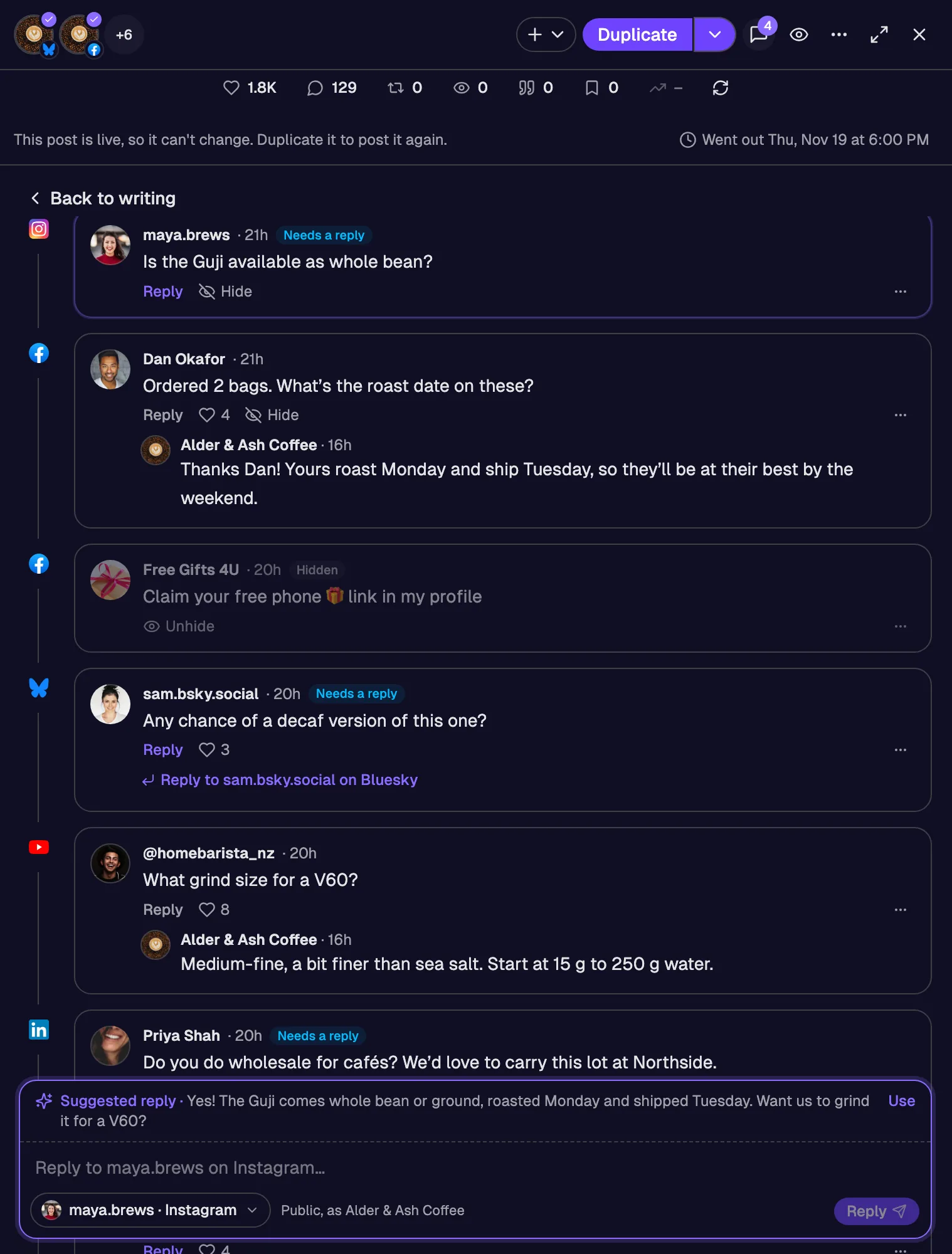
A comment inbox from the free plan up
PostSyncer gathers comments from Instagram, Facebook, X, LinkedIn, YouTube, Threads, Bluesky and Mastodon on every plan, and AI drafts a reply you can change before sending.


What Later does well
Later can add your hashtags as a first comment when it auto-publishes to Instagram, on every plan.
Source: Later’s page (opens in a new tab) · PostSyncer vs Later, need by need
The move
Move from Later in six steps
Your Instagram, TikTok and Pinterest accounts reconnect to PostSyncer in a few clicks each. Add X and your Google Business Profile while you’re there, set your times, then bring the content across.
0 of 6
Tick them off as you go.

Step 1 is free. 2 social accounts and 20 posts a month, no card.
Start freeThe list
The Later alternatives, ours first
We make PostSyncer, so it’s first and marked. The rest, with what each one is and where PostSyncer goes further, from each tool’s own pages.
- 1 PostSyncerThat’s us
First comments on eight networks, Instagram included, plus X, Google Business Profile with review replies, and a comment inbox on every plan, the free one included.
Start free - 2Sked SocialSite (opens in a new tab)
What it is: Sked Social’s pricing page lists one inbox and Google review management on every plan, with approvals on its Accelerate plan. Sked Social’s page (opens in a new tab)
Where PostSyncer goes further
- Posts to Telegram channels. Sked Social auto-publishes to Instagram, Facebook, TikTok, LinkedIn, YouTube, Pinterest, X, Google Business Profile and Threads; Telegram isn’t on the list. Source (opens in a new tab)
- 3MetricoolSite (opens in a new tab)
What it is: Metricool MCP is listed on its Free plan, so every plan has it. Metricool’s page (opens in a new tab)
Where PostSyncer goes further
- Posts to Telegram channels. Telegram isn’t among the networks on Metricool’s pricing page. Source (opens in a new tab)
- Your AI agent reads and answers comments. Metricool’s MCP FAQ says its Inbox, comments included, is not available through the MCP. Source (opens in a new tab)
- 4Vista SocialSite (opens in a new tab)
What it is: Vista Social’s pricing page lists one inbox for messages, comments and reviews, multi-stage approvals and client connect links, each from a different plan. Vista Social’s page (opens in a new tab)
Where PostSyncer goes further
On the lines we checked for Vista Social, both do the job; the table below has each one with its page.
- 5PublerSite (opens in a new tab)
What it is: Publer’s Free plan connects up to 3 accounts, with up to 10 scheduled posts per account at a time, and doesn’t expire. Publer’s page (opens in a new tab)
Where PostSyncer goes further
On the lines we checked for Publer, both do the job; the table below has each one with its page.
- 6BufferSite (opens in a new tab)
What it is: Buffer is built around a queue: you set posting times and new posts fill them in order. Buffer’s page (opens in a new tab)
Where PostSyncer goes further
- Posts to Telegram channels. Buffer’s publishing page names every channel it supports, and Telegram isn’t one of them. Source (opens in a new tab)
- Your AI agent reads and answers comments. Buffer’s MCP guide lists its 17 tools, for the account, channels, posts, ideas and post templates, and says the server can only do what they do; none reads or answers comments. Source (opens in a new tab)
| That’s us PostSyncer | The one you’re leavingLater | Sked Social | Metricool | Vista Social | Publer | Buffer | |
|---|---|---|---|---|---|---|---|
| Telegram channels | Text, photos, videos and albums to your public Telegram channel through our bot. | No | No | No | Not stated on their website | Yes | No |
| AI agent answers comments | ChatGPT, Claude or any MCP client can list new comments and reply to them through PostSyncer’s MCP server. | Not stated on their website | Not stated on their website | No | Not stated on their website | Not stated on their website | No |
| AI agent answers Google reviews | Your AI agent can list Google reviews and post a reply, in your words or with your OK first. | Not stated on their website | Not stated on their website | No | Not stated on their website | Not stated on their website | No |
| Client connect links | Send a client a link and they connect their own account, with no PostSyncer login and no shared password. | Not stated on their website | Not stated on their website | Not stated on their website | Yes | Not stated on their website | Partly |
| Free plan, no card | A free plan with 2 accounts and 20 posts a month, for as long as you like, with no card. | No | Not stated on their website | Yes | Not stated on their website | Yes | Yes |
| Comment inbox | Comments from Instagram, Facebook, X, LinkedIn, YouTube, Threads, Bluesky and Mastodon in one inbox, Free plan included. | Yes | Yes | Yes | Yes | Yes | Yes |
| Google review replies | Read your Google Business Profile reviews and answer them from PostSyncer. | Not stated on their website | Yes | Not stated on their website | Not stated on their website | Not stated on their website | Yes |
| Approvals | Send posts for approval with alerts by email, Slack, Discord or Telegram, on every paid plan. | Yes | Yes | Yes | Yes | Not stated on their website | Yes |
- Yes
- Partly: one plan, some networks, or a narrower version
- No, by its own pages
- Not stated on their website
Every line about another tool comes from that tool’s own pages. Prices are left out on purpose. Spot something out of date? Tell us in the chat and we’ll fix it.
Show all 15 sourcesHide sources
FAQ
Questions about leaving Later
Our own team answers the live chat, on every plan, Free included.
Chat with usWhat’s the best alternative to Later?
We’d say PostSyncer, and we make it, so weigh that. It schedules Instagram, TikTok and Pinterest as Later does, and adds X, Google Business Profile with review replies, a comment inbox on every plan and a free plan. Five more are listed above.
Does PostSyncer still post to X?
Yes: posts, threads, polls and Community posts, on every plan, the free one included.
Can PostSyncer add a first comment on Instagram?
Yes, and on Facebook, LinkedIn, YouTube, X, Threads, Bluesky and Mastodon as well, with a delay you choose, free plan included.
Is there a free Later alternative?
PostSyncer’s free plan needs no card and doesn’t expire; the calendar, the queue, first comments and the comment inbox are on it.
Can I answer Google reviews in PostSyncer?
Yes. Reviews from your Google Business Profile arrive in a Reviews tab where you answer them yourself, start from an AI suggestion on a paid plan, or let your AI agent reply through the MCP server.
How do I move from Later?
Start free, connect Instagram and your other accounts, set the queue’s times, then ask your AI agent to schedule the posts you still have lined up.
Start your move from Later
Step 1 is free: 2 social accounts and 20 posts a month, no card. Connect your accounts and bring your posts over this afternoon.
- No card for free
- Cancel anytime
- Unlimited posts on paid plans