
AI-Powered Auto Caption Generator for Your Videos
Automatically add AI-generated captions to your videos before posting to YouTube, Instagram, TikTok, Facebook, and 6 more platforms. Boost engagement by up to 80% and make your content accessible to everyone.


Loved by 75,000+ creators

favorite accounts














Captions That Boost
Engagement & Accessibility.
Videos with captions get 80% more engagement. Our AI automatically adds accurate, synchronized captions to every video you post across all your social media platforms.
Automatic AI Caption Generation
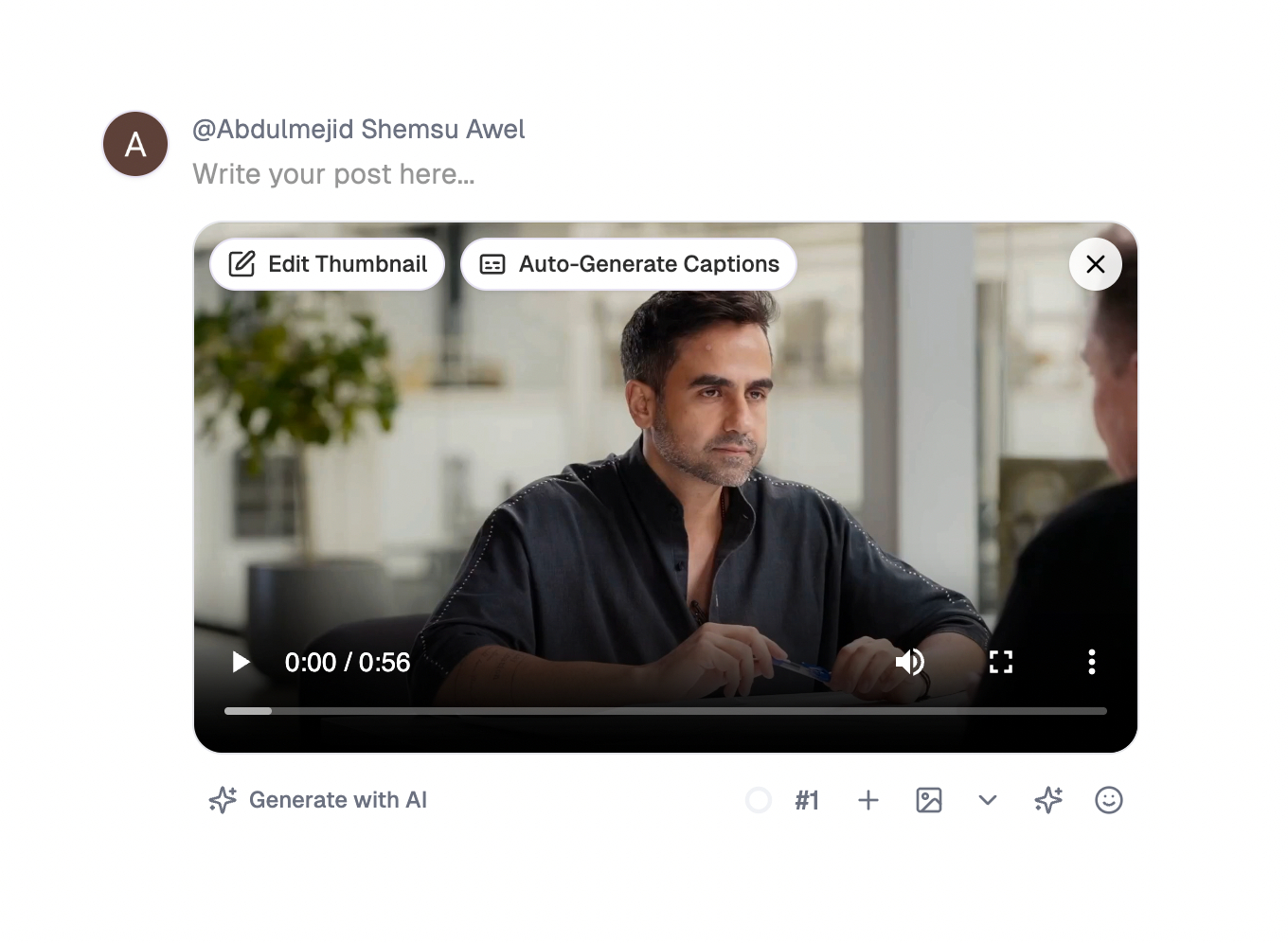
Simply click the 'Auto Generate Caption' button when posting your video, and we'll automatically add accurate, synchronized captions to your videos before posting. Our AI transcribes your video's audio and generates professional captions in seconds, making your content accessible and engaging across all platforms.
AI-Powered Transcription
Advanced AI accurately transcribes your video's audio into text captions
Perfect Synchronization
Captions are automatically synced with your video's audio timing
One-Click Activation
Enable auto captions once and it works for all your video posts
Multi-Language Support
Generate captions in multiple languages to reach global audiences
80% More Engagement
Videos with captions receive significantly higher engagement rates. Viewers are more likely to watch, like, and share captioned content.
Accessibility First
Make your content accessible to deaf and hard-of-hearing audiences, and viewers in sound-sensitive environments.
Better SEO Rankings
Search engines can index your video captions, improving discoverability and helping your content rank higher.
Works Across 10 Major Platforms
Our AI Caption Generator seamlessly adds captions to your videos across all major social media platforms. Whether you're posting to YouTube, Instagram, TikTok, or any of our 10 supported platforms, your videos will automatically include professional captions.
How Auto Caption Generator Works
Adding captions to your videos is as simple as enabling a setting. Here's how it works:
Click Auto Generate Caption
When uploading your video, click the 'Auto Generate Caption' button in the post editor. It's that simple.
Upload Your Video
Schedule or post your video as usual. Our AI automatically detects and processes the audio.
Captions Added Automatically
Your video is posted with professional, synchronized captions across all selected platforms.
Why Add Captions to Your Videos?
Increase Watch Time
85% of Facebook videos are watched without sound. Captions keep viewers engaged.
Reach Global Audiences
Captions help non-native speakers understand your content and expand your reach.
Improve Accessibility
Make your content accessible to 466 million people worldwide with hearing loss.
Boost SEO Performance
Search engines index caption text, improving your video's discoverability and rankings.

Invest in
Growth
,
Not Just Tools
Simple pricing for creators, teams, and agencies.
No per-user fees. No hidden limits. Start free.
Starter Plan
For solo creators and freelancers
Pro
Growing teams and agencies
Pro Plus
Best ValueAdvanced AI tools for businesses and teams
Still deciding?
View full feature comparisonCompare all plans
See how each plan stacks up. All plans include a 7-day free trial.
Starter Plan
10
Pro
15
Pro Plus
30
Starter Plan
Unlimited
Pro
Unlimited
Pro Plus
Unlimited
Starter Plan
Unlimited
Pro
Unlimited
Pro Plus
Unlimited
Starter Plan
1 (add more anytime)
Pro
2 (add more anytime)
Pro Plus
3 (add more anytime)
Starter Plan
50 GB Storage
Pro
100 GB Storage
Pro Plus
Unlimited Storage
Starter Plan
Basic
Pro
Advanced
Pro Plus
Advanced
Starter Plan
Basic
Pro
Advanced
Pro Plus
Advanced
Starter Plan
✓
Pro
✓
Pro Plus
✓
Starter Plan
✓
Pro
✓
Pro Plus
✓
Starter Plan
1,000/m
Pro
1,000/m
Pro Plus
2,000/m
Starter Plan
✓
Pro
✓
Pro Plus
✓
Starter Plan
✓
Pro
✓
Pro Plus
✓
Starter Plan
✓
Pro
✓
Pro Plus
✓
Starter Plan
✓
Pro
✓
Pro Plus
✓
Starter Plan
✓
Pro
✓
Pro Plus
✓
Starter Plan
1M+
Pro
2M+
Pro Plus
3M+
Starter Plan
Light
Pro
Moderate
Pro Plus
Heavy
Starter Plan
✓
Pro
✓
Pro Plus
✓
Starter Plan
✓
Pro
✓
Pro Plus
✓
Starter Plan
✓
Pro
✓
Pro Plus
✓
Starter Plan
✓
Pro
✓
Pro Plus
✓
Starter Plan
✓
Pro
✓
Pro Plus
✓
Starter Plan
✓
Pro
✓
Pro Plus
✓
Starter Plan
✓
Pro
✓
Pro Plus
✓
Starter Plan
✓
Pro
✓
Pro Plus
✓
Starter Plan
✓
Pro
✓
Pro Plus
✓
Starter Plan
✓
Pro
✓
Pro Plus
✓
Starter Plan
✓
Pro
✓
Pro Plus
✓
Starter Plan
Live chat
Pro
Priority
Pro Plus
Priority
Frequently Asked Questions
Everything you need to know about AI-powered auto captions for videos
PostSyncer's AI Caption Generator is a powerful tool that automatically transcribes your video's audio and adds synchronized captions. It helps boost engagement and accessibility by ensuring your videos can be understood even when watched without sound, which is how 85% of social media users consume video content.
It's simple! When you're posting or scheduling a video through PostSyncer, just click the **'Auto Generate Caption'** button. Our AI will then handle the transcription and synchronization automatically.
Our AI Caption Generator works seamlessly across 10 major platforms: YouTube, Instagram, TikTok, Facebook, Twitter (X), LinkedIn, Pinterest, Threads, Telegram, and Bluesky. Whether it's a Reel, a Short, or a standard video post, we've got you covered.
Yes! Our AI can detect and transcribe audio in multiple languages, making your content accessible to a global audience. This is particularly useful for creators and brands looking to expand their reach across different regions and cultures.
Yes, you can customize the caption styles to match your brand's aesthetic. You can adjust the font, size, color, and positioning to ensure they look professional and are easy to read on any platform.
Absolutely. Search engines and social platform algorithms can index the text within your captions. This improves your video's discoverability, helping it rank higher in search results and reach more potential viewers.
The AI Caption Generator uses AI Video Credits, which are included in all our paid plans. The number of videos you can caption depends on your plan's monthly credit allocation. You can always check your credit balance in your account dashboard.
Not at all. We've designed the tool to be completely "set and forget." Once you click the button, the AI handles everything from transcription to synchronization. You just upload your video and we do the rest.