











Most Facebook Pages don't fail because the owner lacks ideas. They fail because the work becomes messy fast. One person creates posts when they remember, another replies to comments from a phone, promotions start crowding out useful content, and the page slowly turns into a bulletin board nobody looks forward to seeing.
That's the challenge with Facebook page management. It isn't just posting. It's building a system that stays consistent when you're busy, keeps the page secure when more people get involved, and gives followers a reason to keep paying attention.
For small businesses, creators, and lean marketing teams, two problems show up more than most guides admit. The first is managing one Page that serves more than one audience without making the feed feel scattered. The second is producing enough video to stay relevant without a camera crew, studio, or editor. Both are solvable if you treat the Page like an operating system instead of a content slot machine.
Building Your Page Foundation
You can spot a weak Page setup in seconds. A local service business posts a helpful video, someone clicks through, and the Page still has a cropped cover image, a vague description, no clear button, and three different topics competing for attention. Good content loses momentum before the visitor even reaches the feed.
The setup work decides whether your Page feels credible, easy to follow, and manageable once more people touch it.
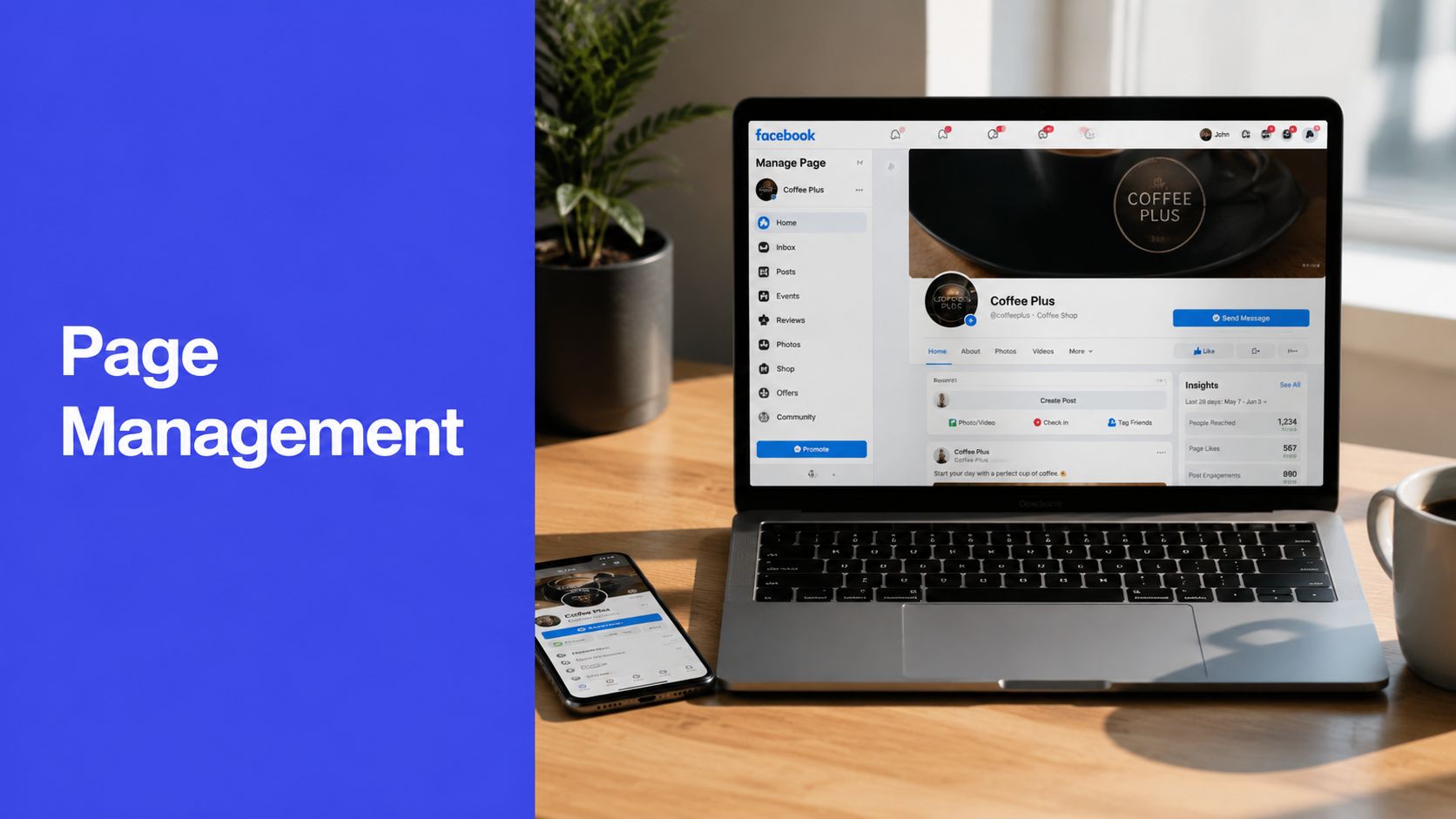
Set up the public-facing basics properly
Start with the fields that shape first impressions and search visibility.
- Page name: Use the name customers already type into Facebook. If people know the business by a shorter local name, use that instead of a legal business name that never comes up in conversation.
- Category choice: Choose the closest fit for your main offer. If the Page covers more than one niche, pick the category tied to the service or topic that drives the most revenue or audience demand.
- About section: Write a short description that tells people who the Page is for, what they will get, and what makes the Page worth following. Clear beats clever.
- Username and vanity URL: Claim a simple handle early. It makes tagging, sharing, and brand consistency easier across platforms.
- CTA button: Match it to the action that matters most right now. Booking-focused businesses usually need messages or calls. Product-led pages usually need shop or site traffic. Creators often benefit more from building follows first.
Many new Pages look unfinished because owners treat these fields like admin work they can clean up later. In practice, these details do conversion work every day. If someone lands on your Page from a shared Reel or tagged post, they should know within a few seconds whether they are in the right place.
That matters even more for Pages serving multiple niches. If one Page covers, say, home organization and meal prep, the About section and visuals need to explain the connection. Without that frame, the feed feels random. With it, followers understand why both topics belong.
Make the page work on mobile first
Page visits usually happen on a phone, in a rushed moment, with half the screen covered by Facebook's interface. Build for that reality.
Use a profile image that stays clear at small sizes. For many businesses, that means a simple logo mark or a clean headshot, not a wide logo with tiny text. Your cover image should support recognition, not carry important details that get cropped on mobile.
Pinned content matters here. One pinned post can orient new visitors fast. I usually pin one of three things: a short welcome post, a plain-language service explainer, or a post that explains how the Page handles multiple content themes. That last option helps a lot on multi-niche Pages because it sets expectations before people assume the content is unfocused.
Build for clarity if one Page serves multiple niches
A lot of generic setup advice often falls short for this reason. Plenty of small businesses and creators do not have the resources, or the audience size, to run separate Pages for every topic. One Page has to carry more than one niche.
That can work, but only if the foundation explains the structure.
Use your bio, cover image, and pinned post to define the umbrella. A fitness coach who also posts nutrition content should frame the Page around a broader result, such as helping busy adults get healthier at home. A maker who sells both pottery and home decor should anchor the Page in the style or lifestyle that connects both lines.
The trade-off is straightforward. One broad Page is easier to manage and grows faster at the start because all activity collects in one place. It also creates more risk of audience mismatch if the topics feel unrelated. If the niches do not share a clear audience need, separate Pages are usually the cleaner choice.
Set permissions before you need them
Access problems rarely show up on day one. They show up when a freelancer leaves, an assistant publishes from the wrong account, or the business owner realizes too late that three people have full control.
Use role levels intentionally under the New Pages Experience:
- Full control: Keep this limited to the owner or the person responsible for security, settings, and access.
- Content access: Give this to the person writing, uploading, and publishing posts.
- Insights access: Use this for team members or stakeholders who need reporting without edit privileges.
- Community access: Give this to the person handling comments and messages if they do not need publishing control.
I have seen small teams lose time cleaning up avoidable permission mistakes. A contractor meant to schedule posts should not be able to change ownership settings. A founder who never checks notifications should not be the only person with full access. Clean permissions make daily work simpler and reduce the damage when team changes happen.
A strong Page foundation is not flashy. It saves you from confusion later, gives new visitors a clear read on what the Page is about, and makes it much easier to manage mixed niches and steady video publishing without building a bigger team first.
Developing a Sustainable Content Strategy
Monday morning usually exposes the underlying problem. The Page needs a post, comments still need replies, and nobody wants to spend 45 minutes debating what to publish. A sustainable strategy fixes that by narrowing daily decisions to a few repeatable choices. That matters even more if one Facebook Page serves multiple niches, because inconsistent topic choices confuse followers faster than a light posting schedule ever will.

Build around pillars, not one-off ideas
Pages that stay active for years are often run by people with a repeatable system. Random posting burns time because each post starts from zero. Content pillars solve that.
For a small business or creator, the mix usually includes:
- Education: Answer common questions, explain how something works, correct mistakes.
- Proof: Share results, testimonials, process clips, before-and-after examples where they fit.
- Personality: Add founder perspective, team voice, opinions, and real-world context.
- Promotion: Publish offers, launches, product updates, booking pushes, and sales posts.
- Community: Run polls, ask questions, feature customers, and create posts that invite replies.
If one Page covers multiple niches, the pillar system becomes even more useful. The goal is not to post unrelated topics side by side and hope followers sort it out. The goal is to group them under a shared audience need. A creator who covers fitness and meal prep can anchor both under habit-building. A local business that serves homeowners and landlords can anchor both under property care. If the niches do not connect through a clear problem, the audience split usually gets worse over time.
Use the 80/20 rule as a filter
The 80/20 mix is still a useful guardrail. Keep most posts focused on helping, showing, or starting conversation. Keep a smaller share focused on the sale.
Cratejoy notes that posting once every 2 to 3 days is a practical benchmark for maintaining reach, and that Pages responding to messages within 24 hours can see up to 20% higher retention rates, in its guide to Facebook Page management best practices.
In practice, this is easy to audit. If the next five posts are all offers, discount reminders, or product pushes, the mix is off. If the Page regularly teaches, demonstrates, answers objections, and gives followers something useful between promotions, sales posts feel less intrusive.
A lot of underperforming Pages have a content balance problem before they have a reach problem.
Turn the strategy into a calendar you can maintain
A content calendar should survive a busy month, not just a motivated week.
I usually plan four content lanes:
| Content need | What to plan |
|---|---|
| Core value posts | Educational posts, quick tips, short how-tos, simple videos |
| Relationship posts | Questions, opinion prompts, customer spotlights, community features |
| Conversion moments | Offers, launches, reminders, direct CTA posts |
| Flexible slot | Timely updates, trend reactions, fast-turn posts, local events |
This structure works well for mixed-niche Pages because it creates boundaries. For example, one week can include an educational post for niche A, a community post that applies to everyone, a proof post for niche B, and one promotional post tied to the broadest offer. That keeps variety without making the feed feel scattered.
Plan for the content you can actually produce
Do not build your strategy around polished production if your team has a phone, a window, and one free hour. Facebook rewards useful, watchable video more often than expensive video.
Low-resource video usually performs best when it does one job clearly:
- Answer one customer question on camera.
- Show a simple before-and-after result.
- Record a screen walkthrough with voiceover.
- Film a product, workspace, or process from two or three angles.
- Turn a strong text post into a 30 to 60 second talking-head clip.
For Pages serving multiple niches, video can bridge the gap better than graphics. A short clip explaining why two topics connect gives followers context fast. That context reduces the "why am I seeing this?" reaction that hurts engagement.
Schedule for reality, not ambition
Capacity decides whether a strategy lasts.
- Solo managers: Repeat themes, batch one week at a time, and keep formats narrow.
- Client work: Standardize approvals and pillar templates so every Page does not become custom chaos.
- Small teams: Assign ownership by pillar or content type, then review weekly.
- Mixed-niche Pages: Pre-label each post by audience segment so the feed does not over-serve one group for weeks at a time.
A scheduler helps here because the primary gain is not just automation. It gives you a clearer view of balance across the week before posts go live. Tools like a Facebook post scheduler for batching and planning make it easier to spot when the calendar is too promotional, too repetitive, or too skewed toward one niche.
The best strategy is the one your team can keep running in three months, with enough flexibility to publish useful video and enough structure to serve different audience segments without losing the core Page identity.
Creating and Scheduling High-Impact Posts
A lot of Facebook content underperforms before anyone even reads it. The image looks soft, the caption buries the point, the video drags, or the post never gets scheduled because production was too complicated. Good Facebook page management fixes those problems upstream.
Start with specs that protect quality
Facebook gives you room to post almost anything. That doesn't mean every format performs equally well. For stronger engagement, Facebook post copy works best in the 180–280 character range, posts over 200 characters often lose click-through strength, images should be at least 1080 pixels wide, and video is ideally 60–90 seconds, based on UC Davis Facebook best practices.
That guidance matters because it forces discipline. Shorter copy sharpens the hook. Wider images reduce ugly compression. Mid-length video usually holds attention better than something that feels like a repurposed webinar clip.
Write captions that earn the tap
A strong Facebook caption doesn't try to say everything. It gives the reader one reason to stop.
Try this simple structure:
- Open with the tension. Name the problem, mistake, surprise, or payoff.
- Add one useful point. Keep the body tight.
- End with one action. Comment, click, message, save, or share.
Examples of better hooks:
- You're probably posting too much promotion and not enough proof.
- Most local business pages don't need better graphics first. They need better topics.
- This took one phone, one window, and ten minutes to film.
Weak captions usually fail because the setup is too long. By the time the point appears, the reader is gone.
If the first line could fit on a poster, it's usually stronger than a paragraph that clears its throat.
Solve the low-resource video problem
Many page owners avoid video because they think “video” means lights, mics, editing software, and someone who knows transitions. It doesn't. One of the biggest gaps in Facebook advice is practical help for low-resource video production, especially for admins who don't have fancy equipment but still need content that feels native to the platform.
Use a phone and keep the workflow basic:
- Film near a window: Natural light does more for quality than most cheap gear.
- Use the rear camera when possible: It usually gives a cleaner image than the front-facing one.
- Record short segments: Don't try to nail a long take. Film in pieces.
- Add captions: Many people watch without sound, and captions help retention.
- Keep framing tight: Face, hands, product, or screen. Wide empty space makes phone video feel amateur fast.
Good low-cost Facebook video ideas include quick tips, FAQ answers, product demos, packing orders, founder commentary, process clips, and “three mistakes” formats.
Use a batching workflow so publishing doesn't slip
The actual time saver isn't creativity. It's batching. Create several posts in one sitting, load the media, write the captions, and schedule them together.

A typical weekly batch session looks like this:
- One image post tied to a customer question
- One short video answering or demonstrating something
- One conversation post designed to pull comments
- One promotional post tied to a clear offer or next step
For teams that want to queue and organize that workflow from one place, a Facebook scheduling tool for Pages can help manage posts and timing without bouncing between tabs. That's useful when you're handling mixed formats like images, standard posts, and Reels in the same week.
The important part isn't the tool itself. It's removing the daily scramble.
Mastering Community Management and Engagement
I've seen two pages post nearly identical content and get very different results because one treated the page like a publishing channel and the other treated it like a staffed front desk. The difference shows up in comments, inbox response quality, and whether followers feel ignored.
Reactive moderation keeps the page alive
The weak version of community management looks like this: someone notices a comment late, replies with a canned sentence, misses the next three questions, and lets a complaint sit untouched over the weekend.
The stronger version is boring in the best way. Messages are checked regularly. Repetitive questions get saved replies. Complaints get acknowledged without defensiveness. Positive comments get more than a thumbs-up.
A reliable workflow usually includes:
- Daily inbox checks: Even a brief review prevents backlog.
- Saved replies for common questions: Hours, pricing basics, booking steps, shipping details.
- Escalation rules: Know when a support issue needs to move off the public thread.
- Comment triage: Respond first to buyers, prospects, confused customers, and criticism that could influence others.
Proactive engagement builds a real community
Pages grow stronger when the admin gives people reasons to participate before there's a problem. That means asking useful questions, inviting small opinions, spotlighting customers, and turning recurring comments into future posts.
Here's the before-and-after pattern I see often:
| Approach | What happens |
|---|---|
| Only replies when necessary | Followers consume passively and rarely return to comment |
| Starts conversations intentionally | Followers begin recognizing the page as interactive and worth revisiting |
Linking publishing with engagement helps. If your team needs one workflow for monitoring replies after posts go live, a Facebook comment management workspace is useful for keeping responses from getting buried across posts.
A healthy Facebook Page doesn't just publish answers. It notices what people keep asking and builds future content from that.
Don't automate the human part away
Automated Messenger replies are helpful when they buy you time and direct people correctly. They hurt when they trap people in a dead-end script.
Use automation for the first touch only. Confirm the message was received, set expectations, and offer the next step. Then make sure a real person follows up. People can tell the difference between a fast system and a fake conversation.
Balancing Organic Growth and Paid Ads
A lot of businesses jump to ads because organic reach feels uncertain. That's understandable, but it usually leads to wasted spend. If your page can't hold attention organically, paid reach just exposes weak content to more people.
Organic work tells you what deserves amplification
Strong organic content does two things before you ever spend money. It proves the topic matters to your audience, and it shows which format your page can execute consistently.
That's why boosting every post is usually a mistake. A promotion-first page often hasn't earned enough trust to make paid distribution efficient. The content hasn't been tested in the live feed yet. The hook may be weak. The offer may be clear only to insiders.
A better approach is to publish organically first, then look for posts that already show signs of audience fit. On Facebook, that usually means posts that attract comments, shares, or meaningful reactions relative to your normal baseline.
What to boost and what to leave alone
Boost posts that already do one of these well:
- They explain something clearly: Educational posts often convert well into amplified content because they solve a real problem.
- They trigger discussion: A post that gets genuine responses usually has a stronger chance of staying relevant with paid support.
- They prove demand: Product demos, testimonials, or offer explainers that naturally pull clicks or messages are worth considering.
- They introduce the brand cleanly: Pages trying to grow followers need posts that make sense to a cold audience.
Don't put ad budget behind posts that only make sense to people who already know your business. Internal jokes, vague announcements, and context-heavy updates rarely travel well.
Paid ads work better when the page itself is credible
When someone clicks an ad and lands on your page, they make a fast judgment. Is this active? Does it look trustworthy? Do people get replies? Is there evidence that real customers engage here?
That's why organic Facebook page management is not separate from paid performance. It supports it.
If you're planning a follower-growth campaign specifically, this 2026 Facebook Page Like ad guide is a useful resource for understanding how Page Like ads fit into a broader acquisition approach. Use that kind of campaign carefully. More followers only help if the page gives them a reason to stay interested after they arrive.
Keep your ad testing small and clear
You don't need a huge campaign structure to learn something useful. Start narrow. Choose one proven post, one audience idea, and one goal.
Then ask practical questions:
- Did the paid audience engage for the same reasons the organic audience did?
- Did the post attract the right kind of attention, or just cheap reactions?
- Did the traffic or messages reflect actual buying intent?
If the answer is weak, the issue often isn't the ad account. It's the creative or the page foundation behind it.
Using Analytics to Refine Your Strategy
Most page owners open Facebook Insights, glance at a few charts, and leave without making a decision. That's not analysis. It's checking weather. Useful analytics tells you what to repeat, what to cut, and what needs a better test.
A simple review process works better than chasing every available metric.
Focus on a few metrics you can act on
The most practical metrics for day-to-day Facebook page management are reach, engagement, and link behavior. Those tell you whether people saw the content, cared enough to react, and took the next step.

Use them like this:
| Metric | What it tells you | What to do next |
|---|---|---|
| Reach | How many people saw the content | Test format, timing, and topic if it declines |
| Engagement | Whether the content created a reaction | Study hooks, subject matter, and post style |
| Link clicks | Whether interest turned into action | Tighten the CTA or improve offer clarity |
| Audience breakdown | Who is responding most often | Adjust examples, creative, and posting themes |
A page can have decent reach with weak engagement. That often points to content that gets distributed but doesn't connect. A page can also have strong engagement with weak clicks. That usually means the post entertained people more than it moved them.
Review performance in context, not one post at a time
This short video gives a useful visual walkthrough before you audit your own data.
A common mistake is overreacting to one outlier. One post flops, and they abandon the format. One post takes off, and they assume they found the formula. Neither is reliable on its own.
Instead, review performance monthly and sort your posts into patterns:
- Topics that consistently pull engagement
- Formats that attract reach
- Posts that create clicks or messages
- Content that looked good internally but got ignored publicly
This kind of pattern review is easier when your data lives in one place. A social media analytics dashboard guide can help if you're comparing Facebook performance with other networks and trying to spot cross-platform winners.
Use analytics to make one change at a time
A clean monthly audit doesn't need to be complicated. Ask:
- Which three posts performed best, and what do they have in common?
- Which three underperformed, and why?
- Did the issue come from topic, format, timing, or CTA?
- What single adjustment should next month's calendar reflect?
Good analytics work isn't about collecting more numbers. It's about making the next publishing cycle less random.
That discipline matters more than any one viral post.
Advanced Management for Teams and Niche Audiences
On a small team, this problem shows up fast. Monday's post is for local customers. Wednesday's post speaks to creators. Friday's video targets potential partners. Engagement drops, comments get mixed, and the team starts wondering whether the page needs to split.
Common advice suggests a Facebook Page must serve one niche only. That rule is too rigid for a lot of real pages I've managed. Small businesses expand. Creators add new offers. Agencies talk to clients, prospects, and collaborators on the same page. The issue is not multiple niches. The issue is publishing without a clear system.

One page can support multiple niches if the audience overlap is real
Splitting every topic into a separate page sounds organized. It also creates more work. More pages mean more scheduling, more moderation, more branding upkeep, and a higher chance that one page turns into a ghost town because nobody can feed it consistently.
The better test is audience overlap.
A single page usually works when the same person has a reason to care about more than one content stream. A fitness coach, for example, can post training tips, meal prep ideas, client wins, and basic gear recommendations on one page if those topics all serve the same customer journey. A page struggles when one stream serves local retail shoppers and another serves unrelated B2B buyers. At that point, the page stops feeling broad and starts feeling confused.
Use these checks before you split or consolidate:
- The same buyer appears across topics. They may need different content at different stages.
- Each niche supports the main offer. The connection should be obvious without extra explanation.
- Followers can explain what the page is about in one sentence.
- The team can maintain a clear publishing rhythm.
If those conditions are weak, a second page may save trouble later.
Build content lanes so followers know what to expect
Pages lose followers when the mix feels random. They keep followers when the variety has rules.
Set up recurring content lanes. Keep one lane as the core topic people came for. Add one adjacent lane that supports it. Test a third lane carefully if you want to expand into a newer niche. Then use a community lane to pull everyone back into shared conversations, such as polls, customer stories, FAQs, or quick opinion prompts.
A simple structure looks like this:
- Anchor lane: Your core topic and primary value
- Adjacent lane: Closely related content that helps the same audience
- Expansion lane: Newer niche content published in a limited, testable cadence
- Community lane: Broad posts that invite comments across segments
This matters even more for video. A page covering multiple niches does not need studio production to keep people engaged. Short phone-shot videos often outperform polished clips when the topic is specific and useful. Record one 30 to 60 second tip for each content lane, use natural light, add captions, and open with the problem in the first sentence. That approach is cheap, repeatable, and easier to sustain than waiting for a full production day.
Followers do not need to love every post. They need to understand why each post belongs on the page.
Assign roles by responsibility, not by familiarity
Teams get into trouble when access is granted because someone is trusted, not because their job requires it. Facebook page management works better when permissions match repeatable tasks.
Use role levels based on what each person needs to do:
| Role need | Best use |
|---|---|
| Full access | Owner, operations lead, or senior manager responsible for security and settings |
| Content access | Social manager, writer, or freelancer publishing approved posts and videos |
| Community access | Support staff or moderator handling comments, replies, and inbox activity |
| Insights access | Analyst, client contact, or department lead reviewing performance only |
For multi-niche pages, this structure keeps ownership clear. One teammate can run the local business lane. Another can handle creator education content. A moderator can focus on comments tied to one product line without getting access to billing, page settings, or admin controls.
That separation prevents mistakes and makes handoffs easier.
Protect the page like a business asset
A Facebook Page holds audience history, ad connections, message threads, and years of content. Treat it like an operating asset, not a shared login.
Keep the basics tight:
- Turn on two-factor authentication for anyone with meaningful access.
- Review permissions monthly or whenever staff, contractors, or agencies change.
- Remove old tools and app connections that no longer serve the workflow.
- Document ownership for publishing, moderation, reporting, and escalation.
The teams that manage this well are rarely the biggest teams. They are the ones with clear lanes, clear permissions, and a content plan that can support more than one audience interest without confusing the page.
If you're managing Facebook alongside other channels, PostSyncer can help centralize scheduling, approvals, comments, and reporting so the page doesn't become another isolated workflow your team has to babysit.