











You've probably heard the generic advice: post your YouTube video between 2:00 PM and 4:00 PM on weekdays, or maybe 9:00 AM to 11:00 AM on weekends. These time slots are popular recommendations because they often catch people winding down from work or school, right before they get busy with evening or weekend plans.
It's not bad advice, but let's be real—it's just a starting point. The real perfect time to upload isn't found in a blog post; it's hidden inside your own channel's data.
Why Your Upload Time Really Matters

Stop throwing your content at the wall and hoping it sticks. A data-driven upload strategy is one of the most underrated growth hacks on YouTube. The idea of one magical "best" time for everyone is a total myth. Your audience is unique, and your upload schedule should be, too.
Timing is absolutely critical for the YouTube algorithm. When your video gets a burst of initial engagement—plenty of views, likes, and comments within the first couple of hours—it sends a powerful signal to YouTube. That signal says, "Hey, people like this! You should show it to more of them."
Think of it like giving a snowball a solid push at the top of a hill. A well-timed upload gives your video the initial momentum it needs to start rolling and picking up speed. When you publish right as your subscribers are logging on, you're tapping into a ready and waiting audience. This immediately boosts your chances for:
- Higher initial view velocity (how quickly your video gets views)
- More likes, comments, and shares from your core audience
- A much better shot at getting picked up and promoted by the algorithm
From Generic Advice To A Personal Strategy
So, where do you begin? While generic advice isn't the final answer, it provides a solid foundation to build upon. The table below outlines some of the most commonly observed high-traffic windows. Think of these not as rules, but as your first set of test hypotheses.
The most powerful data you have is your own. General industry advice is a map, but your channel's analytics is the GPS that tells you exactly where to go.
This table is a great starting point for identifying high-traffic windows for your channel, based on broad audience behavior. Use these times as your initial test hypotheses.
General YouTube High-Traffic Windows (EST)
| Day | Generally Recommended Time Window (EST) | Typical Audience Behavior |
|---|---|---|
| Monday - Wednesday | 2:00 PM - 4:00 PM | Viewership often peaks in the afternoon as people look for a break or wind down from work/school. |
| Thursday - Friday | 12:00 PM - 3:00 PM | Engagement starts earlier as the weekend approaches. People are often in "planning" or "entertainment" mode. |
| Saturday - Sunday | 9:00 AM - 11:00 AM | Viewers are active in the morning before weekend activities begin. Early uploads catch this prime-time window. |
Remember, these general times are based on widespread viewership patterns, especially for audiences in North American time zones. Use them as a baseline to form your initial strategy. From here, we'll dive into your specific channel analytics to really dial in the perfect schedule. This is how you move from guessing to knowing, and that's where the real impact happens.
Finding Your Channel's Prime Time in YouTube Analytics
Those generic "best times to post" articles are a decent starting point, but the real gold is hiding right inside your own channel's data. Every audience has its own unique rhythm, and your YouTube Studio is the key to figuring it out. This is where we stop guessing and start building a real, data-driven strategy.
The best part? YouTube makes this incredibly easy. There's a specific report waiting for you that acts like a personalized heatmap, showing you exactly when your viewers are online and ready to watch.
How to Find Your Audience Activity Report
First things first, let's find this report.
Head over to your YouTube Studio and click on the Analytics tab on the left. Once you're in the main analytics dashboard, look for the Audience tab at the top. Give that a click and scroll down just a bit—you'll see a chart titled "When your viewers are on YouTube."
This chart is brilliantly simple. It uses shades of purple to show you viewer traffic at a glance:
- Lighter Purple Bars: These are the quiet times when only a few of your viewers are hanging around YouTube.
- Darker Purple Bars: This is what you're looking for. These bars highlight the peak hours when a ton of your viewers are actively watching videos.
Those deep, dark purple bars are your prime time. They literally point to the hours when the highest concentration of your audience is on the platform.
Here's what that looks like in action. You can see how the darker bars clearly signal the most active periods.

For this channel, the data is unmistakable. The darkest purple consistently shows up on weekday afternoons, giving them a clear window to aim for.
Turning Data into an Actionable Schedule
Just looking at the chart once isn't enough. The real magic happens when you start spotting the patterns. I recommend checking this report weekly. Are Thursday afternoons always busy? Do your viewers seem to wake up early on Saturdays?
Pro Tip: Don't get fixated on finding one single "perfect" time. Your goal is to identify 2-3 reliable, high-traffic windows. For instance, your data might point to Thursdays at 4 PM, Fridays at 2 PM, and Saturdays at 10 AM as your top contenders. This gives you a few powerful options to test.
This data is the bedrock of your new publishing schedule. It gives you a solid hypothesis about what will work best. For an even deeper dive, you can pull this data into more comprehensive social media analytics dashboards to see how it aligns with your other platforms.
Now that you have your potential prime-time slots, the next step is to put them to the test and see which one truly delivers the best results.
Why Weekday Afternoons and Fridays Often Win the Engagement Game
While digging into your own channel’s data is always the best path forward, you can’t ignore the massive, platform-wide trends that pop up time and time again. These patterns aren't just random luck; they’re grounded in totally predictable human behavior. Once you get the "why" behind these peak hours, you can make much smarter calls for your own content.
The most talked-about sweet spot, and for good reason, is weekday afternoons—specifically between 2 PM and 4 PM. Just think about the rhythm of a typical day. The workday is starting to wind down, students are getting out of class, and that all-too-familiar brain fog starts to set in. What do people do? They look for a distraction, a quick escape, and platforms like YouTube are the first place they turn.
This is your golden hour to grab that initial wave of engagement.
The Psychology of the Afternoon Slump
This afternoon window is a real psychological phenomenon. It's that moment when the collective hive mind shifts from "must be productive" to "what's interesting?" Dropping your video at 2:30 PM means it lands fresh in subscribers' feeds right as they're mentally clocking out and craving something new. This gives your content a solid two-hour buffer to rack up views, likes, and comments before the evening rush really kicks off.
Nailing this early momentum is absolutely vital.
Strong initial performance is a huge green flag for the YouTube algorithm. It signals that your video is hitting the mark, which dramatically increases its chances of getting recommended to a much wider audience later that evening and into the next day. Beyond just timing your uploads, you might also be interested in broader strategies to make a video go viral.
A video that takes off in its first few hours is far more likely to get pushed to the homepage or into "suggested videos." It’s all about feeding the algorithm those positive signals early and often, turning a small spark into a roaring fire.
How Different Niches Can Play This to Their Advantage
This isn't a rigid, one-size-fits-all rule, but it's incredibly flexible and works across tons of different niches. Let’s look at a couple of real-world examples:
- A Lifestyle Vlogger: Uploading a "Weekend in My Life" video on a Friday at 3 PM is pure genius. You’re catching people right as they’re daydreaming about and planning their own weekends, making your content super relevant and immediately clickable.
- A Tech Reviewer: Dropping a hot new product review on a Thursday at 2 PM lets tech junkies dive in during their afternoon coffee break. It gives them plenty of time to watch, process the info, and jump into the comments section before they start thinking about weekend purchases.
In both of these scenarios, the timing is perfectly synced with the audience's daily routine and what’s on their mind. You're meeting them exactly where they are.
The data backs all of this up, showing that posting between 2 PM and 4 PM on weekdays consistently delivers the best initial punch. In fact, multiple studies show this window can drive 30-50% more views in the first 24 hours compared to dropping a video at a less optimal time.
Creating a Data-Driven Upload Schedule to Test
Okay, so you've dug into your analytics and found some interesting patterns. That's a great start, but data is just a pile of numbers until you actually do something with it. Now it's time to turn those purple bars in your YouTube Studio into a real-world strategy that gets you more views.
The first move is to form a clear, testable hypothesis. A fuzzy goal like "I want more views" is useless here. You need to get specific.
A solid hypothesis sounds more like this: "Based on my analytics, I believe uploading new videos on Fridays at 3 PM EST will boost my first 24-hour view count by 20% compared to my current random schedule." See the difference? It's specific, measurable, and gives you a clear target.
Building Your Four-Week Test Plan
With a sharp hypothesis ready, you can map out a simple but powerful four-week testing schedule. The absolute key here is consistency. If you change your thumbnail style, title format, and your upload time all at once, your results will be a mess. You won't know what actually made a difference.
For this test, we're only changing one thing: the upload time.
Here's a straightforward framework to run with:
- Week 1: Publish your video at the new time you're testing (e.g., Friday at 3 PM). Write down the results.
- Week 2: Do it again. Post another video at the exact same day and time. This helps you figure out if Week 1 was a lucky break or the start of a trend.
- Week 3: You guessed it—stick to the schedule. Consistency is what builds a reliable dataset.
- Week 4: One last test at the same time. After this week, you’ll have solid data from four separate videos to make a confident call.
This simple flowchart shows you what's happening in your viewer's head. It's all about timing your upload to hit them squarely in that "Engage" phase.
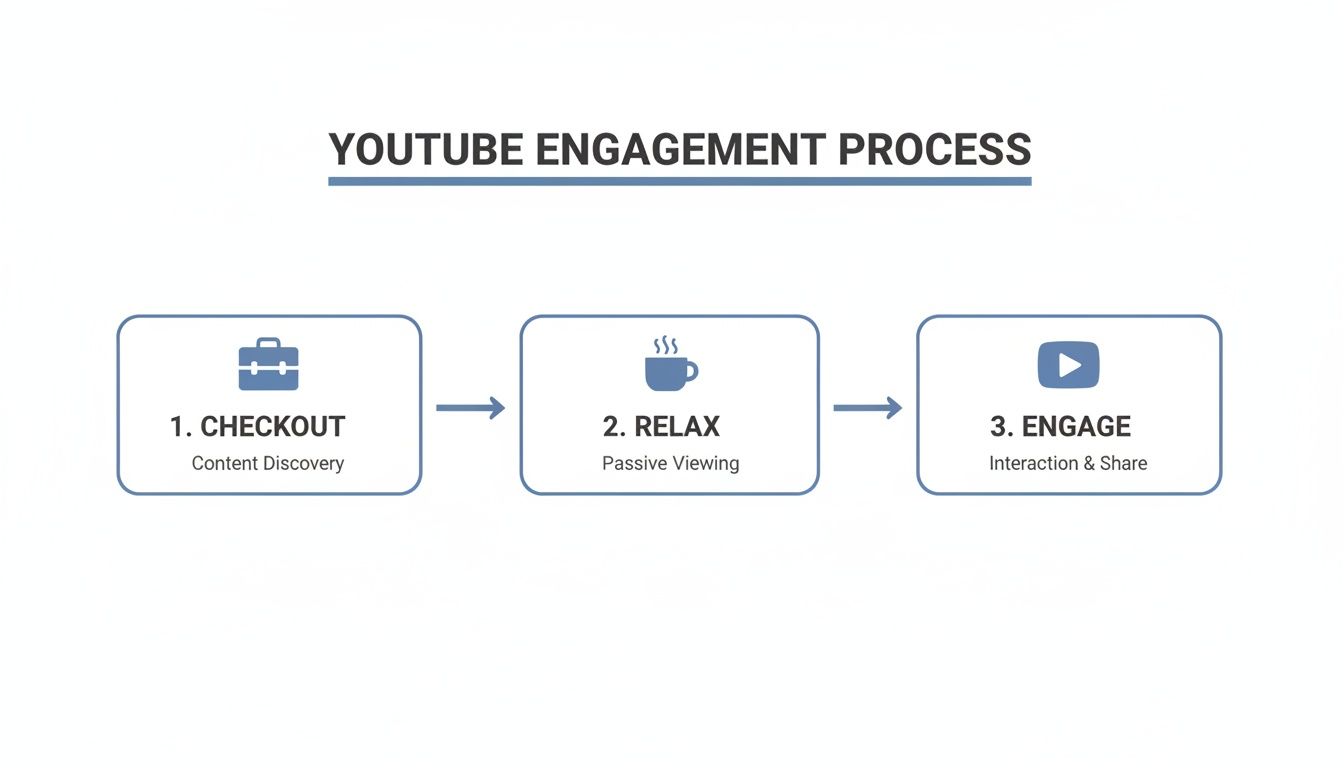
As you can see, viewers are most open to new videos after they've mentally clocked out from work or school and are actively looking for something to watch.
Key Metrics You Must Track
During your four-week experiment, you need to be a hawk about tracking the right numbers. Don't just glance at the total view count days later. You need to measure the initial momentum, because that's what sends the strongest signals to the YouTube algorithm.
Your tracking sheet—even a simple spreadsheet—should have these columns:
- Views in the First Hour: This is your best raw signal for how well the video landed right out of the gate.
- Views in the First 24 Hours: This gives you a broader look at the video's initial traction and staying power.
- Click-Through Rate (CTR) in the First 24 Hours: A high CTR tells you the title and thumbnail are grabbing attention at that specific time.
By keeping the upload time as your only changing variable and tracking these specific early-momentum metrics, you're running a clean experiment. You're swapping guesswork for hard evidence, which is the only way to build a reliable schedule that actually works for your audience.
Of course, timing is just one piece of the puzzle. Mastering some advanced YouTube video editing tips can make your content so much more engaging, giving those perfectly timed uploads an even bigger punch.
Once your test is over, you'll have a clear winner and a proven time slot to build your content calendar around. This whole process isn't just for YouTube, either. You can learn more about finding the best times to post on all your other social platforms, too.
Using Fridays to Maximize Weekend Momentum
While weekday afternoons give you a reliable bump in views, Friday is in a league of its own. It's not just another day on the schedule; for a lot of creators, it's the strategic launchpad that turns a trickle of initial views into a weekend-long flood of traffic.
The real magic of Friday lies in its unique spot in the weekly cycle. As people clock out from their jobs and classes, their viewing habits change completely. They stop looking for a quick five-minute distraction and start settling in for some serious content consumption. This shift creates the perfect storm for your new video to make a huge splash.
The Friday Afternoon Sweet Spot
Time and time again, the window between 3 PM and 4 PM EST proves to be an absolute powerhouse for engagement. This timing is brilliant because it catches a massive slice of the biggest YouTube market—the United States—just as they're transitioning out of work or school mode. The East Coast is wrapping up their day, and the West Coast is hitting their mid-afternoon break.
This alignment means your video doesn't just show up in their feed; it lands there the exact moment they're most open to watching something new. That immediate burst of attention from a highly engaged audience sends some seriously strong positive signals to the YouTube algorithm, setting your video up for a great run.
In fact, some studies show that Fridays between 3 PM and 4 PM EST can see up to 60% higher interaction rates—we're talking views, comments, and likes—compared to slower parts of the week. You can dig into more insights about this engagement peak and how it can shape your content plan.
Building Momentum for Saturday and Sunday
The payoff from a Friday upload goes way beyond those first few hours. A strong performance on Friday afternoon gives the YouTube algorithm a full 48 hours to process all those positive signals. It then starts recommending your video to a much wider audience all through Saturday and Sunday.
Think of it like this:
- A gaming channel drops a "First Look" gameplay video at 3 PM on a Friday. This builds instant hype right as their core audience is getting ready for a weekend of gaming. That initial engagement helps the video get recommended all weekend to other gamers searching for new titles.
- A DIY channel uploads a "Weekend Home Project" tutorial. By catching people as they're mentally making their Saturday to-do lists, the video becomes incredibly relevant. It gets saved, shared, and drives steady traffic straight through Sunday.
By launching on a Friday, you're essentially giving your video a head start in the weekend viewership race. You aren't just publishing content; you're placing it at the starting line right before the biggest audience rush of the week.
This simple shift transforms your upload from a one-off event into a momentum-building machine. It's a proactive move that puts you ahead of the curve and maximizes your video’s shot at dominating the weekend, which for many channels is easily the best time to get views on YouTube.
Automating Your Schedule with Smart Tools
So, you’ve put in the work, dug through your analytics, and finally pinpointed your channel's prime-time windows. Awesome. But now comes the real challenge: consistency.
Trying to manually upload every single video at a precise moment—like 3:00 PM on the dot—isn’t just a hassle; it’s a recipe for burnout and missed opportunities. Life gets in the way. You get pulled into a meeting, you forget, or you’re just in the wrong time zone.
This is exactly where automation tools become a creator’s best friend. Instead of setting alarms and hovering over the "Publish" button, you can let a smart tool handle the execution. It’s a simple shift that moves you from being a reactive uploader to a strategic scheduler who never misses a beat.
Why Manual Scheduling Just Doesn't Cut It
Let’s be real. Relying on yourself to hit "publish" at the perfect time introduces a ton of unnecessary risk. All it takes is forgetting to upload on a Friday afternoon, and you've just sacrificed the crucial weekend momentum you worked so hard to identify.
The goal isn't just to find the best time to upload your video on YouTube; it's to hit that time with 100% reliability. Automation completely removes human error from the equation.
This is especially true for anyone managing multiple YouTube channels or agencies juggling several client accounts. Trying to coordinate all those schedules manually is a logistical nightmare waiting to happen.
Let Smart Tools Do the Heavy Lifting
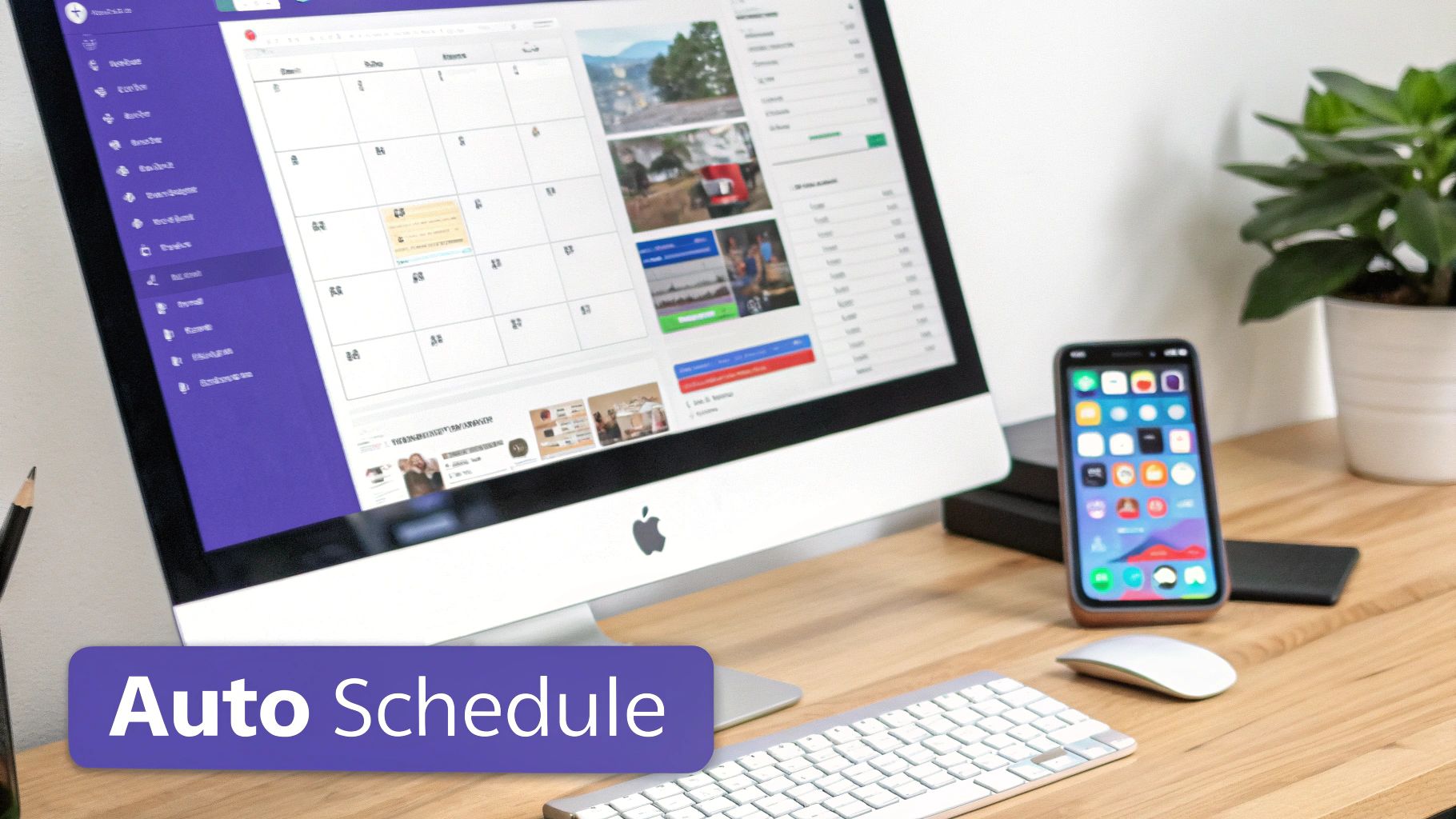
This is a problem that modern social media platforms were built to solve. For instance, using a dedicated YouTube scheduler with an analytics dashboard like PostSyncer can completely transform your workflow. It's not just about hitting "publish" at a set time; it’s about using technology to work smarter, not harder.
These tools are packed with features designed for precision and efficiency:
- AI-Powered Scheduling: Some platforms can analyze your channel's unique analytics and automatically suggest the best upload times, taking all the guesswork out of the process.
- Visual Content Calendars: Plan your entire month of videos in advance. A simple drag-and-drop calendar lets you see your whole schedule at a glance and make changes on the fly.
- Centralized Analytics: Stop jumping between a dozen different browser tabs. You can track your video performance right inside the scheduling tool, directly connecting your schedule to real-world results.
By handing your schedule over to an automation tool, you free up precious time and mental energy to focus on what actually grows your channel: creating incredible content. You’ve already done the hard part of finding your audience’s rhythm—now, let technology make sure you never miss a beat.
Still Have Questions About YouTube Upload Times?
Even after you've nailed down a solid strategy, a few specific questions always seem to pop up. Let's tackle some of the most common ones I hear from creators who are dialing in their upload schedule for maximum impact.
Do Upload Times Matter for Shorts vs. Long-Form Videos?
Absolutely, but your approach might need a little tweaking. YouTube Shorts are consumed in a much different, rapid-fire way than long-form content. Still, the core logic holds true: uploading just before your audience is most active gives your content the best shot at a strong start.
For Shorts, a good initial push is everything. That first hour can make or break its chances of getting picked up by the algorithm and hitting the Shorts shelf.
- Start by testing your primary long-form upload times. This is a great way to catch your most dedicated subscribers.
- Don't be afraid to experiment with other high-scroll periods. Think about when people are most likely to be killing time on their phones, like during a lunch break (12 PM - 1 PM) or winding down for the night (8 PM - 10 PM).
When Should I Share My New Video on Social Media?
Immediately. The second your video goes live on YouTube, you should be pushing it out on all your other social platforms.
Your goal in those first few hours is to generate as much velocity as you possibly can—that means views, likes, comments, and shares. Driving a wave of traffic from your other social channels sends a massive signal to the YouTube algorithm that your new video is something special.
Treat your social media promotion like an extension of the video launch itself. When you coordinate a big push across all your channels at once, you’re telling YouTube, "Hey, this is an event, and you should pay attention."
How Do I Handle Multiple Time Zones?
This is a classic problem for any channel with a global audience. The first thing you need to do is jump into your YouTube Analytics. Head over to Audience > Top Geographies and figure out where the single largest chunk of your viewers are located. Your first priority should be to optimize for that dominant time zone.
What if your audience is more evenly spread out? This is where you have to get a bit more strategic and look for an overlap. For example, scheduling a video for the afternoon on the US East Coast (say, 2 PM EST) means it’s still a perfectly reasonable late morning for the West Coast (11 AM PST) and early evening for your fans in Europe.
There's no magic bullet here. The only way to find the sweet spot is to test, test, and test again.
Ready to stop guessing and start scheduling with real data? PostSyncer's AI-powered tools dig into your channel's unique audience data to automatically schedule your videos for peak engagement, every single time. Start your free 7-day trial and see the difference it makes.