












In the fast-paced world of social media, consistency is king. But who has time to post manually across multiple platforms every single day? The right automation tool can be a game-changer, freeing up your time to focus on strategy and engagement. This guide dives deep into the 12 best free social media scheduling tools available in 2025. We'll move beyond marketing fluff to provide an honest, practical analysis of each tool's free plan, including its real-world limitations, best-use cases, and hidden gotchas.
Whether you're a solo creator, a small business owner, or part of a growing team, this comprehensive list will help you find the perfect scheduler to streamline your workflow without spending a dime. Of course, even the best tool is only effective with a solid plan behind it. Effective use of these platforms begins with a well-organized strategy; learning how to create a social media content calendar is a crucial first step.
This resource is designed for action. We will directly compare key features like posting limits, supported networks, multi-image and video capabilities, analytics access, and team features. Each entry includes screenshots and direct links to get you started immediately. We'll explore dedicated third-party platforms like Buffer and Metricool alongside the powerful, often-overlooked native scheduling options built directly into platforms like Meta Business Suite, LinkedIn, and TikTok. By the end, you'll have a clear understanding of which free tool best fits your specific needs, and when it might be time to upgrade.
1. Buffer
Buffer is a cornerstone in the world of social media scheduling, earning its top spot through a combination of reliability, a user-friendly interface, and a generous "Free Forever" plan. It's an excellent starting point for individuals and small teams looking for one of the best free social media scheduling tools to establish a consistent online presence without a financial commitment. The platform’s clean design makes navigating its features intuitive, even for complete beginners.
The core of Buffer's free offering is its simplicity and effectiveness. You can connect up to three social channels and schedule up to 10 posts per channel at any given time. This queue-based system allows you to load your content, set a posting schedule, and let Buffer handle the rest.
Key Features of the Free Plan
Social Channels: Connect up to 3 channels (from a list including Instagram, Facebook, X, LinkedIn, Mastodon, TikTok, Pinterest, and Google Business Profile).
Scheduling Limit: 10 scheduled posts per channel.
AI Assistant: Access to an AI assistant for brainstorming post ideas and refining captions.
Basic Analytics: View essential post-performance metrics.
Browser Extension: Easily add content to your queue from anywhere on the web.
Who is Buffer's Free Plan Best For?
Buffer is ideal for solo content creators, freelancers, and small businesses just dipping their toes into social media management. Its straightforward queue and clear limits make it easy to manage without feeling overwhelmed. While agencies will quickly hit the channel and post limits, Buffer provides an excellent foundation for understanding social media automation. For those exploring a broader range of options, you can see how it compares to other free social media management tools. The primary limitation is the cap on scheduled posts, which requires more frequent logins to refill the queue compared to platforms with higher limits.
2. Zoho Social (Free Edition)
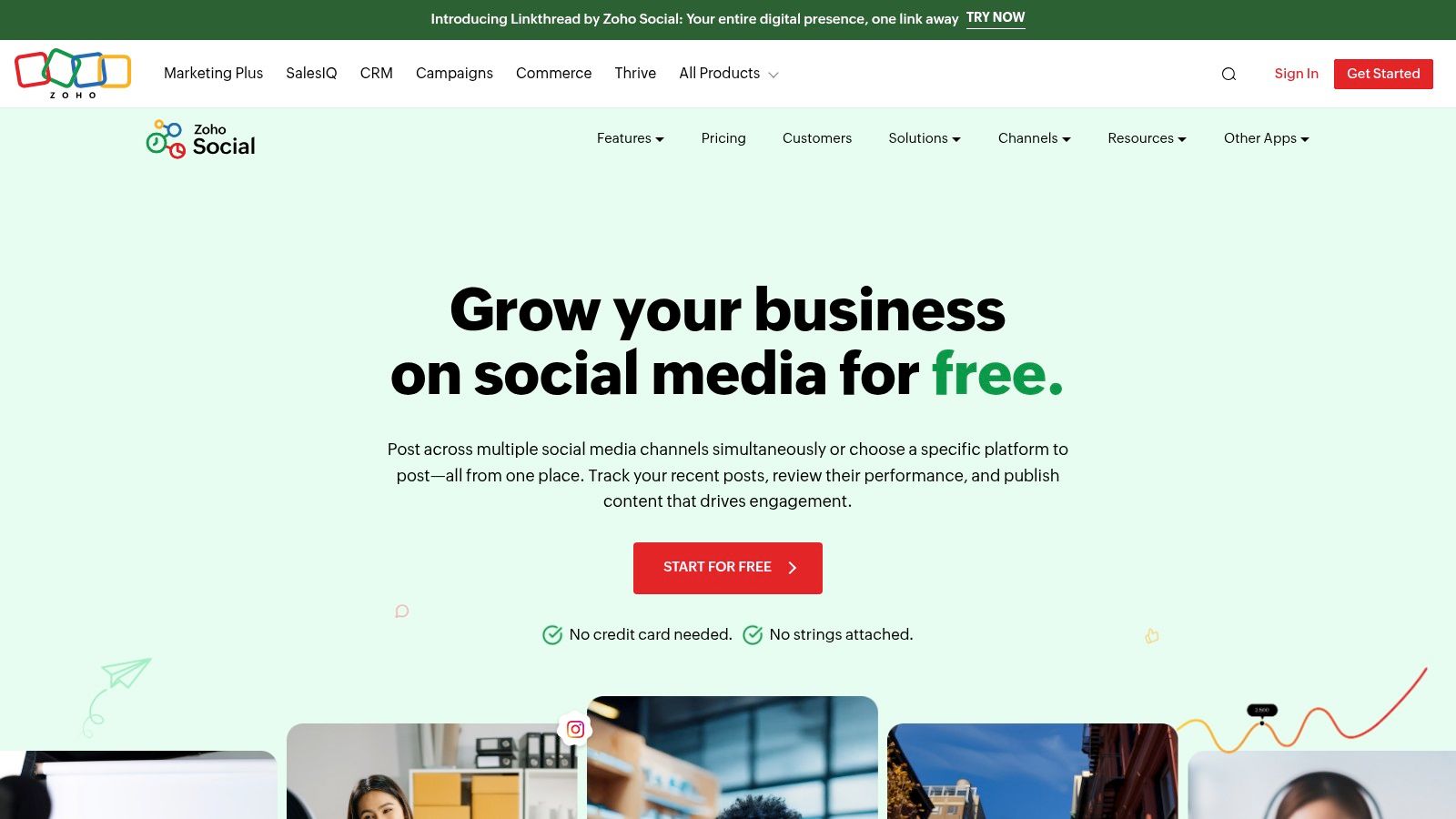
Zoho Social carves out a unique space by offering a truly free, no-time-limit plan that integrates seamlessly into its extensive ecosystem of business apps. It stands out as one of the most practical free social media scheduling tools for small businesses already using or considering Zoho's suite of products. The platform provides a solid foundation for managing a single brand's social presence without requiring a credit card to get started.
The free edition focuses on core scheduling functionalities, allowing users to manage posts for a single brand across several key networks. Its interface is clean and functional, providing a basic content calendar and publishing tools that help maintain a consistent posting schedule. This makes it a strong contender for businesses looking for a simple, cost-effective scheduling solution from a reputable software provider.
Key Features of the Free Plan
Social Channels: Connect 1 Facebook Page, 1 Instagram Business Profile, 1 X profile, 1 LinkedIn profile, 1 LinkedIn page, and 1 Google Business Profile.
Scheduling Limit: No explicit monthly post cap is mentioned, allowing for consistent scheduling.
Users & Brands: Limited to 1 team member and 1 brand.
Publishing Tools: Includes a publishing calendar to visualize your content schedule.
Zoho Ecosystem: Integrates with other Zoho applications like Zoho CRM for a more unified workflow.
Who is Zoho Social's Free Plan Best For?
The Zoho Social Free Edition is perfect for solo entrepreneurs, local businesses, and small companies that need to manage one brand, especially those already invested in the Zoho ecosystem. The inclusion of Google Business Profile is a significant advantage for businesses focused on local SEO. Its main limitation is the single-user, single-brand restriction, which makes it unsuitable for agencies or managers handling multiple clients. For those who find these limits restrictive, exploring a Zoho Social alternative might offer more flexibility. It's an excellent choice for users who prioritize a truly free, long-term solution and value integration with a broader business software suite.
3. Publer
Publer stands out in the crowded market of free social media scheduling tools with an impressively generous free plan that goes beyond basic scheduling. It’s designed for users who need to manage multiple platforms and want access to more advanced features, such as a link-in-bio tool and media integrations, without an upfront cost. The platform allows users to sample many of its premium features, providing a clear upgrade path for growing brands.
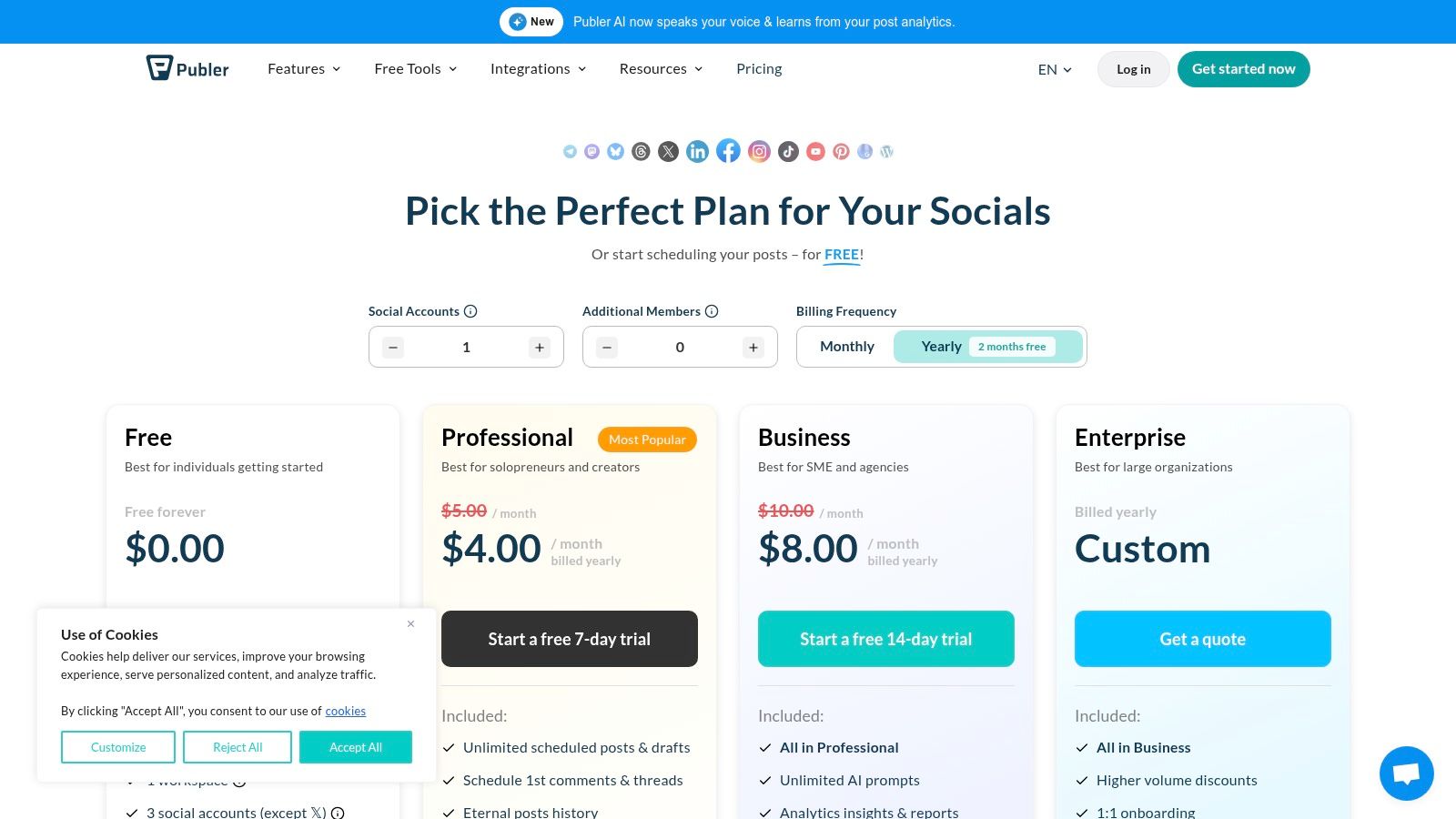
The free offering from Publer is robust, giving you control over three social accounts and a solid scheduling limit. It's one of the few free tools that includes platforms like YouTube and Google Business Profile, making it versatile for businesses focused on local SEO and video content.
Key Features of the Free Plan
Social Channels: Connect up to 3 social accounts (from a list including Facebook, Instagram, LinkedIn, Pinterest, Google Business Profile, and YouTube).
Scheduling Limit: 10 scheduled posts per account at any given time.
Content Management: Store up to 25 draft posts.
Integrations: Connect with Canva, Google Drive, and Dropbox for seamless media management.
Link in Bio: Access to a customizable link-in-bio page.
Limited History: View your post history for the past 24 hours.
Who is Publer's Free Plan Best For?
Publer's free plan is an excellent fit for content creators and small businesses managing a diverse set of social media platforms beyond the usual suspects. The inclusion of Google Business Profile and YouTube is a significant advantage. The main drawbacks are the exclusion of X (formerly Twitter) from the free plan and the very limited 24-hour post history. For those who find these limitations restrictive, exploring a capable Publer alternative might be the next logical step. Overall, Publer provides a feature-rich starting point for users who anticipate needing more advanced tools as they grow.
4. Metricool
Metricool stands out by bundling scheduling, comprehensive analytics, and ad management into a single platform. Its robust free plan is built for a single brand, making it one of the most powerful free social media scheduling tools for solopreneurs and small businesses who need to not only plan content but also measure its impact without juggling multiple subscriptions. The platform offers a unified dashboard that provides a clear overview of performance across various channels.
The core strength of Metricool's free offering is its all-in-one nature. Unlike tools that focus solely on scheduling, it provides a holistic view of your social media marketing efforts. You can manage one brand across a wide array of networks and schedule a significant number of posts, a generous limit compared to many competitors.
Key Features of the Free Plan
Social Channels: Connect 1 brand (including Instagram, Facebook, TikTok, Pinterest, Google Business Profile, YouTube, Threads, and Bluesky).
Scheduling Limit: 50 scheduled posts per month.
AI Assistant: Access to an AI text generator for creating post copy (with usage limits).
Analytics & Reporting: View basic analytics with a limited data history and generate reports.
Competitor Tracking: Track up to 5 competitors to benchmark your performance.
Who is Metricool's Free Plan Best For?
Metricool is perfect for data-driven solo creators, marketers, and small businesses who want to connect their scheduling activities directly to performance analytics. The ability to manage a wide variety of channels for a single brand, including newer platforms like Threads and Bluesky, is a significant advantage. The main limitation is that some key networks like X (formerly Twitter) and LinkedIn are not included in the free plan and require an upgrade. However, for those focused on visual platforms and Google Business Profile, Metricool offers an unmatched combination of scheduling and analysis.
5. Planoly
Planoly stands out in the social media scheduling space with its strong emphasis on visual planning, making it a favorite among Instagram creators and brands focused on aesthetics. It offers a mobile-first experience designed to streamline the content creation workflow from planning to posting. While its free plan is quite limited, it provides a solid entry point for those who need one of the best free social media scheduling tools specifically for visual-heavy platforms like Instagram and Pinterest.
The platform's core strength lies in its intuitive drag-and-drop grid preview, which allows you to see exactly how your upcoming posts will look on your Instagram profile. This visual-first approach is perfect for curating a cohesive and attractive feed. Its free plan is designed for individual creators, offering basic scheduling functionalities through its highly-rated mobile apps.
Key Features of the Free Plan
Social Channels: Connect 1 social set (including Instagram, Pinterest, Facebook, and X).
Scheduling Limit: 10 uploads per month, per social profile.
Visual Planner: Access to the signature Instagram grid preview and calendar.
Basic Analytics: View post likes and comments for the last 30 days.
Mobile-First: A polished and creator-focused experience on iOS and Android apps.
Who is Planoly's Free Plan Best For?
Planoly is ideal for solo content creators, influencers, and small businesses who prioritize Instagram grid aesthetics above all else. Its visual planning tools are excellent for those who meticulously plan their feed's look and feel. The extremely limited upload count (10 per month) means it’s best for users with a low-volume posting schedule or those who want to use it solely for visual planning before posting manually. Agencies and brands needing to manage multiple clients or schedule more frequently will find the free plan too restrictive.
6. Planable
Planable stands out with its collaboration-first approach, making it an excellent choice for teams that require detailed review and approval workflows. Unlike many other free social media scheduling tools that limit features, Planable’s free plan offers access to its entire collaborative toolset, including enterprise-grade approval systems. This makes it a fantastic way to test drive a professional-grade workflow for social media management without any initial cost.
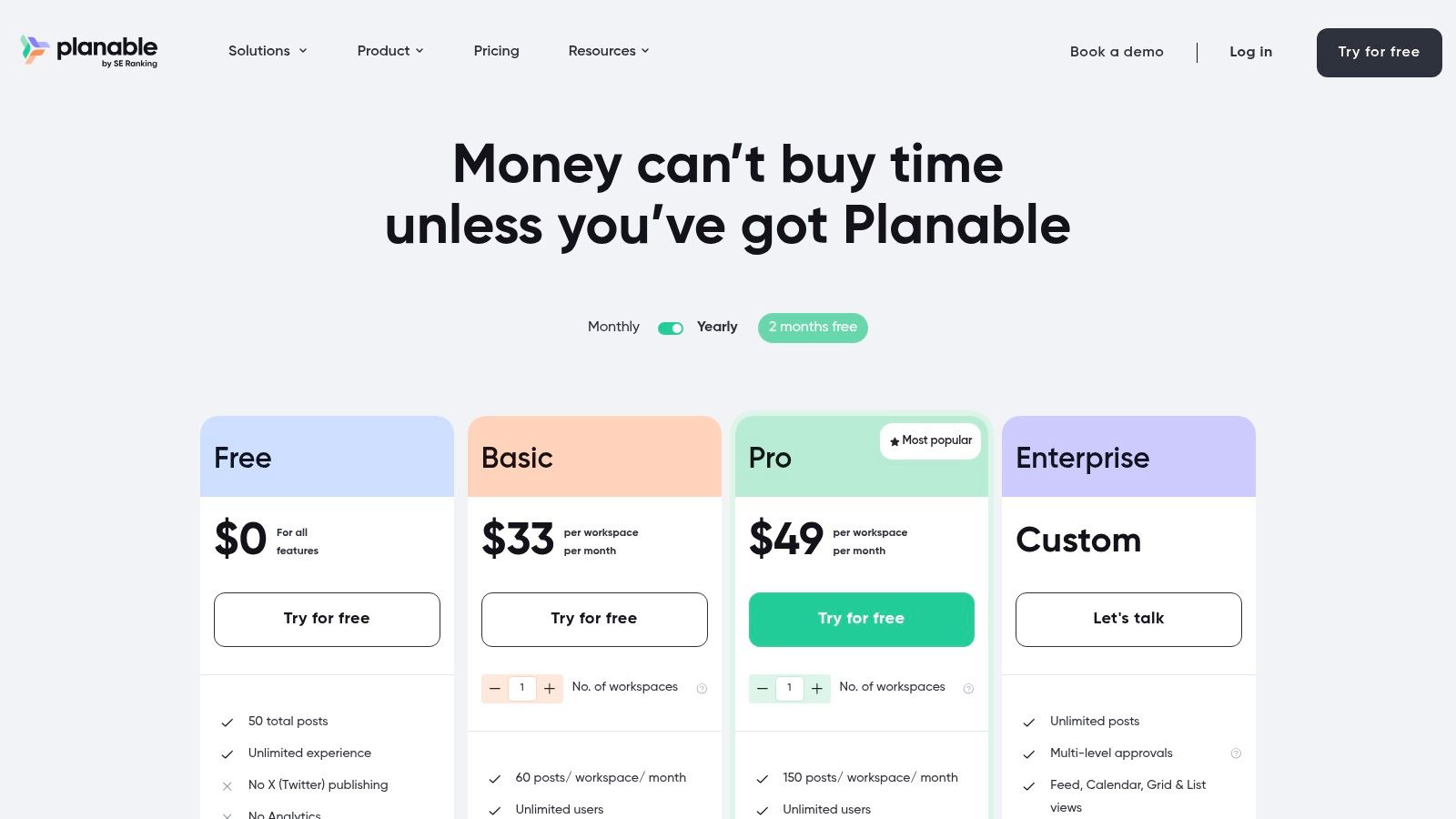
The platform is designed around a shared workspace where content can be created, commented on, and approved before it ever goes live. Its major limitation is the 50-post lifetime cap, which positions the free plan as more of a comprehensive trial or a tool for very small, one-off projects rather than a long-term free solution.
Key Features of the Free Plan
Social Channels: Supports Facebook, Instagram, LinkedIn, X, YouTube, Google Business Profile, TikTok, Pinterest, and Threads.
Scheduling Limit: 50 total posts for the lifetime of the account.
Unlimited Collaboration: No limit on users or workspaces, allowing entire teams and clients to participate.
Approval Workflows: Access to multi-level approval systems for seamless content review.
Multiple Views: Plan content using calendar, feed, grid, or list views to visualize your strategy.
Who is Planable's Free Plan Best For?
Planable’s free offering is perfectly suited for marketing agencies, social media managers, and teams that want to test-drive a sophisticated collaboration and approval process before committing to a paid plan. It's an excellent way to demonstrate value to a new client or to manage a very short-term campaign. The strict 50-post lifetime limit means it isn't a sustainable free option for ongoing scheduling. However, for those prioritizing workflow efficiency and team feedback over a high volume of free posts, Planable provides an unmatched trial experience.
7. Meta Business Suite (Facebook & Instagram native)
For businesses whose primary audience lives on Facebook and Instagram, Meta Business Suite is the official, native solution. As one of the most integrated free social media scheduling tools available, it offers a seamless way to manage your presence across Meta's platforms without ever needing a third-party application. It consolidates management tasks into a single dashboard, providing a surprisingly robust set of features at no cost.
The core strength of Meta Business Suite is its deep integration. You can schedule posts, Stories, and Reels directly from a central "Planner" calendar, which even suggests optimal times to post based on when your audience is most active. This native connection ensures that all post formats and features are fully supported as soon as they are released, avoiding the compatibility issues that can sometimes affect external tools.
Key Features of the Free Plan
Social Channels: Manage your connected Facebook Pages and Instagram Business/Creator accounts.
Scheduling Limit: Schedule posts, Stories, and Reels up to 29 days in advance with no hard limit on the number of posts.
Unified Inbox: Manage comments and direct messages from both Facebook and Instagram in one place.
Native Analytics: Access detailed insights on reach, engagement, and audience demographics directly from the source.
Content Planner: A visual calendar to plan and organize all your content for both platforms.
Who is Meta Business Suite's Free Plan Best For?
Meta Business Suite is the perfect choice for small businesses, local shops, and creators who are heavily focused on building their community on Facebook and Instagram. If your strategy doesn't extend much beyond these two platforms, this tool provides everything you need without complexity or cost. However, brands managing multiple channels outside the Meta ecosystem will find it restrictive, as it offers no support for platforms like X, LinkedIn, or Pinterest. Its primary limitation is its exclusive focus, making it a component of a larger strategy rather than an all-in-one solution for multi-platform brands.
8. LinkedIn (native scheduler)
While not a third-party platform, LinkedIn’s own native scheduler has become a powerful and often overlooked option. It’s a completely free, built-in feature for both personal profiles and Company Pages, making it an essential tool for B2B marketers, recruiters, and professionals who prioritize their presence on the network. This native functionality offers a seamless and reliable way to plan content without leaving the LinkedIn ecosystem.
The primary advantage of LinkedIn's native scheduler is its simplicity and generous scheduling window. Users can prepare posts up to three months in advance, a significantly longer timeframe than many dedicated free social media scheduling tools offer. This allows for long-term content planning directly within the platform where the audience engages.
Key Features of the Free Plan
Scheduling Window: Plan and schedule posts for personal profiles or Company Pages up to 3 months in advance.
Content Management: Easily view, edit, reschedule, or delete all your scheduled posts from a single calendar view.
Native Experience: Ensures posts are formatted perfectly for LinkedIn without potential API-related glitches from third-party apps.
Admin Roles: Respects existing Page admin permissions (super admin or content admin) for scheduling content.
Who is LinkedIn's Native Scheduler Best For?
This tool is perfect for individuals and businesses whose social media strategy is heavily focused on LinkedIn. It eliminates the need for another tool if LinkedIn is your primary or sole channel. To fully leverage the platform's potential, exploring strategies for Mastering LinkedIn B2B Marketing can provide valuable insights beyond just scheduling. The main limitation is its single-platform nature and the inability to natively schedule certain content types like polls, events, or multi-photo carousels, which still require immediate posting.
9. Pinterest (native scheduler)
While many think of external applications for scheduling, Pinterest provides its own native scheduler for Business accounts, making it a powerful tool for visual creators and e-commerce brands. It’s an effective, free way to plan and automate your Pinning strategy directly within the platform, eliminating the need for a separate subscription. The workflow is seamlessly integrated into the Pin creation process, making it intuitive for anyone already familiar with Pinterest.
The primary benefit of Pinterest’s native scheduler is its simplicity and direct integration. Users can schedule Pins up to 30 days in advance, allowing for strategic planning around product launches, seasonal content, or evergreen blog posts. This built-in functionality ensures your Pins are published reliably without relying on third-party API connections.

Key Features of the Free Plan
Native Scheduling: Schedule Pins directly from the Pinterest interface.
Scheduling Window: Plan and schedule content up to 30 days in the future.
Scheduling Limit: Up to 10 scheduled Pins can be in your queue at one time.
Post-Scheduling Edits: Modify the publish date, time, board, and other Pin details before it goes live (image/video cannot be changed).
Who is Pinterest's Native Scheduler Best For?
This tool is perfect for bloggers, Etsy sellers, and e-commerce stores whose primary visual platform is Pinterest. It offers a straightforward solution for maintaining a consistent pinning schedule without the complexity or cost of dedicated free social media scheduling tools. While heavy users and agencies will find the 10-Pin limit restrictive and miss advanced features like bulk scheduling, it's an excellent, no-cost option for individuals and small businesses looking to organize their Pinterest content calendar effectively. The main limitation is that it only works for Pinterest, requiring a separate tool for other networks.
10. TikTok (native scheduler via web / TikTok Studio)
While not a third-party aggregator, TikTok's own native scheduling feature is an indispensable and often overlooked tool for creators focused on the platform. Accessible via a desktop browser and within TikTok Studio, this function allows users, particularly those with Business accounts, to plan and schedule their video content directly. This native integration ensures there are no API limitations or third-party glitches, making it a reliable choice for managing a TikTok-centric content calendar.
The main advantage of using the native scheduler is its seamless workflow. Creators who edit videos on their desktop can upload, caption, and schedule them in batches without ever needing to transfer files to a mobile device. This makes it one of the most straightforward free social media scheduling tools for anyone dedicated to building a presence on the platform.
Key Features of the Free Plan
Platform: TikTok only.
Scheduling Limit: No official post limit, but posts can only be scheduled up to 10 days in advance.
Full Native Control: Set captions, select cover frames, and manage privacy, comment, Duet, and Stitch permissions.
Desktop Workflow: Upload and schedule content directly from a desktop computer, which is ideal for batch-processing.
Push Notifications: Receive alerts on your mobile device when a scheduled video goes live.
Who is TikTok's Native Scheduler Best For?
This tool is perfect for dedicated TikTok creators, brands, and social media managers who prioritize a high volume of content specifically for the TikTok platform. It's especially useful for batch-creating and scheduling content for specific campaigns or trends. The primary limitation is its single-platform focus and the restrictive 10-day scheduling window, which requires more frequent management compared to multi-network tools with longer planning horizons. For those needing to manage multiple social profiles, this tool won't suffice.
11. YouTube Studio (native video scheduling)
While not a third-party aggregator, YouTube's own Studio is a powerful and essential free social media scheduling tool for any video-centric creator. It offers native scheduling for long-form videos, Shorts, and Premieres, making it the most reliable way to manage a consistent video publishing cadence directly on the platform. This built-in functionality ensures your content goes live at the optimal time without any external software.
The core strength of YouTube Studio is its seamless integration and reliability. During the upload process, you can set a precise date, time, and timezone for your video to be published. This allows creators to batch-produce content and maintain a steady stream of uploads, which is crucial for audience engagement and favorable algorithm indexing. It's a fundamental tool for managing a channel effectively.
Key Features of the Free Plan
Native Video Scheduling: Set a specific future date and time for your long-form videos and Shorts to go public.
Premiere Scheduling: Build anticipation by scheduling a video as a "Premiere," creating a live watch page and chat for viewers to experience the debut together.
Timezone Specificity: Ensure your content is released at the right local time for your target audience, no matter where they are.
Post-Schedule Editing: Easily adjust the publication time or publish a scheduled video immediately if your plans change.
Who is YouTube Studio's Free Plan Best For?
YouTube Studio is indispensable for any individual creator or brand actively managing a YouTube channel. Its native scheduling is perfect for maintaining a consistent release schedule, a key factor in channel growth. While it only serves one platform, its reliability is unmatched. However, creators who need to coordinate their YouTube uploads with posts on other platforms like Instagram or X will find it limiting and may prefer a centralized dashboard. Advanced users needing bulk scheduling or complex metadata automation may also require third-party tools.
12. Threads (native scheduler)
Threads, Meta's text-first social network, offers its own built-in scheduling feature, making it a powerful native option among free social media scheduling tools. This integration allows users to plan and publish content directly within the platform, eliminating the need for third-party apps for basic scheduling. Its seamless connection with Instagram makes managing both profiles a more streamlined and convenient process.
The strength of Threads' native scheduler lies in its simplicity and direct integration. Creators can compose posts with text, images, videos, and carousels, save them as drafts, and then schedule them for a future date and time. This functionality is ideal for maintaining a consistent presence on the platform without being online 24/7.
Key Features of the Free Plan
Native Scheduling: Schedule posts, including text, images, video, and carousels, directly from drafts.
Long Scheduling Window: Plan content up to approximately 75 days in advance, perfect for long-term campaigns.
Instagram Integration: Leverages your Instagram login for a unified and convenient account experience.
No Third-Party Needed: A completely free, built-in solution without external tool dependencies.
Who is Threads' Native Scheduler Best For?
This tool is perfect for individual creators, journalists, and brands who are heavily invested in the Threads platform and prioritize a text-first content strategy. Its straightforward workflow is excellent for planning announcements, series-based content, or campaign posts well in advance. While it lacks the advanced analytics and cross-platform management of dedicated suites, its direct, no-cost approach makes it an essential tool for any active Threads user. The primary limitation is that its feature availability can sometimes vary by region and account type.
Top 12 Free Social Media Scheduling Tools — Feature Comparison
| Product | Core features | UX (★) | Price / Value (💰) | Target (👥) | USP (✨ / 🏆) |
|---|---|---|---|---|---|
| Buffer | Queue-based scheduling, basic analytics, browser extension, AI captions | ★★★★ | 💰 Free Forever (3 ch, 10 posts/ch) + paid tiers | 👥 Solos & small teams | ✨ Beginner-friendly UI, reliable free tier |
| Zoho Social (Free) | Post scheduling, basic calendar, single-brand support, Zoho integrations | ★★★ | 💰 Truly free (1 brand, 1 user) | 👥 Local businesses & Zoho users | ✨ No CC required; tight Zoho ecosystem fit |
| Publer | Multi-network scheduling, integrations (Canva/Drive), link-in-bio, drafts | ★★★★ | 💰 Generous free plan (limits apply) | 👥 Individuals & small teams needing multi-platform | ✨ Try paid features; strong free feature set |
| Metricool | Scheduling + analytics + ads integrations, AI assistant, competitor tracking | ★★★★ | 💰 Free single-brand with caps → clear upgrades | 👥 Creators & small businesses focused on measurement | 🏆 Combined planning + analytics in one tool |
| Planoly | Visual calendar, Instagram grid preview, mobile-first uploads | ★★★ | 💰 Free Personal with tight upload limits | 👥 Instagram & Pinterest creators | ✨ Polished mobile visual planning |
| Planable | Collaborative approvals, calendar/feed/grid, multi-platform support | ★★★★ | 💰 Free (50 posts lifetime) → paid for scale | 👥 Teams, agencies, client workflows | 🏆 Enterprise-style approvals & real-time collaboration |
| Meta Business Suite | Native scheduling for Facebook & Instagram, Planner calendar, Reels support | ★★★★ | 💰 100% free (native) | 👥 Meta-focused businesses & social teams | ✨ Native Reels support and tight platform integration |
| LinkedIn (native) | Native scheduling for profiles/Pages, long scheduling window, role-aware | ★★★ | 💰 Free (native) | 👥 B2B marketers, recruiters | ✨ Up to 3 months scheduling window |
| Pinterest (native) | Schedule Pins (up to 30 days), edit time/details, simple scheduler | ★★★ | 💰 Free (native, cap: 10 scheduled) | 👥 Creators, e-commerce, bloggers | ✨ Native seasonal/evergreen pin planning |
| TikTok (native) | Desktop scheduling for videos (15 min–10 days), captions & cover frames | ★★★ | 💰 Free (native, best for Business accounts) | 👥 Short-form creators batching uploads | ✨ Native video scheduling + publish notifications |
| YouTube Studio | Schedule uploads, Premieres, Shorts; timezone-aware publishing | ★★★★ | 💰 Free (native) | 👥 Video creators & channels | 🏆 Reliable native scheduling for long-form & Shorts |
| Threads (native) | Schedule text, images, video, carousels; long window (~75 days) | ★★★ | 💰 Free (native) | 👥 Text-first creators & Instagram-integrated accounts | ✨ Long scheduling window; Instagram integration |
Knowing When to Upgrade: From Free Tools to a Unified Platform
Navigating the landscape of free social media scheduling tools can feel empowering, especially when you're just starting out or managing a small number of accounts. As we've explored, tools like Buffer and Zoho Social offer excellent entry points with user-friendly interfaces, while native schedulers from Meta, LinkedIn, and TikTok provide direct, reliable access to their specific platforms. For visual-first creators, Planoly and Metricool deliver specialized features that can elevate your content strategy without any initial investment.
However, the "free" in these tools often comes with a hidden cost: your time and efficiency. The very limitations that make these plans accessible can become significant bottlenecks as your brand scales. Juggling multiple logins for native schedulers, manually tracking performance across disparate dashboards, and hitting restrictive monthly post limits on third-party platforms are all signs that your operational needs have outgrown your current toolkit. The initial convenience of free software can quickly transform into a fragmented and inefficient workflow that hinders your strategic growth.
The Tipping Point: Recognizing the Need for a Unified Solution
How do you know when it's time to make the leap from a collection of free tools to a paid, unified platform? The answer lies in identifying the friction points in your daily process. Consider these critical questions:
Is tool management consuming more time than strategy? If you spend a significant part of your day switching between tabs, re-uploading assets to different schedulers, and manually compiling analytics reports, you've hit a major inefficiency. Your focus should be on creating impactful content and engaging with your audience, not wrestling with software logistics.
Are collaboration and approvals becoming chaotic? Using email, spreadsheets, or messaging apps to get content approved is prone to error and miscommunication. As your team grows, the lack of a centralized approval workflow within your scheduling tool can lead to mistakes, missed feedback, and delays in your content calendar.
Do you lack a holistic view of your performance? While individual platform analytics are useful, they don't tell the whole story. A unified platform provides cross-channel reporting, allowing you to compare campaign performance, understand audience behavior across networks, and make data-driven decisions for your entire social media presence from a single dashboard.
Are you hitting the limits of creativity and scalability? Free plans often restrict access to advanced features like AI content generation, optimal send-time suggestions, bulk scheduling, and robust content libraries. These are not just "nice-to-have" features; they are powerful levers for scaling your content production and maximizing your reach.
If you answered "yes" to any of these questions, you've likely reached the tipping point. The operational drag from juggling free tools is beginning to outweigh the cost savings. Investing in a comprehensive social media management platform is no longer an expense; it's a strategic investment in efficiency, collaboration, and scalable growth.
Ultimately, the right toolkit is one that empowers, not restricts. The free social media scheduling tools detailed in this article are fantastic starting points that can serve you well. They provide the foundational support needed to build a consistent online presence. But as your ambitions grow, your tools must evolve with you. Don't let a fragmented workflow cap your potential. Recognize the signs, evaluate your needs, and be ready to invest in a solution that will carry your brand into its next chapter of growth.
Ready to consolidate your workflow and unlock your team's full potential? Stop juggling tabs and start building a unified strategy with PostSyncer. Explore how our all-in-one platform can replace your collection of free tools with powerful AI, seamless collaboration, and advanced analytics by visiting PostSyncer today.
If you regularly download videos for content creation, marketing, or repurposing, consolidating your workflow can save you hours every week and help you stay consistent.
👉 Discover how PostSyncer helps creators and teams manage video content more efficiently.



