











If you're still manually posting to social media every day, you're on a fast track to burnout. It's an exhausting, inconsistent, and ultimately losing battle. The only way to get your time back and build a real social presence is to get a dedicated scheduling tool to plan, create, and automate your content. It’s a simple switch that turns social media from a reactive daily chore into a proactive, predictable way to grow your brand.
Why You Absolutely Have to Schedule Your Posts
Let's be real: the idea of "just posting something" is a total myth. Good social media management is a complicated dance. You have to create amazing content, chat with your followers, check your stats, and somehow stay consistent across a half-dozen platforms. Trying to juggle all that by hand isn't just inefficient—it's pretty much impossible to do well for more than a few weeks. This is where learning how to schedule social media posts changes everything.
When you start batching your content creation and scheduling it out, you move from a constant state of panic to one of calm control. Instead of desperately trying to think of something clever at 5 PM on a Friday, you can block off focused time for creative work and strategy. This guarantees every post actually fits your brand's voice and helps you hit your goals.
The True Cost of Manual Posting
The pain of trying to manage social media manually is something most of us have felt. It usually looks something like this:
- Inconsistent Branding: When you’re rushing, posts start to lack a consistent message, tone, or look, which slowly chips away at your brand.
- Terrible Timing: You end up posting whenever you find a spare minute, which is almost never when your audience is actually online and ready to engage.
- Team Chaos: Trying to collaborate becomes a nightmare of endless email chains, confusing spreadsheets, and feedback getting lost in the shuffle. It’s a recipe for mistakes and delays.
A proper scheduling system fixes all of this by giving you one central place for your entire workflow. It becomes the single source of truth for planning, getting approvals, and hitting "publish."
The single biggest step you can take to professionalize your social media is to move from manual posting to a scheduled system. It frees up your mental energy to focus on what actually matters: making content that connects with people.
Staying Afloat in a Crowded Feed
The sheer amount of content being thrown at people today is mind-boggling. On average, people now spend 2 hours and 21 minutes per day on social media, a staggering 56.6% jump from 2012. With 5.4 billion users juggling an average of seven different platforms, your brand has to be incredibly coordinated just to get noticed.
And yet, one survey found that only 38% of teams plan their content more than a week in advance. That's a huge opportunity for anyone willing to get strategic and schedule their content properly. If you want to dive deeper, you can learn more about these social media statistics and what they mean for your strategy.
Building Your Centralized Scheduling Hub
Before you can even think about scheduling your first post, you need to build your command center. Think of this as laying the digital foundation for your entire social media strategy. The goal here is to finally close all those extra browser tabs and create a single, unified dashboard where all your accounts live together. Getting this initial setup right is probably the most important step in making social media scheduling actually work for you.
First thing's first: connect your social media profiles. Any good scheduling platform will walk you through authorizing each network—Facebook, Instagram, LinkedIn, TikTok, you name it. This isn't just about linking accounts; you're giving the tool permission to publish on your behalf, which is a totally secure and standard practice.
For example, when you go to connect an Instagram Business account, it’ll likely ask you to log in through Facebook to authenticate it. For LinkedIn, you'll authorize access for both your personal profile and any Company Pages you run. This whole process might take a few minutes for each account, but trust me, it saves countless hours down the road.
Creating Dedicated Workspaces for Organization
Now, if you're managing more than one brand—whether it's for your own side hustles or for a roster of clients—a simple folder system just isn't going to cut it. This is where the idea of workspaces becomes a total game-changer. A workspace is basically an independent environment inside your scheduling tool, complete with its own set of social accounts, media library, and content calendar.
Let's say you're a marketing agency juggling three different clients:
- Client A: A local coffee shop
- Client B: A B2B software company
- Client C: An e-commerce fashion brand
Instead of throwing all their accounts into one big messy pile, you'd create three separate workspaces. This simple separation prevents the nightmare scenario of accidentally cross-posting, keeps all the analytics clean and distinct, and lets you give clients view-only access to their calendar for approvals. It’s an organizational layer that just makes everything cleaner and more professional.
A centralized hub isn't just about convenience; it’s about control. By organizing your accounts and assets into dedicated workspaces from the start, you eliminate chaos and create a scalable system that can grow with your business or agency.
Building Your Shared Media Library
The last piece of your scheduling hub is a central media library. This is your own private, cloud-based vault for all approved brand assets. Say goodbye to hunting through random desktop folders, old email attachments, or messy shared drives just to find the right logo. A well-organized library is a massive time-saver.
Start by creating some dedicated folders within your scheduling tool's library and uploading your core brand assets. This should include things like:
- High-resolution logos in different formats (full color, all-white, etc.).
- Approved product shots and lifestyle photos.
- Video clips, including any standard intros, outros, or B-roll footage.
- Brand graphics, post templates, and icon sets.
Once this is all loaded up, your entire team can pull assets directly from the library while writing posts, ensuring every single piece of content stays perfectly on-brand. This simple step transforms your workflow from a frantic scavenger hunt into a smooth, efficient process. To get your strategy rolling, you might need to check out a few different tools. For example, you could explore the Saucial app as one option. For anyone still researching platforms, our guide on the best social media scheduling tools offers a detailed comparison to help you choose the right fit.
Designing a Content Calendar That Works
With your accounts connected, the real fun begins. Now we move from the technical setup to the creative strategy—planning what you're going to say and when you're going to say it. A solid content calendar isn't just about plugging holes in your schedule; it's the architectural blueprint for your brand's entire social media narrative.
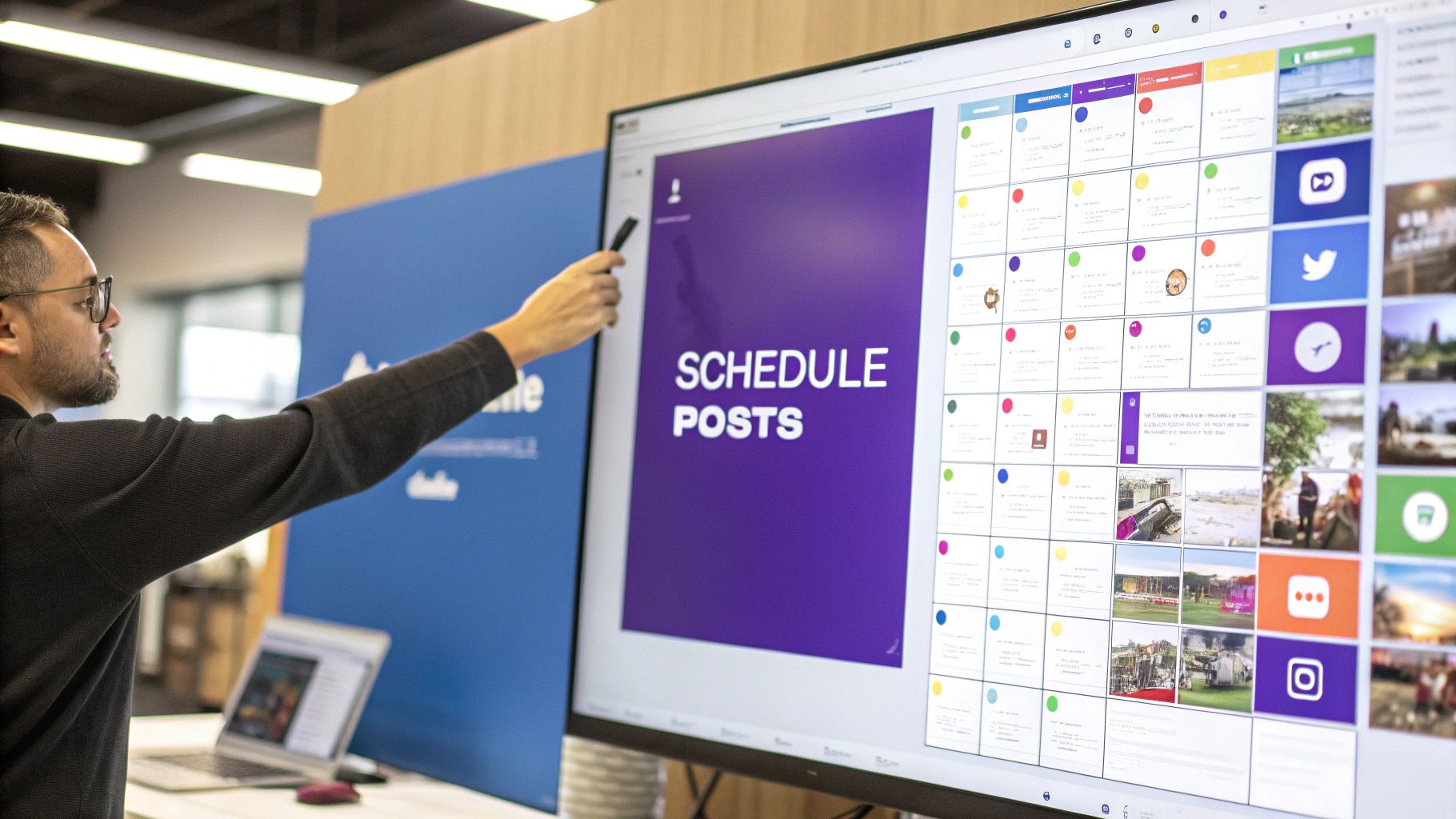
This is where a visual, drag-and-drop calendar becomes your best friend. It gives you that crucial bird's-eye view of the entire month, making it instantly obvious if you're posting too many sales messages or forgetting to share behind-the-scenes content. It transforms an abstract plan into something tangible and interactive.
Mapping Out Your Content Pillars
To keep from posting on a whim, you need to establish your content pillars. Think of these as the handful of core themes your brand will consistently own. Getting the mix right is what keeps your audience hooked and prevents your feed from sounding like a broken record of sales pitches.
For most businesses, a healthy mix includes:
- Educational Content: This is your "give" to the audience. Think how-to guides, industry insights, and quick tips that provide genuine value.
- Behind-the-Scenes Stories: Show off your company culture, introduce the team, or pull back the curtain on how a product is made. This stuff builds trust like nothing else.
- Promotional Posts: Yes, you need to sell! But mix these in strategically. We're talking new product drops, special offers, or upcoming sales.
- User-Generated Content (UGC): Sharing posts from happy customers is pure gold. It's powerful social proof and a fantastic way to build a real community.
Once you assign each post idea to a pillar, you can see at a glance if your week has enough variety. Most scheduling tools even let you use color-coded labels, so it's easy to spot if you have too much "promotional" blue and not enough "educational" green. If you're starting from scratch, our guide on how to create a social media calendar will walk you through building your first one.
This whole process can be boiled down into three key phases.
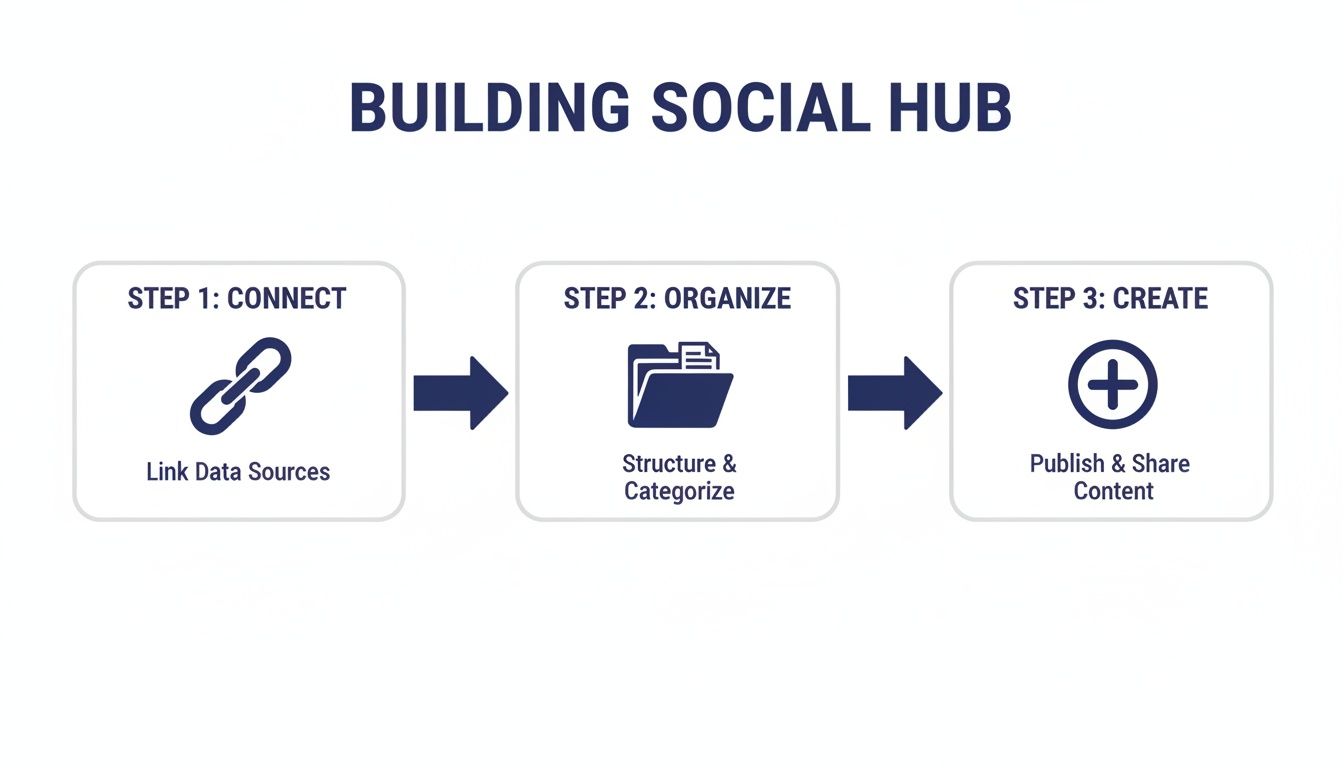
As you can see, connecting your accounts is just the starting line. The magic happens when you organize your ideas and move into the creative scheduling phase.
To make this more concrete, here’s what a balanced week might look like structured around these pillars.
Sample Weekly Content Pillar Structure
| Day of the Week | Content Pillar Theme | Post Format Example | Primary Goal |
|---|---|---|---|
| Monday | Educational | Quick tip video on a common industry problem | Provide Value |
| Tuesday | Promotional | Carousel post announcing a new feature | Drive Conversions |
| Wednesday | Behind-the-Scenes | Team photo or a short story about a project | Build Authenticity |
| Thursday | Educational | Link to a new blog post with a key takeaway | Drive Traffic |
| Friday | User-Generated Content | Reshare a customer's positive review or photo | Build Community |
This structure ensures you’re hitting different objectives throughout the week, keeping your feed dynamic and valuable for your followers.
Composing and Scheduling Diverse Post Formats
Your scheduling tool needs to be more than a calendar; it has to be a robust content workshop. You should be able to write killer copy, research and add hashtags, and tag other accounts right inside the post editor. It saves you from constantly bouncing between a Google Doc, your notes app, and the social platforms themselves.
And let's be real, modern social media is all about format diversity. Your workflow has to keep up.
- For Instagram Carousels: The tool should let you upload all your images or video clips at once, easily reorder them with drag-and-drop, and write a single, unified caption.
- For LinkedIn Videos: Look for the ability to upload video files natively, attach a custom thumbnail, and—this is a big one—add closed captions to grab scrollers who watch with the sound off.
- For TikTok & Reels: Top-tier schedulers will let you post short-form videos and even schedule the first comment, which is a clever trick for tucking away extra hashtags without cluttering your main caption.
Your scheduling tool is only as good as its ability to handle the content formats that matter most to your audience. If you're heavily invested in video, ensure your platform offers robust native video scheduling, not just link sharing.
Using Labels to Organize and Track Campaigns
As your strategy gets more sophisticated, just scheduling posts isn't enough. You need a system. This is where campaign labels are a total game-changer. They’re basically smart tags you can attach to posts that are all part of the same initiative.
Let's say you're planning a big push for a new product. You can create a label like "Q3 Product Launch" and apply it to every single post—on Instagram, Facebook, LinkedIn, wherever—that's part of that campaign.
This simple organizational step is incredibly powerful down the line. When it's time to report on your results, you can filter your analytics by that one label. Instantly, you'll see the collective reach, engagement, and clicks for the entire campaign, instead of trying to manually add up the stats from dozens of individual posts. To get a deeper dive into this kind of strategic planning, check out this guide on how to create a content calendar that truly works for you.
Using AI to Pinpoint Your Perfect Posting Times
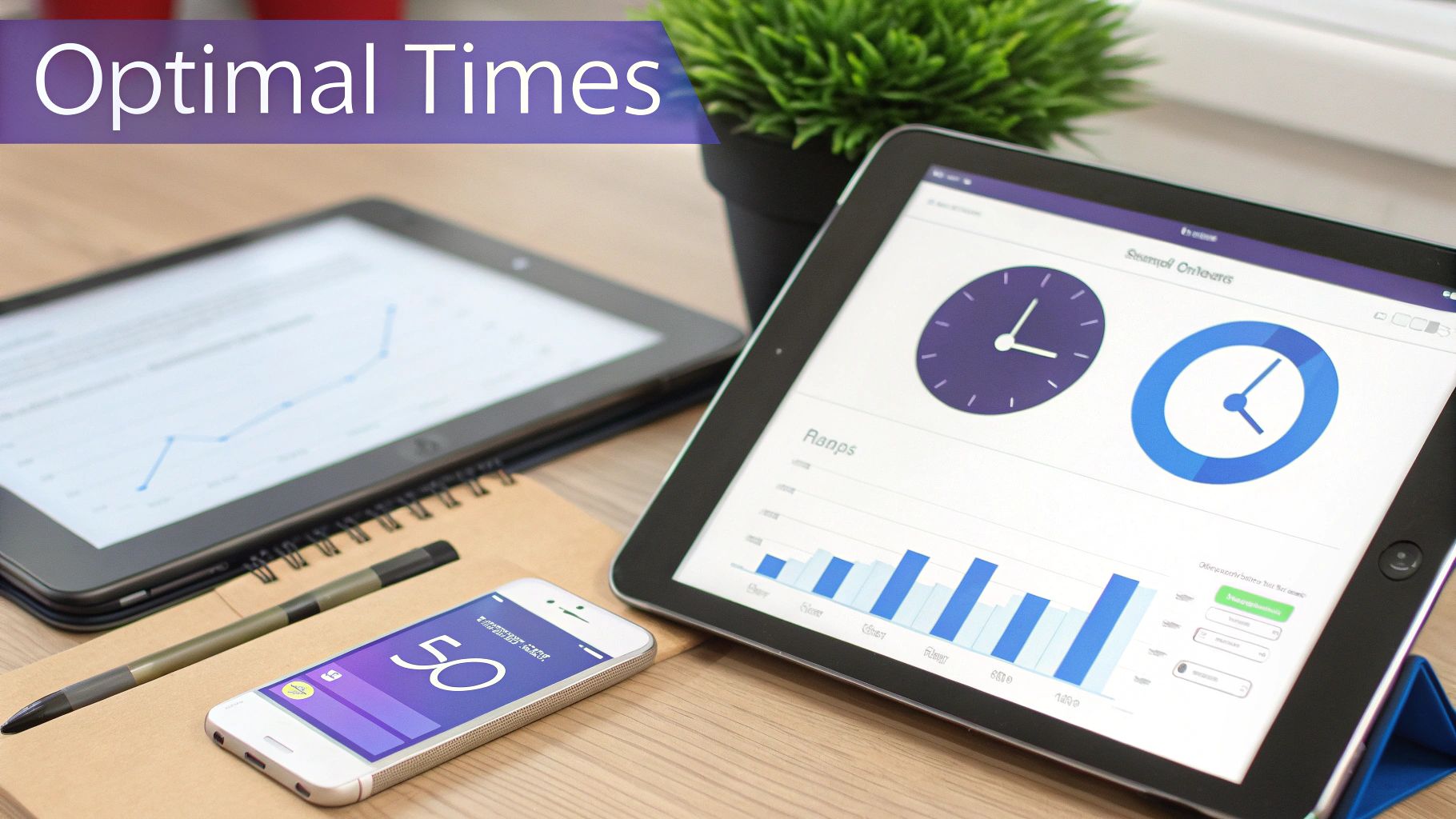
Let's be real: those "best time to post" infographics are everywhere, and they're mostly junk science for your brand. While they offer a decent starting point, they treat all audiences like they're the same person. The truth is, your audience has its own unique rhythm.
This is where AI completely changes the game for social media scheduling. Instead of relying on broad industry averages, modern scheduling tools hook directly into your account's history. They analyze when your followers have actually been most active and engaged in the past.
It’s the difference between using a generic city map and having a personal GPS that knows your destination and sees the traffic in real-time.
So, How Does AI Scheduling Actually Work?
This tech, often called "smart scheduling" or "optimal timing," is all about diving deep into your performance data. The algorithm crunches the numbers from hundreds, sometimes thousands, of your past posts to spot clear patterns.
Here's what it's looking for:
- Peak Follower Activity: It finds the exact days and hours when the most of your followers are online, scrolling through their feeds.
- Historical Engagement Data: The AI figures out which of your posts earned the most likes, comments, and shares, and cross-references that with when they were published.
- Content-Type Performance: It can even tell you if certain formats pop off at different times. Maybe your educational carousels do great during lunchtime, while your Reels are a hit in the evening.
By pulling all this together, the tool gets you way past guesswork. It hands you a set of recommended time slots that are statistically your best shot at getting eyes on your content.
From Generic Charts to Your Own Playbook
Sure, general studies can give you a baseline. For instance, one cross-platform analysis found the best overall time to post is between 9 a.m. and noon on Mondays, Tuesdays, and Wednesdays. But it gets way more specific—Instagram feed posts often do best on weekdays between 9 a.m. and 1 p.m., while Reels can get a second wind from 7 p.m. to 9 p.m. AI takes this a huge step further, using machine learning to build your personalized schedule instead of just pointing to a chart.
Think about an e-commerce brand. Following a generic guide, they might schedule all their posts for mid-morning. But after switching on an AI scheduling feature, they discover a totally different reality:
- Their Instagram Reels audience is most active after 8 PM, once they’ve clocked out and are relaxing.
- Their LinkedIn B2B audience for wholesale partners is at their desks and most responsive at 10 AM on weekdays.
Without that personalized data, the brand would have been shouting into the void, missing huge chunks of their audience. This is exactly why AI in social scheduling is so valuable—it finds the hidden opportunities you'd never spot on your own. For a deeper dive into this, check out our guide on how AI is shaping social media marketing.
AI scheduling isn't about finding one magical time to post. It's about building a smart, dynamic schedule that adapts to your audience on each platform, giving every post the best possible chance to win.
Putting AI Scheduling into Action
When you're in a tool like PostSyncer and ready to schedule, you'll see these AI recommendations front and center. Instead of you having to guess, you'll likely see a "Post at Optimal Time" button or a few highlighted "smart slots" on your calendar.
Just pick one of those AI-powered slots, and your post is added to a smart queue. The system will then publish it at the exact moment it predicts will get the most engagement right out of the gate. That early traction is everything—it's a signal to the platform's algorithm that your content is good, which can push it out to an even wider audience.
Getting Your Team and Clients on the Same Page
When you're juggling a team or handling client accounts, social media scheduling gets a lot more complicated. Suddenly, you're not just creating content; you're navigating an approval process. And let's be honest, a clunky, disorganized approval workflow is where great ideas go to die, lost in endless email chains, confusing spreadsheets, and missed feedback.
Bringing this entire process into your scheduling platform is the single best way to keep things moving and ensure brand consistency. It's not just about saving a few minutes here and there. It's about creating a single source of truth where every draft, comment, and final sign-off lives in one place. No more worrying about an old version accidentally getting published. Everyone—from the copywriter to the client—can see exactly where a post stands in real-time.

Building a Smooth Internal Workflow
First things first, you need to map out your internal process. A solid workflow usually has a few key stages, and managing them all inside your scheduling tool is what keeps the handoff from creator to approver seamless. You never have to leave the platform.
Here’s what that looks like in the real world:
- A social media manager drafts five new posts for the upcoming week directly in the content calendar.
- They assign those drafts to a copywriter, who gets a ping to review the captions and punch them up.
- The copywriter leaves comments right on each post preview—maybe suggesting a different headline or a stronger call-to-action.
- Once the edits are done, the posts are passed to a marketing director for the final internal green light.
This kind of structure makes accountability crystal clear. No one is left guessing who needs to do what next.
Creating Multi-Stage Approval Chains
For bigger teams or more complex campaigns, a single thumbs-up isn't going to cut it. You might need sign-offs from legal, brand, and even the executive team. This is where advanced scheduling platforms like PostSyncer really shine, letting you build multi-stage approval workflows.
This means you can set up a required sequence. For instance, a post might need approval from the project manager first, which then automatically sends it to the legal department for review. The post can only be scheduled to go live after both have given their sign-off. These automated handoffs are brilliant for preventing bottlenecks and making sure every post is compliant.
A streamlined approval workflow does more than just save time—it safeguards your brand. By ensuring every post is vetted by the right people in the right order, you protect brand consistency and minimize the risk of costly errors.
Granting Secure Client Access
If you're at an agency, you know that getting client approval is often the most critical—and frustrating—part of the job. The endless back-and-forth over email with attached screenshots is a recipe for miscommunication. The fix? Bring your clients directly into your world, but in a controlled way.
Modern schedulers solve this headache by offering secure, view-only access for your external partners. You can give a client their own unique login to a dedicated workspace where they can see their entire content calendar exactly as it will appear live.
This kind of transparency is a game-changer. Clients can see the visual flow of their feed, review captions in context, and leave feedback directly on the posts. Best of all, they can hit a big, beautiful "Approve" button, giving you a clear, documented sign-off. It creates a professional system that builds trust and keeps projects moving, turning what was once a bottleneck into a collaborative success.
Analyzing Performance to Refine Your Strategy
Alright, so you’ve got your content calendar humming along and posts are going out on schedule. But hitting "publish" isn't the finish line. Not even close.
The real growth happens when you figure out what’s actually connecting with your audience and then, simply, do more of that. This is where you close the loop, turning your scheduling efforts from a simple task list into a smart, self-improving system.
It's tempting to get a rush from a high like count, but we need to move past those vanity metrics. Your focus should shift to the numbers that actually tie back to your business goals. This is where a built-in analytics dashboard, like the one inside a tool like PostSyncer, becomes your new best friend. It wrangles all your performance data into one spot, saving you from the tedious task of logging into every single social network just to see how things are going.
Key Metrics to Actually Track
To get a clear picture of what's working, you need to monitor a few core metrics that tell the whole story. These are the numbers that truly move the needle.
- Engagement Rate: This is the percentage of your audience that actually interacted with a post. A high rate is a fantastic sign that your content is genuinely hitting the mark.
- Reach and Impressions: Reach tells you how many unique people saw your post, while impressions tell you the total number of times it was seen. Keeping an eye on these helps you understand just how far your content is traveling.
- Link Clicks: If your post is designed to send people to your website or a landing page, this is your most direct measure of success. No ambiguity here.
- Follower Growth: A steady increase over time shows your content strategy is successfully attracting new people to your brand. It’s a great health-check metric.
Remember those campaign labels you set up earlier? This is where they become incredibly powerful. You can filter your analytics to directly compare the results of your "Summer Sale" posts against your "Educational Video Series," giving you crystal-clear insights.
The goal of analytics isn't just to report on what happened; it's to find actionable insights that tell you what to do next. If your behind-the-scenes videos consistently get double the engagement of your polished product shots, that's a massive signal to adjust your content calendar.
This data-driven approach is what allows you to continuously refine your schedule. You can double down on the content pillars and formats that are clear winners while rethinking or tweaking the ones that aren't pulling their weight. It’s this iterative process that truly separates the pros from the amateurs, ensuring your efforts deliver a real return.
Common Questions We Hear About Scheduling Posts
Even with the best tools in hand, a few questions always pop up when you're getting the hang of scheduling social media posts. Let's tackle some of the most common ones I hear from marketers and business owners.
How Far Out Should I Actually Schedule My Content?
This is a big one. For most brands, scheduling one to two weeks out is the sweet spot. It gives you a nice cushion to plan strategically and stay consistent, but you're still nimble enough to react to a trending topic or a last-minute news story.
Now, if you're planning for a big campaign—say, a major product launch or a huge holiday sale—thinking a month or even a full quarter ahead is smart. The trick is to use a scheduling tool that lets you map out that long-term vision but also makes it easy to drag and drop posts if you need to shuffle things around. Agility is key.
Does Scheduling Social Media Posts Kill My Engagement?
Let's clear this one up for good: it's a total myth. Social media platforms do not penalize you for using their official, approved scheduling tools. Period.
What really drives engagement is the quality of your content, how relevant it is to your audience, and whether you're posting when people are actually online to see it.
Honestly, a smart scheduling strategy almost always boosts engagement. It forces you to be consistent and ensures you're hitting those peak activity times—something AI-powered timing suggestions make incredibly easy and accurate.
In my experience, consistent posting is one of the biggest factors for growth, and scheduling is the only sustainable way to do it.
Can I Edit a Post After It's Been Scheduled?
Absolutely. Any decent scheduling platform is built for real-world use, and that means things change. You should be able to pop into your content calendar, click on any scheduled post, and tweak whatever you need—the copy, the images, the tags, even the time it's set to go live.
This is a lifesaver. We've all been there—you spot a typo moments before a post goes out, or you need to update a detail. This flexibility means you can fix it without having to scrap the whole thing and start from scratch.
What Should I Look For in a Social Media Scheduling Tool?
You want more than just a scheduler; you want a command center for your entire social media workflow. The best tools don't just put posts on a calendar—they simplify everything from creation to analysis.
Here are the non-negotiables I always look for:
- A visual, drag-and-drop content calendar.
- AI that suggests your optimal posting times.
- A centralized media library for brand assets.
- Robust analytics to see what's actually driving results.
- Team features like internal comments and approval workflows.
Ultimately, the right tool is the one that solves your team's biggest headaches and makes your job easier.
Ready to stop guessing and start scheduling with data-driven precision? PostSyncer gives you the AI-powered tools, collaborative workflows, and in-depth analytics you need to transform your social media strategy. Start your free 7-day trial today!