











Juggling multiple social media platforms without a plan is a fast track to inconsistent messaging, missed opportunities, and burnout. A well-structured social media content calendar transforms this chaotic process into a streamlined, strategic operation. It's the difference between reactive posting and proactive brand building. To move from chaos to clarity, a social media content calendar is indispensable, often forming a core part of a larger content marketing strategy template that guides all your content creation.
But what does a great content calendar actually look like in practice? The truth is, the best format depends entirely on your team's workflow, scale, and goals. A solo creator’s weekly planner will look vastly different from an enterprise’s multi-brand, multi-platform dashboard. That’s why simply starting with a blank spreadsheet often leads to more confusion.
This guide eliminates the guesswork by providing a curated list of powerful and practical social media content calendar examples and templates. We've gathered the best resources from platforms like PostSyncer, Canva, and Notion, breaking down each one to show you exactly how to adapt it for your specific needs, whether you're managing a small business, a large agency, or your personal brand.
Inside, you will find:
- Actionable Examples: Visual breakdowns of weekly, monthly, and campaign-specific calendars.
- Strategic Analysis: Notes on post cadence, content mix, and platform-specific tactics for each example.
- Direct Access: Screenshots and links to downloadable templates from sources like HubSpot, ClickUp, and Etsy so you can start organizing your content immediately.
1. PostSyncer: The All-in-One AI-Powered Command Center
Kicking off our list of social media content calendar examples is not a static template but a dynamic, all-in-one platform. PostSyncer represents the evolution of the content calendar from a simple spreadsheet into an interactive command center. Its core offering is a visual, drag-and-drop calendar that serves as the foundation for an entire content workflow, integrating AI-assisted creation, multi-channel scheduling, team collaboration, and performance analytics into a single dashboard.
This platform is ideal for teams looking to consolidate their tech stack and eliminate the inefficiency of juggling separate tools for planning, design, scheduling, and reporting. By centralizing the content lifecycle, PostSyncer transforms the calendar into a strategic hub rather than just a scheduling document.
Strategic Breakdown and Key Features
PostSyncer’s approach is built on a foundation of seamless integration and intelligent automation. The calendar view is robust, allowing users to filter by social media channel, content pillar, campaign, or approval status, providing a clear top-down view of the entire strategy.
Standout Features Include:
- AI Content Co-Pilot: Generate post ideas, write captions, and create visual concepts directly within the calendar. This feature turns a simple planning tool into an active creation studio. To make the most of this, understanding broader AI-driven creative generation strategies can provide a powerful framework for your team's content production.
- Integrated Approval Workflows: Assign posts to team members for review, leave comments, and track revisions without ever leaving the platform. This is a game-changer for agencies and corporate teams managing compliance and brand consistency.
- Visual-First Planning: The calendar displays scheduled visuals, not just text, giving a true preview of how your feed will look. You can drag and drop posts to reschedule them instantly, making it easy to adapt to changing trends.
- Unified Analytics: Track post performance directly from the calendar view. Clicks on a published post reveal key metrics, connecting your planning efforts directly to real-world results.
Key Takeaway: PostSyncer is more than just a place to log your posts; it's a living system designed to manage the entire content lifecycle. It excels at turning strategic plans into executed, approved, and analyzed content with minimal friction.
Use Case: The Agile Marketing Agency
An agency managing five different e-commerce clients can use PostSyncer to create separate, color-coded calendar views for each brand. The account manager can draft a month's worth of content using the AI Co-Pilot, then assign it to the client for approval within the platform. Once approved, posts are automatically scheduled, and the agency can generate a unified performance report at the end of the month without manually compiling data from each social network. This creates a transparent, efficient, and scalable workflow that a traditional spreadsheet simply cannot match.
2. Canva: The Visual-First Design and Scheduling Hub
Next on our list is Canva, a platform that has become synonymous with accessible graphic design. However, its capabilities extend far beyond creating visuals. Canva integrates a powerful Content Planner, transforming it from a design tool into a comprehensive create-and-schedule solution. This makes it an exceptional example of a social media content calendar that is both visual and functional, bridging the gap between asset creation and publishing.
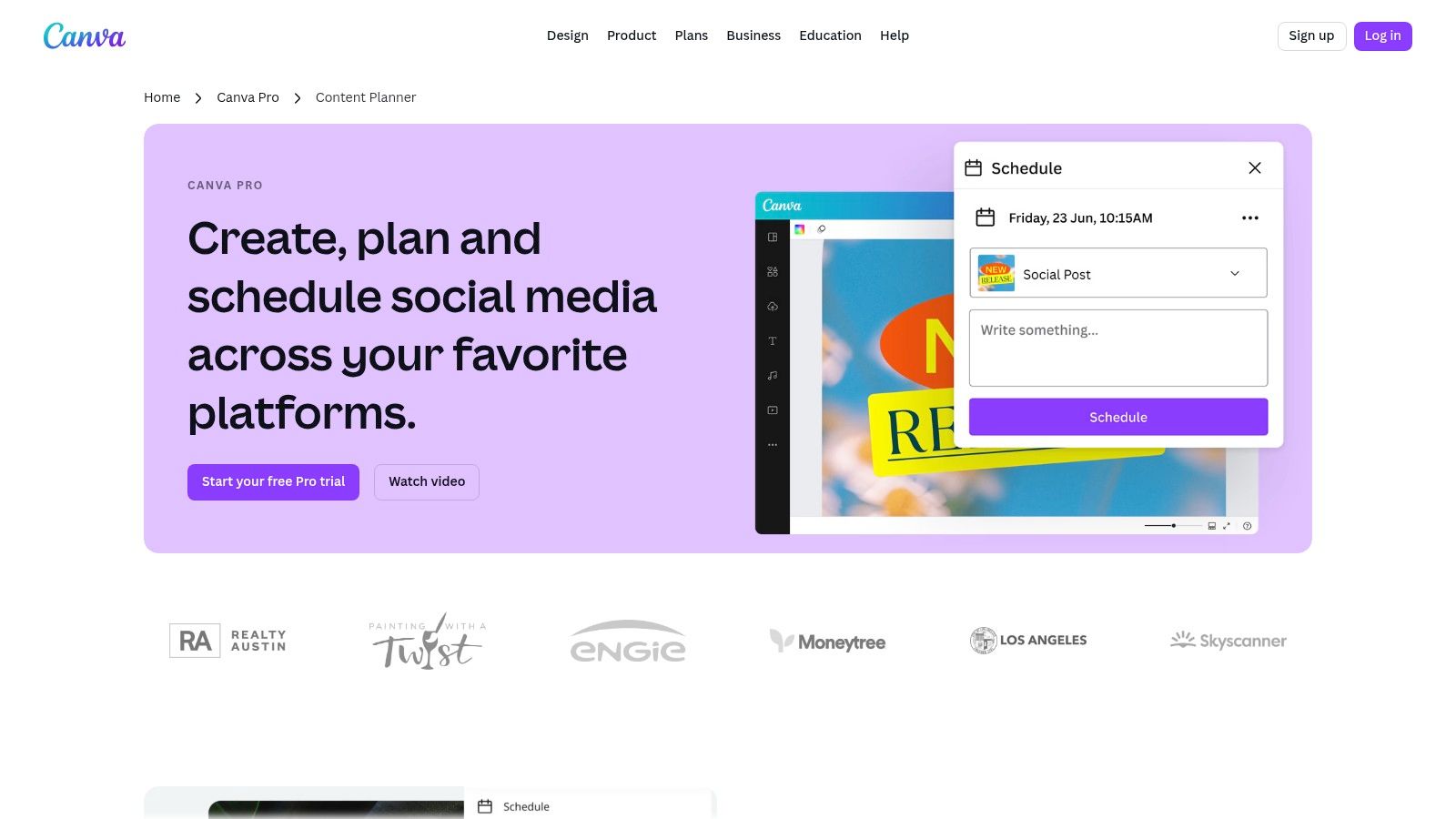
Canva is perfectly suited for solo creators, small businesses, and teams that prioritize a visual-first workflow. Instead of designing a post in one tool and uploading it to a separate scheduler, Canva allows users to design, plan, and schedule directly to major platforms from a single, intuitive calendar view. This consolidation is its key strength, simplifying the content pipeline dramatically.
Strategic Breakdown and Key Features
Canva’s approach centers on a seamless transition from creation to publication. The Content Planner provides a visual, drag-and-drop calendar interface where users can see exactly what their upcoming content looks like. This visual feedback loop is invaluable for maintaining brand aesthetic and planning a cohesive feed. It’s a prime example of a calendar that supports both strategic planning and practical execution in one place.
Standout Features Include:
- Integrated Design and Scheduling: The core benefit is creating a graphic from a template and immediately adding it to the Content Planner for a specific date and time. This eliminates the need to download and re-upload assets, saving significant time.
- Massive Template Library: Canva provides thousands of editable social media calendar templates and countless post designs. Users can start with a pre-designed calendar structure or individual post templates, drastically reducing setup time.
- Direct Publishing: The planner schedules directly to Instagram, Facebook (Pages & Groups), X (formerly Twitter), LinkedIn (Profiles & Pages), and Pinterest. This native integration is a key feature, although it requires a Canva Pro or Canva for Teams subscription.
- Content Ideation Prompts: The calendar can be pre-filled with a wide range of social media holidays and notable dates, offering built-in inspiration for timely and relevant content.
Key Takeaway: Canva excels by merging the design and scheduling processes into one fluid workflow. It's the ideal social media content calendar example for visually-driven brands that need to produce and publish high-quality content quickly without a steep learning curve.
Use Case: The Small E-commerce Business
An e-commerce brand selling handmade jewelry can use Canva to maintain an active and visually appealing social media presence. The owner can use pre-made templates to design new product announcements, behind-the-scenes posts, and customer testimonials. Using the Content Planner, they can schedule these posts to Instagram and Facebook a week in advance, ensuring a consistent posting schedule even during busy production periods. This integrated system allows a single person to manage the entire visual content strategy efficiently, something that would otherwise require multiple tools and more time. For more inspiration, explore how to use a versatile social media calendar template to organize these efforts.
3. Etsy: The Marketplace of Ready-Made Calendar Templates
Shifting from integrated platforms to a vast creative marketplace, Etsy offers a different kind of solution. It’s a treasure trove for marketers seeking pre-designed, downloadable social media content calendar examples. Instead of providing software, Etsy connects users with thousands of independent creators who have built and sell templates in formats like Google Sheets, Notion, Excel, and even Canva.
This platform is perfect for solopreneurs, small businesses, or freelancers who need a visually appealing and structured calendar without the commitment or cost of a software subscription. It provides an immediate, budget-friendly starting point, allowing you to find a design that fits your specific workflow, aesthetic, or niche industry needs, from real estate to wellness coaching.
Strategic Breakdown and Key Features
Etsy's strength lies in its sheer variety and the niche specialization of its offerings. You're not just buying a blank spreadsheet; you're often getting a thoughtfully designed system created by another social media professional. This provides a human-curated alternative to generic, one-size-fits-all templates.
Standout Features Include:
- Instant Digital Downloads: Purchase and receive your calendar file in minutes. The templates are available in popular formats like Google Sheets for collaborative access, Notion for integrated database management, and Canva for a more visual-first planning experience.
- Vast Niche Variety: Find hyper-specific calendars tailored for platforms like TikTok or Pinterest, or for industries like e-commerce, coaching, and B2B. Many templates come pre-filled with content ideas and prompts relevant to their niche. You can browse the extensive collection of Google Sheets content calendars on Etsy to see the range available.
- Seller Ratings and Reviews: Vet the quality of a template before you buy. The community-driven review system helps you identify top-rated, proven products and avoid those that might be poorly constructed.
- Aesthetic and Functional Diversity: Choose from minimalist designs, colorful dashboards, or data-heavy spreadsheets. This allows you to select a tool that you actually enjoy using, which can be a key factor in maintaining consistency.
Key Takeaway: Etsy democratizes access to well-designed planning tools. It's a go-to resource for finding an affordable, ready-to-use content calendar that aligns perfectly with your specific aesthetic and operational needs, without requiring any setup.
Use Case: The Solo Content Creator
A lifestyle influencer wants to organize their content across Instagram, TikTok, and their blog but finds complex software overwhelming. On Etsy, they can purchase a beautifully designed Notion content calendar template for under $20. The template includes dedicated sections for content pillars, collaboration tracking, hashtag groups, and a visual weekly planner. They can instantly duplicate it into their own Notion workspace and begin planning that same day, gaining a professional-grade organizational system without a monthly fee or a steep learning curve.
4. Notion Marketplace: The Ultimate Customizable Workspace
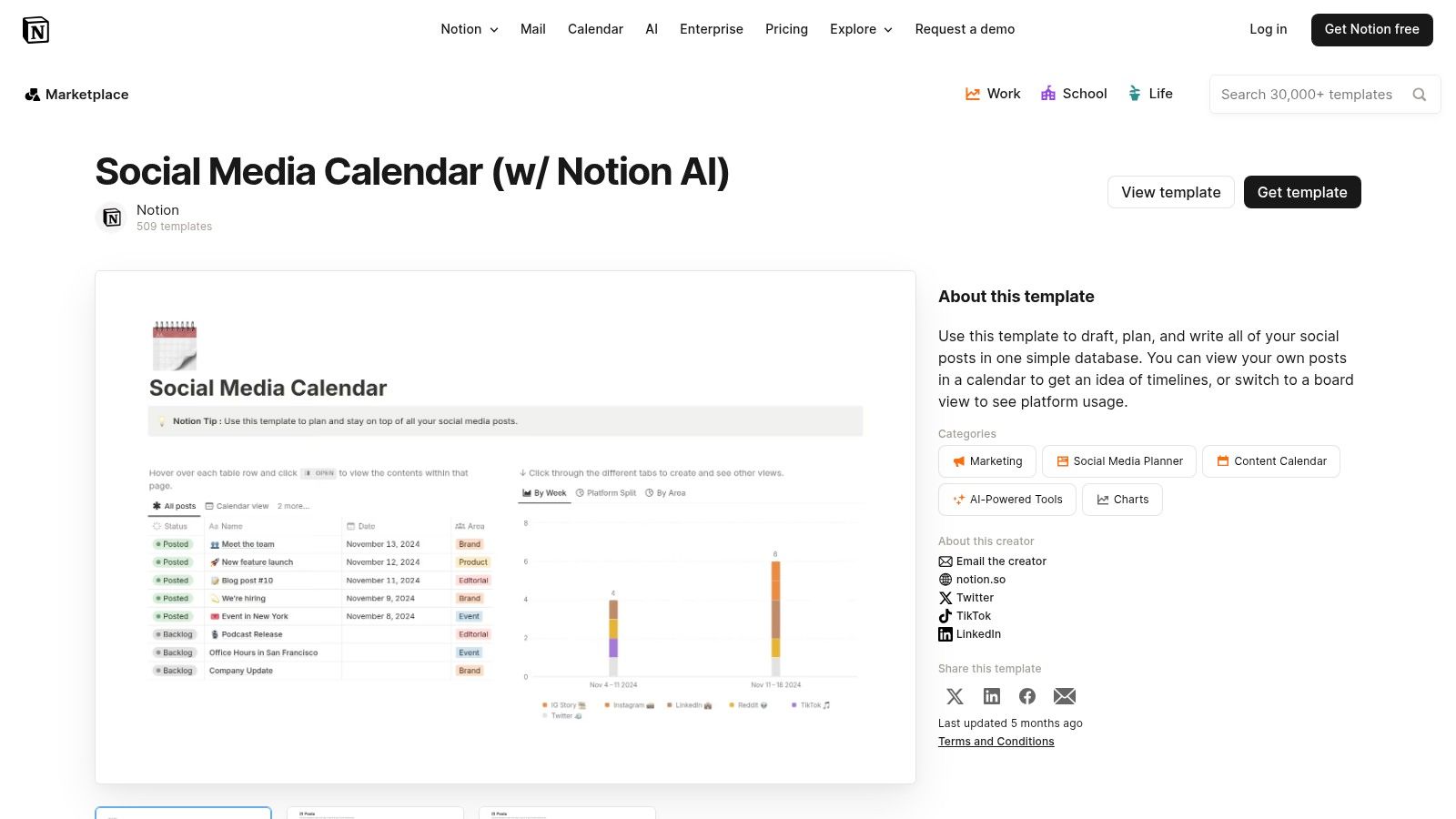
For teams that live inside Notion, bringing their social media content calendar into the same ecosystem is a natural fit. The Notion Template Marketplace offers a wide array of free and paid social media content calendar examples, transforming a standard Notion page into a powerful, database-driven planning hub. These templates are not just static documents; they are fully interactive systems built on Notion's flexible database functionality.
This approach is perfect for individuals and teams who value ultimate customization and want to connect their content calendar directly to other project management assets like creative briefs, asset libraries, and meeting notes. Instead of a standalone tool, the calendar becomes an integrated part of a larger knowledge management and productivity system, creating a single source of truth for all marketing activities.
Strategic Breakdown and Key Features
Notion’s strength lies in its database-centric structure, allowing users to view the same information in multiple ways. A single database of content can be viewed as a traditional calendar, a Kanban board for tracking progress, a timeline for campaign planning, or a simple list. This adaptability makes it one of the most versatile social media content calendar examples available.
Standout Features Include:
- Multi-View Functionality: Instantly switch between calendar, board, list, gallery, and timeline views without altering the underlying data. This allows team members to use the view that best suits their workflow, from high-level monthly planning to daily task management.
- Deeply Integrated Properties: Each calendar entry is a full Notion page. You can add custom properties to track everything from the social channel and content pillar to the assigned writer, designer, and approval status, all of which are filterable.
- Linked Databases and Assets: Connect your content calendar entries directly to other Notion databases. Link a specific post to its full creative brief, the associated assets in your digital asset manager, and the meeting notes where the idea was conceived.
- Community-Driven Templates: The marketplace features templates from vetted creators, complete with ratings and reviews. Many are free, while premium templates often include advanced features, dashboards, and detailed instructions for a one-time purchase fee (typically in USD).
Key Takeaway: Notion templates offer unparalleled flexibility and integration for teams already embedded in its ecosystem. It excels at creating a central hub where the content calendar is not an isolated tool but a connected part of the entire project lifecycle.
Use Case: The Solo Content Creator
A solo creator managing their YouTube, Instagram, and TikTok presence can use a Notion template to centralize their entire workflow. They can plan a video concept in a "Video Ideas" database, and once it's greenlit, link it to a new entry in their content calendar. Within that calendar entry, they can write the script, create a shot list, track production status on a Kanban board, and attach the final thumbnail, all in one place. This approach provides a holistic view of their production pipeline, from initial idea to published post. For those looking to get started, you can explore guides that help you build a better content calendar for social media using principles applicable in Notion.
5. ClickUp Template Center: The Operational Powerhouse
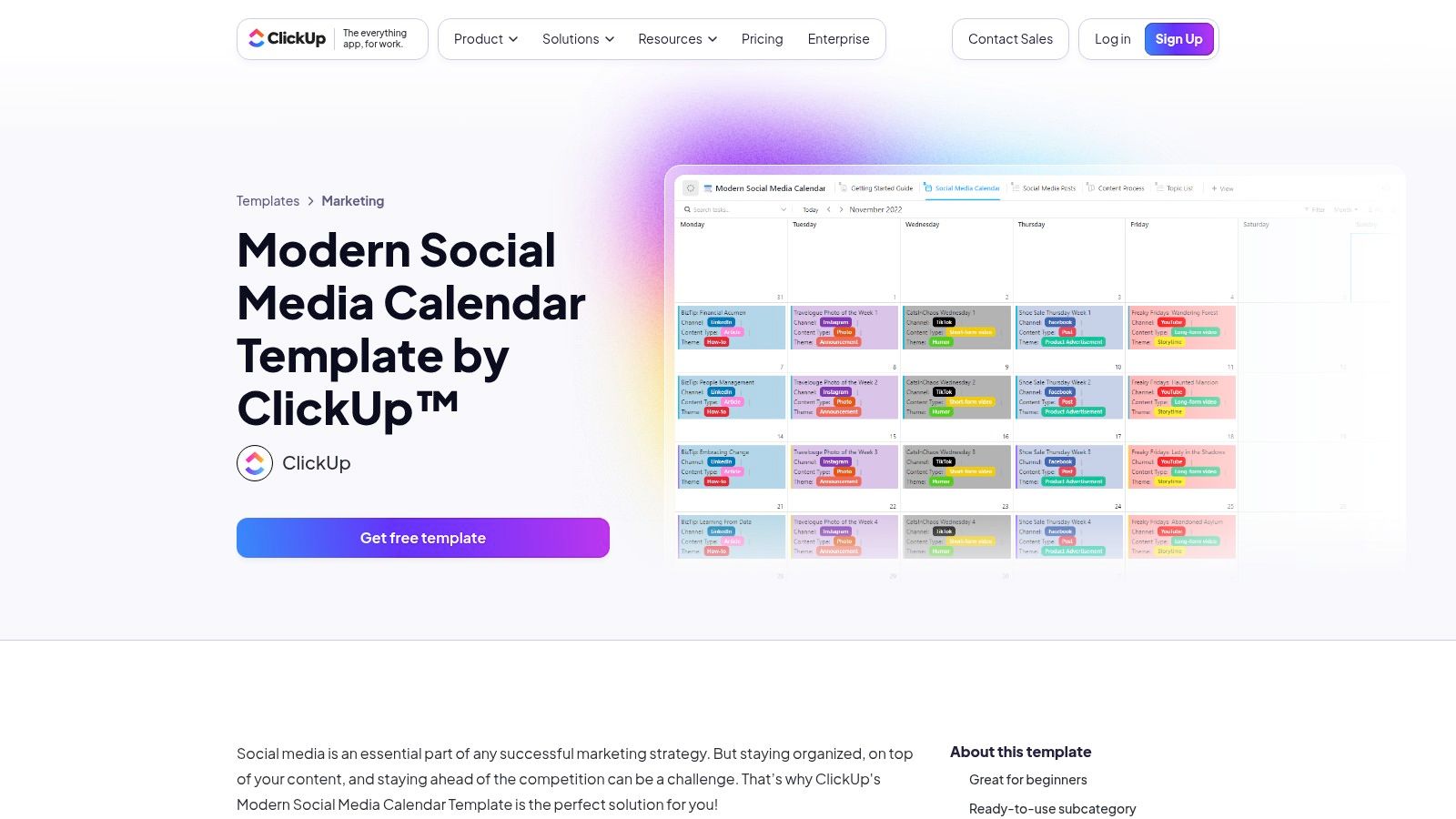
For teams whose social media calendar is deeply integrated with broader project management, ClickUp’s Template Center offers a powerful solution. Unlike a standalone calendar tool, ClickUp embeds its social media templates directly into a comprehensive work management platform. This transforms the calendar from a simple scheduling grid into a fully operational hub for content production, complete with task assignments, custom workflows, and integrated approvals.
This approach is best suited for agencies, in-house marketing departments, and complex organizations that need to connect their content planning to the entire operational lifecycle. By treating each social media post as a task within a larger project, ClickUp provides unparalleled visibility and control over the entire content creation and approval process, making it one of the most robust social media content calendar examples available.
Strategic Breakdown and Key Features
ClickUp’s strength lies in its process-oriented structure. The templates are not just calendars; they are pre-built projects with customizable stages, fields, and automation capabilities. This allows teams to manage content from initial idea intake through to final publication and reporting, all within a single, interconnected system.
Standout Features Include:
- Multi-View Functionality: Seamlessly switch between a traditional Calendar View, a Kanban-style Board View to track progress, and a detailed List View. This flexibility allows team members to work in the format that best suits their role, from creative to manager.
- Custom Fields and Statuses: Templates come with pre-configured but fully editable fields for Platform, Hashtags, and Content Type. The custom statuses (e.g., Idea, In Progress, For Approval, Scheduled) create a clear, actionable workflow for every single post.
- Integrated Forms for Intake: Use ClickUp Forms to create a standardized content request or idea submission process. All submissions automatically populate the calendar as new tasks, ensuring no idea gets lost and streamlining collaboration with other departments.
- Task-Based Collaboration: Every post on the calendar is a task that can be assigned, commented on, and have files attached. This eliminates the need for endless email chains and keeps all communication and assets tied directly to the content piece.
Key Takeaway: ClickUp is for teams that see their content calendar as the central nervous system of their content operations. It excels at creating scalable, transparent, and repeatable workflows that connect planning with execution.
Use Case: The In-House Corporate Marketing Team
A corporate marketing team managing social media for three product lines can use a single ClickUp calendar, using custom fields to filter by product. The team can set up an approval workflow where a post moves from 'Draft' to 'Legal Review' and then to 'Approved' status, automatically notifying the relevant stakeholder at each stage. Using an integrated Form, the sales team can submit customer stories and testimonials, which land directly in the 'Idea' column of the content calendar for the social media manager to review and schedule. This creates a highly organized, compliant, and collaborative content engine.
6. HubSpot: The Foundational Spreadsheet Starter Pack
For those who prefer the familiar grid of a spreadsheet, HubSpot’s resource library offers some of the most widely used and trusted social media content calendar examples available. Instead of a software platform, HubSpot provides a suite of free, downloadable templates in Excel and Google Sheets formats. This offering is a go-to for startups, small businesses, and marketers looking to establish a formal planning process without committing to a new software tool.
This approach is perfect for teams that want a straightforward, no-frills system for organizing content. HubSpot bundles its main calendar template with other valuable planning documents, turning a simple download into a foundational toolkit for building a content strategy from the ground up. By focusing on the fundamentals, it provides a solid base that can be customized to fit nearly any basic workflow.

Strategic Breakdown and Key Features
HubSpot's templates are designed for practicality and integration with broader marketing principles. The calendar itself is intuitively organized with columns for dates, times, copy, links, visuals, and platform-specific notes. It’s a classic, effective layout that prioritizes clarity and ease of use, making it an excellent teaching tool for new social media managers.
Standout Features Include:
- Comprehensive Template Bundle: The download isn't just one calendar; it often includes a social media strategy template, an image-sizing guide, and other resources. This transforms a simple calendar into a more holistic planning package.
- Designed for Familiarity: By using Excel and Google Sheets, these templates require virtually no learning curve. Anyone comfortable with basic spreadsheet functions can immediately start planning and collaborating.
- Platform-Specific Tabs: The calendar includes separate tabs for each major social network, helping users tailor content specifically for platforms like Instagram, Facebook, Twitter, and LinkedIn while keeping everything in one master file.
- Free and Accessible: While gated behind a lead-capture form, the templates are completely free. This makes them an invaluable resource for organizations with limited budgets or those just beginning to structure their social media efforts.
Key Takeaway: HubSpot’s templates are the quintessential starting point for structured social media planning. They excel at providing a free, reliable, and easily shareable framework that helps teams move from scattered ideas to an organized, documented content strategy.
Use Case: The Small Business Owner
A local coffee shop owner wants to plan their social media content for the upcoming quarter but lacks the budget for a dedicated software subscription. They download HubSpot’s free templates and use the Google Sheets version to plan weekly posts, including daily specials, customer photos, and a weekend event promotion. They can share the sheet with their part-time barista who helps manage the Instagram account, ensuring everyone is aligned on the schedule and messaging without any added cost. This simple, shared document serves as their single source of truth for all social media activities.
7. Hootsuite: The Foundational Spreadsheet-to-Suite Pathway
Hootsuite secures its spot on our list by offering one of the most widely used and accessible entry points into structured social media planning: a free, comprehensive spreadsheet template. This resource serves as a foundational tool for marketers new to content calendaring or for teams needing a simple, no-cost solution. Beyond the downloadable file, Hootsuite positions this template as the first step in a larger ecosystem, guiding users from manual planning in Google Sheets or Excel toward its integrated, full-featured scheduling platform.
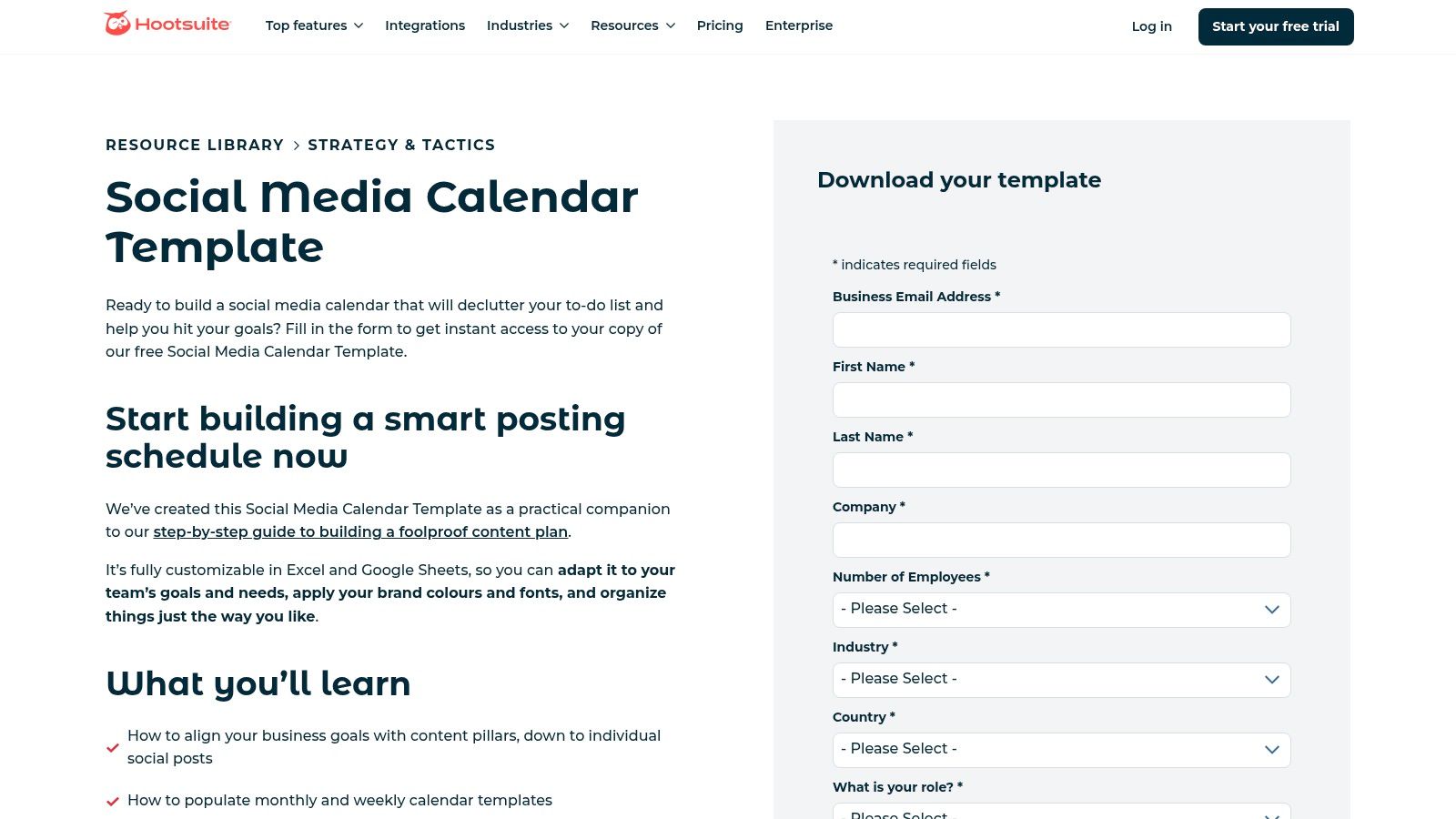
This approach makes Hootsuite’s offering one of the best social media content calendar examples for those at the beginning of their journey. It provides an immediate, practical tool while simultaneously showcasing a clear upgrade path for when operations scale and a simple spreadsheet is no longer sufficient. Access to the template is gated via a lead form, requiring an email address for the download.
Strategic Breakdown and Key Features
Hootsuite’s strategy is built on education and a tiered-access model. They provide a robust free resource that solves an immediate pain point, thereby establishing trust and brand authority. The downloadable template itself is well-structured, including tabs for monthly planning, an evergreen content library, and platform-specific considerations.
Standout Features Include:
- Free, Customizable Template: The core offering is a highly functional and easily adaptable Excel and Google Sheets template. It includes fields for date, time, copy, links, visuals, and platform-specific notes, covering all the basic planning needs.
- Comprehensive Companion Guidance: The template doesn't exist in a vacuum. It's supported by a wealth of blog content on the Hootsuite website that explains how to use it effectively, turning a simple download into a guided learning experience.
- Integrated Platform Planner: For users who outgrow the spreadsheet, Hootsuite’s paid plans feature a visual, in-app calendar. This tool allows for direct scheduling, team collaboration, and a more dynamic planning workflow, creating a seamless transition from the static template.
- Resource and Template Library: Hootsuite consistently updates its hub with fresh templates and articles, ensuring users have access to current best practices for social media management and content strategy.
Key Takeaway: Hootsuite provides the quintessential starting block for content planning. It excels at bridging the gap between manual, spreadsheet-based organization and a sophisticated, all-in-one platform, making it a valuable resource for teams at any stage of maturity.
Use Case: The Small Business Owner
A solo entrepreneur running a local bakery can download Hootsuite’s free template to plan out their weekly posts for Instagram and Facebook. They can use the tabs to pre-write captions for showcasing daily specials, sharing customer photos, and announcing holiday hours. As their business grows and they hire a part-time marketing assistant, they can upgrade to a paid Hootsuite plan. This allows them to use the in-app planner to assign posts for review and schedule content in advance, creating an efficient workflow without the back-and-forth of emailing a spreadsheet.
Social Media Content Calendar: 7-Tool Comparison
| Tool | 🔄 Implementation complexity | ⚡ Resource requirements | 📊 Expected outcomes | 💡 Ideal use cases | ⭐ Key advantages |
|---|---|---|---|---|---|
| PostSyncer | Moderate — quick onboarding, some workspace/AI-credit management | Subscription tiers (AI credits, storage); no per‑seat fees | Faster content production, higher post frequency and engagement uplift | Creators/agencies needing AI automation + cross‑platform scheduling (Reels/Shorts, carousels) | AI-powered scheduling & on-platform video/caption generation; strong collaboration |
| Canva | Low — design-first, minimal setup; scheduling on Pro only | Canva Pro/Teams for scheduling; template library | Faster design-to-publish workflow and consistent visuals | Small teams/agencies wanting visual templates and rapid mockups | Large editable template library; intuitive drag‑and‑drop editor |
| Etsy | Very low — download and use; no platform integration | One‑time purchases; multiple file formats (Sheets, Notion, Canva) | Immediate access to ready-made calendars; quality varies by seller | Budget-conscious buyers seeking niche or handoff-ready templates | Broad variety and niche specificity at low cost |
| Notion Marketplace | Moderate — requires Notion setup and template customization | Notion workspace (Free or Paid); some templates paid | Flexible, database-driven calendars with linked briefs/assets | Teams wanting integrated planning, documentation, and multi‑view layouts | Highly customizable databases and cross-linking of assets |
| ClickUp Template Center | Higher — requires project-management setup and workflows | ClickUp subscription for advanced features; setup time for fields/statuses | Robust task-based workflows, approvals, and reporting | Agencies/operations needing formal content ops and approvals | Built-in workflows, forms, custom fields, and permissions |
| HubSpot (Templates) | Low — download spreadsheets; manual integration into workflows | Free gated downloads; spreadsheet tools; HubSpot paid for deeper integration | Standardized, shareable calendars aligned to marketing processes | SMBs and agencies wanting reputable, modular planning templates | Free, reputable templates with guidance and reporting assets |
| Hootsuite | Low–Moderate — template download is simple; in-app planner requires paid plan | Free gated template; paid Hootsuite for visual planner and scheduling | Clear starter template to migrate toward integrated scheduling | Teams transitioning from spreadsheets to a scheduling suite | Well-maintained starter templates and practical operational guidance |
Choosing Your Calendar and Putting It Into Action
We’ve journeyed through a diverse landscape of social media content calendar examples, from the all-in-one power of a dedicated tool like PostSyncer to the creative flexibility of Canva and the structured adaptability of Notion. Each example, whether a sleek HubSpot spreadsheet or a robust ClickUp template, offers a unique framework for transforming chaotic content ideas into a streamlined, strategic workflow. The core lesson is clear: a well-structured calendar is not just an organizational tool; it is the strategic blueprint for your brand’s digital voice.
The examples from Etsy highlighted the value of niche-specific, community-tested templates, perfect for solo creators and small businesses seeking a proven starting point. Meanwhile, enterprise-grade resources from Hootsuite and HubSpot demonstrated how large-scale operations can maintain brand consistency and campaign coherence across multiple channels and teams. The recurring theme across all these examples is the move from reactive posting to proactive, intentional content planning. This strategic shift is what separates brands that simply exist on social media from those that truly connect, engage, and convert.
Synthesizing the Insights: Your Next Steps
So, where do you go from here? The path forward involves moving from inspiration to implementation. The best social media content calendar examples are those that you can adapt, customize, and consistently use. Here is a clear, actionable plan to get started.
First, define your core needs. Are you a solo creator who prioritizes visual planning and creative brainstorming? A Canva or Notion template might be your ideal starting point. Are you part of a marketing agency juggling multiple clients, requiring advanced scheduling, approval workflows, and in-depth analytics? A comprehensive platform like PostSyncer or Hootsuite is non-negotiable. Don’t choose a tool based on popularity; choose it based on its ability to solve your specific operational bottlenecks.
Second, start with a foundational structure. Select one of the downloadable templates we’ve shared, whether it’s a weekly, monthly, or campaign-specific format. Use it as your base. The goal isn't to find a perfect, ready-made solution, but to find a solid 80% solution that you can customize to fit the final 20% of your unique workflow.
Finally, integrate and iterate. A calendar is a living document. Your initial setup will almost certainly evolve as you gather performance data and better understand your audience's content preferences.
- Audit your performance monthly: What post formats generated the most engagement? Which content pillars resonated most deeply?
- Refine your workflow: Is the approval process smooth? Are assets easy to locate?
- Stay agile: Use your calendar to plan ahead but leave room for timely, reactive content that capitalizes on current trends or conversations.
Making the Right Choice for Your Team
Choosing the right platform is the critical final step. A simple spreadsheet may suffice for a beginner, but for teams focused on growth and efficiency, a dedicated tool is essential. Consider these factors:
- Collaboration: Does the tool allow for seamless team commenting, task assignments, and multi-level approvals?
- Integration: Can it connect with your design tools, analytics platforms, and other marketing software?
- Scalability: Will the platform grow with you as you add more social channels, team members, or clients?
Ultimately, the best social media content calendar is the one you and your team will use consistently. It’s the framework that removes friction from your creative process, empowers strategic decision-making, and frees up your time to focus on what truly matters: creating content that builds community and drives results. Embrace the structure, customize the process, and watch your social media presence transform from a series of posts into a powerful, cohesive brand story.
Ready to move beyond static spreadsheets and templates? PostSyncer centralizes everything you've seen in these social media content calendar examples into one powerful, intuitive platform. Stop juggling files and start executing a flawless strategy with visual planning, automated scheduling, and collaborative workflows by trying PostSyncer today.