












Navigating the complexities of maintaining a consistent, high-impact presence across multiple social media platforms is a significant challenge for any brand, creator, or agency. Juggling different content formats, optimal posting times, community engagement, and performance analysis can quickly become overwhelming, diverting focus from core strategic goals. This is precisely the problem that effective social media content management tools are designed to solve. They centralize your workflow, automate tedious tasks, and provide the data-driven insights needed to refine your approach.
This guide provides a comprehensive breakdown of the top platforms available today, from enterprise-level solutions like Sprout Social and Hootsuite to creator-focused options like Later and our own powerful tool, PostSyncer. We move beyond generic feature lists to offer a practical, in-depth analysis of each tool. You will find detailed comparisons of key functionalities, including scheduling capabilities, analytics dashboards, team collaboration features, and support for video content like Reels and Shorts.
Our goal is to help you cut through the marketing noise and identify the platform that best aligns with your specific needs, whether you're a solo entrepreneur, a growing e-commerce brand, or a large agency managing multiple client accounts. Each profile includes screenshots, direct links, honest pros and cons, and clear "best-for" recommendations to streamline your decision-making process. As you explore these tools, remember that a strong content strategy is foundational. Pairing the right platform with effective strategies to grow your social media following is essential for maximizing your impact and achieving tangible results. Let’s dive in and find the perfect tool to elevate your social media management.
1. PostSyncer
Best for: Agencies, Creators, and SMBs seeking a powerful, AI-driven workflow.
PostSyncer earns its place as a top-tier choice among social media content management tools by integrating a comprehensive AI suite directly into a robust, team-oriented platform. It goes beyond standard scheduling, offering an end-to-end solution where users can generate, schedule, analyze, and manage content from a single dashboard. This seamless workflow is its core differentiator, enabling teams to create high-quality captions, images, and even short-form videos with its AI Content Studio, then immediately place them onto a visual, drag-and-drop calendar.

The platform supports an extensive list of networks, including TikTok, Instagram (Reels), YouTube (Shorts), and even emerging platforms like Threads and Bluesky. This breadth, combined with its strong support for video and multi-image carousels, makes it exceptionally versatile.
Key Features & Benefits
For agencies and marketing teams, PostSyncer’s collaboration features are a significant advantage. All paid plans include unlimited team members, a standout offering at this price point. Combined with role-based approval workflows and multi-workspace support, it provides the structure needed to manage multiple clients or brand portfolios without disorganization. The unified inbox, enhanced with AI-powered auto-replies, further streamlines community engagement by consolidating comments and messages from all connected accounts into one manageable feed.
Pricing and Access
PostSyncer offers a transparent pricing structure with a 7-day free trial and a 7-day money-back guarantee, allowing users to test its full capabilities risk-free. Plans range from an accessible Starter tier to more feature-rich Pro and Pro Plus options, with annual billing providing a ~20% discount.
- Key Consideration: While some marketing materials mention "unlimited profiles," plans have specific caps on connected accounts (typically up to 10). Managing more brands may require purchasing additional workspaces.
- AI Credits: Each plan includes a monthly allocation of AI credits (e.g., Starter: 200, Pro: 1,000) that do not roll over. Heavy AI users should factor potential credit top-ups or plan upgrades into their budget.
| Pros | Cons |
|---|---|
| Integrated AI Workflow: Create captions, images, and short videos directly within the platform. | Account Limits: Plans have caps on connected social profiles; extra brands may require additional workspaces. |
| Team-Friendly Structure: Unlimited team members on all paid plans, plus approval workflows and workspaces. | Gated Advanced Features: Unlimited storage, higher API limits, and priority support are reserved for higher-priced tiers. |
| Broad Platform Support: Manages nearly every major network, including robust support for Reels and Shorts. | Non-Rollover AI Credits: Monthly AI credits expire if unused, potentially requiring purchases for high-volume creation periods. |
| Transparent Pricing: Clear monthly/annual options with a free trial and money-back guarantee. | |
| Strong Security: Employs bank-level encryption, secure OAuth connections, and is GDPR compliant. |
Website: https://postsyncer.com
2. Hootsuite
Hootsuite is one of the most established and comprehensive social media content management tools, serving as a powerful, all-in-one suite for teams of all sizes. It excels in providing a centralized dashboard for managing multiple social profiles, from scheduling and publishing content to monitoring brand mentions and engaging with audiences. Its longevity in the market translates to a mature platform with an extensive feature set and a robust ecosystem of integrations.

What makes Hootsuite a standout choice, particularly for larger organizations and agencies, is its focus on team collaboration and governance. Features like detailed user permissions, content approval workflows, and asset libraries are built directly into the platform, ensuring brand consistency and operational efficiency across distributed teams. The platform also includes OwlyWriter AI for generating content ideas and captions, streamlining the creative process.
Core Features & Use Cases
- Best For: Agencies, enterprise-level marketing departments, and SMBs needing a scalable, all-inclusive solution.
- Key Features: Unlimited post scheduling, unified social inbox, basic social listening, comprehensive analytics, and bulk scheduling capabilities.
- Unique Offering: Its extensive App Directory allows for deep customization, integrating with tools like Slack, Adobe, and Canva directly within the dashboard.
Pricing & Onboarding
Hootsuite offers a 30-day free trial to test its capabilities. Paid plans start with the Professional tier at $99 per month, scaling up to Team, Business, and custom Enterprise plans that add more users, social accounts, and advanced features. The user interface can feel dense due to its feature richness, but Hootsuite provides extensive learning resources through its Hootsuite Academy to help new users get up to speed.
Pros:
- Broadest feature coverage in a single platform.
- Excellent for managing large teams with approval workflows.
Cons:
- Can become expensive at higher tiers.
- Advanced social listening and analytics often require paid add-ons.
Website: https://www.hootsuite.com
3. Sprout Social
Sprout Social is a premium, all-in-one social media management platform designed for businesses and agencies that require sophisticated analytics, deep social listening, and streamlined team collaboration. It positions itself as a more polished, user-friendly alternative to other enterprise-grade tools, focusing on an intuitive interface without sacrificing powerful functionality. The platform excels at turning social data into actionable business intelligence.
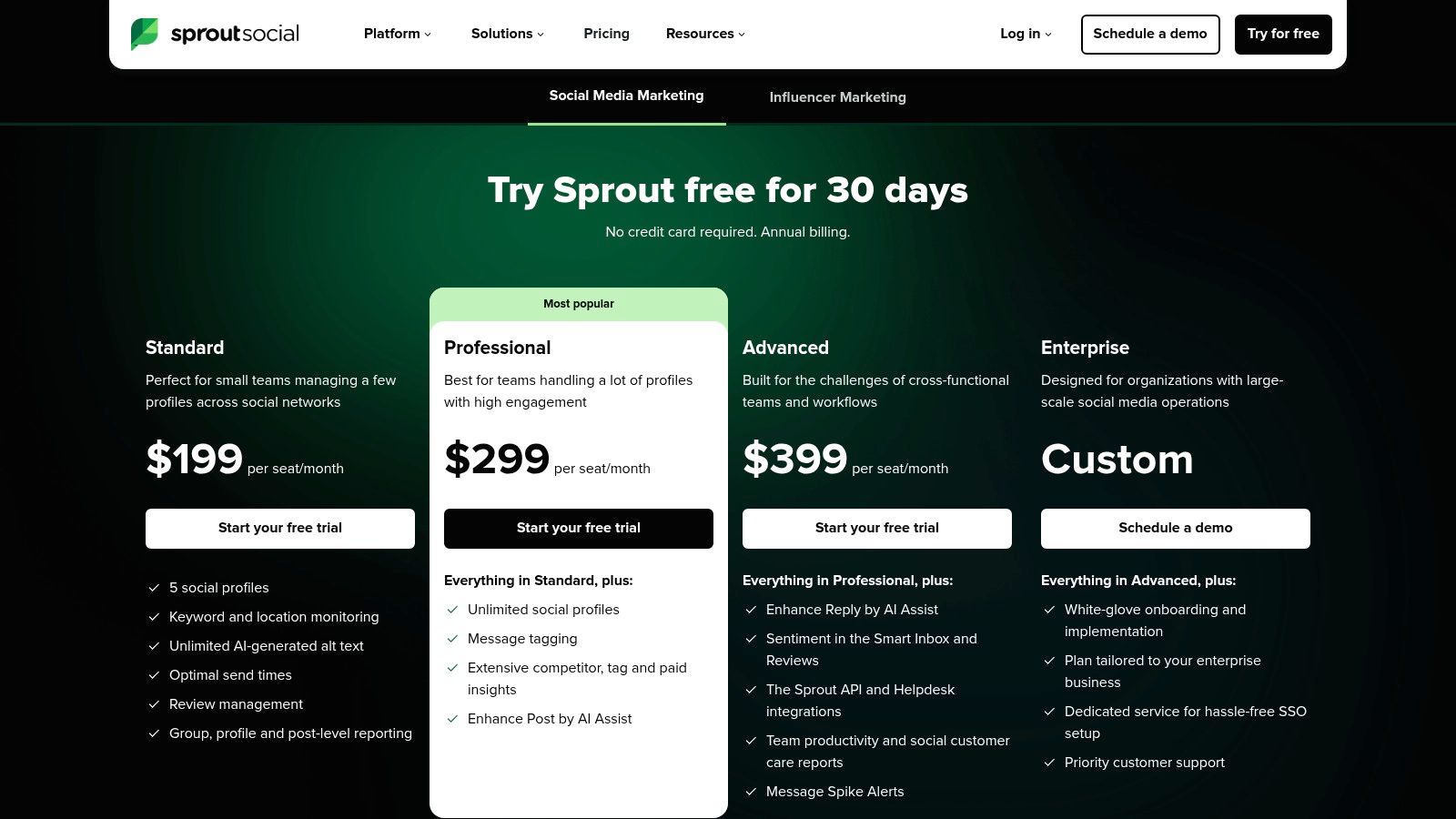
What truly sets Sprout Social apart is its focus on robust team workflows and industry-leading reporting. Features like message tagging, collision detection to prevent duplicate replies, and task assignment make it ideal for coordinating customer care and engagement across large teams. Its AI-powered features, including post generation and reply assistance, are integrated into higher-tier plans to enhance productivity and maintain brand voice.
Core Features & Use Cases
- Best For: Mid-market to enterprise-level businesses and agencies that prioritize data-driven strategy and team efficiency.
- Key Features: Smart Inbox for unified engagement, publishing calendar with Optimal Send Times, advanced social listening, and competitor analysis.
- Unique Offering: Its powerful suite of analytics and reporting tools is a major differentiator. To learn more about how it stacks up, check out our comparison of the best social media analytics tools.
Pricing & Onboarding
Sprout Social offers a generous 30-day free trial. Pricing is per-user, starting with the Standard plan at $249 per user per month. The Professional and Advanced tiers add more sophisticated reporting, listening, and AI-powered tools. While the per-seat model can become costly for larger teams, the investment reflects the platform's depth and premium support.
Pros:
- Industry-leading reporting and listening capabilities.
- Excellent for managing team collaboration and workflows.
Cons:
- Per-seat pricing can be expensive as teams grow.
- Some advanced features are locked behind higher-priced plans.
Website: https://sproutsocial.com/pricing/
4. Buffer
Buffer is celebrated for its simplicity and user-friendly design, making it one of the most approachable social media content management tools for individuals and small businesses. It strips away complexity, focusing on core functionalities like intuitive content scheduling, a straightforward engagement inbox, and an integrated AI assistant. This streamlined approach allows users to manage their social presence efficiently without the steep learning curve often associated with more enterprise-focused platforms.
What sets Buffer apart is its transparent and flexible per-channel pricing model. Instead of bundling features into rigid, expensive tiers, Buffer allows users to pay for exactly what they need, adding channels as their business grows. This model, combined with its clean interface and reliable publishing tools, makes it an attractive and cost-effective solution for those who prioritize ease of use and predictable costs over an exhaustive feature set. Its position as one of the best social media scheduling tools is well-earned for this reason.
Core Features & Use Cases
- Best For: Solo creators, small businesses, and marketing teams looking for an easy-to-use and affordable scheduling tool.
- Key Features: Intuitive post scheduling and calendar, AI assistant for content creation, engagement tools to manage comments, and basic performance analytics.
- Unique Offering: Its "pay-per-channel" pricing structure offers unparalleled flexibility, allowing users to build a custom plan that fits their exact needs.
Pricing & Onboarding
Buffer offers a generous free plan that includes up to three channels with 10 scheduled posts per channel. Paid plans start with the Essentials tier at $6 per month per channel, which unlocks unlimited scheduling and the AI assistant. A 14-day free trial is available for all paid plans. The platform's clean user experience ensures that onboarding is incredibly simple, allowing new users to connect accounts and start scheduling content in minutes.
Pros:
- Transparent, flexible per-channel pricing is highly scalable.
- Simple UX and easy onboarding process for small teams.
Cons:
- Costs can escalate as the number of channels increases.
- Advanced reporting and analytics are lighter than enterprise-grade tools.
Website: https://buffer.com/pricing
5. Later
Later began as an Instagram-first scheduling tool and has evolved into a powerful, visually-focused social media content management tool beloved by creators and e-commerce brands. Its platform is designed around a drag-and-drop visual content calendar, making it exceptionally easy to plan and preview the aesthetic of your Instagram, TikTok, and Pinterest feeds before publishing. This visual-first approach is its core differentiator, setting it apart for brands where a curated look is paramount.
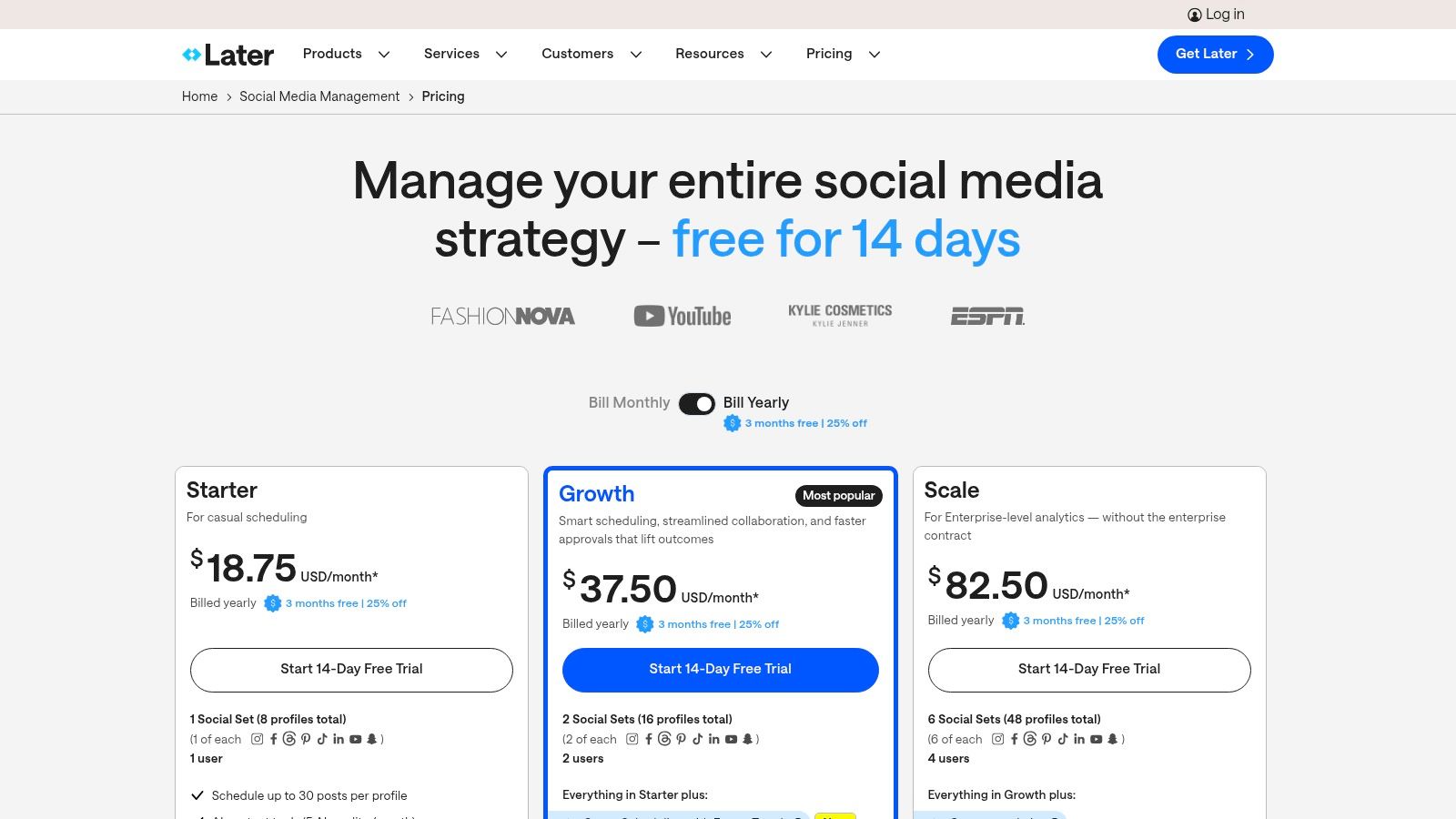
Beyond its scheduling prowess, Later has built out a suite of features that cater directly to the creator economy. Its Linkin.bio tool transforms a standard link-in-bio into a clickable, shoppable landing page, driving traffic and sales directly from social posts. The platform also includes features for finding user-generated content, managing conversations, and analyzing performance with a clear focus on visual-heavy platforms. The automation features within Later are particularly useful for maintaining a consistent posting schedule; you can explore social media automation tools to see how this compares with other solutions.
Core Features & Use Cases
- Best For: E-commerce brands, content creators, influencers, and businesses that prioritize visual storytelling on platforms like Instagram and TikTok.
- Key Features: Visual content calendar, auto-publish for all major platforms, Linkin.bio feature, content approval workflows, and basic analytics.
- Unique Offering: Its "Best Time to Post" feature analyzes your audience's engagement patterns and suggests optimal posting times for maximum reach.
Pricing & Onboarding
Later offers a 14-day free trial and a free-forever plan with limitations. Paid plans start with the Starter tier at $25 per month, moving up to Growth at $45 per month, and Advanced at $80 per month. Each tier increases the number of posts, users, and "social sets" (bundles of social profiles). The interface is clean and highly intuitive, especially for those familiar with visual planning, making onboarding a smooth process.
Pros:
- Excellent, user-friendly visual planner for Instagram and Pinterest.
- The Linkin.bio feature is a powerful tool for driving conversions.
Cons:
- Lower-tier plans have restrictive post limits.
- Adding extra users or social sets can require add-ons, increasing the cost.
Website: https://later.com/pricing
6. Loomly
Loomly is a social media content management tool designed with a strong emphasis on brand success and collaboration, making it a favorite among marketing teams and agencies. It operates on a calendar-first approach, providing a clear, visual workflow for planning, creating, approving, and publishing content. This focus on structured planning and teamwork helps teams maintain brand consistency and streamline their entire content lifecycle from idea to analysis.
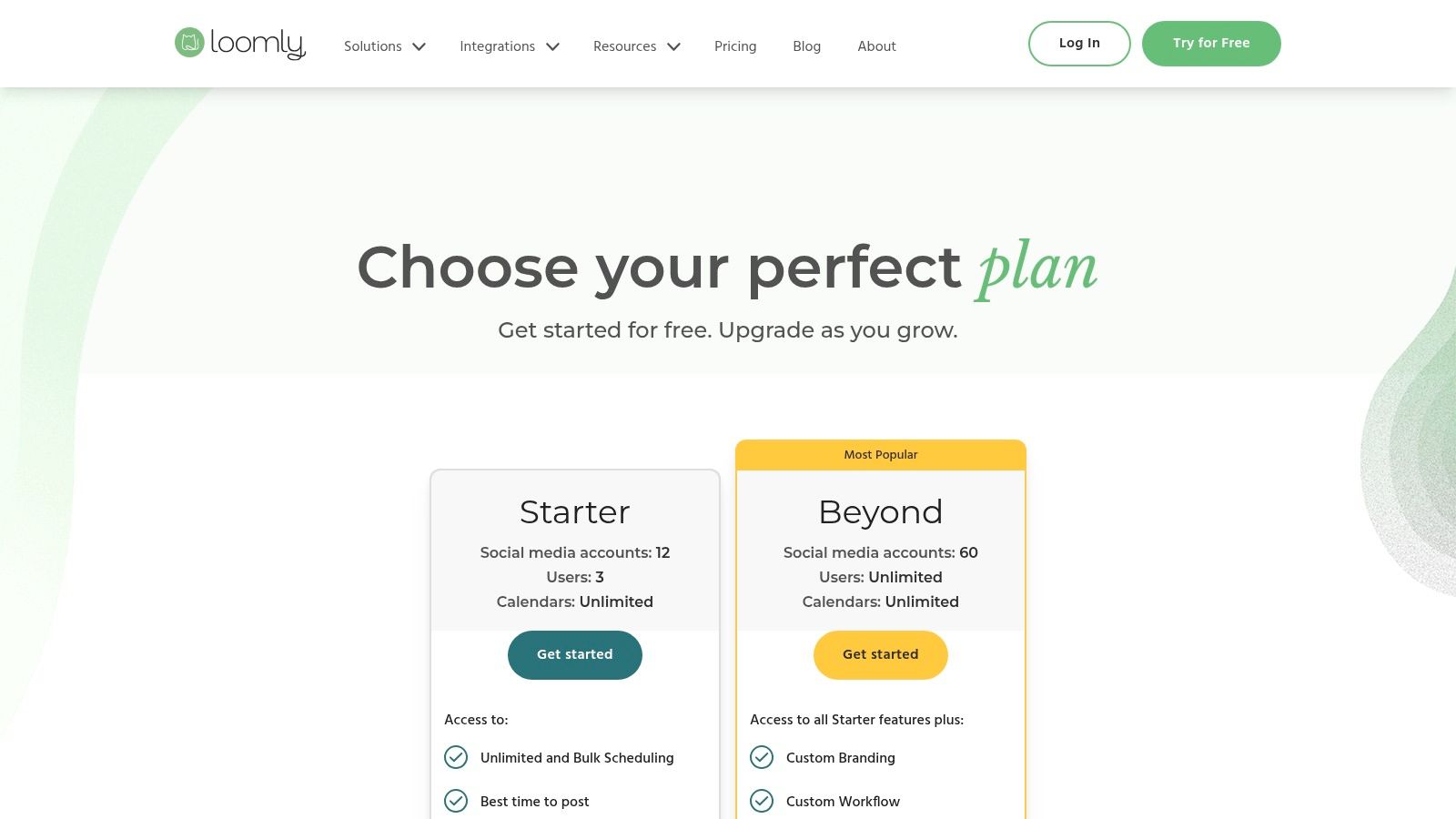
What sets Loomly apart is its intuitive interface combined with powerful, built-in guidance. The platform offers post ideas based on trending topics, social media best practices, and important dates, which is invaluable for overcoming creative blocks. Its robust, multi-stage approval workflows are also a significant advantage for agencies and larger teams, ensuring every piece of content is reviewed and signed off by the appropriate stakeholders before it goes live.
Core Features & Use Cases
- Best For: Marketing agencies, brand managers, and SMBs that prioritize structured content planning and client/team collaboration.
- Key Features: Visual content calendar, automated publishing for major platforms, advanced approval workflows, post mockups, and a central asset library.
- Unique Offering: Loomly provides built-in post ideas and optimization tips, acting as a proactive assistant to help teams create more effective content.
Pricing & Onboarding
Loomly offers a 15-day free trial. Pricing starts with the Base plan at $42 per month for 2 users and 10 social accounts. Higher-tier plans like Standard, Advanced, and Premium scale up to accommodate more users, accounts, and advanced features like custom branding and roles. The user experience is clean and straightforward, making onboarding relatively quick for new teams.
Pros:
- Excellent collaboration and client approval workflows.
- Helpful content idea generator and optimization suggestions.
Cons:
- Pricing is primarily managed through in-app billing.
- Some long-term users have reported significant price increases in recent updates.
Website: https://www.loomly.com/pricing
7. Agorapulse
Agorapulse has carved out a strong position as a comprehensive social media management suite, with a particular emphasis on community management and team efficiency. It provides a powerful, unified inbox that simplifies engagement by consolidating comments, messages, and mentions from all connected profiles into one stream. This inbox-centric approach, combined with robust publishing and reporting features, makes it a go-to solution for businesses and agencies focused on building and nurturing their online communities.
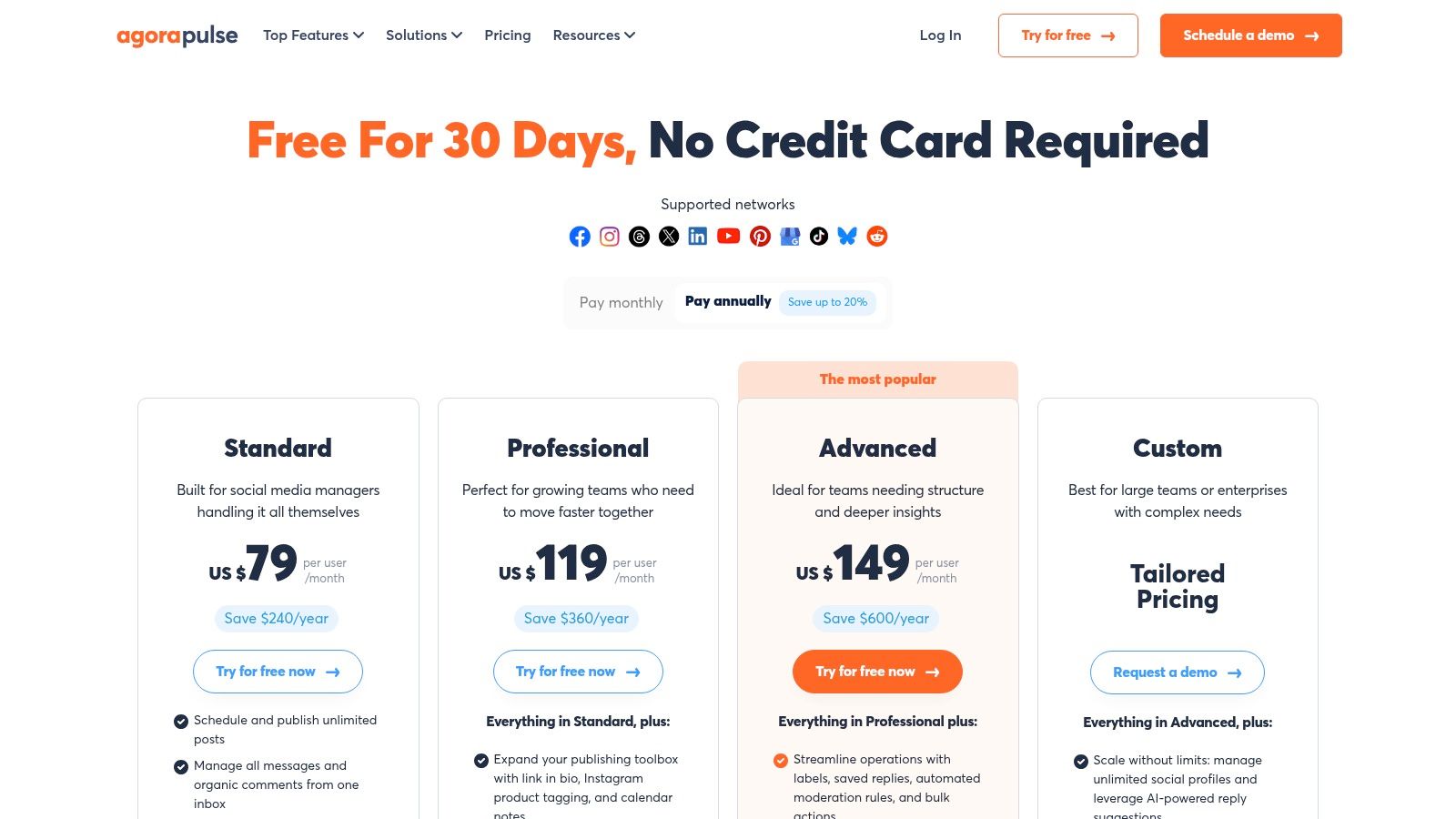
What sets Agorapulse apart is its clean user interface and powerful automation capabilities built directly into the inbox. Users can create moderation rules that automatically hide, review, or assign incoming comments based on keywords, saving significant time. This focus on streamlined workflows extends to its content calendar, which supports categorization, content queues, and bulk scheduling, making it one of the most practical social media content management tools for teams handling high volumes of interactions.
Core Features & Use Cases
- Best For: Agencies, mid-sized businesses, and customer service teams that prioritize community engagement and inbox management.
- Key Features: Unified social inbox with automation rules, bulk publishing and content queues, shared team content libraries, and in-depth performance reporting.
- Unique Offering: Its ad comment monitoring feature is a standout, allowing teams to manage comments on both organic posts and paid ads from Facebook and Instagram in one place.
Pricing & Onboarding
Agorapulse offers a 30-day free trial on its paid plans. The plans start with the Standard tier, followed by Professional and Advanced tiers, with pricing structured on a per-user basis. This transparency is helpful for planning, but costs can accumulate for larger teams. The platform is known for its intuitive design and excellent customer support, making the onboarding process relatively smooth for new users.
Pros:
- Best-in-class unified social inbox with powerful automation.
- Clear, agency-friendly reporting and team workflow features.
Cons:
- The per-user pricing model can become expensive for larger organizations.
- Some advanced features, particularly for X (formerly Twitter), are sold as paid add-ons.
Website: https://www.agorapulse.com/pricing/
8. Sendible
Sendible is a social media content management tool specifically engineered for the needs of marketing agencies and brands managing multiple clients. It provides a unified platform where teams can handle content scheduling, audience engagement, and performance reporting from a single, collaborative dashboard. The platform is designed for scalability, making it easy to add new clients and team members as an agency grows.
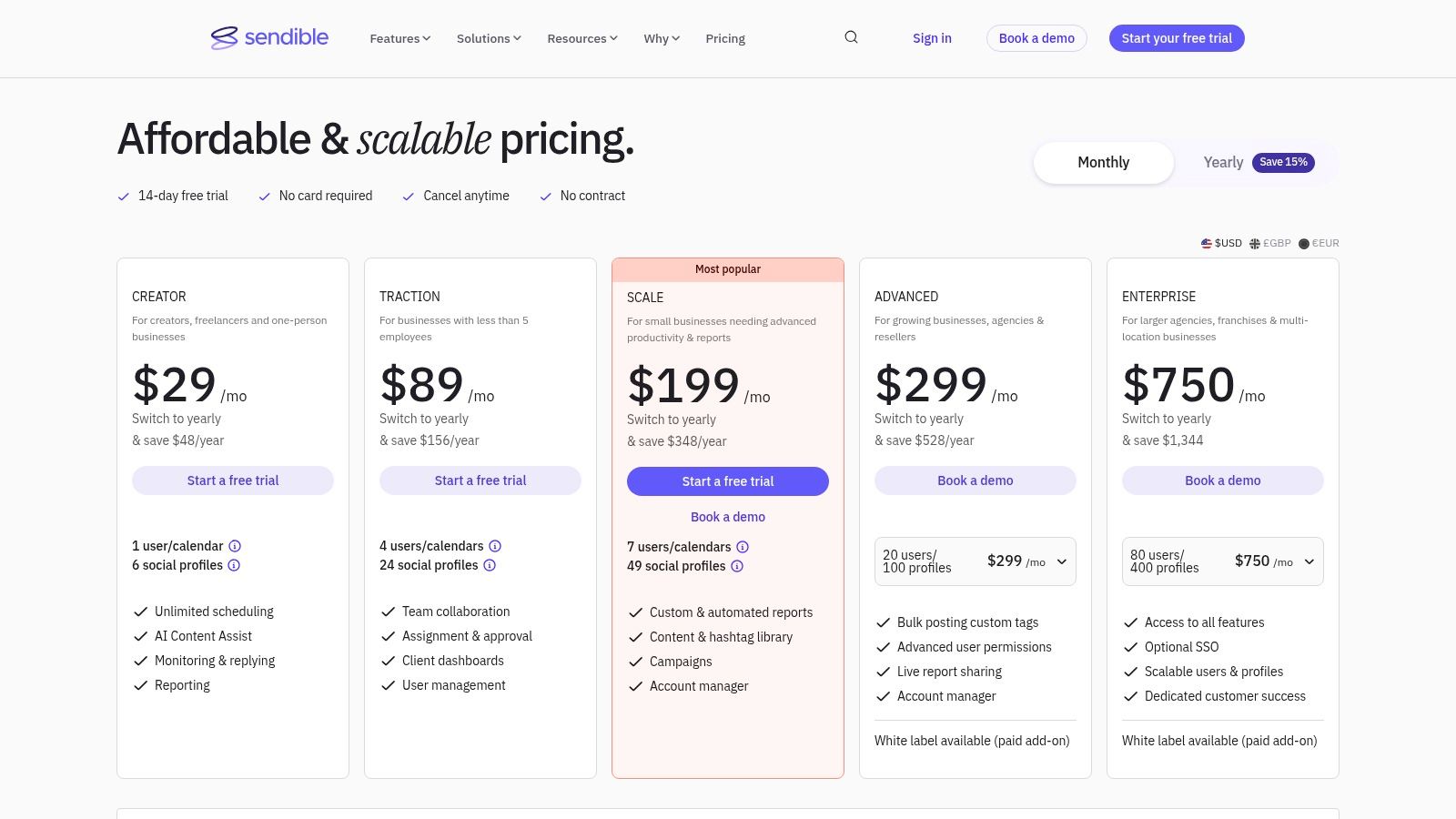
What truly sets Sendible apart is its agency-centric feature set. It offers dedicated client dashboards, content approval workflows, and white-labeling options that allow agencies to present the platform as their own branded solution. This focus on client management is combined with powerful publishing tools, including an AI Content Assist feature for generating post ideas and captions, ensuring a streamlined workflow from creation to reporting.
Core Features & Use Cases
- Best For: Marketing agencies, freelancers, and brands that manage social media for multiple clients or departments.
- Key Features: Custom client dashboards, content approval workflows, bulk scheduling, a unified social inbox, and comprehensive, presentation-ready reporting.
- Unique Offering: The ability to create tailored, white-labeled dashboards for each client, providing them with a professional and transparent view of social media activities.
Pricing & Onboarding
Sendible offers a 14-day free trial with no contract required. Pricing begins with the Creator plan at $29 per month for a single user. Agency-focused plans include Traction ($89/month) and Scale ($240/month), which add more users and social profiles. Custom Expansion plans are available for larger teams needing over 80 users and 400 profiles. The interface is clean and user-friendly, simplifying the process of managing numerous client accounts.
Pros:
- Excellent agency-friendly features like client dashboards and white-labeling.
- Plans scale effectively to accommodate large teams and numerous clients.
Cons:
- Some advanced features are limited to higher-priced tiers.
- Pricing for top enterprise plans is not transparent and requires a sales call.
Website: https://www.sendible.com/pricing
9. SocialBee
SocialBee stands out in the crowded market of social media content management tools by focusing on value and an intelligent, category-based scheduling system. It is designed for creators, SMBs, and agencies who need an efficient way to manage evergreen content alongside timely posts. The platform’s core strength lies in its ability to organize content into categories, which can then be set to a recurring schedule, ensuring a consistent and balanced content mix across all profiles.
What makes SocialBee a compelling choice is its combination of powerful automation and user-friendly design. Beyond scheduling, it offers team collaboration features like approval workflows and PDF reporting, which are crucial for agency-client relationships. The platform supports a wide array of networks, including newer additions like Threads and Bluesky, alongside established ones like TikTok and YouTube, making it a versatile tool for brands with a broad online presence.
Core Features & Use Cases
- Best For: Solo entrepreneurs, small to medium-sized businesses, and agencies looking for an affordable yet powerful content automation tool.
- Key Features: Category-based evergreen scheduling, AI post generator, content approval workflows, customizable analytics, and broad network integrations (Facebook, Instagram, Threads, TikTok, LinkedIn, Pinterest, YouTube, etc.).
- Unique Offering: Optional "Concierge Services" provide hands-on help from social media specialists for content creation, design, and strategy, offering a done-for-you solution.
Pricing & Onboarding
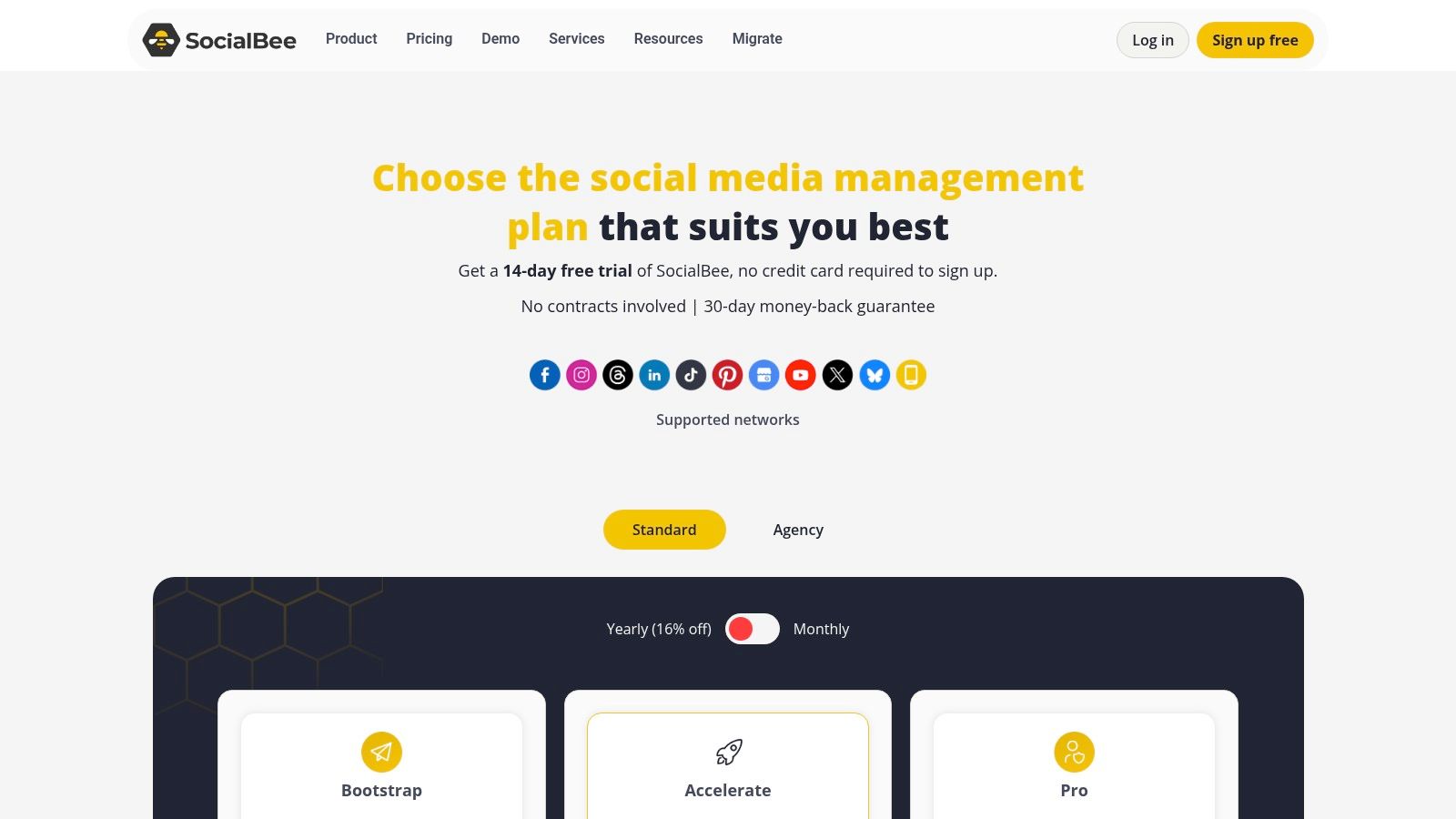
SocialBee offers a 14-day free trial and a 30-day money-back guarantee. Paid plans are competitively priced, starting with the Bootstrap plan at $29 per month. Plans scale to Accelerate and Pro, which offer more workspaces, users, and social profiles. The interface is more approachable than complex enterprise suites, making onboarding relatively quick for new users.
Pros:
- Excellent value with generous limits on social profiles.
- Category-based scheduling is highly effective for managing evergreen content.
Cons:
- Advanced features like in-depth analytics are reserved for higher-tier plans.
- The user interface, while functional, is less polished than some premium competitors.
Website: https://socialbee.com/pricing/
10. HubSpot Marketing Hub (social tools)
HubSpot Marketing Hub integrates social media management directly into a comprehensive marketing automation platform. This makes it an ideal choice for businesses that want to tie their social media efforts directly to their CRM, email campaigns, and overall sales funnel. Rather than being a standalone tool, HubSpot's social features are designed to provide a holistic view of a customer's journey, from a social media interaction to a closed deal.
What makes HubSpot a unique player among social media content management tools is its native connection to a powerful CRM. You can schedule posts, monitor keywords, and track mentions, but the real value comes from seeing how those activities influence leads and revenue. This tight integration allows for powerful, full-funnel attribution reporting, making it easier to prove the ROI of your social media strategy within the broader marketing ecosystem.
Core Features & Use Cases
- Best For: B2B companies, marketing teams invested in the HubSpot ecosystem, and businesses focused on lead generation and sales attribution.
- Key Features: Social media scheduling, keyword monitoring, post-performance analytics, campaign-level reporting, and direct integration with HubSpot CRM contact records.
- Unique Offering: The ability to attribute revenue directly to specific social media campaigns and posts, providing unparalleled insight into ROI within a single platform.
Pricing & Onboarding
HubSpot’s social media tools are included within the Marketing Hub. While some free tools exist, robust social features begin with the Professional plan, starting at $800 per month (billed annually). The Enterprise tier adds more advanced governance and reporting. Onboarding for Professional and Enterprise tiers is often required and comes at an additional cost, but ensures teams can maximize the platform’s extensive capabilities.
Pros:
- Native connection to CRM provides a complete view of the customer journey.
- Consolidates martech for powerful cross-channel reporting and attribution.
Cons:
- Significantly higher total cost compared to standalone social media tools.
- Professional/Enterprise plans often require mandatory paid onboarding fees.
Website: https://legal.hubspot.com/hubspot-product-and-services-catalog
11. Meta Business Suite (Facebook & Instagram)
For businesses heavily focused on Meta’s ecosystem, the Meta Business Suite is the official, free social media content management tool designed for native integration. It serves as a centralized hub for managing Facebook Pages and Instagram professional accounts, providing essential tools for scheduling, publishing, and basic performance tracking without requiring a third-party subscription. It's the go-to starting point for anyone whose social strategy revolves primarily around these two platforms.
What makes Meta Business Suite a logical choice for many is its direct pipeline to Facebook and Instagram features. It often gets first access to new post formats, like specific Reel or Story functionalities, and provides a streamlined way to manage comments and messages across both platforms from a single inbox. While it lacks the multi-network support of other tools, its deep, native integration makes it a reliable and cost-effective solution for Meta-centric marketing.
Core Features & Use Cases
- Best For: Small businesses, creators, and marketers whose primary audience is on Facebook and Instagram.
- Key Features: Native scheduling for Posts, Stories, and Reels, a content planner with optimal posting time suggestions, a unified inbox for FB/IG comments and messages, and basic performance analytics.
- Unique Offering: Being a native tool, it offers direct, seamless cross-posting between Facebook and Instagram, including the ability to create platform-specific ad campaigns directly from the dashboard.
Pricing & Onboarding
Meta Business Suite is entirely free to use for anyone with a Facebook Page and a linked Instagram professional account. There are no paid tiers or hidden costs for its management features. The interface is integrated directly into the Facebook ecosystem, making it familiar to most users. However, its layout and features are subject to frequent updates, which can occasionally lead to a learning curve or temporary instability.
Pros:
- Completely free and perfectly integrated with Meta properties.
- Excellent baseline or backup tool for Facebook/Instagram-focused workflows.
Cons:
- Limited to only Facebook and Instagram, no other networks are supported.
- Users sometimes report glitches, and the UI can change without notice.
Website: https://business.facebook.com
12. AppSumo
AppSumo is not a conventional social media content management tool itself, but rather a digital marketplace that frequently offers lifetime deals (LTDs) and significant discounts on emerging SaaS products, including a wide array of social media schedulers, analytics platforms, and content creation suites. For budget-conscious startups, freelancers, and small businesses, it serves as an invaluable resource for acquiring powerful software at a fraction of the standard subscription cost.
What makes AppSumo a unique entry in this list is its role as a launchpad for innovative and lesser-known tools that can be powerful alternatives to mainstream platforms. By browsing its listings, teams can discover new solutions that fit specific niches or workflows. The platform’s community reviews and Q&A sections provide crucial social proof, helping buyers vet deals before committing, while the typical 60-day money-back guarantee significantly lowers the risk of trying a new tool.
Core Features & Use Cases
- Best For: Freelancers, startups, and SMBs looking to build their marketing stack cost-effectively or discover new, innovative tools.
- Key Features: Time-limited deals on various software, frequent listings for social media management tools, one-time payment for lifetime access, and a 60-day refund policy.
- Unique Offering: Access to lifetime deals on up-and-coming software, allowing teams to lock in a low price permanently and avoid recurring subscription fees.
Pricing & Onboarding
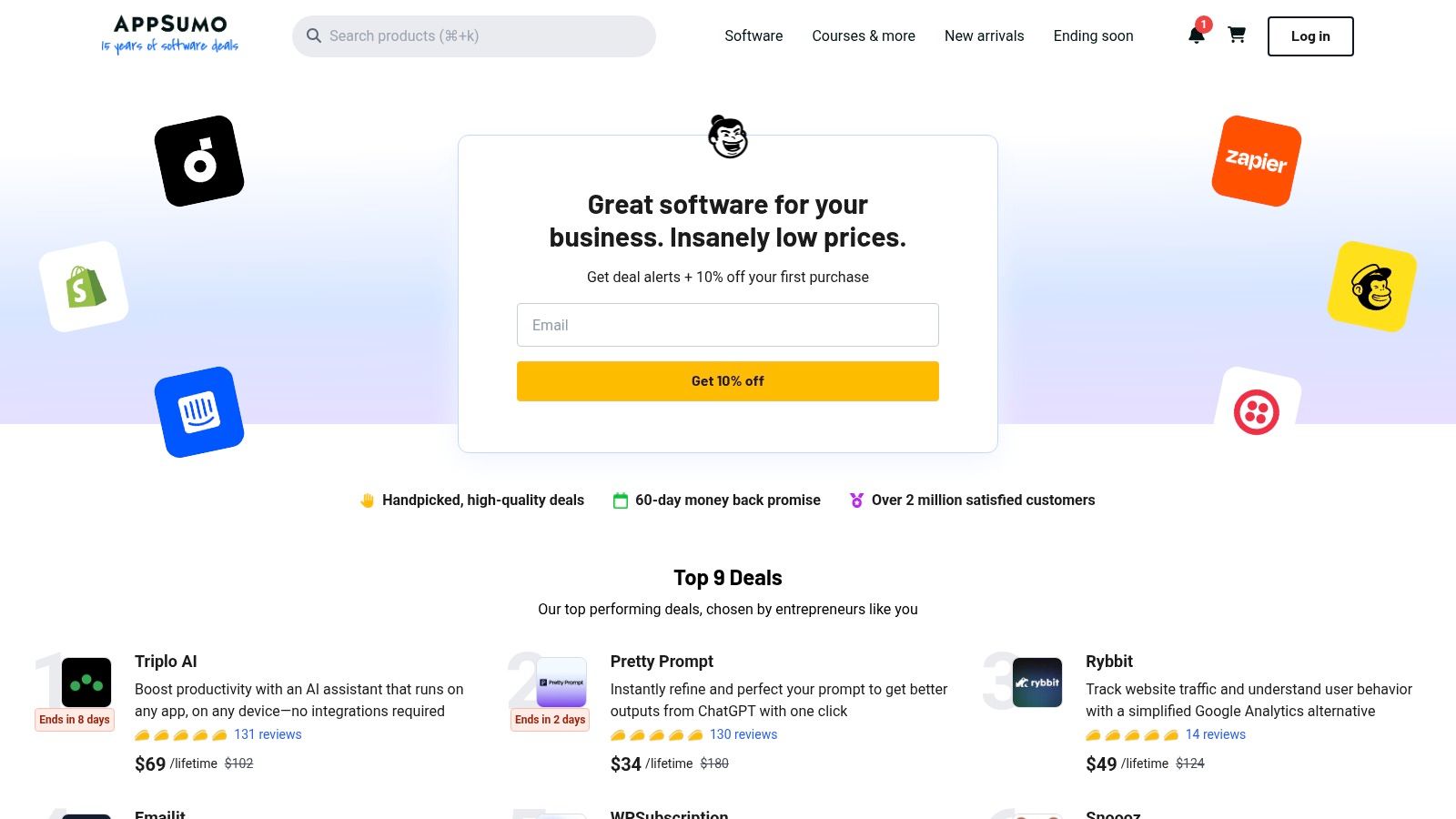
AppSumo itself is free to browse. The cost is associated with the individual deals purchased, which can range from $39 to several hundred dollars for a one-time lifetime license. Onboarding and user experience vary greatly depending on the specific tool purchased. A practical tip is to thoroughly read user reviews and the vendor’s Q&A section on the deal page to gauge the software's quality and the responsiveness of its support team.
Pros:
- Exceptional cost savings through lifetime deals versus standard monthly subscriptions.
- The 60-day money-back guarantee minimizes the financial risk of testing new software.
Cons:
- Deals are temporary and can sell out quickly.
- The quality and long-term viability of the featured software can be inconsistent; careful vetting is required.
Website: https://appsumo.com
Top 12 Social Media Content Management Tools — Comparison
| Product | ✨ Key features | ★ UX / Quality | 💰 Pricing / Value | 👥 Target audience | 🏆 Why pick / USP |
|---|---|---|---|---|---|
| PostSyncer 🏆 | AI Content Studio & Video Creator, drag‑drop calendar, multi‑platform scheduling, cloud media library | ★★★★☆ reliable, modern | 💰 Transparent tiers, 7‑day trial, AI credits included | 👥 Creators, agencies, teams | 🏆 End‑to‑end AI workflow + unlimited team members; secure & collaborative |
| Hootsuite | Publishing + unified inbox, OwlyWriter AI, bulk scheduling | ★★★★ mature & feature‑rich | 💰 Powerful but can get pricey; 30‑day trial | 👥 Large teams & enterprises | Broadest ecosystem and integrations |
| Sprout Social | Advanced analytics, listening, collaboration & tagging | ★★★★☆ premium reporting | 💰 Premium (per‑seat) pricing | 👥 Agencies & enterprises | Industry‑leading reporting and listening depth |
| Buffer | Simple scheduling, AI assistant, per‑channel pricing | ★★★☆☆ very user‑friendly | 💰 Transparent per‑channel; scales with channels | 👥 Solo creators & small teams | Easy onboarding and straightforward billing |
| Later | Visual calendar, Instagram/TikTok focus, link‑in‑bio | ★★★★ creator‑friendly | 💰 Free trial; post caps on low tiers | 👥 Visual brands & influencers | Strong IG/TikTok visual workflows |
| Loomly | Content calendar, media library, approval workflows | ★★★★ clean collaboration | 💰 Agency/brand pricing (recent changes) | 👥 Brands & agencies | Client‑friendly planning and approvals |
| Agorapulse | Unified inbox + automation, bulk queues, reporting | ★★★★ reliable inbox mgmt | 💰 Per‑user pricing; 30‑day trial | 👥 Agencies & social teams | Robust inbox automation & agency reporting |
| Sendible | AI content assist, client dashboards, white‑label options | ★★★★ agency‑oriented | 💰 Scales to large teams; contact sales for top tiers | 👥 Agencies & SMBs | Agency dashboards, white‑label & scaling |
| SocialBee | Category/evergreen posting, integrations, reporting | ★★★★ value‑focused | 💰 Competitive with generous profile caps | 👥 Creators, SMBs & agencies | Evergreen scheduling + optional concierge services |
| HubSpot Marketing Hub (social) | Social scheduling tied to CRM, attribution & campaigns | ★★★★ integrated platform | 💰 Higher TCO; consolidation value | 👥 Mid‑large businesses & marketers | Native CRM integration and full‑funnel attribution |
| Meta Business Suite | Native FB/IG scheduling, planner, basic analytics | ★★★☆☆ native & free | 💰 Free | 👥 FB/IG‑focused brands | Direct platform integration at zero cost |
| AppSumo | Marketplace for SaaS deals and one‑time licenses | ★★★☆☆ deal‑dependent | 💰 Potential one‑time savings; time‑limited | 👥 Budget‑conscious teams & test pilots | Steep discounts and refund windows for risk mitigation |
Final Thoughts
Navigating the landscape of social media content management tools can feel like a monumental task, but the journey to finding the perfect platform is a strategic investment in your brand's future. Throughout this comprehensive guide, we've explored a diverse array of options, from enterprise-level powerhouses like Sprout Social and Hootsuite to creator-focused platforms like Later and the all-in-one marketing capabilities of HubSpot. Each tool offers a unique blend of features designed to solve specific challenges.
The key takeaway is that there is no single "best" tool for everyone. The ideal solution is deeply personal, tied directly to your team’s size, your content strategy's complexity, your budget, and your long-term growth objectives. An e-commerce brand prioritizing visual planning for Instagram and TikTok will have vastly different needs than a B2B enterprise requiring robust approval workflows and in-depth competitive analysis.
Your Path to the Perfect Social Media Management Tool
As you move forward from this guide, your next steps should be strategic and deliberate. Don't rush into a long-term contract based solely on a feature list. Instead, use the insights we've shared to create a focused evaluation process.
1. Solidify Your Core Requirements:
Before you even start a free trial, document your non-negotiables. Is seamless video scheduling for Reels and Shorts a top priority? Do you need advanced team collaboration with granular user permissions? Is a unified social inbox for managing comments and DMs essential for your community management? Creating a checklist of these "must-have" versus "nice-to-have" features will be your most powerful decision-making aid.
2. Prioritize the User Experience (UX):
A tool can have every feature imaginable, but if it's clunky, slow, or unintuitive, your team won't use it effectively. Most of the social media content management tools we've covered, including Buffer, Loomly, and Agorapulse, offer free trials. Use this time to actively test the daily workflows your team will perform. Can you easily upload media, customize posts for each network, and schedule content without friction? The platform that feels most natural to use is often the one that delivers the most value.
3. Evaluate Analytics and Reporting:
Effective social media management is data-driven. A tool’s true power lies in its ability to translate raw performance data into actionable insights. During your trial, examine the reporting capabilities. Does the platform provide clear, customizable dashboards? Can you easily track metrics that matter to your business, such as engagement rate, click-throughs, and conversion data? The right tool won't just help you post content; it will help you understand what content resonates and why.
4. Consider Future Scalability:
Think about where your brand will be in one or two years. Will you be expanding to new social networks? Will your team grow? Choose a platform that can scale with you. A tool like Sendible is excellent for agencies planning to add more clients, while enterprise solutions are built for global expansion. Investing in a scalable solution now prevents the significant headache of migrating to a new platform down the line.
Ultimately, the goal of adopting any of these platforms is to reclaim your time, streamline your creative process, and amplify your brand's voice with greater consistency and impact. By transforming social media management from a chaotic, time-consuming task into a structured, strategic operation, you empower your team to focus on what truly matters: building meaningful connections with your audience.
Feeling ready to see how a streamlined, AI-powered platform can transform your workflow? PostSyncer was built to eliminate the friction in content creation and scheduling, offering a powerful yet intuitive experience. Start your free trial of PostSyncer today and discover a smarter way to manage your social media content.