











Restaurant social media pays off when it runs like an operating system, not a side task handed to whoever has five spare minutes before service.
The restaurants I see growing from Instagram and TikTok are not winning because they post more often. They win because they built a low-cost process for capturing content, editing it fast, publishing on schedule, and tying every post to a business action such as reservations, online orders, event bookings, or repeat visits. A simple cheese pull video, a bartender cocktail build, or a packed Friday night dining room clip can do real work if the process behind it is consistent.
That is the primary challenge. Consistency without bloated costs.
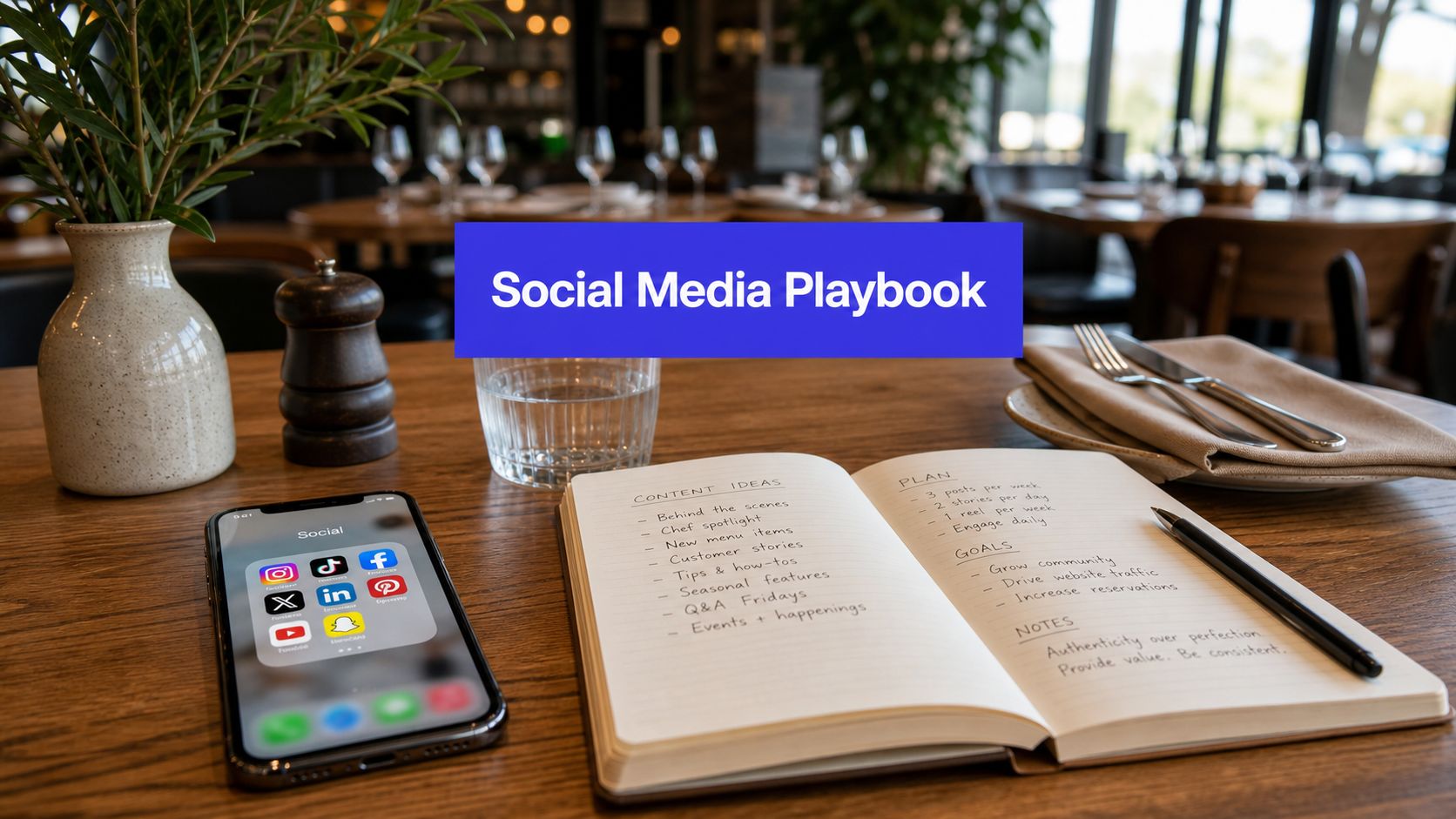
A workable system usually looks like this: one content shoot covers two weeks of posts, short-form videos get trimmed into multiple assets, captions push people to a clear next step, and someone on the team owns replies, tags, and offer tracking. That approach turns social from a branding chore into a revenue channel you can measure and improve. Teams that need a broader framework for social media management and marketing systems should start there, then adapt it to restaurant operations.
A lot of advice on restaurant marketing focuses on what to post. The better question is how to keep posting without burning labor hours or hiring an agency before the unit economics make sense. That is why the rest of this guide focuses on workflows, content pillars, retention, and optimizing restaurant social media around ROI instead of vanity metrics.
Why Your Restaurant Needs a Social Media System Not Just a Profile
Restaurants with active, current social feeds get considered faster. As noted earlier, a large share of diners now use social platforms to decide where to eat, especially younger guests who judge quickly from visuals before they ever reach your website.
A profile by itself does not carry that load. A system does.
A profile is just the storefront. The system is the operating model behind it: how you capture footage, how fast you turn it into posts, who replies to comments, how offers get tracked, and where each post sends people next. Without that structure, the account usually slips into random posting. A grand opening photo. A holiday promo. Three menu shots. Then silence during the exact weeks you need covers, orders, and repeat traffic.

The diner journey is shorter, and less forgiving, than many operators assume
Guests do not study your brand. They scan for proof.
They might see a cheese pull Reel, tap through to your profile, check whether the last few posts look current, glance at tagged photos to confirm the room feels busy, and look for one clear action: reserve, order, or get directions. If any step feels slow or confusing, they move to the next option in the neighborhood. Social does not fail because the food looked bad. It fails because the path from interest to action had friction.
A social system needs to cover four jobs at the same time:
- Discovery: Reels, TikToks, geotagged posts, and local search surfaces help nearby diners find you.
- Validation: Recent food shots, dining room clips, and guest tags show that the experience is current and worth the trip.
- Conversion: Every strong post points somewhere specific, such as reservations, online ordering, private events, or a limited-time offer.
- Retention: After the first visit, regular content keeps your restaurant in the next-decision set.
The ROI point is simple. If a post gets 12,000 views but sends nobody to book, order, or come back, it created attention without much business value.
That is why I push restaurants to treat social as an operating function, not a creative side task. One bartender build video should become a Reel, a Story sequence, a shorter cut for paid retargeting, and a saved asset for next month's happy hour push. One brunch shoot should stock two weeks of content. That is how teams keep labor under control while still showing up consistently.
A working process also protects margin. You do not need an agency-sized budget to stay visible. You need a shot list, a content bank, simple editing rules, publishing ownership, and a way to tie posts back to sales activity. For another perspective on optimizing restaurant social media, that breakdown is useful. For teams building the full operating model, this guide to social media management and marketing systems explains how publishing, engagement, and reporting fit together.
Laying the Foundation Your Social Media Strategy
Most restaurants don't have a content problem first. They have a strategy problem first. They post before deciding what the account is supposed to accomplish.
Start with one business goal per quarter
Pick the main objective that matters to operations. For most restaurants, that usually falls into one of these lanes:
- Reservations: Best for full-service restaurants that need booked tables on specific nights.
- Online orders: Best for fast casual, pizza, cafés, and delivery-heavy concepts.
- Local awareness: Best for newer restaurants, second locations, or concepts entering a competitive neighborhood.
- Repeat visits: Best for established restaurants with a decent follower base already in place.
Each goal changes what you publish. If reservations matter most, your content should show atmosphere, signature dishes, and social proof that makes date-night or group bookings feel easy. If online orders matter most, your content should show portability, speed, cravings, and direct ordering prompts.
Choose platforms based on buying behavior
A lot of restaurants spread themselves too thin. They try to be on everything, then maintain nothing well.
Use simple platform logic:
- Instagram: Best when your food, plating, cocktails, or interior have visual appeal.
- TikTok: Best when your concept has movement, personality, humor, or kitchen action.
- Google Business Profile: Critical for local intent because people check hours, photos, and updates close to purchase.
- Facebook: Useful for local community updates, events, and older customer segments.
If your team is small, two strong channels beat four neglected ones.
Your platform mix should follow your customer's decision path, not your team's fear of missing out.
For operators refining channel choice and planning, these social media tips for dining venues are worth reviewing because they align platform use with real restaurant constraints. A practical planning template also helps. This social media marketing strategy template is a good way to keep goals, audience, and content priorities in one place.
Shift from acquisition to reminder content
This is the move most restaurant guides miss. Early on, you need discovery. After you build a follower base, you need memory.
According to a discussion among operators on Reddit's restaurant owners thread about social strategy, the better long-term play is often reminding existing followers you exist, not chasing endless virality. That retention-focused approach matters even more because posts with geotags can achieve up to 79% higher engagement in local discovery feeds.
That means your strategy should include:
- Repeatable reminder posts: Bestsellers, crowd favorites, bartender pours, fresh-from-the-oven clips.
- Story resharing: Repost guest tags, reviews, and casual in-service moments.
- Geotag discipline: Every relevant post should make local discovery easier.
- Familiar visual cues: Signature plating, recognizable booth, neon sign, open kitchen, dessert finish.
Restaurants often overvalue novelty. Regulars don't need a completely new concept every week. They need a reason to remember tonight's dinner option.
The Four Pillars of Restaurant Content Creation
Most content calendars fail because they're too loose. "Post food photos" isn't a system. It creates decision fatigue, and the account goes quiet the first busy weekend.
I use four content pillars for restaurant teams because they cover what guests want to see and make batching much easier.

Pillar one is the menu
This is your highest-intent content. Show the items people order, crave, share, and ask about.
The best menu content usually isn't a flat hero shot. It's motion. A burger cut in half. A cheese pull. A cocktail pour over clear ice. A spoon cracking through brûlée. Noodles lifted from the pan. Steak hitting the board. Steam, texture, and sound do more work than a static plate photo.
Use this pillar for:
- Signature dishes
- Limited-time specials
- High-margin beverages
- Desserts that finish strong on camera
Pillar two is the people
Guests don't just buy food. They buy confidence in the place making it.
Show cooks plating, bartenders finishing drinks, servers resetting the room, owners greeting regulars, pastry prep before service, or the dishwasher station humming before doors open. This content humanizes the brand and gives your team more personality than a feed full of plated entrées.
A quick phone clip of a line cook torching a garnish often performs better than an overdesigned promo graphic.
Pillar three is the experience
This includes user-generated content, dining room energy, community moments, and anything that answers the question, "What's it like to be there?"
Use guest tags with permission. Show birthday desserts hitting the table. Capture the bar during golden hour. Film the patio when it's full and warm. If your restaurant has a mural, neon sign, open-fire grill, or dramatic pass, make it part of the feed.
Restaurants win when the content sells the feeling of the visit, not just the ingredients on the plate.
Pillar four is the offer
Promotions matter, but they shouldn't dominate the feed. Offers work best when they feel tied to a reason to act now: new menu drop, event night, happy hour window, seasonal dessert, chef collaboration.
Many accounts err by posting flyer-style graphics that look like coupons. These usually underperform unless the offer is strong and the creative still looks native to the platform.
A better approach is a short video first, then a clear caption and action step.
The low-cost video workflow that small teams can actually sustain
This is the operational shortcut most independent restaurants need. According to Foodshot's write-up on restaurant content workflows, many strong-performing restaurants don't rely on expensive production. They shoot short clips on phones and use low-cost Fiverr editors for around $25 per video, building a large batch of Reels and TikToks from one shoot.
That workflow is practical because it separates filming from editing.
Here's the version that works:
Shoot one content block each week
Capture short clips during prep, service, bar setup, and dish finishing. Keep most clips only a few seconds long.Film in vertical only
Don't overcomplicate it. Clean lens, stable hand, good light, close framing.Capture a mix of repeated shots
Food closeups, hands in action, dining room motion, bartender pours, plated final hero, guest atmosphere.Drop everything into one folder
Label clips by dish, staff member, daypart, or event.Send the folder to a freelance editor
Ask for multiple cuts with hooks, subtitles, and platform-safe pacing.Turn one shoot into many assets
One batch can fuel Reels, Stories, TikToks, teaser clips, and short ad creative.
If your team is tiny, don't chase perfection. Build a repeatable machine that turns one service window into weeks of content.
Building Your Operational Workflow and Tech Stack
The easiest way to make social media management for restaurants fail is to leave it owner-dependent. If posting only happens when one person remembers, it won't survive a busy Friday.
According to Incentivio's guide to restaurant social media marketing, effective management requires posting three to five times per week, plus daily stories, and responding to DMs within 30 minutes during business hours. The same guide notes that this consistency matters because 49% of guests discover restaurants on social media.

Build roles before you build volume
Even a small restaurant needs clear ownership. That doesn't mean hiring a full team. It means deciding who does what.
A simple setup looks like this:
- Shooter: Usually a manager, owner, bartender, or server with a decent eye and a reliable phone.
- Content organizer: The person who collects assets, labels clips, and keeps folders clean.
- Caption approver: Usually the owner, GM, or marketing lead who checks tone and promo accuracy.
- Publisher and responder: The person who schedules posts, monitors comments, and handles DMs.
One person can wear multiple hats. The key is that each task still has an owner.
Use a weekly production rhythm
Restaurants don't need a complicated editorial process. They need a rhythm that survives service.
A practical weekly system:
| Day | Operational task | Output |
|---|---|---|
| Monday | Review last week's top content and gather priorities from ops | Shot list for the week |
| Tuesday | Film prep, dishes, team moments, room shots | Raw asset folder |
| Wednesday | Edit and write captions | Ready-to-schedule posts |
| Thursday | Schedule feed posts and story frames | Published queue |
| Friday to Sunday | Respond to comments, DMs, tags, and reshare guest content | Community activity and reminder content |
That structure keeps creation separate from engagement. Most restaurants need that separation because trying to film, edit, write, and respond in real time creates chaos.
Keep the content calendar simple
Your calendar doesn't need twenty fields. It needs enough information to reduce mistakes.
Track:
- Platform
- Content pillar
- Asset link
- Caption
- Call to action
- Scheduled date
- Approval status
If your restaurant has multiple locations, add location labels so nobody posts the wrong special to the wrong audience.
A content calendar isn't there to impress anyone. It's there so your team can publish during a lunch rush without asking six questions in Slack.
Centralize comments and approvals
Friction in restaurant social isn't posting. It's the pileup after posting. Comments get missed. DMs sit unanswered. Team members don't know who approved what. That leads to lost reservations, slow replies, and inconsistent tone.
A unified workflow matters most when you're juggling multiple channels, different dayparts, and constant guest messages. This is where social tools earn their keep. Schedule content ahead, route approvals, and keep inbound messages in one place so the person on shift can answer quickly without hunting through apps.
Later in the week, the stack should also support review and repurposing. This walkthrough is useful if your team wants a visual reference for that kind of publishing flow:
The best tech stack is the one your staff will use. For most restaurants, that means a scheduler, a shared asset folder, a simple approval path, and one place to manage community replies.
Measuring What Matters to Drive Business Results
Restaurant teams get stuck when they report activity instead of outcomes. "We posted twelve times" isn't useful. Neither is "that Reel got a lot of likes" if nobody clicked through to book.
The better approach is to track social metrics that point toward a business result, then use those metrics to decide what to make more of.
Start with engagement benchmarks, then look downstream
According to Fishbowl's restaurant social media guide, the average engagement rate benchmark is 3 to 5% on Instagram and 1 to 3% on Facebook. The same guide recommends the 80/20 rule, where 80% of posts inform or entertain and 20% directly promote offers.
That benchmark matters because it tells you whether the content is resonating before you ask it to convert. If your engagement is weak, your creative or targeting usually needs work. If engagement is healthy but clicks are low, your calls to action or profile path probably need work.
Mapping Social Metrics to Business KPIs
| Social Media Metric | Business KPI | Industry Benchmark |
|---|---|---|
| Engagement rate on Instagram | Content resonance and trust | 3-5% |
| Engagement rate on Facebook | Local audience response | 1-3% |
| Website or profile clicks | Reservations or online ordering intent | No universal benchmark provided |
| Comments and DMs | Purchase questions and booking friction | No universal benchmark provided |
| Tagged posts and mentions | Guest advocacy and loyalty | No universal benchmark provided |
A lot of operators skip click tracking and go straight to broad impressions. That's backwards. Reach tells you distribution. Clicks and inquiries tell you whether the content is helping people act.
Use metrics to cut weak content fast
Not every post deserves a second chance. If static graphics keep underperforming while kitchen-motion clips get saves, shares, and clicks, stop defending the graphics. Shift the mix.
Here are the patterns I watch first:
- High reach, low engagement: The hook worked, but the content didn't hold attention.
- High engagement, low clicks: Good creative, weak CTA or unclear next step.
- Low reach, strong engagement: Strong content that may need reposting, better timing, or paid support.
- Strong story replies or DMs: Often a sign of buying intent, especially for specials or reservation-driven nights.
If you're refining short-form reporting specifically, these future TikTok tracking insights are a useful complement to restaurant metrics because they focus on what to evaluate before and after posting. For tying channel performance back to business impact, this guide on how to measure social media ROI is worth keeping in your reporting stack.
Your First 30 Days From Zero to Consistent
The first month shouldn't be about going viral. It should be about proving your restaurant can run the process every week without drama.
According to Emplifi's restaurant social strategy benchmarks, restaurants that implement structured community management and daily engagement protocols, including replying to all comments, achieve a 3.5x increase in social media engagements. That makes responsiveness a day-one habit, not an advanced tactic.
Week one builds the operating base
Clean up your profiles. Make sure hours, links, menu access, reservation path, and brand visuals are accurate. Then set your core roles, create your content folders, and decide which two or three content pillars you'll prioritize immediately.
Don't wait for a perfect brand guide. Clarity beats polish here.
Week two creates the first content bank
Run one focused shoot with your phone. Capture menu motion, staff moments, room atmosphere, and one active offer. Build a folder large enough to support multiple posts and Stories instead of publishing everything at once.
Aim for variety, not complexity.
Week three installs publishing and response habits
Schedule your first week of posts ahead of time. Then train the team member on duty to monitor comments, tags, and DMs daily.
Fast community management isn't customer service theater. It's part of the sales path.
This is also when reminder content starts. Reshare guest Stories, post a bestseller again, use geotags consistently, and keep the account active between major feed posts.
Week four reviews signals and tightens the system
Look at what moved. Which posts earned comments, saves, profile visits, clicks, or direct messages? Which ones felt flat? Keep the winners, rework the near-misses, and stop creating formats the audience ignores.
By the end of the first month, the goal isn't a perfect feed. It's a repeatable workflow your team can keep running through normal service pressure.
If you want one place to schedule posts, organize approvals, manage comments, and keep your restaurant's publishing workflow consistent, PostSyncer is built for exactly that. It helps small teams turn scattered content into a working system so social media management for restaurants takes less time and produces clearer results.