












Juggling multiple social media accounts can feel like a full-time job for a small business owner. Between creating content, scheduling posts, engaging with followers, and tracking results, it's easy to get overwhelmed and let opportunities slip through the cracks. This is where dedicated social media management tools for small business become essential. They aren't just about scheduling; they're about reclaiming your time, ensuring a consistent brand voice, and turning social media efforts into measurable growth. The challenge isn't finding a tool- it's finding the right one that fits your specific budget, team size, and marketing goals.
This guide cuts through the noise to provide a detailed, honest look at the top platforms available. We move beyond generic feature lists to give you actionable insights, helping you choose the perfect command center for your brand's digital presence.
In this comprehensive resource, you will find:
- Detailed breakdowns of leading tools like PostSyncer, Sprout Social, Buffer, and Hootsuite.
- Honest pros and cons for each platform, based on real use cases.
- Clear pricing information to help you find a solution that fits your budget.
- Screenshots and direct links so you can see each tool in action and explore it yourself.
Our goal is to equip you with the information needed to select a platform that streamlines your workflow, amplifies your message, and delivers tangible results without adding complexity. Let's find the tool that works as hard as you do.
1. PostSyncer
PostSyncer earns its place as our featured choice by offering a powerful, AI-driven, and truly all-in-one platform that consolidates the entire social media workflow. It stands out as one of the most comprehensive social media management tools for small business owners who need to maximize efficiency without juggling multiple subscriptions. The platform’s core strength lies in its seamless integration of content creation, scheduling, team collaboration, and deep analytics, all powered by intelligent automation.
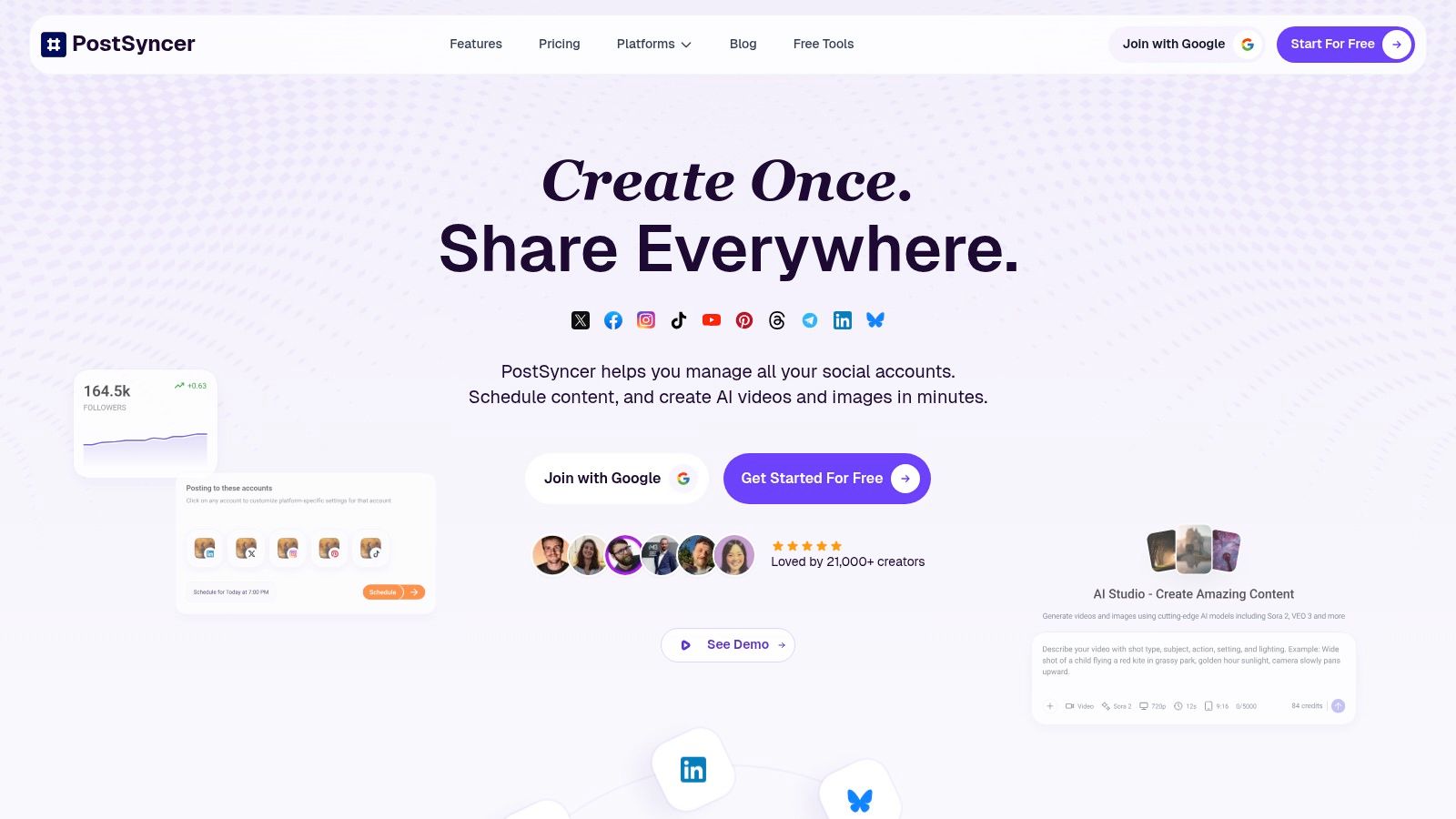
Unlike competitors that may offer AI as an add-on, PostSyncer builds its entire experience around it. From the AI Content Studio that generates captions and hooks to the innovative AI Video Creator that produces short-form content, the platform empowers users to produce high-quality assets at scale. This end-to-end approach means a small business team can go from a simple idea to a fully scheduled, multi-platform campaign without ever leaving the dashboard.
Key Strengths and Use Cases
PostSyncer excels in several areas critical for growing businesses and agencies. Its structure is particularly well-suited for teams, offering unlimited user seats on all plans, which eliminates the common "per-user" fee that drives up costs.
- For Agencies & Multi-Brand Businesses: The ability to create separate, customizable workspaces for each client or brand is a game-changer. This, combined with built-in approval workflows, ensures content remains organized and on-brand.
- For Solo Creators & SMBs: The AI toolkit is a massive time-saver. A single user can automate caption writing, generate video clips, and manage a unified inbox with AI-powered auto-replies, effectively multiplying their productivity.
- For Video-First Strategies: With native support for Instagram Reels, YouTube Shorts, and TikTok, PostSyncer is built for modern social media. The visual drag-and-drop calendar makes planning and scheduling video content intuitive and efficient. To get the most out of these features, a solid plan is essential; you can learn more about building a small business social media strategy on PostSyncer's blog.
Pricing and Plan Details
PostSyncer’s pricing is transparent and designed for value, with a 7-day free trial and a money-back guarantee.
- Starter: $19/month ($15/mo billed annually)
- Pro: $49/month ($39/mo billed annually)
- Pro Plus: $99/month ($79/mo billed annually)
Pros:
- End-to-end AI toolkit streamlines the entire content lifecycle.
- Unlimited team members on all plans, perfect for collaboration.
- Strong support for video formats like Reels and Shorts.
- Value-focused pricing with a free trial and no lock-in contracts.
Cons:
- AI video credits are finite and don't roll over monthly.
- Higher-tier plans are necessary for managing more than 10 social accounts.
Website: https://postsyncer.com
2. Sprout Social
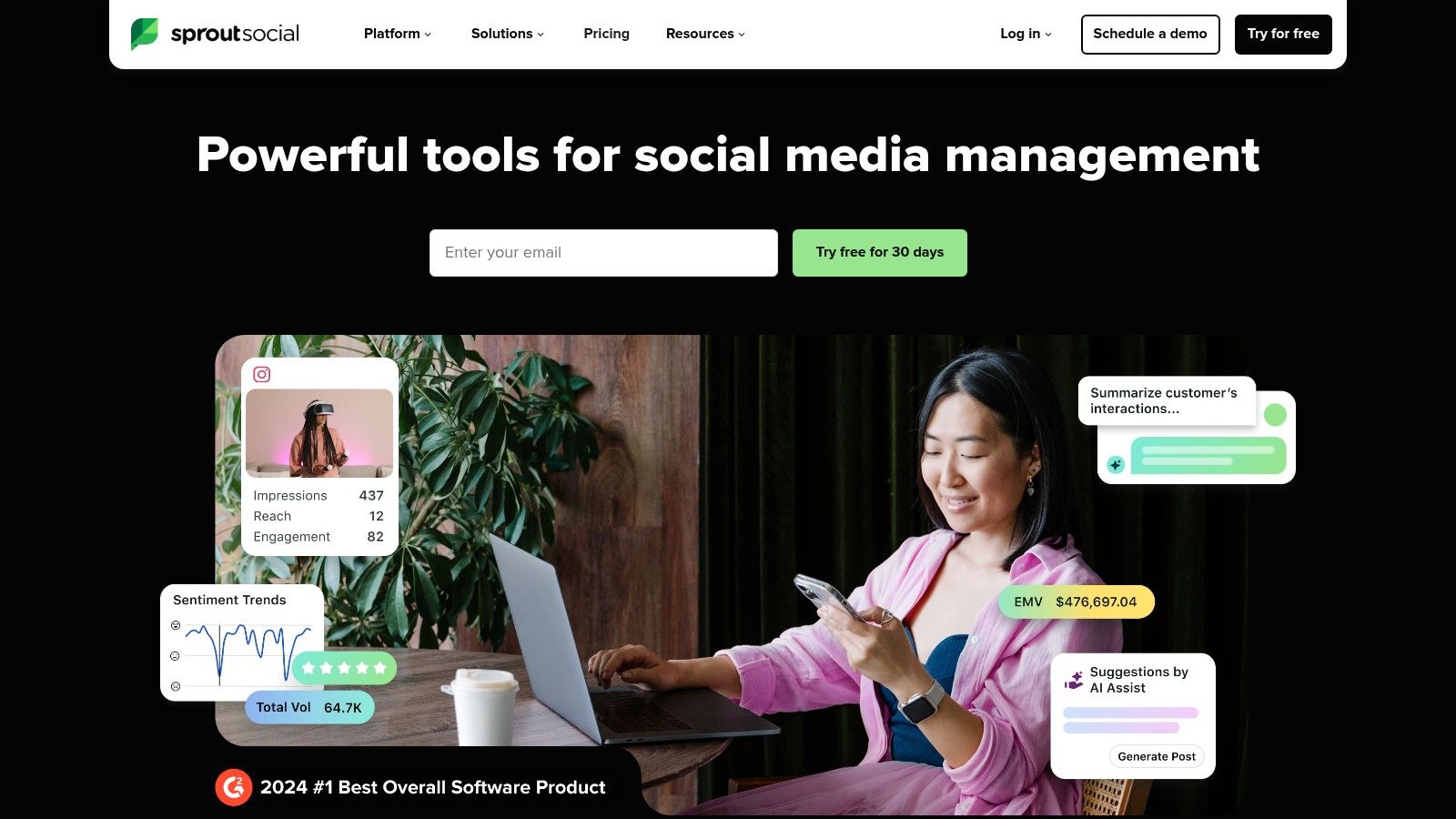
Sprout Social is a comprehensive, all-in-one social media management tool tailored for small business teams and agencies that require deep analytics and streamlined collaboration. It moves beyond simple scheduling to offer a full suite of tools for publishing, engagement, listening, and reporting, making it a powerful contender for businesses ready to scale their social media strategy. Its unified Smart Inbox is a standout feature, consolidating messages from all connected profiles into a single stream, which significantly improves response times and team coordination.
Key Features & Use Cases
Sprout Social excels in providing granular data and collaborative workflows. Its reporting capabilities are a significant advantage, offering detailed competitor analysis, paid performance tracking, and tag-based reporting to measure campaign effectiveness. AI-powered features like ViralPost® optimize post timing for maximum engagement, while suggested replies and content creation tools help teams work more efficiently. This makes it an ideal choice for data-driven teams that need to prove social media ROI.
Best For: Growing SMBs, marketing agencies, and teams that need robust collaboration tools and in-depth analytics to manage multiple brands.
Pricing and Onboarding
Sprout Social operates on a per-seat pricing model, which can be a considerable investment.
- Standard: Begins at $249/month per user, including core publishing and engagement tools for 5 social profiles.
- Professional: $399/month per user, adding advanced reporting and competitive analysis.
- Advanced: $499/month per user, with premium features and integrations.
A 30-day free trial is available. While the platform is user-friendly, its higher price point and enterprise-grade add-ons position it as a premium option among social media management tools for small business.
Pros:
- Deep Analytics: Robust reporting on competitors, paid ads, and content tags.
- Collaboration Focus: Excellent tools for team-based engagement and approval workflows.
- Scalability: Grows with your business, from SMB needs to enterprise-level features.
Cons:
- High Cost: Per-user pricing is more expensive than many competitors.
- Add-on Fees: Key features like social listening and premium analytics cost extra.
Website: https://sproutsocial.com
3. Hootsuite
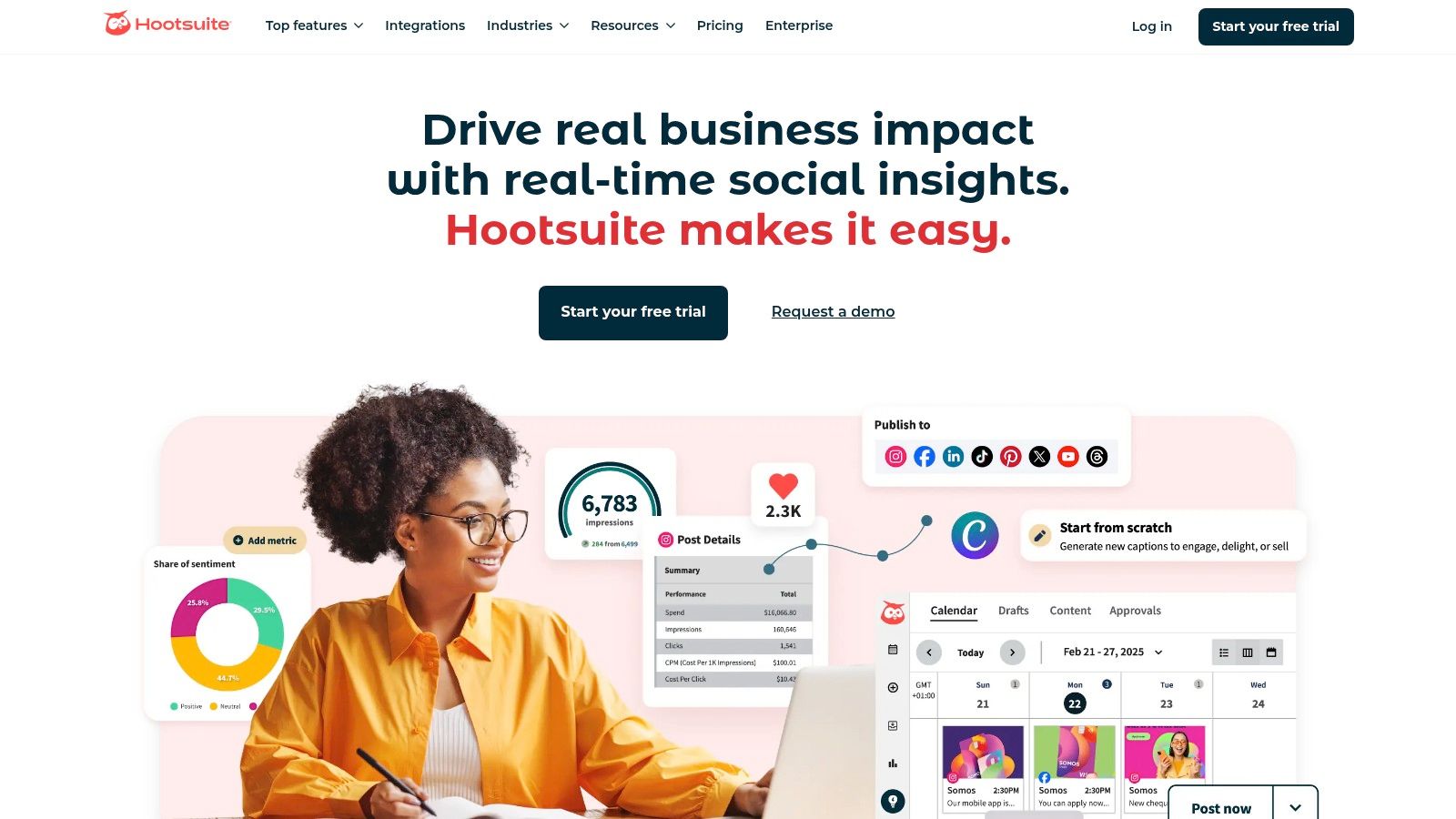
Hootsuite is one of the original and most well-known all-in-one social media management platforms. It provides a robust suite of tools for scheduling, monitoring, engagement, and analytics, making it a reliable choice for businesses needing comprehensive control over multiple social profiles. Its "streams" dashboard is a key differentiator, allowing users to create custom columns to monitor specific hashtags, mentions, keywords, and lists in real-time across different networks, all in one view.
Key Features & Use Cases
Hootsuite excels at managing high volumes of social media activity efficiently. Its platform offers unlimited post scheduling with AI-powered suggestions for the best times to post and an AI assistant for generating captions. Teams can collaborate through a unified inbox to manage conversations and use its basic social listening and competitor benchmarking tools to stay informed. This makes it a powerful option for businesses looking to centralize their social media operations and maintain a consistent presence. You can get more details about Hootsuite's scheduling capabilities in our guide on social media scheduling software.
Best For: Businesses of all sizes, from SMBs to enterprises, that need a time-tested platform for managing multiple accounts, monitoring brand mentions, and collaborating on content.
Pricing and Onboarding
Hootsuite's pricing is designed to scale with a business's needs, though tiers can feel more expensive than some newer competitors.
- Professional: Starts at $99/month for 1 user and 10 social accounts.
- Team: $249/month for 3 users and 20 social accounts.
- Enterprise: Custom pricing for larger teams needing advanced features.
A 30-day free trial is available for the Professional and Team plans. The interface is feature-rich, which can present a slight learning curve, but its long-standing presence means there are ample resources for onboarding.
Pros:
- All-in-One Platform: A broad and mature feature set covers most social media management needs.
- Scalability: Clear upgrade paths from solo user plans to enterprise-level solutions with governance.
- Extensive Integrations: A large app ecosystem allows for customization and workflow enhancement.
Cons:
- Can Be Expensive: Pricing can be higher than many SMB-focused social media management tools for small business.
- Complex Interface: The dashboard can feel cluttered or overwhelming for new users.
Website: https://www.hootsuite.com
4. Buffer
Buffer is celebrated for its clean, intuitive interface and straightforward approach to social media management. It offers an excellent entry point for small businesses, freelancers, and creators who need a simple, reliable tool for scheduling content and analyzing performance without an overwhelming feature set. Its transparent, per-channel pricing model is a significant differentiator, allowing users to build a plan that fits their exact needs and budget, making it one of the most accessible social media management tools for small business.
Key Features & Use Cases
Buffer focuses on the core pillars of publishing, basic analytics, and simple engagement. It includes a content calendar, a hashtag manager, and a handy AI assistant to help generate post ideas. Unique features like the ability to schedule a first comment (perfect for Instagram hashtags) and the included "Start Page" landing page builder add significant value. It’s ideal for businesses that want to establish a consistent posting schedule and track key metrics without the complexity of more advanced platforms.
Best For: Solopreneurs, creators, and small businesses seeking an affordable, easy-to-use scheduling tool with transparent, scalable pricing.
Pricing and Onboarding
Buffer's pricing is famously flexible, starting with a generous free plan.
- Free: Manage up to 3 channels with basic publishing tools.
- Essentials: Starts at $6/month per channel, adding analytics and engagement tools.
- Team: Begins at $12/month per channel, with unlimited users and advanced collaboration features.
A 14-day free trial is available for paid plans. The platform is incredibly easy to learn, and its stellar customer support reputation ensures a smooth onboarding process for newcomers.
Pros:
- User-Friendly Interface: Very easy to learn and navigate, with an excellent support reputation.
- Flexible Pricing: Per-channel pricing keeps costs low for small social media stacks.
- Generous Free Plan: One of the best free options available for beginners.
Cons:
- Limited Advanced Features: Lacks the deep social listening and competitor analysis of premium suites.
- Tier-Gated Collaboration: Advanced team reporting and approval workflows require higher-priced plans.
Website: https://buffer.com
5. Zoho Social
Zoho Social is a budget-friendly and highly practical social media management tool, especially for small businesses already invested in the Zoho ecosystem. It offers a solid suite of features covering multi-channel scheduling, a unified social inbox, and reporting capabilities. Its main appeal lies in its seamless integration with other Zoho products like Zoho CRM, allowing for a more holistic view of customer interactions from social media leads to sales conversions.
Key Features & Use Cases
Zoho Social provides core functionalities essential for small business marketing. Its SmartQ feature suggests optimal times to post for maximum reach, and the content calendar gives a clear visual overview of the publishing schedule. The platform also includes monitoring features to track brand mentions and relevant keywords. For businesses using Zoho CRM, the ability to add social media leads directly from the platform and track potential revenue is a significant advantage.
Best For: Small businesses, startups, and solo entrepreneurs who already use or plan to use the Zoho suite of business applications.
Pricing and Onboarding
Zoho Social is one of the most competitively priced tools on the market, with a forever-free plan available after the trial period. For more details on its free offering, you can learn more about free social media management tools.
- Standard: Begins at $15/month for 1 brand, including all core publishing features.
- Professional: $40/month, adding more advanced features like bulk scheduling and reporting.
- Premium: $65/month, offering advanced agency and team features.
A 15-day free trial is available for paid plans. The platform is known for its straightforward interface, making onboarding relatively quick and easy for new users.
Pros:
- Competitive Pricing: Very affordable plans make it accessible for small businesses.
- Zoho Ecosystem Integration: Excellent synergy with Zoho CRM and other Zoho apps.
- User-Friendly: Simple, clean interface that is easy to navigate.
Cons:
- Less Advanced Analytics: Reporting depth may not match premium-tier competitors.
- Limited High-End Features: Lacks some of the sophisticated tools found in more expensive suites.
Website: https://www.zoho.com/social
6. Agorapulse
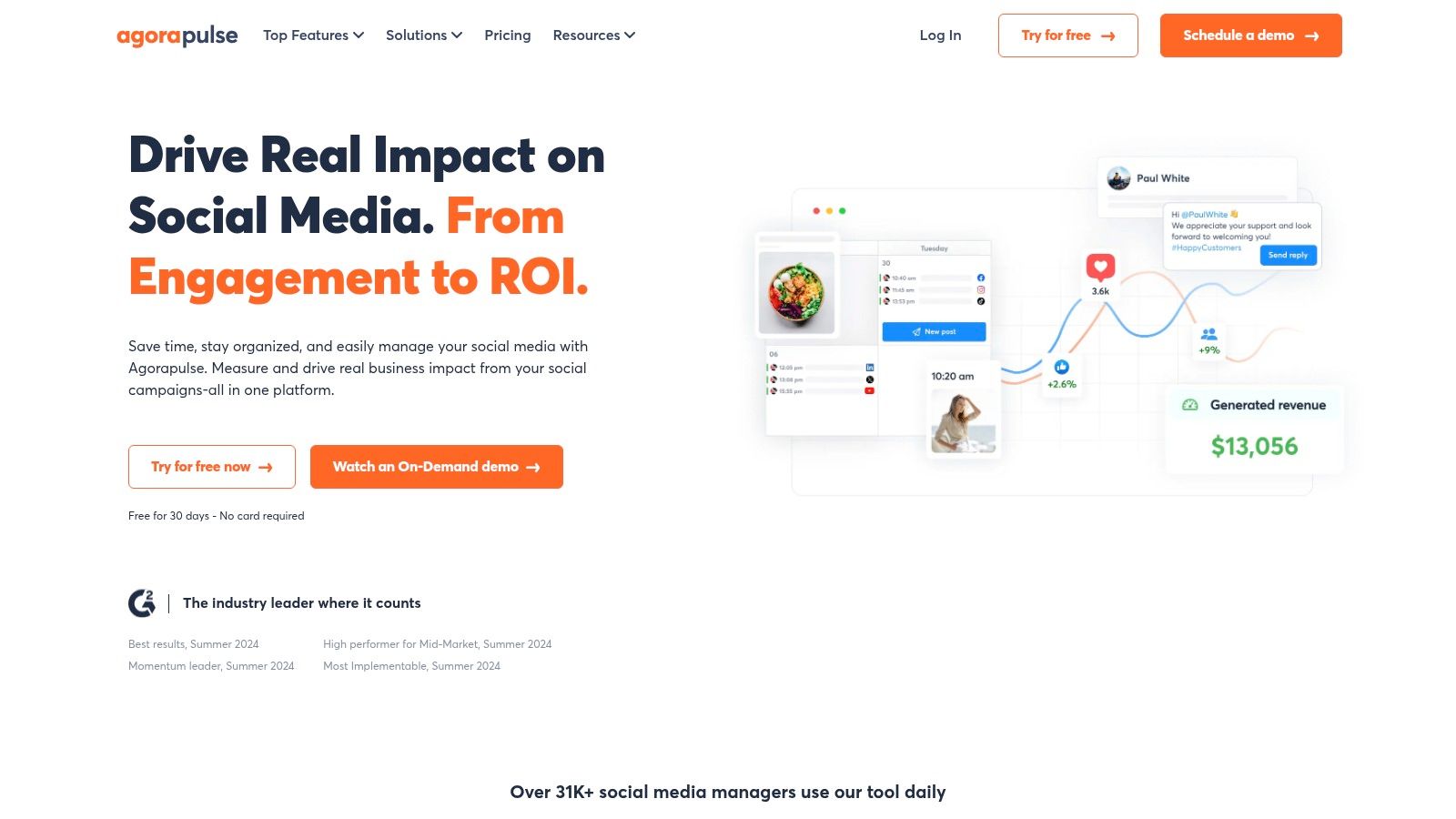
Agorapulse is a user-friendly and robust social media management tool that excels in engagement, monitoring, and reporting. It is particularly well-regarded for its unified social inbox, which consolidates comments, ad comments, mentions, and private messages into a single, manageable stream. This focus on moderation and team collaboration makes it a strong choice for small businesses and agencies that prioritize community management and want to deliver polished, client-ready reports without extensive manual effort.
Key Features & Use Cases
Agorapulse shines in its ability to streamline community engagement and reporting workflows. The platform’s inbox assistant automatically reviews, assigns, or hides incoming comments, allowing teams to focus on what matters most. Its reporting features are another key differentiator, providing customizable, presentation-ready analytics that clearly demonstrate social media ROI to stakeholders. For agencies, this means less time compiling data and more time delivering strategic insights.
Best For: Agencies, community managers, and SMBs that need powerful inbox management, team collaboration, and beautifully branded reporting.
Pricing and Onboarding
Agorapulse offers several tiers with a 30-day free trial and a limited free plan for individuals.
- Free: For individuals with 3 social profiles and basic scheduling.
- Standard: Starts at $49 per user/month, including 10 profiles and the core inbox and publishing tools.
- Professional: $79 per user/month, adding team reporting and ad comment monitoring.
- Advanced: $119 per user/month, with a shared calendar and advanced reporting features.
The platform is known for its intuitive interface, which simplifies onboarding for new team members.
Pros:
- Excellent Inbox: Top-tier tools for managing comments, DMs, and ad engagement.
- Polished Reporting: Creates professional, brandable reports ideal for clients.
- User-Friendly: Clean interface and easy-to-use workflows for teams.
Cons:
- Per-Seat Cost: Pricing can become expensive as more users are added.
- Limited Advanced Listening: Deep social listening may require a separate, specialized tool.
Website: https://www.agorapulse.com
7. SocialPilot
SocialPilot is an exceptionally cost-effective social media management tool designed for small businesses, consultants, and growing agencies that need to manage a high volume of social profiles without the steep costs of enterprise platforms. It offers a powerful blend of scheduling, content curation, analytics, and collaboration features in a straightforward package. The platform's primary appeal lies in its generous account and user limits, allowing teams to scale their client or brand management operations affordably.

Key Features & Use Cases
SocialPilot streamlines the entire content workflow, from bulk scheduling up to 500 posts via CSV to discovering new content with its curation tools. Its social inbox consolidates comments and messages, while client management features allow agencies to securely collaborate on accounts without exchanging credentials. The platform also includes AI credits for content generation and provides white-label reporting options on higher-tier plans, a significant benefit for agencies looking to present branded analytics to their clients.
Best For: Agencies, freelancers, and small businesses managing 10+ social media profiles who need an affordable, all-in-one solution with strong scheduling capabilities.
Pricing and Onboarding
SocialPilot’s pricing is structured to deliver maximum value, with plans based on the number of users and social accounts.
- Professional: Starts at $30/month for 1 user and 10 social accounts.
- Small Team: $50/month for 3 users and 20 social accounts.
- Agency: $100/month for 6 users and 30 social accounts.
- Agency+: $200/month for 9 users and 50 social accounts.
A 14-day free trial is available for all plans. The user interface is clean and functional, making it one of the more accessible social media management tools for small business teams to adopt quickly.
Pros:
- Excellent Value: Manages a large number of profiles and users at a low price point.
- Agency-Friendly: White-label reports and client management features are built-in.
- Straightforward UI: Easy to navigate and implement without a steep learning curve.
Cons:
- Lighter on Advanced Features: Lacks the deep social listening and competitor analysis of premium tools.
- Utilitarian Design: The user interface is functional but less polished than competitors like Sprout Social.
Website: https://www.socialpilot.co
8. Later
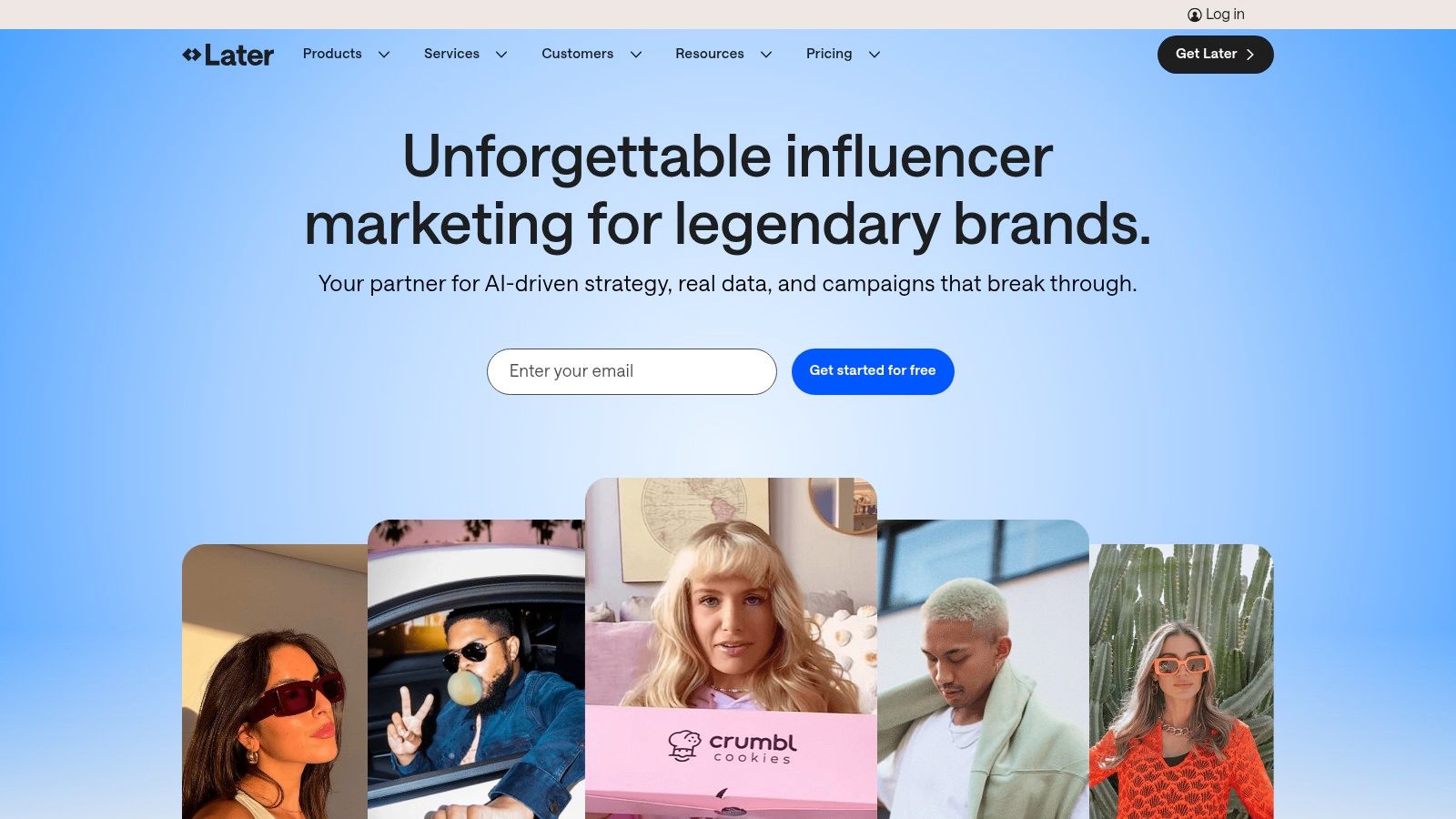
Later is a visual-first social media management tool that has become a favorite among Instagram, TikTok, and Pinterest creators. Its strength lies in its drag-and-drop visual planner, allowing small businesses and influencers to meticulously plan their feed's aesthetic before publishing. While it started with a focus on Instagram, it has since expanded to support Facebook, X (formerly Twitter), LinkedIn, and YouTube, making it a versatile choice for brands where visual content is king.
Key Features & Use Cases
Later excels at simplifying content creation and scheduling for visual platforms. Its Visual Planner and Best Time to Post feature help maximize engagement by scheduling content when audiences are most active. The platform also includes a Link in Bio tool, turning your social profile into a mini landing page. For e-commerce businesses, product tagging on Instagram posts is a key feature, driving traffic directly to product pages. AI-powered caption writing and content suggestions help overcome creative blocks, making it a powerful assistant for solo creators and small teams.
Best For: E-commerce brands, influencers, and businesses that prioritize visual storytelling on platforms like Instagram, Pinterest, and TikTok.
Pricing and Onboarding
Later offers a freemium model with a clear upgrade path, making it accessible for those just starting out.
- Free: A forever-free plan with basic features for one user and one social set (1 profile per platform), limited to 10 posts per month.
- Starter: Begins at $25/month for one user, one social set, and 30 posts per month.
- Growth: $45/month, adding three users, three social sets, and 150 posts per month.
- Advanced: $80/month for six users, six social sets, and unlimited posting.
A 14-day free trial is available for paid plans. The interface is intuitive and user-friendly, ensuring a smooth onboarding process for new users.
Pros:
- Excellent Visual Planning: The drag-and-drop calendar is best-in-class for planning a cohesive feed.
- Affordable Entry Point: The free plan and low-cost starter tiers make it accessible for any budget.
- Creator-Focused Tools: Features like Link in Bio and content suggestions are tailored for the creator economy.
Cons:
- Post Limits on Lower Tiers: The free and starter plans have strict monthly post limitations.
- Analytics Can Be Basic: Advanced reporting and team collaboration tools are reserved for more expensive plans.
Website: https://later.com
9. Loomly
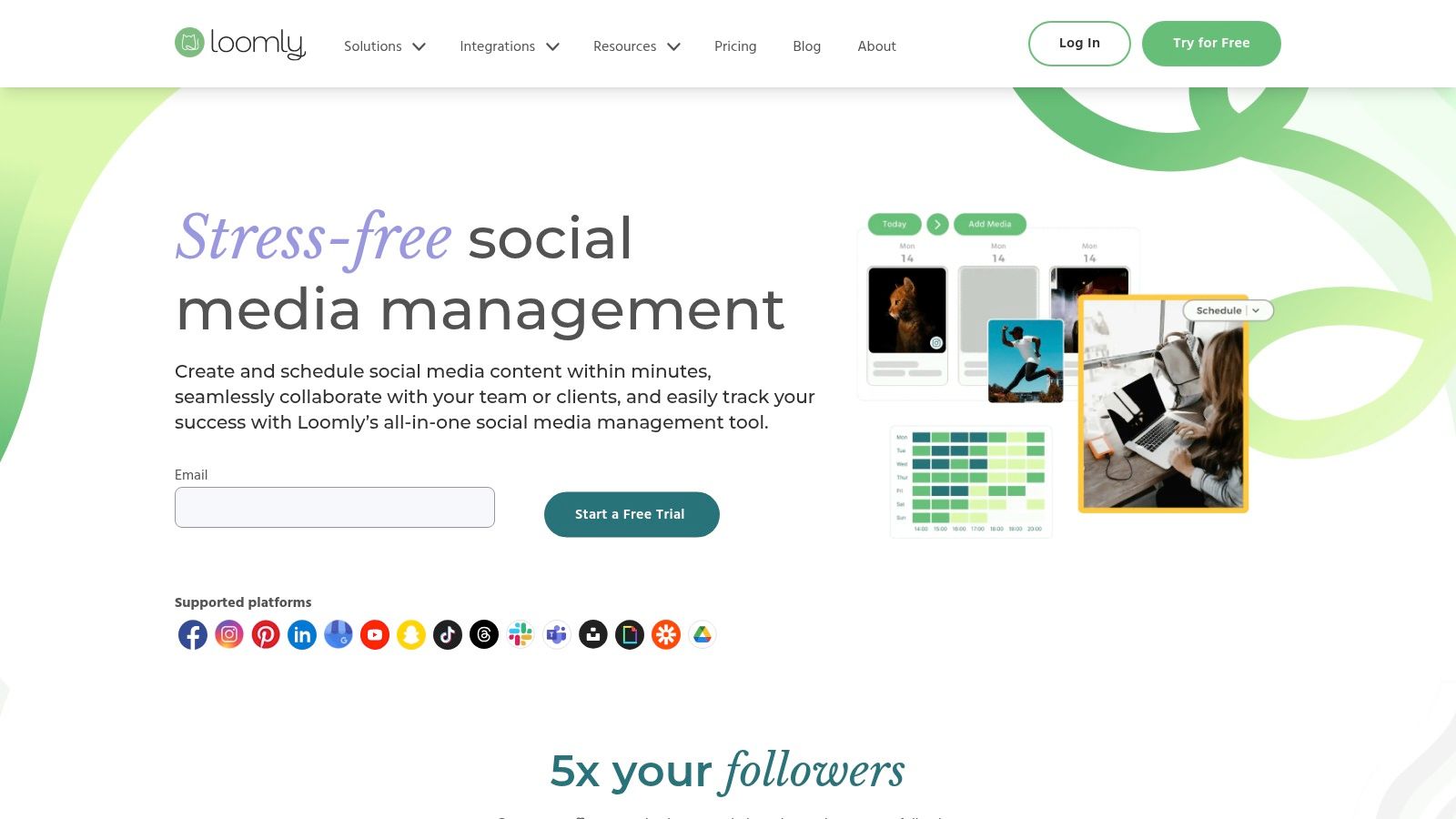
Loomly is a brand success platform that puts content planning and team collaboration at the forefront, making it an excellent choice for businesses that prioritize a structured workflow. Its calendar-centric interface provides a clear, visual overview of all scheduled content, while offering automated publishing, post ideas, and a streamlined approval process. This focus on planning and governance helps marketing teams maintain brand consistency and content quality across all social media channels.
Key Features & Use Cases
Loomly shines in its pre-publishing and team coordination features. The platform offers dynamic post ideas based on trending topics, holidays, and social media best practices, helping teams overcome creative blocks. Its multi-step approval workflow is perfect for agencies or businesses with compliance needs, ensuring every post is reviewed before it goes live. Post mockups show exactly how content will look on each platform, eliminating any guesswork.
Best For: Marketing teams, agencies, and SMBs that need a highly organized, calendar-first approach with robust content approval workflows and predictable pricing.
Pricing and Onboarding
Loomly offers clear, user-based pricing with significant discounts for annual billing. It's known for its straightforward and flexible plans.
- Base: Starts at $32/month for 2 users and 10 social accounts.
- Standard: $64/month for 6 users, adding advanced analytics and content export.
- Advanced: $132/month for 14 users, including custom workflows and roles.
- Premium & Enterprise: Custom pricing for larger teams needing more accounts and premium support.
A 15-day free trial is available. The platform is praised for its user-friendly interface and quick onboarding, making it one of the more accessible social media management tools for small business.
Pros:
- Strong Content Governance: Excellent approval workflows and post mockups.
- Transparent Pricing: Clear, user-based plans without hidden fees.
- Content Inspiration: Provides automated post ideas to fuel your content calendar.
Cons:
- Limited Social Listening: Lacks the deep listening capabilities of enterprise-grade tools.
- Basic Analytics on Lower Tiers: Advanced reporting requires upgrading to higher plans.
Website: https://www.loomly.com
10. Sendible
Sendible is a powerful, agency-focused social media management tool designed for teams juggling multiple clients or brands. It offers a comprehensive suite of features, including publishing, analytics, and engagement, but truly stands out with its client management and white-label capabilities. Its scalable plans allow agencies to grow without facing the prohibitive per-seat costs found in some competing platforms, making it an excellent choice for businesses managing a diverse portfolio of social accounts.

Key Features & Use Cases
Sendible’s core strength lies in its agency-centric workflows. Features like client dashboards, content approval queues, and bulk scheduling streamline operations for multi-brand management. The platform supports direct posting to a wide range of networks, including Google Business Profile and TikTok, and offers content libraries to store and reuse assets. Its integrated inbox and monitoring tools help teams stay on top of all brand conversations from a single, centralized location.
Best For: Marketing agencies, freelancers, and small businesses that manage social media for multiple clients and need white-label reporting options.
Pricing and Onboarding
Sendible’s pricing is structured to be scalable for agencies and teams, focusing on the number of users and profiles.
- Creator: Starts at $29/month for 1 user and 6 social profiles.
- Traction: $89/month for 4 users and 24 profiles, adding team collaboration tools.
- Scale: $240/month for 7 users and 49 profiles, with enhanced white-label options.
A 14-day free trial is offered. Onboarding support, including live chat, is available, with more dedicated assistance on higher-tier plans, making it accessible for teams of all sizes.
Pros:
- Agency-Focused: Built-in client management, approval workflows, and white-label reports.
- Cost-Effective Scalability: Competitive pricing for managing a large number of social profiles.
- Broad Network Support: Integrates with all major platforms, including Google Business Profile.
Cons:
- Support Hours: Customer support is primarily aligned with UK business hours.
- Tiered Features: Advanced white-label and SSO capabilities are reserved for higher-priced plans.
Website: https://www.sendible.com
11. Meta Business Suite
Meta Business Suite is the official, free management platform designed for businesses to control their presence across Meta's family of apps. It offers native tools to manage Facebook Pages, Instagram accounts, and Messenger communications from a single dashboard. For small businesses heavily invested in the Meta ecosystem, it provides a cost-effective way to handle essential tasks like scheduling, engagement, and performance review without needing a third-party subscription.
Key Features & Use Cases
The platform's core strength is its unified inbox, which consolidates messages and comments from Messenger, Instagram Direct, and Facebook into one stream. This centralization helps teams respond to customers faster. Users can create, schedule, and publish posts and Stories for both platforms and review basic analytics on reach and engagement. Specifically, for businesses heavily relying on Meta's ecosystem, Meta Business Suite streamlines management for platforms like Facebook and Instagram, ensuring full access to native features.
Best For: Solopreneurs, startups, and small businesses whose social media marketing is almost exclusively focused on Facebook and Instagram.
Pricing and Onboarding
Meta Business Suite is entirely free to use for anyone with a Facebook Business Page. There are no tiers, subscriptions, or user limits.
- Free: Includes scheduling, a unified inbox, basic analytics, and ad creation tools for Facebook, Instagram, and Messenger.
Onboarding is simple: connecting an Instagram account to a Facebook Page automatically grants access. The interface is relatively straightforward, though some users report a learning curve when navigating between different sections like Ads Manager and Commerce Manager.
Pros:
- Completely Free: No cost to use, making it the most accessible option for Meta-centric brands.
- Direct Integration: Guarantees access to all native posting features without third-party API limitations.
- Unified Inbox: Simplifies engagement across Facebook, Instagram, and Messenger.
Cons:
- Meta-Only: Does not support any external social networks like X, LinkedIn, or Pinterest.
- Reliability Issues: Users sometimes report bugs, scheduling errors, and access problems.
Website: https://business.facebook.com
12. G2 (Social Media Management Tools category)
G2 is not a management tool itself but a crucial starting point: a massive software marketplace where you can compare hundreds of social media tools based on real user reviews. Instead of visiting dozens of vendor websites, G2 provides a centralized platform to filter options by features, pricing, and user satisfaction. It offers detailed grids, including a specific "Small-Business Grid® Report," which visualizes how different platforms are rated by actual small business users, helping you quickly identify top performers in your specific niche.
Key Features & Use Cases
G2's primary function is to accelerate the research process. Small business owners can use its powerful filters to create a shortlist of tools that fit their exact budget and feature requirements, such as AI content creation, team workflows, or specific analytics. The side-by-side comparison feature is invaluable for directly contrasting up to four tools on key attributes. Reading uncensored user reviews provides authentic insights into a platform's strengths and weaknesses, moving beyond marketing claims.
Best For: Businesses in the initial research phase, teams needing to compare specific features side-by-side, and anyone seeking unbiased user reviews before committing to a tool.
Pricing and Onboarding
G2 is free to use for browsing, comparing, and reading reviews.
- Free Access: All comparison grids, category pages, and high-level reviews are accessible without an account.
- Report Downloads: Deeper reports or certain vendor-sponsored content may require providing an email address or creating a free account.
The platform provides direct links to vendor websites, where you can sign up for trials or demos. The value of G2 is its ability to streamline your onboarding with the right tool from the start.
Pros:
- Time-Saver: Quickly shortlists tools by budget, features, and SMB sentiment.
- Unbiased Reviews: Authentic user feedback highlights real-world performance.
- Small Business Focus: Specific grids and reports help avoid enterprise-only tools.
Cons:
- Sponsored Placements: Be aware that some promoted tools appear at the top of lists.
- Information Gaps: Always validate pricing and feature details directly on the vendor's site.
Website: https://www.g2.com/categories/social-media-mgmt
Top 12 Social Media Management Tools for Small Businesses
| Product | ✨ Core / Unique Selling Points | 👥 Target Audience | 💰 Pricing / Value | ★ Quality |
|---|---|---|---|---|
| 🏆 PostSyncer | AI Content Studio + AI Video Creator; native Reels/Shorts, drag‑drop calendar, unlimited teammates ✨ | Creators, agencies, SMBs, multi‑brand teams 👥 | Starter $19/mo ($15 annual) → Pro $49 → Pro Plus $99; transparent, no contracts 💰 | ★★★★☆ (fast ROI, strong analytics) |
| Sprout Social | Deep analytics, listening & publishing with enterprise add‑ons ✨ | Agencies & SMB teams needing advanced reporting 👥 | Seat‑based (higher cost); 30‑day trial 💰 | ★★★★☆ (enterprise-grade) |
| Hootsuite | Veteran SMM: broad integrations, workflows, best‑time suggestions ✨ | Teams needing governance & multi‑account mgmt 👥 | Scales to enterprise; public pricing can be opaque 💰 | ★★★★☆ |
| Buffer | Simple scheduler, generous free tier, transparent per‑channel pricing ✨ | Small teams and creators seeking low cost 👥 | Free tier; Essentials/Team paid tiers (per channel) 💰 | ★★★★☆ (easy to learn) |
| Zoho Social | Budget-friendly within Zoho ecosystem; CRM tie‑ins & approvals ✨ | Zoho users and cost‑sensitive SMBs 👥 | Very competitive; forever‑free option after trial 💰 | ★★★☆☆ |
| Agorapulse | Polished moderation, branded/exportable reports, unified inbox ✨ | Agencies handling comments, ad replies & client reports 👥 | Clear per‑user pricing; 30‑day trial 💰 | ★★★★☆ |
| SocialPilot | High profile allowances, white‑label options, strong value at scale ✨ | Consultants, growing agencies, SMBs managing many profiles 👥 | Cost‑effective for many profiles; monthly/annual billing 💰 | ★★★★☆ |
| Later | Visual‑first planner for Instagram/TikTok with link‑in‑bio & product tagging ✨ | Creators and visual brands focused on IG/TikTok 👥 | Affordable entry; post caps on lower tiers 💰 | ★★★★☆ |
| Loomly | Calendar‑centric planning, approvals, predictable billing ✨ | Content teams valuing workflow & governance 👥 | Clear pricing with pro‑rated upgrades; enterprise option 💰 | ★★★☆☆ |
| Sendible | Agency features: client dashboards, approvals, white‑label options ✨ | Multi‑client agencies and resellers 👥 | Competitive agency pricing; white‑label higher tiers 💰 | ★★★☆☆ |
| Meta Business Suite | Native FB/IG/WhatsApp inbox, scheduling & basic insights (free) ✨ | Businesses focused primarily on Meta platforms 👥 | Free with Facebook business account 💰 | ★★★☆☆ (native but occasional reliability issues) |
| G2 (category) | Review marketplace with filterable grids, Small‑Business reports & comparisons ✨ | Teams shortlisting tools and validating vendors 👥 | Free browsing; some reports gated or require sign‑in 💰 | ★★★★☆ (valuable comparison resource) |
How to Choose the Right Social media Tool for Your Business
Navigating the landscape of social media management tools for small business can feel overwhelming, but making an informed choice is the first step toward reclaiming your time and amplifying your brand's voice. We've explored a wide range of platforms, from comprehensive enterprise solutions like Sprout Social to visually-focused schedulers like Later and the free, native option of Meta Business Suite. The key takeaway is that the "best" tool is not a one-size-fits-all answer; it is entirely dependent on your unique operational needs, team size, and strategic goals.
Your decision-making process should be a strategic exercise, not a quick pick. By now, you should have a clearer picture of which features are non-negotiable for your workflow and which are simply nice-to-haves. This understanding is crucial for moving forward with confidence.
Recapping Your Options: A Needs-Based Framework
Let's distill the core strengths of the platforms we've covered to help guide your final decision:
- For the All-in-One Strategist: If you need a seamless workflow that combines AI-driven content creation with powerful scheduling and analytics, a tool like PostSyncer is designed to be your central command center. It's built for efficiency from start to finish.
- For the Data-Driven Agency: Teams managing multiple clients and requiring deep, report-ready analytics will find robust solutions in platforms like Sprout Social, Agorapulse, or Sendible. Their strength lies in proving ROI and managing complex client accounts.
- For the Budget-Conscious Solopreneur: If simplicity and affordability are your top priorities, Buffer offers a clean, intuitive scheduling experience. Similarly, Zoho Social provides excellent value within its broader ecosystem of business apps.
- For the Visually-Focused Brand: E-commerce stores and creators who live on Instagram and Pinterest should prioritize tools like Later or Loomly. Their visual planners and content calendars are specifically designed for image- and video-first strategies.
A Practical Checklist for Your Final Selection
Before you commit to a subscription, run your top two or three contenders through this final evaluation checklist. This simple process will help you avoid buyer's remorse and ensure the tool you choose is a true asset.
- Define Your Core Problem: What is the single biggest social media challenge you need to solve? Is it content creation, inconsistent posting, tracking engagement, or reporting on performance? Your chosen tool must excel at solving this primary pain point.
- Align with Your Budget: Determine a realistic monthly or annual budget. Remember to factor in scalability. A tool that's affordable now might become prohibitively expensive as your team or client base grows.
- Test the User Experience (UX): This is non-negotiable. Sign up for free trials and actively use the platforms. Can you schedule a week's worth of content without consulting a help document? Is the interface intuitive or cluttered? The tool should reduce friction, not add it.
- Evaluate Reporting and Analytics: A scheduler saves you time, but analytics drive your strategy forward. Assess the depth of the reporting features. As you evaluate various options, don't overlook the importance of robust reporting capabilities, and consider exploring the top social media analytics tools to ensure data-driven success.
- Check for Essential Integrations: Does the tool connect seamlessly with other software you rely on, like Canva, Dropbox, or your CRM? Poor integration can create frustrating new bottlenecks in your workflow.
Ultimately, selecting from the many available social media management tools for small business is an investment in your brand's future. The right platform will do more than just schedule posts; it will become a partner in your growth, freeing you to focus on building community, engaging with your audience, and creating content that resonates. Choose wisely, implement thoughtfully, and watch your social media presence transform from a daily task into a powerful engine for business growth.
Ready to unify your content creation, scheduling, and analytics into one intelligent platform? PostSyncer is designed for busy marketers and small businesses who need to do more in less time. Explore PostSyncer today and see how our AI-powered workflow can streamline your entire social media strategy.



