Leaving Planable? Switch in an afternoon.
Planable puts approvals on every plan, with required and multi-level steps on its higher plans. PostSyncer has approvals and a client review link too, plus free posts that come back every month, X from the first day, and Bluesky, Mastodon and Telegram. Below: why people leave, what you get instead, and a checklist to move.
- No card for free
- Cancel anytime
- Unlimited posts on paid plans

Moving from Planable
5 of 5 done
Alder & Ash Coffee
- Free account opened, no card
- Instagram, TikTok and Google Business Profile connected
- Next 3 weeks scheduled from Claude
- Upgraded to Starter: team invited, approvals on
- Claude connected
Why people leave Planable
Every reason, answered
Each reason comes from Planable’s own pages. Next to it, the PostSyncer screen that answers it.
01 · Why people leave Planable
The free posts run out
Planable’s free start gives 50 posts in total with no card; they don’t renew each month.
Source: Planable’s page (opens in a new tab)
With PostSyncer
Free posts every month, with no end date
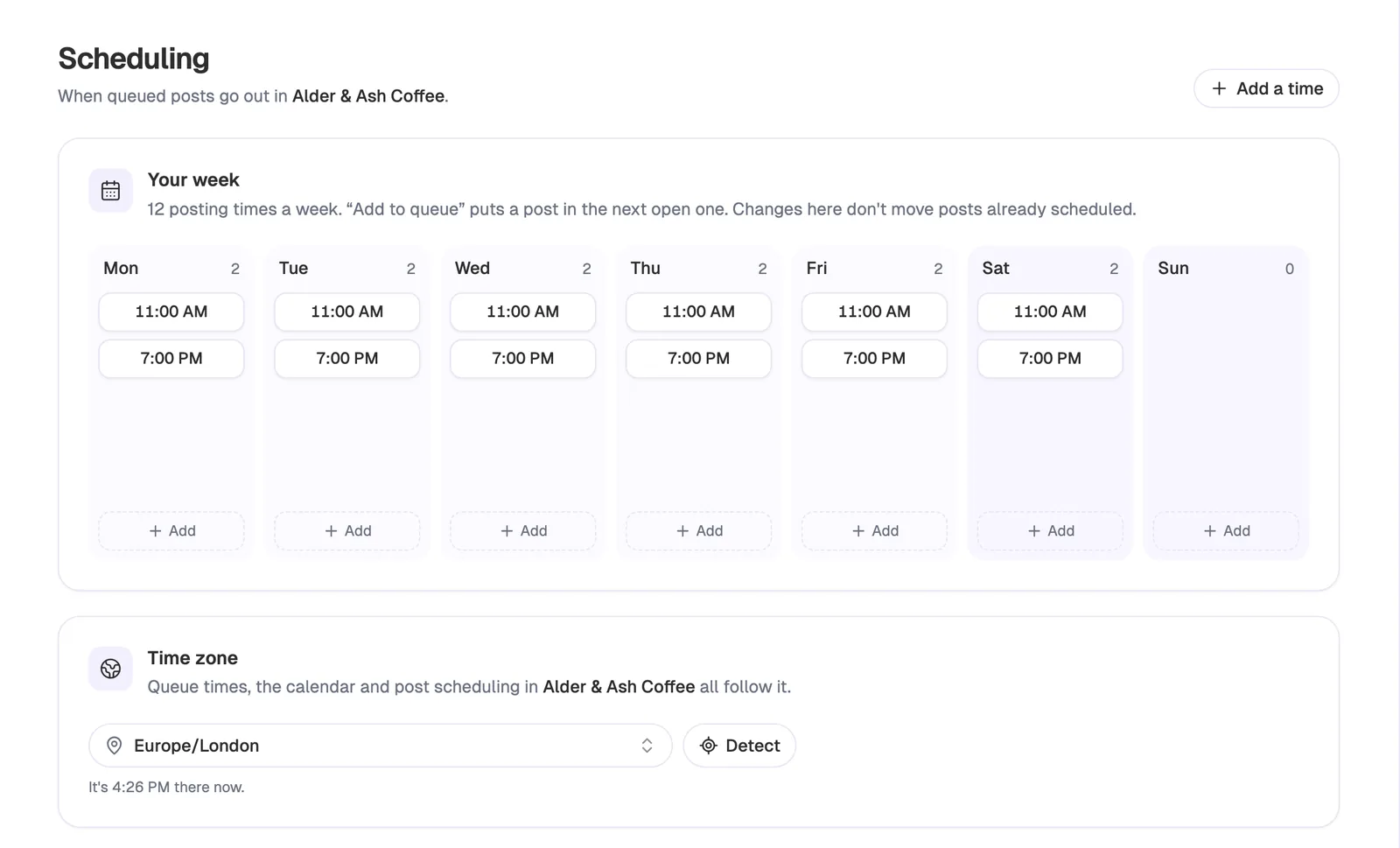
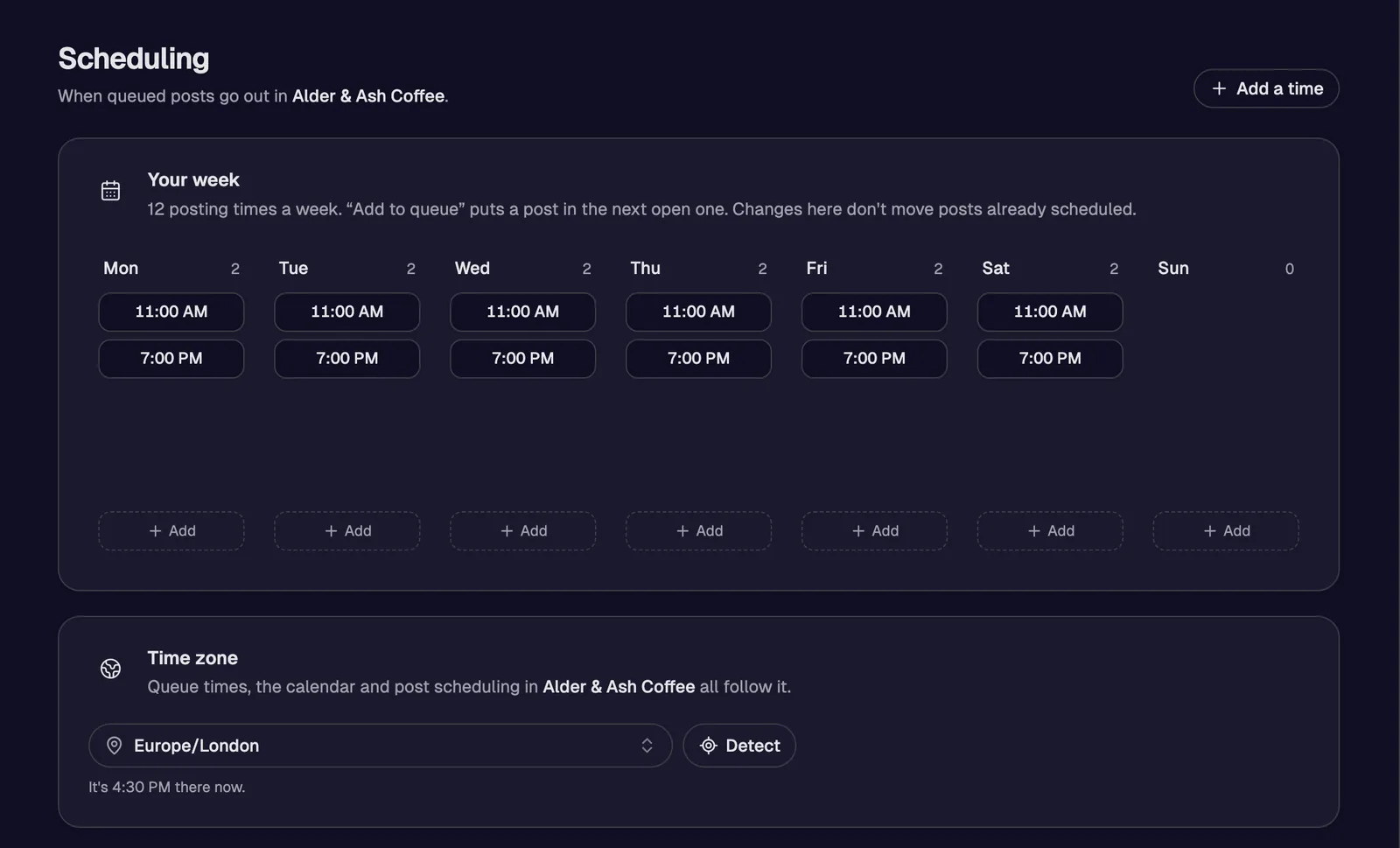
PostSyncer’s free plan gives you a new set of posts each month, counted from the day you joined, with no card to enter. Set the queue’s times and keep posting without paying.
02 · Why people leave Planable
X is left out of the free start
Planable’s pricing FAQ says its free start doesn’t include X publishing.
Source: Planable’s page (opens in a new tab)
With PostSyncer
X from your first day
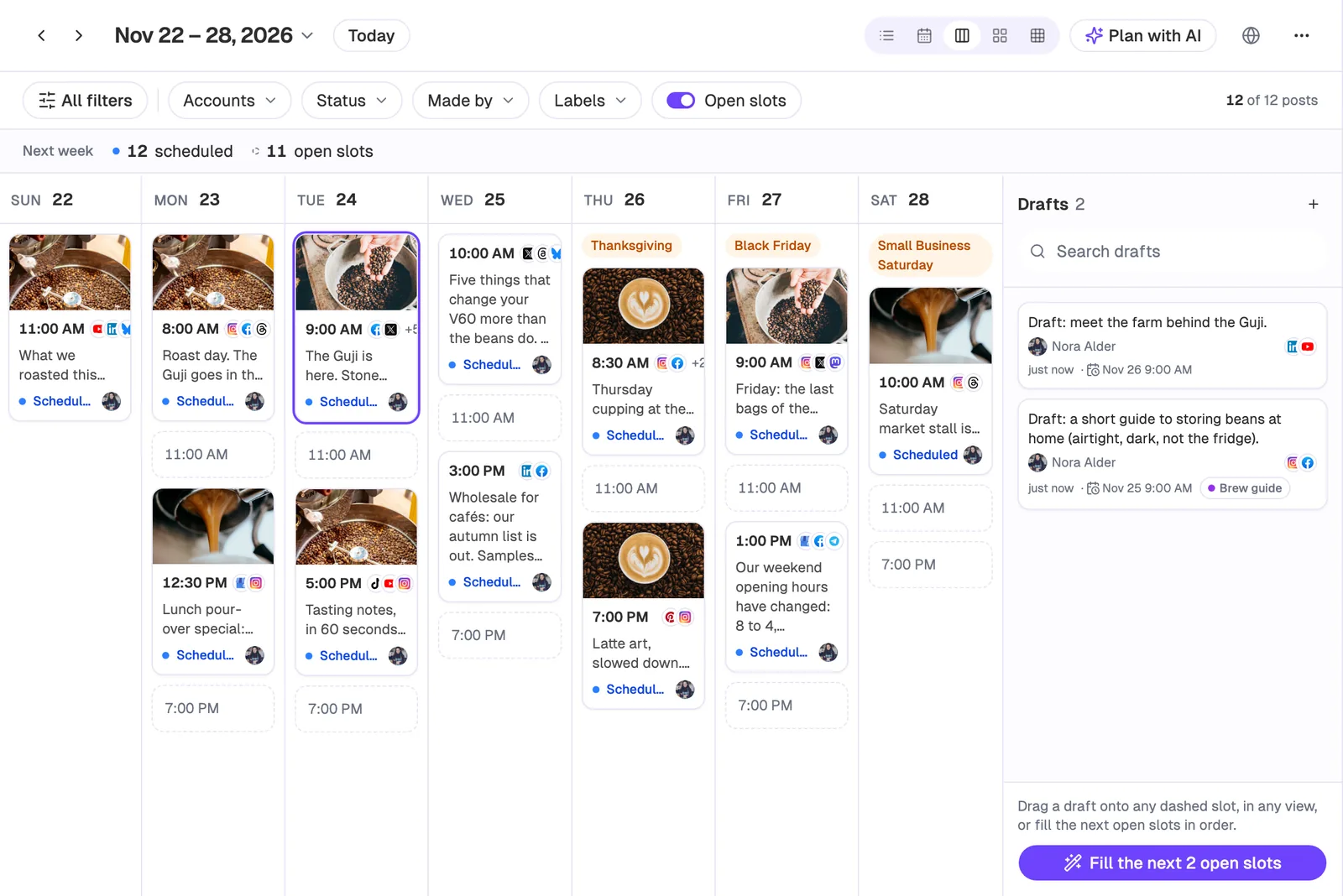
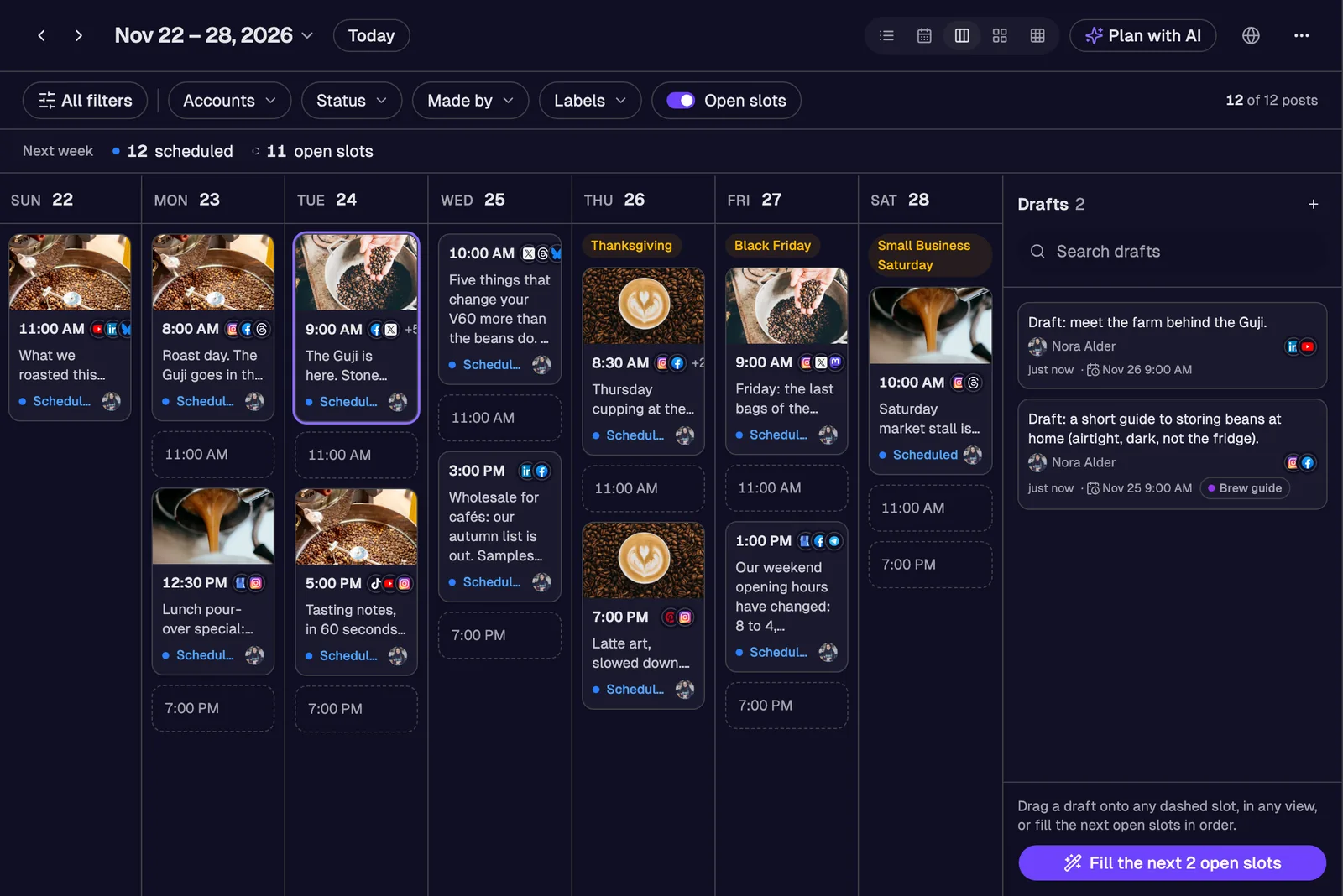
The free plan limits how many accounts you connect, not which networks, so your X account can be one of them, with threads, polls and Community posts on the calendar next to the rest.
03 · Why people leave Planable
Bluesky isn’t on the list
Planable’s pricing FAQ names the networks it schedules to, and Bluesky isn’t one.
Source: Planable’s page (opens in a new tab)
With PostSyncer
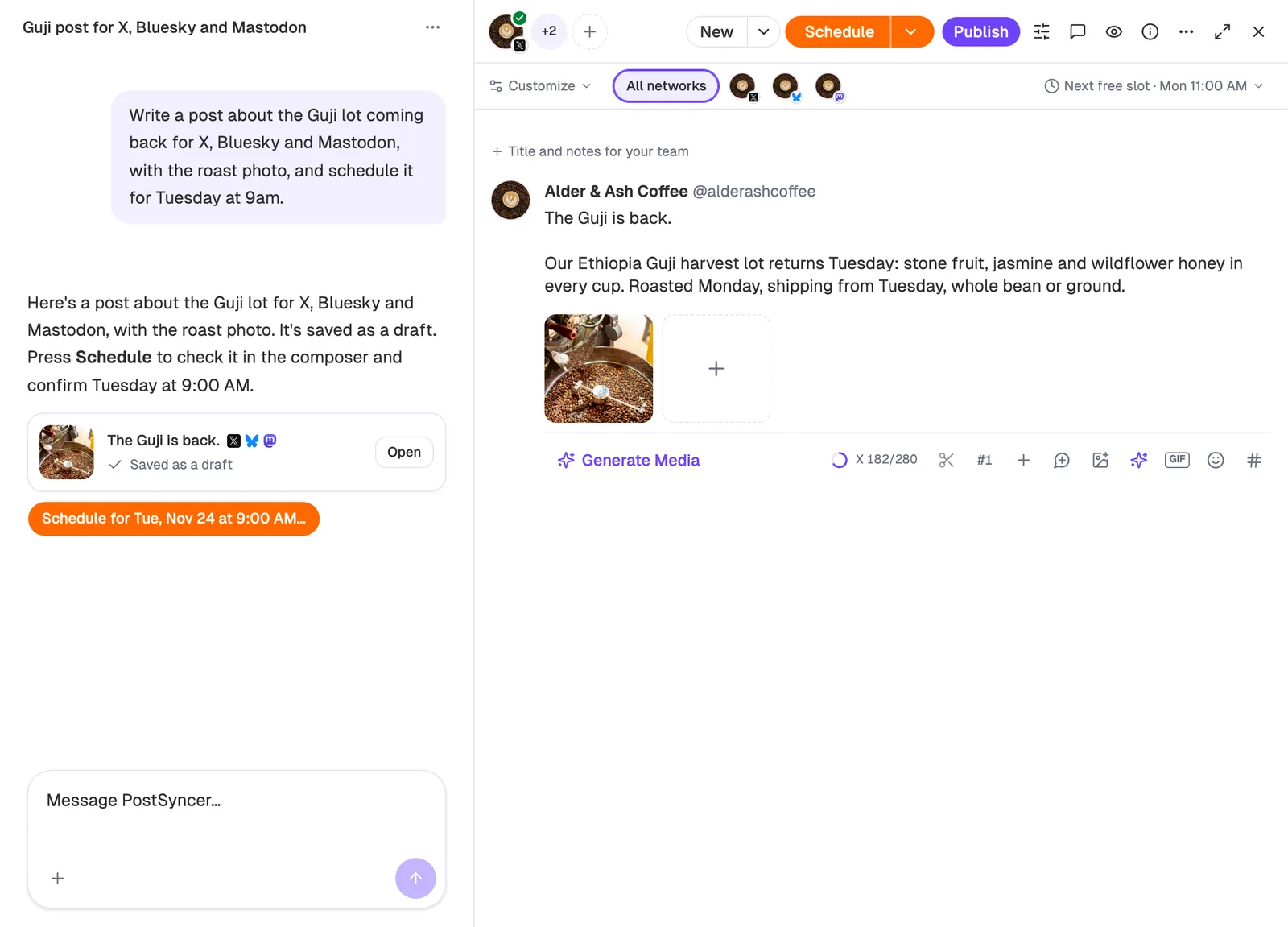
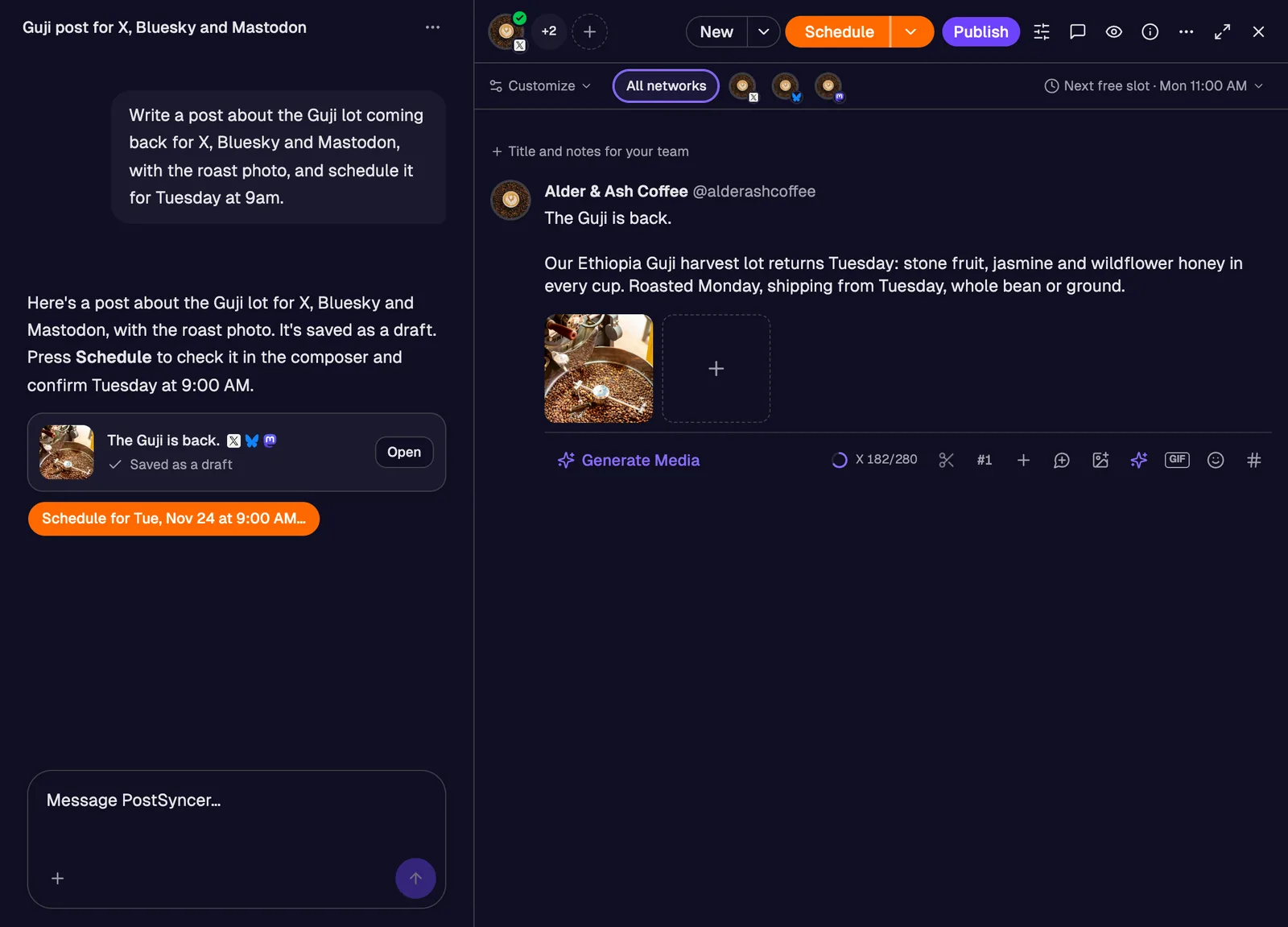
Bluesky, Mastodon and Telegram in the same week
Ask PostSyncer’s Chat for a post on X, Bluesky and Mastodon and it drafts all three for you to schedule. Telegram channels join through PostSyncer’s bot, and Bluesky and Mastodon comments reach the inbox.
04 · Why people leave Planable
The inbox is an add-on
Planable’s social inbox is a paid add-on covering comments on Facebook, Instagram, LinkedIn and TikTok.
Source: Planable’s page (opens in a new tab)
With PostSyncer
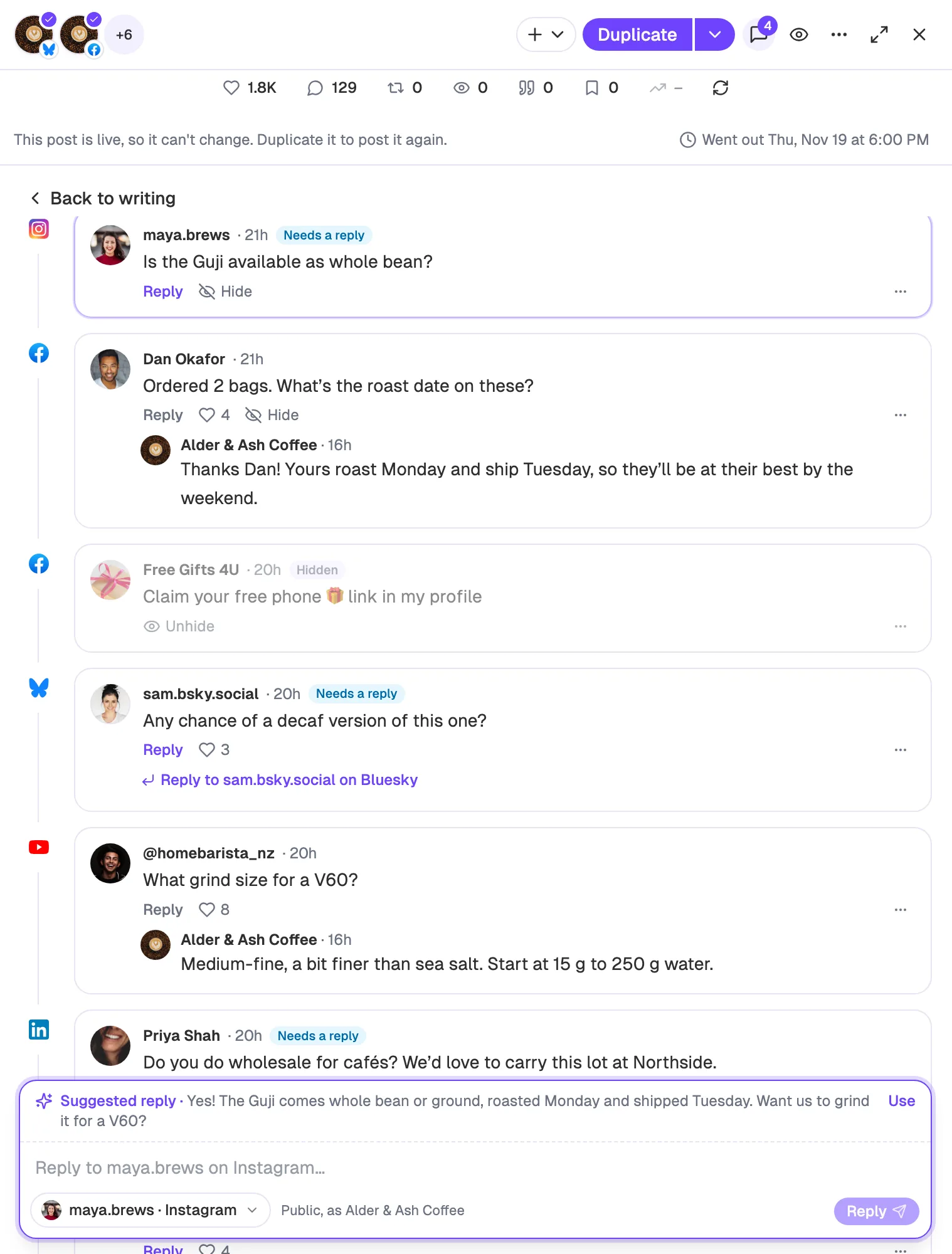
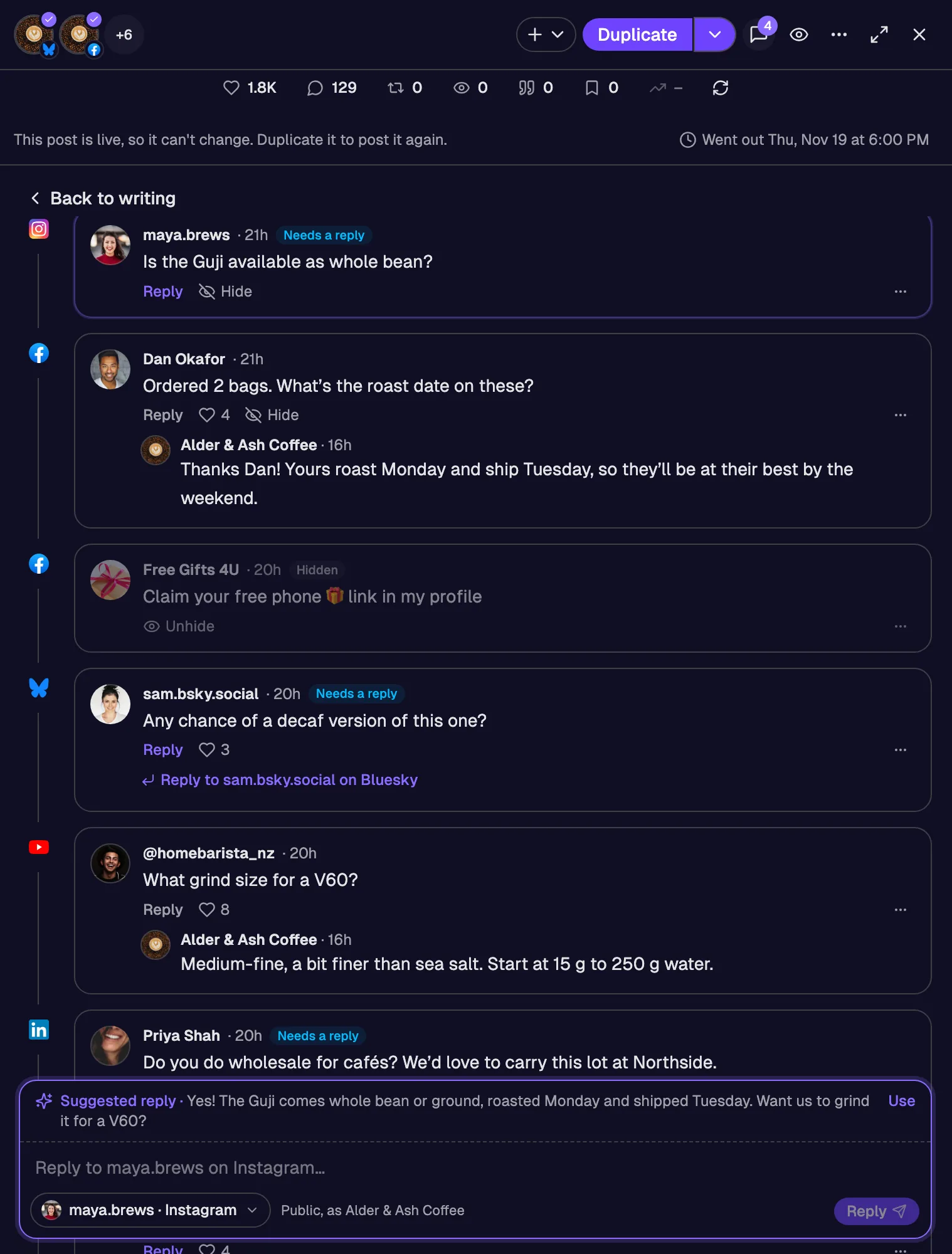
An inbox on every plan, X and YouTube included
PostSyncer reads comments from Instagram, Facebook, X, LinkedIn, YouTube, Threads, Bluesky and Mastodon into one inbox with no add-on to buy, and AI drafts an answer you edit before it’s posted.


What Planable does well
Planable has approvals on every plan, with required and multi-level approvals on higher plans.
Source: Planable’s page (opens in a new tab) · PostSyncer vs Planable, need by need
The move
Move from Planable in six steps
Give each Planable workspace its own PostSyncer workspace (more than one comes with a paid plan). Connect its accounts, or send the client a connect link so they add their own, set the posting times, then bring the posts over. Start with the brand that needs X or Bluesky.
0 of 6
Tick them off as you go.

Step 1 is free. 2 social accounts and 20 posts a month, no card.
Start freeThe list
The Planable alternatives, ours first
We make PostSyncer, so it’s first and marked. The rest, with what each one is and where PostSyncer goes further, from each tool’s own pages.
- 1 PostSyncerThat’s us
Approvals and a client review link, plus free posts every month, X on the free plan, Bluesky, Mastodon and Telegram, and a comment inbox that isn’t an add-on.
Start free - 2HeyOrcaSite (opens in a new tab)
What it is: HeyOrca’s home page calls it a platform built for agency workflows, with every client, campaign and approval in one place. HeyOrca’s page (opens in a new tab)
Where PostSyncer goes further
- Posts to Telegram channels. Telegram isn’t among the networks HeyOrca publishes to directly; a custom placeholder channel only sends a reminder. Source (opens in a new tab)
- 3BufferSite (opens in a new tab)
What it is: Buffer is built around a queue: you set posting times and new posts fill them in order. Buffer’s page (opens in a new tab)
Where PostSyncer goes further
- Posts to Telegram channels. Buffer’s publishing page names every channel it supports, and Telegram isn’t one of them. Source (opens in a new tab)
- Your AI agent reads and answers comments. Buffer’s MCP guide lists its 17 tools, for the account, channels, posts, ideas and post templates, and says the server can only do what they do; none reads or answers comments. Source (opens in a new tab)
- 4Vista SocialSite (opens in a new tab)
What it is: Vista Social’s pricing page lists one inbox for messages, comments and reviews, multi-stage approvals and client connect links, each from a different plan. Vista Social’s page (opens in a new tab)
Where PostSyncer goes further
On the lines in the table, both do the job; each one links its source.
- 5MixpostSite (opens in a new tab)
What it is: Mixpost’s pricing page says Mixpost Lite, its free edition, is open source; its Pro plan adds the Engagement Inbox, an approval flow and MCP. Mixpost’s page (opens in a new tab)
Where PostSyncer goes further
On the lines in the table, both do the job; each one links its source.
- 6LaterSite (opens in a new tab)
What it is: Later can add your hashtags as a first comment when it auto-publishes to Instagram, on every plan. Later’s page (opens in a new tab)
Where PostSyncer goes further
- Posts to Telegram channels. Telegram isn’t on Later’s list of supported networks. Source (opens in a new tab)
- A free plan with no card and no end date. Later’s three plans are all paid; each starts with 14 free days. Source (opens in a new tab)
| That’s us PostSyncer | The one you’re leavingPlanable | HeyOrca | Buffer | Vista Social | Mixpost | Later | |
|---|---|---|---|---|---|---|---|
| Telegram channels | Text, photos, videos and albums to your public Telegram channel through our bot. | No | Partly | No | Not stated on their website | Not stated on their website | No |
| Free plan, no card | A free plan with 2 accounts and 20 posts a month, for as long as you like, with no card. | Partly | Yes | Yes | Not stated on their website | Yes | No |
| AI agent answers comments | ChatGPT, Claude or any MCP client can list new comments and reply to them through PostSyncer’s MCP server. | Not stated on their website | Not stated on their website | No | Not stated on their website | Not stated on their website | Not stated on their website |
| AI agent answers Google reviews | Your AI agent can list Google reviews and post a reply, in your words or with your OK first. | Not stated on their website | Not stated on their website | No | Not stated on their website | Not stated on their website | Not stated on their website |
| Client connect links | Send a client a link and they connect their own account, with no PostSyncer login and no shared password. | Not stated on their website | Not stated on their website | Partly | Yes | Not stated on their website | Not stated on their website |
| Comment inbox | Comments from Instagram, Facebook, X, LinkedIn, YouTube, Threads, Bluesky and Mastodon in one inbox, Free plan included. | Yes | Yes | Yes | Yes | Yes | Yes |
| Google review replies | Read your Google Business Profile reviews and answer them from PostSyncer. | Not stated on their website | Not stated on their website | Yes | Not stated on their website | Not stated on their website | Not stated on their website |
| Approvals | Send posts for approval with alerts by email, Slack, Discord or Telegram, on every paid plan. | Yes | Yes | Yes | Yes | Yes | Yes |
- Yes
- Partly: one plan, some networks, or a narrower version
- No, by its own pages
- Not stated on their website
Every line about another tool comes from that tool’s own pages. Prices are left out on purpose. Spot something out of date? Tell us in the chat and we’ll fix it.
Show all 13 sourcesHide sources
- Planable
- planable.io (opens in a new tab)
- HeyOrca
- heyorca.com (1) (opens in a new tab)heyorca.com (2) (opens in a new tab)help.heyorca.com (opens in a new tab)
- Buffer
- buffer.com (1) (opens in a new tab)buffer.com (2) (opens in a new tab)developers.buffer.com (opens in a new tab)support.buffer.com (1) (opens in a new tab)buffer.com (3) (opens in a new tab)support.buffer.com (2) (opens in a new tab)
- Vista Social
- vistasocial.com (opens in a new tab)
FAQ
Questions about leaving Planable
Our own team answers the live chat, on every plan, Free included.
Chat with usWhat’s a good alternative to Planable?
We make PostSyncer, so read this with that in mind: it has approvals on paid plans and a client review link on every plan, and adds free posts that renew each month, X on the free plan, and Bluesky, Mastodon and Telegram. Five more tools are above, each described from its own pages.
Is there a Planable alternative with a free plan that renews?
PostSyncer’s free plan gives a new set of posts every month, counted from the day you joined, with no card and no end date. The calendar, the queue and the comment inbox are on it.
Can I post to X on PostSyncer’s free plan?
Yes. The free plan caps the number of accounts, not the networks, so X can be one of them, threads and polls included.
Does PostSyncer post to Bluesky, Mastodon and Telegram?
Yes, all three. Bluesky and Mastodon take posts and threads, and their comments reach the inbox; Telegram posts go to your public channel through PostSyncer’s bot.
Do I pay extra for PostSyncer’s comment inbox?
No. It’s on every plan, Free included, for Instagram, Facebook, X, LinkedIn, YouTube, Threads, Bluesky and Mastodon. AI reply suggestions use AI credits, and the free plan comes with some each month.
How do I move from Planable to PostSyncer?
Start free, connect your accounts or send clients a connect link, set the queue’s times, then hand your AI agent the posts from each Planable workspace. Turn on approvals when your team joins on a paid plan.
Start your move from Planable
Step 1 is free: 2 social accounts and 20 posts a month, no card. Connect your accounts and bring your posts over this afternoon.
- No card for free
- Cancel anytime
- Unlimited posts on paid plans