 TikTok playbook
Short answer
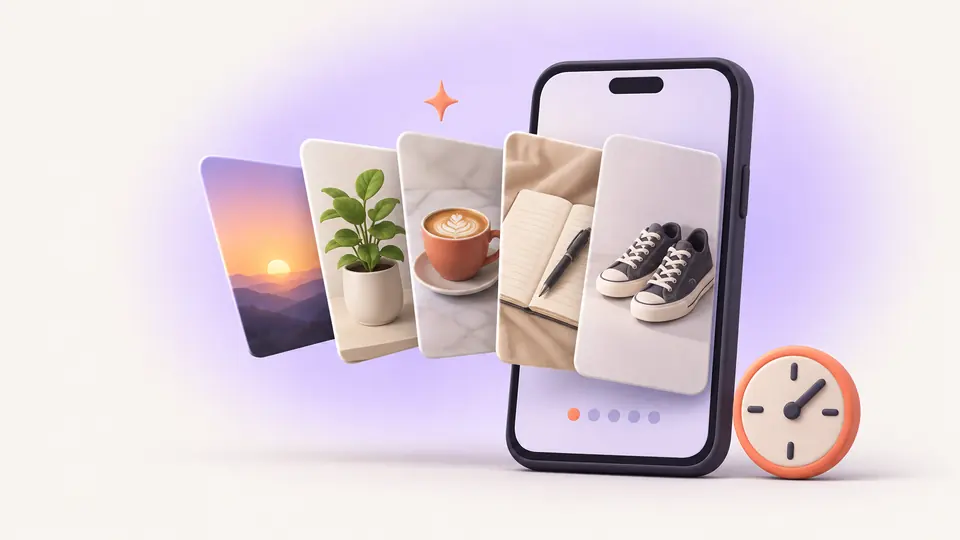
A TikTok slideshow is a photo post of up to 35 images that people swipe through, usually with a sound. To make one with AI, have ChatGPT, Claude or OpenClaw write the hook and 4 to 6 slides, make 9:16 images, add large text in the middle, then post it with a trending sound.
What you need
- A TikTok account, and the TikTok app on your phone
- ChatGPT, Claude or OpenClaw
- An image model, such as ChatGPT’s image tool or OpenAI’s GPT Image API
- A way to put text on images: a photo editor, or a short script your agent writes
- A scheduler that publishes TikTok photo posts, if you want your agent to post for you
- 10 to 15 hook ideas to test in your first week
A TikTok slideshow is a post made of still images that people swipe through, usually with a sound playing underneath. TikTok launched the format as Photo Mode in October 2022, and one photo post can hold up to 35 images.
Slideshows suit AI well. An agent such as ChatGPT, Claude or OpenClaw can study your niche, write a dozen hooks, script the slides and make the images, and it never runs out of variations to test. The one thing it can’t do well is pick the sound, and the sound matters. This playbook covers the whole loop: the account, the hooks, the slides, posting, and reading the numbers so you know what to make next.
Why slideshows work on TikTok
TikTok has pushed photo posts hard. In a message to creators reported by Modern Retail in April 2024, TikTok said carousel posts get 2.9 times more comments, 1.9 times more likes and 2.6 times more shares than videos, on average. TikTok didn’t say how it measured that, so treat it as a direction rather than a promise.
Three things make the format work:
- People read them. A viewer stops on the first slide and swipes at their own pace, so a slideshow can carry a list, a short story or a before and after that a short video would rush.
- New accounts can get views. TikTok says its For You feed ranks posts on how people interact with them, and that follower count isn’t a direct factor. A slideshow from an account with no followers can still reach the right people.
- They are cheap to test. There is no filming and no editing timeline. Once a format works, an agent can make ten versions of it in the time one video takes to shoot.
App maker Oliver Henry has shared how far this can go. His agent, Larry, uses Claude as its model and runs on OpenClaw on an old gaming PC, making slideshows for his room-redesign app, Snugly. In his post on X, he reports that the slideshows crossed 500,000 TikTok views in under a week, with a top post of 234,000 views, and brought 108 paying subscribers across his two apps. He puts the cost at about 50 cents a post in API calls.
Swipeable photo post or video slideshow
TikTok has two kinds of slideshow, and they behave differently.
| Photo post (swipeable) | Video slideshow (template) | |
|---|---|---|
| How it plays | Advances on its own, and viewers can swipe | Plays like a video |
| How you start it | +, then Photo | +, then Templates |
| How many images | Up to 35 | Set by the template |
| Best for | Lists, tips, stories, comparisons | Moods, recaps, announcements |
This playbook makes photo posts. They are the format the fast-growing slideshow accounts use, the text stays on screen as long as the viewer wants, and a scheduler can publish them through TikTok’s API. Templates can’t be posted that way.
Make a TikTok slideshow with AI, step by step
- Pick one format. Scroll the slideshows in your niche for 20 minutes and save 10 that got far more views than the account usually gets. Note the hook, the number of slides and how the text looks. Copy the structure, not the words.
- Set up the account. Use a fresh account or a warmed one, point it at your target country, and spend a few days using it like a viewer in your niche before you post. The tactics are further down.
- Have your agent write 10 to 15 hooks. Give it your niche, your audience and the slideshows you saved, and ask for hooks in the patterns below. Pick the three that make you want to swipe.
- Script 4 to 6 slides per hook. The first slide is the hook, each middle slide carries one idea, and the last one closes the story and asks for a save, a follow or a look at your profile.
- Make the images at 9:16. Generate them with ChatGPT’s image tool or OpenAI’s GPT Image API at a portrait size, with the same scene description in every prompt so the slides look like one set.
- Put the text on the images. Add it after the image is made, in a photo editor or with a short script your agent writes. Large letters, middle of the frame, one idea per slide.
- Write the caption and the title. One or two sentences that add to the hook, three to five hashtags, and a title of up to 90 characters.
- Post it, or send it to TikTok to add a sound. Post it yourself in the TikTok app, or use a scheduler that publishes TikTok photo posts. To pick a trending sound, send the slides to your TikTok inbox and finish the post there.
- Read the numbers after 24 to 72 hours. Keep the formats that win, make variations of them, and drop the rest.
Prompts for ChatGPT, Claude and OpenClaw
All three can do the writing. They differ in what else they can do:
- ChatGPT makes images in the chat, so it can script and draw the slides in one place.
- Claude is strong at hooks and scripts. In Claude Code or Cowork it can also write and run a script that calls an image API and puts the text on each slide.
- OpenClaw runs on your own computer or server and can work through the whole loop by itself: write, make the images, add the text, post, and run again on a schedule.
Paste these prompts as they are and fill in the brackets. First, the hooks:
I run a TikTok account about [niche] for [audience]. I make photo slideshows of 5 slides.
Here are slideshows in my niche that did well: [paste their first slides].
Write 15 first-slide hooks of at most 12 words each, using these patterns:
- someone doubted me, I showed them, they changed their mind
- a numbered list ("5 things I stopped doing after...")
- a problem the viewer has, with the fixes on the next slides
- something most people in [niche] get wrong
Don't mention a product or a price on the first slide. Mark your 3 best and say why.
Then the slides, the caption and the title:
Turn hook [number] into a 5-slide TikTok slideshow.
Slide 1 is the hook. Slides 2 to 4 each give one idea in at most 10 words,
with an optional second line of at most 8 words.
Slide 5 closes the story and asks the viewer to save the post or follow for part 2.
Then write a caption of 1 or 2 sentences that adds to the hook, 3 to 5 hashtags,
and a title of at most 90 characters.
Then the image prompts:
Write one image prompt per slide: a 9:16 portrait photo, shot on a phone,
natural light, no text in the image.
Start every prompt with the same scene description: [the room, the light,
the camera angle, the main objects]. Change only what each slide needs.
Keep the middle of the frame calm, because the text goes there.
Any agent that can run Python can add the text too: the code tools in ChatGPT and Claude chats, Claude Code, or OpenClaw.
Write a Python script with Pillow that adds the slide text to each image in ./slides:
white bold sans-serif with a 4 px black outline, centered, the letters about 6.5% of the
image height, at most 3 lines, placed between 30% and 60% of the height from the top.
Save the results as 1080 x 1920 JPEGs named slide-1.jpg, slide-2.jpg and so on.
Make the slides
Sizes and files
Make every slide 1080 × 1920 pixels, a 9:16 portrait. That fills the phone screen with no black bars. TikTok’s API, which schedulers use, takes JPEG and WebP files of up to 20 MB each, so export every slide as a 1080 × 1920 JPEG and it works in the app and through a scheduler.
Image models rarely make 1080 × 1920 directly. OpenAI’s GPT Image 2.5 and 2.6 models take custom sizes whose sides are multiples of 16, so ask for 1152 × 2048, which is also 9:16, and scale it down to 1080 × 1920. Never use a landscape size. Oliver Henry reports that his first slides came out at 1536 × 1024 and showed up on TikTok with black bars, which hurt the posts.
Keep the slides consistent
If every prompt describes the scene differently, every slide shows a different room, and the post looks fake. Oliver Henry fixed this by pasting one detailed description of the room into every prompt (its size, the window, the door, the camera angle, the furniture, the floor) and changing only the style. Do the same with your product, your character or your kitchen. Real photos work too: a slideshow can mix your own product shots with AI images.
Text on the slides
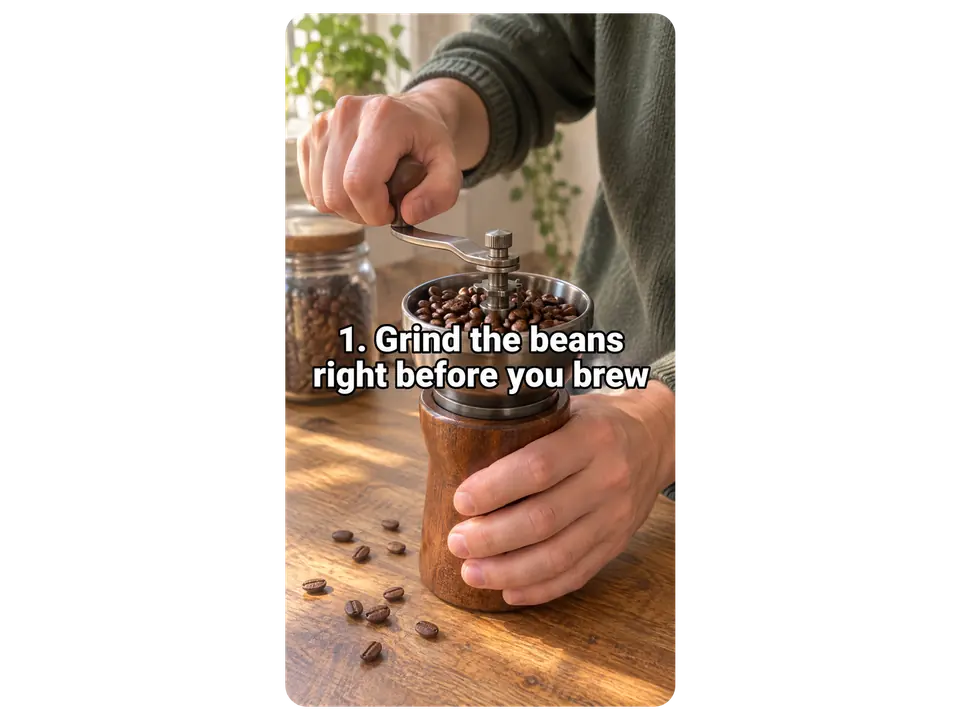
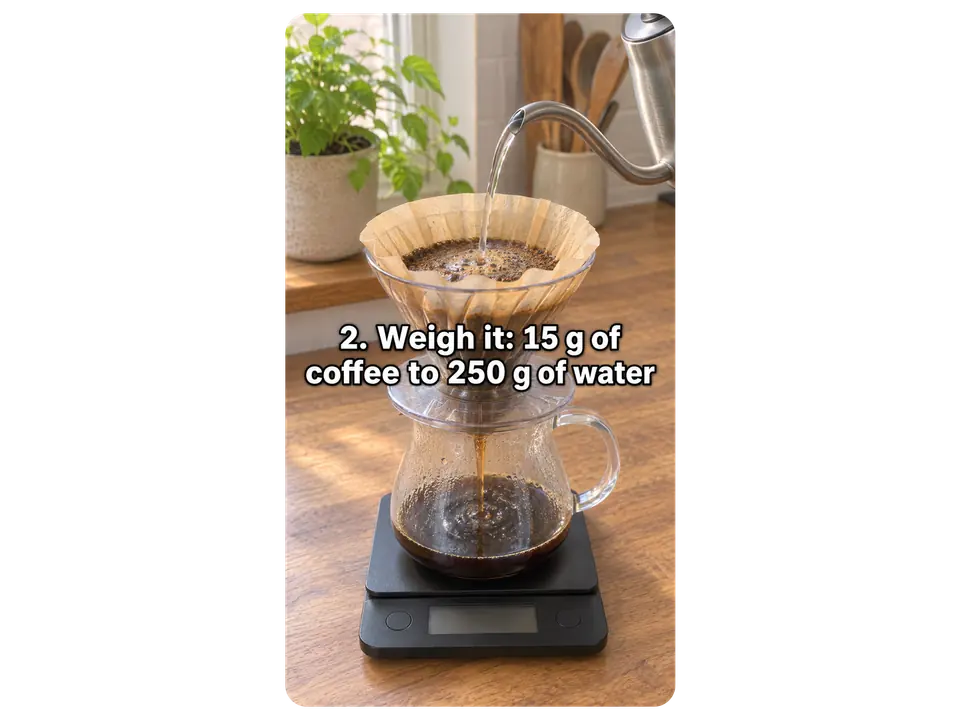
Image models are much better at lettering than they were, but OpenAI’s own docs say they can still struggle with exact text placement and clarity. Make the image without words and add the text afterward.
- Size: big enough to read without zooming, about 6 to 7% of the slide’s height. Oliver Henry raised his text from 5% to 6.5% after his first posts.
- Place: the middle of the slide. TikTok covers the top with the status bar and the feed tabs, the bottom with your name, caption and sound, and the right side with the like, comment and share buttons. Oliver’s first text sat too high and hid behind the status bar.
- Style: white bold letters with a black outline, or black letters on a white box. Both read on any photo.
- Length: one idea per slide, three lines at most.
Label AI images
TikTok asks creators to label AI-generated content that shows realistic people or scenes, and it adds the label itself to some AI images made in other apps. Turn on the AI-generated content setting before you post. TikTok’s Creator Academy puts it under Post settings for a photo and under More options for a video.
Hooks and captions
The first slide decides the post, and Oliver Henry’s reported numbers show how much. He says hooks about his app’s features and price got 879 to 2,671 views. A hook about his landlord refusing any changes until she saw what AI suggested got 234,000 views, and two more hooks in the same pattern got 167,000 and 147,000.
It worked because the post was about someone else’s reaction, not about the app. Here are five patterns that work for slideshows, with first slides for a coffee brand:
| Pattern | Example first slide |
|---|---|
| Someone doubted you | My barista friend wouldn’t drink my coffee. So I changed 2 things. |
| A numbered list | 5 things I stopped buying once I learned to brew at home |
| A problem and its fixes | Why your home coffee tastes bitter, and 3 fixes |
| What most people get wrong | You’re storing your coffee beans wrong |
| Before and after | My morning coffee in January, and my morning coffee now |
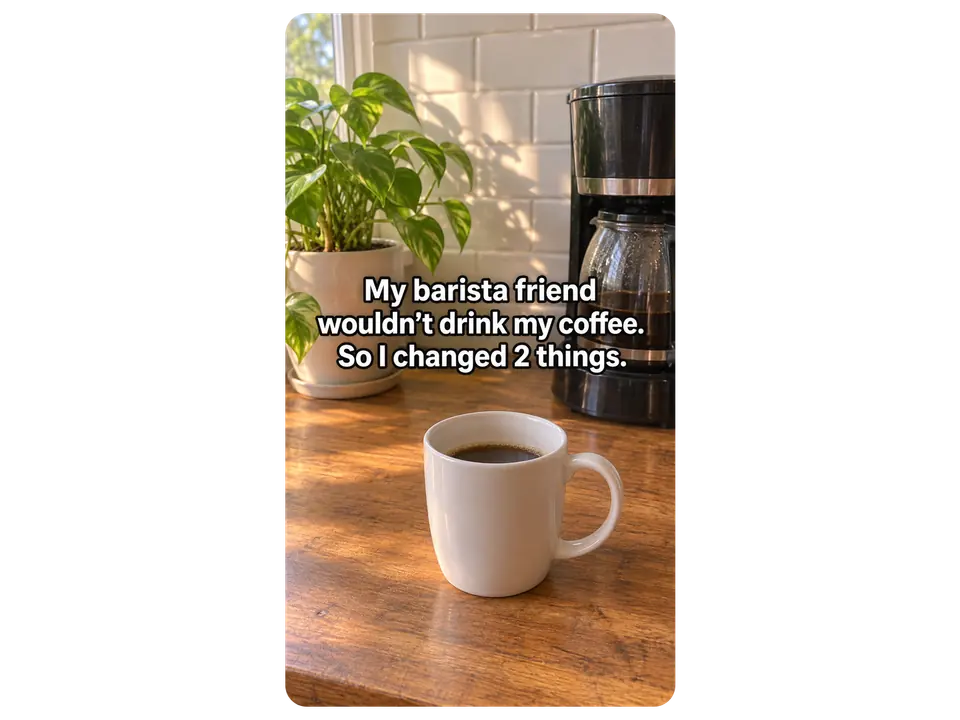
The last slide matters too. Close the story and give one action: save the post, follow for part 2, or look at the link in your profile.
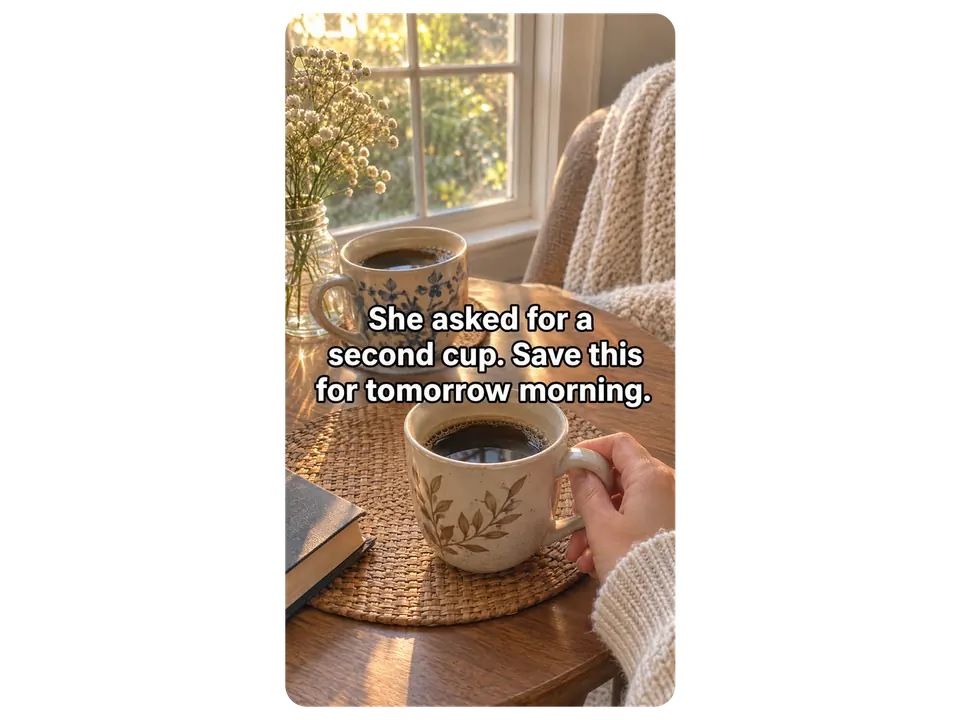
For the caption, add to the hook instead of repeating it: one or two sentences in the same voice, then three to five hashtags about the topic. Photo posts also take a title of up to 90 characters. A TikTok caption generator and a hook generator help when you run out of ideas.
Account tactics
The accounts that grow with AI slideshows treat the account itself as part of the play. These are the tactics they use:
- Start fresh, or start warmed. A new account works, because TikTok shows posts to people by interest. Some marketers buy a warmed account instead: one with no followers that was created in the target country and already has some activity there.
- Look local to your target country. TikTok’s ranking takes your country setting and device into account. To reach US viewers from elsewhere, people turn off the phone’s location services, use a US mobile connection or a VPN with a dedicated residential IP (not a data-center one), and keep a cheap Android phone just for the account. Creators who run several accounts say that opening the app even once on your home connection can tilt the audience toward your own country.
- Warm it up first. Spend 15 to 30 minutes a day for a few days liking, commenting on, saving and following posts in your niche, so TikTok learns which viewers the account belongs with. Slideshow creators treat this as required.
- Post every day. Plan hooks in batches of 10 to 15 and post one to three slideshows a day, at the hours your viewers are on TikTok. The best time to post on TikTok has the hours for each day.
- Run several accounts. When a format works on one account, open two or three more and post variations to each, each on its own phone or profile. A scheduler that handles several TikTok accounts sends one slideshow to all of them. PostSyncer does it from one post, and you can give each account its own caption. Your plan sets how many accounts you connect.
- Keep a winning format until it stops. Post it while its views hold. When they drop for a week, move to a new pattern instead of tweaking the old one.
Post it: photo post or TikTok inbox
In the TikTok app: move the slides to your phone, tap +, choose Photo, then Upload, and select the slides in order. The order you tap them in is the order they show. Add a sound, check each slide’s text, write the caption and post.
With an agent and a scheduler: connect your agent to a scheduler that publishes TikTok photo posts, give it the slides and let it set up the post. In PostSyncer, TikTok’s Post Mode setting gives you two ways to send it:
- Direct Post publishes the slideshow on your account at the time you set. Turn on Auto Add Music and TikTok adds a recommended sound, which you can change later in the app.
- Media Upload sends the slides to TikTok instead of publishing them. You get a notification in your TikTok inbox, open the post in TikTok’s editor, pick a trending sound, paste the caption and post.
Use Media Upload while you test formats. TikTok’s API can’t choose a specific sound, and the right trending sound is often what lifts a slideshow. Oliver Henry works the same way: his agent sends each slideshow to TikTok as a draft, and he adds a trending sound, pastes the caption and publishes it, which he says takes about 60 seconds a post.
On a business account, TikTok shows only sounds from its Commercial Music Library, which it says are free for businesses to use.
To connect your agent to PostSyncer: ChatGPT installs it from ChatGPT’s plugin directory, Claude adds it from the Claude directory, and OpenClaw adds it with one command and signs in with a second. In ChatGPT, you attach the slides to your message. In Claude, it gives you an upload link where you drop up to 10 files. Claude Code and OpenClaw run commands, so they send the files to that link themselves. The post can go out at a set time or in the next free slot of your queue.
Read the results and repeat
Give each slideshow 24 to 72 hours before you judge it. In TikTok’s analytics for the post, look at:
- Views at 24 hours, compared with your account’s usual. This tells you whether the hook worked.
- Saves and shares per 1,000 views. They tell you whether the slides delivered on the hook.
- Where the views came from. A high share from the For You feed means TikTok is showing the post to new people.
- Profile visits and link clicks, if you sell something. Views that never reach your profile don’t pay.
Keep a simple sheet with one row per post: the hook, the pattern, the sound, the time, and the views, saves, shares and follows at 24 hours. After 10 posts, ask your agent to read the sheet and write the next 15 hooks in the patterns that won.
When one pattern clearly wins, put it on a schedule. ChatGPT has scheduled tasks and Claude has them in Cowork, so either one can write the next batch of hooks and slide text every morning. You then make the slides and attach them to a ChatGPT message, or drop them in the upload link Claude gives you. OpenClaw has cron jobs and runs commands, so it can make the whole batch, send the files to your scheduler itself and leave the posts in your TikTok inbox to finish.
When something goes wrong
- No Photo option after you tap +: update the TikTok app. Photo posts are made in the mobile app.
- The slideshow plays like a video: you started from a template. Start again from Photo.
- Black bars around the slides: the images aren’t 9:16. Remake or crop them to 1080 × 1920.
- Blurry slides: the images were small or already compressed. Start from the full-size files, not screenshots.
- Text cut off or hidden: it sits under TikTok’s buttons or caption. Move it toward the middle.
- A scheduler says a photo failed: check that each file is a JPEG or WebP under 20 MB.
