











Your content calendar is full, your edit queue is longer than it should be, and every new YouTube upload seems to require the same exhausting cycle. Topic research. Script. Voiceover. Visuals. Edits. Thumbnail. Chapters. Shorts cutdowns. Publish. Repeat.
That pressure is exactly why so many creators started looking at an AI video generator for YouTube in the first place. Not because they wanted a magic button, but because they needed a system that could keep output moving without lowering quality.
The shift is already happening in plain sight. A 2025 analysis of 274 YouTube how-to videos found that generative AI is already embedded throughout the creation workflow, including script generation, visual and audio production, editing tasks, and animating static images into videos. That last use case appeared in 49 videos, or 17.9% of the sample, and the same analysis also found creators using AI to automatically clip long videos into short-form content (academic analysis of YouTube creator workflows).
The practical takeaway isn't that AI replaces the creator. It doesn't. Its advantage is that AI can handle the first draft, the repetitive production work, and part of the repurposing layer so you can spend more time on judgment, pacing, and channel strategy.
The New Reality of YouTube Video Production
Small teams and solo creators don't usually struggle because they lack ideas. They struggle because turning ideas into finished YouTube videos takes too many steps, and every step has a time cost.
That problem gets worse when the channel depends on consistency. One decent upload doesn't build momentum. A recognizable publishing rhythm does. That's where an AI video generator for YouTube starts to make sense as infrastructure, not entertainment.
The creators getting value from AI aren't treating it like a one-click movie studio. They're using it as a production layer inside a broader workflow. Research, rough scripting, static image animation, voice generation, clip extraction, subtitle drafts, and visual variations are all parts of the same machine.
What changed
A lot of creators still think AI video means typing a prompt and hoping a perfect clip appears. That mindset usually leads to random outputs and inconsistent channels.
The better model is simpler. Use AI where repetition slows humans down, then keep human control where taste matters most.
Practical rule: Use AI for speed and coverage. Use human review for hooks, brand voice, pacing, and final edits.
That distinction matters because YouTube rewards clarity and repeatability more than novelty alone. If your workflow only works when you have a full day to experiment, it isn't a workflow. It's a bottleneck.
Where AI actually helps
The strongest use cases tend to look like this:
- Idea expansion: Turn a rough topic into angles, subtopics, and outlines.
- Script drafting: Build a first pass from a prompt with audience, tone, and desired structure.
- Visual generation: Create scene assets, animated stills, and supporting cutaways.
- Narration support: Draft voiceovers for faceless channels or test alternate delivery styles.
- Editing assistance: Generate captions, remove repetitive manual tasks, and prep social cutdowns.
Used this way, AI doesn't flatten creativity. It reduces production drag.
From Vague Idea to AI-Powered Script
The blank page is still where most YouTube videos stall. Not because the creator has nothing to say, but because turning a rough thought into a structured script takes more effort than it sounds.
The fix is to stop prompting like you're ordering content from a vending machine. Most weak AI scripts start with weak instructions. If you type “write a YouTube script about remote work,” you'll get broad, generic output that sounds like everyone else.
Prompt for structure, not magic
A usable prompt gives the model context it can work with. At minimum, include:
- Audience: Who the video is for
- Format: Listicle, explainer, tutorial, commentary, case breakdown
- Tone: Direct, conversational, analytical, energetic
- Length target: Short, mid-length, or long-form
- Outcome: What the viewer should understand or do by the end
For example, instead of asking for a generic script, ask for something closer to this:
Write a YouTube script for busy remote workers. Topic: five time-saving tips for remote work. Tone: practical and clear, not corporate. Format: strong opening hook, five sections, one example in each section, then a short CTA. Keep the pacing suitable for a faceless productivity video.
That kind of input usually produces something you can edit rather than something you need to throw away.

Build the script in passes
The first draft shouldn't be the final script. Treat it like an outline with momentum.
A practical sequence looks like this:
Get the rough draft
Ask for the full script with sections and a hook.
Tighten the opening
If the intro starts slowly, prompt again: make the first lines more specific and benefit-driven.
Add scene logic
Ask the AI to convert each section into a shot list with on-screen text suggestions.
Simplify spoken lines
If the wording looks good on screen but sounds stiff aloud, tell the AI to rewrite for voiceover delivery.
Example of a refinement loop
Let's say the first draft on remote work tips feels flat. The next prompt might be:
Rewrite the hook so it speaks to people losing time in meetings, scattered tabs, and unclear priorities. Keep it short and spoken, not bloggy.
Then:
Turn each tip into a scene plan with one visual suggestion, one line of narration, and one on-screen caption.
That second pass is where the script starts becoming production-ready.
Storyboards matter more than most creators think
If you're producing repeatable YouTube videos, especially faceless explainers or visual narratives, storyboarding saves a lot of wasted generation later. A simple visual plan keeps your AI prompts aligned with the same sequence, mood, and framing.
For creators who want a cleaner planning process, this guide on mastering music video storyboards is useful even outside music formats because the core logic applies to any shot-driven production.
The fastest way to waste time with AI video is generating visuals before the script and shot sequence are settled.
When the script, shot list, and intended pacing are clear, every later step gets easier.
Generating Visuals and Voice That Build a Brand
Most AI video tutorials stop at “look what this tool made.” That isn't the hard part. The hard part is making video three, video eight, and video twenty look like they belong on the same channel.
That's where many creators hit the wall. One dramatic clip is easy. Building visual identity is the actual work.
Recent demos have started highlighting features like reference images, frame-to-video, and multi-shot generation because consistency has become the central challenge for channel owners, not just flashy generation (recent product demo on consistency features).

Create a reusable style prompt
If each project starts from a blank visual prompt, your channel will drift fast. Fix that by writing a master style prompt and saving it outside the tool.
A good style prompt usually defines:
- Visual style: cinematic, clean infographic, animated collage, realistic product-demo, illustrated explainer
- Lighting and color: muted neutrals, bright contrast, soft studio light, dark tech palette
- Camera behavior: static framing, slow push-in, medium close-ups, top-down composition
- Texture and finish: polished, grainy, flat graphic, documentary feel
Use that base prompt in every project, then add scene-specific instructions underneath it.
Keep character consistency under control
Character continuity still breaks more often than creators expect. Even strong generators can drift on face shape, outfit details, age, or framing.
The workaround is operational, not magical.
Use reference assets every time
Build a folder with your approved character angles, expressions, wardrobes, and key props. Feed those references into every relevant generation step instead of assuming the model will “remember” your last output.
Limit unnecessary variation
If your mascot or presenter appears in multiple scenes, don't keep changing camera angle, clothing, background style, and mood all at once. Lock some variables. Change only what's needed for the scene.
Working rule: If the audience should recognize the same character, keep wardrobe, voice, and visual treatment stable before you experiment with scene variety.
Generate in batches
Create all scenes for one episode in the same session when possible. Batch generation tends to hold closer to one visual interpretation than fragmented sessions spread across days.
Treat voice like brand design
A lot of faceless channels sabotage themselves with generic narration. The visuals may be polished, but the voice feels interchangeable.
Pick one of these paths and stay consistent:
| Approach | Best use | Trade-off |
|---|---|---|
| Your own recorded voice | Strong personal brand | Takes more time |
| Cloned version of your voice | Repeatable delivery with familiarity | Needs careful review for tone |
| Fully synthetic brand voice | Good for faceless channels and teams | Can sound flat if script pacing is weak |
Whatever you choose, keep pronunciation rules, pacing, and emphasis documented. Brand voice isn't only what the script says. It's how it sounds.
For teams comparing tools that support different parts of this process, this roundup of video content creation tools is a useful starting point.
Assembling and Editing Your AI-Generated Video
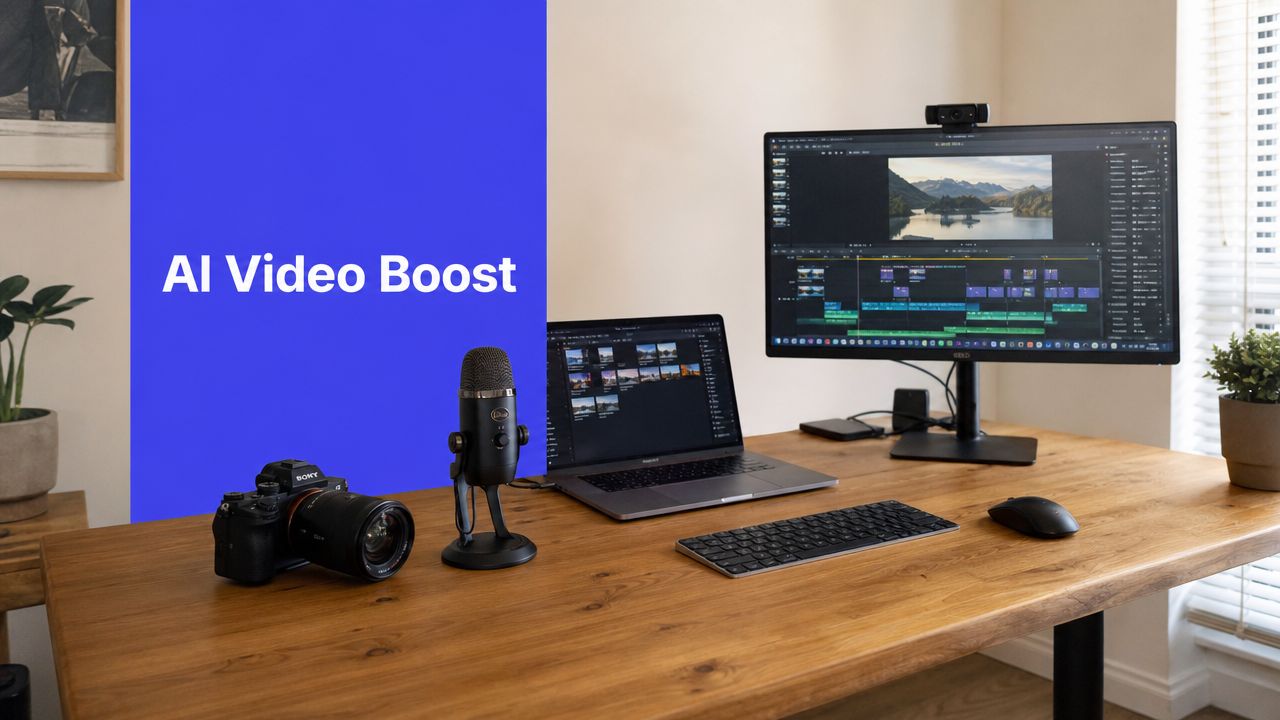
An AI video generator for YouTube rarely gives you a finished upload in one pass. More often, you end up with a bundle of ingredients. Clips, voiceover, captions, music, maybe some transitions, and a rough sequence that still needs judgment.
This stage is where a lot of “AI videos” either become publishable or stay obviously unfinished.
Choose your editing path
There are two common ways to assemble the final video.
Stay inside the AI tool
This works best when speed matters more than deep control. Built-in editors are useful for quick faceless videos, basic Shorts, slideshow-style explainers, and rapid client drafts.
The upside is obvious. Fewer exports, fewer tools, less friction.
The downside is just as clear. You usually get less precision over pacing, layered effects, detailed audio cleanup, and custom motion.
Export to a full editor
If you're making core channel content, long-form education, or anything where retention depends on rhythm, a dedicated editor like Adobe Premiere Pro or DaVinci Resolve is usually the better choice.
That route takes longer, but it gives you room to fix what AI still fumbles. Pauses that land badly. Awkward scene transitions. Repetitive B-roll. Narration that needs breathing room.
What actually improves the final result
The best AI-assisted YouTube videos usually include human-made additions. Not because AI failed, but because layered media holds attention better.
A few upgrades matter more than others:
- Screen recordings: Great for tutorials, SaaS walkthroughs, dashboards, and process explanations.
- Text overlays: Useful for reinforcing structure, especially in faceless content.
- Licensed B-roll: Helps break up repeated AI scenes and smooth pacing.
- Manual cut tightening: Remove dead space between lines. AI often leaves too much.
- Audio treatment: Balance voice, music, and effects so narration stays clear.
AI gives you a workable draft. Editing gives it authority.
A simple assembly checklist
Before exporting, review the video against this short checklist:
- Hook clarity: Does the first segment tell viewers why they should keep watching?
- Visual variety: Do scenes change often enough to support the script?
- Audio consistency: Is the voice level stable throughout?
- Brand alignment: Do fonts, colors, lower thirds, and voice match your channel style?
- Platform fit: Is the final aspect ratio correct for the destination format?
If the answer is no on more than one of those, the video isn't ready yet.
Optimizing Your Video for YouTube Discovery
Publishing isn't the finish line. It's where distribution starts.
A surprising amount of YouTube performance gets shaped after the edit is done. Titles, descriptions, thumbnail concepts, chapters, and packaging all affect whether the video gets clicked and understood. AI can help here too, but only if you use it to generate options, not final answers.
The need for efficient optimization is growing as the category scales. One industry estimate put global AI video generator revenue at $614.8 million in 2024 and projected it would reach $2.56 billion by 2032, with a 20.0% compound annual growth rate (industry estimate on AI video generator market growth).

Use the script as your SEO base
Your final script is the best source material for optimization because it reflects what the video delivers.
Feed the finished script into your AI assistant and ask for:
- Title variants with different angles, such as curiosity, outcome, or problem-based framing
- Description drafts that summarize the video naturally
- Chapter suggestions based on real topic transitions
- Thumbnail hooks with short on-image text options
- Tag ideas if your workflow still uses them as a planning aid
A good prompt might look like this:
Analyze this YouTube script and generate 10 title options, a description that reads naturally, and chapter markers based on topic shifts. Keep everything aligned with a practical productivity audience.
Generate choices, then apply editorial judgment
This part matters. AI is good at producing volume. It isn't always good at picking the strongest package for your exact audience.
So review outputs like an editor:
| Asset | What AI does well | What you should check |
|---|---|---|
| Titles | Creates many angles quickly | Specificity, clarity, click appeal |
| Descriptions | Summarizes content fast | Natural phrasing, accuracy |
| Chapters | Detects topic structure | Useful labels, clean pacing |
| Thumbnails | Sparks concept directions | Brand fit, readability, contrast |
If a title sounds clever but vague, cut it. If a thumbnail concept is visually striking but doesn't match the video's promise, skip it.
A lot of creators also benefit from a dedicated publishing workflow once assets are ready. Tools that support packaging and scheduling in one place can reduce last-minute errors. If that matters in your process, this guide on how to post a YouTube video is worth reviewing.
Here's a useful walkthrough to pair with your optimization process:
Thumbnail workflows benefit from AI too
Thumbnail generation works best when you use AI for ideation, not blind final production.
Try generating multiple concepts around one promise:
- problem-first
- result-first
- before-and-after
- emotional reaction
- tool or process centered
Then rebuild the strongest concept with your own channel design rules. That keeps thumbnails cohesive instead of turning your library into a mix of unrelated styles.
Repurposing Long-Form Videos into Engaging Shorts
Most creators leave too much value inside a single upload. They publish the main video, move on, and start over. That's inefficient.
A better system is simple. Create once, then turn the best moments into multiple vertical clips for YouTube Shorts and other short-form platforms.
The earlier academic analysis of YouTube workflows found creators already using AI for automatic clipping of longer videos into short-form content, which tells you this isn't a fringe tactic. It's part of practical production now, especially for channels trying to stay visible without filming from scratch every day.

What repurposing should actually look like
Don't cut random 30-second chunks and call them Shorts. Pull moments that can stand alone.
The strongest candidates usually include:
- A clear takeaway: one tip, one insight, one mistake, one demonstration
- A strong opening line: something that works without setup
- A visual payoff: screen action, movement, contrast, or a key reveal
- Caption-friendly speech: language that still works when many viewers watch on mute
Why this approach scales
One finished long-form video can feed your short-form pipeline for days if your source material is structured well.
That means your long-form script should include clip-worthy lines from the start. Think in modules. Strong hook, tight explanations, sharp examples, and clean transitions. Then let AI help identify likely highlight moments from the transcript before you trim and polish manually.
For creators who want a faster workflow, tools built for turning long videos into short videos with AI can help surface candidate clips and speed up reframing.
Short-form repurposing works best when the main video was written with extraction in mind.
Building a Scalable AI Video Workflow for Your Team
Monday starts with one script writer using a punchy, casual tone. By Wednesday, a different editor has swapped in a new AI voice, the visuals no longer match last week's uploads, and the thumbnail style has drifted again. The problem is not AI output quality on its own. The problem is process drift.
That shows up fast once more than one person touches the channel. A solo creator can remember preferred prompts, pacing, and packaging rules. A team needs those choices documented, versioned, and easy to follow.
Faceless channels and agency production teams feel this first. They are not trying to produce one impressive sample video. They need a system that moves cleanly from topic to script, script to assets, assets to edit, and edit to publication, with consistent handoffs and fewer revisions, as shown in this look at workflow reality for faceless YouTube channels.
What a team-ready system needs
Start with a shared operating system, even if the team is small. In practice, that means documenting the few things that create repeated mistakes when left to memory:
- Prompt library: Templates by format, such as explainers, list videos, product breakdowns, commentary, and Shorts
- AI style guide: Approved visual prompts, color rules, framing references, voice settings, pronunciation notes, and banned outputs
- Review checkpoints: Clear approvals for script, visuals, rough cut, and final packaging
- File naming rules: A simple structure so editors, producers, and clients can trace the latest version without guesswork
- Repurposing SOP: Rules for cutting long-form into Shorts, assigning review, and scheduling distribution by platform
The style guide matters more than many teams expect.
Without it, every operator brings their own taste into the workflow. That creates subtle inconsistency first, then obvious brand drift. Intros feel different. B-roll choices start fighting the script. Voice pacing changes from video to video. None of that sounds dramatic until retention drops and the team spends hours fixing things that should have been right in version one.
Where teams usually go wrong
The common failure point is giving every editor or producer a blank page.
That sounds flexible, but it slows production and increases revisions. A better setup gives people constraints that protect the brand while leaving room for judgment. For example, the script team can have three approved hook structures instead of writing every opening from scratch. Editors can pull from a fixed set of motion presets and caption styles. Thumbnail designers can work inside a defined contrast and typography system.
This is also where role clarity matters. One person should own the script brief. One person should approve voice and visual consistency. One person should make the final packaging call. AI speeds up production, but it also creates more output to review. Without ownership, that review load spreads across the team and bottlenecks the schedule.
For teams that want one workspace for planning, generating, reviewing, and scheduling, PostSyncer is one option that combines AI content workflows with publishing support across platforms.
The teams getting strong results from AI are not chasing novelty. They are reducing decision fatigue, shortening production cycles, and keeping brand standards intact across every upload.