











Setting up auto share on Facebook isn't just a nifty trick; it's a strategic move that saves you a ton of time while keeping your social media presence consistent. Think of it as using smart tools to automatically push content from your website or other sources straight to your Facebook Page. Your audience stays in the loop, and you don't have to manually post every single update.
Why Automating Facebook Shares Is a Smart Move
Automating your Facebook shares goes way beyond saving a few minutes here and there. It’s a complete shift in how you approach your content strategy. When you take the repetitive task of manual posting off your plate, you get back precious time and mental energy. That means you can focus on what actually moves the needle—creating killer content that your audience loves.
Picture this: you just hit publish on a new blog post. Instantly, it’s shared with all your Facebook followers without you lifting a finger. That’s the magic. This immediate distribution lets you ride the wave of initial buzz and drives traffic back to your site right when your content is at its freshest.
Maximize Your Reach and Consistency
One of the biggest wins with automation is locking in a consistent posting schedule. An active page is a healthy page. It signals to both the Facebook algorithm and your followers that your brand is alive and kicking. We've all been there—life gets hectic, and manual posting is the first thing to slide, leaving you with a ghost town of a feed that can tank your visibility.
An automated system makes sure your content pipeline never runs dry.
- It keeps your audience engaged with a regular flow of fresh updates.
- It builds brand reliability because you're consistently showing up in their feeds.
- It curries favor with the algorithm, as Facebook tends to give a little boost to active pages.
And let's not forget the sheer scale we're talking about. As of early 2025, Facebook is home to around 3.07 billion monthly active users. That makes it the largest social network on the planet. Automating your shares is the most efficient way to tap into this massive audience.
Boost Productivity and Strategic Focus
By letting automation handle the grunt work of posting, you get to graduate from a simple content publisher to a true strategist. Instead of wasting time copying and pasting links, you can dive into performance data, chat with people in the comments, and plot your next big content campaign. Getting a handle on the broader world of social media automation really highlights why this is a strategic play that pays off in both productivity and audience growth.
The real power of automation is that it handles the "what" and "when" of posting, which frees you up to perfect the "why" and "how" of your content strategy. It turns social media management from a daily chore into a high-impact, creative part of your job.
Figuring out how to auto share on Facebook isn't a simple choice. The right method really depends on who you are and what you're trying to accomplish. What works wonders for a solo blogger will feel clunky for a marketing agency, and an e-commerce brand's perfect tool might be total overkill for a content creator.
It all boils down to your specific goals, how comfortable you are with tech, and, of course, your budget.
Let's walk through the main options out there. Each one strikes a different balance between simplicity, power, and cost, so getting a handle on these trade-offs is the first step to making a smart decision.
If you're feeling a bit lost, this decision tree can give you a quick visual on which path might be right for you.
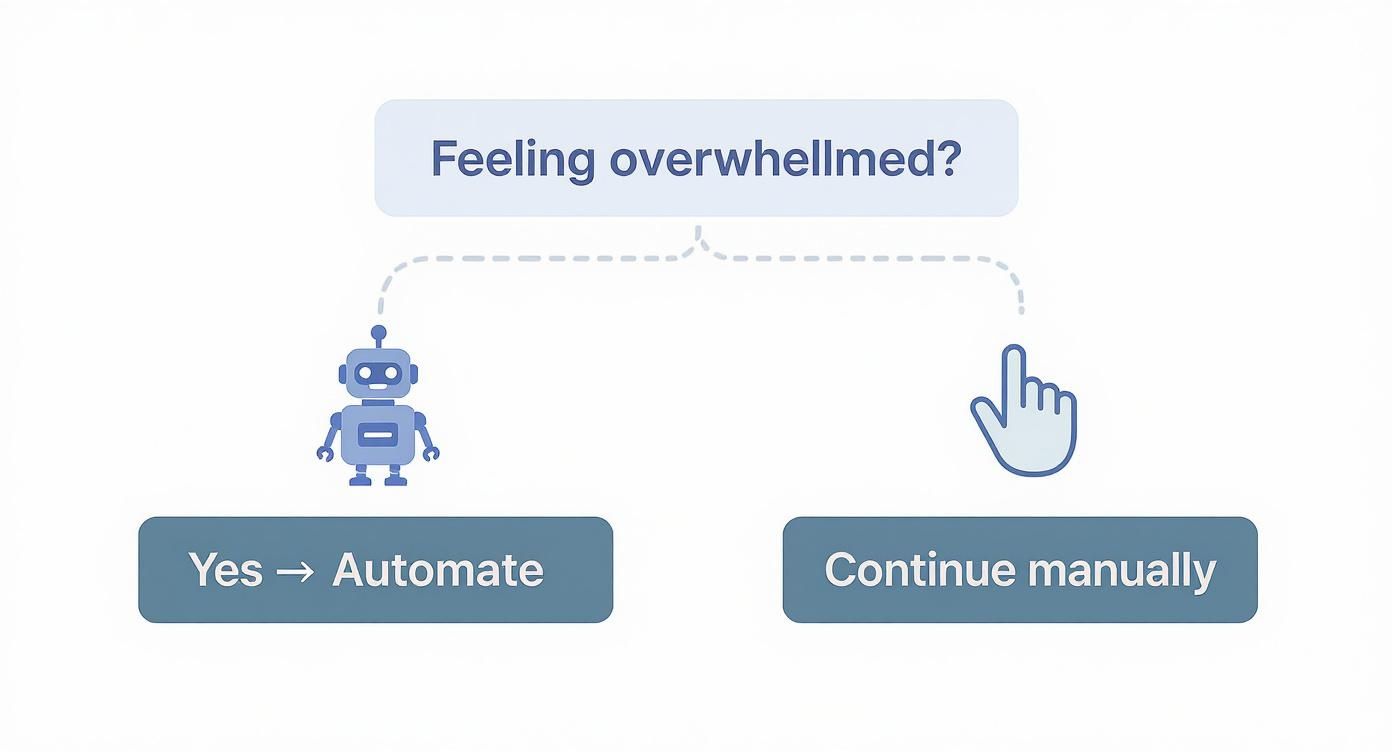
It highlights a simple but critical starting point: if manual posting is becoming a drag, it’s time to look at automation.
H3: Native Platform Integrations
The most straightforward way to get started is by using the built-in connections that platforms already offer, like linking your Instagram account directly to your Facebook Page.
- Who it’s for: Solo creators or small businesses that are heavy on visual content and just want a simple, set-it-and-forget-it solution.
- Pros: It’s 100% free and dead simple to set up right in the app's settings. No third-party tools or extra logins needed.
- Cons: You get almost zero customization. The content gets mirrored as-is, meaning your carefully crafted Instagram caption becomes your Facebook post, hashtags and all. That’s rarely ideal.
This approach is great for dipping your toes in the water, but you’ll quickly outgrow it once your strategy gets more sophisticated.
H3: Dedicated Social Media Management Tools
This is where platforms like Buffer, Hootsuite, or our own PostSyncer come into play. They’re built from the ground up to be a central command center for all your social media activity, not just a simple auto-poster.
These tools are designed for managing content calendars and streamlining your publishing workflow across multiple networks. Many also pack in analytics to see what's working and collaboration features for teams. If you want to go deeper, exploring different social media automation tools can help you find the perfect match for your team's size and needs.
H3: Flexible Automation Platforms
For anyone who loves building custom, automated workflows, tools like Zapier or Make (formerly Integromat) are the ultimate playground. These platforms act as the digital glue connecting thousands of different apps and services to create automated "recipes" or "scenarios."
For instance, you could build a workflow that automatically shares your new YouTube video to your Facebook Page the moment it goes live, complete with a custom-written message. Or you could set one up to share articles you save in Pocket or new products that hit your Shopify store.
When you're looking at these powerful platforms, a detailed Zapier vs Make comparison can be a huge help in figuring out which one fits your technical skill level and specific needs. They offer incredible power, but be prepared for a bit of a learning curve.
Key Takeaway: Automation platforms give you total control. You're not just sharing content; you're building an intelligent system that reacts to triggers from all corners of your digital world.
H3: Direct Website and CMS Plugins
If your main goal is simply getting your new blog posts onto Facebook, a plugin for your content management system (CMS) is often the most direct and efficient route. For the millions of us on WordPress, plugins like Jetpack or Blog2Social are popular for a reason.
These tools plug right into your publishing process. Once you get them configured, they’ll automatically push your new articles to your connected Facebook accounts the second you hit that "Publish" button. It’s seamless.
Comparing Popular Facebook Auto-Sharing Methods
To help you see everything at a glance, this table breaks down the key differences between each method. It's a quick way to compare them side-by-side and see which one aligns best with what you need right now.
| Method | Best For | Ease of Use | Customization | Cost |
|---|---|---|---|---|
| Native Integrations | Casual Users & Instagrammers | Very Easy | Very Low | Free |
| Social Managers | Agencies, SMBs, Teams | Easy | Medium | Freemium/Paid |
| Automation Platforms | Power Users & Tech-Savvy | Medium | Very High | Freemium/Paid |
| Website Plugins | Bloggers & Content Sites | Easy | Low-Medium | Freemium/Paid |
At the end of the day, picking the right tool to auto share on Facebook is all about matching its features to your actual day-to-day tasks. My advice? Start with the simplest option that solves your immediate problem, and don't hesitate to level up to a more powerful solution as your content strategy grows.
Connecting Your Website Directly to Facebook
For many of us managing a blog or a business website, the dream is to have our new content magically appear on our Facebook Page the moment we hit "Publish." The good news? It's not magic. It's just a direct connection, and it’s one of the most efficient ways to keep your social feed humming with fresh content. Think of it as a bridge: you publish on your site, and it instantly walks across to your Facebook audience.
If your site runs on WordPress—and with over 43% of the web built on it, there's a good chance it does—you're in a great position. The WordPress ecosystem is packed with plugins designed to make this happen. Let's walk through how to set up a solid system to auto share on Facebook without any fuss.
Getting Started with a WordPress Plugin
The first move is to pick the right tool for the job. You want a plugin that's not just powerful, but also reliable and easy to set up. While there are many great options like Blog2Social or Social Media Auto Publish, we’ll use Jetpack by Automattic as our example because it's a workhorse with over 5 million active installations that bundles social sharing into its core features. The setup process is very similar across most of these tools.
Jump into your WordPress dashboard and head over to Plugins -> Add New. In the search bar, type in the name of your chosen plugin, click "Install Now," and then "Activate." Just like that, you've added the new functionality to your site's backend and are ready to connect.
Most plugins will prompt you to go through a quick setup wizard, which usually involves creating a free account with their service to manage the connection.
Forging the Link to Your Facebook Page
With the plugin activated, it’s time for the most important part: connecting your website to your Facebook Page. This is where you'll grant permission for the plugin to post on your behalf.
Look for a new menu in your WordPress dashboard, often labeled "Sharing," "Social," or in Jetpack's case, "Publicize." This is your command center for social connections.
Here’s how it usually goes:
- Find the Facebook icon and click the "Connect" button next to it.
- You'll be sent to Facebook to log in and confirm it's really you.
- Facebook will then ask for permission for the app to post to your Pages. This is a standard and secure authorization step (called OAuth). You have to say yes for the automation to work.
- Choose the right Page. If you manage more than one, Facebook will let you pick which specific Page you want to link. This is a lifesaver for agencies or anyone juggling multiple brands.
Once you’ve gone through these steps, Facebook will redirect you back to WordPress, and you should see a message confirming the connection is live.
My Pro Tip: When Facebook asks for permissions, it sometimes requests more than it needs, like access to your friends list. You can almost always click to edit these permissions and scale them back to the essentials: the ability to "manage" and "publish content" to your Pages. It's good practice to only grant what's necessary.
Making Your Automated Posts Look Good
Let's be real—a bland, robotic-looking link drop isn't going to get much love. A good plugin knows this and gives you options to customize how your posts appear on Facebook so they feel more natural and engaging.
After connecting your account, dig into the settings. You should find a spot to create a default share message. This is your chance to add a bit of personality, ask a question, or pop in a few relevant hashtags that will go out with every new post.
Look for these key settings:
- Message Format: Can you share just the post title? Or the title plus an excerpt? Or maybe a completely custom message? Play around to see what works best.
- Image Selection: Make sure the plugin is grabbing your post's "Featured Image" for the link preview. A strong visual is absolutely essential for stopping the scroll on Facebook.
- Post Type Filtering: You probably only want to share your blog posts, not things like new products or portfolio items. A solid plugin will let you filter which content gets shared automatically.
Spending just five minutes here can dramatically change how your automated posts perform. For a deeper dive into timing and content strategy, our guide on how to schedule Facebook posts automatically has you covered.
What to Do When Things Go Wrong
Even the best-laid plans hit a snag. If your posts suddenly stop sharing, don't worry. It's almost always one of a few common issues that are easy to fix.
- The Connection Dropped: This is the usual suspect. It often happens if you change your Facebook password or if Facebook updates its platform. The fix is simple: go into the plugin's settings, disconnect your account, and then reconnect it.
- Permissions Got Revoked: Facebook occasionally tightens its security or updates app policies, which can accidentally revoke the permissions your plugin needs. You might need to pop over to your Facebook account's "Business Integrations" settings and re-authorize the plugin.
- The Link Preview Looks Weird: Seeing the wrong image or no image at all? This is typically an issue with your website's Open Graph (OG) tags. The quickest fix is to use Facebook's official Sharing Debugger tool. Paste your blog post's URL into it, and it will force Facebook to re-scrape the page and pull in the correct information.
By hooking your website directly into Facebook, you build a reliable and hands-off system for content distribution. It guarantees your new work gets seen immediately, driving people back to your site and keeping your Facebook Page active without you having to lift a finger.
Building Advanced Automation Workflows
Simple website-to-Facebook connections are a great start, but what happens when you want to build a truly dynamic content engine? This is where the real powerhouses of automation, platforms like Zapier and IFTTT (If This Then That), come into play.
Think of these tools as digital switchboards. They connect thousands of different apps, letting you create custom workflows that go way beyond just sharing a new blog post.
Instead of a single trigger, you can create multi-step automations that pull from your entire digital ecosystem. This approach transforms how you auto share on Facebook, turning a simple task into a sophisticated, self-running content strategy. You’re essentially building a system that intelligently pulls content from all over and distributes it for you.
Understanding Triggers and Actions
The core concept behind these platforms is beautifully simple. Every automation—called a "Zap" in Zapier or an "Applet" in IFTTT—is built on two basic parts.
- The Trigger: This is the event that kicks off the whole process. It's the "if this happens..." part of the equation.
- The Action: This is what your automation actually does. It's the "...then do that" part.
A classic example is: When a new video is uploaded to my YouTube channel (Trigger), create a new post on my Facebook Page (Action).
This screenshot from Zapier gives you a tiny glimpse into the possibilities with Facebook Pages, showing just some of the triggers and actions you can mix and match.
As you can see, you can start a workflow from almost anywhere and have it end up on Facebook, or use a Facebook event to trigger an action in another app.
Crafting Intelligent Workflows with Filters
Now, here’s where the magic really happens. When you add a third element—filters—you elevate your automation from basic to brilliant. A filter is just a conditional gatekeeper, telling your workflow to run only if certain criteria are met.
Let's say you follow an industry news RSS feed. You probably don't want to blast every single article to your followers, just the ones that are hyper-relevant.
- Trigger: A new item appears in an RSS feed.
- Filter: Only continue if the article's title contains the keyword "social media marketing."
- Action: Create a link post on your Facebook Page.
That one small addition stops your feed from getting cluttered with off-topic content. You’ve just created a curated, high-value content stream that runs completely on its own. If you're looking to build out a more comprehensive strategy, exploring different ways to automate social media marketing can give you a much wider view of these advanced techniques.
My Personal Tip: When you're just starting with Zapier or IFTTT, don't try to build a ten-step monster workflow. Start with something simple to get the hang of it. A great first project is connecting your "liked" videos on YouTube to a "To Watch" list in a Trello board. It teaches you the trigger-action logic perfectly, without the pressure of posting anything publicly.
Real-World Scenarios for Power Users
Alright, let's move past the theory. Here are some practical, high-impact workflows you can build today to put your Facebook sharing on autopilot.
Scenario 1: The E-commerce Retailer
An online store owner wants to spotlight new products on Facebook, but creating a post for every single new item is a huge time sink.
- Trigger: A new product is created in Shopify.
- Filter: Only continue if the product is tagged with "New Arrival."
- Action: Create a post on their Facebook Page with the product title, a custom message like "Just dropped! Check out our latest arrival," and the product URL.
Scenario 2: The Content Curator
A consultant saves interesting articles to Pocket as they browse the web. They want to share the absolute best ones with their professional network on Facebook.
- Trigger: A new item is saved to Pocket.
- Filter: Only continue if the item is tagged with "Share."
- Action: Create a link post on their Facebook Page using the article's title and URL.
Scenario 3: The Video Creator
A YouTuber needs to get their new videos in front of their Facebook audience with an engaging intro, but they often forget to post right away.
- Trigger: A new video is published on their YouTube channel.
- Action 1: Delay for 15 minutes (this gives the video time to fully process and become available).
- Action 2: Create a post on their Facebook Page with the video title, URL, and a custom message like "🔥 Our new video is live! Let me know what you think in the comments."
By building these kinds of advanced workflows, you’re doing more than just putting content distribution on autopilot. You're creating an intelligent, responsive system that ensures your audience gets a diverse stream of valuable content, all while freeing you up to focus on creating that content in the first place.
Smart Habits for Automated Sharing
Setting up a system to auto-share on Facebook is a massive efficiency win, but it’s not some "set it and forget it" magic button. I’ve seen firsthand that true success comes from blending the raw power of automation with a smart, human-led strategy. Without the right habits, even the best tools can make your feed feel robotic and disconnected—the exact opposite of what you're aiming for.
Think of automation as your assistant, not your replacement. It's there to handle the repetitive task of posting, freeing you up to focus on the stuff that really matters: creating incredible content and actually talking to your community. Let’s walk through the essential practices that will make sure your automated content feels authentic and actually drives results.
Customize Your Captions
Look, never assume a one-size-fits-all message works everywhere. A caption you wrote for Instagram, stuffed with 30 hashtags, is going to look completely out of place and lazy on Facebook. Every social network has its own vibe, its own audience, and its own unwritten rules.
Most good automation tools let you set up templates or tweak the message for each platform. You absolutely need to use this feature.
- Tweak the Tone: Is your Facebook audience more conversational? Do they like questions? Adjust your default message to match.
- Use Facebook-Specific Features: If your tool supports it, mention your Facebook Group or tag a collaborator directly in the post. It shows you’re paying attention.
- Fix Your Hashtags: A few relevant hashtags can work on Facebook, but that wall of tags you see on Instagram is a dead giveaway of lazy automation. Keep it clean.
This one small step makes a monumental difference in how people receive your content. It signals that you’re present and intentional, not just phoning it in.
Find Your Posting Rhythm
Just because automation makes it easy to post constantly doesn't mean you should. Blasting your followers' feeds is the fastest way to get unfollowed or muted. Finding the right posting frequency is crucial for staying top-of-mind without becoming a nuisance.
There’s no magic number here; it completely depends on your audience and your industry. A good starting point is to dive into your Facebook Insights. See when your followers are most active and how your current posts are doing. From there, experiment with different schedules and keep a close eye on your engagement rates.
Don't just automate the what; be strategic about the when. The best automation strategy respects your audience's time by delivering great content right when they're most likely to see and appreciate it.
Track Everything with UTMs
If you're not measuring, you're just guessing. Simple as that. To figure out the real impact of your automated sharing, you have to track the traffic it’s sending your way. This is where UTM parameters become your absolute best friend.
UTMs are just simple tags you add to the end of a URL. They don't change where the link goes, but they tell your analytics tools (like Google Analytics) exactly where that click came from. For example, you can see precisely how many people came from a specific automated Facebook post versus one you posted by hand.
This data is pure gold. It shows you which types of content are hitting the mark and which automated campaigns are actually driving people back to your website.
Remember the Human Element
Finally, and this is the most important part: automation handles publishing, not engagement. The real community building happens after the post goes live. This is a non-negotiable part of the process.
The stats don't lie about how crucial interaction is for getting seen. Facebook Reels, for example, now pull in over 140 billion views every month, and creators who use them have seen their overall page engagement jump by 41%. The takeaway is clear: interaction fuels reach.
Set aside time every single day to check your notifications, reply to comments, and answer questions. Acknowledge your audience, join the conversation, and prove there’s a real person behind the automated posts. That human touch is what turns passive followers into a loyal, thriving community.
Solving Common Auto-Sharing Problems
Even the most well-oiled automation machine can hit a snag. It's frustrating when your system to auto share on Facebook suddenly grinds to a halt, but don’t worry—the fix is usually pretty simple. Most of the time, these glitches come down to a few usual suspects, from a broken connection to a wonky link preview.
Before you start digging into complex settings, try the easiest fix first: just refresh the connection between your tool and Facebook. In my experience, this one simple step solves a good 80% of common auto-sharing failures. Automation tools need constant, authorized access, and that digital handshake can sometimes go stale.
This often happens if you've recently changed your Facebook password. Another common trigger is when Facebook quietly updates its API, which can invalidate your tool's permissions without any warning.
Restoring a Broken Connection
When a post fails to go live, your first port of call should always be your automation tool's settings. A quick "disconnect and reconnect" is usually all it takes to get things back on track.
It’s a straightforward process:
- Head over to the "Connected Accounts" or "Integrations" section of your tool.
- Find your Facebook connection and hit "Disconnect" or "Remove."
- Then, just click "Connect" again and walk through the prompts to re-authorize the app.
This simple action forces a fresh connection, re-establishing the permissions your tool needs to post for you.
Fixing Link Preview Problems
One of the most annoying issues is when your link shows up on Facebook with the wrong image, an old title, or no preview at all. This isn't your automation tool messing up; it’s an issue with how Facebook "scrapes" your website's data.
When you share a link, a Facebook crawler zips over to the page to grab info like the title, description, and featured image, all defined by your site's Open Graph (OG) tags. If that data is old or missing, the preview will look broken.
The fastest way to solve this is with Facebook's official Sharing Debugger tool. Just paste your article's URL into the debugger and click "Debug." This forces Facebook to clear its cache and grab the latest info from your page.
If the debugger spits out errors about missing OG tags, you'll likely need to hop into a WordPress SEO plugin like Yoast SEO or Rank Math to make sure they are set up correctly on your site.
Untangling Permission Errors
Sometimes, you’ll get a very specific error message saying the app doesn't have permission to post to your Page, even when the connection seems fine. This usually means a specific permission got toggled off somewhere. Facebook gives you really granular control over what third-party apps can do.
To check on this, dive into your Facebook account’s settings:
- Go to the "Settings & Privacy" menu, then click "Settings."
- Look for "Security and Login" on the left, then click into "Business Integrations."
- Find your automation tool in the list and click "View and edit."
This screen will show you exactly what permissions the app has. You need to make sure the permission to "publish content to Pages you manage" is enabled. If it’s unchecked, your posts will fail every single time. Ticking that box again should solve the problem instantly.
Ready to stop troubleshooting and start growing? PostSyncer provides a robust, AI-driven platform to manage all your social media scheduling and analytics in one place. Take control of your content strategy and try it free today. Learn more at https://postsyncer.com.



