











Automating your Instagram posts isn't just a nice-to-have anymore; it's a strategic pillar for anyone serious about growth. At its core, it's about scheduling your content—from single images to complex Reels—ahead of time. This frees you from being glued to your phone, letting you post consistently, which is exactly what the algorithm wants to see.
Why Automating Instagram Posts Is No Longer Optional
Let's be real for a second. Posting on Instagram "whenever you feel like it" is a one-way ticket to getting lost in the noise. The algorithm rewards consistency, and if you're not showing up regularly, you're essentially invisible. The old days of spontaneous, haphazard posting are long gone.
This is exactly where automation becomes your secret weapon. It’s not about turning your account into a robot; it’s about being smart with your time and energy. When you schedule your content, you clear up precious mental space to focus on what actually moves the needle: creating killer content and actually talking to your community.
This image nails it. Automation is all about bringing order to the chaos and building a system that fuels your growth.
Before we go deeper, let's look at the immediate difference an automated workflow makes.
Manual Posting vs Automated Workflows
| Aspect | Manual Posting | Automated Workflow (with PostSyncer) |
|---|---|---|
| Consistency | Inconsistent, relies on daily effort and memory. | Predictable, scheduled posts maintain a constant presence. |
| Time Investment | Daily, time-consuming process for each post. | Batch-create and schedule weeks of content in one session. |
| Optimal Timing | Guesswork; posting when it's convenient for you. | Data-driven; posts go live when your audience is most active. |
| Stress Level | High. Constant pressure to create and post on the fly. | Low. Plan ahead and remove the last-minute scramble. |
| Growth Potential | Slower, as inconsistent activity can hurt reach. | Faster, as consistency signals value to the algorithm. |
Switching to an automated system with a tool like PostSyncer isn't just a small tweak—it's a fundamental shift in how you approach your content strategy, giving you a serious competitive edge.
Reclaim Your Time and Hit Every Opportunity
Think about all the minutes that add up each day just from opening the app, uploading a photo, writing a caption, and hitting "share." Automation turns those scattered minutes into a single, focused planning session. For instance, using a tool like PostSyncer, you can knock out an entire week's or even a month's worth of content—including tricky formats like carousels and Reels—in one go.
The impact is immediate:
- You stay consistent. A steady stream of content tells the algorithm your account is active and worth showing to more people.
- You post at the perfect time. Automation tools can dig into your audience data and publish content right when your followers are scrolling, maximizing your reach.
- You eliminate the stress. No more panicking at 8 PM because you forgot to post. It's already handled.
The goal here is simple: work smarter, not harder. The whole idea is to cut down on repetitive work so you can be more efficient, a concept explored in guides on how to automate repetitive tasks and boost efficiency.
Adapt to a More Demanding Algorithm
Instagram is always moving the goalposts. Recently, it feels like engagement has been on a downward slide for many. In fact, some reports show that overall engagement rates on the platform have dropped by a staggering 28% year-over-year heading into 2025. This forces creators to be much more deliberate.
The algorithm is now doubling down on content that holds people's attention, making a consistent flow of high-quality posts more critical than ever. This shift makes automation less of a convenience and more of a must-have for anyone looking to survive and thrive on the platform.
Choosing Your Instagram Automation Toolkit
Deciding on the right tool for automating your Instagram posts is a bit like choosing between the free, built-in navigation app on your phone and a dedicated, high-end GPS for a cross-country road trip. Both will get you where you're going, but the journey—and what you can accomplish along the way—is worlds apart.
Your choice really boils down to two paths: sticking with Meta's own scheduling tools or investing in a specialized third-party platform.
For a solo creator just getting their feet wet, Meta Business Suite can feel like enough. It's free, it's already there, and it handles the basics of scheduling a single post or Reel. But you'll feel its limitations the second your strategy gets more ambitious.
When to Graduate from Meta's Native Tools
Meta’s scheduler is a great starting point, but it's clearly built for simple, one-off tasks. It completely lacks the muscle needed for scaling up, working with a team, or digging into real performance data. You'll hit a wall fast if you're trying to manage more than one account or need an organized workflow.
Imagine you're a marketing agency handling social media for ten e-commerce brands. Using Meta Business Suite would be a nightmare of constantly logging in and out of different accounts. There's no central dashboard, no client approval system—just a messy, inefficient, and error-prone process that simply won't scale.
Key Takeaway: Native tools are fine for casual, personal use. But for serious growth, team management, and a strategy driven by data, you absolutely need a platform built to handle those challenges.
The Power of a Dedicated Third-Party Platform
This is where a tool like PostSyncer completely changes the game. Third-party platforms are purpose-built to solve the complex problems that Meta's tools weren't designed to handle. They’re all about efficiency, collaboration, and getting much deeper strategic insights from your work.
Let’s go back to our agency example. With a platform like PostSyncer, you can manage all ten client accounts from a single, unified dashboard. It also unlocks other powerful features that are total game-changers:
- Collaborative Workspaces: You can create separate, organized sandboxes for each client or brand. Each one gets its own media library and dedicated approval workflows.
- Seamless Client Approvals: Instead of endless email chains and shared spreadsheets, you can share a clean content calendar directly with clients. They can review, leave comments, and approve posts before anything goes live.
- Unlimited Analytics History: Instagram's native analytics only show you the last 90 days of data. That’s not nearly enough. Dedicated platforms give you unlimited historical data, letting you spot long-term trends and actually prove your ROI over time.
These platforms are essential for anyone serious about making Instagram automation work for them. They move you beyond just scheduling a post here and there to creating a complete operational system for your entire social media strategy.
If you're still weighing your options, diving into a detailed comparison of the best social media scheduling tools can give you the clarity you need. The goal is to pick a toolkit that doesn't just solve today's problems but is ready to grow with you.
Building Your Automated Content Calendar
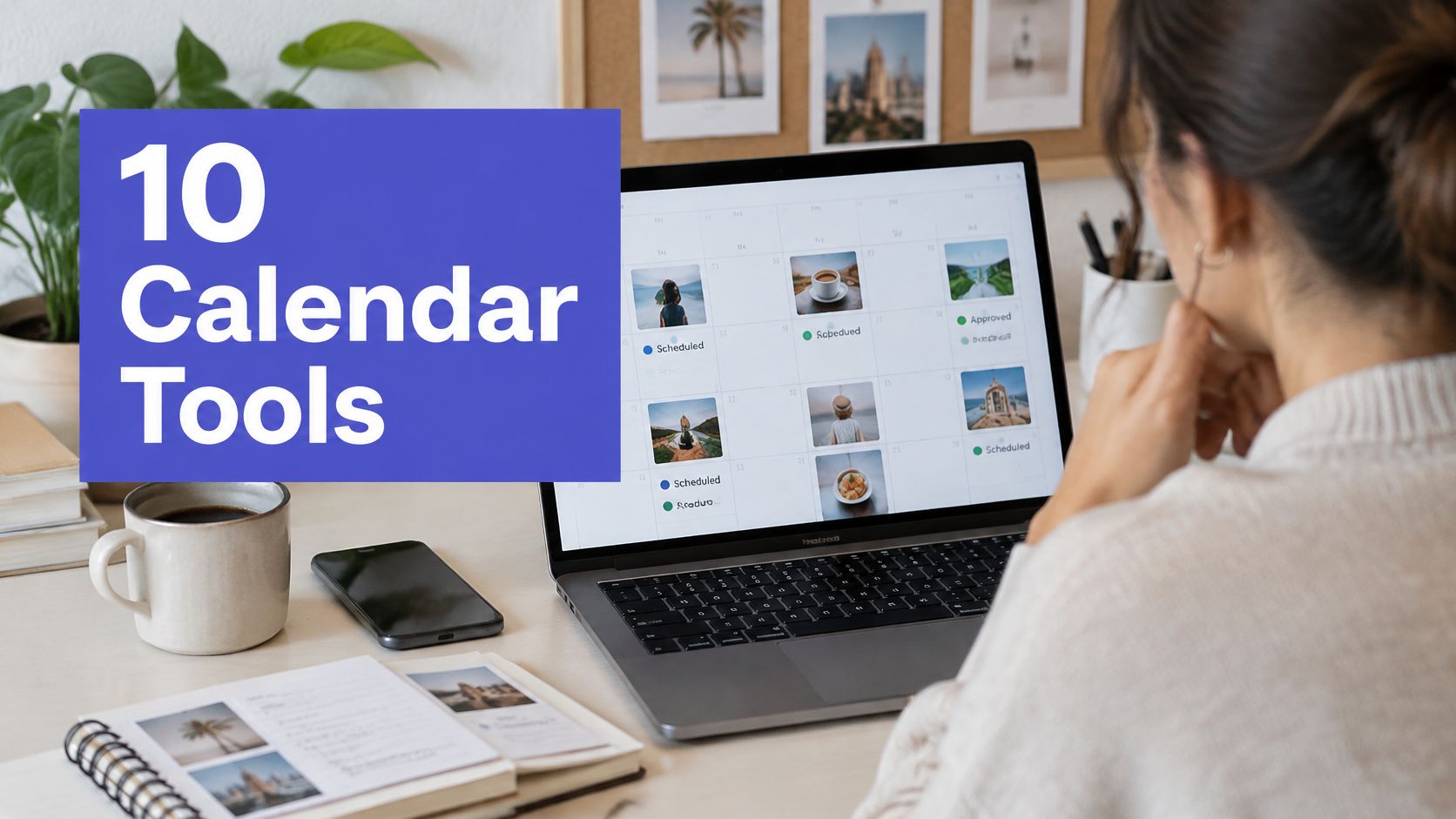
Alright, let's move from theory to action. This is where the real magic of automating your Instagram posts happens. Building a content calendar isn't just about plugging posts into a spreadsheet; it's about designing a reliable, automated publishing machine. You're basically trading the daily "what do I post?!" scramble for a calm, organized, and strategic process.
The whole point is to batch your work. Instead of winging it every day, you set aside a dedicated block of time to plan, create, and schedule everything for the coming week or even the entire month. This simple shift ensures you never go dark on your audience and keeps your content quality consistently high.
This flowchart really brings to life the difference between using a basic, built-in tool like Meta Suite versus a more advanced platform like PostSyncer.
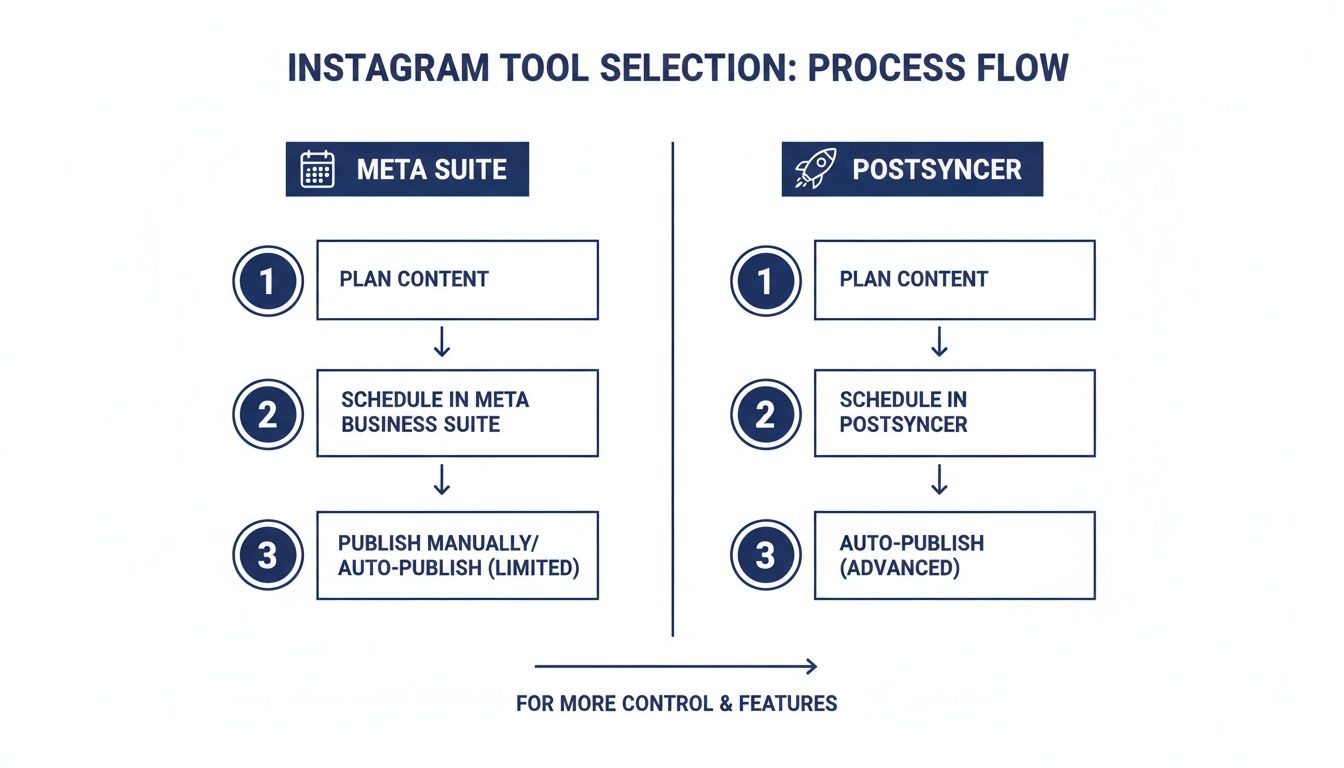
As you can see, a dedicated platform brings in crucial steps like team collaboration and deep analytics—the kind of stuff you absolutely need if you're serious about scaling your strategy.
Scheduling Different Content Types
A great Instagram strategy is all about variety, and your automation tool needs to handle every format you throw at it. With a platform like PostSyncer, you can easily load up your calendar with a smart mix of post types, each serving its own purpose.
- Single Image Posts: These are your bread and butter. They're perfect for quick announcements, stunning photos, or shareable quotes. Scheduling them is a breeze—just upload the image, nail the caption, and tell it when to go live.
- Carousels: These things are engagement gold. Use them to create mini-tutorials, tell a compelling story, or break down a complex idea into digestible slides. A good scheduler lets you upload all your images, drag and drop them into the right order, and write a caption that gets people swiping.
- Reels: Let's be real, short-form video is king right now, so scheduling your Reels is a must. You should be able to upload your final video, pick a catchy cover image, write your caption, and schedule it for a peak time slot to nail that crucial initial visibility.
A killer content calendar is more than just filling empty slots. It's about telling a coherent story over time. If you need some ideas to get started, you can find tons of inspiration from these proven social media content calendar examples.
Mastering the Details for Maximum Impact
Automating your Instagram is about more than just hitting the "publish" button at a set time. The small details are what separate a generic, robotic-looking feed from one that feels polished and professional. A truly powerful tool lets you automate these finer points, which not only saves you time but seriously boosts your post's performance.
As you get into the rhythm of building your calendar, don't lose sight of the bigger picture. Creating valuable content is still the core mission. For a deeper look, there are some great resources on content marketing best practices for scalable growth that can really sharpen your strategic thinking.
Here are a few of those critical details you should be automating:
- First Comment Hashtags: This is a classic move for a reason. Keep your captions clean and focused by automatically dropping your block of hashtags into the first comment. It’s a simple trick to maintain a tidy aesthetic without giving up any of that sweet, sweet discoverability.
- Alt Text: Seriously, don't skip this. Writing descriptive alt text makes your content accessible to visually impaired users. It also gives Instagram's algorithm more context about your image, which can help its reach.
- Tagging and Mentions: Collaborating with other accounts or sharing user-generated content? You can schedule all the necessary tags and mentions right from your dashboard. This makes sure everyone gets their credit right when the post goes live, without any last-minute scrambling.
By building these small but mighty steps into your automated workflow, you're not just saving time. You're creating a system that optimizes every single piece of content for the best possible results.
Using AI for Smarter Instagram Automation
Automating your Instagram isn't just about queuing up posts for the week and calling it a day. It's about working smarter, not harder. This is where AI stops being a tech buzzword and becomes your secret weapon, helping you post the right content at the exact right moment to get noticed.
True, intelligent automation means you can finally stop guessing. Instead of throwing content out there and hoping it sticks, AI-powered tools like PostSyncer dig into your specific follower data to pinpoint the absolute best times to post. This data-first approach ensures your hard work actually lands in front of people while they're actively scrolling.
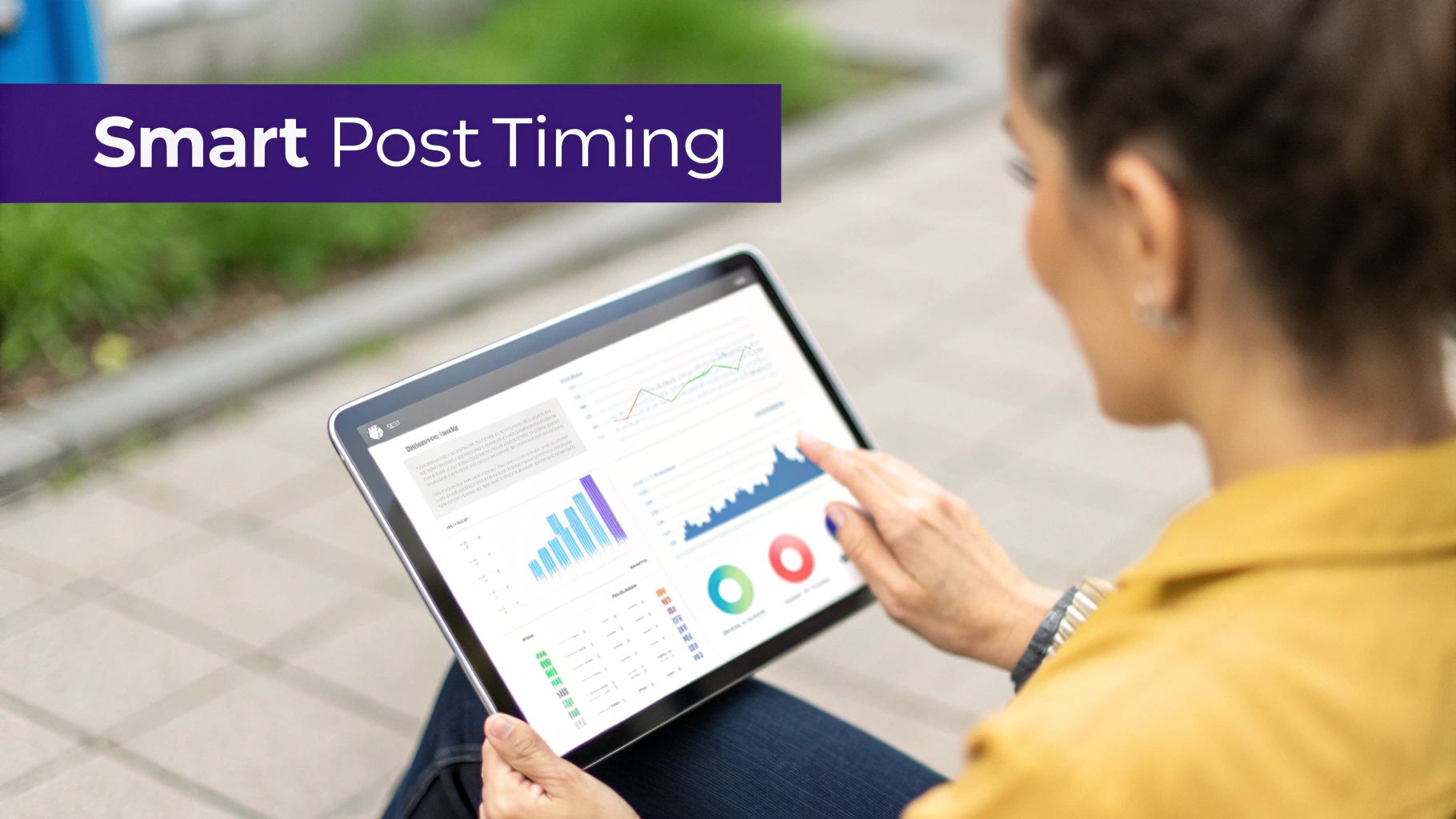
This kind of smart scheduling can reveal some pretty surprising insights. I’ve seen small business owners discover their audience is super engaged late on a Sunday night—a time they would have never thought to post manually. Just one small, AI-guided tweak like that can cause a major spike in engagement.
Beyond Scheduling to Content Creation
But AI’s role in your Instagram workflow doesn't end with a smart calendar. It's also becoming an incredible creative partner, helping you smash through that dreaded content creation block we all hit from time to time.
When you're staring at a blank screen, AI can be the spark you need to brainstorm or even generate compelling content from scratch. Here are a few ways I’ve seen it work wonders:
- Caption Generation: Give it a simple prompt about your photo or video, and an AI writer can spit out several engaging caption options, complete with on-brand emojis and a clear call to action.
- Carousel Concepts: Stuck on how to build out a multi-slide post? AI can help outline an entire educational carousel, breaking a big idea down into perfectly digestible, swipe-friendly slides.
- Hashtag Suggestions: Instead of spending an hour on hashtag research, AI can analyze your content and suggest a solid mix of popular, niche, and trending tags to boost your post's discoverability.
This combination of creative help and smart scheduling is a powerhouse. You can see more ways to apply this by checking out our complete guide on AI for social media marketing.
The real goal here is to let AI handle the repetitive, data-heavy lifting. That frees you up to focus on the big-picture strategy and actually talking to your community. It’s a partnership that leads to better, more consistent results every time.
And this isn't just theory—the numbers back it up. We've seen reports showing that creators who lean into automation can see engagement surges of up to 300%. Better yet, recent studies have found that automated accounts often have 45% higher engagement rates than those posting manually, all thanks to optimized schedules and predictive content ideas. You can dig into these trends and understand more about Instagram automation findings here.
How to Analyze and Optimize Your Automated Strategy
Getting your automation set up is a great first step, but it’s just that—the first step. The real magic happens when you close the loop: automate, analyze, and then optimize.
An automation strategy without data is like driving blind. You're definitely moving, but you have no clue if you're headed in the right direction. This last piece of the puzzle is all about using real performance numbers to make your strategy smarter over time.
Forget obsessing over vanity metrics like follower counts or even likes. For a strategy that actually drives growth, you need to zero in on the data that signals genuine audience interest. These are the numbers that tell you what’s truly connecting with people.
Metrics That Actually Move the Needle
Your goal should be to track metrics that tie back to real business objectives, not just social proof. Here’s what I always tell clients to prioritize:
- Saves: This is a huge indicator. When someone saves your post, they're saying it's so valuable they want to come back to it later. It's also a powerful signal to the algorithm that you're putting out high-quality stuff.
- Shares: A share to a story or a DM is a personal endorsement. Someone is literally vouching for your content, extending your reach far beyond your own followers.
- Website Clicks: For most businesses, this is the ultimate goal. Tracking clicks from your bio link or story stickers is how you directly tie your Instagram efforts to leads and sales.
- Comment Quality: Don't just count the comments; read them. A meaningful conversation or a genuine question is infinitely more valuable than a string of fire emojis.
This is where the difference between Instagram's native analytics and a dedicated platform becomes glaringly obvious. While the native tools give you a decent snapshot, they cap you at just 90 days of historical data. That's simply not enough to spot long-term trends or prove ROI over a full quarter.
Creating a Powerful Feedback Loop
A tool like PostSyncer gives you unlimited historical data, letting you see the bigger picture. This deeper insight is critical, especially when you consider that Instagram's 2025 algorithm is being built on two pillars: connected reach (engaging your existing followers) and unconnected reach (attracting new ones).
You can’t master both without a data-driven approach. If you want to dive deeper, there are some great insights into Instagram's evolving algorithm here.
Once you have access to solid analytics, you can start running simple but powerful tests to see what resonates.
Let's walk through a real-world example. Imagine you're an e-commerce brand selling handmade ceramics. You could A/B test two similar posts of a new mug. For Post A, write a caption focused on the product's features—it's dishwasher safe, holds 12oz, etc. For Post B, tell the story behind its creation.
By comparing the saves and comments between the two, you'll quickly learn whether your audience responds better to practical details or emotional storytelling.
This continuous cycle of testing and refining turns your automation from a simple scheduler into a smart, self-improving growth engine. You're no longer just shouting into the void; you're actively listening to what your audience wants and giving them more of it.
Got Questions About Automating Instagram Posts?
Jumping into Instagram automation can feel a little weird at first. I get it. You've spent a ton of time building your brand, and the last thing you want to do is mess that up. Let's walk through some of the most common questions and worries I hear all the time.
The big one is always about safety: can automating get my account banned? The short answer is a hard no, but with a huge caveat: you have to use an official Instagram Partner tool. Platforms like PostSyncer connect directly to Meta’s official API, which is the only approved and secure way to schedule content. It’s like having a special key from Instagram itself, so you're always playing by their rules.
Where people run into serious trouble is with those shady, unofficial apps. If a tool asks for your Instagram password instead of having you log in through Facebook, that's a massive red flag. These apps often use scraping and bot-like tricks to automate follows, likes, or comments—activities that will absolutely get your account flagged or banned.
Legit automation is only about publishing content you've made. It's not about faking engagement.
Will My Content Feel Robotic?
This is another huge concern, and it's a valid one. Nobody wants their feed to look like a sterile, lifeless content-pumping machine. But here’s the thing: whether your content feels human has absolutely nothing to do with the scheduling tool. It has everything to do with your strategy.
Automation is just the delivery truck; you're still the one creating the package. A smart automation workflow actually frees you up to be more human, not less.
Think about it: when you batch-create and schedule your core posts, you're no longer scrambling every single day. That frees up so much mental space to focus on the things that build real connection, like replying to DMs, jumping into comment threads, and posting spontaneous, in-the-moment Stories.
Automation takes care of the consistency. You take care of the connection. It's like a chef doing all their mise en place before the dinner rush. The prep work (scheduling) guarantees a smooth service, which lets the chef (you) focus on the creative plating and chatting with the diners (your audience).
Does Automation Hurt Engagement?
This myth just won't die. The idea that Instagram’s algorithm "punishes" posts from third-party tools is completely false, especially when you're using an official API partner. In fact, my experience shows that a smart automation strategy almost always boosts engagement.
Here’s why:
- Perfect Timing: Tools can dig into your specific audience data and post your content the exact moment your followers are scrolling. Hitting that peak activity window is huge for getting that initial burst of visibility.
- Rock-Solid Consistency: You'll never miss a post again. Life gets busy, but your content schedule doesn't have to suffer. This regular rhythm signals to the algorithm that your account is active and valuable, which helps your reach over time.
- Better Content, Period: When you aren't in a constant state of panic about what to post right now, you can dedicate real, focused time to crafting higher-quality, more thoughtful content.
Can I Automate Comments and Likes?
This is where we draw a very firm line in the sand. No.
Automating engagement—comments, DMs, likes, follows—is a direct violation of Instagram's terms of service. It's the definition of inauthentic behavior, and their API explicitly prohibits any tool from doing it for you. Any service you see offering to auto-comment or auto-like for you is not an official partner and is putting your account in serious danger.
Safe, effective, and rule-abiding automation is for one thing only: publishing your own great content.
Ready to automate your Instagram the right way? PostSyncer is an official Meta Partner, giving you a powerful, AI-driven platform to schedule content, analyze what’s working, and collaborate with your team—all while keeping your account 100% safe. Start your free 7-day trial today and see how it feels.