












Making your team more productive isn't about cracking a whip to make them work faster. It’s about getting rid of the friction that grinds everything to a halt. For marketing teams, that means ditching the scattered assets, chaotic approval cycles, and the endless tab-switching for a single, centralized workflow. It’s how you give your team back their creative energy to focus on work that actually moves the needle.
The True Cost of Inefficient Marketing Workflows
Before you can fix what’s broken, you have to get honest about what’s really holding your team back. It's easy to blame the obvious time-wasters, but the real productivity killers are often hiding in plain sight, buried in the daily grind. The small, nagging inefficiencies are the ones that quietly sabotage your best-laid plans.
Let me paint a picture you’ve probably seen before. Your social media team is prepping a huge product launch. The graphic designer drops the final visuals into a shared drive, but the copywriter can’t find the right folder to save their life. At the same time, your campaign manager is playing detective, chasing down feedback from three different execs scattered across Slack DMs and a messy email chain.
Each of these little hiccups is a point of friction. The designer gets pulled away from their next task, the copywriter wastes 15 minutes just searching, and the manager burns an hour trying to piece together conflicting edits. On their own, they’re just minor annoyances. But add them up, and you’ve got a full-blown cascade of delays.
The Snowball Effect of Small Inefficiencies
It doesn't take long for these small snags to snowball into massive problems that hit your bottom line. A recent Atlassian survey found that teams waste an astonishing 25% of their time just searching for information—hunting for files, old briefs, or that one piece of stakeholder feedback. That’s a full 10 hours out of a 40-hour workweek, gone.
This constant digital scavenger hunt doesn't just waste time; it murders creative momentum. Every time someone has to stop what they're doing to find an asset or get a simple clarification, they lose the focus and flow state that’s essential for producing great work.
This leads to some very real, and very painful, consequences that I’m sure many marketing leaders will recognize:
- Missed Deadlines: Those "small" delays pile up fast, pushing back launch dates and causing you to miss out on key market moments.
- Team Burnout: The constant friction and the pressure to play catch-up leads to frustration, exhaustion, and a serious drop in morale.
- Subpar Campaigns: When your team is rushed and stressed, creativity is the first casualty. The work becomes tactical, not strategic, and fails to connect with your audience.
In the end, a clunky workflow isn’t just about lost hours. It's about lost potential. The goal isn't just to churn out more content; it's to create the space your team needs to do their absolute best, most impactful work.
Let's break down how this playbook turns those common headaches into streamlined solutions.
From Common Marketing Bottlenecks to High-Impact Solutions
Here’s a quick look at the daily struggles we're tackling and the strategic fixes you'll find in this guide.
| Common Productivity Killer | Strategic Solution (Covered in this Guide) |
|---|---|
| Scattered Files & Assets: "Where is the final version of that graphic?" | Implement a centralized media library to make all assets instantly accessible. |
| Chaotic Approval Cycles: Endless email threads and conflicting feedback. | Design a clear, tiered approval workflow to get sign-offs faster. |
| Vague Roles & Responsibilities: "Who was supposed to write the ad copy?" | Define crystal-clear roles and handoffs using a RACI chart. |
| Manual, Repetitive Tasks: Scheduling posts and pulling reports by hand. | Use AI-powered tools for smart scheduling and automated reporting. |
| No Visibility into Progress: "What's the status of the holiday campaign?" | Set up a real-time performance dashboard to track progress and KPIs. |
By tackling these core issues, you're not just oiling the machine—you're building a better one. Now, let's get into the first step: diagnosing exactly where your team is losing the most time.
Get a Real Look at Your Workflow With a Practical Audit
Before you can boost your team's productivity, you have to get an honest look at your current reality. You simply can't fix bottlenecks you can't see. Think of a workflow audit as a diagnostic tool—not a judgment session—designed to uncover all the hidden friction points that slow your team down, from that first spark of an idea to the final performance report.
The goal here is to stop guessing and start gathering real data on how work actually gets done. This isn't about pointing fingers; it's about finding the systemic cracks that even your top performers are struggling with. The insights you pull from this process will become the blueprint for building a faster, smarter, and less frustrating workflow for everyone.
For most marketing teams, the domino effect of inefficiency is a familiar story: scattered assets lead to chaotic approval cycles, which almost always end in missed deadlines.
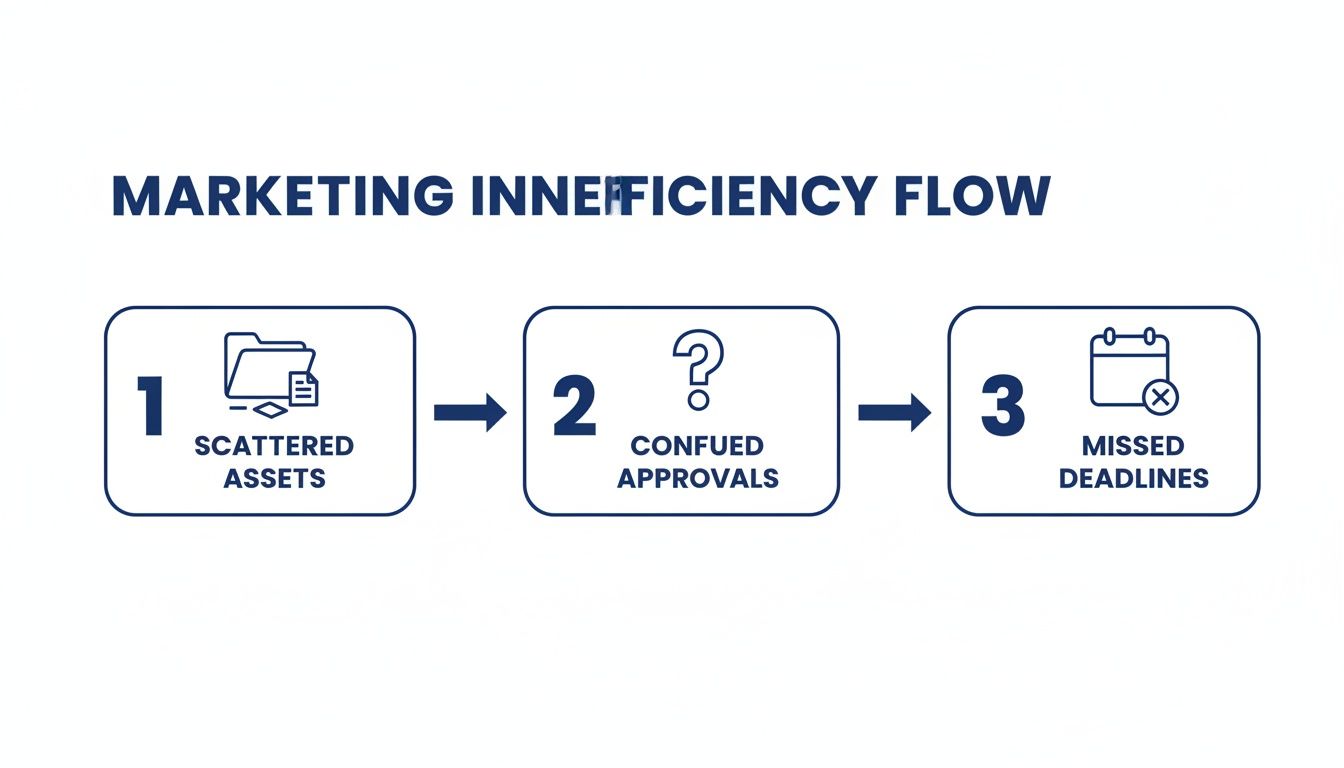
It’s a classic case of one small snag creating a ripple effect, turning a minor hiccup into a major project delay.
Asking the Right Questions to Find the Pain Points
Kick things off by getting your team in a room and asking some pointed questions. The idea is to trace the entire journey of a typical marketing asset, whether it's a social media post or a new blog article. Honesty is everything here, so make sure it's a safe space for people to share their daily frustrations without any fear of blowback.
Here are a few questions to get the ball rolling:
- Tool Overload: How many different tools do we have to open just to get a single social media post out the door—from writing the copy to designing the graphic and finally scheduling it?
- Feedback Bottlenecks: Where does creative feedback always seem to get stuck? Is it waiting on one specific person, or is the process itself just a confusing mess?
- The File Hunt: Seriously, how much time is the team wasting each week just trying to find the latest version of a logo, a campaign brief, or a final graphic?
- Clunky Handoffs: When the copywriter passes work to the designer, is it a smooth transition? Or is it full of back-and-forth questions and rework?
The answers you get are pure gold. They don't just highlight problems; they show you exactly where a small process tweak or a new tool could make a massive difference in your team's day-to-day.
Get It On a Whiteboard and Map It Out
Once you've collected all that feedback, it's time to make it visual. Grab a whiteboard (or a digital one) and physically map out your entire workflow. I’m talking every single step, from the initial brief all the way to the final performance report. Use simple boxes and arrows to show each stage and who hands off what to whom.
This exercise is almost always a huge eye-opener. It immediately exposes redundant steps, confusing communication loops, and unnecessary layers of complexity that nobody ever noticed because they were too deep in the weeds just trying to get their work done. If you want a more structured approach, our guide on building an effective content creation workflow breaks this down in detail.
Zero in on the Key Friction Points
As you stand back and look at your workflow map, patterns will start to jump out at you. You’re looking for the moments where work grinds to a halt or has to be sent back for revisions. These are your prime targets for improvement.
Common Friction Points to Watch For:
- The "Information Hunt": This is when people are constantly digging through emails, Slack threads, and random cloud folders for assets, briefs, or feedback. A central media library is often the direct fix here.
- The "Approval Black Hole": You know this one. A piece of content goes out for review and just... disappears for days. The culprit is almost always a lack of a clear, tiered approval process.
- The "Manual Task Grind": This covers all the repetitive, soul-crushing work like manually posting to five different social platforms or copy-pasting data into a weekly report. These are screaming to be automated.
By pinpointing these exact issues, you can shift from vague complaints about "being too busy" to creating a targeted plan of attack. You’re no longer trying to solve a generic productivity problem; you’re fixing specific, measurable issues with clear-cut solutions.
Designing Your Centralized Productivity Hub
Okay, you've done the hard work of auditing your workflow and pinpointing exactly where things are breaking down. Now comes the fun part: building a system that makes those friction points a distant memory.
This isn’t about slapping on a temporary fix. We're talking about creating a permanent, centralized hub—a single source of truth for every campaign, asset, and approval. The goal is to completely stamp out the guesswork and the endless searching that grinds momentum to a halt. A well-designed hub gives your team total clarity on what needs to be done, when it's due, and where to find what they need.
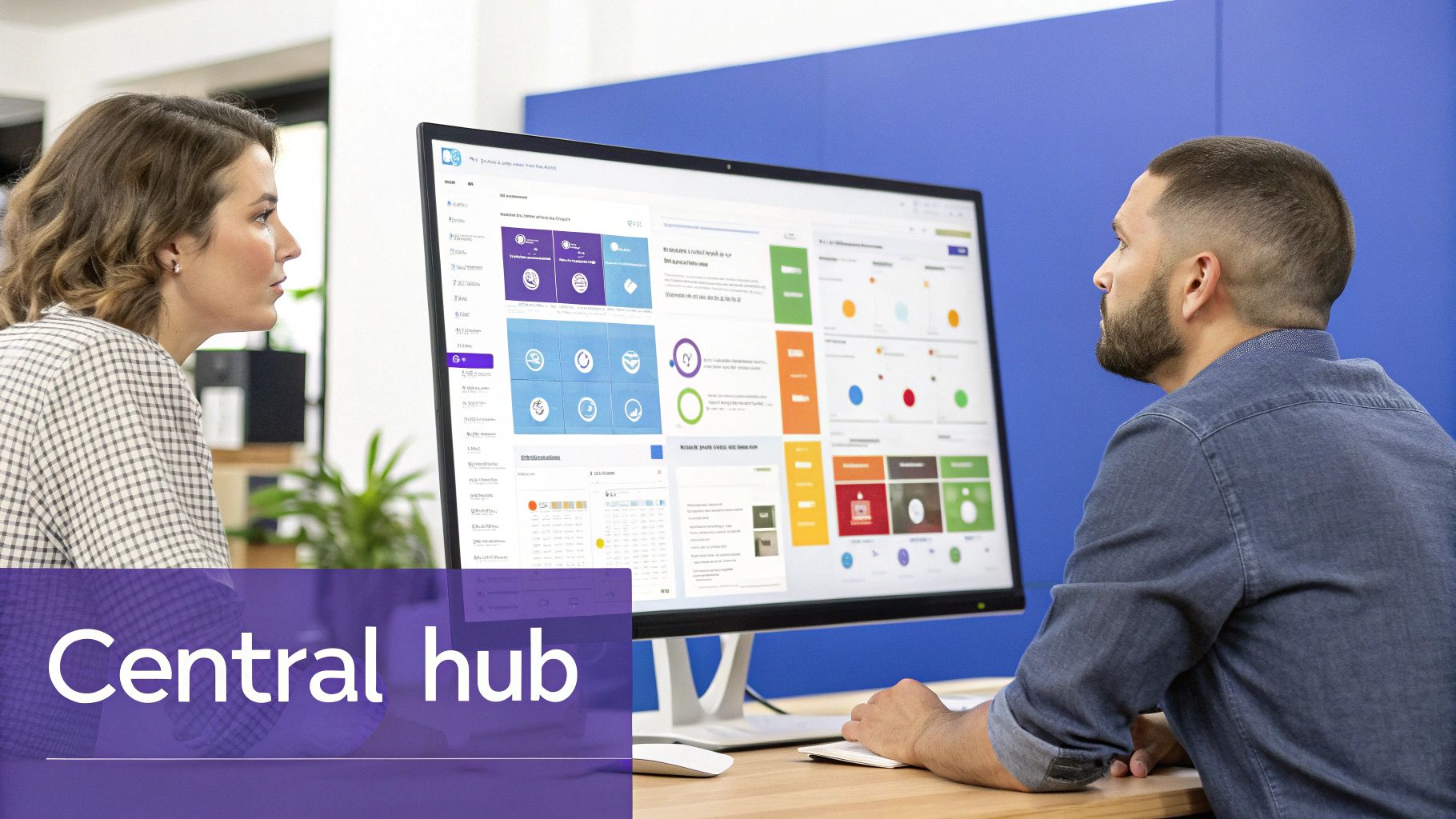
When everyone can see the big picture at a glance—from content calendars to performance analytics—you kill the need to piece together information from a dozen different places. This is how you shift from reactive chaos to proactive, strategic execution.
Defining Roles with a Modern RACI Model
Ambiguity is the absolute enemy of productivity. I’ve seen it a hundred times: when people aren't 100% sure of their responsibilities, handoffs get fumbled, tasks get dropped, and deadlines are blown.
The fix? Define every role with absolute clarity. My go-to framework for this is the RACI model, which I've adapted over the years for the insane pace of modern marketing teams.
Here’s the breakdown:
- Responsible: This is the person doing the work. Think of your copywriter drafting a blog post.
- Accountable: This is the project owner, the one with the final say. It's often the Content Manager or team lead. Crucially, there should only be one 'A' per task to avoid confusion.
- Consulted: These are your subject matter experts who provide input before work starts. A product marketer offering key messaging points is a classic example.
- Informed: These folks are kept in the loop on progress but aren't directly involved in decisions. The Head of Sales who needs to know when a campaign launches fits here.
Let’s apply this to something simple, like a new social media ad. The copywriter is Responsible for the ad copy, the Social Media Manager is Accountable for the campaign's success, the design team is Consulted on visuals, and the rest of the marketing team is Informed when it goes live. No more crossed wires, no more confusion.
Building Your Single Source of Truth
With roles crystal clear, it’s time to consolidate your tools. The constant app-switching between your project management software, Google Drive, a spreadsheet calendar, and Slack is a massive productivity killer. A central hub is designed to bring all of that under one roof.
A single source of truth isn’t just a nice-to-have; it's a non-negotiable for any high-performing team. It eliminates version control nightmares and ensures everyone is working from the most up-to-date information, every single time.
This is where a platform like PostSyncer can become the backbone of your entire operation. It's built to be that central space, integrating the best collaboration tools for remote teams and consolidating critical marketing functions into one seamless interface.
How a Central Hub Solves Key Bottlenecks
Let’s get specific. Think back to the friction points you uncovered in your audit. Here’s how a consolidated platform tackles them head-on:
- Unified Content Calendar: Ditch the clunky spreadsheet. A visual, drag-and-drop calendar gives everyone a clear view of all upcoming content across every channel. You can instantly see what’s planned, what’s in progress, and what’s been approved.
- Centralized Media Library: This puts an end to the dreaded "Can you send me the latest logo?" email. All your approved brand assets, from campaign visuals to final video cuts, are stored in one easily searchable location. This is a core pillar of effective marketing resource management.
- Streamlined Approval Workflows: Instead of chasing feedback through endless email threads and Slack DMs, you build custom approval chains right in the platform. Content is automatically routed to the right stakeholders (your 'A' and 'C' from the RACI model), and all feedback is captured in one spot, creating a clear audit trail.
By bringing these pieces together, you're not just organizing your work—you're fundamentally changing how your team collaborates. You’re lifting the administrative burden so your team can finally focus on what they do best: creating great marketing that actually moves the needle.
Using AI and Automation to Reclaim Creative Time
Okay, once you've got your workflows mapped out and your central content hub is humming along, this is where the real fun starts. We’re moving beyond just managing the day-to-day and into actively scaling your team's creative firepower. The key is plugging AI and automation directly into that shiny new process you just built.
This isn't some futuristic, "maybe one day" concept. I'm talking about practical tools you can use right now to eliminate the soul-crushing, repetitive work that eats up your team's day. When you automate the grunt work, you free up their brainpower to focus on what actually moves the needle: killer strategy, brilliant creative, and real conversations with your audience.

The data is screaming this from the rooftops. A recent Slack report found that the most productive employees are a staggering 242% more likely to use AI than their peers. That's not a small gap—it's a massive differentiator. For a deeper dive, these revealing employee productivity statistics really paint a clear picture of the impact.
Automate the Grind, Not the Genius
Here’s the first rule of smart automation: go after the tasks that are necessary but creatively bankrupt. These are the jobs you hand over to the machines, instantly clawing back dozens of hours for your team every single month.
Just think about the content lifecycle for a social media manager. How many hours do they burn manually scheduling posts? It's a painful mix of guesswork and tedious data entry, and it's a perfect candidate for automation.
High-Impact Automation Opportunities:
- AI-Powered Scheduling: Forget guessing the best time to post. A smart tool can analyze your past engagement and automatically schedule every single post for the exact moment your audience is most likely to see it and react.
- Content Curation: Instead of manually scouring the web, set up tools to monitor keywords, hashtags, or industry news. They'll surface relevant articles and user-generated content for you, saving hours of mind-numbing searches.
- Performance Reporting: No more copying and pasting metrics into a spreadsheet every Monday morning. Automate your reporting to pull key data into a clean dashboard, so your team can skip the manual labor and jump straight to the insights.
By offloading these tasks, you aren't replacing your team's skill. You're supercharging it. They get to spend less time on manual button-pushing and more time on the strategic thinking that drives campaigns forward.
Using AI as a Creative Co-Pilot
Beyond just automating tasks, think of AI as a brainstorming partner that can help you iterate at lightning speed. An integrated AI Content Studio can slash the time spent in the ideation and drafting phases, which are notorious time sinks.
Imagine your team is kicking off a new campaign. Instead of staring at a blinking cursor on a blank document, they can use AI to get the ball rolling.
The real power of AI in the creative process isn't to replace human creativity but to multiply it. It acts as a catalyst, sparking new ideas and handling the grunt work of variation so your team can focus on refinement and polish.
For instance, your team could:
- Brainstorm Campaign Angles: Feed the AI a core product message and ask it to spit out ten different campaign slogans or social media angles, from witty to professional.
- Generate Copy Variations: Take one approved message and instantly get five different versions tailored for specific platforms—a short, punchy one for X (formerly Twitter), an engaging story for Instagram, and a polished take for LinkedIn.
- Repurpose Long-Form Content: Drop in a link to a new blog post and ask the AI to pull the five best quotes, draft a series of social posts, and summarize it for a newsletter.
A process that used to take hours can now be done in minutes. It gives your team a massive head start, empowering them to create, test, and perfect content faster than ever before. If you're ready to explore your options, we've put together a list of the top social media automation tools to get you started.
By truly embracing AI and automation, you're not just making your team more productive—you're building a smarter, more resilient, and more creative marketing engine.
Building a Culture of Accountability and Engagement
Look, even the most tricked-out tools and perfectly mapped-out workflows are going to fall flat if your team culture isn't there to back them up. A slick, centralized platform can definitely smooth out the rough edges, but real productivity? That comes from a team that feels engaged, accountable, and plugged into a shared mission. This is where we stop talking about process mechanics and start getting into the human side of high-performance teams.
When you create a system that brings clarity, it's about more than just efficiency—it’s about giving your team a true sense of ownership. When people know exactly what they're on the hook for and can see how their work plugs into the bigger picture, accountability starts to take root naturally. They stop just ticking off tasks and start really driving outcomes.
And this isn't just a warm-and-fuzzy feeling; it's backed by some serious data. Research has shown that highly engaged teams can deliver 14% higher productivity and see a whopping 78% lower absenteeism. But here’s the real kicker: managers are directly responsible for about 70% of the variance in team engagement. That stat alone shows just how critical leadership is in creating an environment where people can do their best work. You can read more about these findings and how they're shaking up workplaces globally.
Fostering Ownership Through Clear KPIs
If you want to build accountability, you have to define what "winning" actually looks like in clear, measurable terms. Vague goals just lead to scattered efforts. But well-defined Key Performance Indicators (KPIs)? They give your team a North Star to follow. These aren't just numbers for management to look at; they are genuine tools for team alignment.
For a social media team, this means moving way past vanity metrics like follower counts. You need to focus on what actually impacts the business.
- Engagement Rate Per Post: This tells you how well your content is actually landing with your audience. It encourages quality over just churning out more stuff.
- Click-Through Rate (CTR) on Campaign Links: This one's huge. It directly ties your social media activity to website traffic and, hopefully, lead generation.
- Content Production Cycle Time: Tracking the time from a fresh idea to a published post is a great way to spot workflow bottlenecks and celebrate when you get faster.
When you make these KPIs visible to everyone on a shared dashboard, they become a source of collective motivation. Suddenly, the team isn't just posting content anymore—they're working together to move specific numbers, and that creates a powerful sense of shared purpose.
Accountability thrives in the light. When progress is transparent and everyone can see the scoreboard, the team starts to self-manage. They hold each other to a higher standard because they’re all invested in the outcome.
Running Check-Ins That Actually Drive Progress
Regular check-ins are absolutely vital for keeping the momentum going, but they have to be more than just a boring status update. A good check-in is a forward-looking conversation focused on one thing: clearing roadblocks and aligning on what's next. It’s a manager’s single best opportunity to directly influence both engagement and productivity.
To make these meetings count, try shifting the focus from "What did you do?" to "What's standing in your way?" This simple change completely transforms the dynamic. It goes from being a progress report to a real problem-solving session. It reinforces the manager's role as a facilitator whose main job is to remove obstacles so the team can win.
A Framework for Productive Check-ins
- Celebrate the Wins: Kick off every meeting by highlighting recent successes, no matter how small they seem. This builds positive momentum and makes people feel seen.
- Focus on Blockers: Give each person a chance to share any challenges they're running into. This creates a safe space to ask for help and lets the whole team swarm a problem together.
- Align on Priorities: Quickly run through the top priorities for the week ahead. This ensures everyone walks out of the meeting with absolute clarity on what matters most right now.
By combining transparent, meaningful KPIs with structured, supportive check-ins, you create a self-reinforcing cycle of accountability and engagement. Your fancy new tools provide the structure, but it’s this culture of ownership that will truly unlock your team's potential and seriously improve team productivity.
Putting Your New Productivity System into Action
A brilliant productivity system is just a pretty document until you bring it to life. The final, and arguably most important, part of this whole process is the rollout. This isn't just about sending a memo; it's about thoughtful change management that gets your team genuinely on board with a new way of working.
A great launch comes down to clear communication, real support, and everyone agreeing on what "done" and "good" actually look like.
The trick is to stop announcing changes and start building real buy-in. People are naturally wired to resist anything that disrupts their routine, so you have to show them what's in it for them. This isn't just about making the company more efficient—it's about giving them back their time and creative headspace.
Frame it in terms of personal wins. For instance:
- "Less time digging through folders, more time making awesome content."
- "Fewer chaotic email threads, more straightforward approvals that don't kill your flow."
This simple shift changes the whole conversation. It's no longer a top-down mandate but a shared toolkit to make everyone's job less of a headache and way more rewarding.
The Phased Rollout Plan
Trying to flip the switch on everything at once is a classic recipe for disaster. It overwhelms your team and guarantees pushback. Instead, take a phased approach. This lets people adapt one step at a time and build confidence as they go.
I always recommend starting with a small, motivated pilot group. Let them test drive the new workflows and tools in a low-stakes environment.
Their feedback is pure gold. It helps you iron out all the unexpected kinks before you go company-wide. Better yet, once they see the benefits, they become your biggest advocates. They can help train their peers, making the whole transition feel more like a team effort than a directive from management. For more on this, check out this practical guide to increasing team productivity.
Measuring Success and Driving Adoption
How do you know if any of this is actually working? You have to define success with clear metrics from the very beginning. The best approach is to mix hard data with real human feedback to get the full story.
Key Metrics to Track:
- Quantitative: Look at the numbers. Track things like your content production cycle time (from the initial brief to the moment it goes live) or the number of revision rounds needed for each asset. When those numbers start trending down, you know you're on the right track.
- Qualitative: Use quick, anonymous surveys to check the team's pulse. Ask simple questions like, "On a scale of 1-10, how much easier is it to find the assets you need now?" or "How has the new approval process changed your daily workflow?"
Remember, this isn't a one-and-done project. Improving how your team works is a continuous cycle. Use the data and feedback you gather to refine and improve, not to point fingers. Celebrate the wins, tackle the friction points, and keep iterating.
This ongoing loop of implementation, measurement, and refinement is what turns a good system into a great one. It ensures your productivity engine evolves right alongside your team, fueling sustained growth and creative excellence.
Answering Your Toughest Questions
Even with the best playbook in hand, overhauling your team's entire way of working is going to bring up some tricky questions. I've been there. Here are some of the most common hurdles I see marketing leaders face, and how to get past them.
How Do I Pick the Right Tools for My Team?
It’s easy to get lost in the sea of software options out there. The trick is to ignore the flashy features and focus on what will solve the actual problems you uncovered in your workflow audit.
Go back to your notes. Was the biggest bottleneck a chaotic, endless loop of approvals? Then you need to prioritize a platform with rock-solid, customizable approval chains. Was your team losing hours every week hunting for the right logo or image? A powerful, centralized media library should be at the very top of your list.
Make a simple checklist of your top 3-5 “must-have” features that solve your biggest headaches. Then, bring your team into the final decision. They're the ones who will live in this tool day-in and day-out, and getting their buy-in from the start is non-negotiable for a smooth rollout.
How Can I Get My Team On Board with This Change?
Let’s be honest—nobody loves change, especially when they've been doing things a certain way for a long time. Resistance is completely natural. The secret is to make the change about them and their wins, not just about the company's bottom line.
Forget abstract goals like "increasing efficiency." Instead, talk about what this means for their actual workday. Frame it as "no more digging through email chains to find feedback," "an end to searching five different folders for one photo," and "more time to actually be creative."
Acknowledge their frustrations and start small. Kick things off with a pilot group of your most enthusiastic team members. Once they start raving about how much easier their jobs have become, you'll see that resistance from others quickly turn into genuine curiosity.
What's the Best Way to Actually Measure the ROI?
Proving the value of a new system isn't just about the numbers; it's about the story they tell alongside your team's experience. You need a mix of hard data and real human feedback to paint the full picture.
Here are a few things I always track:
- Time-to-Publish: How long does it take for an idea to become a live post? Clock this from the initial brief all the way to hitting "publish." A big drop here is a clear, undeniable win.
- Revision Cycles: Count the average number of back-and-forths an asset goes through before getting the green light. Fewer cycles mean you've built a clearer, more aligned process.
- Team Sanity Checks: Use quick, anonymous surveys to see how people are feeling. A simple question like, "On a scale of 1-10, how much has this new system cut down on daily frustration?" can give you incredibly powerful feedback.
When you track these concrete metrics next to what your team is actually saying, you can confidently show that you didn't just buy another piece of software—you built a fundamentally better way to work.
Ready to build a centralized hub that ends the chaos and gives your team back their creative time? PostSyncer provides the unified calendar, media library, and AI-powered tools you need to streamline your entire workflow. Start your free 7-day trial and see the difference today.



