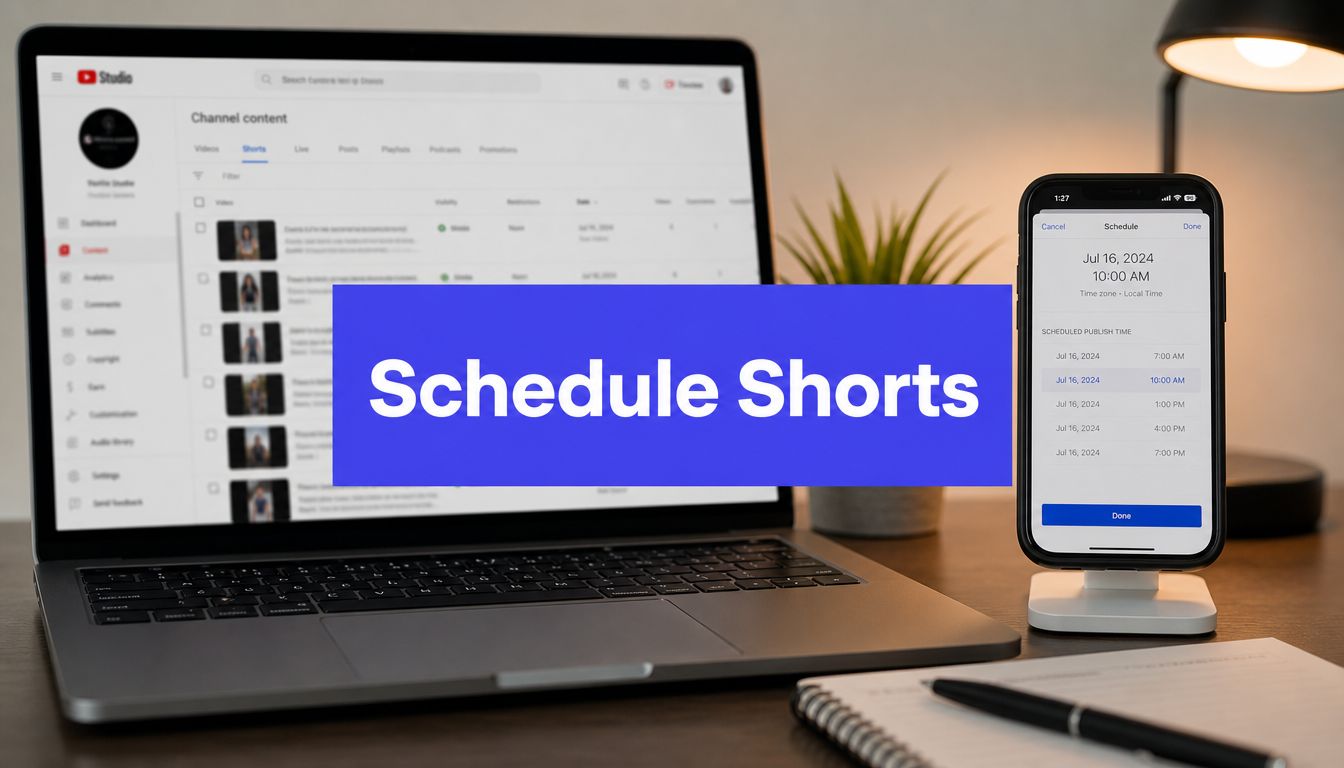












You filmed the Short, edited the hook, wrote a clean title, and then missed the best posting window because you were in a meeting, on a train, or just done for the day. That's how a lot of channels end up with good content and weak distribution.
Learning how to schedule YouTube Shorts fixes that, but only if you treat scheduling as part of growth strategy instead of a publishing shortcut. The click path matters. The timing matters more. And a few overlooked details, especially time zones and early engagement setup, can decide whether a Short gets momentum or disappears.
Why Scheduling Shorts Is a Non-Negotiable Strategy
Manual posting sounds manageable until you try to do it consistently. One day you hit the right time. The next day the upload slips. A week later your posting rhythm is gone, and now every Short depends on whether you're available at exactly the right moment.
That's why scheduling isn't just a convenience. It's an operating system for the channel.
According to this analysis of scheduled publishing and YouTube performance, scheduling ahead of time does not negatively impact performance because YouTube only starts tracking metrics like views, retention, and swipe-away rate once the video becomes public. The scheduled state stays invisible to the algorithm. The same analysis also notes that batch creation paired with a staggered release schedule helps avoid content gaps that can reduce channel growth by 30%.
Consistency beats reactive posting
Shorts reward channels that can stay active without chaos. That usually means filming in batches, editing in batches, and assigning publication slots before the week gets busy.
A simple workflow looks like this:
- Record in clusters: Shoot several Shorts in one session while your setup, energy, and topic focus are aligned.
- Edit with publishing in mind: Finalize titles, hashtags, and thumbnails while the content is still fresh.
- Schedule before the week starts: Lock in publish times so performance doesn't depend on memory or availability.
Practical rule: If your upload plan depends on you being free at the exact moment you want to post, it isn't a system yet.
Scheduling gives you control
The bigger advantage is psychological. When posting is manual, timing decisions happen under pressure. When posting is scheduled, you can think clearly about audience behavior, content sequencing, and testing.
That changes the quality of decisions. You stop asking, “Can I get this out today?” and start asking, “When should this be released to give it the best chance?”
That's the shift from creator to operator. It's also the point where scheduling starts affecting results, not because the button itself is magic, but because the process around it gets better.
Scheduling Directly on YouTube The Desktop and Mobile Way
YouTube gives you native scheduling on desktop and mobile, and for many creators that's enough. It's straightforward, built into the upload flow, and useful when you want the least amount of setup.

The catch is that native scheduling is easy to use and easy to misconfigure. The biggest mistake isn't the upload itself. It's publishing in the wrong time zone for the people you want to reach.
Scheduling on desktop
On desktop, the cleanest path is through YouTube Studio during the upload process:
- Upload your vertical video in YouTube Studio.
- Add the title, description, and any other metadata.
- Move to the visibility step.
- Choose Schedule instead of Public or Private.
- Select the date, time, and time zone.
- Confirm and finish the upload.
That workflow is simple enough. The reason desktop is still the preferred route for many managers is control. You can review more metadata at once, slow down before publishing, and catch mistakes before they become public.
If you need a separate walkthrough on publishing basics before scheduling, this guide on posting YouTube Shorts properly is useful because the upload stage is where many scheduling problems start.
The time-zone problem most tutorials skip
YouTube lets you set a scheduled date and time, but according to YouTube's official Shorts scheduling guidance, the platform does not automatically adjust that timestamp for each viewer's local time zone. The same guidance notes this can lead to a 15 to 20% drop in initial engagement when the Short goes live during your audience's inactive hours.
That matters more than most creators realize.
If you're in London and your core audience is in Los Angeles, a convenient afternoon upload for you can land in the middle of the night for them. Shorts are highly sensitive to early response, so bad local timing weakens the launch window.
Schedule for the audience's clock, not your own.
Scheduling on mobile
Mobile scheduling works well when you're traveling, posting from your phone-first workflow, or approving content away from your desk. The process is similar:
- Upload from the YouTube app: Start a new Short upload from your phone.
- Add publishing details carefully: Title and metadata are faster to rush through on mobile, which is why errors happen there.
- Choose Schedule in visibility settings: Set the publish date and time before confirming.
- Double-check the time zone: This is the step people skip because the screen feels familiar.
A quick visual walkthrough helps if you want to see the native flow in action:
Desktop is usually better for planning. Mobile is better for flexibility. Neither one protects you from poor timing decisions, so the core task isn't clicking Schedule. It's scheduling with intent.
Using a Third-Party Scheduler for Ultimate Efficiency
Native scheduling works. It doesn't always scale.
Once you're managing multiple channels, sharing approvals with a team, or trying to line up Shorts with content on Instagram Reels and TikTok, YouTube's built-in flow starts to feel isolated. You can publish there, but you can't really manage a broader system from it.

What third-party schedulers solve
A good scheduler earns its place by reducing friction across the entire content operation. That usually means a visual calendar, centralized asset management, cleaner approvals, and the ability to see how Shorts fit into the rest of the week.
That's especially useful if your content doesn't live only on YouTube. Teams that also run meme accounts, creator pages, or brand communities often need queue logic and cross-platform consistency. This article on a meme page scheduler and queue system from the FindClout advertising platform is a solid example of how always-on publishing systems reduce last-minute posting decisions.
The workflow that matters
The strongest third-party workflow is usually the simplest one:
- Upload the Short from a shared dashboard.
- Add the final title, caption elements, and hashtags.
- Choose YouTube Shorts as the destination.
- Set the publishing slot based on audience activity.
- Review the scheduled post in a calendar view.
The advantage isn't just fewer clicks. It's fewer forgotten details.
According to this guide on scheduling YouTube Shorts effectively, creators should confirm the video meets Shorts requirements such as vertical orientation (9:16), under 3 minutes in length, and the correct aspect ratio. The same source notes that mistakes in these areas cause up to 40% of scheduling failures due to platform rejection. It also recommends scheduling a Short about 60 minutes before the audience's peak activity window, which can increase first-hour view counts by 25 to 35%.
Why teams move beyond native tools
The actual value is operational, not flashy. A scheduler gives you a place to work ahead, review everything in one calendar, and avoid publishing blind.
If you're comparing options, this roundup of social media scheduling tools for creators and teams is useful because it frames the decision around workflow, not just features.
Native YouTube scheduling is good for single-post execution. A third-party scheduler is better when you need consistency across channels, teammates, and weeks.
Optimizing Your Scheduled Shorts for Maximum Reach
A scheduled Short can still underperform if the content package is weak. Timing helps distribution, but it doesn't rescue a bad hook, a vague title, or a video that loses attention too fast.
The strongest creators treat scheduling as the last step in optimization, not the first.

Timing is a starting point, not a law
The timing data around Shorts is useful, but it's not perfectly uniform. According to Adobe Express analysis of 200,000-plus Shorts, off-peak uploads average 8.7 million views, while peak-time uploads average 6.2 million views. The same analysis identifies 4:00 p.m. as the golden hour for view counts, with Saturday at 4:00 p.m. as the strongest day-and-time combination for average views. It also found that Shorts 40 seconds or longer show a 33% higher engagement rate.
That data tells you two things.
First, conventional “post during obvious peak hours” advice can be too simplistic. Second, your testing should include non-obvious windows instead of clustering every upload into the same familiar slot.
A practical way to think about timing:
| Approach | When to use it | Trade-off |
|---|---|---|
| Known strong window | When you need a dependable starting point | More competition for attention |
| Off-peak test slot | When you want to find overlooked reach | Results may vary more from post to post |
| Longer Short with a stronger middle | When the topic can sustain attention | Weak pacing gets exposed faster |
Metadata still changes outcomes
Titles for Shorts should do one job well. Create immediate curiosity without sounding bloated. Most weak titles either explain too much or say nothing specific.
Use hashtags with intention, not as decoration. Keep them relevant to the topic and audience. If your Short sends viewers to a site, product, or resource, it's also worth understanding how links function in YouTube context. This guide on understanding YouTube description linking is helpful if you want to handle that part cleanly.
For specs and formatting checks before you schedule, this reference on YouTube Shorts size and specs can save you from publishing something that looks right in editing software but wrong on platform.
The advanced move most creators skip
One of the more overlooked tactics is preparing your first engagement prompt in advance. Some current platform workflows allow creators to schedule Shorts with a pre-populated first comment or pinned comment, which matters because early interaction helps shape the launch period.
Use that first comment for one of three things:
- A direct prompt: Ask a simple opinion question related to the Short.
- A clarification: Add context you didn't want to cram into the video itself.
- A next-step link or pointer: Send viewers to the related video, offer, or resource.
Early engagement works best when the comment feels like part of the content, not an afterthought pasted on after publishing.
A scheduled post performs best when the package is complete before it goes live. Timing, title, hook, format, comment strategy, and thumbnail should all be decided before you click Schedule.
Troubleshooting Common Scheduling Failures
Most scheduling failures are mechanical. The good news is that they're usually fixable fast if you know what to check first.

When the Short doesn't post correctly
If the Short publishes as a regular video, start with the file itself. Shorts need to look like Shorts before scheduling ever enters the picture. Wrong orientation, wrong aspect ratio, or a format mismatch often causes the platform to classify the upload differently than you intended.
If the video never posts, review the scheduled date and time carefully. Quiet timing mistakes are common, especially if you selected the slot quickly or scheduled from mobile.
Based on Buffer's analysis of 1.8 million YouTube Shorts, the strongest scheduling window for maximum engagement is Friday at 4:00 p.m., followed by 6:00 p.m. and 7:00 p.m. The same analysis found that Shorts perform better in the evening hours from 6:00 p.m. to 9:00 p.m. than during morning uploads. If your post went out far outside your intended audience's active period, weak early traction may be timing, not content quality.
A fast diagnosis checklist
- Check the file shape first: Vertical video is essential for Shorts formatting.
- Review the exact publish slot: Wrong day or wrong hour causes more confusion than people expect.
- Look at visibility settings: A draft, private, or incorrectly saved upload can look like a failed post.
- Re-upload if classification looks wrong: It's often faster than trying to salvage a broken setup.
- Clear browser or app issues: Temporary glitches still happen, especially during repeated upload attempts.
For broader channel-level fixes and publishing discipline, BAMF's expert YouTube growth advice is worth reading because it focuses on practical growth habits instead of generic motivation.
If a Short fails, don't guess. Check format, visibility, and timing in that order.
Conclusion From Scheduler to Strategist
Knowing how to schedule YouTube Shorts is useful. Building a repeatable publishing system around it is what changes results.
The creators and teams that grow consistently don't rely on memory or last-minute uploads. They choose the right scheduling method, publish for the audience's time zone, optimize the content package before release, and fix technical problems quickly when something breaks. That turns scheduling from a routine task into a reliable growth process.
The bigger shift happens after publishing. Review your analytics, look at which slots best hold attention, compare hooks across similar topics, and keep adjusting. General timing research gives you a starting point. Your own audience behavior gives you the definitive playbook.
That's the difference between using a scheduler and thinking like a strategist. One gets the post out. The other builds a channel that can keep improving.
If you want one place to plan, schedule, and analyze Shorts alongside the rest of your social content, PostSyncer gives creators, teams, and agencies a practical workflow for staying consistent without juggling separate tools.



