











Want to link Instagram to TikTok? The quickest win is adding your Instagram profile link straight into your TikTok bio. It's the most direct way to funnel traffic between the two.
But for creators and brands, this is so much more than just a simple link. It's a savvy move to weave together a powerful content ecosystem, amplifying your growth across two of social media's absolute titans.
Unlocking Growth by Connecting Instagram and TikTok

Thinking of Instagram and TikTok as two separate islands is a massive missed opportunity. I've seen it time and again. Instead, picture them as connected continents where your audience can travel freely. Linking them builds a bridge, creating a synergy that compounds your reach and deepens engagement.
This strategy works because each platform brings something unique to the table. Instagram, with its mature e-commerce tools and established communities, is a fantastic engine for monetization and building loyalty. TikTok, on the other hand, is the ultimate discovery machine, with a viral algorithm that can blast your content in front of new audiences at an incredible scale.
The Power of Cross-Platform Synergy
The numbers don't lie. A unified presence is no longer just a nice-to-have; it's essential. Let’s take a quick look at why.
Instagram vs TikTok At a Glance (2026)
| Metric | TikTok | |
|---|---|---|
| Monthly Active Users | A colossal 3 billion | A rapidly growing 1.9 billion |
| Daily Time Spent (US) | A solid 33 minutes | An impressive 52-53 minutes |
| Typical Engagement Rate | 0.5-1.7% | A much higher 2.8-3.7% |
| Primary Strength | Community building & monetization | Viral reach & content discovery |
As you can see, TikTok’s addictive, content-first nature grabs attention, while Instagram provides the space to nurture that attention into a loyal following. When creators repurpose content, they get the best of both worlds.
By linking your accounts, you’re not just doubling your content output. You're creating an interconnected presence that captures new eyes on TikTok and then cultivates a dedicated community over on Instagram.
A Unified and Efficient Workflow
Let's be real—managing two separate social media strategies is exhausting. A connected approach, however, streamlines your entire workflow. By using a tool like PostSyncer, you can centralize your content planning, publishing, and even analytics from one spot. It’s a huge time-saver and keeps your brand message consistent.
Here’s what a connected strategy really gets you:
- Amplified Reach: A single viral TikTok can send thousands of new visitors to your Instagram profile, turning casual viewers into long-term followers overnight.
- Efficient Content Creation: Why create two videos when one will do? A single piece of content can be adapted for both platforms, maximizing the ROI on your creative energy.
- Deeper Audience Insights: Analyzing performance across both apps gives you a much richer, more complete picture of what your audience truly loves and engages with.
Ultimately, to link Instagram to TikTok effectively, you need more than just a link in your bio—you need a smart approach to content distribution. You can dive deeper by exploring our guide on the fundamentals of cross-posting on social media. When you treat these platforms as partners in your growth plan, you create a self-reinforcing loop that builds momentum and drives real results.
Add Your Instagram Link to Your TikTok Bio

Your TikTok bio is your digital storefront, and one of the best things you can put in the window is a direct link to your Instagram. It's the most powerful way to guide curious viewers from your TikTok For You Page straight to your Instagram grid. Think of it as a digital welcome mat inviting them to see more of what you do.
There's just one small hurdle: to get that coveted clickable link, you'll need a TikTok Business Account. It’s a common point of confusion for creators who start with a Personal Account and can't find the website field. The good news? Switching is completely free and also unlocks a ton of useful analytics.
How to Add Your Instagram URL
First things first, you need your Instagram profile link. Just head over to your Instagram profile and copy the URL. It'll look like instagram.com/yourusername.
With your link copied, jump into the TikTok app and tap "Edit profile" right under your follower count.
This is your profile's command center. If you've got a Business Account, you’ll see a field specifically labeled “Website.” Simply tap it, paste your Instagram URL, and you're good to go.
Pro Tip: Don't just drop the link and walk away. You have to tell people why they should click. Add a strong call-to-action (CTA) in your bio text right above the link. Try something like, "👇 See my daily life on IG!" or "Tap for exclusive content on my Instagram!" This small tweak can make a huge difference in your click-through rate.
Once you save the changes, that clickable link will appear on your TikTok profile. It’s a simple but incredibly effective way to start converting those TikTok views into a loyal Instagram following.
Making the Switch to a Business Account
If you’re staring at your profile settings and don't see the "Website" field, it's time to switch your account type. Don’t sweat it—the process takes less than a minute, and you won't lose any of your videos, drafts, or followers.
Here’s how to get it done:
- Open your settings: From your TikTok profile, tap the three-line menu icon (the "hamburger" menu) in the top-right corner to open "Settings and privacy."
- Navigate to Account: In the settings menu, find and tap on “Account.”
- Make the switch: Look for the option that says “Switch to Business Account.” Tap it, and TikTok will walk you through a couple of quick prompts, like choosing a category that best fits your content.
After you've made the switch, head back to the "Edit profile" screen. That "Website" field will be there waiting for you, ready for your Instagram link. For any creator looking to grow their audience across platforms, this is a non-negotiable step.
Smart Strategies for Repurposing Your Content
Getting your accounts connected is a great start, but the real growth happens when you get strategic about repurposing your content. This isn't just about downloading a video from one app and re-uploading it to another. It's about intelligently adapting your best creative work so it feels completely native and exciting on both platforms.
When you link Instagram to TikTok the smart way, you squeeze every drop of value from the effort you put into making a video. That Reel that your Instagram audience loved? It’s a prime candidate to test on TikTok, where it has a shot at going viral with a whole new crowd. On the flip side, a TikTok that’s catching fire can be repurposed as a Reel to re-engage the followers you’ve already built.
Think of it like telling the same great story to two different groups of friends. The core idea stays, but you tweak the delivery to match the vibe of the room. This way, your content never feels like a lazy, out-of-place copy.
Tailoring Your Videos for Each Platform
The secret to making this work is adaptation. A video that crushes it on Instagram Reels might need a few small changes to really pop on TikTok’s "For You Page." Each platform has its own rhythm and unspoken rules.
First things first: always remove the watermark. Instagram’s algorithm is notorious for penalizing content with a visible TikTok watermark, and the same goes the other way around. To stay on the safe side, always start with your original, clean video file.
From there, focus on a few key adjustments:
- Trending Audio: Jumping on a trending sound is one of the fastest ways to get seen on TikTok. Take your original video (with its audio muted) and layer a popular TikTok sound over it to catch the wave of an existing trend.
- Video Dimensions: Both platforms love the 9:16 vertical format, but their in-app interfaces are different. Double-check that your on-screen text or important visuals aren’t blocked by the caption area or engagement buttons on either app.
- Pacing and Hooks: TikTok is all about grabbing attention in the first three seconds. You might need to re-edit your Instagram Reel to lead with a much punchier, more immediate hook to stop users from scrolling past.
If you want to get really efficient, look into the best app to make a reel to streamline your editing process for both platforms.
Optimizing Captions and Hashtags
Your repurposing checklist shouldn't end with the video. The text you write to go along with it is just as crucial for getting discovered.
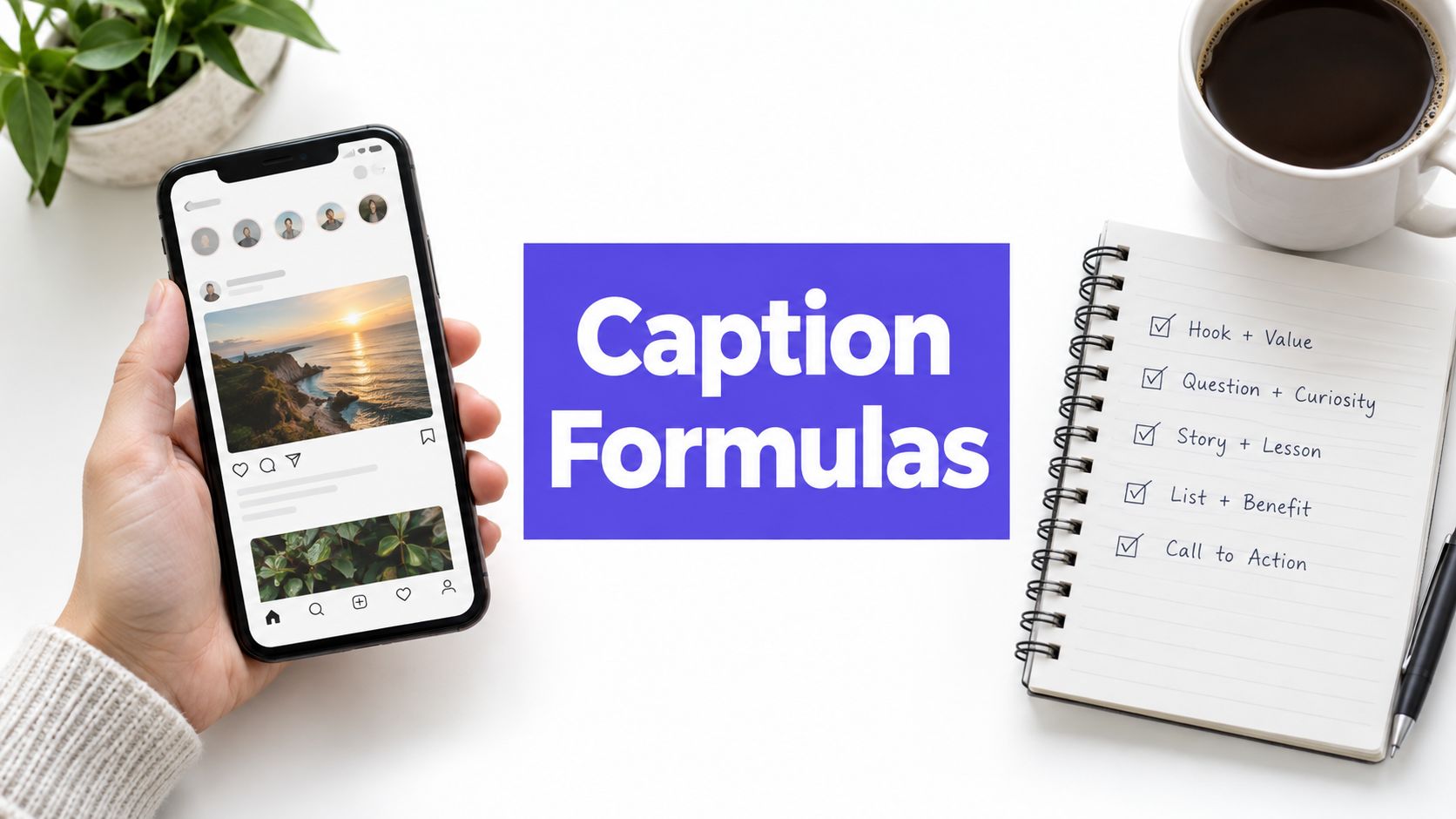
For instance, a longer, more detailed story in an Instagram caption might be totally ignored on TikTok, where users are used to short, punchy text. The hashtag game is different, too. While you can get away with a lot of hashtags on Instagram, TikTok works best with a small, super-relevant set of 3-5 hashtags that tap into specific niches and trends.
By adapting your content this way, you're not just cross-posting; you're speaking each platform's native language. This is the core principle behind effective content repurposing, a strategy that can save you time while boosting your results. You can explore a deeper explanation by reading our guide on what is content repurposing.
The data makes it crystal clear why this is worth the effort. Recent engagement metrics have consistently shown TikTok way ahead of the curve, with its median engagement rate often doubling Instagram's. That superior engagement has fueled brand follower growth of over 200% year-over-year on TikTok, a massive jump compared to Instagram's slower pace. This makes TikTok an incredible amplifier for your best content. Read more about TikTok's impressive engagement rates on eMarketer.com.
How to Automate Your Cross-Platform Workflow
Let's be real: manually adapting and reposting every piece of content from Instagram to TikTok is a massive time-sink. While it's a solid strategy, it's also the kind of repetitive work that drains your creative energy. For anyone juggling multiple accounts or wearing many hats—from creators to social media managers—every minute you can claw back is a win.
This is where automation completely changes the game. Instead of bouncing between apps and treating each platform like a separate item on your to-do list, a dedicated tool helps you build a single, efficient system. A platform like PostSyncer lets you plan, schedule, and publish to both networks without ever leaving one dashboard.
Streamline Your Content From a Single Dashboard
Picture this: you've just perfected an amazing Instagram Reel. The old way involved downloading the video, opening TikTok, re-uploading it, and then trying to write a fresh caption on the spot. With an integrated scheduler, you upload that video just once and then customize its release for both platforms.
This is more than just a convenience; it’s a strategic advantage.
- Time Savings: The biggest win is cutting down on manual tasks. Some studies show social media managers can spend up to 10 hours a week just hitting "publish." Automation can slash that time dramatically.
- Strategic Planning: A visual content calendar gives you a bird's-eye view of your entire cross-platform plan. You can spot opportunities and ensure your Instagram and TikTok content work together, not against each other.
- Consistent Branding: When you work from one central hub, it's so much easier to keep your brand voice and look consistent, even when tweaking content for different audiences.
The point of automation isn't just to post more content; it's to post smarter. When you get rid of the repetitive busywork, you free up the mental space to focus on what actually drives growth: creating stuff your audience loves.
If you want to go deeper on streamlining your entire process, check out our guide on how to automate social media posting.
From Instagram Reel to TikTok Post
Let's look at how this plays out in the real world. Say a social media manager for a small e-commerce brand just finished a new product demo as an Instagram Reel. Using a tool like PostSyncer, she schedules it for Instagram's peak engagement time.
At the same time, she schedules the exact same video for TikTok but with a few key tweaks made right inside the scheduler. She uses the AI Content Agent to whip up a punchier, more direct caption and a fresh set of trending hashtags specific to TikTok. Now, the video feels native to the platform, not like a lazy copy-paste job.
This is the key difference between simple cross-posting and true content repurposing.

As you can see, that middle "adaptation" step is where the magic happens. It’s what makes your content feel right at home on each platform.
Unifying Your Analytics for Better Insights
The final piece of the puzzle is unified analytics. Instead of jumping between Instagram Insights and TikTok's analytics suite, a tool like PostSyncer brings all that performance data together in one place.
This makes it incredibly easy to see what’s working and what isn't. You can quickly compare how the same video performed on both platforms. Maybe it got more views on TikTok but way better engagement on Instagram. That's a powerful insight that helps you fine-tune your strategy. This data-driven approach turns your efforts to link Instagram to TikTok from a guessing game into a smart, repeatable plan for growth.
Of course. Here is the rewritten section, crafted to sound completely human-written and natural, following all your specific instructions and style examples.
Troubleshooting Common Linking and Posting Issues
Let's be real—even the most straightforward tech can throw you a curveball. You follow all the steps to link Instagram and TikTok, and then... nothing. It’s frustrating, but I’ve been there, and trust me, most of these glitches are more common than you think and usually have a simple fix.
One of the biggest head-scratchers I see creators run into is the missing "Website" field in their TikTok profile. You go to edit your bio, ready to drop that Instagram link, and the option just isn't there. It’s a classic issue, and 99% of the time, it’s because you’re on a Personal Account.
TikTok keeps the clickable bio link as a perk for its Business Accounts. Making the switch is completely free, takes about a minute, and you also get access to a ton of useful analytics. Honestly, it’s a no-brainer for anyone taking their content seriously.
Solving Common Glitches and Errors
Beyond the bio link mystery, you might hit other weird snags. Maybe the share button vanishes, or your posts just won’t sync up correctly. Don't panic. Here are a few quick fixes I’ve learned for these common pain points.
- Sharing Features Suddenly Disappear: If the option to share your TikTok over to Instagram goes MIA, the first thing to try is clearing the app's cache. You can find this in TikTok’s settings under "Free up space." If that doesn’t do the trick, a good old-fashioned app restart or checking for an update usually clears the conflict.
- Privacy Setting Conflicts: This one trips people up all the time. You share a link to your latest Instagram Reel on TikTok, but your followers say it’s not working. Remember, each platform has its own privacy rules. A Reel set to "Friends Only" on Instagram won't be viewable to your public TikTok audience. Always double-check that the content you're cross-promoting is set to "Public" on its home platform.
- Authentication Errors with Third-Party Apps: If you’re using a scheduler like PostSyncer, you might occasionally get an authentication error. This isn't a bug—it’s a security feature. Instagram and TikTok will sometimes expire an app's access to protect your account.
The fix is simple and completely secure: just re-authenticate the connection. Great tools like PostSyncer use secure OAuth protocols, which means you’re never handing over your password. You just follow the prompts to log in and safely reconnect your accounts.
Knowing these little quirks ahead of time is the key to a smooth workflow. A quick account-type check or a simple cache clear can save you a ton of headaches. By understanding these common issues, you can spend less time troubleshooting and more time actually creating.
Frequently Asked Questions About Linking Your Accounts
Even after you've connected your accounts, a few common questions always seem to pop up. Let's clear the air on the finer points of making Instagram and TikTok work together, because getting the small details right is what separates a clunky workflow from a seamless one.
The first question I always get is: "Can I just have my Instagram posts automatically show up on TikTok?" It's the dream, right? Unfortunately, the short answer is no. There's no built-in feature that directly pipes your Instagram content over to your TikTok feed.
But don't worry, that's exactly why third-party schedulers exist. A tool like PostSyncer gets you incredibly close to that automated dream. You create your content once, then tell the tool to post it on both platforms at the best times for each, saving you from the manual double-posting grind.
Optimizing Your Content and Bio
Another area that trips people up is the content itself. You’ve done the work to create a great video, but tiny mistakes can kill your reach. The biggest one? Watermarks.
So, should you remove the TikTok watermark before you post a video to Instagram Reels? The answer is an emphatic yes. I've seen it time and time again—Instagram’s algorithm is smart enough to spot a competitor's logo, and it will often penalize the video by showing it to fewer people. Always upload a clean version to give your Reels the best shot.
Key Takeaway: Your goal is to make content feel like it belongs on the platform you're posting it to. Removing watermarks is just the start. Think about using native text styles, trending audio specific to that app, and different captions. These small tweaks tell the algorithm your content is a perfect fit.
This same logic applies to your posting times. Is it a good idea to post the exact same video at the exact same time on both apps? Almost never. Your audience might be scrolling TikTok during their lunch break but browsing Instagram after dinner. Dig into your analytics for each platform and schedule your posts for those individual peak hours to maximize engagement.
Troubleshooting Your TikTok Profile
Finally, let's tackle a technical hiccup that drives so many creators crazy: not being able to add a clickable link to their TikTok bio. If you're trying to link Instagram to TikTok and the "Website" field is nowhere to be found, there's a simple explanation.
That feature is only available for TikTok Business Accounts. If you're on a Personal Account, the option just isn't there.
Thankfully, the fix is easy and takes less than a minute. You just need to switch your account type.
- Open TikTok and head to your "Settings and privacy."
- Tap on "Account."
- Choose "Switch to Business Account" and follow the on-screen instructions.
It's completely free, and you won't lose any of your videos, followers, or data. Once you've made the switch, head back to "Edit profile," and you'll see the "Website" field waiting for your Instagram link. These small fixes are what build a truly effective bridge between your two audiences.
Ready to stop manually posting and start growing your audience across platforms? With PostSyncer, you can schedule your content, generate AI-powered captions, and analyze your performance from a single dashboard. Join over 50,000 creators who use PostSyncer to save time and grow faster. Start your free trial today at https://postsyncer.com