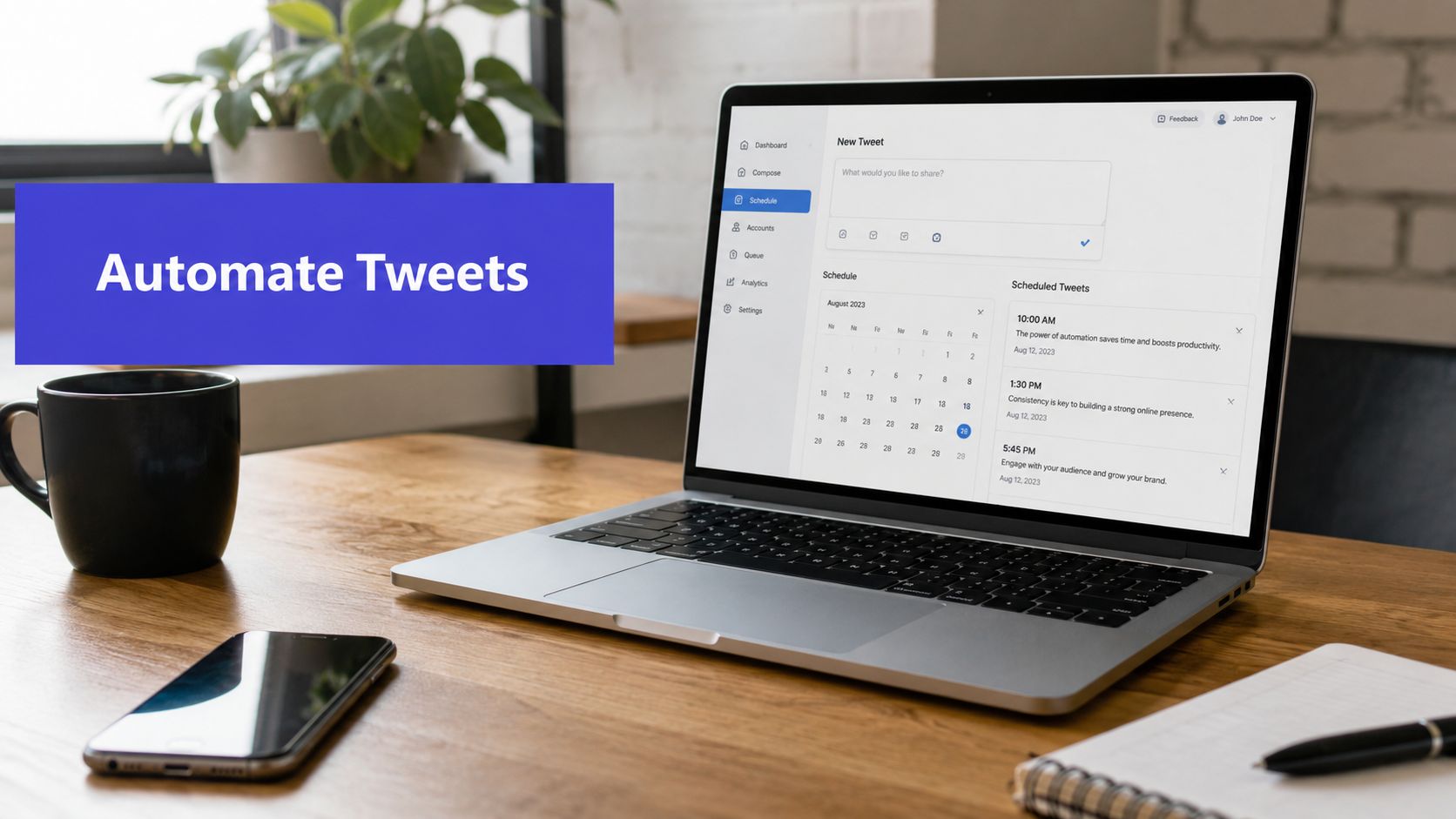












You're probably doing one of two things right now. You're either opening X three times a day to paste in a post you already wrote elsewhere, or you're piecing together a workflow from a scheduler, a spreadsheet, and a half-working automation tutorial you found in search.
Both paths work for a while. Then they start costing more than they save.
Manual posting drains attention that should go into positioning, creative, replies, and campaign timing. Fragile DIY automation has the opposite problem. It looks cheap at first, but it creates technical debt fast, especially now that X's API rules are stricter and paid access is the normal path for compliant publishing. If you want to post tweets automatically in a way that still works next month, the method matters as much as the message.
Why You Need to Automate Your Twitter Presence
Manual posting feels manageable until content volume rises. One launch, one newsletter, one blog, one webinar, one product update, and suddenly someone on the team is spending parts of every day moving text from one tab to another.
That's not just a time problem. It's a consistency problem.
According to a 2023 Pew Research Center study on automated posting behavior, users who automated their posts saw a 42% higher engagement rate and spent just 2 hours weekly on content creation, compared to 6.5 hours for manual posters. The practical takeaway is simple. Automation doesn't only save effort. It gives you a better shot at publishing consistently enough for your content to get seen.
The real value is operational, not just tactical
Teams often start automation because they want convenience. The better reason is that it protects publishing discipline.
When posting is manual, content goes out when someone remembers, when someone has a spare five minutes, or when a meeting ends early. That creates random gaps, rushed copy, and missed timing windows. A scheduled workflow turns publishing into a system instead of a recurring interruption.
Practical rule: Use automation for publishing, then spend your human time on replies, quote posts, and message refinement.
That's why a lot of experienced teams don't evaluate tools only on whether they can schedule a tweet. They look at whether the tool helps them maintain a repeatable cadence across campaigns, content types, and collaborators. If you're comparing options, Baslon Digital's recommendations are a useful reference point because they frame social media tools around real business use, not just feature checklists.
What manual posting costs you
The biggest hidden cost is context switching. Every time you stop real work to publish a tweet, you break momentum.
A stronger workflow looks like this:
- Plan in batches: Write several posts at once instead of one at a time.
- Schedule around campaigns: Match posts to launches, content drops, and promotions.
- Leave room for live interaction: Keep the calendar active without becoming absent.
If you're still handling this natively and one post at a time, it helps to review broader social media automation workflows before choosing a setup. The right system should reduce friction, not add another dashboard you have to babysit.
Starting with X's Native Scheduling Tool
If you want the fastest way to post tweets automatically, start with X's own scheduler. It's simple, requires no extra software, and gives you a clean baseline for how much automation you need.
How to schedule a post inside X
The native method is straightforward:
- Write your post in the X composer.
- Add any image or media you want included.
- Use the scheduling option in the composer.
- Pick the date and time.
- Confirm and save.
For a solo founder or creator with a light posting schedule, that may be enough. You don't need to learn a new tool, connect another app, or manage another subscription.
The upside is clarity. The downside is that native scheduling stays narrow.
Where the native tool starts to break down
The problems usually show up when your account stops being casual and starts being operational.
A 2021 Harvard Business Review report on automated posting and follower growth found that accounts using automated posting tools achieved a 29% higher follower growth rate over 12 months, tied to posting frequency and consistency that often go beyond what basic native schedulers support. That doesn't mean X's scheduler is useless. It means it's often too limited once content becomes part of a larger marketing process.
Here's where native scheduling tends to fall short:
| Need | Native X scheduler |
|---|---|
| Single post scheduling | Good fit |
| Multi-account coordination | Limited |
| Campaign organization | Minimal |
| Approval workflows | Weak |
| Cross-platform publishing | Not built for it |
| Reusable content queues | Not practical |
If you manage one account and publish occasionally, the native option is fine. If you run content across brands, clients, or channels, you'll outgrow it quickly.
Native scheduling works best when your posting volume is low and your process lives in your head. Once other people, deadlines, and campaign assets get involved, that setup gets messy.
When to use it anyway
There are still cases where I'd use the native tool first:
- Testing a new voice: Schedule a few posts before committing to a full workflow.
- Handling one-off announcements: Product updates, event reminders, or simple repost timing.
- Keeping the stack lean: Useful when you want zero setup and no integrations.
What it won't give you is structure. There's no real content planning layer, no multi-channel context, and no broader view of your queue. That's where a dedicated scheduler becomes less of a luxury and more of a working system.
The Power Method Scheduling with PostSyncer
If native scheduling is the minimum viable method, a dedicated platform is where automatic posting becomes organized instead of improvised. The difference isn't just convenience. It's how much less manual coordination you need across content, approvals, media, and timing.
A typical dashboard view looks like this:

Connect your X account the compliant way
The first thing to get right is authentication. For any serious setup, secure OAuth-based connection matters more than hacky browser automation. It's cleaner, more stable, and far less likely to create publishing failures later.
With PostSyncer's Twitter scheduler, the connection flow is built around that normal professional setup. You connect the account, authorize access, and publish from a single workspace rather than juggling direct logins and browser tabs.
That matters most for teams. When multiple people touch the same account, shared access through a platform is much easier to manage than passing around credentials or relying on whoever happens to be logged in.
Build a workflow that doesn't need babysitting
A stronger scheduling process usually looks like this:
- Draft content in batches: Write several tweets around a campaign, launch, or theme.
- Attach media during composition: Keep assets linked to the post, not buried in folders.
- Schedule directly from a calendar view: Spot gaps, clustering, and overlap before content goes live.
- Apply labels: Group posts by campaign, product, event, or content pillar.
- Queue evergreen posts: Keep proven content circulating without rebuilding it each time.
A managed platform saves more time than people expect. The gain isn't just that posts publish automatically. The gain is that planning, review, and execution happen in one place.
A practical posting setup
For a small business or in-house team, I'd keep the workflow simple:
- Create weekly content in one session.
- Tag each post by topic or campaign.
- Schedule time-sensitive content to exact slots.
- Put evergreen educational posts into a queue.
- Review upcoming posts before the week starts.
That gives you structure without turning social into a production line.
Workflow note: The best scheduler is the one your team will actually maintain. Complicated automations with no review habit tend to fail quietly.
Use AI where it removes friction
AI is useful when it helps you get from rough idea to publishable draft faster. It's less useful when it generates generic filler that sounds like every other brand account.
A good use case is turning source material into social-first copy. If you already have a blog post, landing page, webinar outline, or PDF, an AI writing layer can help produce variants, shorten long copy, and test different hooks. That's especially helpful on X, where wording and length matter.
Later in the workflow, a visual walkthrough can help if your team needs to see the publishing flow in action:
What makes this different from native scheduling
The native scheduler handles posts. A platform handles operations.
That includes:
| Function | Why it matters |
|---|---|
| Calendar planning | Prevents uneven posting and last-minute gaps |
| Labels and organization | Makes campaigns easier to review and report on |
| Approval workflows | Reduces mistakes when multiple people publish |
| Multi-platform publishing | Helps when one campaign needs coordinated rollouts |
| AI-assisted drafting | Speeds up ideation when source material already exists |
For most businesses, this is the middle path that makes sense. You don't need a custom API build. You don't want to live in native scheduling forever. You need a stable place to plan, publish, and keep the process maintainable.
Connecting Your Ecosystem with Zapier and IFTTT
Scheduling solves one problem. Triggers solve another.
When people say they want to post tweets automatically, they often mean more than “publish this at 10 AM.” They mean “when something happens elsewhere, post it to X without anyone touching it.” That's where Zapier and IFTTT come in.

The trigger and action model
These tools work on a simple logic pattern:
- Trigger: A new event happens in one app.
- Action: X publishes a post or performs another connected step.
That makes them useful when your content already originates somewhere else. Think blog articles, YouTube uploads, spreadsheets, CRMs, or internal alerts.
Two common examples show where they shine and where they can get sloppy.
RSS to tweet works, but only if you refine it
The classic automation is an RSS feed tied to X. A new blog post is published. The workflow reads the new feed item and turns it into a tweet, often using the title and link.
That's convenient, but raw automation creates weak posts fast. According to expert guidance on RSS-to-tweet automation and OAuth compliance, success depends on uniqueness, tools must use OAuth 2.0, and using AI to refine raw RSS titles into concise, on-brand tweets can increase engagement by 40% while avoiding spam detection.
That lines up with what works in practice. The title of a blog post is usually written for search or article clarity, not for X. It often needs a stronger opening, tighter phrasing, and a clearer reason to click.
A feed item is not a finished tweet. Treat it as source material, not publish-ready copy.
A practical RSS workflow should include:
- A draft transformation step: Rewrite the title into platform-appropriate copy.
- Character checking: Keep the post within platform limits.
- A human approval path: Especially for sensitive topics, product issues, or support-related posts.
YouTube and launch content are better fits
YouTube-to-X automations often work better because the event itself is cleaner. A new video goes live. The post can use the title, link, and a short teaser.
This kind of workflow is ideal when speed matters more than nuance. Product launch announcements, content releases, and recurring series updates fit well because the structure is predictable.
If you're building more complex client or campaign automations, it helps to review integration patterns for connected publishing workflows before you wire too many apps together. The main mistake teams make is adding steps faster than they add validation.
The trade-off with no-code automation
Zapier and IFTTT are flexible. That's both the strength and the risk.
What they're good at
- Cross-app movement: Blog, video, spreadsheet, CRM, and social tools can all connect.
- Event-based publishing: Great for “when this happens, publish that.”
- Fast experiments: You can test a workflow without building software.
What gets expensive later
- Error handling: A failed trigger can skip a post unnoticed.
- Formatting issues: Raw source content rarely fits X cleanly without rewriting.
- Workflow sprawl: A few automations are manageable. A dozen become hard to audit.
For teams with predictable recurring content, trigger-based automation is worth using. For day-to-day editorial scheduling, it usually works better as a supplement than a replacement for a dedicated scheduler.
Advanced Automation and The New API Reality
Most “free auto-post to Twitter” tutorials are outdated the moment they reach production use.
That's the hard part people discover too late. A script that works in a demo video, a scraping-based workaround, or a browser-driven bot may appear functional on day one. It usually becomes fragile once accounts, rate limits, authentication, and policy enforcement enter the picture.

Free usually means unsupported, non-compliant, or temporary
As of 2024, X's API access model and automation enforcement requires a paid plan starting at $100/month for legitimate write access, and 78% of unauthorized “free” auto-posting scripts have been blocked, with account suspension risk tied to mandatory OAuth 2.0 compliance.
That changes the whole calculation.
The question is no longer, “Can I automate X for free?” The better question is, “What am I paying for if I don't use a proper tool?” Usually the answer is maintenance time, breakage risk, and compliance headaches.
What custom API automation actually involves
If you build your own workflow, you need to think beyond posting text.
A media post requires a sequence. You upload the media, receive a media ID, then create the tweet using that media reference. If calls fail, the retry logic matters. Immediate retries often make a bad situation worse. Proper backoff and failure handling are part of the job, not optional polish.
A simple comparison makes the trade-off clearer:
| Approach | Strength | Cost |
|---|---|---|
| Custom script | Precise control | Ongoing maintenance, monitoring, auth management |
| Unofficial workaround | Low upfront effort | High suspension and failure risk |
| Managed platform | Stable publishing workflow | Less customization than fully custom code |
Reality check: If your business depends on the account, “free” is often the most expensive option because downtime arrives without warning.
Where the hidden debt piles up
The biggest problem with DIY automation isn't coding difficulty. It's operational ownership.
Someone has to monitor failures. Someone has to update flows when policies change. Someone has to review logs, reconnect auth, and figure out why a process that worked last week stopped working today. That's manageable for a developer-led internal tool with a clear owner. It's a bad bargain for most marketing teams.
If you want broader context on where automation crosses into bot behavior, this explainer on what are social media bots is worth reading because it helps separate legitimate workflow automation from spammy or policy-risky setups.
For most businesses, managed scheduling is the sensible line. Custom API work should be reserved for cases where you truly need system-specific behavior that no normal publishing platform can support.
Automation Best Practices for Sustainable Growth
Automation helps when it preserves quality. It hurts when it turns your account into a content faucet.
The sustainable approach is simple. Let systems handle publishing mechanics, and keep humans responsible for voice, judgment, and interaction. That's what keeps an automated account from sounding detached.

The rules that keep automation useful
- Schedule the routine, not the sensitive stuff: Product updates, blog promotion, event reminders, and evergreen education are good candidates. Complaints, crisis responses, and nuanced customer issues need a person.
- Review for voice before volume: A full calendar of bland posts won't help. Fewer stronger posts are easier to defend and improve.
- Keep a manual engagement habit: Replies, quote posts, and real conversation should stay human-led.
- Watch formatting and failure points: Character limits, media handling, and auth issues are where broken automations show up first.
Reliability matters more than cleverness
The technical side still matters, even if you never touch the API directly. According to technical guidance on automated media posting and retry logic, posting tweets with media requires a three-step API workflow, and using exponential backoff on failures can reduce API rejection rates by over 60% compared to simple retries.
You don't need to code that yourself to benefit from the lesson. The lesson is that reliable automation is built on guardrails. Good tools handle failure carefully. Weak setups just try again until something breaks harder.
The best automation feels boring. Posts go out, failures get handled, and nobody scrambles to fix publishing during a campaign.
Choose the setup that matches your stage
A simple way to decide:
- Use native X scheduling if your volume is light and your workflow is personal.
- Use a dedicated scheduler if you need structure, planning, and team coordination.
- Use Zapier or IFTTT when another app should trigger the post.
- Use custom API automation only when your use case is genuinely custom and you're ready to own the maintenance.
Many teams don't need the most advanced method. They need the one they can run consistently without creating extra operational drag.
If you want a cleaner way to post tweets automatically without relying on brittle DIY scripts, PostSyncer gives you a managed path for scheduling, organizing, and publishing social content through a single workspace. It fits teams that need a repeatable process more than they need another workaround.



