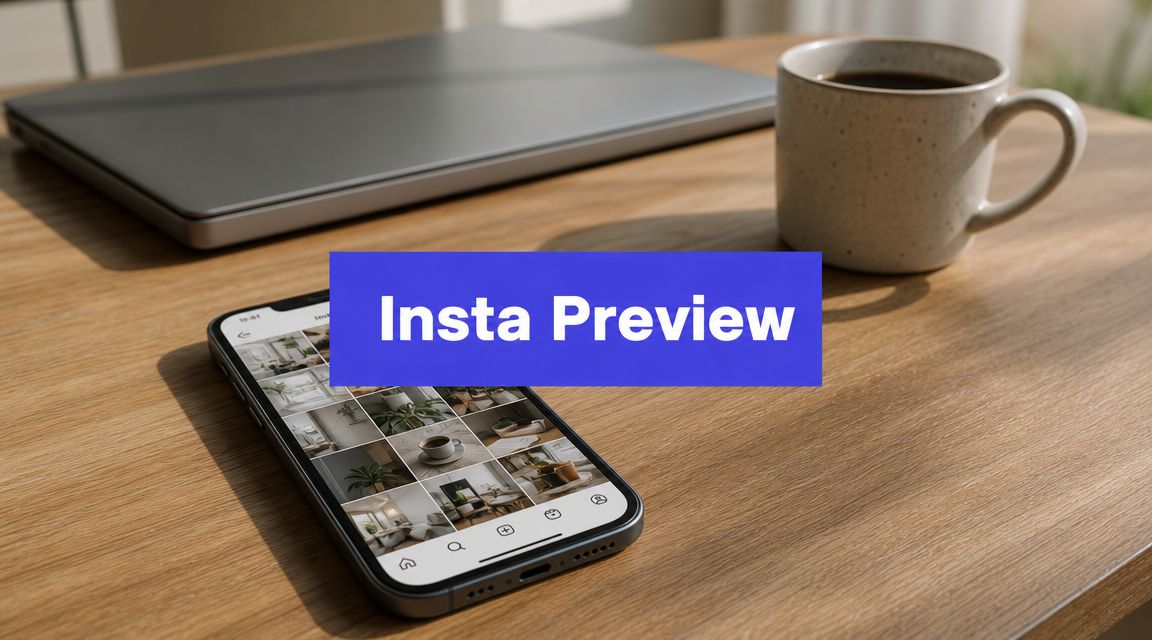












Your Instagram grid usually breaks in the same place. A polished carousel lands beside a rushed promo, a Reel cover clashes with the last three posts, and the feed stops feeling intentional. That's when individuals often start searching for a preview app for Instagram, not because they need another dashboard, but because posting one piece at a time doesn't produce a cohesive brand.
That problem hasn't gone away. If anything, it's gotten messier. You're planning static posts, Reels covers, Stories, link in bio traffic, and often content for more than one platform at once. Native Instagram tools help with publishing, but they don't always give you the kind of visual planning, rearranging, and multi-account coordination that makes a feed look deliberate.
That's why preview tools still matter. Instagram grew into a massive platform, reaching 1 billion monthly active users in June 2018 after launching in October 2010, and that scale helped create a real market for feed-planning workflows. Today, the better question isn't “Do I need a planner?” It's “Do I need a dedicated visual planner, or an all-in-one scheduler with preview features?”
1. PostSyncer

If Instagram is one channel inside a bigger content system, PostSyncer is the strongest pick here. It isn't a pure grid-planning app. It's an all-in-one publishing and AI content workflow built for people who need to create once, adapt fast, and publish across multiple networks from one place.
That distinction matters. A lot of teams start with an Instagram-first planner, then outgrow it when they need approvals, repurposing, client workspaces, comment management, and cross-platform scheduling. PostSyncer is built for that second phase from day one, with publishing across 11+ networks on PostSyncer, plus AI tools for captions, hooks, images, and short-form video generation from URLs, PDFs, text, images, and video.
Why it stands out
The visual calendar is the part Instagram managers will care about first. You can map out posts, carousels, reels, and shorts while seeing the broader publishing schedule, which helps when your Instagram content also needs a version for TikTok, Threads, YouTube Shorts, or LinkedIn. Instead of treating Instagram as a silo, PostSyncer treats it as one output of a larger content engine.
The other standout is team structure. Unlimited team members, role-based approvals, multi-workspace support, labels, CSV import, and a unified comments inbox make it much more practical for agencies and in-house teams than lightweight grid-only apps. It also avoids the usual pain of per-user pricing.
Practical rule: If your content starts on Instagram and ends on Instagram, use a dedicated visual planner. If content starts as one idea and ends up on several platforms, use a system like PostSyncer.
A few practical trade-offs:
- Best for multi-network publishing: PostSyncer works well when Instagram is part of a broader social stack, not the whole stack.
- Best for collaborative workflows: Approvals, workspaces, and shared planning are stronger than what most creator-first preview apps offer.
- Watch plan limits: Some advanced analytics, API posting capacity, workspace counts, and larger AI credit pools sit on higher tiers.
- Watch AI-heavy usage: If your workflow depends on frequent AI image or video generation, check the credit allocation before settling on a plan.
PostSyncer starts at $29/month, and the company says annual billing saves about 20%, with extra workspaces available for $19/month and a free trial across plans. It also says it's trusted by 50,000+ creators. For agencies and teams, that pricing model is attractive because you're not adding a fee every time another teammate needs access.
2. Preview App

A common buying mistake is comparing Preview App to full social suites as if they solve the same problem. They do not. Preview App belongs in the dedicated visual planner camp, where the job is simple: help you arrange your Instagram presence before you publish and keep that process easy on mobile.
That focus is why it still appeals to creators and visually driven brands. Preview centers the grid, lets you plan posts, Reels, and Stories, and keeps the workflow close to how many people manage Instagram day to day. Open the app, move assets around, check how the feed looks, write captions, organize hashtags, and queue the content once it feels right. The product page at Preview reflects that narrow, Instagram-first approach.
I usually recommend it to solo creators, beauty and fashion brands, restaurants, and local service businesses that care about feed presentation more than approvals or cross-channel scheduling. For that group, a dedicated social media scheduler app comparison can be misleading if it treats grid planning as a minor feature, because here the grid is the main purchase reason.
If visual sequencing is the priority, an Instagram feed planner workflow often matters more than inbox coverage, approval chains, or multi-network reporting.
That said, there is a real trade-off. Preview App is strong when Instagram is the center of the workflow. It becomes less attractive once a team needs heavier collaboration, more structured approvals, or one calendar across several social platforms. Pricing can also get harder to justify if you manage multiple Instagram accounts and want advanced posting features on paid tiers.
For buyers, the decision is straightforward. Choose Preview App if your content strategy lives or dies on how the grid looks and you want a lightweight tool that feels natural on a phone. Choose an all-in-one scheduler instead if Instagram is only one channel in a broader publishing system.
3. Later

Later sits in the middle of the market nicely. It isn't as stripped down as a pure Instagram preview app, and it isn't as operationally heavy as an agency suite. For many brands, that's exactly the sweet spot.
Its Visual Planner is one of the better implementations inside a broader scheduler. You can drag and drop posts into a grid view, get Instagram publishing support, and manage link in bio and broader social scheduling from the same product. If you want an Instagram-first experience without locking yourself into an Instagram-only tool, Later is usually on the shortlist.
Where Later works best
Later is a good fit when you want your preview app for Instagram to live inside a more complete scheduler. That's common for small businesses that started by obsessing over the feed, then realized they also needed planning for other channels, simple approvals, and a basic social inbox.
If you're comparing visual planners against broader scheduling suites, this is the kind of social media scheduler app comparison worth making before you buy.
The trade-off is plan structure. Lower tiers can feel restrictive if you publish frequently or manage several profiles, and better collaboration plus deeper analytics usually require moving up. Still, Later remains one of the strongest “best of both worlds” options for marketers who don't want to choose between aesthetics and distribution.
4. PLANOLY
PLANOLY has kept a strong reputation because it understands the difference between publishing content and staging a feed. Its Grid View, including planning for Reels placement, makes it especially useful for brands that care about visual flow but also need enough scheduling and reporting to stay organized.
I like PLANOLY for teams that still think like creators. It offers drag-to-reorder planning, auto-posting, first-comment support, hashtag management, media organization, and sharing views that make client or manager review easier. That combination is practical. It keeps the visual side front and center without making the rest of the workflow clunky.
Why people stick with it
There's a reason PLANOLY often survives longer in a stack than some trendier tools. The product keeps the grid central. You don't have to hunt for the visual planner inside a maze of enterprise menus, which happens in some larger platforms.
A few situations where PLANOLY makes sense:
- Creator-led brands: The grid and Reels view are useful when cover images and sequencing matter.
- Small teams: Workspace and sharing features help when someone else needs to approve or review content.
- Light multi-channel use: You get more than an Instagram-only tool, without jumping to a large agency platform.
Its main weakness is scaling pressure. Entry plans can cap uploads, and some visual placeholders or imports are more about planning than full content backfilling. For solo creators and small teams, that's often acceptable. For large content operations, it may feel limiting.
Use PLANOLY if visual planning is still the heart of your workflow, but you want more scheduling maturity than a basic grid app.
5. UNUM

UNUM has always appealed to people who think visually first. The interface feels creator-oriented, the planning experience is grid-centric, and the product leans into aesthetic consistency rather than trying to become an everything app.
That can be a real strength. If you've ever opened a bulky scheduler just to move one post two spaces to the left, you already know why lighter visual tools remain attractive. UNUM gives you preview planning, scheduling, editing tools, and AI helpers in a package that still feels design-led.
Best fit
UNUM works well for creators, photographers, lifestyle brands, and small businesses where the look of the feed is part of the brand promise. The workflow is simple. Plan the layout, tweak the visuals, then schedule or publish.
The simpler the visual system, the more likely a team will actually use it every week.
The trade-off is breadth. UNUM doesn't feel as expansive as larger multi-channel suites, and some users will eventually want deeper collaboration, reporting, or enterprise-style controls than it offers. There can also be occasional mobile quirks, which matters because this tool's audience often works heavily from mobile.
Still, UNUM remains a strong choice when your buying criteria start with “Does this help me protect the aesthetic?” rather than “Can this run my whole department?”
6. Plann by Linktree

Plann is a visual-first scheduler that makes sense for marketers who still approach Instagram through the grid. Drag-and-drop feed planning is central, not hidden as an extra feature, and that alone puts it in the right category for anyone shopping for a preview app for Instagram.
The Linktree connection adds another layer of usefulness. If your team already uses Linktree, Plann becomes easier to justify because it can sit closer to the traffic and conversion side of your Instagram workflow, not just the posting side. That's helpful for ecommerce brands, coaches, and creators who care about how the feed and bio traffic work together.
Where it fits
Plann is a solid entry choice for solo operators and small brands that want a clean visual planner with enough extras to keep things moving. AI caption support, prompts, stock media access, and cross-posting expand the tool without overwhelming it.
What to keep in mind:
- Good for beginners: The grid-first setup is easy to understand.
- Useful for Linktree users: The product fit is stronger if Linktree is already part of your stack.
- Check plan details closely: Access and feature packaging can vary depending on whether you come through Plann directly or via Linktree.
Plann by Linktree won't replace a deeper agency platform, but it doesn't need to. It's a practical middle ground for users who want aesthetic control with a few smart extras layered on top.
7. Sked Social

Sked Social is what happens when the preview feature grows up and joins a professional team workflow. The visual planner is there, but the bigger story is approvals, role-based access, external review links, multi-brand management, and broader publishing support.
That makes it a strong agency and in-house marketing choice. If several people touch the same Instagram account, a beautiful grid preview isn't enough by itself. You also need handoff structure, review visibility, and publishing controls that don't break every time someone changes process.
Agency-minded strengths
Sked Social is built for teams that need to move content through stages. Draft, review, approve, publish. That discipline matters more than fancy visual touches once multiple stakeholders are involved.
If clients or brand managers need sign-off, choose the tool that makes approval easy. The best grid planner in the world won't save a broken workflow.
The downside is cost and complexity compared with lightweight visual planners. If you only need to preview a single Instagram feed and queue a few posts, Sked Social will probably feel like more software than you need. But if you run several brands or manage client accounts, Sked Social is one of the more sensible picks in this tier.
8. Pallyy

Pallyy is a good reminder that not every useful tool needs to be huge. It's lighter, cleaner, and often easier to onboard than many larger social suites, while still giving you an Instagram grid planner with drag-and-drop rearranging.
That makes it attractive for freelancers, small agencies, and lean internal teams. You get the visual planning, a content calendar, approvals, a media library, and support for multiple platforms without the product feeling overbuilt.
Why it wins on simplicity
Pallyy tends to work best when speed matters. You can train a client or teammate on it quickly, and the interface usually stays out of the way. For many small businesses, that matters more than owning the deepest feature set in the market.
A few practical strengths stand out:
- Fast onboarding: Teams can usually understand the visual planner quickly.
- Good value for smaller accounts: It offers a meaningful set of features without pushing users into enterprise territory.
- Useful client structure: Shared calendars and approvals help when work is collaborative, but not highly bureaucratic.
Its limitations show up when operations get larger. Post caps, account limits, and thinner enterprise controls mean Pallyy is best seen as a capable lightweight scheduler with strong Instagram preview functionality, not a heavy-duty social operations platform.
9. Buffer
Buffer is one of the easiest tools to recommend to small teams because it rarely feels harder than it needs to be. It includes an Instagram Grid Preview, publishing tools, first-comment scheduling, a hashtag manager, and useful add-ons like a landing page or shop-style grid.
That blend makes Buffer practical for brands that want a preview app for Instagram without adopting a very Instagram-centric product. It's not as design-led as Preview or UNUM, and it's not as workflow-heavy as Sked Social or Loomly. It sits in a clean middle lane.
What Buffer does well
Buffer is strong when affordability, clarity, and low-friction collaboration matter more than advanced approval architecture. Teams can add channels gradually and keep their workflow understandable.
For Instagram specifically, the grid preview is useful for checking layout before publishing. Pair that with timing guidance and content planning, and you get a dependable setup for small marketing teams. If posting time is one of your bigger variables, this kind of best time to post on Instagram guidance becomes more useful when it sits next to your visual planning.
The trade-off is depth. Large teams with layered approval processes or strict brand governance may outgrow Buffer. But for straightforward scheduling and feed previewing, Buffer remains one of the cleanest options on the market.
10. Loomly

Loomly is a collaborative platform first, with useful Instagram grid previewing layered into that broader system. That makes it a smart choice for marketing departments and agencies that need process, permissions, reporting, and content visibility across channels.
The Instagram preview features are good. You can see posts and Reels in grid context, plan future placements, and auto-publish several content types. But Loomly's bigger value is how well it organizes content creation and approvals around those assets.
Best for structured teams
Some teams don't need a prettier planner. They need fewer missed approvals, clearer responsibilities, and better reporting. Loomly addresses that side of the problem well, which is why it often fits established in-house teams better than creator-first tools do.
Use Loomly if your Instagram feed is important, but it lives inside a larger workflow involving campaign planning, multiple reviewers, exports, and permission controls. Skip it if you just want a lightweight app to shuffle your next nine posts around.
Top 10 Instagram Preview Apps – Feature & Pricing Comparison
| Product | Key features | UX & Quality (★) | Value & Pricing (💰) | Target Audience (👥) | Unique Edge (✨) |
|---|---|---|---|---|---|
| PostSyncer 🏆 | Publish to 11+ networks, AI Content Agent & Video Creator, visual calendar, unified inbox, unlimited team members | ★★★★★, fast UI, real‑time analytics | 💰 Starts $29/mo · free trial · generous AI credits | 👥 Creators, in‑house teams, agencies | ✨ All‑in‑one AI studio + cross‑platform scheduling + unlimited team members |
| Preview App | True Instagram grid preview, hashtag groups, Reels & Story planner, editor tools | ★★★★, mobile‑first, easy learning curve | 💰 Free tier; low‑cost Premium | 👥 Solo creators prioritizing feed aesthetics | ✨ Best mobile drag‑and‑drop grid preview |
| Later | Visual Instagram planner, auto‑post, social inbox, Link in Bio | ★★★★, balanced visual + multi‑network tools | 💰 Free plan; paid tiers with post caps | 👥 Creators & SMBs wanting visual planning | ✨ Strong grid planner with best‑time suggestions |
| PLANOLY | Grid & Reels preview, auto‑post, AI captions, media library | ★★★★, competitive, client report tools | 💰 Free plan; Growth/Pro for teams | 👥 Brands, social managers, creators | ✨ Plan Report + built‑in AI captioning |
| UNUM | Grid layout workflow, auto‑post, AI captions/hashtags, editor | ★★★★, minimalist, excellent mobile apps | 💰 Affordable entry; free testing tier | 👥 Creators focused on aesthetic consistency | ✨ Clean, design‑centric mobile UX |
| Plann (by Linktree) | Drag‑drop grid, auto‑post, AI captions, stock media | ★★★★, straightforward UI | 💰 Free trial; free tier; Linktree bundle | 👥 Instagram creators & Linktree users | ✨ Tight Linktree integration for link-driven workflows |
| Sked Social | Live grid, auto‑publish Reels/Stories, approvals, SOC2 | ★★★★☆, pro-grade collaboration & support | 💰 Higher starting price; predictable tiers | 👥 Agencies & in‑house social teams | ✨ Deep approvals, product tagging & 24/7 support |
| Pallyy | Instagram grid planner, approvals, visual calendar, multi‑platform | ★★★★, fast, easy onboarding | 💰 Affordable plans; free trial | 👥 Small teams & cost‑conscious creators | ✨ Clear social set packaging; great value |
| Buffer | Grid preview, auto‑publish, AI assistant, community inbox | ★★★★, simple, reliable | 💰 Free plan; transparent per‑channel pricing | 👥 Small teams & solo marketers | ✨ Simplicity + transparent scaling by channel |
| Loomly | Grid preview, auto‑publish, multi‑level approvals, analytics | ★★★★, structured workflows, mature docs | 💰 No permanent free tier; free trial · higher start | 👥 Agencies & brands needing governance | ✨ Strong approval workflows + ad boosting |
From Preview to Published
Monday morning is where the right choice becomes obvious. One person is dragging tiles around to keep a product grid consistent. Another is chasing approvals, resizing the same campaign for three networks, and trying not to miss a scheduled Reel. Both need an Instagram preview app. They do not need the same kind of tool.
That is the key buying decision. Choose between a dedicated visual planner and an all-in-one scheduler with preview features based on how content gets produced on your team.
Dedicated visual planners fit teams that judge success partly by how the grid looks at a glance. Solo creators, boutiques, photographers, and design-led brands usually work faster in tools built around layout first. The workflow is simple. Rearrange posts, review captions, check balance across rows, and publish. Preview App, UNUM, Plann, and PLANOLY are strongest in that setup because the visual workflow stays front and center.
All-in-one schedulers solve a different problem. They help when Instagram is one channel inside a larger publishing process that also includes approvals, analytics, repurposing, and cross-platform scheduling. Later, Buffer, Pallyy, Sked Social, Loomly, and PostSyncer fit better here. The trade-off is straightforward. You usually get more operational control, but the visual planning experience can feel less focused than in a tool built mainly for grid design.
Instagram's native scheduling tools have improved, so buyers should ask a harder question before paying for anything. What friction still slows the team down each week? In practice, the answer is rarely basic publishing. It is usually account switching, previewing the feed before posts go live, coordinating multiple contributors, or adapting one asset set for several channels without losing track of approvals.
A simple decision framework helps:
- Pick a dedicated visual planner if Instagram is the main channel and brand presentation on the grid matters every week.
- Pick an all-in-one scheduler with preview features if the same content operation also runs other social channels.
- Pick a team-oriented platform if approvals, client feedback, permissions, and multi-account management create more work than arranging the feed.
Good software removes the bottleneck you already feel. If the weekly pain is visual consistency, use a planner that makes rearranging and reviewing fast. If the pain is coordination, use a scheduler that keeps drafts, approvals, publishing, and reporting in one place.
That is the practical test. Buy for the workflow you have now, with enough headroom for the next stage, not for the longest feature list.