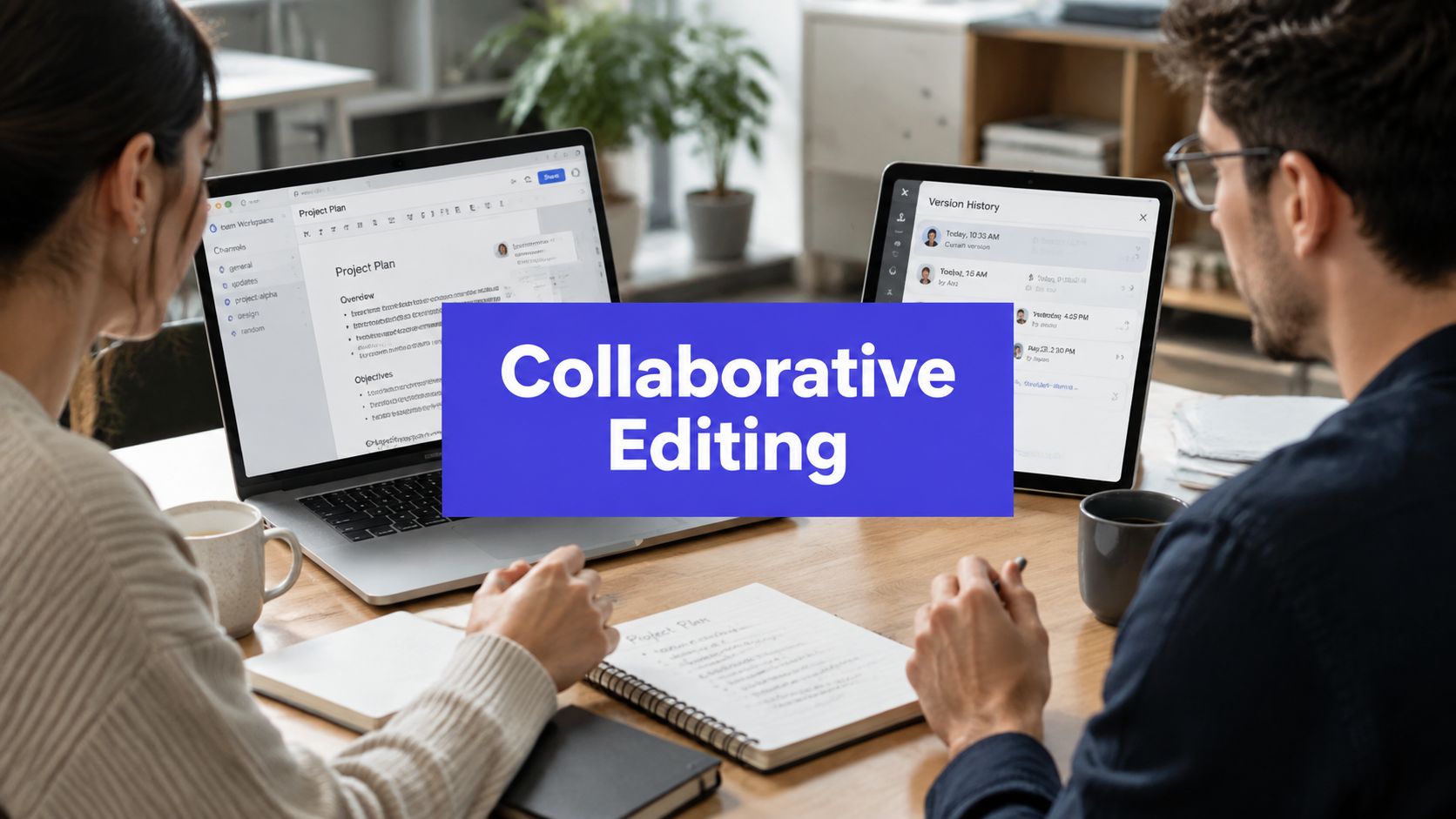












At 9:07 on a Monday morning, your team doesn't need another motivational message. It needs to find the approved Tuesday caption. One version is in a Google Doc, another is in a Notion page, and a third is buried in a Sheets tracker. The client approver has been tagged on the wrong draft, a designer is re-exporting an asset because someone overwrote the original, and the useful comments are scattered across Slack.
That isn't a writing problem. It's an operational collaboration problem. Social teams need a reliable way to draft, review, approve, schedule, and publish content while preserving ownership and context. Collaborative editing becomes valuable when it controls that entire process, not when two cursors happen to appear in the same document.

This guide rebuilds the workflow around three practical pillars, approvals, versioning, and roles. It then follows a post through PostSyncer, compares the setups teams commonly use, and finishes with a playbook and the mistakes that create the most rework.
The Monday Morning Chaos Every Social Team Knows
The first problem usually appears as a harmless question: “Which caption are we using?” In an agency, that question can trigger a search through a client folder, a Slack thread, a personal notebook, and a scheduling tool. Someone finds a likely answer, but nobody can confirm whether the copy includes the latest legal note or whether the image matches the final wording.
A shared document helps only until the workflow leaves the document. The copywriter edits the caption, the strategist adds a comment, the client replies in Slack, and the account manager pastes the decision into a Sheets tracker. A late-stage rewrite then lands after the post has already been scheduled. The team has activity, but it doesn't have a dependable record of the decision.
Operational rule: If a team can't answer who changed the post, who approved it, and which version is scheduled, the workflow isn't controlled.
The friction gets worse across multiple brands. A social lead may manage separate voice rules, approvers, assets, time zones, and publishing accounts, yet the team still relies on one general tracker. That structure makes ownership ambiguous and turns simple edits into detective work. Teams managing several profiles need a system designed for managing multiple social media accounts, not a larger pile of tabs.
The fix starts by defining collaborative editing as an operating discipline. The workflow needs clear states, visible history, and permissions that match real responsibilities. Once those foundations are in place, the team can use a shared workspace, a content calendar, and an approval queue without asking Slack to act as a database.
What Collaborative Editing Really Means for Social Teams
For social teams, collaborative editing means multiple people can work on the same post without losing the relationship between the content, the feedback, the decision, and the publication event. It includes drafting, commenting, revising, approving, scheduling, and auditing. A Google Doc may support some of the editing, but it doesn't automatically govern the whole publishing lifecycle.
A useful analogy is a shared kitchen prep line. One person chops ingredients, another checks the recipe, a third confirms the dish meets the customer's requirements, and the person serving it knows which plate is ready. Nobody should have to guess whether the sauce was changed, whether the allergy check happened, or whether an unfinished dish was sent out.
The workflow in practice
Take a product caption. The copywriter drafts the text and attaches the media. The brand strategist edits the wording in real time, adds a threaded comment about tone, and tags the client approver. The approver either accepts the current version or returns it with a specific note. Once the team locks the final draft, the scheduler places that version in the appropriate queue.
That process has four important properties:
- Shared context: Comments stay connected to the content they discuss.
- Visible ownership: Each action belongs to a named person or role.
- Recoverable changes: Earlier versions remain available when a rewrite creates confusion.
- Controlled release: Approval happens before the post reaches the publishing queue.
A thumbs-up emoji can signal agreement, but it doesn't replace an approval state. A DM can clarify intent, but it shouldn't become the only record of a compliance decision. Teams that want a fuller framework for moving from draft to sign-off can use this guide to build a content approval process around explicit handoffs.
The three pillars are simple to name. The work is making them visible in the system where the post moves toward publication.
The Three Pillars That Make Collaboration Work
A social team can have talented writers and careful reviewers, yet still publish the wrong caption. The usual causes are operational: an old approval remains active, a late edit has no clear owner, or someone cannot verify which version cleared review. Before increasing publishing volume, set up three controls that make those failure points visible.

Approvals turn opinions into decisions
Approval needs a defined decision-maker, a visible state, and a record of the outcome. Several stakeholders may comment on a post, but one person or role should own the final sign-off. Without that distinction, positive reactions can look like permission to publish.
A workable approval setup answers three questions:
- Who is responsible for reviewing this post?
- What does the current state mean?
- What feedback must be addressed before approval?
Use named states such as draft, changes requested, approved, and scheduled. A thumbs-up can show agreement, but it should not replace an approval state. A DM may clarify intent, but it should not be the only record of a compliance decision.
Versioning protects the work
Version history keeps the latest save from becoming the only record. Each meaningful change should remain connected to its editor, workflow position, and recoverable prior state. That record matters during late revisions, when a well-intended rewrite can remove a product detail or restore language a reviewer rejected.
A revision history also supports accountability without turning review into a courtroom. Editors can compare changes, restore a usable draft, and explain how the original copy became the approved version. Research on Wikipedia's revision history describes how stored change records support measurable, auditable editing at internet scale.
Roles keep responsibility separate
Writing, editing, approving, and publishing are different jobs. A caption writer should not automatically have permission to release the post, especially when client, legal, or brand review is involved.
A junior coordinator may prepare media and apply labels. A strategist may revise the copy. A client contact may approve brand language. A publisher should schedule only content that has cleared the required review. PostSyncer can reflect these boundaries through workspace permissions and defined responsibilities. Teams can apply the same operating model when they organize a social media workspace.
Together, approvals, versioning, and role separation reduce uncertain sign-off, lost context, and accidental release. The controls work best when the workspace displays them rather than leaving the team to reconstruct them from memory, chat messages, and scattered files.
How a Post Moves Through PostSyncer From Draft to Live
A practical workflow begins with one post, not with a large policy document. The team creates the content, routes it through the right people, and keeps every state change attached to the same record.

Draft and comment
The writer starts in the shared workspace by adding the caption, media, target network, and any relevant labels. The shared record gives the editor something concrete to review. The editor can leave inline feedback against the wording or asset rather than translating a vague Slack message into a new draft.
That context changes the quality of review. “Make this sharper” is difficult to act on when it floats in a chat thread. A comment attached to the opening sentence tells the writer exactly what needs attention and keeps the discussion with the post.
Version and approval
Each save should preserve the evolution of the post. If the editor's rewrite doesn't work, the team can return to an earlier version instead of reconstructing it from copied text. Version history also helps the approver distinguish a current draft from an earlier one that may still be open in another tab.
The reviewer then sends the post through the role-based approval queue. The assigned approver can sign off or return it with notes. That handoff is important because it replaces personal follow-up with a visible request and a defined owner.
Schedule and publish
After approval, the scheduler places the post on the visual calendar for the correct network, profile, and time zone. The publisher works from the approved record rather than from a separately pasted caption. When the post goes live, the activity history shows who drafted, edited, reviewed, approved, and scheduled it.
The operational benefit is straightforward. The team no longer has to search across documents and messages to reconstruct what happened. A shared workspace, role-based approval queues, version history, and the scheduler keep the lifecycle in one place.
A short product walkthrough can make the handoffs easier to visualize:
Real-time editing also has technical trade-offs beneath the interface. Operational-collaboration systems separate network latency from computation latency, while data-store latency includes prepare and apply work. The prepare step runs at the source, but it still affects the responsiveness a user experiences. A technical analysis of collaborative editing latency explains why payload size, bandwidth, and data-store work all matter when teams expect immediate feedback.
Comparing Collaboration Setups Teams Use Today
Social leads usually evaluate three arrangements. The first combines a shared Google Doc with a personal scheduler. The second relies on native tools such as Meta Business Suite or LinkedIn Pages. The third uses an all-in-one workspace such as PostSyncer, where drafting, approvals, calendars, and publishing sit together.
| Setup | Version control | Approval clarity | Multi-client management | Stakeholder visibility |
|---|---|---|---|---|
| Shared Google Doc plus personal scheduler | Familiar, but split across files and copies | Usually dependent on comments, messages, or manual status labels | Weak once brands need separate queues and account rules | Good for document viewers, weaker for publishing status |
| Native platform tools | Close to publication, but limited across networks | Varies by platform and team configuration | Awkward across several clients and channels | Useful for platform-specific stakeholders |
| All-in-one workspace | Central history connected to the post record | Role-based queues and explicit states | Designed for separated workspaces and profiles | Calendar and activity views give non-editors context |
Shared document and personal scheduler
This setup suits a small team working on a limited number of channels. Everyone already understands the document, and the scheduler handles the final post. The weak point is the handoff. Once content moves from the document into a separate tool, the approved copy and scheduled copy can drift apart.
Teams typically outgrow the arrangement when the social lead becomes the person who manually reconciles every change.
Native platform tools
Native tools reduce the distance between approval and publication. They make sense when a team manages one platform closely and doesn't need a broader editorial system. They become harder to govern when the same campaign needs different owners, formats, and approvals across several networks.
A useful companion for teams promoting professional content is the LinkedIn Free Promotion Tool, but promotion support doesn't solve the underlying issue of version ownership or cross-client review.
All-in-one workspace
An integrated workspace reduces the number of places where a post can diverge from its approved state. It suits agencies, distributed teams, and in-house groups with several reviewers. The trade-off is implementation discipline. A platform won't fix unclear roles if the team imports its old habits and continues approving through DMs.
Choose based on the bottleneck you feel first. If writing is slow, improve the brief. If review is slow, formalize ownership. If scheduling creates risk, connect approval directly to publication.
Best Practices and a Playbook for Teams and Agencies
A useful setup makes the right action easier than the improvised action. Configure the workspace before the first campaign enters production, while the team can still agree on ownership without a deadline pressing against it.
Set the controls before production
Start with roles. Define who can draft, edit, review, approve, and publish for each client workspace. Give the client approver a clear place in the chain instead of adding that person only when a post is already late.
Then configure the content record:
- Enable version history: Make every caption edit recoverable, especially during client revisions.
- Create one approval queue: Route requests to named approvers instead of accepting scattered DM confirmations.
- Build reusable templates: Prepare structures for product launches, weekly tips, announcements, and recurring campaign formats.
- Scope connected profiles: Attach each workspace to the social accounts it owns so publishers don't select the wrong brand.
The goal isn't to create bureaucracy. It's to prevent the same post from being rewritten, approved, and scheduled in separate realities.

The agency playbook
Agencies should create separate workspaces for each client, with client-specific roles, connected profiles, labels, and approval rules. Keep evergreen assets in a shared content library, but don't mix client approvals into one universal queue. A weekly review of pending approvals gives the account team a chance to remove blockers before they become publishing emergencies.
The in-house version is usually simpler. One workspace can hold the brand's channels, while a tighter approval chain separates the social editor from legal, product, or executive review. A shared voice document helps writers make consistent decisions before they request feedback.
Configure two settings on day one: role-based permissions and the approval workflow. Version history should also be enabled from the start, but permissions and routing determine whether the team can safely use the rest of the system.
Common Mistakes and the Future of Collaborative Editing
Teams don't usually fail because they lack a collaboration tool. They fail because they keep informal habits after the team has grown.
- Skipping the brief: The symptom is a caption that gets rewritten for missing audience, offer, or platform context. Fix it by requiring a short brief before drafting begins.
- Editing in DMs: The symptom is a decision that exists only in one person's conversation history. Fix it by moving the feedback back onto the post record.
- Approving by emoji: The symptom is uncertainty about whether a reaction meant “looks good” or “approved for publishing.” Fix it by requiring a named approval state.
- Clobbering scheduled posts: The symptom is a publisher working from an older caption while the editor changes a separate copy. Fix it by allowing edits through the scheduled record and checking the latest version before release.
- Treating roles as optional: The symptom is a contributor gaining access to actions they don't perform. Fix it by separating editing, approval, and publishing permissions.
The next phase will add more participants to the workflow. AI-assisted drafts may help teams create variants, repurpose source material, or suggest hooks. Automated approval routing can send a post to the right reviewer based on workspace rules. Platform-native collaboration will continue to improve, but social leads will still need to decide who owns the decision and what evidence proves that approval happened.
Privacy and governance also deserve attention when teams collaborate across organizations. Recent work on end-to-end encrypted collaborative documents shows that teams want stronger protection without giving up modern editing behavior, while research on human and AI collaboration points to unresolved questions around trust, permissions, accountability, and auditability. Research on collaborative editing with users and AI agents frames those issues as an active area of HCI and security work, not a solved checklist.
The durable discipline stays the same: approvals make decisions explicit, versioning preserves context, and roles limit risk. Teams that build those controls now will be better prepared for workflows where humans, AI agents, clients, and publishing systems all touch the same social artifact.
PostSyncer brings shared workspaces, role-based permissions, approval workflows, version-aware collaboration, and a visual publishing calendar into one social workflow. If your team is still reconciling Google Docs, Slack, Sheets, and separate schedulers, visit PostSyncer and set up the approval chain and workspace permissions before your next campaign.