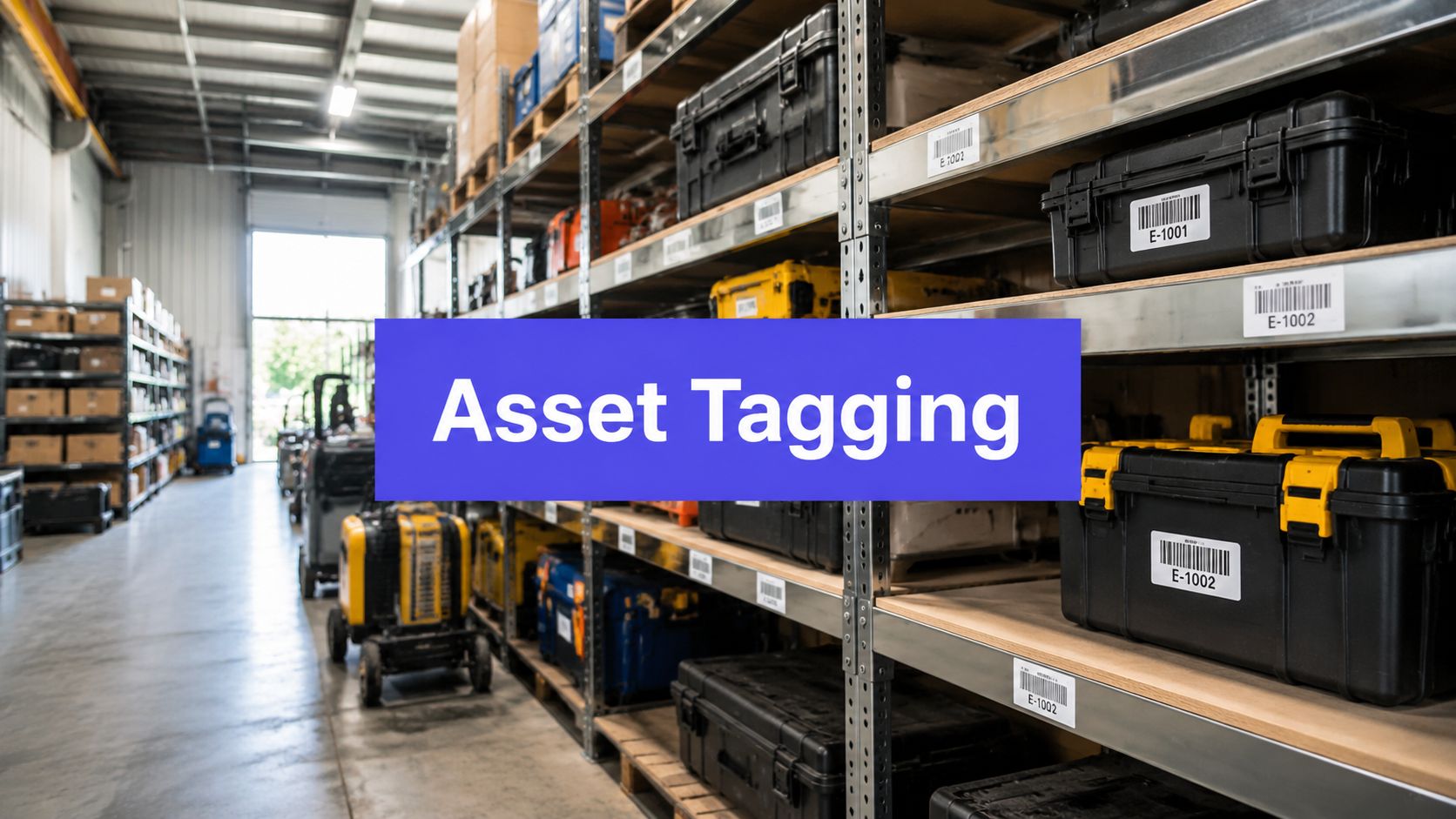












Someone needs a specific piece of equipment. The spreadsheet says it's in Building B, the department owner hasn't updated the record, and nobody can confirm whether the item was moved, repaired, retired, or just misplaced. After an hour of searching, the team still has no reliable answer.
That situation usually isn't caused by a missing label alone. It comes from a broken chain between the physical asset, its identifier, the person responsible for it, and the records used by operations, finance, and auditors. A well-designed asset tagging system repairs that chain across the full fixed-asset lifecycle, from acquisition and registration through maintenance, reconciliation, disposal, and review.
What an Asset Tagging System Does
An asset tagging system gives each physical item a stable identity that people and software can use throughout its fixed-asset lifecycle. The tag may contain a barcode, QR code, NFC element, or RFID inlay, but the marker is only the visible layer. A working deployment also requires tags, readers, asset-management software, data standards, and operating procedures.

In daily operations, the system must answer three questions:
- What do we have? A unique identifier connects the item with its model, serial number, acquisition record, condition, and status.
- Where is it? Scans, transfers, checkouts, and location updates record its site, room, department, or custody point.
- Who's responsible for it? A named custodian, team, or cost center makes accountability visible when equipment changes hands.
Those answers support more than locating equipment. They give finance, operations, maintenance, and audit teams one record to reconcile. During an audit, staff can compare the physical count with the register, investigate exceptions, and document whether an item was moved, repaired, reassigned, or retired.
A label without a maintained database cannot provide that control. A reader connected to duplicate records will create the same problem faster. The system remains reliable only when identifiers stay readable and each material change updates the underlying record. Ownership of those updates must be clear across departments, or records drift even when scanning technology works correctly.
Why the technology evolved gradually
Asset identification developed through successive standards rather than one sudden leap. The first barcode was invented in 1949, retail scanning appeared in 1967, commercial barcode use began in 1974, and full-scale adoption in retail and logistics took nearly 20 years, according to this history of asset tracking.
A key milestone was the first patent for a modern RFID tag with rewritable memory in 1973. Broader business adoption accelerated in the mid-1990s, followed by wider use of RFID and IoT-enabled tracking. Each generation addressed a different workflow constraint. Barcodes reduced manual entry, RFID supported bulk reading, and IoT-connected systems added richer location and status information.
Practical rule: Choose the simplest identification method that reliably supports the workflow. More technology will not correct weak ownership or dirty records.
Comparing Tag Technologies for Different Workflows
The useful question isn't “Which tag is best?” It's which combination minimizes total cost and operational friction. A low-cost barcode can outperform RFID when staff can reach each item easily, while RFID can justify its infrastructure when workers repeatedly count large volumes or sweep rooms without line-of-sight access.
| Technology | Cost Per Tag | Scan Speed | Range | Best Use Case |
|---|---|---|---|---|
| Barcode | Low | One item at a time | Line of sight | Office equipment, controlled indoor audits |
| QR code | Low | One item at a time | Camera distance | Smartphone-based identification and service workflows |
| NFC | Moderate | Tap-based | Very short range | Authentication, healthcare, secure facilities |
| Passive RFID | Higher than printed labels | Bulk reading | Reader-dependent | Warehouses, logistics, manufacturing cycle counts |
| Active RFID | Higher, with powered hardware | Continuous or event-based | Longer facility coverage | Real-time location and high-value mobile assets |
| Hybrid tag | Mixed | Manual or bulk, depending on the elements | Mixed | Organizations needing barcode fallback and RFID automation |
A barcode is often the right answer for laptops, furniture, and equipment stored in known rooms. It's inexpensive, widely supported, and easy to print or replace. QR codes add smartphone compatibility and can direct a user to a record, service form, or instructions without requiring a dedicated scanner. Neither option removes the need for a person to approach and scan the item.
NFC suits workflows where deliberate proximity matters. A technician can tap a phone to open an asset record, while a healthcare or secure-facility team can use the short range as part of an intentional verification process. Passive RFID is stronger for bulk audits. UHF readers in modern deployments commonly read roughly 200 to 750 tags per second, and optimized high-end systems can reach about 1,000 to 1,200 unique tags per second, although performance depends on reader power, antenna placement, tag orientation, and anti-collision settings, as explained in this RFID reader performance overview.
Match the mix to the workflow
A warehouse moving tagged containers through a dock may need passive RFID for rapid checks and a printed barcode as a visible fallback. A small agency issuing client laptops may need only durable QR or barcode labels and a mobile application. A manufacturer tracking expensive tools between work areas may combine RFID for automated zone visibility with barcodes for maintenance technicians.
Cost per tag is only one line item. Readers, antennas, installation, calibration, software integration, replacement tags, training, and environmental testing can determine whether the project pays off. Teams comparing logistics and fleet visibility platforms may also benefit from reviewing Fourkites competitor platforms before connecting asset data to a wider transportation workflow.
The Software and Data Layer That Makes Tags Useful
A tag creates an identifier. Software creates meaning. The backend record should connect the identifier to the asset class, serial number, financial record, location history, custodian, condition, maintenance events, and lifecycle status.
A standalone asset-management application can work for a smaller organization with limited integration needs. An ERP or CMMS connection becomes more important when procurement creates the asset, finance depreciates it, maintenance schedules work against it, and operations moves it between sites. Without integration, staff may update one system while leaving the others unchanged, creating record drift.
Build the record before buying readers
The database needs clear rules for identifiers, locations, asset categories, custody, status values, transfers, repairs, disposals, and replacement tags. A stable identifier should survive a change of department, location, custodian, or maintenance status. If teams reuse identifiers, create a new record for every movement, or delete records instead of closing them properly, even accurate scans will produce confusing results.
ISO/IEC 19770-2 defines software-tagging specifications, while ISO/IEC 24730-1 supports real-time locating system infrastructure. The standards are useful reminders that tagging is a data-governance layer, not merely a label purchase, as described by the ISO standard reference.
A poor RFID deployment illustrates the danger. Readers may capture every tag in a room, but if the database contains duplicate assets, missing custodians, inconsistent location names, or no process for correcting false reads, the organization gets faster ambiguity. The scan is technically successful, yet the operational decision remains unreliable.
Useful controls include:
- Single identifier ownership: One system should govern ID creation and prevent duplicates.
- Required fields: Define the minimum data needed before an asset becomes active.
- Change history: Preserve who changed a record, what changed, and why.
- Exception queues: Route unknown tags, duplicate scans, and unregistered assets for review.
- Integration boundaries: Decide which system owns purchasing, finance, maintenance, and location data.
Managers also need reporting that turns scans into action. A performance dashboard can serve as a useful model for thinking about operational visibility, even though the asset platform itself should remain the authoritative source for asset records.

The following video provides another visual way to think about how a software layer connects identifiers, records, and decisions.
Implementation as a Full Lifecycle Process
Treat implementation as an operating process, not a labeling day. The project starts by defining which assets matter, how the organization will identify them, and what counts as one taggable unit. A machine may receive one tag, while a kit, case, or component may require a different rule. If that decision changes from department to department, reconciliation becomes difficult later.
Establish a clean starting record
Export the fixed asset register, remove duplicates, resolve obsolete entries, and compare the register with the general ledger before fieldwork begins. Then define the fields that staff must capture, such as asset ID, serial number, description, location, custodian, condition, photographs, and geolocation where relevant.
Physical tagging should follow a controlled sequence:
- Plan and scope: Identify high-value, mobile, regulated, or frequently misplaced assets first.
- Tag and register: Assign the identifier, attach the tag, and create or confirm the digital record.
- Scan and track: Record location, status, custody, and movement through normal workflows.
- Maintain and update: Handle damaged tags, reassignment, repairs, transfers, and disposal.
- Audit and review: Compare physical observations with the fixed asset register and accounting records.

Reconciliation is where control value appears
The field team should classify each result, not just mark items as found. A physical asset may match the register, appear in the field without a register entry, appear in the register but not in the field, or carry a conflicting identifier. Each exception needs an owner, evidence, resolution, and date.
That audit trail helps surface unrecorded assets, ghost records, duplicate records, location errors, and custody gaps. It also supports documentation for financial and regulatory processes. Guidance on asset lifecycle management for leaders is useful for connecting tagging decisions to broader reliability and governance responsibilities.
The effort varies with asset volume, site access, record quality, and environmental complexity. A small office can usually assign a project owner, one or two trained counters, and a defined review cycle. A multi-site operation needs local coordinators, data-cleaning support, equipment for difficult environments, and a governance owner who can keep standards consistent.
Training should use real exceptions. Show staff how to process a missing tag, a moved asset, a damaged label, an unregistered item, and a disposal request. For broader workspace discipline, teams can also review workspace organization practices, particularly when physical and digital ownership rules need to align.
Measuring ROI and Avoiding Integration Pitfalls
The financial case should begin with the problem, not the vendor's feature list. If audit labor consumes too much time, measure the current counting effort. If assets disappear between sites, quantify the investigation and replacement burden. If maintenance teams can't locate tools, connect the delay to scheduling, utilization, or service risk.
One University of Arkansas RFID study found that item-level RFID improved overall inventory accuracy by more than 27% over a 13-week period. The same test found that scanning 10,000 items took 2 hours with RFID compared with 53 hours using a barcode reader, or 4,767 counted items per hour versus 209, a 96% reduction in cycle-counting time, according to the University of Arkansas RFID study.
Those results don't guarantee the same return in every environment. RFID may reduce counting effort while adding reader infrastructure, tag qualification, integration work, and exception handling. A barcode rollout may produce a better return when assets are stationary and staff already carry phones or scanners.
Calculate the complete cost
Include more than tags and software:
- Labor: Data cleanup, field counting, installation, training, and ongoing exception management.
- Hardware: Mobile scanners, RFID readers, antennas, printers, and replacement equipment.
- Integration: ERP, CMMS, finance, procurement, identity, and reporting connections.
- Maintenance: Damaged tags, device batteries, software administration, and support.
- Change management: Supervisors and users need time to adopt new transfer and custody procedures.
Integration failures often appear after a successful pilot. A reader may perform well in an open test area but struggle around metal, liquids, dense shelving, or poor antenna placement. A mobile application may work for one department but fail when location codes, ownership rules, or approval steps differ across sites.
Pilot discipline: Test the exception path before celebrating the scan rate. A deployment earns its value when staff can resolve bad data quickly.
Use a phased rollout with a defined exit criterion. Confirm that records reconcile, users complete transfers, readers perform in the live environment, and the system exports usable audit evidence before expanding. Keep identifiers and core asset data portable so the organization isn't trapped in proprietary hardware or an inflexible data model. For a broader measurement mindset, the guide to measuring social media ROI offers a useful reminder to connect activity with an operational outcome, not just volume.
Common Mistakes That Undermine Tagging Deployments
The most expensive mistake is assuming that better hardware fixes a weak process. A team can install RFID readers throughout a facility and still lose control if nobody records transfers, departments use different location names, or finance and operations maintain separate versions of the truth.
Over-tagging creates another problem. If the organization labels every low-risk item before proving the workflow, staff spend time maintaining records that don't influence decisions. Start with assets that are valuable, mobile, regulated, safety-critical, difficult to replace, or frequently disputed between teams.
Where deployments usually break
Garbage data defeats good tags. A readable label linked to the wrong serial number remains wrong. Clean the fixed asset register, define required fields, and verify the physical item against more than one identifier where practical.
The environment damages the label. Heat, chemicals, abrasion, sunlight, cleaning agents, metal surfaces, and irregular shapes can all affect durability or read performance. Test the actual label and attachment method on representative equipment before ordering at scale.
RFID gets selected for the wrong reason. Teams sometimes choose it because it looks more advanced, even though workers already handle each item individually. In that setting, a barcode or QR code may deliver the needed control with less infrastructure and fewer technical dependencies.
Simple tools get rejected prematurely. The opposite error is keeping manual spreadsheets after the organization has multiple sites, frequent transfers, or recurring audit disputes. At that point, the hidden labor cost and weak evidence may outweigh the apparent simplicity.
When not to implement
Don't launch a tagging program if leadership won't assign record ownership, departments won't follow transfer procedures, or the organization hasn't agreed on what constitutes an asset. Technology can expose those conflicts, but it can't resolve them.
Contrarian advice: Delay the hardware purchase if the organization can't maintain a single asset register. Fix ownership and data rules first, then select tags around the workflow.
A tagging system also may not be worthwhile for a small, stable collection of low-risk items that rarely move and can be verified quickly through an existing register. The decision should reflect operational exposure, not a desire to modernize for its own sake.
A Practical Selection Framework for Your Organization
Start with the operational failure you need to prevent. “We need RFID” isn't a pain point. “We can't reconcile mobile tools after a site transfer” is specific enough to guide a design.
Ask these questions in order:
- What's going wrong? Separate loss, slow audits, maintenance delays, compliance evidence, duplicate purchases, and unclear custody. Each problem may require a different workflow.
- What are the assets like? Consider value, mobility, size, surface, environment, and how often people need to identify them.
- How healthy is the data? Check whether the fixed asset register has consistent identifiers, locations, owners, statuses, and links to financial records.
- What can the team sustain? Budget for hardware, software, installation, training, support, replacement tags, and administration.
- What must connect? Identify ERP, CMMS, procurement, finance, service, and reporting dependencies before choosing a platform.
A small startup with limited equipment may need durable QR labels, a mobile-first application, and a clear checkout process. An agency managing client laptops may prioritize custody, smartphone scanning, tamper evidence, and separation between workspaces. An in-house operations team supporting several departments may need barcode-based control initially, then add RFID in the areas where counting labor and movement justify readers.
A manufacturer with thousands of tools moving between work areas has a different problem from an office managing laptops. Passive RFID may suit bulk counts or dock checks, while barcodes remain useful for technicians who need a visible identifier during maintenance. Hybrid tags can preserve that fallback, but they also add design, encoding, and replacement considerations.

Use a simple priority score
Score each candidate workflow from low to high against business risk, movement frequency, audit difficulty, environmental exposure, and integration urgency. Start with the assets and locations receiving the strongest combined score. This keeps the first deployment narrow enough to manage while still producing evidence that informs the next phase.
Document the decision in one page: selected technology, excluded technology, asset scope, required fields, system owner, scan events, exception process, and success criteria. That document prevents the project from drifting into a technology purchase without an operating model.
PostSyncer can help teams organize labeled digital assets, media libraries, approvals, and workspace activity alongside their broader operational processes. Visit PostSyncer to see how its labels, shared workspaces, scheduling, and analytics can support a more orderly content and asset workflow.