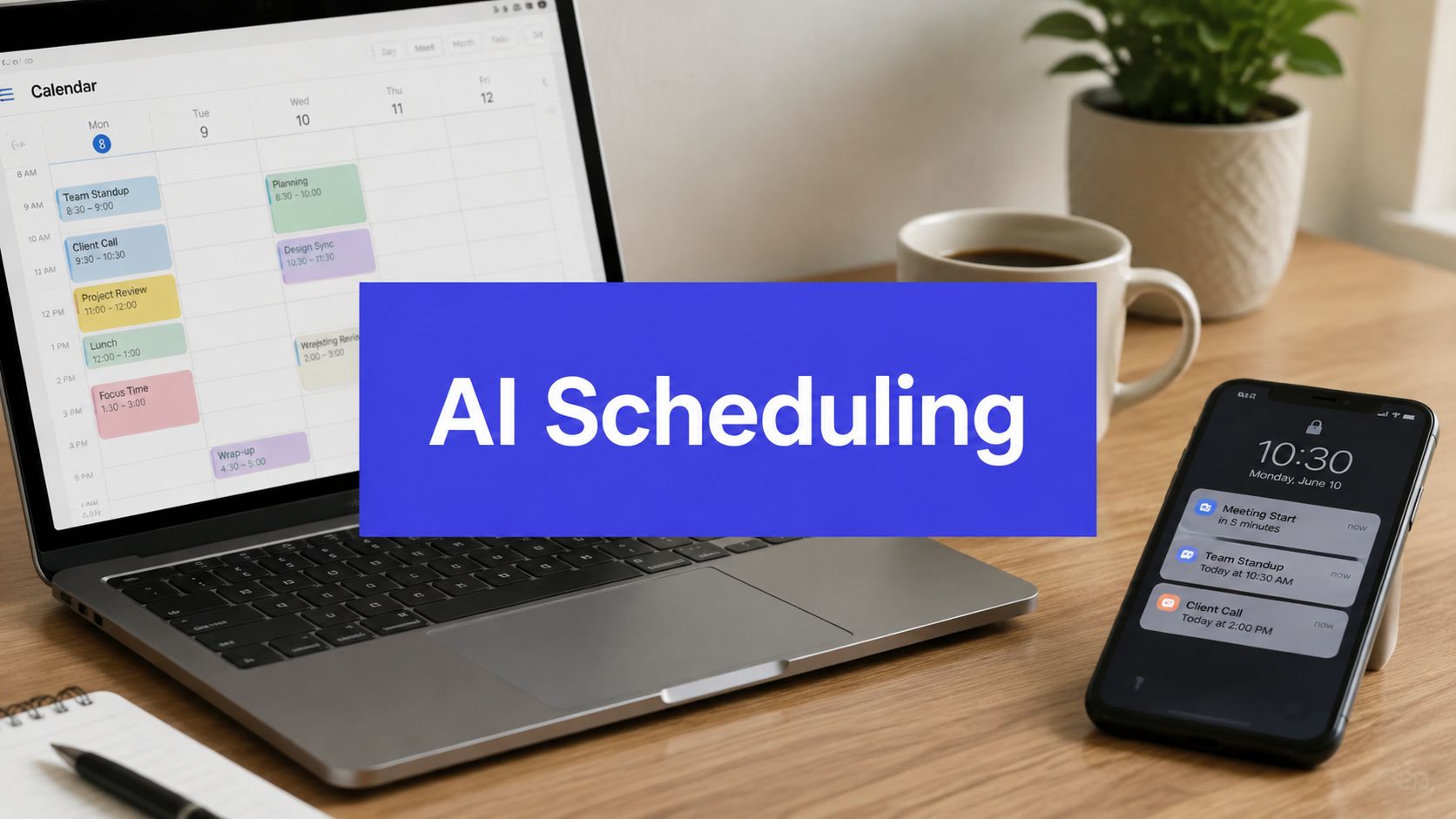












Monday morning starts with a content lead switching between Google Docs, a Trello approval board, three brand calendars, and a Slack thread warning that LinkedIn needs a post before noon. The work isn't only writing. Someone has to rewrite the caption for each channel, choose a publishing window, resize the creative, chase an approval, paste live links into an analytics dashboard, and repair whatever changed after the post was queued.
That operational drag limits output. A team can have a strong strategy and still lose productive time to calendar administration. AI powered scheduling software promises to remove that friction, but the useful question isn't whether a vendor has an AI label. It's whether the system can make good decisions under competing constraints, keep people in control, and recover cleanly when the input data is wrong.
The Weekly Scheduling Grind Most Teams Know Too Well
By late morning, the content lead has made progress on none of the work that requires judgment. They've spent the first part of the day translating one approved idea into platform-specific versions, checking whether a carousel meets the right format requirements, and moving a post because a client hasn't approved the image.
The calendar looks organized from the outside. Behind it sits a chain of repetitive decisions: which account gets the next slot, whether two similar posts are too close together, how much time to leave between channels, and what happens when a planned item is delayed. A spreadsheet can store those decisions, but it can't reliably rank them when several priorities collide.

The pressure becomes worse for agencies and small marketing teams. One person may manage several brands, each with different voice rules, approval chains, audiences, and publishing rhythms. A manual queue forces that operator to remember too many small conditions at once, so errors appear in predictable places, such as duplicate captions, missing links, incorrect formats, or posts published before approval.
Practical rule: Automate repeatable coordination, not the decisions that define the brand.
A single workspace can handle drafting, channel adaptation, scheduling, publishing, approvals, and reporting without requiring the operator to copy information between disconnected tools. That doesn't make strategy irrelevant. It gives the strategist more time to decide what the brand should say, which audience deserves attention, and when a timely response matters.
AI scheduling is valuable when it removes operational drag while preserving human judgment. The software should prepare, rank, route, and publish according to clear rules. People should still set those rules, review sensitive content, and intervene when context matters more than pattern recognition.
What AI Powered Scheduling Software Actually Does
AI scheduling software works best as a control tower, not as another isolated calendar. It connects content drafts, channel APIs, audience signals, approval states, and a publishing plan, then helps decide what should go out, where it belongs, and when it should be released.
A restaurant provides a useful comparison. The kitchen manager watches order volume, knows which cook handles each station, checks which ingredients are available, and sequences the pass so dishes leave in the right order. A scheduling system performs a similar coordination job for content. It doesn't invent the restaurant's menu or replace the head chef. It keeps the moving parts from colliding.

The background workflow
A practical system typically handles these jobs:
- Drafting variations: It turns a source idea, article, video, or brief into versions suited to different channels.
- Timing recommendations: It ranks available windows using account history, audience behavior, campaign priorities, and spacing rules.
- Queue management: It places approved content into a calendar and publishes through connected network integrations.
- Reply routing: It identifies likely questions, complaints, spam, and high-value conversations so the right person can respond.
- Performance feedback: It brings results back into the planning view, allowing future choices to reflect what happened previously.
The category isn't a CMS because it doesn't necessarily manage the full content production lifecycle. It isn't a complete analytics suite because reporting is usually connected to execution rather than designed for every business intelligence need. It also isn't a replacement for strategy. It's the connective layer between a content plan and the work required to execute that plan.
For teams focused on social publishing, a social media scheduling workflow shows the practical distinction. The useful product isn't just a calendar with an AI button. It's a system that connects creation, adaptation, approvals, publishing, and feedback in one operating loop.
This video offers a visual explanation of how AI scheduling workflows can coordinate those moving parts:
The strongest implementations treat scheduling as an optimization problem. They balance availability, priorities, resources, platform rules, and hard or soft constraints, rather than filling every empty slot without regard for consequences.
The Four AI Capabilities That Move the Needle
The four capabilities below matter because they improve the decision process, not because they add more buttons to a dashboard.
| AI Capability | What It Actually Does | Watch Out For |
|---|---|---|
| Content generation and repurposing | Converts a source asset into channel-native drafts, hooks, captions, and calls to action | It can flatten nuance, invent details, or produce a voice that sounds generic |
| Timing and cadence optimization | Ranks publishing windows using account-specific patterns and scheduling constraints | Historical behavior can mislead the system when the audience or offer changes |
| Cross-platform publishing and format adaptation | Adjusts copy length, creative format, hashtags, and calls to action for each network | A technically valid post can still feel culturally wrong for the platform |
| Automated replies and comment triage | Classifies intent, flags sentiment, filters spam, and routes conversations | Automation can mishandle complaints, sensitive topics, or messages needing context |
Content generation and repurposing
A transformer-based model can extract the main argument from a long-form source and create shorter variants for different channels. That saves the operator from starting each caption from a blank page, especially when a campaign has one article, webinar, or product update that needs several treatments.
The failure mode is factual drift. The model may overstate a benefit, change the meaning of a sentence, or add a claim that wasn't in the source. Human review remains necessary for statistics, customer references, regulated language, and anything that could affect trust.
Timing and cadence optimization
Generic “best time to post” charts are weak substitutes for account-level evidence. A better system learns each account's engagement curves, then considers spacing, campaign priority, audience location, and conflicts in the queue.
That still isn't prophecy. A launch, crisis, seasonal event, or audience shift can make old patterns irrelevant. Treat the recommendation as a ranked option, not an instruction.
Format adaptation
Cross-platform publishing becomes useful when the tool does more than duplicate text. It should recognize that a short video, a professional network update, a carousel, and a thread may need different pacing, dimensions, copy lengths, and calls to action.
The common failure is shallow adaptation. A system can satisfy a character limit while producing a post that sounds like a copied advertisement. Review the first drafts for channel fit, not just technical validity.
Reply triage
Intent classification helps separate routine questions from complaints, purchase signals, and spam. Sentiment flags and routing rules can direct high-risk conversations to a human while allowing simple responses to move faster.
The danger is false confidence. A polite complaint may look routine, and a sarcastic message may be misclassified. Keep auto-replies narrow until the team has reviewed actual conversations and established escalation rules.
The value compounds when these functions share one workflow. A source asset becomes several drafts, those drafts receive timing recommendations, approved versions publish in the right formats, and replies feed back into the next planning cycle.
Who Gets the Most Out of AI Scheduling
AI scheduling creates the most value where recurring coordination decisions consume time and mistakes spread across channels, campaigns, or clients. The deciding factor is workload intensity, not company size or budget.
| Team Profile | Primary AI Win | Secondary Benefit | Watch Out For |
|---|---|---|---|
| Solo creator | Caption drafting and timing suggestions | A repeatable publishing routine | Review every claim and keep the voice distinctive |
| SMB marketing team | Cross-channel sequencing | Shared approvals and a central calendar | Poor inputs can multiply across every account |
| Agency | Client queues and approval routing | Workspace separation and reporting | Seat and workspace costs can rise with account growth |
| Large in-house team | Ideation and timing at the edges | Faster coordination between specialists | Governance may make broad automation slow to deploy |
Solo creators
Solo creators gain when software removes blank-page work and queue maintenance. The creator still decides what to say, which partnerships fit, and which comments deserve a personal response. AI converts approved ideas into scheduled drafts, but the creator remains accountable for claims, tone, and audience fit.
Skip an enterprise platform for a simple publishing routine. Choose clear editing controls, dependable network connections, and an easy export path. Those safeguards matter more than a long feature list.
SMB marketing teams
Small and mid-sized teams usually gain more from coordination than from generation. One operator may manage several accounts and campaigns while another handles approvals. A shared queue reduces duplicate work, exposes ownership, and makes scheduling constraints visible before they create conflicts.
Teams considering broader automation can review practical examples of how small firms automate administrative tasks with AI. Use those examples to identify repetitive administrative work worth automating first, then apply the same discipline to scheduling.
Agencies
Agencies need separation and traceability more than clever copy. Per-client workspaces, approval roles, labels, reusable queues, and client-ready reporting usually matter most. The system should show who approved a post, which version went live, and where performance data came from.
Keep client data separated. A scheduling model trained or prompted with one client's material should not influence another client's drafts. Review permissions, retention settings, and export controls before expanding account access.
Large in-house teams
Large teams often divide strategy, copy, design, community, and analytics among specialists. Their manual work is already distributed, so AI's return may be narrower. It can still assist with repurposing, timing recommendations, and gap detection, provided those suggestions fit existing review controls.
Broad automation is rarely the right starting point for a governed team. Begin with low-risk coordination tasks, measure error rates and approval delays, then expand only where the workflow remains fair, auditable, and useful.
The strongest fit is the team facing recurring coordination pressure, not necessarily the team with the largest budget.
A Practical Buyer's Checklist for AI Scheduling Tools
Skip the feature bingo card. Score each product against the work your team performs every week, then test the riskiest workflow before signing a contract.
Start with network coverage
Confirm native integration with every network you publish to today and the ones you may add later. A scheduled share link isn't equivalent to a full publishing integration. Ask whether the connection supports the formats, analytics, comments, and permissions your workflow requires.
Then test failure recovery. Disconnect a test account, reconnect it, and see whether the queue, media, approvals, and history remain understandable.
Test the intelligence on real accounts
Use representative brand accounts, not a generic demo brief. Give the system a real source asset and inspect:
- Caption quality: Does the draft preserve the source meaning?
- Timing logic: Does the recommendation reflect your account's behavior and campaign constraints?
- Voice control: Can you provide a brand prompt that produces consistent results?
- Human review: Can editors change the draft without fighting the interface?
- Format handling: Does the system adapt content instead of merely duplicating it?
A polished demo tells you little about performance under imperfect inputs. Real drafts expose whether the model understands the brand or produces fluent filler.

Inspect the operating model
Pricing should be understandable against your actual post volume, workspaces, users, AI usage, storage, and analytics needs. Avoid a plan that looks affordable until you add approval roles or additional brands.
Check queue permissions, approval routing, single sign-on if your organization needs it, audit history, data export, and account-disconnection behavior. A comparison of social media scheduling tools can help build a shortlist, but your own workflow test should make the final decision.
The tool earns its place when it makes ordinary work safer and faster, not when its demo looks clever.
The Trust, Data, and Compliance Questions Buyers Skip
A scheduler can publish flawless copy and still be unsafe for the business. The risk usually enters through bad source data, unclear model handling, weak permissions, or missing human review.
Start with data provenance. Ask what information the system sends to a model, whether unpublished drafts enter a shared improvement process, and whether your organization can opt out. A vendor should explain retention, deletion, access controls, and the difference between data used to operate your workspace and data used to improve a model.
Put policy before automation
Teams operating across regions need clear answers about residency and retention. The exact requirement depends on the organization, industry, contract, and jurisdiction, so buyers should involve legal, security, and compliance stakeholders before connecting sensitive accounts.
The European Parliament's study on algorithmic management treats scheduling and task allocation as areas where AI can increase monitoring and workplace control. That concern applies beyond workforce rosters. Any system that recommends timing, routes attention, or changes schedules can affect how people experience authority and fairness at work.
Clean inputs are a control
Incorrect availability, task details, and labor rules can produce faulty AI-generated schedules. A Harvard Business School study reported that about 7.9% of shifts, or 7.8 million shifts, required manual correction because of bad input data as summarized in the provided appointment-scheduling research. The operational lesson is simple: AI doesn't remove the need for data hygiene. It makes bad rules easier to apply at scale.
For social content, require fact checks, URL validation, approval gates, and escalation for sensitive subjects. Also monitor platform policy changes. Network rules change, and a vendor that fails to update its automation layer can expose connected accounts to avoidable risk.
A 30-60-90 Implementation Roadmap
A staged rollout beats a big-bang launch. It gives the team time to inspect inputs, correct permissions, and learn where recommendations help rather than forcing automation across every brand at once.

First 30 days
Audit the current content library, account connections, approval rules, timezone settings, recurring campaigns, and reporting definitions. Connect one brand or business unit, establish a pre-AI baseline, and pilot two capabilities, usually draft generation and timing recommendations.
Keep publishing manual during the first phase. The team needs to see how the system behaves before granting it permission to release content without review.
Days 31 to 60
Expand to additional brands or platforms only after the first workflow is stable. Document who drafts, who edits, who approves, who handles comments, and what conditions require escalation.
Train the system with approved examples where the product supports that workflow, but don't assume more examples automatically produce a better voice. Set guardrails for replies, sentiment flags, prohibited claims, and human review.
Days 61 to 90
Introduce cross-platform repurposing and tighten quality assurance. Compare the new process with the old manual workflow using consistent definitions for time saved, edits, approvals, publishing delays, and performance.
Timezone handling deserves a dedicated test. A queue can appear correct in one location while publishing at an unsuitable hour for another audience. Review daylight-saving changes, regional calendars, and local approval deadlines before scaling.
Use this checkpoint before renewal:
- Scale: The team saves meaningful time without increasing corrections or risk.
- Pause: Recommendations are useful, but data or governance gaps remain.
- Rework: The tool creates more review work than it removes.
- Stop: Integrations, exports, permissions, or compliance controls fail basic requirements.
Metrics to Track and a Clear Verdict on When to Invest
Measure the operating system, not vanity counts. Start with hours spent drafting and scheduling, time from approved idea to live post, approval-cycle length, engagement per post, and the share of AI drafts requiring human edits.
Compare those measures with the pre-AI baseline across a consistent review window. The purpose isn't to prove that automation works. It's to identify which part of the workflow improves, which part remains fragile, and whether the software creates enough capacity to justify its cost.
Market demand supports a practical approach. The AI scheduling software market is forecast to grow from about US$342.3 million in 2023 to US$803.7 million by 2030, implying a 13.8% CAGR, according to this AI scheduling market overview. A separate estimate projects the market at US$1.05 billion in 2025 and US$2.84 billion by 2034, with 11.2% annual growth, reflecting investment in calendar automation, resource allocation, and workflow timing rather than reminders alone. Treat those figures as market context, not proof that a particular tool will pay off for your team.
| Team Profile | Posts per Week | Expected ROI |
|---|---|---|
| Solo creator | Sporadic publishing | Usually limited, unless drafting is the main bottleneck |
| Single-channel brand | Regular publishing | Moderate if approvals and reporting are simple |
| Multi-channel SMB team | Several recurring campaigns | Stronger when one operator manages sequencing and approvals |
| Agency | Multiple client calendars | Strong when queue separation and reporting reduce coordination |
| Large in-house team | High volume with specialists | Selective, mainly at repurposing and timing edges |
The 2026 appointment-scheduling survey reports that 32% of organizations already use an AI tool or feature for meeting scheduling, 66% believe AI can enhance scheduling automation, and 63% are comfortable with AI suggesting or rescheduling meeting times according to the survey summary. The buyer's problem has moved beyond awareness. It's choosing where automation deserves authority.
My verdict is direct. Invest when your team publishes across multiple channels, manages recurring approvals, or needs to scale client work without adding administrative headcount. Skip it when publishing is sporadic, the brand has one simple channel, or every post requires such tight voice control that editing AI output takes longer than writing it.
For reporting workflow design, reporting automation guidance can help connect scheduling activity with the performance review process. Apply one decision rule today: if the tool can't reduce repetitive coordination without increasing corrections, don't renew it.
PostSyncer combines a visual content calendar, AI-assisted drafting and repurposing, cross-network publishing, approval workflows, unified comment handling, and performance analytics in one workspace. Test your real brand accounts, measure the baseline against the pilot, and visit PostSyncer to see whether it fits your scheduling workflow.