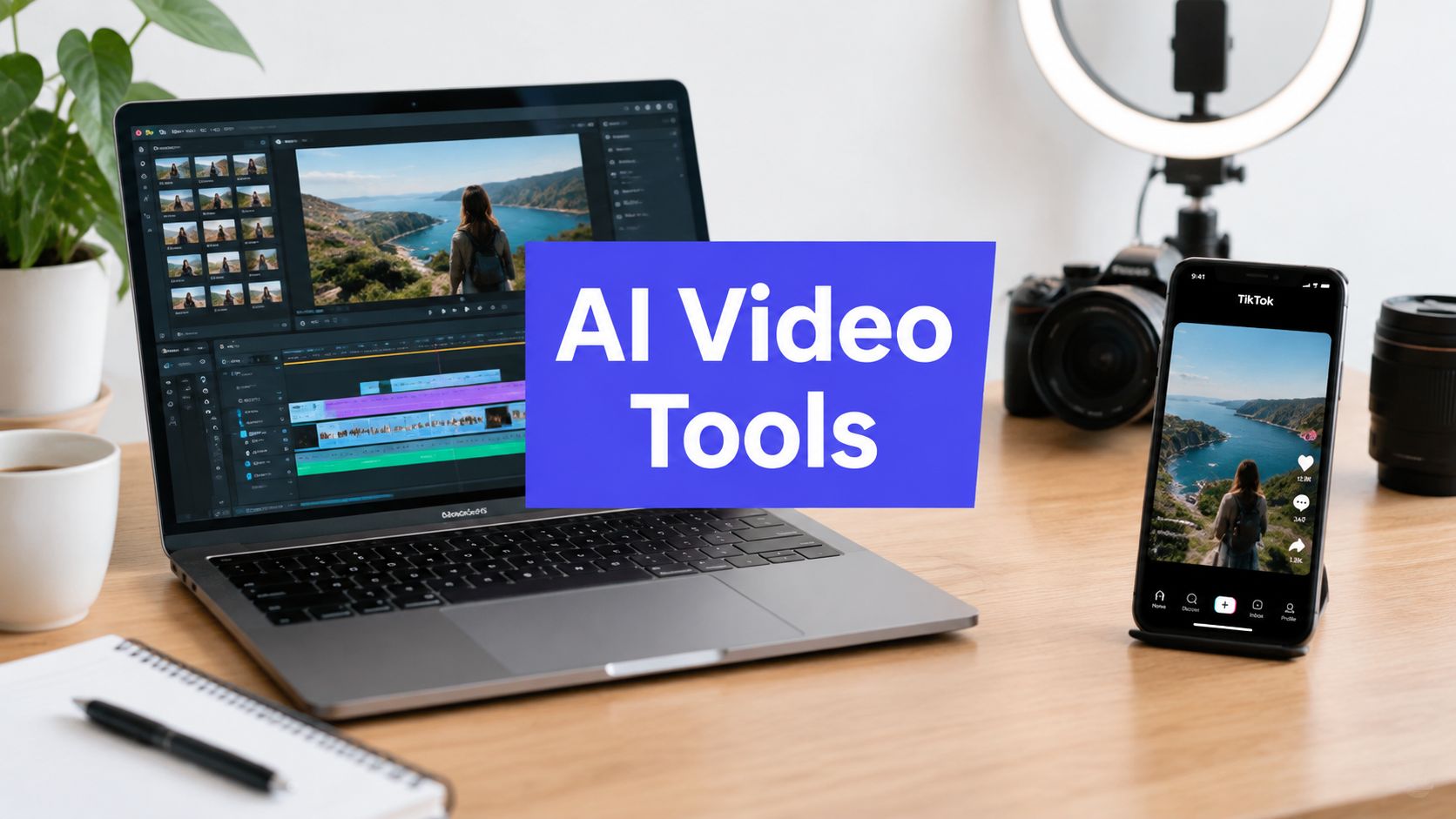












You need more TikTok videos, but the bottleneck isn't ideas. It's the chain after the idea: writing a usable script, finding or generating visuals, recording a voiceover, adding captions, checking vertical framing, securing approval, and publishing without losing the original context. An AI video generator for TikTok can remove much of that production load, but only if it fits the job your team needs done.
This comparison looks at ten tools by workflow role, including prompt-to-video creation, template editing, long-to-short repurposing, faceless production, and avatar localization. It also weighs TikTok-ready output, creative control, collaboration, credit or plan considerations, publishing support, and the amount of human review still required. The right choice depends on whether you're starting with a blank prompt, a long recording, an existing template, or a presenter script.
TikTok's scale makes that distinction more important. Estimates place the platform at roughly 1.9 billion monthly active users, with about 167 million videos uploaded daily worldwide in one 2026 summary, creating a publishing environment where speed and iteration matter alongside production quality (TikTok statistics and marketing data for 2026). For teams that need creation connected to scheduling, approvals, repurposing, and analytics, PostSyncer deserves particular attention. You can also use this broader guide to compare creative workflow tools in 2026.
1. AI TikTok Video Generator, PostSyncer
A campaign manager with a script, a product brief, and several reviewers needs more than a video file. PostSyncer fits that workflow by taking an idea through generation, review, scheduling, reuse, and performance tracking in one workspace.
Its AI TikTok Video Generator converts a text prompt into a vertical 9:16 video with a script, visuals, voiceover, subtitles, and music. That makes it useful for prompt-to-video creation and faceless production, particularly when a team needs a workable first cut before investing in detailed manual editing.
The operational advantage comes after rendering. A team can route the draft for approval, label it, schedule it, adapt the concept for other social channels, and review results without moving the asset through unrelated tools. This reduces handoff delays for agencies and in-house teams, although human review remains necessary for claims, tone, pronunciation, and visual consistency.
PostSyncer supports several AI engines, including Sora 2, Veo 3, and Kling. Comparing their outputs can help a team choose a visual treatment for explainers, announcements, or campaign variants. Exports are available in HD or 4K, without watermarks, and the native vertical format reduces reframing work before export checks.

Where PostSyncer fits best
Use PostSyncer when production begins with written direction and must pass through approvals before publishing.
- Prompt-to-video creation: A single prompt establishes the script, visual direction, narration, subtitles, and music.
- Faceless production: Generated narration and visuals can support explainers or educational clips without recording a presenter.
- Workflow management: Approvals, scheduling, labels, and analytics remain connected to the asset.
- Cross-platform reuse: A TikTok concept can be adapted for other short-form channels instead of ending as one export.
The trade-off is control. AI-written copy may miss a brand's tone, simplify a technical statement, or require fact-checking. Generated visuals can also fall short of precise art direction, and repeated variations may consume AI credits. Teams should test prompts, compare engines, and set an approval owner before scaling output.
Practical rule: Treat the first render as a production draft. Check claims, pronunciation, captions, rights, visual continuity, opening hook, and vertical framing before scheduling.
Visit the PostSyncer AI TikTok Video Generator when creation, approvals, publishing, and analytics need to stay in the same workflow.
2. CapCut
A phone recording, product clip, or generated asset can become TikTok-ready inside CapCut without rebuilding the edit from scratch. The tool is designed for footage that already exists, with templates, trend-led transitions, auto-captions, beat-based timing, and vertical framing built into the workflow.
Start by importing the source clip, then choose the level of automation the edit needs. Templates can reproduce a familiar TikTok format, while autocut, text-to-image tools, captions, and manual timeline controls cover more custom edits. Community and business templates reduce repetitive work, though they can also make branded content look familiar rather than distinctive.
CapCut fits creators whose idea depends on pacing. Beat changes, on-screen text, quick reframing, and recognizable feed conventions are easier to adjust than in a tool that generates the entire video from a prompt. The trade-off is that stronger control requires more hands-on decisions, especially when several clips need precise timing.
Choose CapCut for the editing job
- Template editing: Adapt an existing clip to a trend or repeat a tested visual format.
- Footage polishing: Correct framing, add captions, tighten pauses, and prepare a vertical export.
- Faceless production: Edit stock footage, screen recordings, product demonstrations, or generated visuals without filming a presenter.
- Prompt-to-video creation: Limited as a complete text-to-video starting point, so pair it with another generator when no footage exists.
- Avatar localization: Not its primary role. Presenter-led localization may require a dedicated avatar platform.
CapCut should not replace every production input. Teams may still need a visual generator, avatar service, or separate voiceover source. Check captions, names, pronunciation, music usage, template licensing, and crop decisions before approval. Export the final version and inspect it on a phone, since text placement and framing can change how the clip reads in the TikTok feed.
Feature access and pricing can vary by platform and region, and advanced AI tools may require a paid subscription. Test the account's actual export settings before adopting CapCut as a standard workflow, then record the approved version, publishing owner, and analytics baseline.
Explore CapCut's official video editor for hands-on control over TikTok edits and trend formats.
3. Kapwing
A marketing team can turn a rough TikTok brief into a draft, leave comments, and revise the same project without passing video files between desktop applications. Kapwing runs in the browser, and its Kapwing AI video workspace supports a script or idea as the starting point for a vertical video.
Its clearest advantage is workflow access. A social manager can shape the brief, a copywriter can revise narration, and an editor can correct subtitles or timing in one shared cloud project. AI voice, subtitle, lip-sync, and ambient sound tools cover routine finishing tasks, although each output still needs a human review.
Kapwing fits prompt-to-video creation when the goal is a fast concept draft, then supports template-style editing and faceless production through captions, voiceover, stock visuals, or other assembled media. It is less suited to precise, cinematic control. Long-to-short repurposing and avatar localization are not its defining jobs, so teams focused on those workflows may need a dedicated platform.
Build around the approval step
The useful test is a real client brief, not an isolated demo. Check whether generated scenes support the hook, whether narration matches the visuals, and whether subtitles handle brand names, technical terms, and unusual pronunciation. Lip-sync and timing can also require manual correction.
Before standardizing Kapwing, confirm shared access, brand assets, export settings, and the review path. Inspect the exported file on a phone for framing, text placement, audio balance, and TikTok readability. Record who owns publishing, which version received approval, and the analytics baseline used for later comparison.
The free plan has file-size and feature limits, while advanced capabilities may require a Pro subscription. Usage limits and export behavior should be tested against the team's actual publishing routine before an agency commits to it.
Best fit: Browser-based production from scripts and ideas, with shared review.
Main trade-off: Collaboration is convenient, but advanced control and higher usage may require a paid plan.
Review focus: Scene relevance, subtitle timing, brand terminology, export quality, and approval ownership.
4. VEED
A TikTok team can use VEED AI video platform for both generation and editing instead of moving a draft between separate tools. Its text-to-video workflows, Gen-AI Studio, captions, long-video adaptation, and social exports cover several production jobs. Presets for 9:16 help prepare one concept for TikTok, Reels, and Shorts.
The practical advantage is the shared workspace. Generate a script-based draft, then replace a weak opening frame, tighten captions, change music, or adjust the pacing in the same editor. That suits teams producing regular short-form content from varied source material.
VEED also supports long-to-short adaptation, but review remains necessary. Different AI models can produce inconsistent scenes, and a polished draft may still use visuals that do not support the spoken point. For faceless videos, captions, voiceover, stock footage, and assembled media are useful. Precise cinematic control and avatar localization are less central to the platform's role.
Judge it by the handoff, not the first render
Run a complete workflow before adopting VEED: brief, generation, edit, approval, export, and publishing. Check subtitle timing, brand terminology, safe framing, audio balance, and how text reads on a phone. Confirm that the exported file matches TikTok requirements before scheduling it, then record the approved version and its analytics baseline for later comparison.
Lower plans may restrict generations or advanced features. The simple interface helps beginners move quickly, while experienced editors may want finer control for complex compositions. Test generation limits and export behavior against the team's real publishing volume.
- Best job: General short-form production and cross-platform adaptation.
- Strongest advantage: Generation, editing, captions, and exports in one web workspace.
- Main trade-off: Lower plans can limit features and generation volume.
- Review requirement: Check captions, framing, model consistency, approvals, and final exports.
5. InVideo AI
A written brief can become a nearly complete vertical draft in InVideo AI. Its Autopilot workflow generates the script, selects visuals, adds captions and music, and prepares the project for TikTok. The timeline editor then gives the creator a way to replace an unsuitable scene, shorten the opening, change the voiceover, or adjust caption timing without rebuilding the video.
That workflow fits non-editors and small teams that need prompt-to-video production rather than detailed cinematic control. It also works for faceless videos, where stock footage, narration, captions, and assembled media can carry the story. The first render is only a starting point, since AI scripts often use familiar social-media phrasing and generic visuals.
Rewrite the hook to match the account's voice, verify factual statements, and replace scenes that do not support the spoken point. Product demonstrations and niche audiences usually need more specific footage than the default stock selection provides. For a repeatable publishing process, this AI video creator for social media guide offers related planning context.
Check the production economics
Credits are consumed by generative engines and some assets, so repeated experiments can make usage difficult to forecast. Track the drafts required for one approved TikTok, not only the cost or quality of the first render. That measure shows whether the tool fits the team's actual approval cycle.
Before publishing, review narration, captions, safe framing, music levels, and the final export on a phone. Confirm the approved file, caption, and cover frame before scheduling, then compare later analytics with the version that was published.
- Best job: Prompt-to-video and faceless TikTok drafts.
- Strongest advantage: Brief-to-vertical-video creation with timeline editing.
- Main trade-off: Credit use can rise during iteration.
- Review requirement: Check message accuracy, visual relevance, captions, export, and approval status.
Try InVideo AI when a written brief needs to become a TikTok draft quickly.
6. Opus Clip
A podcast episode, webinar, interview, or product demonstration can contain several TikTok clips, but finding them manually slows production. Opus Clip starts with footage you already own, identifies possible excerpts, adds captions, and reframes selected moments for vertical viewing.
Its automated clipping, speaker reframing, and viral-moment detection support a high-volume repurposing workflow. Viral scoring can help an editor rank candidates before reviewing the full source, although the score cannot judge brand fit, factual context, or whether a clip gives viewers enough information.
Source quality determines the result. Complete thoughts, clear speakers, and moments of tension or explanation give the system more to work with. It can package an existing point, not invent a missing punchline or repair a weak conversation. A human editor should confirm that each excerpt represents the speaker and brand accurately.
Fit it into the approval workflow
Opus Clip can auto-post to TikTok, Instagram, and YouTube on higher tiers. Treat that feature as a publishing handoff, not the final approval. Review the opening seconds, caption, context, logo placement, music level, and 9:16 framing. A clip that works for viewers familiar with the original recording may need an added context line for a TikTok audience encountering it cold.
Its credit system follows processing rules, which can make archive-scale costs difficult to forecast. Test a representative batch and track how many generated clips reach approval. That figure is more useful than judging the first render alone. Before scheduling, confirm the approved video, caption, cover frame, and destination account, then compare analytics with the exact version published.
For teams learning the broader process for creating AI-generated videos, Opus Clip covers the repurposing stage rather than text-only creation. Explore Opus Clip when the workflow begins with long-form footage.
- Best job: Long-form video to short-form repurposing.
- Strongest advantage: Fast clip discovery and automatic vertical reframing.
- Main trade-off: It cannot create original content from a text-only brief.
- Review requirement: Check context, speaker accuracy, captions, rights, framing, and the opening seconds before publishing.
7. Vizard
For an agency turning recurring recordings into TikToks, Vizard fits the production stage between long-form footage and a managed content calendar. It can identify usable moments, remove filler words, add subtitles, reframe clips to 9:16, and support scheduling or direct publishing across multiple TikTok profiles.
Its value is operational. A team handling several clients can track which clips are approved, which account receives each version, and when each asset is scheduled. API access and publishing controls also suit repeatable workflows better than a tool used only for occasional editing.
The editorial risk remains visible in the output. Removing filler words can alter a speaker's rhythm, and a selected viral moment may lack the context or product relevance a client needs. Keep an approval checkpoint before scheduling, especially for claims, legal wording, permissions, and brand-specific visual rules.
A practical sequence is to generate a batch, review the opening and captions, confirm the account and cover frame, then schedule the approved versions. Compare analytics against the exact files published, since a revised cut can perform differently from the initial export.
Vizard works best when a team has a steady supply of long-form footage and multiple destinations. Its limitation is correction time: automatic clipping reduces editing effort, but it does not replace final judgment.
- Best job: Multi-account long-to-short production.
- Strongest advantage: Calendar, API, and publishing support for scaled operations.
- Main trade-off: Automated clips can still need substantial correction.
- Review requirement: Verify account selection, captions, cuts, permissions, and approval status.
Visit Vizard when long-form clipping must connect with a broader TikTok publishing operation.
8. Fliki
Fliki fits faceless TikTok production when narration carries the idea. Add a script, choose a voice, and the platform assembles a vertical video with visuals and captions. Optional dubbing and avatar elements extend the same workflow to multilingual or presenter-assisted formats. Its voice library supports repeatable educational, motivational, product, and commentary videos.
The main production advantage is speed. There is no filming setup, so creators can turn written ideas into narrated clips and businesses can maintain a consistent publishing cadence. Aspect-ratio controls also simplify preparation for a TikTok-ready export, though the final file still needs checks for framing, captions, audio, and branding before publishing.
Visual specificity requires more hands-on work. Stock or generated scenes may feel generic for a niche product, distinctive process, or demonstration that footage cannot represent. Provide product images, screenshots, or original video, and write clearer visual instructions instead of accepting every automated scene.
A useful review pass starts with the voice. Check pronunciation, pauses, emphasis, translation tone, and whether captions match the spoken track. Also confirm that the selected voice and supplied media have the permissions needed for commercial use.
For teams, Fliki is strongest when the production brief is repeatable and the visual story is simple. It is less suitable when the post depends on original footage, detailed demonstrations, or a highly recognizable on-camera personality.
- Best job: Faceless and voiceover-led vertical videos.
- Strongest advantage: Repeatable narration and multilingual production.
- Main trade-off: Automated visuals may lack originality.
- Review requirement: Check voice permissions, pronunciation, visual relevance, captions, export settings, and commercial usage terms.
Test Fliki's AI text-to-video platform when voice-led production matters more than on-camera presentation.
9. HeyGen
HeyGen fits TikTok workflows where a presenter must speak across languages or markets. It creates avatar videos from scripts, translates dialogue with lip-sync, and supports product explainers, UGC-style ads, and localized versions without recording each language on camera.
The production trade-off is attention versus authenticity. Because the avatar carries the frame, facial movement, pronunciation, lip-sync, composition, and perceived credibility matter more than stock-footage variety. A clear avatar can strengthen product education or service explanations. Stiff writing, unnatural delivery, or weak visual direction can make the result feel synthetic.
Localization also shifts the review burden rather than removing it. Before rendering a batch, confirm the source script, claims, pronunciation, and intended tone. After rendering, review each language for cultural wording, subtitle alignment, timing, disclosure, and correct product details. Credit-based rendering matters when one campaign requires many versions, so approve the script and avatar treatment before generating every cut.
Choose avatars for presenter-led jobs
Use HeyGen when viewers gain value from a visible guide, such as a product walkthrough, language variant, service explanation, or structured UGC-style concept. It is a weaker match for spontaneous personal footage and demonstrations that depend on specific physical action.
Check consent and avatar rights before publishing, then verify captions, framing, audio, branding, and TikTok export settings. Keep approval records for localized variants, and compare retention or completion data by language after publishing. That feedback helps determine whether the avatar improves comprehension or merely increases production volume.
- Best job: Presenter-led TikToks and multilingual localization.
- Strongest advantage: Realistic avatar delivery with translated lip-sync.
- Main trade-off: Credit usage and audience skepticism require careful management.
- Review requirement: Check consent, avatar rights, translation quality, disclosure, captions, export settings, and brand tone.
Explore HeyGen's AI avatar video platform when localization or presenter-led content is central to your TikTok plan.
10. Synthesia
A brand needs the same presenter, script controls, and approval trail across several TikTok versions. Synthesia fits that workflow with portrait exports labeled for TikTok and Reels, stock and custom avatars, localization tools, and team publishing and sharing controls. It suits repeatable production better than informal creator experimentation.
The practical advantage is consistency. Marketing or training teams can keep a stable presenter style, review scripts centrally, and create variations without scheduling a staff member. Product announcements, educational explainers, customer onboarding, and professional brand updates are natural use cases.
Organic TikTok requires more adaptation. Stock avatars can look polished and corporate beside creator-led videos, so pair them with a sharper opening, tighter cuts, native captions, and platform-specific writing. A script that works for a training presentation may feel slow in a vertical feed.
Before rendering a campaign, confirm the avatar, language version, disclosure, and brand treatment. Afterward, check pronunciation, subtitle timing, framing, audio, product details, and the final TikTok export. Paid distribution needs a separate licensing review, because permission for organic publishing may not cover advertising.
For teams comparing production options, this guide to the best AI video creator provides broader context. Evaluate Synthesia when controlled avatar production is the priority.
- Best job: Brand-safe avatar production and localization.
- Strongest advantage: Controlled, documented team workflows.
- Main trade-off: Enterprise features may exceed smaller creators' needs.
- Review requirement: Confirm avatar licensing, paid-use rights, brand compliance, captions, export settings, and organic fit.
Top 10 AI TikTok Video Generators Comparison
| Tool | Core features ✨ | Quality ★ | Price / Value 💰 | Target audience & USP 👥 |
|---|---|---|---|---|
| 🏆 AI TikTok Video Generator, PostSyncer | ✨ End-to-end 9:16 output (script, visuals, voiceover, subtitles, music); multiple AI engines; native scheduling & analytics | ★★★★★ | 💰 Flexible plans, free trial, generous AI credits | 👥 Creators, teams, agencies, ✨All‑in‑one creation→approval→publish→analyze |
| CapCut (Bytedance) | ✨ Massive TikTok-style templates, script-to-video, auto-captions, TikTok-framing | ★★★★☆ | 💰 Free core; region/pro tiers for advanced features | 👥 TikTok creators & trend-focused brands, ✨Huge template ecosystem |
| Kapwing | ✨ Web-based AI generator, AI voice/subtitles/lip-sync, team collaboration | ★★★★☆ | 💰 Free limited plan; Pro for teams | 👥 Individuals & SMB teams, ✨No-install cloud collaboration |
| VEED | ✨ Text-to-video, repurposing tools, Gen‑AI Studio, 9:16 presets | ★★★★☆ | 💰 Freemium with caps; paid for higher limits | 👥 Creators/SMBs, ✨Social-first editing + varied AI backends |
| InVideo AI | ✨ "Autopilot" prompt→script→visuals + timeline editor and 9:16 guidance | ★★★★☆ | 💰 Credits model; paid plans for heavy use | 👥 Non-editors & marketers, ✨Fast idea→vertical workflow |
| Opus Clip | ✨ Auto clip detection, viral-moment scoring, 9:16 reframing, auto-posting tiers | ★★★★☆ | 💰 Credit-based processing; tiered pricing | 👥 Teams repurposing longform, ✨Viral scoring to prioritize clips |
| Vizard | ✨ Auto-clip + filler trim, reframing, content calendar, API & auto-publish | ★★★★☆ | 💰 Agency/paid plans for multi-account workflows | 👥 Agencies & multi-brand teams, ✨API + scalable publishing |
| Fliki | ✨ Text-to-video, 2,000+ voices, voice cloning, multilingual dubbing, 9:16 export | ★★★★☆ | 💰 Entry-level/free tier available; paid upgrades | 👥 Creators doing faceless UGC, ✨Large voice library & dubbing |
| HeyGen | ✨ Realistic AI avatars, lip-sync, translation, 1080p export | ★★★★☆ | 💰 Credit-based rendering; tiered plans | 👥 Marketers/product teams, ✨Polished talking‑head localization |
| Synthesia | ✨ Enterprise-grade avatars, 9:16 export, localization & team workflows | ★★★★★ | 💰 Enterprise pricing; licensing guidance | 👥 Enterprises & teams, ✨High-quality, brand-safe avatar production |
Choose by Production Job, Then Test the Workflow
The best AI video generator for TikTok isn't the tool with the longest feature list. It's the tool that matches your starting asset and removes the most expensive manual step in your current process.
Choose PostSyncer or InVideo AI when you want prompt-to-video production. PostSyncer is the better operational choice when creation needs to connect with approvals, scheduling, repurposing, and analytics. InVideo AI is attractive when a non-editor wants a complete first draft and still needs a conventional timeline for manual corrections.
Choose CapCut when your advantage comes from trend-led editing, templates, captions, and precise control over existing footage. It remains more useful as an editor than as a blank-prompt generator. Choose Opus Clip or Vizard when your business already records podcasts, webinars, interviews, or other long-form material. Opus Clip emphasizes fast clip discovery, while Vizard is better suited to agencies that need calendars, multiple profiles, APIs, and publishing controls.
For faceless content, Fliki is the clearest fit when voiceover and repeatable narration carry the format. Supply your own product visuals or screenshots when generic scenes weaken the message. For avatar-led localization, choose HeyGen or Synthesia. HeyGen is more natural for multilingual presenter content and creator-style delivery, while Synthesia suits controlled, brand-safe production with formal team processes.
Don't compare these tools using a different brief for each one. Run a controlled test with the same script or prompt, target format, caption style, export quality, and review standard. Record the editing time, number of revisions, credit usage, approval friction, and whether the final clip feels suitable for the intended audience.
A useful test should also include the publishing stage. Check whether files retain the right aspect ratio, whether captions remain readable beneath platform interface elements, whether music and visual assets have appropriate rights, and whether the tool makes it easy to schedule or repurpose the approved version. TikTok has disclosed that it has labeled more than 1.3 billion AI-generated videos, so disclosure and platform compliance should be treated as routine operating requirements rather than unusual exceptions (AI video generation statistics for 2026).
TikTok rewards frequent creative iteration, but volume alone won't fix weak hooks or inaccurate messaging. Review every generated result, confirm rights and brand accuracy, schedule consistently, and use analytics to learn which openings, sounds, subtitles, and visual treatments deserve another test. Generation is only one part of publishing. The durable advantage comes from connecting creation, human approval, distribution, and performance feedback in one repeatable system.
PostSyncer combines AI TikTok video creation with script, visual, voiceover, subtitle, and music generation, then connects the approved asset to scheduling, repurposing, approvals, and analytics. Visit PostSyncer to test a workflow that takes TikTok content from prompt to organized publishing without adding more disconnected tools.