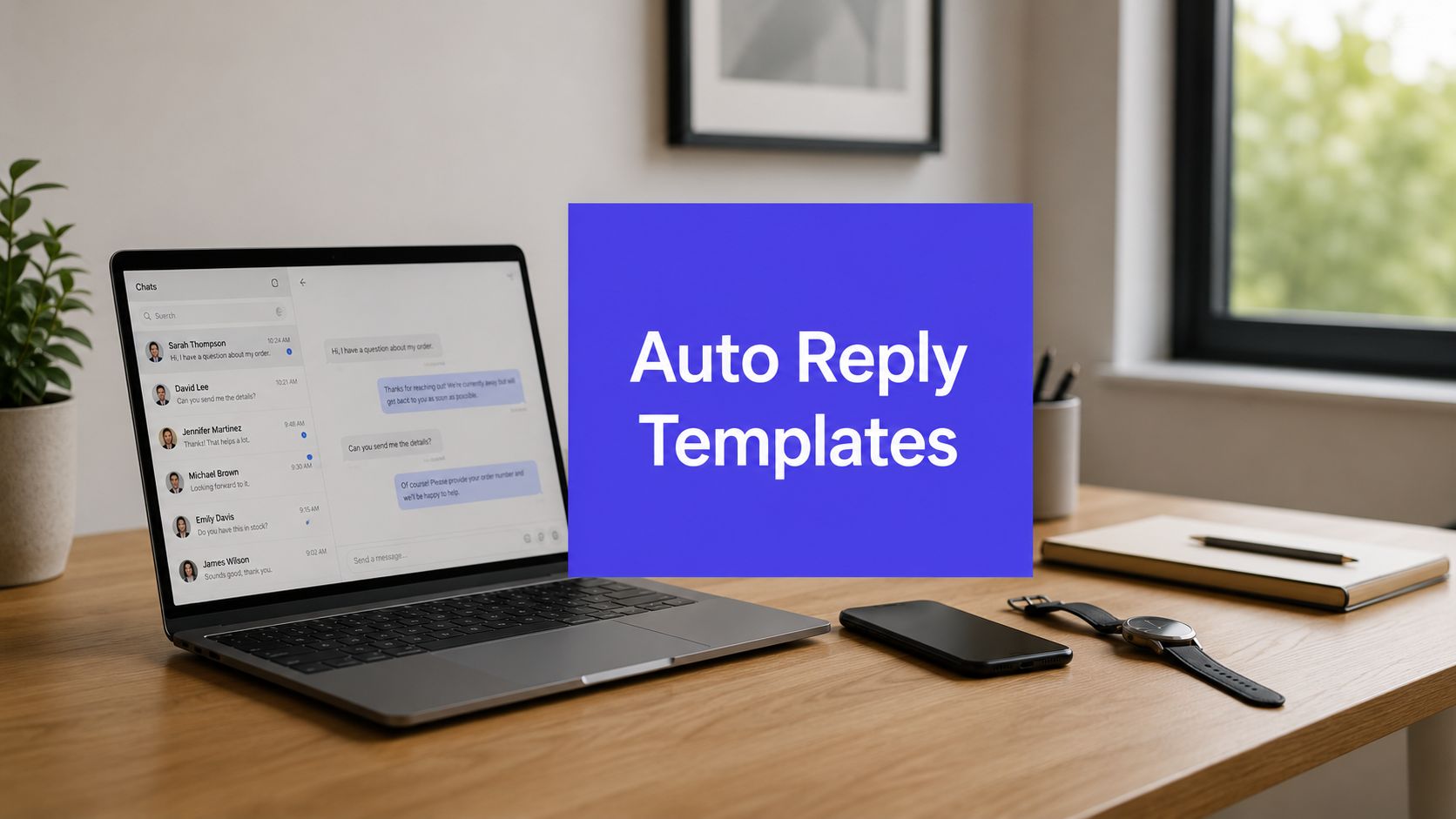












Never leave a message unanswered again. In a 24/7 digital world, customers, leads, and followers don't wait around just because your team is in meetings, on the road, or offline for the night. The first reply often decides whether a conversation stays warm or cools off, which is why auto reply templates have become a practical part of modern customer service, sales, and social media operations. Service benchmarks in the brief show why speed matters, 90% of consumers expect prompt replies, 66% of purchasers expect a response within 10 minutes, and 68% of clients who get a response within one hour are more likely to return (service-expectations benchmark).
The good news is that you don't need to write every response from scratch. You need a small set of copy-paste templates that acknowledge the message, set expectations, and point people to the next step. The better your templates are, the less time your team spends triaging repetitive messages and the more time they spend on conversations that need a human. If you're already using a platform like PostSyncer, you can turn those templates into automated responses across inboxes, comments, and social channels without building a messy workflow from scratch.
1. Customer Service and Support Auto-Reply
Support inboxes are where auto reply templates earn their keep fastest. A good support reply doesn't try to solve the issue instantly, it confirms receipt, gives a real response window, and points urgent requests to a human path. That's exactly the structure modern guidance recommends, acknowledge the request, set a realistic timeframe, and include an escalation route or ticket reference (support-template guidance).

Copy-paste template
Hi, thanks for reaching out. We've received your message and our support team is reviewing it now. You can expect a reply within our usual support window, and if your issue is urgent, please use our priority support channel or reply with a clear urgency note so we can route it faster.
This template works because it does three jobs at once. It reassures the customer, it protects the team from pressure to answer on the spot, and it filters urgent issues away from routine questions. The practical trade-off is that it can feel impersonal if you leave it untouched for months, so the timeframe, links, and fallback contact need regular review.
Practical rule: keep the support auto-reply short enough to scan on a phone and specific enough that the sender knows what happens next.
A strong support template should also be channel-aware. A DM on Instagram doesn't need the same tone as an email to support@, but both should still feel human and consistent. If your team is using PostSyncer's customer service strategies guide, the useful move is to connect the template to inbox rules, spam filtering, and a clear escalation path so the same sender doesn't get bounced around by automation.
2. Out-of-Office and Vacation Auto-Reply
Out-of-office replies are the simplest auto-reply format, and they're still easy to get wrong. The best versions protect your time, tell people when you'll be back, and name an alternative contact for anything that can't wait. Missive's template guidance also shows why this matters, duplicate or looping replies are a real operational problem, not just an annoyance (Missive).
A clean vacation message doesn't need a long explanation. People don't need your travel plan, your medical details, or a joke about being disconnected from civilization. They need three things, whether you're out for a weekend, a holiday, or a longer leave, and they need them quickly.
Copy-paste template
I'm away from my inbox until [return date]. If your message is urgent, please contact [backup name] at [backup email or channel]. I'll reply as soon as I'm back and caught up.
The upside is obvious, this protects boundaries without sounding cold. The downside is also obvious, it signals that the account is unmonitored, so you should never leave it active longer than necessary. Tools like PostSyncer make this easier because you can schedule activation and deactivation in advance, which reduces the very human mistake of forgetting to turn the reply off.
What works and what doesn't
- Works well, clear dates and one backup contact. This keeps the message professional and avoids confusion.
- Works well, light transparency. A short reason like vacation or leave is enough.
- Doesn't work, vague timing. “I'll respond soon” creates the same uncertainty as no reply at all.
- Doesn't work, too many contact options. Multiple fallbacks make urgent decisions harder, not easier.
If your inbox is customer-facing, keep the tone calm and practical. If it's personal, keep it even simpler. In both cases, the point is the same, don't let a missed message become a missed expectation.
3. Lead Generation and Qualification Auto-Reply
Lead capture is where static templates often fall flat. The weakest version says “thanks” and leaves the prospect waiting. A stronger reply acknowledges the inquiry, asks one or two qualifying questions, and gives something useful right away, such as a guide, webinar, or case study. Analysts behind the cold-email benchmark found that template-based cold outreach often lands around 1% to 1.5% reply rates, while AI-personalized campaigns reached 3.2% positive reply rates across more than 10 million B2B cold emails, a roughly 2x to 3x lift over static templates. That gap matters most at the top of the funnel, where the first response shapes whether a lead keeps engaging.
Lead replies don't need to be lengthy. They need to feel relevant enough to keep the prospect engaged. A generic “we'll be in touch” message wastes the moment when interest is highest, while a useful reply can start qualification before sales even steps in.
Copy-paste template
Thanks for reaching out. To point you to the right next step, reply with your main goal, your timeline, and whether you're looking for a quick overview or a deeper walkthrough. If helpful, we can also send over [resource type] so you can review it before someone on our team follows up.
This template works best when it connects to your CRM and lead scoring rules. PostSyncer's AI auto-reply tools are a good fit here because you can build saved responses that adjust tone and triggers without forcing the same generic message onto every inquiry. That matters when one prospect wants pricing, another wants implementation help, and a third is just browsing.
A useful lead reply should feel like a handoff, not a pitch. If it sounds too salesy, serious buyers tune out. If it's too vague, the lead goes cold. The sweet spot is direct, helpful, and one step ahead of the question they were about to ask.
Polaris Marketing Solutions lead guide is a sensible companion if your main goal is building a response flow that turns inbound interest into a real pipeline.
4. Content Engagement and Interaction Auto-Reply
Comment sections move fast, and creators can't personally answer every reply the second it lands. That's where content engagement auto reply templates help keep momentum without making the brand sound robotic. A fast acknowledgment often does more than a perfect reply that arrives too late.

Copy-paste template
Thanks for jumping in. I appreciate the comment, and I'd love to hear what you think about [topic]. What would you want us to cover next?
This kind of reply works on posts, reels, and creator-led brands because it keeps the conversation alive instead of ending it with a flat thank-you. The biggest mistake is overusing it until every interaction sounds scripted. You want enough consistency to protect the brand voice, but not so much repetition that followers feel like they're talking to a bot.
Keep engagement replies useful, not decorative. A short acknowledgement plus one real question usually beats a longer paragraph full of filler.
PostSyncer's audience engagement strategies can help turn that kind of response into a repeatable workflow, especially if your team is managing multiple accounts in one unified inbox. That matters for agencies and social teams that need to answer quickly without breaking voice across brands.
The trade-off is scale versus intimacy. Automated engagement replies preserve responsiveness, but they can also flatten personality if every comment gets the same treatment. The fix is simple: use templates for the first layer of response, then reserve manual replies for high-value comments, purchase intent, or questions that deserve a real conversation.
5. Product Launch and Announcement Auto-Reply
Launch day is noisy. Teams need one message that can announce what's new, direct attention to the right landing page, and keep the narrative consistent across channels. A product launch auto-reply does exactly that, it doesn't answer every question, it creates a clear starting point for the people who want details now.

Copy-paste template
We're excited to share something new. [Product or feature] is now live, and it's designed to help with [primary benefit]. You can see the details, pricing, and next steps here: [landing page]. If you've been waiting for this release, now's the time to take a look.
This template is useful because it keeps the message focused. It says what changed, why it matters, and where to click next. The drawback is obvious, one-size-fits-all copy won't answer specific feature questions, so you still need a human or a deeper help article for the inevitable follow-up.
Use this format when you want to control the first wave of attention. It works especially well for social posts, announcement DMs, and inbox replies from people who already showed interest. It also pairs well with PostSyncer's multi-platform scheduling, since the same core message can be adapted for different networks without rewriting the whole announcement each time.
The practical rule here is simple, don't let the launch reply become a sales brochure. Keep it short, make the CTA obvious, and avoid stuffing in every product detail. The people who want more can click through. The rest just need enough context to know the release is relevant to them.
6. Survey and Feedback Collection Auto-Reply
Feedback requests are easy to ignore when they arrive cold. They work better when the auto-reply explains why the feedback matters, how long it will take, and what the person gets in return. That could be a discount, a chance to be featured, or the chance to influence the next version of the product.
A strong feedback reply does not feel like data harvesting. It feels like a request from a team that will use the answer. If you can't make that promise, don't automate the ask yet.
Copy-paste template
We'd love your feedback on [product, service, or event]. The survey only takes a few minutes, and your response will help us improve [specific area]. If you're open to sharing your thoughts, use this link: [survey link]. Thanks for helping us make the next version better.
This template works because it reduces friction. It tells people why they should care and what happens next. It also creates a clean handoff into your CRM, which makes it easier to track responses and follow up with people who are willing to go deeper.
The highest-value feedback request is the one that leads to visible action. If customers never see a change, they stop believing the survey mattered.
There's a real trade-off here. Incentives can boost participation, but they can also attract people who only want the reward. Long surveys also get abandoned, and survey fatigue is real even when the message is well written. Use this template when the feedback will shape decisions, not when you just want to fill a spreadsheet.
7. Event Registration and Confirmation Auto-Reply
A webinar signup, workshop registration, or live event RSVP creates a simple but easy-to-miss moment. The attendee is waiting for proof that the registration went through, the schedule is correct, and the next step is clear. Auto-replies help set those expectations before the event date and reduce no-shows when they are tied to reminders and calendar invites.
Confirmation replies should reduce attendee anxiety by clarifying logistics. People want to know their registration worked, when to show up, and where the event happens. If they have to hunt for that information later, the confirmation did not do its job.
Copy-paste template
You're registered for [event name]. It starts on [date] at [time], and you'll join us at [location or link]. We'll send a reminder before the event, and if you have any questions in the meantime, reply to this message and we'll help.
This template works well for teams using calendar integrations and timed reminders. It turns a registration into a second touchpoint, and that often creates the attendance momentum that manual follow-up misses. The trade-off is simple, event details change, and the automation has to change with them.
For marketing teams, this is a straightforward use case for PostSyncer because the workflow is simple, confirmation now, reminder later, and a support path in between. For larger events, separate versions for VIPs, speakers, or attendees in different time zones help prevent mismatched expectations and avoid confusion at check-in.
The strongest event confirmation replies feel boring in the right way. They remove uncertainty, cut down inbox follow-ups, and keep the attendee focused on the event itself instead of wondering whether the registration went through.
8. Promotional Offer and Limited-Time Deal Auto-Reply
Promotional replies are powerful when they're precise and risky when they're sloppy. A discount message needs to be clear about the offer, the deadline, and the terms, otherwise it starts to feel manipulative. Used well, it turns interest into action. Used too often, it trains customers to wait for a sale.
The strongest version is short and direct. It states the offer, gives the expiration, and links out to the purchase path. Anything extra can dilute urgency or bury the action.
Copy-paste template
You've received a limited-time offer for [product or service]. Use code [code] by [expiration date] to claim [benefit]. Full details and terms are here: [offer link].
This template works best when it's tied to a real trigger, abandoned cart, a recent purchase, or a segmented campaign. It's less effective when it's blasted to everyone with no context. Customers notice the difference between a relevant offer and a generic discount blast.
One more caution matters here. If your team leans on promotions too often, you can erode margin and pull attention away from full-price sales. That's why this template should live inside a broader campaign plan, not operate as the default reply for every interested contact.
If you're using PostSyncer, this is a practical place to automate based on audience segment, timing, and channel without rewriting the same offer repeatedly. It keeps the message consistent while still letting you control who sees what and when.
8-Point Auto-Reply Template Comparison
| Template | 🔄 Implementation Complexity | ⚡ Resource Requirements | 📊 Expected Outcomes | 💡 Ideal Use Cases | ⭐ Effectiveness / Key Advantages |
|---|---|---|---|---|---|
| Customer Service & Support Auto-Reply | Medium, platform customization & upkeep 🔄 | Moderate, template maintenance, links, staff monitoring ⚡ | Faster acknowledgment; fewer routine tickets; clearer expectations 📊 | E‑commerce, SaaS support desks, retail customer service 💡 | ⭐⭐⭐⭐, Immediate acknowledgment; directs to FAQ; scales across channels |
| Out-of-Office & Vacation Auto-Reply | Low, simple scheduling and messaging 🔄 | Low, single template, scheduled activation ⚡ | Clear unavailability; redirected urgent contact; protected boundaries 📊 | Freelancers, creators, teams on leave, consultants 💡 | ⭐⭐⭐, Sets return date; provides alternative contact; preserves work‑life balance |
| Lead Generation & Qualification Auto-Reply | High, qualifying logic + CRM integration 🔄 | High, CRM, automation, A/B testing, analytics ⚡ | 24/7 lead capture; pre‑qualified prospects; higher conversion rates 📊 | SaaS demos, agencies, startups, B2C lead funnels 💡 | ⭐⭐⭐⭐⭐, Pre‑qualifies leads; integrates with CRM; increases sales efficiency |
| Content Engagement & Interaction Auto-Reply | Medium, tone variants & platform tuning 🔄 | Moderate, template variations, analytics monitoring ⚡ | Sustained engagement; improved reply velocity; algorithm benefit 📊 | Influencers, creators, community managers, UGC programs 💡 | ⭐⭐⭐⭐, Maintains momentum; scalable appreciation; encourages follow‑up |
| Product Launch & Announcement Auto-Reply | Medium, coordinated messaging & links 🔄 | Moderate, landing pages, scheduling, segmentation ⚡ | Broad reach; increased traffic and pre‑orders; controlled narrative 📊 | SaaS feature releases, e‑commerce collections, creator products 💡 | ⭐⭐⭐⭐, Drives traffic; creates urgency; directs to conversion pages |
| Survey & Feedback Collection Auto-Reply | Medium, survey design & incentive handling 🔄 | Moderate, survey tools, incentives, analysis resources ⚡ | Scalable customer insights; higher response rates; actionable feedback 📊 | Post‑purchase reviews, NPS, product research, audience polling 💡 | ⭐⭐⭐⭐, Collects insights; increases participation; supports product improvements |
| Event Registration & Confirmation Auto-Reply | Medium, calendar invites, reminders, time‑zones 🔄 | Moderate, registration integration, timed reminders ⚡ | Reduced no‑shows; clear logistics; better attendee preparedness 📊 | Webinars, workshops, conferences, classes 💡 | ⭐⭐⭐⭐, Immediate confirmation; calendar integration; multiple reminders |
| Promotional Offer & Limited‑Time Deal Auto-Reply | Medium, tracking codes & segmentation 🔄 | High, inventory coordination, tracking, analytics ⚡ | Immediate sales lift; measurable ROI; short‑term engagement spike 📊 | E‑commerce flash sales, seasonal promos, limited offers 💡 | ⭐⭐⭐⭐⭐, Drives urgency; measurable conversion; segmentable offers |
Automate, Personalize, and Grow
These auto reply templates are more than placeholders, they're operational tools. A good template protects response time, clarifies next steps, and helps your team stay present even when they can't reply in real time. The strongest ones do not try to sound clever. They sound clear, calm, and useful.
The best place to start is the communication bottleneck that hurts you most today. If support is drowning, automate acknowledgment and escalation first. If sales is losing leads after hours, use a qualification reply that captures intent and routes the right prospects forward. If your social team can't keep up with comments, use engagement templates to keep momentum without burning people out.
The difference between a useful auto-reply and a bad one is control. Bad automation fires too often, says too little, and ignores context. Good automation knows when to send, when to stop, and when to hand off to a human. That's why governance matters as much as copy, especially across email, SMS, Instagram, WhatsApp, Messenger, and shared inboxes where loop prevention and privacy settings are part of the job.
PostSyncer fits naturally into that kind of workflow because it lets teams manage replies inside a broader content and inbox system. Instead of scattering canned responses across tools, you can organize templates, triggers, and channel rules in one place and keep the whole process consistent.
The practical win is simple. Faster acknowledgments, fewer missed messages, better routing, and less burnout. Start with one template, test it against real conversations, then expand once you've seen where automation helps and where a human reply still wins.
If you want to turn these auto reply templates into a working system, start with PostSyncer. It gives you a unified workspace for scheduling, inbox management, and AI-powered auto-replies so you can automate the first response without losing control of tone or timing.