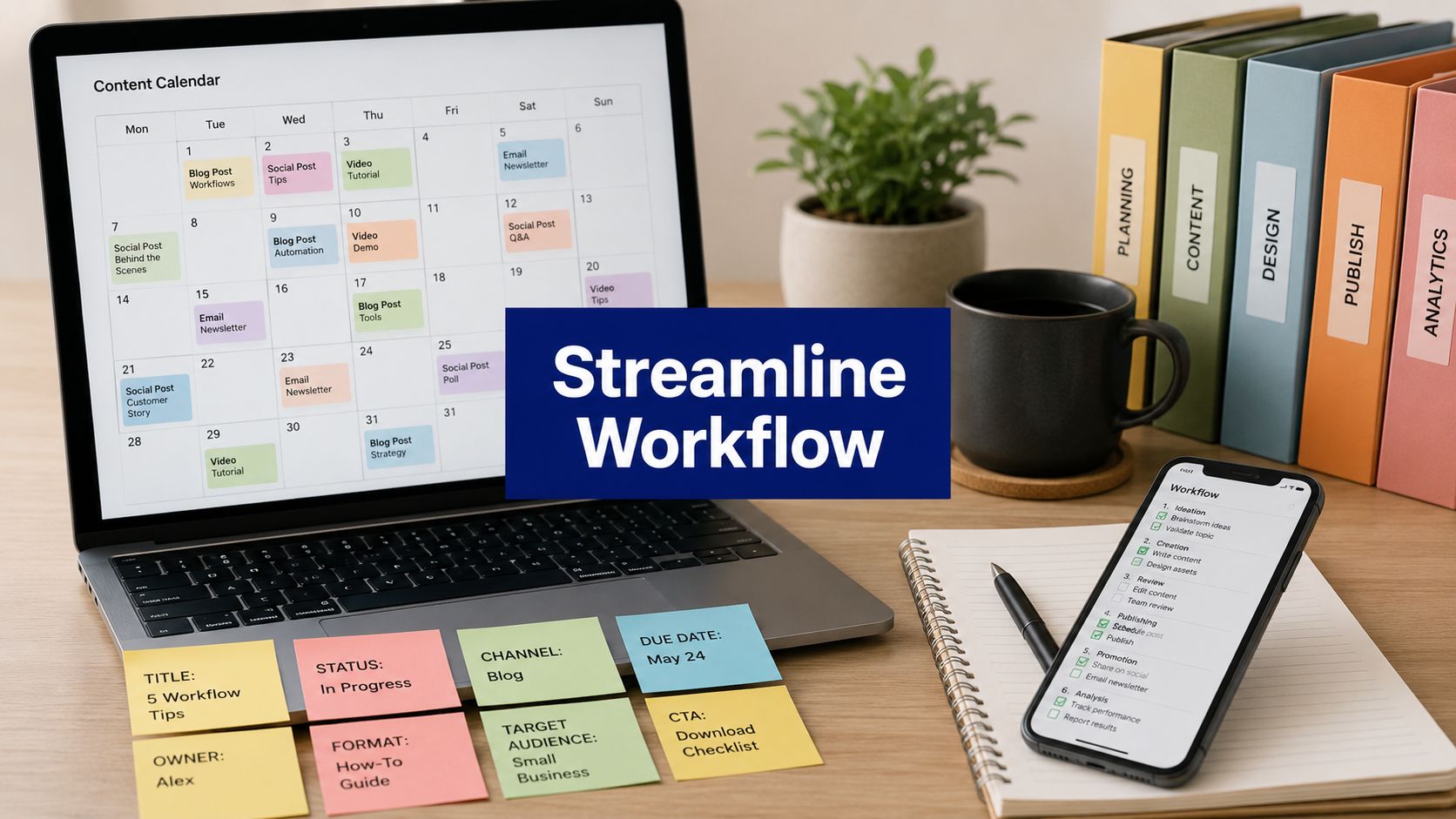












Your content is scattered across a calendar tool, a doc app, a shared drive, a chat thread, and somebody's browser bookmarks. Drafts exist, but nobody's sure which version is final. Approvals happen late. Social posts go out, but the brief, the assets, and the performance notes never live in the same place.
That's why content organization tools matter now more than they used to. Content marketing is already a standard operating function within many businesses, with 90% of organizations reporting a content marketing strategy and 71% of content marketers saying content marketing had grown in importance over the previous year. Once content became an ongoing business system instead of an occasional campaign, simple folders stopped being enough.
The better way to choose a tool isn't to compare giant feature grids. It's to ask where your process breaks. Some teams need one place to plan and publish. Others need a flexible workspace for briefs and metadata. Others need stronger approvals, permissions, and archival discipline because the core problem isn't scheduling. It's governance.
This list is organized by primary function, so you can match the tool to the bottleneck you have.
1. PostSyncer

A common breaking point for content teams looks like this: the calendar lives in one tool, approvals happen in Slack, assets sit in a drive folder, and reporting shows up after the campaign is already over. If that bottleneck is happening mainly on social channels, PostSyncer is one of the clearer all-in-one options in this list.
Its fit is narrower than a general workspace tool, and that is the point. PostSyncer is built for teams that need to plan, produce, publish, engage, and review social content in one operating system instead of stitching together separate apps for each step.
Why it works well
PostSyncer works best as an all-in-one social content organization tool. It supports posts, reels, carousels, shorts, threaded content, queues, first-comment scheduling, approvals, and multi-workspace management in the same environment. That structure reduces handoff errors and cuts down on the usual version-control mess that shows up when social teams use one tool for planning and another for publishing.
The workspace model is especially useful for agencies and in-house teams managing multiple brands. Role-based approvals and separate workspaces help keep stakeholders from editing the wrong account, approving the wrong draft, or burying feedback in email threads.
Practical rule: If your team publishes primarily to social, a calendar and task board alone will not carry the process. You also need publishing controls, approvals, and comment management tied to the same workflow.
PostSyncer also includes AI-assisted creation tools for captions, hooks, hashtags, images, and short-form video from source material such as URLs, PDFs, images, video, or text. That matters if your real problem is output volume, not just organization. For teams trying to build a more repeatable publishing process, this guide on automating social media posts is a useful next step.
Best for
- Social-first teams: You need planning, publishing, engagement, and analytics in one place.
- Agencies: You manage multiple client accounts and need workspace separation with approvals.
- Creators and lean marketing teams: You want built-in AI assistance without adding another production tool.
Trade-offs to know
PostSyncer is stronger on execution than on long-form documentation. Teams that need a large internal wiki, dense process docs, or a company-wide knowledge base will usually get more value from Notion or Confluence.
Pricing tiers also matter more here than they do in a simple note-taking tool. Heavy users should check account limits, storage, API posting limits, and AI credit usage before committing. Credit-based AI features can save a lot of production time, but they need oversight once volume increases.
For teams whose main pain point is social content operations, PostSyncer is a practical fit. It organizes the work around a specific function, social planning through performance review, rather than trying to be a universal workspace for every kind of content.
2. Notion

A common content ops problem looks like this. Briefs live in Google Docs, SOPs sit in a shared drive, the editorial calendar is in a spreadsheet, and nobody is fully sure which version of the brand guidance is current. Notion solves that kind of sprawl well.
I recommend Notion when the main pain point is coordination across knowledge, planning, and process. It combines docs, databases, wiki pages, and light project tracking in one workspace, so teams can keep briefs, editorial plans, templates, governance notes, and content inventories connected instead of scattered across tools.
Its real advantage is how much structure you can add without committing to a rigid system on day one. A small team can start with a simple calendar and a few templates. A larger team can add linked databases for content types, owners, status, campaign context, and review stages as the operation gets more complex.
Where Notion fits best
Notion is strongest as a flexible workspace. It helps teams that need one place to document how content gets planned, produced, reviewed, and reused. That makes it a good fit for editorial teams, in-house marketing departments, and content leads trying to reduce process drift across contributors.
It also does a good job of turning documentation into day-to-day execution. Strategy, voice guidelines, briefs, and meeting notes can sit next to the actual production pipeline, which makes the system easier to maintain.
A strong Notion setup feels calm. A weak one feels like an empty apartment with excellent furniture.
Trade-offs
Notion rewards restraint. Teams often get into trouble when they overbuild the workspace before the process is stable. If every page has a different template and every database has ten properties nobody uses, adoption drops fast.
It is also lighter on operational control than tools built primarily for workflow management. Content teams that need advanced automations, complex routing, or asset-level relationships at scale often outgrow it and move toward Airtable, ClickUp, or a dedicated DAM and workflow stack. Teams whose core need is social publishing execution usually get faster value from PostSyncer.
- Best for flexible workspaces: Strong choice for teams that want docs, wiki, briefs, and planning in one system.
- Less ideal for complex operations: Weaker fit for heavy approvals, intricate automations, or large structured content catalogs.
- Requires system ownership: Someone needs to set naming rules, templates, database properties, and page hierarchy.
If your content operation suffers from scattered information more than scheduling complexity, Notion is a practical choice. It works best for teams that want to organize the why, what, and how of content in one place before they optimize for scale.
3. Airtable
Airtable is what I recommend when your team's content operation is really a metadata problem. You're not just tracking ideas and deadlines. You're managing content types, channels, owners, campaigns, assets, formats, localization needs, and approval states across a large catalog.
Airtable gains an edge over simpler workspaces with its relational structure. This structure facilitates connecting one asset to many campaigns, one brief to many deliverables, or one author to a backlog across multiple channels.
Why structured teams like Airtable
Airtable is especially good for intake, routing, and visibility. Forms can standardize requests. Interfaces make complex bases easier for non-builders to use. Automations can move items between stages without someone manually nudging every stakeholder.
That's useful because content organization has shifted far beyond folders and calendars. A major gap in many teams is full-lifecycle control, including workflows, permissions, reusable libraries, audits, and governance, which Bynder's guidance frames as central to effective content organization. Airtable can support a lot of that operational structure if you design the base well.
Trade-offs
Airtable isn't the friendliest option for teams that mostly need a writing environment or internal wiki. It can do notes, but that's not why you buy it. You buy Airtable because relationships and structured fields matter more than long-form documentation.
- Best for content inventories: Excellent for catalogs, metadata, and content operations with many moving parts.
- Great for cross-functional intake: Forms and interfaces reduce back-and-forth with stakeholders.
- Heavier than a doc tool: If your process is mostly briefs and simple calendars, it may feel overbuilt.
For operations-heavy marketing teams, Airtable is often the cleanest bridge between a spreadsheet mindset and a proper system.
4. ClickUp

ClickUp fits teams that want one broad work management platform for content without having to commit to a pure database tool or a pure docs tool. It brings together tasks, docs, calendars, whiteboards, dashboards, and timeline views, so it can cover a lot of ground in one subscription.
That breadth is its main selling point. A content team can ideate in whiteboards, write briefs in docs, assign production in tasks, and track deadlines in calendar or Gantt views.
What it does better than simpler PM tools
ClickUp is good when your team needs hierarchy. If you run content by campaign, channel, business unit, and asset type, its structure can keep work organized in a way that lighter tools sometimes can't. Custom fields and multiple views also help different people see the same work differently without duplicating it.
The catch is that broad platforms require restraint. If every team customizes statuses, fields, and automations differently, your “single source of truth” turns into several competing truths.
The best ClickUp setups are standardized enough for reporting and flexible enough for day-to-day work. Most teams struggle because they only optimize for one of those.
Trade-offs
ClickUp can feel like too much for a small editorial team with a straightforward pipeline. It's strongest when content is part of a larger operational system and leadership wants visibility into capacity, timelines, and goals.
- Best for operational breadth: Useful if you want tasks, docs, planning, and reporting in one tool.
- Strong for structured workflows: Hierarchy and custom fields help when volume grows.
- Can become noisy: Too many views, options, and settings can slow adoption.
If you want a platform that can absorb more of the team's work over time, ClickUp is a serious option.
5. Asana

Asana remains one of the easiest tools to roll out across a cross-functional team. Writers, designers, marketers, legal reviewers, and leadership can usually understand it quickly, which matters more than feature depth if adoption is your main hurdle.
I usually put Asana in the “project management first” category. It's best when your process problem is ownership, deadlines, dependencies, intake, and review flow.
Where Asana shines
Asana handles content production cleanly when the workflow is task-centric. Templates help standardize repeatable campaign work. Forms help capture requests. Timeline and portfolio views help managers see what's on track and what's blocked without digging through individual tasks.
This becomes more important as operations scale. The broader market has also moved toward unified and collaborative planning systems, with Asana, Airtable, Trello, Notion, CoSchedule, and Teamwork consistently listed among core options in 2025 to 2026 roundups. That lines up with how contemporary workgroups operate. They need more than storage. They need operational coordination.
Trade-offs
Asana isn't a strong knowledge base. You can document process in it, but that's not where it excels. If your team needs deep wiki functionality, pair it with something else.
- Best for cross-functional execution: Great when content depends on many reviewers and departments.
- Easy to adopt: The interface tends to be familiar even for non-operators.
- Weaker for long-form knowledge management: Not the best home for detailed guidance and reference docs.
For teams that need cleaner execution more than custom architecture, Asana is still one of the safest picks.
6. monday.com Work Management
monday.com Work Management is a good fit when your team wants visual workflow management without the database feel of Airtable or the heavier build-it-yourself nature of Coda. It's approachable, colorful, and template-friendly, which sounds superficial until you're trying to get busy stakeholders to use the system.
This is one of the better options for teams standardizing a content process quickly. Boards, automations, dashboards, and timeline views give you enough structure to run approvals and status tracking without a long implementation cycle.
Why teams choose it
The platform works well when managers need visibility and individual contributors need simplicity. Custom columns let you define ownership, status, due dates, dependencies, and files. Automation recipes cut down on repetitive follow-ups.
For a lot of teams, that's enough. You don't always need a highly customized content architecture. Sometimes you just need a reliable, shared process that people will follow.
Trade-offs
monday.com is less compelling if your content operation depends on rich documentation or a tightly connected knowledge base. It's more operational than editorial in that sense. You can store context, but the center of gravity is still the board.
- Best for visual workflow setup: Fast to launch and easy for non-technical teams to understand.
- Useful for approvals and status visibility: Especially strong for recurring content processes.
- Not a great wiki substitute: Documentation is more limited than in dedicated workspace tools.
For teams that want quick structure and a visual operating layer, monday.com Work Management does that job well.
7. Coda

Coda sits in an interesting middle ground. It behaves like a document, but it can act like an app. That makes it useful for content operations teams that want custom workflows and logic without handing the whole problem to engineering.
If Notion is flexible and approachable, Coda is flexible and more builder-oriented. You can create systems with tables, buttons, automations, and connected views that feel purpose-built for your team.
Best use case
Coda is strongest when one artifact needs to hold the whole operation. A single doc can include the content brief, checklist, table of deliverables, approval logic, dependencies, and reference material. That setup is appealing for teams that hate switching between apps.
It's also useful when your workflow has exceptions. Maybe certain asset types need an extra legal review, or certain channels require a different checklist. Coda handles that kind of operational logic well.
Coda makes sense when your team says, “Our process is weird.” If your process is simple, you probably don't need this much flexibility.
Trade-offs
The downside is the learning curve. Coda rewards people who like systems design. If nobody on the team wants to build and maintain the workflow, it can stall after the initial excitement.
- Best for custom processes: Great when standard templates don't match how your team works.
- Combines docs and workflow nicely: Helpful if you want process and execution in one place.
- Needs an owner: Someone has to keep the system clean and usable.
If your team wants customized workflows without full custom software, Coda is one of the more capable content organization tools in that category.
8. Atlassian Confluence
Confluence is the best fit here when content organization means knowledge governance first. It's not primarily a publishing or production tool. It's a structured knowledge base for strategy documents, style guides, campaign documentation, editorial SOPs, and institutional memory.
That makes it especially useful for larger teams, agencies with many clients, and companies where content decisions need to be documented clearly and found later.
Why Confluence is valuable
Content operations often fail because teams can't find the rules. The tone guide exists, but nobody knows where. The review process exists, but it's trapped in a slide deck. The onboarding doc exists, but it's outdated.
Confluence solves that by giving teams a formal home for pages, hierarchies, templates, permissions, labels, and version history. It also pairs naturally with Jira and Trello if execution happens elsewhere.
Trade-offs
Confluence is not where I'd run a full content calendar or creative production pipeline by itself. It's best as the system for codified knowledge, not daily task execution.
- Best for governance and documentation: Excellent home for SOPs, briefs, standards, and reference material.
- Good for larger organizations: Permissions and page structure support controlled collaboration.
- Needs a companion tool for execution: Pair it with a project management or publishing platform.
If your team's problem is “we don't have one trusted place for how content should work,” Atlassian Confluence is a strong answer.
9. CoSchedule

CoSchedule is the right kind of tool for teams that don't want a general work management platform. They want a marketing calendar. That distinction matters. A lot of content teams overbuy workflow software when the actual need is a purpose-built editorial planning system with social promotion attached.
CoSchedule keeps its focus on campaign planning, calendar visibility, and scheduling. That makes it easier to get value quickly than with more open-ended tools.
Best for calendar-led teams
If your process starts with “what are we publishing this week, this month, and around this launch,” CoSchedule feels natural. The drag-and-drop calendar, status management, and promotion planning all support that mode of work.
It also fits teams that need a bridge between blog content and social distribution. If your promotional workflow on X is still manual, this guide on how to schedule tweets is a useful companion, and this walkthrough on content calendar creation is worth reading before you build the process inside any tool.
Trade-offs
CoSchedule is narrower than tools like Notion, Airtable, or ClickUp. That's the strength and the limitation. It gets you to a usable marketing calendar faster, but it won't become the center of your internal documentation system.
- Best for editorial calendars: Ideal when the core need is planning and promoting content.
- Quicker to operationalize: Less setup than highly flexible workspace tools.
- Not the best for governance-heavy teams: Search, permissions, and knowledge management are not the main focus.
For marketing teams that want a dedicated planning layer, CoSchedule is still a practical choice.
10. Bynder Content Workflow

Bynder Content Workflow is for teams that have moved past casual content operations. If you're dealing with formal reviews, role-based approvals, structured content templates, and CMS handoffs, this is closer to the right class of tool than a generic task manager.
It's especially useful when long-form editorial work needs consistency and traceability. Instead of drafting in one place, collecting feedback in email, and pasting the final version into a CMS, teams can manage the editorial process in a more controlled environment.
Where it stands apart
Bynder's approach is valuable because it treats organization as a lifecycle problem, not just a scheduling problem. That includes workflows, permissions, content libraries, and regular audits. If your team needs a clearer process from brief to review to archive, this explanation of a content creation workflow is the right mindset before you evaluate software.
There's also a bigger market reason enterprise buyers care about this category. The content services platforms market is projected to reach USD 291.6 billion by 2034 at a 15% CAGR, with the cloud segment holding 65.7% share and large enterprises accounting for 68.1% of adoption in 2024; the U.S. market was valued at USD 25.4 billion in 2024 and is growing at 13.6% CAGR. That points to a very specific need set. Scalable governance, cloud deployment, access control, and large-volume workflows.
Trade-offs
Bynder Content Workflow is not a casual team purchase. It makes the most sense when content governance, review discipline, and integration with asset management matter enough to justify a more structured system.
- Best for regulated or high-volume teams: Strong fit for complex approvals and structured authoring.
- Better than generic PM tools for editorial rigor: Especially when versioning and templates matter.
- May be overkill for simple teams: Sales-led buying and heavier process requirements won't suit everyone.
For teams that need operational control more than calendar convenience, Bynder Content Workflow is one of the more serious options.
Top 10 Content Organization Tools Comparison
| Product | Core features | UX & quality (★) | Value / Pricing (💰) | Best for (👥) | Top differentiator (✨) |
|---|---|---|---|---|---|
| PostSyncer 🏆 | Schedule to 11+ networks, visual calendar, AI Studio & Content Agent, unified inbox, approvals & multi‑workspace | ★★★★★, fast, GDPR & bank‑level security | 💰 Free trial; flexible plans, no per‑user fees; add‑ons (extra workspaces $19/mo); monthly AI credits | 👥 Creators, social managers, agencies | 🏆 ✨ AI‑first repurposing + create‑once‑post‑everywhere workflow |
| Notion | Docs, databases, calendar views, templates & API | ★★★★, collaborative, flexible UI | 💰 Freemium → per‑seat team plans | 👥 Content teams, knowledge workers, PMs | ✨ Linked databases & template ecosystem |
| Airtable | Relational bases, Interfaces, automations, API | ★★★★, structured, scalable | 💰 Per‑editor seat; scales with apps/blocks | 👥 Ops-heavy teams, large content catalogs | ✨ Relational metadata + user‑friendly Interfaces |
| ClickUp | Tasks, docs, whiteboards, calendar/Gantt, proofing | ★★★★, feature‑rich but can feel complex | 💰 Per‑user tiers; many built‑in features | 👥 Cross‑functional content & product teams | ✨ Broad all‑in‑one planning + proofing tools |
| Asana | Project templates, Timeline (Gantt), forms, reporting | ★★★★, familiar, enterprise ready | 💰 Per‑seat pricing; enterprise plans | 👥 Marketing leaders, cross‑team stakeholders | ✨ Portfolio reporting & governance |
| monday.com Work Management | Boards, custom columns, automations, templates | ★★★★, visual & approachable | 💰 Per‑seat + add‑ons; fast setup | 👥 Marketing teams, non‑technical users | ✨ Visual templates + automation recipes |
| Coda | Docs-as-apps, tables, buttons, Packs & automations | ★★★★, powerful for builders | 💰 Freemium → tiered plans; Packs vary | 👥 Teams needing custom logic, builders | ✨ Compose bespoke workflows without code |
| Atlassian Confluence | Team wiki, templates, page hierarchy, permissions | ★★★★, enterprise knowledge base | 💰 Per‑user enterprise pricing | 👥 Enterprises, governance & documentation teams | ✨ Centralized knowledge + strong permissions |
| CoSchedule (Marketing Calendar) | Drag‑drop editorial calendar, AI assistant, social scheduling | ★★★★, purpose‑built editorial UX | 💰 Free Calendar tier; paid Marketing Suite | 👥 Editorial & marketing teams | ✨ Dedicated marketing calendar + publish timing |
| Bynder Content Workflow | Structured templates, role‑based approvals, CMS/DAM integrations | ★★★★, audit & compliance focused | 💰 Sales‑led enterprise pricing | 👥 Regulated publishers, high‑volume editorial ops | ✨ Editorial workflow tightly integrated with DAM |
Final Thoughts
A team usually realizes it needs a content organization tool after the cracks start showing. A strategist cannot find the latest brief. A designer is working from the wrong asset folder. An approver signs off in email while the project tracker still says "in review." At that point, the real question is not which tool has the longest feature list. It is which category fixes the operational bottleneck.
That is the useful way to read this list. PostSyncer, CoSchedule, and Bynder Content Workflow are not competing for the exact same job, even though they all touch content operations. One may solve day to day publishing coordination. Another may clean up documentation and intake. Another may tighten approvals, permissions, and asset control. Teams make better decisions when they choose by primary function first and features second.
Use a simple filter:
- Choose an all-in-one platform when execution is fragmented across planning, publishing, approvals, and reporting.
- Choose a flexible workspace when the problem is scattered knowledge, inconsistent briefs, or weak content structure.
- Choose a project management tool when requests pile up, owners are unclear, and deadlines slip.
- Choose a governance-focused system when compliance, version control, and approval rules slow everything down.
I have seen teams buy a better calendar and still miss deadlines because the underlying process was unclear. Tool adoption falls fast when naming conventions are messy, ownership is fuzzy, or nobody trusts the status labels. Good software can support a solid workflow. It does not replace one.
The strongest option is the one your team will use consistently. Look for clear ownership, visible status, easy retrieval, and approval logic that matches how your team works.
If your pain point is social and cross-channel execution, PostSyncer is a practical fit. It brings planning, publishing, approvals, engagement, and analytics into one workspace, which helps creators, in-house teams, and agencies cut tool switching and keep daily work easier to manage.