

You've got four client accounts, a launch on Thursday, and a spreadsheet of copy that still needs a pass. It's Sunday night. The obvious move is to load everything into a scheduler, hit queue, and not think about X again until Friday. That works right up until a post fails without notice, a thread publishes its parts in the wrong order, or a scheduled reply lands mid-crisis and reads like a robot shouting into a quiet room.
Scheduling tweets is a solved problem in one narrow sense. The button exists, it's free, and it publishes reliably most of the time. What separates a calm week from a messy one is everything around that button: the checks you run before a post enters the queue, the recovery path when a job fails, and a clear rule about which posts should never be automated at all.
All three matter more than the click path. Start with which tool you're using, because that decision sets how much of the rest you have to do by hand.
Scheduling Options for X Posts Compared
Yes, X lets you schedule posts natively. Open the composer on x.com in a desktop browser, write the post, attach any media, then click the calendar icon in the toolbar, choose a date and time, and confirm. The mobile app routes this differently in most versions, often through drafts, which is why people who schedule for a living tend to do it on a laptop.
That answers the can-you question. The more useful question is which method fits the shape of your week.
| Method | Best for | Threads | Bulk scheduling | Approvals |
|---|---|---|---|---|
| Native X scheduling (web or app) | One account, a few posts a week | No, each part scheduled separately | No | No |
| PostSyncer | Multi-account teams and bulk queues | Yes, Threaded Posts | Yes, CSV or Excel up to 30 days | Yes, approval workflows |
| Other third-party schedulers | Agencies already standardized on one tool | Yes on most paid plans | Some, usually paid tiers | Rare outside paid tiers |
Three criteria decide it. Account count comes first: native scheduling is built for one account and one post at a time, so four client handles means four sign-ins and four separate queues. Threads come second, because a thread scheduled as individual posts can publish out of order the moment replies start arriving. Approval comes last and matters most when someone else has to sign off before a post goes live.
A solo creator posting three times a week can stay native and lose nothing. An in-house team running several handles gets back hours from a queue, a bulk import, and a review step, because the errors those features prevent are the expensive ones.
One caveat applies to every third-party tool: they publish through X's API, so they inherit account-connection health and API limits you have to monitor. If outreach sits alongside publishing in your week, this Drippi alternative for X outreach is worth reading before you bolt a second tool onto the stack. Find the row that matches your setup, then confirm two things: how many accounts you're responsible for, and whether anything needs approval before it publishes.
Benchmark Windows Worth Testing First
| Window | Source | Engagement signal | How to use it |
|---|---|---|---|
| Tuesday 9:00 a.m. | Analysis of 8.7 million tweets | Highest engagement in that dataset | First test slot |
| Wednesday 9:00-10:00 a.m. | Analysis of 8.7 million tweets | Strong engagement | Second test slot |
| Weekdays 9:00-11:00 a.m. | Analysis of 8.7 million tweets | Most reliable engagement window | Default queue for core posts |
| Friday and Saturday | Analysis of 8.7 million tweets | Weakest days in that dataset | Low-stakes posts only |
| Evenings 6:00-11:00 p.m. | Analysis of 8.7 million tweets | Generally lower engagement | Control slot |
Read the table as a set of hypotheses, not a timetable. The Buffer analysis of the best time to post on X found weekday mid-morning to be the most reliable window across 8.7 million tweets, with Tuesday at 9:00 a.m. the single strongest hour and evening publishing from 6:00 to 11:00 p.m. generally producing lower engagement.
One dataset, one audience mix. That is the whole caveat. Benchmarks describe aggregate behavior, and your followers are a specific slice of it, so treat every window above as a starting configuration rather than a finished schedule.
Set the queue the way you would run a preflight check: put the posts that carry the week, announcements, launches, anything with a deadline attached, into the weekday mid-morning default, because that is where the evidence is thickest. Route low-stakes material to Friday and Saturday slots, where a weak result costs you nothing. Then hold one evening slot back as a control. If evenings stay quiet for your audience, you have confirmation; if they outperform, you have found an edge the aggregate data missed.
Check whose clock the queue runs on. An account with a European and a North American audience has two mornings, and a single schedule only honors one of them unless you split it.
For a fuller breakdown of how those windows shift by industry and format, see this guide to the best time to post on X. Then do the concrete step: pick two windows from the table and commit the next two weeks of posts to them.
Testing Your Own Schedule Windows
Testing beats benchmarking, but only if the test is structured. A vague "let's try mornings" produces nothing you can act on six weeks later.
- Export four to eight weeks of analytics. Anything shorter can't separate a weekday effect from a campaign effect.
- Segment before you compare. Split by format, topic, audience time zone, and objective. Replies and link clicks are different jobs.
- Normalize by impressions. Compare engagement rate, link-click rate and profile-visit rate. Raw totals reward volume, not quality.
- Hold the content steady. Keep topic, creative quality, hashtag policy and call to action broadly comparable while you rotate only the publication window.
- Judge with a real test. Use a two-proportion test or confidence intervals rather than eyeballing two posts that felt better.
Skip a step and you're measuring luck. The Wiley analysis of university social media performance makes the point sharply: across 90,000 posts from 70 universities in Europe, the United States and Latin America, greater social media activity didn't necessarily increase engagement and could even run inverse, while a second study in that work reported no statistically significant relationship between posting frequency and engagement (β = −0.06, p = .501), and no significant effect for publishing time.
Practical rule: keep one control slot untouched, change one variable per test, and promote the content classes that produce replies, clicks and profile visits rather than the ones that produce the biggest impression count.
One more trap: don't grade a post from its first few minutes. Replies and distribution give posts unequal exposure early, so a slow start tells you almost nothing.
Say a bakery runs the same mix of product shots and behind-the-counter clips at 9:00 a.m. and 6:00 p.m. for two weeks. Compare engagement rate and link-click rate per slot, not total likes, and you'll learn something the industry benchmarks can't tell you. If you want the workflow built out end to end, this guide to scheduling optimization covers the mechanics of running those tests without breaking your queue.
How to Schedule a Post or Thread Step by Step
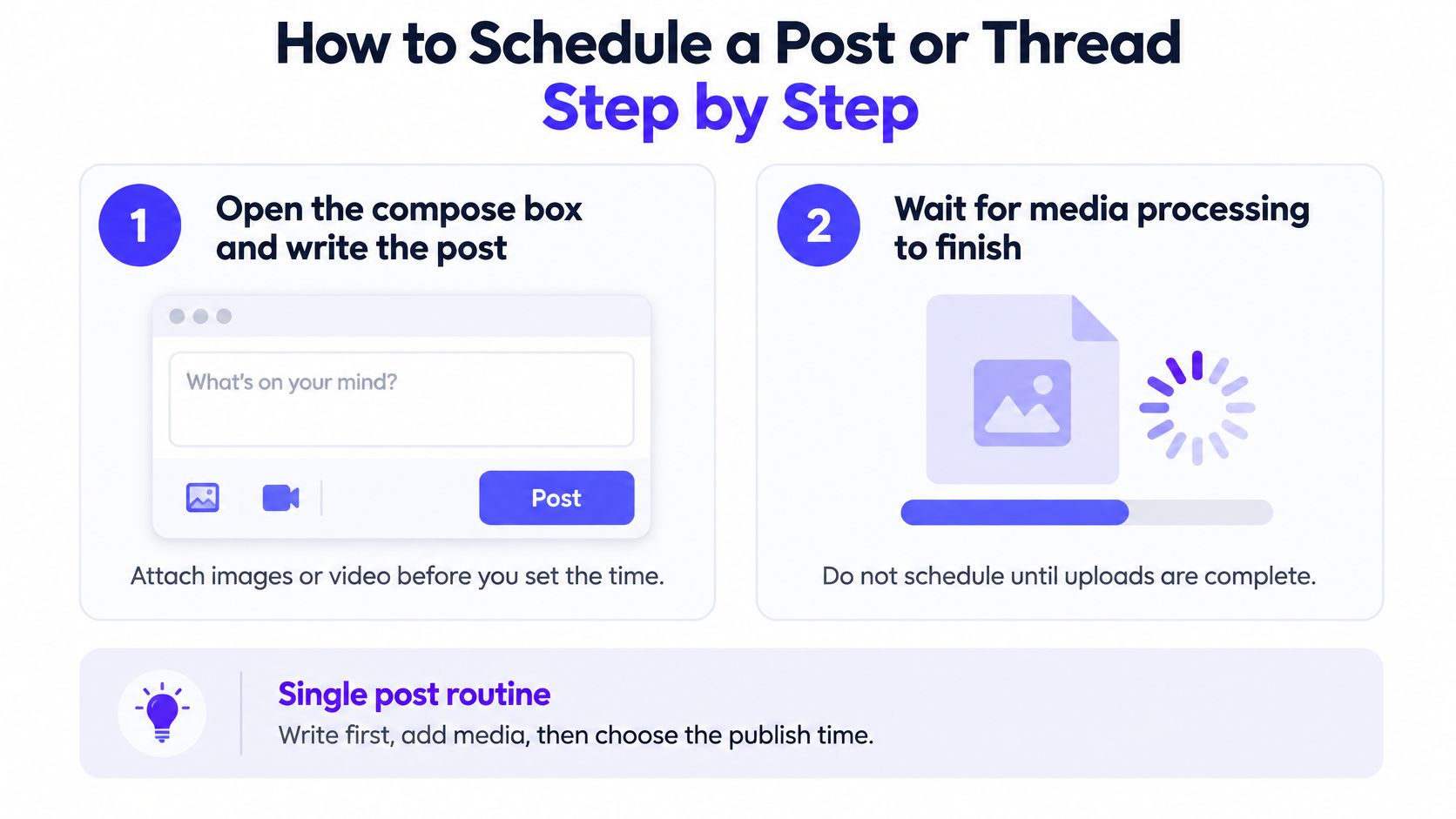
The routine below is what a single post looks like when it goes right. Each step exists because of a specific failure.
- Write the post first, then attach media. Adding images or video after you've set a time is how posts end up queued with a missing attachment.
- Wait for media processing to finish. A post scheduled while an upload is still processing can fail to publish, and you won't know until you check the profile.
- Open the schedule option and pick the date and time in the account owner's time zone. Not yours, theirs.
- Read the time zone label next to the time. 9:00 a.m. is 9:00 a.m. in exactly one zone, and an audience on another continent sees a different hour.
- Review the preview, including the link card. A card that doesn't render is usually a sign the URL is wrong, not that the platform is broken.
For a thread, the sequence changes slightly. Write each part in order in the thread composer, keep every part inside the character limit, and schedule the whole thread as one unit so the parts publish together. The common slip is scheduling each part as a separate post minutes apart. Do that and replies arrive underneath the wrong part, or the thread stalls halfway when a later part fails and nothing retries it.
Verification closes the loop. Check that the scheduled list shows the right account, the right text and the right time, then look at the live post on the profile after it publishes. If you need to change something already queued, open the scheduled list, edit or delete the item, and confirm the new time in the account owner's zone before saving.
If LinkedIn sits in the same weekly batch, this guide to LinkedIn scheduling for busy professionals covers the equivalent routine on that network.
Batching, Queues and Team Approvals
A queue turns scheduling from a daily chore into infrastructure, and infrastructure fails differently from a missed post: it fails at scale, across the whole batch. PostSyncer's bulk scheduling accepts a CSV or Excel upload covering up to 30 days of content, and its queue lets you reorder, shuffle or auto-schedule the loaded posts instead of dragging each one onto the calendar by hand.
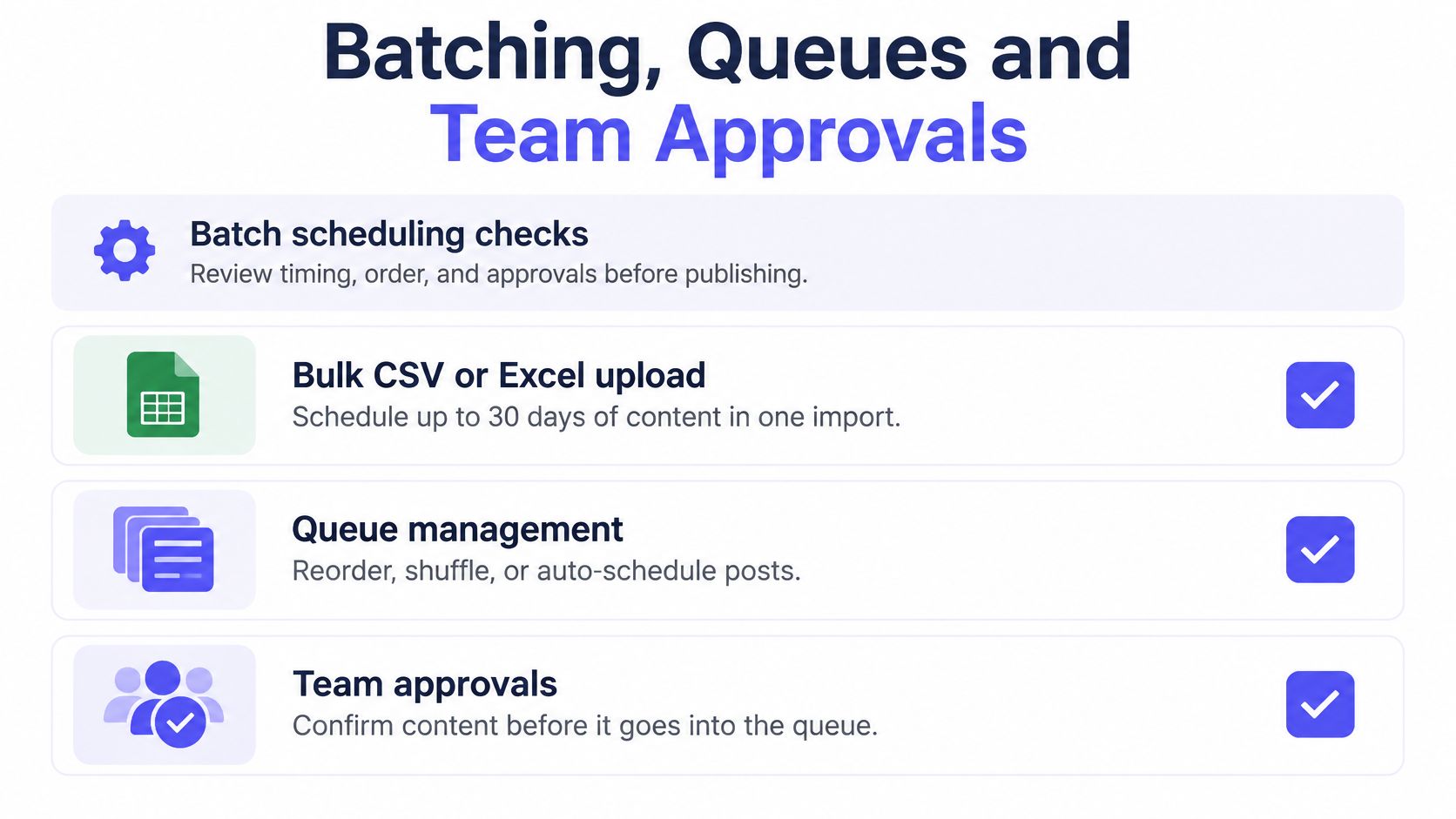
That scale is exactly why preflight checks matter more in a batch than on a single post. One bad row repeats across dozens of scheduled slots before anyone notices. Run these checks before anything enters the queue.
- Confirm the OAuth connection and that the account owner authorized it, not a former colleague or a departed agency.
- Verify every media file finished processing and fits the size limits for its format, since one rejected upload can stall the rows behind it.
- Spot-check link previews on a sample of rows rather than trusting that a correct URL guarantees a rendered card.
- Convert every publish time to the account's zone and scan the batch window for daylight-saving changes, which shift a whole column of times at once.
- Record the intended publish time for each row so a later audit has something to compare against what actually went out.
A reliable pipeline persists more than a timestamp. The X API rate limit documentation describes limits applied per endpoint, per user and per application, commonly measured over 15-minute or 24-hour windows, with HTTP 429 returned until the relevant window resets. The operational takeaway is to validate batches before peak publishing periods, throttle calls, reserve capacity for retries and analytics, and monitor remaining-limit headers where they're exposed.
Two engineering details protect a batch's reputation. Idempotency keys stop a timed-out request from being retried into a duplicate post, and exponential backoff spaces retries out instead of hammering an endpoint that is already refusing you. Persist the platform post ID and every state change, queued, submitted, published, failed or retried, so each failure becomes a data point rather than a mystery.
Not everything belongs in a queue. Reactive replies, live-event commentary and anything that depends on reading the room should stay manual, because a batch optimizes for consistency, not judgment.
For teams, name one approver per campaign and one alert recipient for failed jobs. Approved posts lock against edits until they publish, and rejected posts return to the author with a note. The full pattern is set out in this guide to what an approval workflow is. Measure the pipeline, not the effort: published jobs divided by due jobs, with late and duplicate jobs reported separately.
The same batching discipline carries to adjacent formats. Short-form video schedules across the same networks, so teams that make faceless reels with AI can load those clips into the same queue and run them through the same preflight checks and approver rather than maintaining a second, unsupervised pipeline.
Fixing Failed, Expired or Rate-Limited Posts
Automation without verification adds risk rather than removing it. A queue creates the appearance of consistency, and a silent failure or a stale post damages trust more than one manually published post ever would.

The X developer changelog is worth a regular read, because the API changes often enough that an integration working last quarter can start failing without warning. Your scheduler is a moving part sitting on top of another moving part, so treat recovery as a first-class workflow rather than an occasional fire drill.
| Failure | Sign | Fix |
|---|---|---|
| Expired OAuth connection | Posts stop submitting | Reconnect the account and reschedule affected posts |
| Rate limit | HTTP 429 errors | Spread jobs out and wait for the window to reset |
| Rejected media | Job fails on size or format | Re-export, re-upload and confirm processing |
| Wrong media or permissions | Live post shows wrong content | Edit or delete quickly and check the audit log |
| Missing post after platform change | Scheduled item absent from profile | Check the live profile and log the gap |
The rule I'd enforce on any account I manage: if a post carries a deadline, a price, or a legal claim, a human looks at it before it publishes.
Add a post-publication check to every batch. Within the hour, compare the scheduled list against the live profile and log any gap, even a small one. A failure you find yourself is a five-minute fix; a failure a client finds is a conversation. Then work the table top to bottom, reconnecting expired tokens first, since one dead connection can hold an entire batch hostage.
Two habits make failures cheap. Keep evergreen posts editable until shortly before publication, and treat time-sensitive campaigns as high-risk items that need human confirmation the day they go out. When a post does miss its slot, check whether it still makes sense before rescheduling: a promotion published after its deadline passes is worse than skipping it entirely.
Decide Which Posts Stay Scheduled Today
Split content by type before it reaches the queue. Evergreen education, FAQ-style answers and product reminders can go out a week or two ahead without a second thought. Breaking news, customer support replies, cultural moments and fast-moving conversations don't belong in a queue at all.
X's own guidance on scheduled posts frames scheduling as a way to hold cadence during travel, late nights and busy stretches. It doesn't claim a queue replaces live participation, and neither should you.
Responsiveness-adjusted consistency: queue the predictable third, protect flexible slots for the live conversation, and pause the whole queue the moment a crisis or major news event breaks.
Three checks tell you to intervene: replies spiking suddenly on a scheduled post, a news event naming your brand or sector, and a time-sensitive post failing after its window has closed. Settle time-zone ownership before any of that happens by deciding whose local hour each post targets, then scan the batch for daylight-saving shifts.
The question worth asking before every queue is this: which post would hurt most if it ran at the wrong time? Set up takes no code with PostSyncer, so you can connect the account and run this workflow before committing to it.
PostSyncer gives you threaded posts for X, Bluesky, Threads and Mastodon, a visual calendar you can drag and drop, and bulk CSV or Excel scheduling for up to 30 days of content in one import, with approval workflows and a free tier to test it all. If your queue has ever published the wrong media or skipped a post, the preflight and verification routine in this guide is exactly what the calendar is built around. Visit PostSyncer and schedule your next batch with a check on the other end.