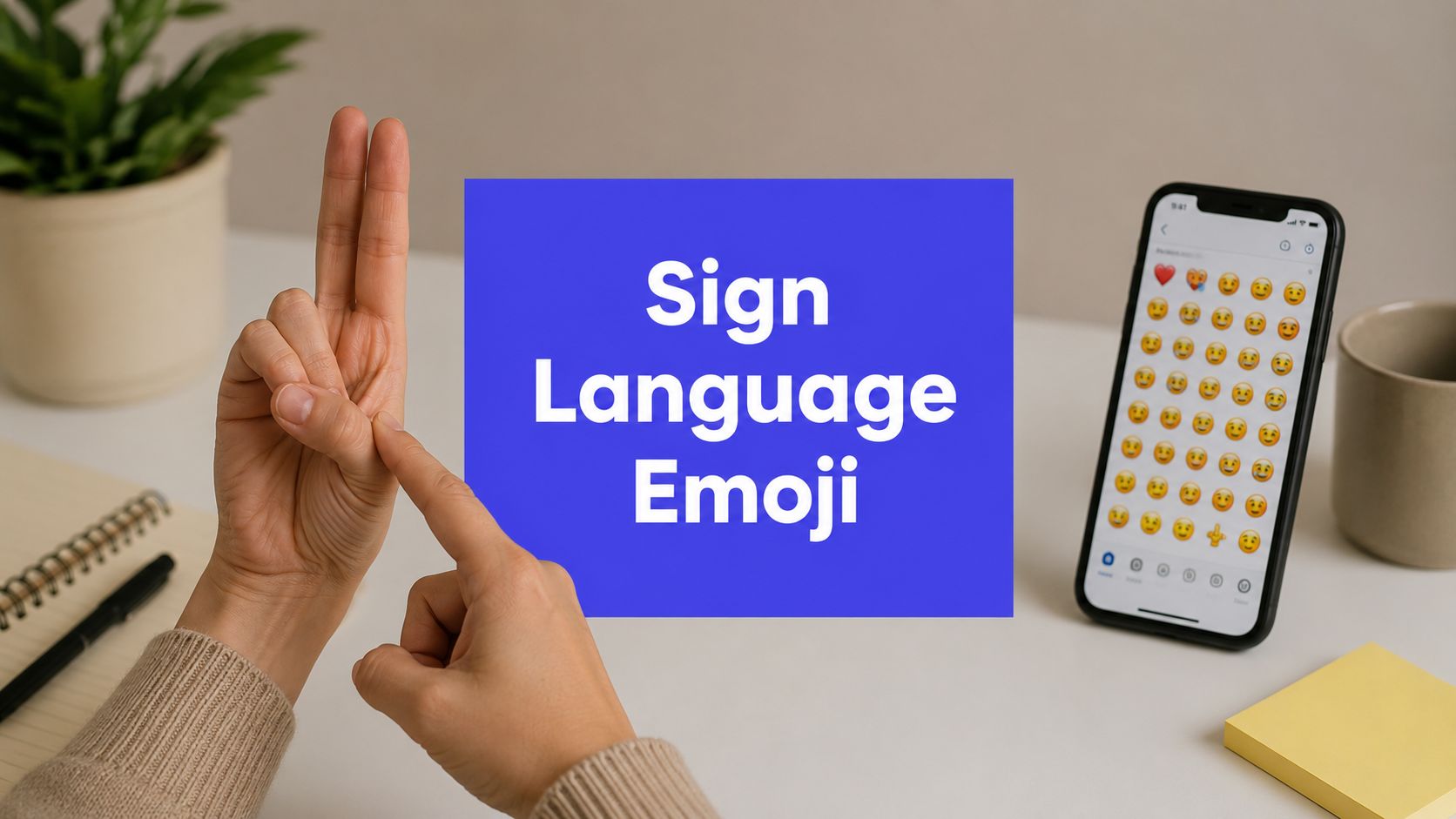












If your team adds a sign language emoji translator to a content workflow, have you improved accessibility, or just added a visual gimmick that looks inclusive?
That question matters more than most creators realize. Social teams often treat anything labeled “AI translation” as if it can carry the same trust as captions, transcripts, or human interpretation. In this category, that assumption breaks fast.
For creators, the practical issue isn't whether sign-language-inspired tools are interesting. They are. The key question is whether they help people understand content accurately, respectfully, and consistently. Sometimes they can help with representation or education. Sometimes they can confuse users by suggesting a level of language understanding the software doesn't have.
A good accessibility strategy starts by separating novelty from usefulness. Once you make that distinction, the role of a sign language emoji translator becomes much clearer.
What a Sign Language Emoji Translator Is and Is Not
The phrase sign language emoji translator sounds more advanced than it usually is. The term “translator” often leads to the assumption that the tool can take English, convert it into a sign language, and preserve meaning the way a language professional would. That's rarely what these products do.
Hootsuite's analysis makes the core problem plain. Sign languages are full languages with their own grammar, and emoji-based systems can produce “inaccurate” or “bizarre” outputs when people treat them as true translation tools, as explained in Hootsuite's overview of emoji translators and sign language limits.
Translation and representation are different jobs
A real language translator handles meaning, context, grammar, tone, and intent. A sign language emoji tool usually handles something much smaller. It maps a word, phrase, or hand shape to a symbol.
That makes it closer to a visual dictionary, a gesture labeler, or a teaching aid than a translator.
Think of the difference this way:
- A translator works like a skilled editor and interpreter combined. It decides what a message means and expresses that meaning in another language.
- A symbol mapper works like a sticker pack with some automation. It attaches a visual token to an input.
- A teaching tool helps someone notice or practice signs, but it doesn't replace fluency.
If you're a social media manager, this distinction affects every claim you make in copy, captions, and product messaging.
Practical rule: If a tool outputs emoji or isolated sign-like symbols, don't present it as if it can translate full sign language conversations.
Why the wording matters for accessibility
Words shape expectations. When a creator labels a feature “sign language translation,” users may assume it's trustworthy for communication. If the tool is doing simple mappings, that framing can mislead both hearing audiences and Deaf users.
That's where many accessibility efforts go sideways. A team wants to show care, but the result frames a complex language as if it were a set of interchangeable icons. That's not just a technical error. It can also flatten the culture and structure behind signed communication.
For creators, the safer framing is simple:
- call it a sign-inspired visual aid
- call it a gesture recognition demo
- call it an emoji-based representation tool
- don't call it full translation unless the product can fulfill that claim
What it can still be good for
Used carefully, these tools can still have value.
They can support awareness content. They can make onboarding into accessibility topics less intimidating. They can help a brand prototype visual communication ideas for social. They can even spark curiosity that leads users toward learning more about sign languages.
That's useful. It's just not the same as translation.
How Sign Language Recognition AI Actually Works
Most current systems work less like Google Translate and more like Shazam for gestures. They don't understand a whole language the way a fluent signer does. They watch for patterns, compare those patterns to training examples, and then return a likely match.

An IEEE paper on an ASL and hand-gesture emoji translator describes a setup using a camera for live capture and a laptop for processing, which confirms the basic architecture: a real-time recognition system that maps detected hand shapes to outputs rather than a semantic translator that understands grammar or context, as described in the IEEE paper on an ASL and hand-gesture emoji translator.
The basic pipeline
Here's the simplest way to understand the process.
A camera captures the signer
The system needs visual input first. That could be a webcam, a phone camera, or another video feed.The software isolates gesture data
It tries to find the hands in the frame, and in more advanced setups, facial movement and body position too.The model extracts features
It looks for things like hand shape, orientation, motion, and relative position.A classifier guesses the gesture
The model compares what it sees against patterns it learned during training.The system renders an output
That output might be text, an emoji, or another symbol layer.
If you want a broader primer on the same visual computing logic, this walkthrough of how AI recognizes images is useful because the recognition challenge is similar. The software isn't “seeing” like a person. It's matching visual patterns.
Why creators should care about the pipeline
Once you understand the pipeline, the limits stop being mysterious.
A classifier can be great at recognizing a known hand shape in stable conditions. It can struggle when:
- Lighting changes and the hand blends into the background
- Motion blurs during fast signing
- Occlusion happens because one hand covers the other
- Signer variation appears because people don't all produce signs identically
- Meaning depends on grammar instead of a single isolated gesture
That last point is the biggest. Social teams often assume the hard part is detecting the hand. It isn't. The hard part is interpreting the language wrapped around the movement.
Why “live output” doesn't mean “understanding”
A live demo can look convincing. A person signs, the system reacts, and an emoji appears. For a viewer, that feels like translation because the response is instant.
But instant output can hide shallow understanding. The software may be doing a neat one-to-one match rather than understanding a sentence. It's the difference between recognizing a road sign and understanding a legal contract.
A fast response is not proof of deep language comprehension.
That's why creators should be careful with product demos and social clips. Short videos can make narrow systems look broader than they are.
Where this fits in an accessibility workflow
Recognition AI can still play a role. It can label clips, support educational content, and help teams experiment with sign-related visuals. It also pairs well with adjacent accessibility tools. For video publishing, teams often get more dependable value from strong captioning workflows, such as an AI subtitle generator for social video, because captions solve a clearer access problem with fewer assumptions about sign-language equivalence.
For creators, that's the key takeaway. Use gesture AI for what it can reliably do. Don't ask it to perform a job it wasn't built for.
A Realistic Look at Current Solutions and Limitations
The current market mixes several different product types under one label. That's why reviews are often confusing. One tool behaves like a novelty emoji converter. Another behaves like a sign flashcard app. Another tries live gesture recognition. People compare them as if they solve the same problem, but they don't.
Three common categories creators will run into
First, there are emoji-first tools. These are built for play, brand voice, or casual visual expression. They're easy to share, but they're not reliable accessibility layers.
Second, there are educational aids. These may show sign-like visuals, word associations, or guided learning prompts. They can be useful in awareness campaigns or beginner exposure.
Third, there are gesture recognition systems. These use a camera and classification model to identify specific hand shapes or gestures in real time. They're the most technical option, but they still tend to be narrow in scope.
Each category can be useful. The problem starts when teams market all three as if they offer the same level of communicative trust.
Sign Language AI tools and their trade-offs
| Capability | Common Limitation |
|---|---|
| Map a known gesture to an emoji or label | Usually handles isolated gestures better than full expressions or sentence meaning |
| Turn words into sign-themed visual symbols | Can confuse representation with actual sign-language output |
| Support awareness or teaching content | Often too simplified for real communication needs |
| Run in real time on consumer hardware | Live speed can still mask weak contextual understanding |
| Add novelty to social posts or campaigns | Novelty can overshadow accessibility if the output is inaccurate |
| Demonstrate AI vision in a short video | Demos often don't show edge cases, ambiguity, or signer variation |
The hidden limitation creators underestimate
Teams often focus on vocabulary. They ask, “How many signs does it know?” That matters, but it isn't the only issue.
A bigger problem is communicative completeness. Even if a tool recognizes a set of gestures, it may still miss the features that carry meaning in natural signing. When teams build content around these tools, they can end up showcasing a partial system as if it were a complete communication bridge.
That's why production teams should pressure-test every claim. Ask:
- Is this one-way or two-way?
- Does it identify signs, or interpret messages?
- Does it work in a controlled demo only?
- Would a Deaf user trust this output in a real conversation?
If those questions make the feature sound smaller, that's useful clarity.
Better uses for current tools
Instead of asking current tools to solve everything, creators get better results by assigning them narrow jobs.
Use them to spark interest in accessibility topics. Use them in internal prototyping. Use them for lightweight educational posts. But for content that carries instructions, public information, customer support, or brand-sensitive messaging, pair your workflow with dependable access layers like captions and transcripts. A practical starting point is to add captions to video before publishing social content.
That won't make your content perfectly accessible to everyone. But it does solve a real problem clearly, which is better than promising a breakthrough your tool can't deliver.
The Cultural and Ethical Maze of Visual Translation
A weak accessibility tool doesn't just risk technical failure. It can also create cultural harm.

That's why creators need to think beyond “Can we ship this?” and ask “What are we representing?” and “Who absorbs the cost if it's wrong?”
Demand is real, so the standard has to be higher
The need for better communication aids is not hypothetical. In China alone, there are more than 20.5 million hearing- and speech-impaired people, while less than 5% of the population can communicate in sign language, according to AI-Media's discussion of sign-language emojis and access gaps.
That gap explains why lightweight visual tools keep appearing. It also raises the stakes. When the audience need is this large, sloppy design choices don't stay small. They shape expectations, purchasing decisions, and public understanding of what accessibility means.
Where harm can happen
The first risk is misrepresentation. A creator may post a flashy demo that suggests sign language is basically hand emojis. That can teach hearing audiences the wrong lesson.
The second risk is false confidence. A brand might believe it has “covered accessibility” because it added a sign-themed feature, while skipping the harder work of captions, transcripts, or consultation.
The third risk is biometric sensitivity. Gesture-recognition systems often rely on video capture of hands, faces, and movement patterns. That means the content pipeline may involve sensitive visual data, even when the marketing copy frames it as a simple creative tool.
Accessibility features should reduce exclusion, not create a polished excuse to avoid deeper inclusion work.
Why Deaf culture can't be reduced to interface design
Many product teams treat sign language as an input method. But sign languages are also part of identity, community, and culture. When a tool turns that into decorative output, the simplification isn't neutral.
For social media professionals, this means avoiding a common trap. Don't use sign-themed visuals as proof of inclusion unless the people affected would recognize the experience as useful and respectful.
That usually means bringing community perspective into planning, not just into campaign feedback after launch.
A quick ethical filter for creators
Before publishing content that features a sign language emoji translator, ask these questions:
- Would this help someone understand the message better, or only make the post look more inclusive?
- Have we described the tool accurately?
- Could the output mislead users into trusting an inaccurate representation?
- Have we centered the people affected, not just the novelty of the technology?
If a team can't answer those well, the content probably needs another round of review.
Best Practices for Accessible Social Content
Most creators don't need a perfect sign-language AI workflow tomorrow. They need a responsible publishing routine today.

The safest strategy is to treat sign-language-related AI as optional support, not as your main accessibility layer. Build around proven practices first.
Start with the access basics that travel across platforms
Captions do more day-to-day accessibility work than most experimental features. They help users who are Deaf or hard of hearing, viewers watching with sound off, and anyone scanning content quickly.
Transcripts matter too, especially for longer videos, webinars, and interview clips. They make content easier to search, quote, reuse, and understand.
Alt text also deserves more attention than it gets. If your post includes sign-language visuals, gestures, or instructional hand movement, the image description should reflect that context clearly. This guide to social media alt text for images is a useful reference for writing descriptions that do more than label the obvious.
A practical creator checklist
Use human interpreters for high-stakes content
If the content involves public information, legal guidance, healthcare, education, or customer trust, human expertise matters more than novelty.Write captions for meaning, not just words
Good captions catch relevant speech and key non-speech cues when they affect understanding.Describe sign-related visuals precisely
If a signer appears on screen, say that. If the hands demonstrate a gesture sequence, say that too.Review AI outputs before publishing
Never assume generated text, emoji, or labels are correct because the demo looked clean.Work with Deaf creators and advocates
They can spot issues that software teams and social teams often miss.
A better workflow than “upload and trust the AI”
Here's a practical sequence many teams can follow:
- Draft the content with accessibility in mind from the start.
- Add captions and review them manually.
- Write alt text for static visuals and thumbnails.
- If you use a sign-inspired AI feature, label it accurately.
- Get feedback on sensitive or high-visibility content before posting.
That workflow sounds less futuristic than an AI translator demo. It's also more useful.
For teams that need a quick refresher on the basics, this short video is a helpful prompt to think about accessibility as part of everyday content craft, not a special add-on.
What creators should say publicly
The language around the feature matters almost as much as the feature itself.
Avoid phrases like “fully translated into sign language” unless that's true. Better alternatives include:
- sign-inspired visual support
- gesture recognition experiment
- educational sign reference
- emoji-based representation layer
Clear labeling builds more trust than inflated accessibility claims.
That trust compounds over time because audiences learn your brand won't overstate what its tools can do.
The Future of Accessibility on Social Platforms
The path forward probably won't come from one magical translator app. It will come from better platform design.

A useful historical marker already exists. The Sign Language Emoji app launched on the iOS App Store in 2018, which marked a visible move from novelty web experiments into mainstream mobile distribution, as shown in the App Store listing for Sign Language Emoji.
What platform-level progress could look like
The next leap isn't more standalone novelty. It's integration into everyday publishing tools.
That could include:
- caption quality checks inside the posting workflow
- alt text prompts for posts that include signing or gesture-heavy visuals
- accessibility review flags before a team schedules content
- clear disclosure labels when AI-generated visual translation features are used
These changes sound small, but they solve practical problems at the point where creators already work.
Why integrated accessibility matters more than niche experimentation
Most creators won't adopt a separate specialist tool unless it fits naturally into their existing process. Accessibility improves faster when the platform asks for it by default.
That's the real strategic lesson from the category's evolution. The important shift isn't just that sign-language emoji concepts became downloadable. It's that accessibility ideas entered mainstream software channels, where they can eventually influence publishing norms.
The most promising future isn't flashy
The best future version of this technology may be less visible, not more visible. Instead of showing off an emoji translation gimmick, platforms could help creators catch missing captions, weak descriptions, and misleading claims before content goes live.
That would be a bigger win than most demos. It would move accessibility from campaign theater into routine practice.
If you want a smoother way to plan, create, and publish more accessible social content, PostSyncer gives teams one place to manage captions, workflows, approvals, and cross-platform publishing without turning accessibility into an afterthought.