












On Monday morning, the calendar looks full. By lunch, two posts are still waiting for approval, the product video has the wrong aspect ratio, and someone has copied a LinkedIn announcement directly into an Instagram caption. A customer question sits unanswered because the person who owns comments is also editing next week's campaign.
That isn't a frequency problem. It's a coordination and capacity problem. Social media calendar planning has to account for different audiences, platform-native formats, approvals, assets, publishing windows, and the human work that happens after a post goes live.
DataReportal reported 5.24 billion active social-media user identities worldwide in January 2025, equal to about 63.9% of the global population, while internet users used an average of 6.83 social platforms each month (DataReportal's digital overview). One campaign idea may need several versions, but it shouldn't automatically become the same post everywhere.
The Monday Morning Calendar Problem
The calendar usually collapses in a predictable sequence. A founder adds more dates because the blank spaces look like missed opportunities. A social manager fills them with whatever is easiest to produce. An approver then reviews a crowded queue at the last minute, while community replies and analytics wait in the background.
The first failure mode is volume without ownership. A date, caption, and platform may be visible, but nobody knows who must supply the asset, approve the claim, answer comments, or make the final call when the post changes. The second is cross-posting without adaptation. A vertical video, a professional explanation, and a searchable visual may support the same campaign, but they serve different user behaviors. The third is capacity blindness. The calendar records publishing work while ignoring moderation, customer questions, revisions, reporting, and interruptions.
Practical rule: A calendar slot isn't available simply because nobody has booked it. It's available only after the team has accounted for production, approval, publishing, and follow-up.
Audience fragmentation makes the problem structural. Younger audiences often move across several networks rather than relying on one channel. A calendar that treats social media as one chronological feed will hide the decisions that matter, including which audience sees which version, on which platform, and with what next action.
Before rebuilding anything, audit the current calendar with five questions:
- Ownership: Does every post have one clear owner and one approver?
- Adaptation: Does each platform version have a stated reason for existing?
- Capacity: Are community and moderation blocks visible?
- Status: Can anyone tell what's drafted, approved, scheduled, or blocked?
- Learning: Does each post connect to a primary KPI and a later review?
If the answers are unclear, downloading another template won't fix the operating system. A social media calendar template can give you a useful layout, but the layout must represent decisions, dependencies, and limits.
Define Your Pillars, Audience, and Cadence
Start with the business outcome, not the platform. Turn that outcome into three to five content pillars that a small team can recognize quickly. A pillar might educate prospective buyers, demonstrate the product, answer objections, show customer context, or build trust through the people behind the brand.
Each pillar needs a primary audience segment and a primary platform. This prevents a vague instruction such as “post more educational content” from becoming an identical caption across every network.
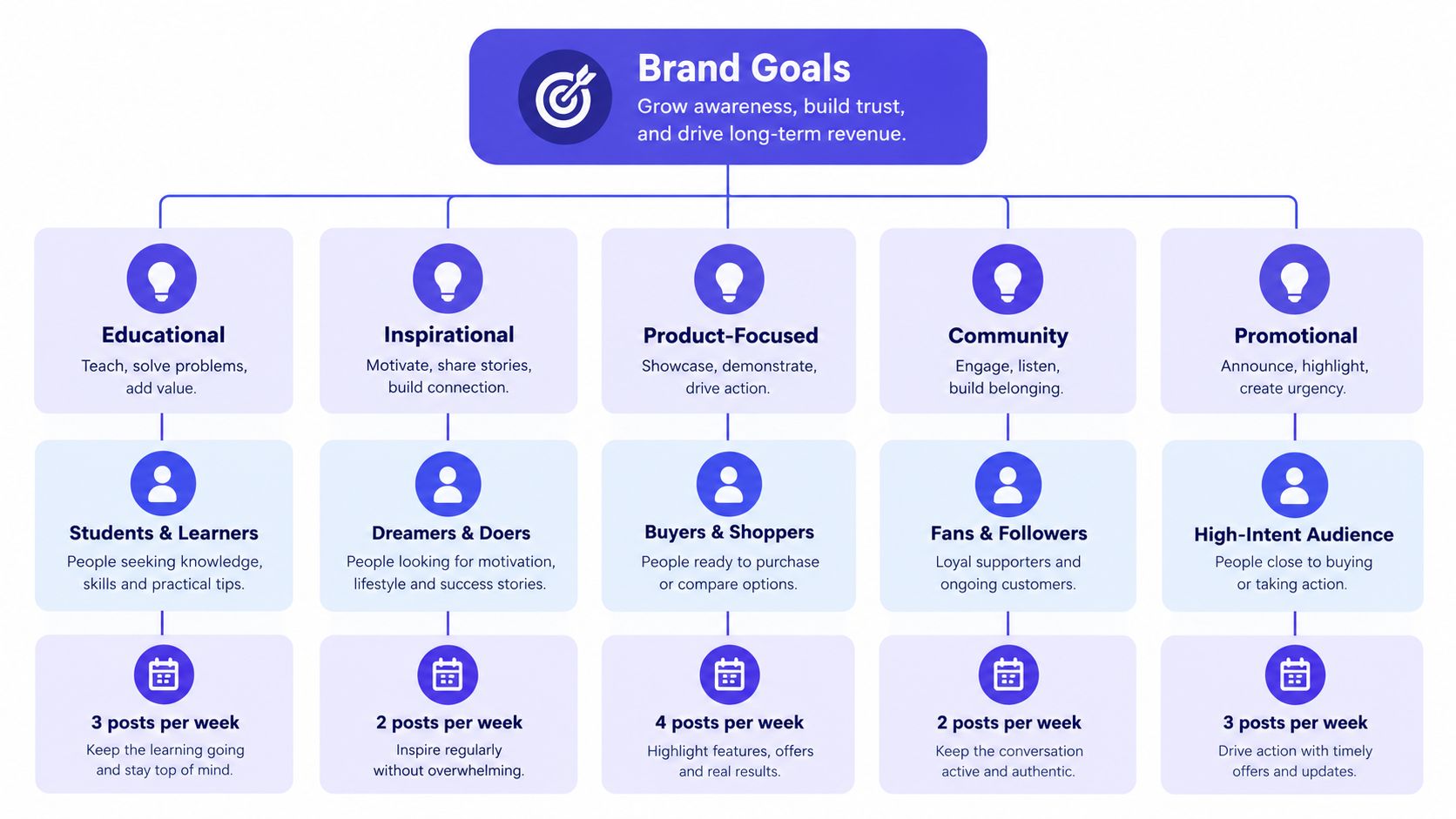
Pew Research found that about three-quarters of U.S. adults under 30 used at least five surveyed platforms, and Instagram use among 15-to-17-year-olds was 72% compared with 43% among 13-to-14-year-olds (Pew Research Center's social media findings). The practical implication isn't that demographic data will reveal a perfect posting time. It's that your calendar should record the segment behind each decision, especially when one broad audience label hides meaningful behavior differences.
Build the minimum viable cadence
Set a sustainable baseline, then define a stretch target separately. The baseline is what the team can produce, approve, publish, and support during an ordinary busy week. The stretch target is optional capacity, not a promise to the algorithm.
For a small ecommerce brand, one pillar might become a weekly rhythm like this:
- Problem education: A short Instagram video for people comparing solutions.
- Proof and demonstration: A LinkedIn explanation for professional buyers.
- Product utility: A Pinterest visual that can remain useful after launch week.
- Community response: A scheduled question or reply prompt that creates conversation without requiring a new campaign asset.
Record more than the date and caption. Each calendar entry should include:
| Field | What it clarifies |
|---|---|
| Platform | Where the post will publish |
| Audience segment | Who the post is for |
| Pillar and campaign | Why it exists |
| Format | What must be produced |
| Owner | Who moves it forward |
| Approval status | What can block publication |
| Primary KPI | What success means |
| Asset and link | What the publisher needs |
| Follow-up owner | Who handles the response |
A useful reference for teams thinking beyond isolated posts is this guide to scaling ecommerce content strategy, which frames content as an operating system for growth rather than a collection of disconnected publishing tasks. Your own calendar should make that system visible at the post level.
Review social media content pillar examples when your categories feel either too broad to guide creators or too narrow to support a steady schedule. The test is simple: can a team member classify an idea without asking for a meeting?
The Repurposing Matrix That Decides What Becomes What
“Publish everywhere” sounds efficient until the team spends its best production time forcing weak adaptations into channels where they don't belong. Repurposing works when the core idea survives but the audience job changes.
Recent industry data cited by HubSpot found that 67% of marketers planned to increase YouTube activity, 63% planned more Instagram video, and 54% planned more LinkedIn video. The same source identified video platforms as the top three channels for traffic, engagement, and audience growth (HubSpot's social media video trends). That supports deliberate investment in video, not automatic duplication of every asset.
Use four tests before adapting an idea: objective, platform behavior, production effort, and shelf life.
| Objective | Best native formats | Effort | Shelf life |
|---|---|---|---|
| Reach a new audience | Reel, Short, TikTok | Medium | Short to medium |
| Explain a complex decision | LinkedIn post, carousel, longer video | Medium to high | Medium |
| Capture search and discovery | Pin, searchable Short, tutorial | Medium | Long |
| Start a conversation | Question post, reply, community thread | Low to medium | Short |
| Drive a focused action | Platform-specific product post or landing-page video | Medium | Campaign-dependent |
One idea, several possible outcomes
Suppose an ecommerce team has a campaign about choosing the right material for a product. The visual demonstration may deserve a Reel because movement and a quick reveal communicate the point immediately. A tighter edit with a self-contained hook may become a YouTube Short. The reasoning behind the choice may become a LinkedIn explanation for buyers who need context. A vertical, text-led reference image may work as a Pinterest Pin.
The same idea may deserve no adaptation at all. If the point depends on a live customer question, turning it into a polished video can remove the context that made it valuable. Keep it as a community reply.
Say no when the adaptation needs more production effort than the platform-specific audience benefit can justify.
A creator I've worked with once planned a Reel, Short, LinkedIn post, Pin, and email excerpt from one small product insight. The Reel and LinkedIn explanation had clear jobs. The Pin required a new design, the Short repeated the Reel without improving the hook, and the email excerpt had no related campaign. Cutting those three adaptations reclaimed production time for comment responses and customer questions.
Tools can reduce execution effort, especially for teams testing voiceover-free formats. If you're evaluating a great faceless reels AI workflow, use it to accelerate suitable concepts, not to justify multiplying every idea. Store the decision and the reason in your content repurposing workflow, so the team learns which adaptations deserve another attempt.
Building the Calendar in a Scheduling Tool
A scheduling tool should show the work around a post, not just its publish date. Build the workspace so a person can answer three questions without opening a separate document: what is going live, what state is it in, and what happens next?
For one brand, use a single workspace with labels for pillars, campaigns, formats, and status. For an agency, separate client workspaces and keep the label logic consistent enough for reporting. Don't create dozens of labels that nobody uses. A few useful categories are better than a colorful archive with no shared meaning.
Set up the workflow before loading posts
Create statuses that reflect actual handoffs:
- Idea: The concept exists but hasn't been briefed.
- Drafting: Copy or creative is in production.
- Review: An approver must check it.
- Ready: Assets and metadata are complete.
- Scheduled: The platform connection has accepted it.
- Published: The post is live and ready for follow-up.
- Archived: Results and learnings are recorded.
Use recurring slots for stable pillars, but leave a contingency queue for timely content. A recurring slot should make the baseline easier to maintain, not force the team to publish an irrelevant post during a product issue or a major community conversation.
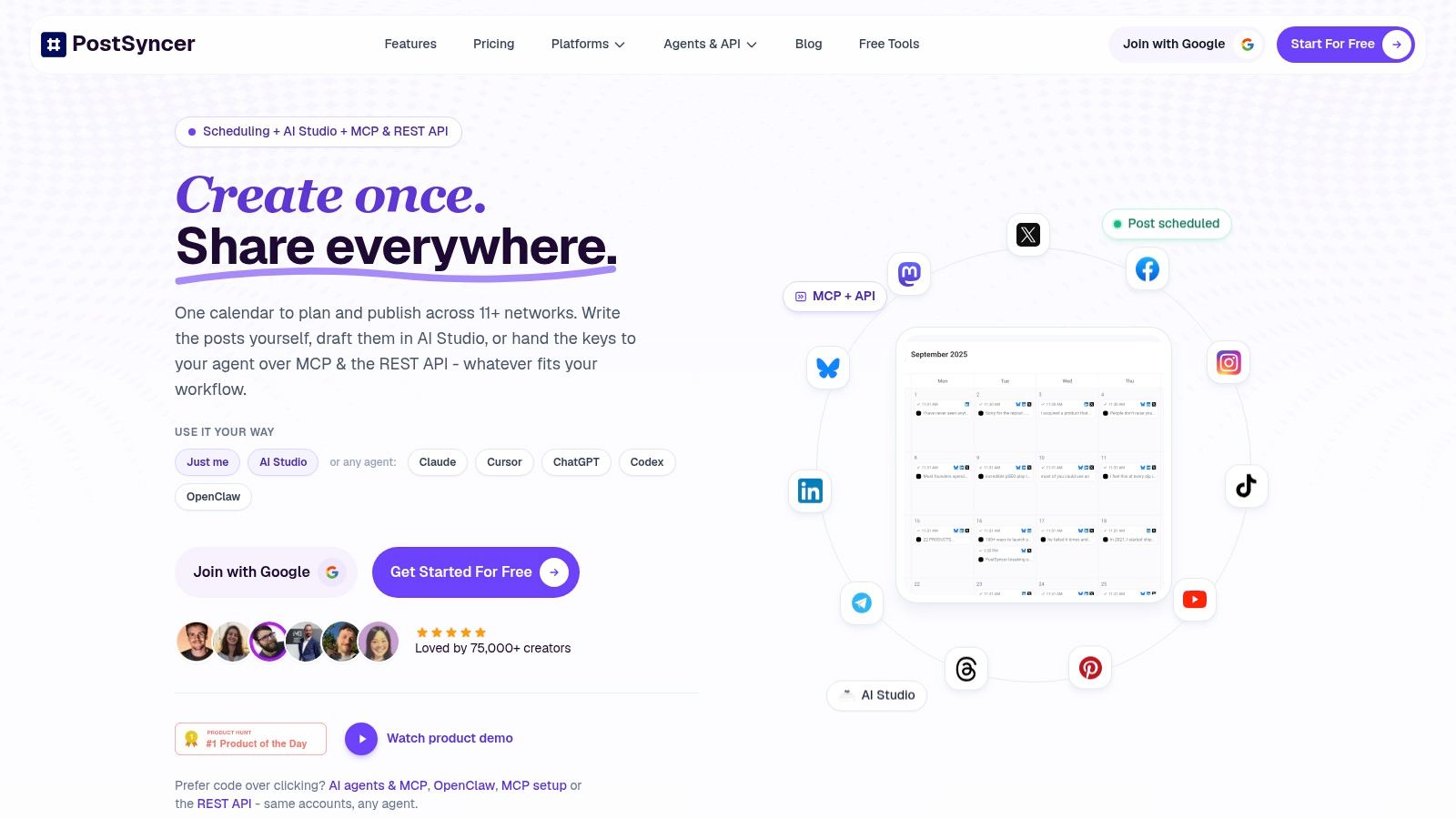
Attach the caption, asset, link, alt text, first comment, hashtags, and platform-specific notes to the post itself. A Google Doc can hold useful background, but scattered documents create uncertainty about which version is approved. PostSyncer is one scheduling option that combines a visual calendar, publishing across connected networks, recurring posts, labels, approval workflows, and multi-workspace management in one environment.
Sprout Social's analysis of more than 3 billion messages found that brands published an average of 9.5 posts per day across networks in 2024, while average inbound engagements per post rose 17%, from 12 to 14 (Sprout Social's industry benchmark analysis). Treat that cross-network average as context, not as your quota. Your tool settings should support review and adjustment, not pressure the team to match an aggregate.
Before relying on automated publishing, check:
- Time zones: Confirm the workspace and each audience's intended publishing zone.
- Default networks: Verify every selected network before scheduling.
- Asset dimensions: Check that each platform receives the correct version.
- Approval permissions: Make sure reviewers can approve without editing the wrong field.
- Connection status: Keep a recurring reminder for OAuth reauthorization and failed posts.
- Fallback ownership: Assign a person to inspect scheduled content and exceptions.
Protect the Human Work Behind the Posts
A calendar can be perfectly organized and still produce poor customer experiences. Publishing is only one part of social work. Someone must read replies, identify product questions, handle sensitive comments, escalate complaints, and notice when a scheduled message no longer fits the moment.
A 2025 industry survey identified generating engagement as marketers' biggest pain point, with being asked to do too much rising to the second-biggest challenge. The survey also found that marketers focused much more often on reach, engagement, and follower growth than on conversions or acquisition cost (Ignite Social Media's survey takeaways). A crowded queue can make those priorities worse if it consumes the time required to turn attention into a relationship.
Put engagement on the calendar
Protect community work as a scheduled responsibility, not an informal favor. Assign response ownership by channel, define a response-time target that your team can realistically meet, and create escalation rules for safety issues, refunds, legal concerns, and public complaints.
Rotate ownership when several people share the workload. The rotation should include a backup, a handoff note, and a clear definition of what requires escalation. Without those details, “the team handles comments” usually means one reliable person handles them until they burn out.
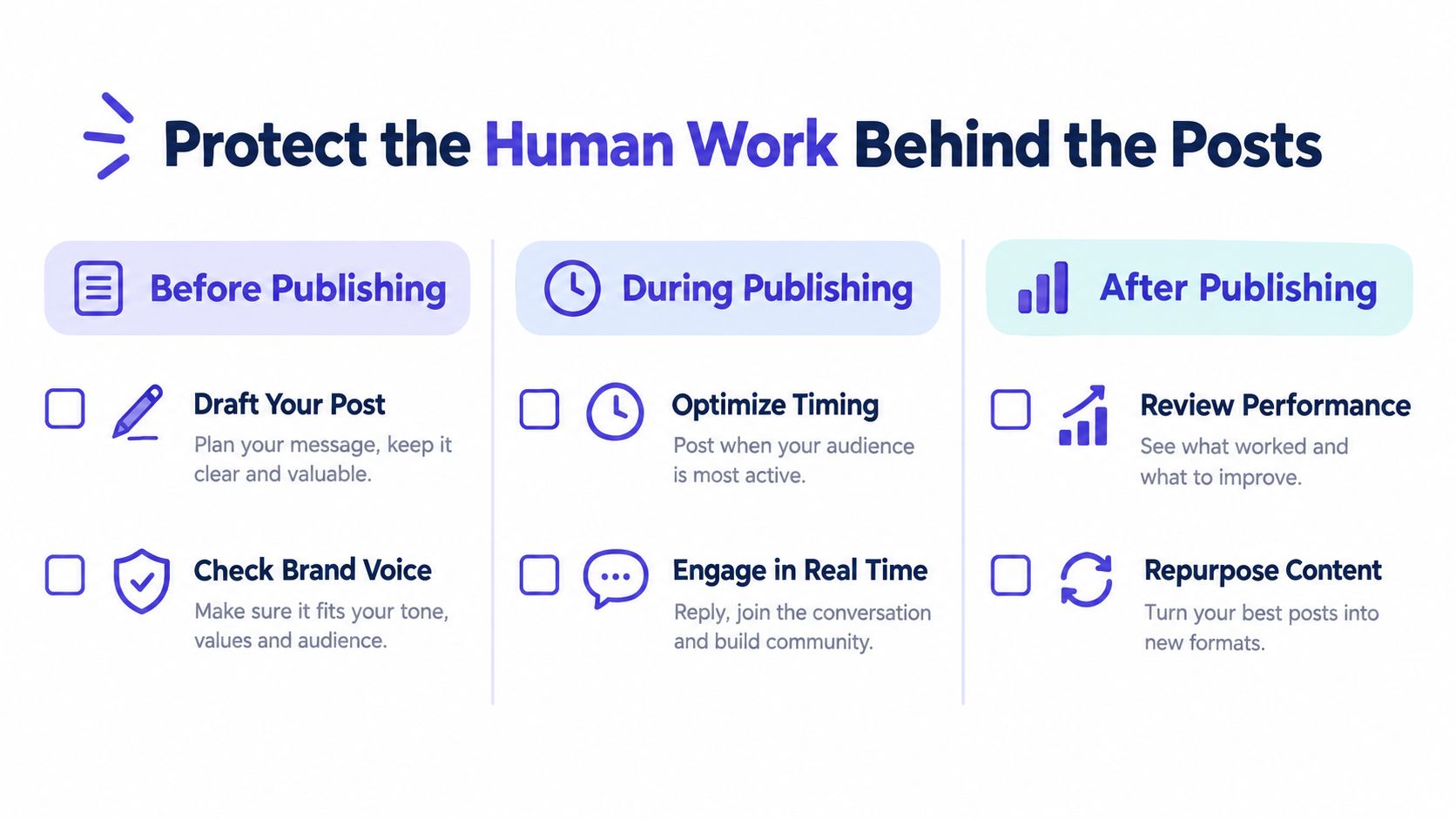
Use a simple capacity rule: never fill the calendar beyond the point where the assigned owner can complete publishing follow-up during the same operating cycle. If comments are already accumulating, reduce scheduled output before adding another recurring slot.
Keep a fallback list for overloaded weeks:
- Customer answer: Turn a recurring question into a concise helpful post.
- Evergreen proof: Reuse an approved testimonial or demonstration with fresh framing.
- Founder note: Share a short, relevant observation without launching a new asset.
- Community prompt: Ask a specific question that the team has time to moderate.
- Pause option: Leave the slot empty when publishing would create avoidable risk.
A less crowded calendar often serves the business better than a full one when it preserves the people who respond, learn, and adjust.
Set a Review Rhythm That Actually Changes the Plan
A useful review doesn't end with “keep optimizing.” It changes the next calendar. Separate a short weekly health check from a deeper monthly review, then connect both to explicit editing decisions.
The weekly check should inspect operational health:
- Coverage: Which planned slots were published, moved, or missed?
- Workflow: Where are drafts waiting for approval?
- Community: Did response times remain within the team's target?
- Capacity: Which upcoming posts lack assets, owners, or review time?
- Relevance: Does any scheduled post need to be paused because circumstances changed?
The monthly review should compare performance by network, format, pillar, and audience segment. Track engagement per post, reach, clicks, conversions, audience sentiment, and the quality of inbound questions. Don't treat a cross-network total as a universal target. Establish a baseline for each platform and content type, then compare like with like.
A review is useful only when it creates a calendar edit.
For example, a small team may find that product demonstrations attract strong engagement but require too much editing, while concise customer answers generate useful questions with less production effort. The next month's plan could retain the demonstrations, reduce their frequency, turn the answers into a recurring community pillar, and remove a platform adaptation that produces little relevant response. That is a strategy change, not a report summary.
Buffer's six-month analysis classified highly consistent accounts as posting in at least 20 of 26 weeks and found they received about five times more engagement per post than inconsistent accounts (Buffer's consistency study). The useful lesson is not to chase a universal volume target. It's to build a schedule the team can maintain and then use reviews to improve the work inside that schedule.
Your First 30, 60, and 90 Days With a New Calendar
A calendar rebuild should start smaller than your ambition. The first version needs to survive normal work, not impress everyone during a planning session.
Days 1 through 30
Choose the core platforms, document the pillars, define the audience segments, and load only the baseline cadence. Add owners, approvers, primary KPIs, and protected community blocks before adding more content.
During this period, watch for operational signals:
- Missed slots: Reduce the baseline or remove a production dependency.
- Unapproved backlog: Shorten the review path or give approvers a fixed review window.
- Wrong assets: Add platform-specific briefs and an asset checklist.
- Slow responses: Reassign community ownership and reduce scheduled output.
Don't judge the system by how full the calendar looks. Judge it by whether the team can move an idea from brief to publication without detective work.
Days 31 through 60
Review which pillars produced useful responses, which formats required disproportionate effort, and which adaptations added no audience value. Keep the strongest recurring slots, cut low-fit versions, and turn repeated customer questions into documented content opportunities.
This is also the right time to refine labels and statuses. If people keep choosing between similar categories, simplify them. If nobody can tell whether a post is waiting on design or approval, split that status into a real handoff.
Days 61 through 90
By the third month, compare each platform against its own baseline. Look for changes in engagement per post, reach, clicks, conversions, sentiment, response time, missed slots, and approval backlog. The calendar is working when it helps the team make sharper choices, not merely when it contains more scheduled content.
Keep the habits that prevent abandonment: a weekly health check, a monthly decision review, a contingency queue, explicit community ownership, and a firm no-post threshold. If a calendar repeatedly asks for work the team cannot support, believe the evidence and redesign the calendar instead of blaming execution.
PostSyncer gives creators, teams, and agencies a visual workspace for planning, approving, scheduling, and analyzing platform-specific content, with recurring slots, labels, multi-workspace management, and a unified comments workflow. Visit PostSyncer to test a calendar built around coordinated publishing and protected community capacity.