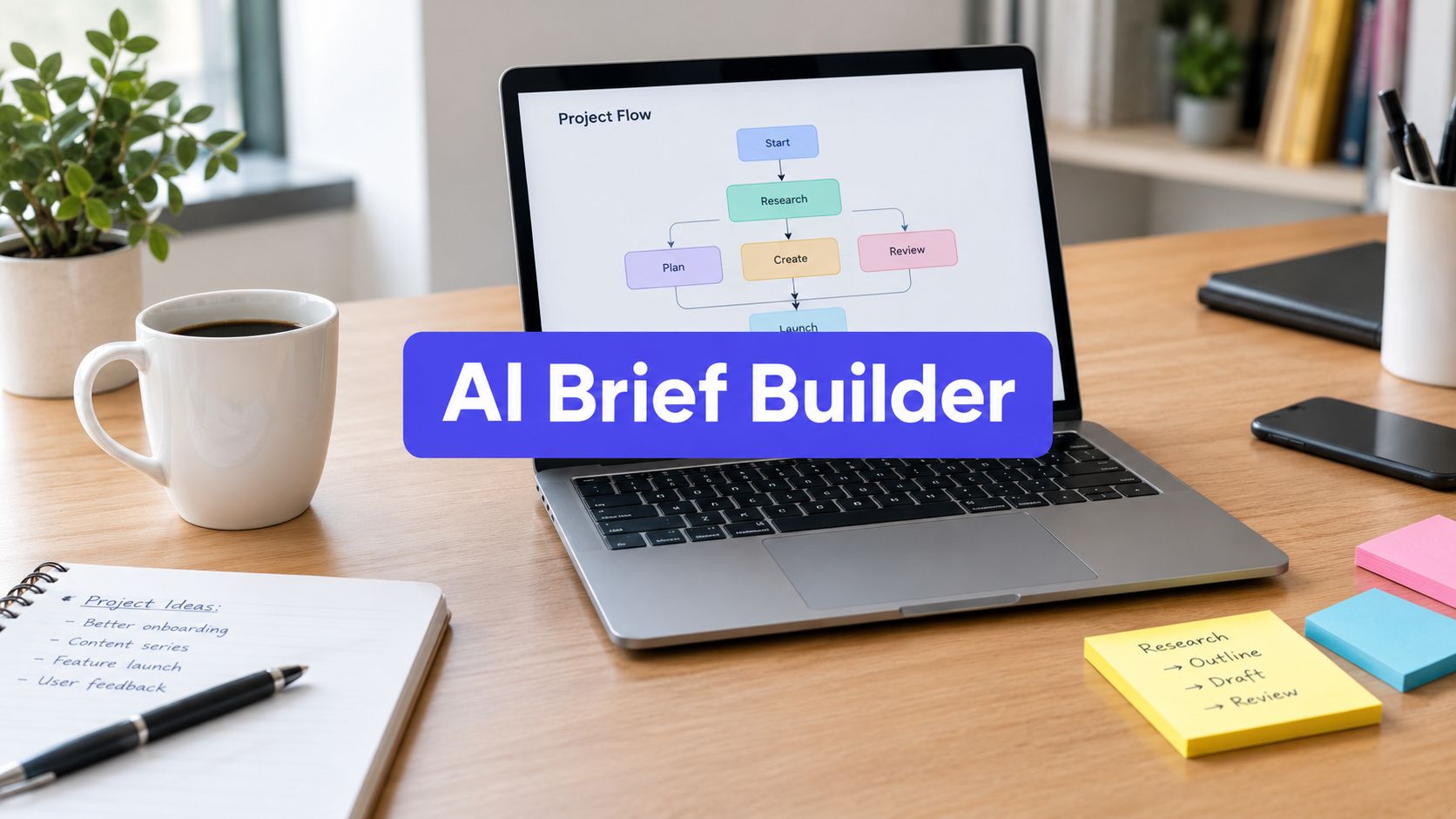












Most startup social accounts do not fail because the team lacks ideas. They fail because the work lives in fragments. A few posts sit in drafts. A founder answers comments from a phone between meetings. Analytics get checked only after a bad week. Nothing is broken enough to stop, but nothing is organized enough to scale.
That is the normal starting point for social media management for startups.
The fix is not “post more.” It is building a system that can survive low bandwidth, changing priorities, and the fact that one person may be handling content, community, and reporting at the same time. Startups do not need a bloated social program. They need a lean one that produces useful content, keeps response times tight, and gives the team a clear feedback loop.
Social is too important to run on memory. 90% of small businesses use social media as a core part of marketing, according to Talkwalker’s social media statistics roundup. That matters because your buyers already expect to find signals of credibility, activity, and responsiveness on social, even if your website is where conversion happens.
A practical in-house system gives you three things agencies usually sell as separate services. Clarity on what to post. Consistency in how it gets published. Visibility into what drives business value.
From Chaos to Control Your Social Media Framework
A founder at an early-stage startup starts social the same way. They open LinkedIn to post a product update, remember they have not replied to Instagram comments, then wonder whether they should finally try TikTok because everyone says organic reach is better there. By the end of the day, nothing is planned and everything feels urgent.
That is not a discipline problem. It is an operating model problem.
Social media management for startups works when the team stops treating every post as a one-off task. The better approach is a simple framework: define business goals, narrow platform focus, create repeatable content themes, schedule distribution, centralize engagement, and review performance on a fixed cadence.
What changes when you use a framework
Without a framework, teams default to reactive posting. They announce launches, reshare customer wins, and disappear when product work gets busy.
With a framework, social becomes an asset. The team knows:
- What belongs on social: not every internal update deserves a post
- Who each platform is for: founders, buyers, users, candidates, or partners
- Which formats repeat well: carousels, clips, short text posts, customer proof
- How work moves: idea, draft, review, schedule, reply, analyze
This sounds operational because it is. Startups do not need more inspiration. They need less decision fatigue.
Practical rule: if your social program depends on one person “finding time,” you do not have a program yet. You have bursts of activity.
The goal is control, not complexity. A useful system should make it easier to publish when the team is busy, easier to hand work to a freelancer later, and easier to see what is worth repeating.
Laying the Strategic Foundation for Growth
The fastest way to waste time on social is to start with content before deciding what success means.
A startup does not need broad brand goals written in vague language. It needs a small set of outcomes tied to the business. The planning sequence is straightforward: define SMART KPIs, research the audience enough to understand what they are trying to solve, then choose only a few platforms where those people already spend attention.
According to Guac Digital’s startup social media strategy guide, a practical methodology starts with SMART KPIs, such as growing LinkedIn followers from 500 to 5,000 in six months or generating 100 qualified leads monthly. The same guide recommends creating detailed buyer personas and selecting 2 to 3 core platforms. It also notes that high-performing startups often reach 2% to 5% engagement rates, while inconsistent posting can lead to 40% lower reach.

Define success in business terms
Follower count has value, but only as a supporting signal. A startup should define social success based on outcomes such as:
- Lead generation: demo requests, newsletter signups, qualified inbound
- User acquisition: free trial starts, app installs, product page visits
- Pipeline support: retargetable traffic, event signups, case study views
- Trust building: customer proof, founder credibility, faster sales conversations
If the business is early, one platform may serve one job. LinkedIn may support authority and demand capture. Instagram may support trust and product education. TikTok may support discovery.
That separation matters because otherwise every post tries to do too much.
Use jobs to be done, not just demographics
Demographics help with targeting. They do not explain why someone pays attention.
A better planning lens is jobs to be done. Ask what the audience is trying to accomplish when they open each platform. A seed-stage SaaS founder on LinkedIn may be looking for tactical advice, peer validation, and tools that reduce manual work. The same person on YouTube may want deeper education. On Instagram, they may respond better to quick visual explainers or behind-the-scenes product context.
Build audience notes around:
- Pain points: what is frustrating, slow, risky, or confusing
- Desired outcome: what “better” looks like for them
- Buying triggers: what makes them start evaluating solutions
- Content preference: text, video, carousels, proof, tutorials
- Objections: price, trust, switching effort, learning curve
Many startup teams sharpen their focus here. They stop asking, “What should we post?” and start asking, “What job is this post helping the audience do?”
Pick fewer platforms than you want
Most startups should be narrower than feels comfortable.
A focused team can build momentum on a few channels. A scattered team creates weak signals everywhere. If you are B2B, start where professional intent is already visible. If you sell a visually demonstrable consumer product, prioritize the channel where that format travels naturally. If your product benefits from personality and education, founder-led content carries the brand farther than polished corporate posts.
A planning template helps here because it forces trade-offs. If you need one, this social media marketing plan template is useful for turning broad goals into a weekly operating plan.
Key takeaway: strategy gets simpler when each platform has one primary job and one audience segment it serves well.
Clarify brand voice before scale
Voice guidelines do not need to be formal. They need to be usable.
Write a short internal note that covers:
- Words you use often
- Words you avoid
- How direct or playful the brand sounds
- How the brand handles disagreement
- How much founder personality belongs in posts
That note becomes useful the moment another person touches the account.
Building Your Lean Content Engine
Monday morning looks familiar on a startup team. Someone asks what is going out this week, the founder has three half-formed ideas in Slack, design is waiting on copy, and nobody agrees on which channel matters most. Content starts feeling heavy long before the team is publishing at any serious volume.
A lean content engine fixes that by reducing decisions. It gives a small team a repeatable way to turn customer insight into a week of posts without starting from zero each time. For bootstrapped startups, that matters more than chasing volume. The goal is a system the team can run in-house, even with limited time, using AI for speed and automation for consistency while keeping strategy and judgment internal.

Build around content pillars
Start with 3 to 5 content pillars. More than that usually creates choice overload, especially when one person is acting as strategist, writer, editor, and publisher.
For early-stage startups, these pillars usually hold up:
- Problem education: help buyers understand the problem before they are shopping for tools
- Product use cases: show the job the product helps them do
- Customer proof: outcomes, testimonials, workflow improvements, screenshots, and wins
- Founder perspective: strong opinions, lessons learned, and decisions behind the build
- Industry insight: reactions to shifts in the market, common mistakes, and practical commentary
Pillars do two jobs at once. They keep the feed coherent for the audience, and they make contribution easier for the team. A founder can drop a rough voice memo into the right bucket. A marketer can turn it into a post without guessing whether it fits the brand.
Promotion needs a limit too. Keep the majority of posts useful on their own. Reserve a smaller share for direct asks such as demos, trials, or signups.
Match the format to the channel
One of the fastest ways to waste time is posting the same asset everywhere with minor edits. Each platform rewards different behavior, different pacing, and different levels of context.
Use the channel for what it is already good at:
- LinkedIn: founder posts, point-of-view carousels, customer lessons, hiring and operating insights
- TikTok: quick hooks, product walkthroughs, reactions, short educational clips
- Instagram: visual proof, product moments, concise carousels, repurposed short video
- YouTube Shorts: trimmed explainers, feature clips, and direct answers to common questions
- X or Threads: opinions, observations, lightweight distribution, and audience interaction
I have seen small teams get better results from publishing fewer posts with stronger format fit than from pushing the same message across five channels. The trade-off is reach versus relevance. Wider distribution feels efficient. Platform-native execution usually performs better.
Build from one source asset, not seven scattered ideas
The easiest content engine to sustain starts with source material that already contains signal. Use a customer interview, sales call pattern, founder memo, webinar, support question, or blog post. Then break it into channel-specific pieces.
A single strong asset can produce a full week of social content:
- Pull one clear argument for a LinkedIn text post.
- Turn the framework into a carousel.
- Record a short founder video summarizing the strongest takeaway.
- Extract a customer quote or workflow improvement for a visual proof post.
- Write a reply-driven prompt that asks how the audience handles the same issue.
- Save the leftover points for comments, follow-ups, or next week’s drafts.
This is how small teams punch above their weight. They stop treating every post as a separate project.
AI helps most at the transformation layer. Use it to turn transcripts into draft hooks, summarize long-form material, generate first-pass variations, and tag ideas by pillar. Do not hand it final judgment. Weak source material still produces weak posts, only faster.
If your current process still depends on scattered docs and memory, this content creation workflow for startup teams shows a cleaner path from raw idea to scheduled post.
Tip: repurpose insight, not filler. Repeating a strong message in different formats builds recall. Repeating thin content just creates more thin content.
Use a calendar that exposes gaps fast
A pile of notes is not a content system. A visual calendar is.
The point of the calendar is not decoration. It gives the team a quick operating view. You should be able to see, in under a minute, whether the week is too promotional, whether one pillar is missing, whether every post is using the same format, and whether any draft is stuck waiting on review.
A useful weekly calendar shows:
- Platform mix
- Content pillar coverage
- Format variety
- Publishing gaps
- Owner and status
Batching makes the engine sustainable. Draft in one block. Record in one block. Design in one block. Schedule ahead, then leave a small gap for reactive posts if something worth commenting on happens. That structure is what lets a bootstrapped team stay consistent without hiring an agency or living in content mode every day.
Establishing Scalable Workflows and Automation
Founders resist workflows because they sound slow. In practice, the absence of workflow is what slows everything down.
When social lives in one person’s head, every task requires re-deciding what “good” looks like. Captions get rewritten from scratch. Visuals vary too much. Replies depend on who saw the message first. The team spends time recovering context instead of shipping work.
The case for process is simple. It protects speed.
Bootstrapped startups spend 20 to 30 hours weekly on social media, and Unity Connect’s discussion of outsourced social media management for startups highlights that a prioritization framework is often missing. The same source says 68% of bootstrapped startups use AI for over half of their content generation, reducing manual time by 40%. The useful interpretation is not “automate everything.” It is “use a hybrid AI and human workflow so the team keeps control without burning out.”

Document the minimum viable workflow
You do not need a long manual. You need a short sequence everyone can follow.
A strong lightweight workflow looks like this:
Capture ideas in one place Founder notes, customer questions, support tickets, sales objections, and product updates should all feed one backlog.
Draft in batches Write several posts at once by pillar or campaign, not one at a time when pressure hits.
Review for brand and accuracy One quick pass catches wrong claims, confusing wording, or tone drift.
Schedule by platform Queue the approved posts and adapt the copy where needed.
Route engagement centrally Reply from one inbox when possible so comments and DMs do not get missed.
Review weekly performance Keep the review short. Look for repeatable winners and obvious misses.
That is enough structure for a team of one. It is also enough to onboard a contractor later.
Automate low-judgment work
Automation is useful when the task is repetitive, rules-based, and verifiable.
Good automation candidates include:
- Scheduling posts across platforms
- Recycling evergreen posts after reviewing freshness
- Assigning labels by campaign, persona, or pillar
- Routing comments and messages to a unified inbox
- Drafting first-pass captions from source material
- Generating rough variations for A/B testing
Poor automation candidates include sensitive replies, public conflict, nuanced product claims, and anything legal or crisis-related.
That distinction matters. Automation should remove repetitive labor, not replace judgment.
Rule of thumb: automate the first draft and the handoff. Keep humans responsible for positioning, nuance, and final approval.
A unified inbox is an efficiency tool
Many teams underestimate how much time they lose to context switching.
When comments live on one platform, DMs on another, and community replies are handled manually from each native app, the team works slower and misses patterns. A unified inbox reduces that friction because one person can process interaction queues without jumping between tabs all day.
The benefit is larger than convenience. Faster replies improve momentum in active threads, and centralized inboxes make it easier to spot repeat objections, support issues, and creator opportunities.
If you want a practical view of what should and should not be automated, this guide to social media automation is a useful reference.
Keep approvals simple
Approval workflows matter even before you think you need them.
A simple setup can be:
- founder approves launch posts
- marketer approves evergreen and campaign posts
- freelancer drafts but does not publish
- support team flags sensitive comments for review
That is not bureaucracy. It is a safety rail that lets more people contribute without lowering quality.
Choosing and Implementing Your Tool Stack
A weak tool stack creates hidden work. Drafts get lost. Assets live in scattered folders. Comments go unanswered because the team forgot to check a platform. Reporting becomes screenshot collection.
A useful stack does four jobs well. It helps you create faster, publish consistently, collaborate without friction, and see what is working without building a custom reporting mess.

Hootsuite’s overview of social media management makes one point that matches startup reality well. Tool selection should follow team maturity. Solo managers need speed-focused tools. In-house teams need alignment features such as approval workflows and role controls. The same source points to technical requirements like secure OAuth, GDPR compliance, and unified inboxes with AI auto-replies, which can reduce response time by 70%. It also notes that startups using collaborative tools see 2.5x faster follower growth.
What solo founders need versus small teams
The mistake is buying for your imaginary future org chart instead of your current constraints.
For a solo founder or a one-person marketing team, prioritize:
- Fast scheduling
- Clean calendar view
- Simple asset storage
- AI drafting support
- Cross-platform publishing
- Basic analytics that are simple to interpret
For a small in-house team, add:
- Approval workflows
- Role-based access
- Shared libraries
- Comment assignment
- Campaign labels
- Reporting by platform and content type
For a startup with multiple brands or business lines, add workspace separation and stronger governance.
Social Media Tool Evaluation Checklist for Startups
| Feature/Criterion | What to Look For | Why It Matters for Startups |
|---|---|---|
| Supported networks | The platforms you use now, plus room to add others later | Prevents switching tools when the channel mix changes |
| Scheduling and calendar | Visual calendar, bulk scheduling, post previews | Helps lean teams plan ahead and avoid daily manual posting |
| AI content support | Caption drafts, repurposing from URLs, PDFs, or transcripts | Speeds up content production without requiring a larger team |
| Collaboration | Approval workflows, user roles, shared workspaces | Makes handoffs cleaner as founders, marketers, and freelancers collaborate |
| Unified inbox | Central view for comments and messages | Reduces context switching and helps teams respond faster |
| Analytics | Performance by platform, format, and publish time | Shows what to repeat and what to stop doing |
| Asset management | Shared media library, labels, campaign organization | Prevents duplicate work and missing files |
| Security and compliance | Secure OAuth, GDPR compliance, audit visibility | Important for protecting access and supporting professional workflows |
| Pricing structure | Affordable entry point with useful core features | Lean teams need operational advantage without enterprise overhead |
Compare tools by workflow fit, not feature count
A larger feature list is not always better.
If a platform takes too long to configure, requires too many steps to publish, or buries reporting in enterprise-style dashboards, a small team will underuse it. That is common when startups buy software designed for big organizations with dedicated admins.
The better evaluation question is: does this tool remove friction from the exact work you do every week?
That includes:
- drafting from real source material
- adapting posts across networks
- scheduling without repetitive copy-paste work
- reviewing content quickly
- replying from one place
- checking performance with enough detail to make decisions
A short product walkthrough helps expose this quickly:
A practical implementation example
A startup onboarding a social media management platform should keep setup narrow at first.
Use this sequence:
Connect only your active channels first Do not connect every possible network on day one. Start with the platforms you already plan to publish to weekly.
Create a simple labeling system Labels like product education, founder content, customer proof, launch, and hiring make later reporting easier.
Build one month of calendar structure Slot recurring content by pillar so the team is not starting from blank each week.
Set an approval path Even if only one person approves, define who can draft, edit, approve, and publish.
Load source assets Blog posts, webinar transcripts, FAQs, customer calls, and product notes are useful input material for AI-assisted drafting.
Set up community handling Route comments and DMs into one view if the tool supports it, then define who handles what.
One option in this category is PostSyncer, which supports scheduling across major networks, a visual calendar, approval workflows, labels, analytics, AI content generation from source material, and a unified comments inbox. For startups trying to manage content and engagement in-house, that feature set aligns with the operational needs above.
Avoid these implementation mistakes
- Overconnecting too early: too many channels create immediate clutter
- Skipping naming conventions: reporting gets messy fast
- Publishing before approvals are defined: mistakes become public process lessons
- Using AI without examples: outputs improve when you feed it your real voice and source material
- Ignoring the inbox setup: publishing is only half the system
The right stack should feel like a reduction in moving parts, not another layer to manage.
Measuring Real ROI and Iterating Your Strategy
Startups get into trouble when they report social performance with surface metrics only. Likes are useful feedback. They are not the full picture.
A stronger review model connects social activity to traffic, conversions, and revenue influence. That matters because social now competes for serious budget. Lahat Creative’s social media marketing analysis says global social media ad spend reached $276.7 billion and represented about 30% of digital ad spend. The same source notes that influencer collaborations can deliver $5.20 ROI per $1 spent, average conversion rates sit at 2% to 5%, and 73% of businesses that adopt AI tools report improved engagement.
Track the metrics that match your goal
Different startup goals require different metrics.
If your goal is demand generation, focus on:
- Website traffic from social
- Post-level click-through rate
- Landing page conversion rate
- Qualified lead volume
If your goal is ecommerce or direct response, focus on:
- Session quality
- Add-to-cart or product page visits
- Conversion rate
- Revenue by campaign or creator
If your goal is brand trust, look at:
- Saves and shares
- Comment quality
- Inbound mentions
- Repeat traffic from social visitors
Use UTM discipline
UTM parameters are not glamorous, but they make social measurable.
Every campaign link should identify:
- source
- medium
- campaign
- optionally content variation
That lets you see which post, platform, and creative angle produced the visit or conversion. Without that structure, social tends to get credit vaguely or not at all.
Review performance for decisions, not reporting theater
A useful weekly review should answer only a few questions:
- Which posts earned attention?
- Which posts earned clicks?
- Which traffic converted?
- Which topics deserve another version?
- Which formats are draining time without business value?
Teams improve by making this change. They stop treating analytics as a monthly ritual and start using them as a production input.
Practical takeaway: the best-performing post is not always the one with the most engagement. It is often the one that pulled qualified traffic or triggered real conversations.
Run simple tests
A/B testing does not need to be elaborate. Test one variable at a time.
Good startup tests include:
- opening hook
- CTA wording
- carousel first slide
- video opening line
- founder-led versus brand-led framing
The point is not to produce formal research. The point is to learn faster than a team posting on intuition alone.
Your Top Social Media Management Questions Answered
How much time should a solo founder budget each week
There is no perfect number for every startup, but founders underestimate the total load because they count posting and ignore planning, design, replies, and reporting.
A better approach is to block time by function. One block for planning and drafting. One for batching assets. One for publishing and engagement. One short review block for analytics. If that still feels heavy, reduce platform count before reducing quality.
When should you hire a freelancer instead of keeping it in-house
Hire external help when the system exists but execution is stealing time from higher-value work.
If your messaging is still changing every week, keep strategy and voice in-house. If you already know your pillars, formats, and approval process, a freelancer can help with production and scheduling. If you are comparing budget scenarios, this breakdown of How Much Does Social Media Marketing Cost gives useful context on what businesses often pay for outside support.
How do you handle algorithm shifts without rebuilding everything
Do not rebuild from scratch because one platform gets harder.
Keep your core message stable and adapt the packaging. If reach drops on one format, test another angle on the same topic. Strong systems survive because they are built on reusable source content, not one platform-specific trick.
What is the best response to negative comments
Respond fast, stay factual, and separate criticism from trolling.
Useful customer complaints deserve a public, calm answer followed by a private handoff if needed. Bad-faith attacks do not deserve a long argument. Write short response guidelines before you need them so nobody improvises under pressure.
Should founders post from personal accounts or brand accounts
Usually both, but for different jobs.
Founder accounts carry more personality and trust. Brand accounts provide continuity, proof, and a home for the message beyond one person. If bandwidth is limited, choose the account that aligns most closely with your current growth motion and operate it well.
How do you know if your system is working
Look for operational signals first. Publishing feels predictable. Replies are not slipping. The team knows what to create next. Reporting is clear enough to change the plan.
Then look at business signals. Better traffic quality. More qualified conversations. More proof that social is supporting pipeline, retention, or sales.
If you want to put this into practice without stitching together separate writing, scheduling, inbox, and analytics tools, PostSyncer is built for that in-house workflow. You can plan content in a visual calendar, generate and repurpose posts with AI from source material, manage approvals, publish across major networks, and review performance from one workspace.