











The popular advice is simple: open a social media post AI generator, type a topic, and publish whatever comes back. That workflow is fast, but it's also how brands end up sounding interchangeable. AI generation is no longer the advantage. The advantage is knowing what to feed the system, what to reject, how to repurpose the useful parts, and where a human must restore a recognizable point of view.
Generative AI has moved into everyday marketing operations. A 2025 industry synthesis reports that 88% of marketers incorporate AI into daily tasks, while generative AI adoption in marketing rose 116% year over year to 15.1% of all marketing activities (marketing AI statistics). Another survey found that 73% of marketing teams already use generative AI, compared with 37% weekly usage in 2023 (the same 2025 marketing synthesis). The question isn't whether your team can generate captions. It's whether your process can produce content that still sounds like your team.
Why AI-Generated Social Posts Are Suddenly Everywhere
AI generation is no longer the advantage for social media content. Every brand can access similar prompts, models, and templates. Ask a generator for “three ways to improve customer retention,” and the result often follows the same pattern: a broad opening, familiar tips, an upbeat conclusion, and predictable emojis. Grammatically clean copy still becomes forgettable when it lacks a specific point of view.
The market is already saturated. A recent industry summary reported that 81.2% of analyzed LinkedIn posts across nine topics were likely AI-generated, up from roughly half of long-form posts in late 2024. Another report estimated that AI-generated content represented 52% of social content in May 2025, with a possible 90% trajectory by 2026 (analysis of AI in social media tools). These figures do not show that every AI-assisted post is weak. They show that generation has become too common to distinguish a brand on its own.

Speed creates capacity, not distinction
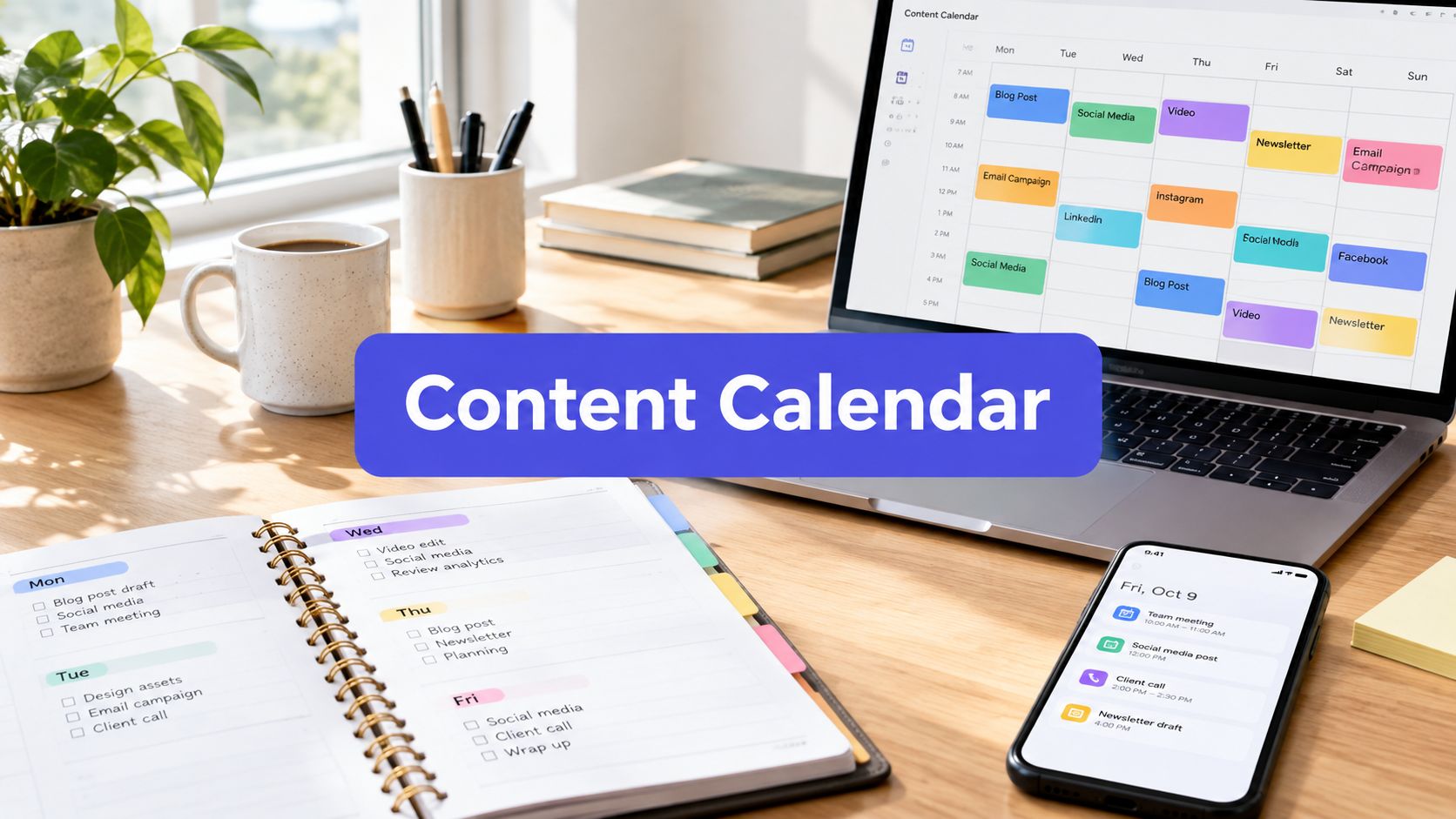
AI pays off as an operating system for content production. Use it to turn one source into platform-specific drafts, test alternative hooks, adapt a message for different audiences, and keep a publishing calendar supplied. The value sits in repurposing, variation, and review reduction, not in generating more first drafts without direction.
Research on Instagram content reinforces that distinction. One recent study found that AI-generated images were perceived and interacted with more negatively than user-generated content, while AI-generated captions improved engagement, especially likes, without significantly changing consumer perception (study of AI-generated Instagram content). Text assistance can support a campaign, while generic visuals and repeated creative patterns can weaken the impression your brand wants to make.
Operator's rule: Use AI to increase the number of useful options, then let a human choose, edit, and sharpen the final message.
The practical advantage now comes from governance and repurposing. Set approved examples, assign ownership, add review gates, define platform rules, and preserve the original context as an idea moves from a blog to LinkedIn, X, Instagram, or short-form video. Human editing should restore a recognizable voice, remove unsupported claims, and keep the strongest insight visible.
More output is not the goal. Build a workflow that produces more distinct, relevant posts without sanding away what makes the brand recognizable.
What a Social Media Post AI Generator Does
A social media post AI generator turns a structured brief into possible captions, hooks, hashtags, image prompts, carousel outlines, or short video scripts. Feed it a topic, audience, platform, tone, length, call to action, and examples of approved brand copy. The more specific the brief, the more useful the draft.
AI generation itself is no longer the differentiator. Every credible tool can produce a passable first version. The operational value comes from how your team repurposes source material, applies governance, and edits the result without losing a recognizable point of view.
The tool works like a junior copywriter who delivers drafts instantly. It can turn a rough product note into a plausible LinkedIn post, but a person must check sensitive claims, brand voice, evidence, and context before publication. AI removes the blank page. Human judgment determines whether the post deserves attention.

The input and output loop
Most generators follow a straightforward sequence:
- Prompt construction: The system combines your instructions with platform, tone, audience, and format requirements.
- Model inference: A language model predicts a draft from those instructions and the material you provide.
- Post-processing: The product may adjust formatting, length, line breaks, hashtags, or other channel conventions.
- Review and refinement: You select a version, request changes, or rewrite the draft before approval.
- Reuse: Some systems use approved posts, brand guidelines, or saved examples to keep future drafts more consistent.
Input quality controls output quality. “Write an engaging post about our software” gives the model little editorial direction. “Write a LinkedIn post for operations leaders, using this customer problem, this product detail, and this specific lesson from our implementation” supplies a usable brief with an audience, source, and point of view.
Generator, scheduler, or full suite
A generator creates content. A scheduler queues and publishes it. An analytics tool measures responses. A full social platform may combine these functions with calendars, approvals, team permissions, inbox management, and reporting.
The generation step is largely commoditized. Scrutinize the workflow around it: source extraction, context preservation across channels, approval records, revision history, and the ability to turn one strong post into related assets. A caption created in seconds still consumes team time if people must move it between tools, verify every claim manually, and track approvals in a spreadsheet. The tool excels at drafts. Editorial judgment remains required for final output.
Key Features and Selection Criteria Worth Caring About
A toy generator gives you a prompt box and a pile of templates. A useful one gives your team control over the whole path from source material to approved publication. Judge the product by that path, not by its word count or template library.
Four feature buckets
Input control determines whether the system receives enough context to produce distinctive drafts. Look for brand voice profiles, audience definitions, platform selection, tone controls, reusable instructions, and examples of approved posts. The trial question is: Can the tool reproduce our point of view from real source material, or does it only produce generic variations?
Output quality is about platform fit, not polished grammar. The generator should understand that a LinkedIn post, an X thread, an Instagram carousel outline, and a short-form video hook have different structures. Check for multiple variants, channel-specific formatting, length controls, hashtag handling, image prompts, and video scripting. Ask: Can we publish the draft with light editing, or do we need to rebuild the format ourselves?
Governance separates a team product from a personal writing toy. Approval workflows, content flags, version history, reviewer roles, labels, and permissions matter once more than one person touches the account. During a trial, ask: Can we show who drafted, edited, approved, and scheduled each post?
Ecosystem integration determines whether the generator saves time after the first draft. Native scheduling, calendar views, cross-platform repurposing, analytics feedback, API access, and collaboration features reduce the handoffs that cause errors. Ask: Does this fit our publishing routine, or does it create another disconnected workspace?
| Feature Bucket | What to Look For | Question to Ask in the Trial |
|---|---|---|
| Input control | Brand voice profiles, audience targeting, examples, reusable instructions | Can it preserve our specific point of view? |
| Output quality | Platform-native formatting, variants, hashtag and length controls, hooks | Is the draft usable on the selected channel? |
| Governance | Approvals, content flags, version history, permissions | Can we control and audit publication? |
| Ecosystem | Scheduling, calendars, repurposing, analytics, API access | Does it remove workflow friction beyond drafting? |
Five non-negotiables
For a serious team, I'd require source-aware generation, platform-native outputs, human approval, revision history, and a scheduling or analytics connection. “Unlimited words” and “hundreds of templates” are weak buying signals. A smaller feature set that protects your voice and fits your calendar is worth more than a large library of interchangeable prompts.
The market evidence supports that position. A 2025 global survey found 96% of social media professionals use AI, but 78.4% apply moderate or extensive editing before publishing (State of AI in Social Media report). Buyers should therefore evaluate review friction as carefully as generation quality.
A Practical Workflow From Idea to Scheduled Post
Treat one strong source as the beginning of a content system, not as a single caption. The workflow below keeps the original argument intact while adapting the expression for each channel.
1. Capture the source
Start with a blog draft, interview transcript, webinar notes, product brief, or rough talking points. Give the generator the actual material instead of a vague subject line. Ask it to identify the central argument, supporting ideas, useful examples, objections, and any claims that require verification.
A blog-to-social post generator can reduce repetitive copying. The tool should help you move from source content to draft options, but a human still needs to confirm that the summary reflects the source accurately.
2. Generate channel-specific variants
Don't ask for “social posts” as one undifferentiated output. Request a LinkedIn post with a clear argument, an X thread with connected beats, an Instagram carousel outline with one idea per slide, and a short-form video script with a strong opening and visual direction.
Your prompt should name the audience, desired action, evidence available in the source, and language to avoid. The more specific the brief, the less room the model has to fall back on familiar filler.

3. Edit for voice and accuracy
Human editing isn't a ceremonial final glance. Rewrite the opening line, remove inflated adjectives, replace unsupported generalities with details from the source, and cut claims the team can't verify. Check every product name, customer reference, statistic, and promise.
This is also where you add lived experience. The model can summarize a lesson, but your team knows what surprised the customer, which objection appeared in sales calls, and what implementation detail makes the advice credible.
4. Repurpose the strongest material
Feed approved or high-performing ideas back into the workflow. Turn one insight into a quote graphic, a follow-up question, a short video angle, a carousel, or a reply post. Repurposing works best when each version adds a new use case or perspective rather than repeating the same caption with minor word changes.
For practical planning guidance, Credit for Startups social media tips is a useful companion for organizing channel choices, publishing routines, and team responsibilities.
5. Schedule, analyze, and recycle
Place approved posts into a calendar with channel-appropriate timing and timezone-aware queueing. After publication, review which hooks attracted attention, which formats generated conversation, and which posts earned no meaningful response. Revisit winners after enough time has passed for a fresh audience, but revise the framing rather than reposting blindly.
Teams usually skip source capture and editing first. That saves minutes at the drafting stage and creates expensive sameness at the publishing stage. A reliable workflow protects the source, adds human judgment, and uses AI for the repetitive adaptations.
Free vs Paid Generators and Where Human Editing Belongs
The right tier depends on workflow complexity, not just budget. A freelancer with one stable voice and one primary channel may need only a browser-based tool. A small team managing several accounts needs scheduling, reusable voice instructions, and a shared review process. An enterprise or regulated organization needs stronger permissions, approvals, auditability, and data controls.
| Tier | Monthly Price | Generation Quality | Scheduling Depth | Brand Voice Controls | Human Editing Required |
|---|---|---|---|---|---|
| Free | Usually no cost, with provider-defined limits | Suitable for basic drafts | Often limited or absent | Basic prompts and saved instructions | High |
| Mid-tier paid | Varies by provider and plan | More consistent, with richer workflows | Multi-account scheduling and calendars may be included | Profiles, templates, and reusable guidance | Moderate to high |
| Enterprise | Custom pricing is common | Stronger workflow context and administration | Advanced publishing, approvals, and reporting | Role permissions, governance, and audit trails | Still required, especially for sensitive content |
Free tools make sense when your posting volume is modest, the brand voice is already stable, and one person can review everything. They're also useful for testing prompts before committing to a broader system. Don't mistake a free draft for a free workflow. Manual copying, approvals, scheduling, and version tracking still consume attention.
Mid-tier paid tools are the practical choice for many small teams. Look for multi-account scheduling, bulk generation, brand voice profiles, reusable labels, and an editor that keeps source and output together. Before paying, compare the actual limits on accounts, AI credits, storage, collaborators, and publishing destinations. Review the plan details at PostSyncer pricing if you're comparing a scheduling-led workflow with a standalone generator.
Enterprise features become relevant when many reviewers, brands, or compliance requirements are involved. They don't eliminate editorial work. They make that work visible and controlled.
Human editing has three jobs: sharpen the first line, add information only your team knows, and stop unsupported claims before publication.
A useful AI draft is a competent v1. The editor makes it specific, defensible, and worth reading.
A Real Use Case With PostSyncer
Take a small content team with one 1,200-word blog post about a product or operational lesson. The team doesn't need four unrelated ideas. It needs one argument adapted into several pieces that each fit a different channel.
They paste the blog URL into PostSyncer and let the system identify the core argument, supporting points, and a quotable line. Next, they select LinkedIn long-form, an X thread, an Instagram carousel outline, and a short-form video script. The useful output isn't four copies of the blog. It's four starting structures built from the same source.

The editor makes the content credible
The team reviews the drafts side by side. The carousel has the right ideas but the wrong slide order, so they move the strongest problem statement earlier. The LinkedIn version opens with a generic claim, so an editor rewrites it around a specific customer outcome drawn from the article. The X thread gets shorter transitions, and the video script receives a visual cue for each spoken point.
That review matters because AI-assisted social content can create a trade-off. A separate experimental study found that generative AI increased user engagement and the volume of generated content, while reducing perceived quality and authenticity of discussion and producing a negative spillover effect on conversations (experimental research on generative AI and social media). The authors recommend transparent disclosure, context-sensitive generation, and user-focused personalization. In operational terms, that means the team should optimize for relevance and trust, not output volume alone.
The team schedules the adapted posts across two weeks, assigns channel-specific time slots, and links the LinkedIn version back to the original article. During the first seven days after publication, they compare reach, reactions, replies, saves, and clicks by platform. They don't assume the same format will win everywhere. The results determine which argument deserves another angle, which hook needs rewriting, and which channel should receive the next adaptation.
The before-and-after delta should be measured in workflow terms first. Manual drafting requires starting from a blank page for every channel. A source-led generator creates structured v1 drafts, while the editor spends time on judgment instead of transcription. Don't claim success because the team produced more assets. Success means the team published coherent, platform-native content without diluting the original idea.
Privacy, Quality, and Pricing Pitfalls to Plan Around
Three problems derail otherwise promising AI social workflows: data exposure, generic output, and unclear billing. Teams often paste confidential briefs, unreleased product copy, customer details, or internal research into a third-party model without checking retention, access, or training policies. That isn't a minor configuration issue. It can turn a convenient drafting shortcut into a governance problem.
Start with the data question: where does your text live, who can access it, and how long does the provider retain it? Review the provider's privacy documentation, including the privacy page from Simple Unmark, as part of your vendor evaluation. Don't upload material you aren't authorized to share, and create a policy for removing customer-identifying information before generation.
Quality requires a separate control. Generators can drift toward vague phrasing, repeat familiar hooks, or introduce unsupported claims. A human reviewer should compare every factual statement with the source, inspect the opening for originality, and reject posts that could belong to any competitor.
Pricing creates a third trap. A low advertised price may not reflect the cost once seats, accounts, AI credits, storage, publishing destinations, or usage caps are added. Ask what counts as a billable action, whether unused capacity carries over, and which features disappear when the plan limit is reached.
Buyer checklist
- Data retention: Confirm storage, deletion, access, and model-training policies.
- Disclosure: Decide when your team will disclose AI assistance and how that policy applies by channel.
- Model transparency: Check whether the provider explains which models process your content and how updates affect outputs.
- Review gates: Require human approval for claims, customer references, regulated topics, and important announcements.
- Usage limits: Test realistic workloads before buying, including multiple channels, revisions, collaborators, and scheduled content.
- Auditability: Look for roles, version history, labels, and records of approval.
A governance-first platform treats these controls as configuration rather than cleanup. PostSyncer, for example, combines AI-assisted drafting and repurposing with scheduling, approval workflows, labeling, multi-workspace management, analytics, and team collaboration. The point isn't to remove the editor. It's to give that editor a controlled place to make the final call while the generator handles repetitive adaptation.
The winning operating model is hybrid. Let AI handle extraction, ideation, repurposing, and variation. Let humans protect the facts, voice, judgment, and originality that make a post worth stopping for.
PostSyncer brings AI content generation, blog-to-social repurposing, scheduling, approvals, and cross-platform publishing into one workspace. Use PostSyncer to turn source material into channel-specific drafts, keep human review in the workflow, and publish without allowing automation to flatten your brand voice.