











A marketer has one long webinar, podcast episode, or product demo and a deadline for a week of social posts. The recording is useful, but the work stalls at the same familiar points: finding strong moments, writing captions, resizing clips, adapting hooks, and uploading each version to the right network. An AI content repurposing tool uses artificial intelligence to turn one source asset into multiple platform-ready formats. That can mean clips, captions, carousels, scripts, or written posts.
Clipping tools and distribution tools solve different problems. OpusClip, Vizard, Klap, and Descript help find or edit moments inside long recordings. Repurpose.io focuses on moving finished assets between platforms. PostSyncer combines creation, publishing, approvals, engagement, and analytics. The list below ranks each product by one practical repurposing job, then weighs the handoffs, limits, features, and plan constraints that affect the workflow. If your source is video, you may also want a separate video to blog workflow for turning the recording into search content.
1. PostSyncer
Best for turning one source asset into a week of adapted social content and publishing it from one workspace.
PostSyncer is the strongest fit when repurposing doesn't end with a video clip. Start with a URL, PDF, image, video, or text source. Use the AI Content Agent or AI Video Creator to draft captions, hooks, images, and short-form videos. Then place the outputs in a visual calendar, send them through approval, and schedule them across TikTok, Instagram, Facebook, X, LinkedIn, YouTube, Threads, Pinterest, Telegram, Bluesky, Mastodon, and other supported networks. The platform supports 11 or more networks, according to the supplied product information.
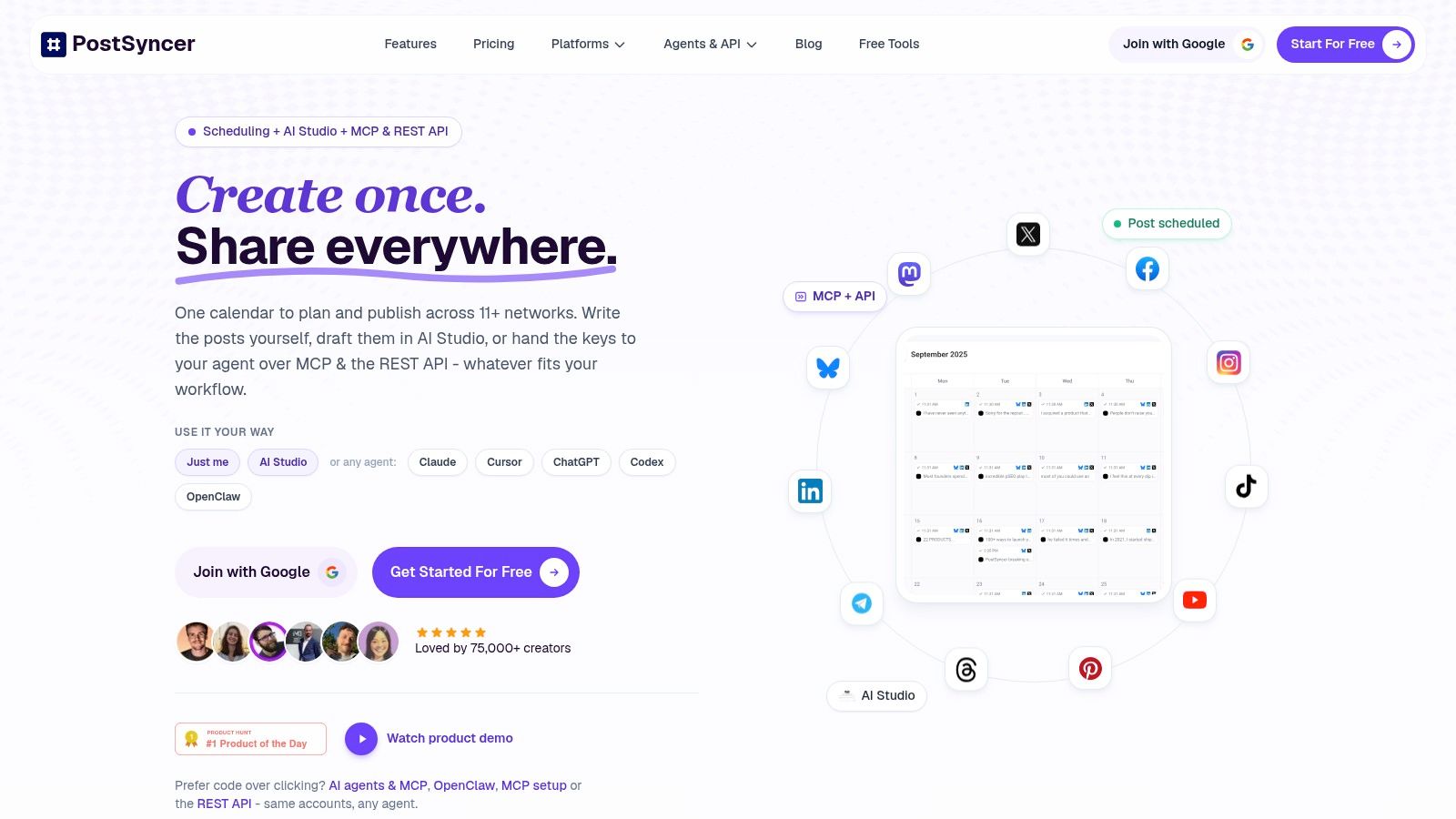
The practical advantage is the handoff. A team can generate a draft, adjust the platform angle, assign an approval role, schedule the approved version, and review comments and analytics without moving between separate clip, writing, and scheduling apps. Its unified inbox also supports AI auto-replies and spam filtering, while analytics break results down by platform, content type, and time zone.
Where PostSyncer fits best
PostSyncer works particularly well for agencies, social media managers, and small marketing teams managing several brands. Unlimited collaborators and role-based approvals reduce the need to pass files through email or shared documents. Multi-workspace support helps separate client operations, while API access, webhooks, OAuth, CLI tools, MCP, and agent integrations support automated drafting, publishing, and reporting for technical teams.
Practical rule: Use PostSyncer when the expensive part isn't only making the derivative. It's getting every approved derivative published, monitored, and improved.
The trade-off is that AI credits, storage, and workspace allowances are tiered and don't roll over. Heavy video generation can require a plan upgrade or additional credits. MCP and deeper API workflows also demand more technical setup than a basic scheduler. PostSyncer offers a 7-day free trial, flexible plans, annual discounts, and tiered AI credits and storage. Verify current allowances on the PostSyncer website before committing.
2. Repurpose.io
Best for moving finished video and audio assets across multiple social accounts automatically.
Repurpose.io is the right choice when the clip already exists and uploading it everywhere is the bottleneck. Connect a source such as YouTube, TikTok, a podcast RSS feed, or another supported channel. Build a source-to-destination workflow. The platform then formats, schedules, and publishes the asset to connected destinations, with official integrations covering major networks such as Meta, YouTube, TikTok, Snapchat, and Amazon.
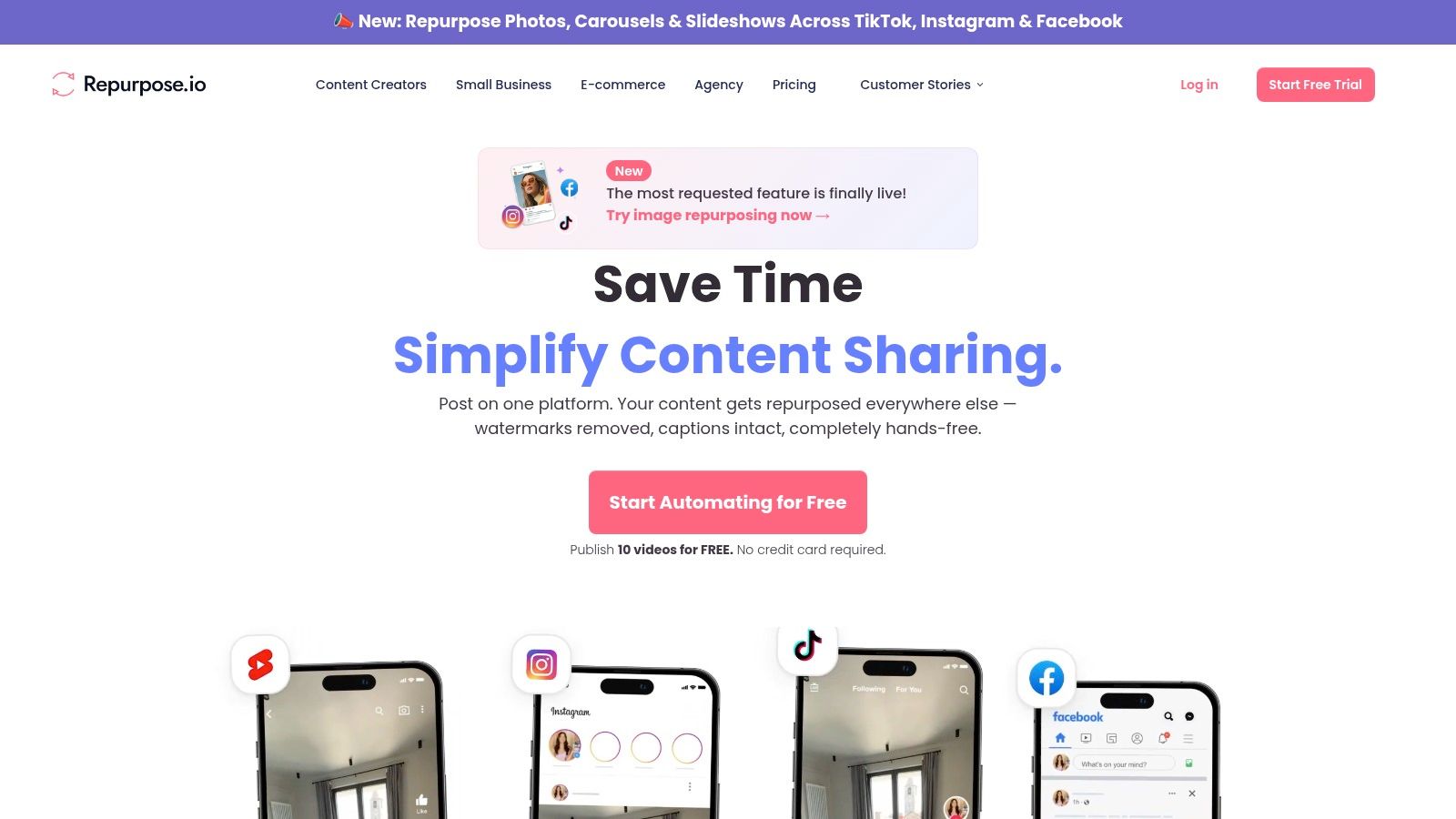
That distinction matters. Repurpose.io isn't where I'd start if a webinar still needs its best moments found, its hook rewritten, or its captions redesigned. It handles distribution and formatting better than creative transformation. Watermark-aware handling and cloud backups are useful when a team wants a reliable archive and repeatable publishing rules.
The workflow is simple:
- Connect sources: Pull in content from the channels or feeds where it already lives.
- Set destinations: Choose the social accounts that should receive each format.
- Define publishing rules: Decide whether assets publish automatically or wait for review.
- Monitor failures: Check connections and workflows instead of assuming every upload completed.
For a creator with finished clips, this removes repetitive downloads, uploads, and caption reformatting. For a team expecting AI-generated scripts, carousels, or substantial video edits, it won't replace an editor or writing tool. Account and workflow limits also affect the economics at higher volume, so confirm the current plan structure on the Repurpose.io website. For a broader workflow comparison, see this guide to an AI content repurposing tool.
3. OpusClip
Best for extracting a batch of short clips from a long podcast, interview, or webinar.
OpusClip starts with the hardest part of a long recording: finding usable moments. Upload the source or provide a supported video link, and it analyzes the recording for highlights. It can reframe the picture, add animated captions, suggest hooks and titles, and provide AI B-roll options. A virality score helps sort the generated clips before you spend time reviewing every one.
The handoff is fast. A long interview becomes a queue of vertical candidates, then an editor checks whether each clip starts cleanly, preserves the speaker's meaning, and uses a hook that sounds like the brand. OpusClip is strongest when the source has clear statements, visible speakers, and enough context for the AI to identify complete ideas. It is weaker when the best point depends on a long setup or a visual detail outside the crop.
AI can find a promising moment, but it can't reliably decide whether the moment makes sense to someone who hasn't watched the full recording.
The free tier adds a watermark and restricts exporting after 3 days, based on the supplied product information. That makes it useful for testing the workflow, not necessarily for a polished publishing pipeline. Creative choices may also need manual refinement, particularly around captions, pacing, B-roll, and brand tone. Business, MCP, and API options support larger teams and automated workflows. If you need a practical editing sequence after clip selection, this guide to how to clip videos complements the tool. Check current allowances on the OpusClip website before planning recurring volume.
4. Kapwing Repurpose Studio
Best for teams that want automated highlight detection with a browser editor available for corrections.
Kapwing Repurpose Studio is useful when an AI draft gets most of the way there, but a person still needs to adjust the result. Upload a long recording, use Find Highlights or Smart Cut, then apply Auto-Subtitles and a platform-specific canvas. Smart Cut can remove silence and filler, while the wider editor supports dubbing, voiceover, lip sync, and B-roll generation.
The browser-based workflow is the main advantage. A marketer can send a project to a collaborator, make transcript-level corrections, change the crop, adjust the caption-safe area, and export without installing a desktop editor. The platform supports inputs of up to 3 hours, according to the supplied product details. That makes it a practical fit for long webinars and interviews that need more than automatic clipping.
The handoff that decides the fit
Kapwing works best when the team reviews each derivative before publishing. Find Highlights may identify a useful section, but the editor still needs to check the first frame, remove awkward pauses, and make sure captions don't cover the speaker or product interface. The same workspace then handles the visual polish and collaboration.
Free-plan limits can interrupt a production test. Pro and Business plans open up more of the editor, and advanced AI minute allowances and features sit behind higher tiers. That matters if a team repurposes long recordings frequently rather than processing occasional clips. Review the current limits and publishing options on the Kapwing website.
5. Descript
Best for editing a webinar or podcast by correcting its transcript and then exporting clips.
Descript changes the editing task from timeline scrubbing to text editing. Upload a recording, let it transcribe, and remove a sentence by deleting its words. The linked audio and video follow the transcript. AI Clip Finder and Create Clips can locate candidate moments, while filler-word removal, captions, highlight reels, and share pages keep the project in one application.
This is especially useful when a recording needs editorial cleanup before repurposing. A speaker may repeat a point, leave a long pause, or use filler words that make a short clip feel slow. Editing the transcript lets the producer make those cuts quickly, then create captions and social exports without moving the project into another editor.
Descript also supports templates and agent or API integrations for teams building repeatable social workflows. Its limit is focus. It is a strong media editor, but it doesn't replace a full distribution system or guarantee that an automatically selected clip matches the brand's tone and pacing.
Review the transcript before trusting the clip. A technically correct cut can still remove the sentence that makes the speaker's claim accurate.
Pricing and credits can be complex for some workflows. Human review remains necessary for auto-selected clips, captions, and any correction that changes the speaker's meaning. Teams that need to convert MP4 files to transcripts can also use a separate transcription step before editorial work. Check the current plans and export terms on the Descript website.
6. Vizard
Best for creators who want a quick path from a long video to branded short clips.
Vizard's workflow starts with Get AI Clips. The platform identifies moments, creates short videos, adds captions, and reframes the source for TikTok, YouTube Shorts, and Instagram Reels. Text-based editing lets the user delete words from the transcript to cut the corresponding section. Brand templates help keep captions, layouts, and visual treatment consistent across a batch.
The tool is straightforward enough for a creator who doesn't want to learn a full editor. The iOS app also supports mobile workflows, while direct publishing and scheduling are available on paid tiers. An API and Vizard Agent extend the workflow for teams that want programmatic or agent-driven processing.
Where the workflow breaks
Vizard is a clipper first. Some advanced AI outputs can't be auto-scheduled, so the team may still need an export and upload step. Credit-based pricing also means the user must confirm how credits map to minutes and output volume before estimating monthly cost. A plan that seems adequate for occasional tests can become restrictive when every weekly recording produces a large clip batch.
The AI output still needs a review pass. Check the opening frame, the subtitle line breaks, the crop, and whether the selected section makes sense without the original context. Vizard is a good fit when those checks take minutes, not when each clip needs a full rewrite. Review the current credit and scheduling rules on the Vizard website, and compare it with these AI video creation tools.
7. Klap
Best for a focused paste-link-to-shorts workflow with predictable clip-oriented plans.
Klap keeps the job narrow. Paste a video link, let the system identify short moments, then review captions and reframing for TikTok, Instagram, and LinkedIn. That limited scope is an advantage for creators who don't need a full non-linear editor, a content calendar, or a broad AI writing suite.
The production handoff is easy to understand. The source enters Klap, the AI proposes clips, the creator checks the first few seconds and subtitles, and the final files move to a scheduler or native platform uploader. Unlimited social accounts and clip-centric plans can suit a creator publishing to several profiles, while the Pro+ tier and API support team workflows and custom integrations.
Klap is less suitable when the recording needs detailed edits, layered B-roll, extensive audio repair, or written derivatives such as newsletters and LinkedIn text posts. Those tasks require another tool. Advanced options such as dubbing and 4K can also require higher tiers, so a team should test the exact export it needs before adopting the workflow.
Annual pricing and clip allowances are central to the decision. The simpler plan structure can make budgeting easier than a heavily metered editor, but only if the included clip volume matches the team's source recordings. Confirm the current limits, export quality, and API availability on the Klap website.
AI Content Repurposing: 7-Tool Comparison
| Tool | Implementation complexity 🔄 | Resource requirements 💡 | Expected outcomes 📊 | Ideal use cases 💡 | Key advantages ⭐ |
|---|---|---|---|---|---|
| PostSyncer | Medium–High, visual workflows plus optional MCP/API agent setup 🔄 | Moderate, AI credits, storage tiers, and occasional dev support for agents 💡 | Cross‑platform publishing + AI‑assisted content at scale; improved engagement measurement 📊 | Teams, agencies, and creators needing unified scheduling, AI repurposing and automation 💡 | True multi‑platform publishing, AI Studio + video creator, team workflows and developer APIs ⭐ |
| Repurpose.io | Low, workflow-based setup for source→destination automation 🔄 | Low–Moderate, connects source accounts and cloud storage; plan limits scale with workflows 💡 | Reliable, automated cross‑posting and formatted asset distribution; saves manual effort 📊 | Creators/agencies whose bottleneck is cross‑posting and recycling content at scale 💡 | Best‑in‑class automated multi‑platform distribution and cloud backups ⭐ |
| OpusClip (Opus.pro) | Low, automated clipping with optional MCP/API for teams 🔄 | Low–Moderate, footage input; business/MCP plans for larger volume 💡 | Fast conversion of long videos/podcasts into multiple shorts; high throughput 📊 ⚡ | Creators/podcasters needing rapid highlight extraction and short‑form assets 💡 | Auto highlight detection, virality scoring, AI B‑roll suggestions ⭐ |
| Kapwing (Repurpose Studio) | Low, browser‑based editor with Find Highlights and manual controls 🔄 | Moderate, web access; Pro/Business for advanced AI features and longer inputs 💡 | Balanced automation + manual editing producing polished, platform‑ready clips 📊 | Teams wanting collaborative, web‑first editing with hands‑on control for repurposing 💡 | No downloads, strong collaboration, smart cut and auto‑subtitles ⭐ |
| Descript | Medium, text‑based editing paradigm to learn; robust feature set 🔄 | Moderate, subscription/credit model for transcripts and advanced features 💡 | High‑quality repurposing with precise edits, filler removal and publishable share pages 📊 | Podcasters, webinar hosts and creators needing deep edits plus transcript workflows 💡 | Text‑based editing, AI Clip Finder, filler removal and integrated publishing ⭐ |
| Vizard | Low, straightforward AI clip flow; API/agent options for automation 🔄 | Low–Moderate, clip credits and paid tiers for scheduling/publishing 💡 | Quick AI clips optimized per platform; fast turnaround for shorts 📊 ⚡ | Creators who want simple clipping + programmatic automation via API/agent 💡 | Fast AI clipping, platform templates, direct publishing and API access ⭐ |
| Klap | Very Low, minimal “paste link → get shorts” workflow 🔄 | Low, clip‑centric plans with predictable allowances; API for scale 💡 | Predictable, high‑throughput short creation with clear clip quotas 📊 ⚡ | Creators prioritizing volume, speed and predictable clip allowances 💡 | Simple high‑throughput clipping, competitive pricing and clip‑focused plans ⭐ |
Building a Repurposing Stack That Keeps Output Steady
Choose the tool by the bottleneck, not by the longest feature list. If the problem is finding strong moments in a long recording, start with a clipper such as OpusClip, Vizard, Klap, Descript, or Kapwing. If the clips are already finished and the problem is publishing them across many accounts, Repurpose.io is the more direct fit. If editing, scheduling, approvals, engagement, and analytics need to stay together, PostSyncer has the broader operating workflow.
The platform-native question matters as much as the format. A vertical clip shouldn't automatically receive the same hook and caption on every network. The source idea can stay consistent while the opening, length, visual treatment, call to action, and metadata change for the audience and conventions of each platform. Global social distribution continues to fragment across networks, and DataReportal reported that social-media user identities worldwide grew 5.2% between October 2023 and October 2024 in its analysis, the fastest annual growth rate it identified since 2021. That context supports adaptation, not blind duplication. Read the DataReportal findings before using that market context in a planning document.
Use this short test before paying:
- Run one source through two tools: Use the same webinar, podcast, or product recording so the comparison stays fair.
- Time the publishable result: Measure the full path from upload to a clip that can go live, including review and caption edits.
- Check free-plan restrictions: Look for watermarks, export expiry, storage limits, resolution caps, and publishing restrictions.
- Model credit usage: Match credits, minutes, or clip allowances against expected monthly recordings rather than a single test.
- Inspect the approval step: Confirm that a teammate can review, edit, approve, and track the final version.
- Verify current plans: Pricing, integrations, AI allowances, and export rules change, so check each vendor's site before publishing a buying recommendation.
AI-assisted production is becoming routine, but trust still determines whether the output is usable. CoSchedule's survey found that 55.87% of marketers said they were likely or very likely to trust AI-generated insights and content, while 29.54% reported a significant improvement in content delivery speed and quality. Those figures point to the right benchmark: measure approved outputs, edit time, and performance by platform, not the number of drafts an AI system generates. See the CoSchedule survey details for the reported findings.
PostSyncer combines AI creation with the part many clipping tools leave unfinished, platform-specific scheduling, approvals, engagement, and analytics. Use it to turn URLs, PDFs, images, videos, or text into social assets, then manage the publishing workflow from one workspace. Visit PostSyncer to test whether its AI tools and cross-platform workflow fit your next repurposing job.