











An AI social media caption generator is no longer an experimental shortcut for occasional posts. Capterra's survey of more than 1,600 social media marketers found that companies use generative AI for an average of 39% of their social media marketing content now, with that share projected to reach 48% by 2026 (Capterra benchmark coverage). Captions sit directly inside that shift because they're frequent, text-heavy, and easy to review before publishing.
The advantage isn't asking software to “write something engaging.” It's giving the system enough structure to produce useful platform variations, then fitting those drafts into a workflow where people can approve, edit, schedule, and measure them. The difference between efficient content operations and generic AI spam comes down to constraints, context, and editorial judgment.
The New Standard in Social Content Production
Social teams rarely struggle because they have no ideas. They struggle because one idea has to become several pieces of copy, each adapted to a different audience, format, and publishing context. A product launch may need a conversational Instagram caption, a concise LinkedIn explanation, a fast-moving TikTok hook, and a direct Facebook post. Writing every version from a blank page creates unnecessary repetition.
That's where an AI social media caption generator earns its place. It can turn a product description, blog URL, image, video transcript, or campaign brief into several starting points. A strategist can then select the strongest angle, correct unsupported claims, add brand-specific detail, and adjust the call to action. The tool handles the first pass. The human decides what deserves to go live.
This distinction matters because adoption has moved beyond isolated tests. The Capterra benchmark indicates that generative AI is already embedded in routine social production, rather than being reserved for innovation teams or one-off experiments. The practical consequence is clear: caption generation now belongs in the operating model of a busy social team, alongside content planning, approvals, publishing, and reporting.
What the generator actually saves
The time savings come from removing repetitive drafting tasks, not from eliminating strategy. A strong system helps teams:
- Create variations: Generate different openings, tones, lengths, and calls to action from one core idea.
- Adapt source material: Pull useful angles from a blog post, product page, image, or video rather than forcing a writer to reconstruct the context.
- Reduce blank-page friction: Give a copywriter or social manager several directions to evaluate quickly.
- Support consistent publishing: Keep campaigns moving when multiple brands, products, or channels compete for attention.
The output still needs review. AI can miss a product limitation, misread an image, flatten a nuanced message, or add a claim that the source material never supported. Treating the first draft as finished copy is the fastest way to create avoidable brand and compliance problems.
Visual context also affects caption quality. A strong image may need a caption that explains the moment, invites participation, or directs attention to a specific detail. Teams building a complete publishing system can pair caption work with practical social media photo sharing tips, especially when user-generated images or event content are part of the strategy.
How AI Caption Models Process Your Inputs
An AI caption tool works less like an autonomous copywriter and more like a language system responding to a creative brief. It looks at the material you provide, identifies patterns and relationships, and predicts a sequence of words that fits the requested context. The quality of that context determines how narrow or broad the possible output remains.
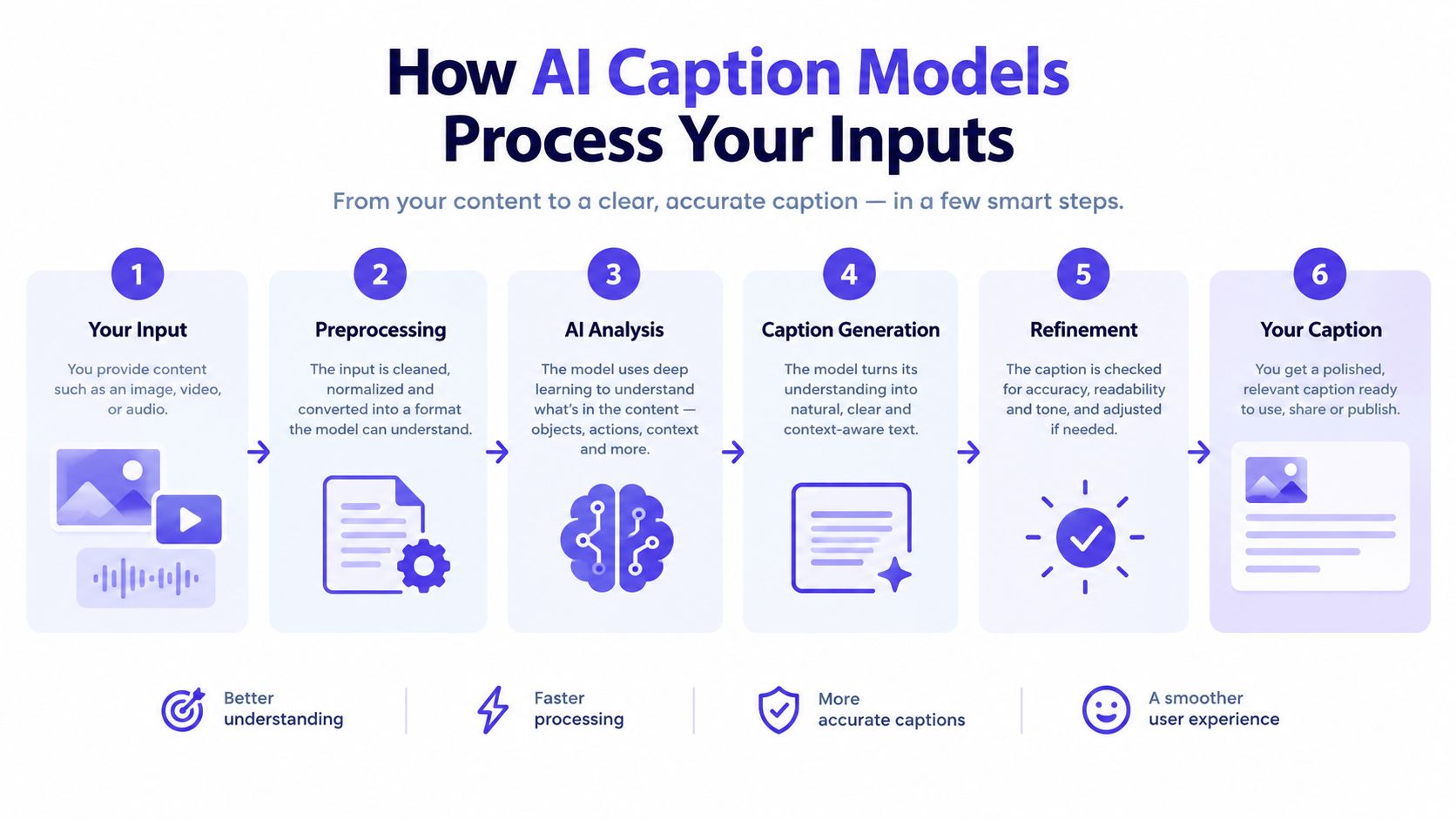
A useful generation process usually contains several layers:
- Source interpretation: The system reads the text, URL, image description, or transcript you provide. If the source is vague, the model has fewer reliable details to work with.
- Intent recognition: It identifies the likely purpose, such as announcing a product, explaining a feature, promoting an article, or encouraging comments.
- Constraint application: It uses requested parameters such as audience, platform, tone, length, emojis, hashtags, and CTA.
- Draft construction: It assembles a hook, supporting message, and next step into a coherent caption.
- Variant generation: It can produce alternative angles so the editor isn't forced to accept the first interpretation.
- Human refinement: Someone checks accuracy, voice, timing, and relevance before publication.
Zero-shot versus conditioned generation
A prompt such as “write a caption for this photo” is a zero-shot request. It gives the model a task, but almost no editorial boundaries. The result may be grammatically sound while still feeling interchangeable with thousands of other posts.
Conditioned generation adds information that changes the output space. You might specify that the audience is existing customers, the platform is LinkedIn, the tone is confident but practical, the caption should lead with a problem, and the CTA should invite readers to download a guide. The system now has a clearer route through the task.
Meta's guidance on AI social media captions emphasizes plain-language instructions and explicit CTAs. That advice is practical because a CTA isn't decorative. “Learn more,” “comment below,” “save this post,” and “visit the product page” ask the audience to take different actions, so the generator needs to know which action matters.
Why input quality controls output quality
A caption model can only preserve details that appear in its input or in the instructions. Give it a broad topic and it fills the gaps with familiar patterns. Give it a specific audience, a concrete benefit, a prohibited claim, and a defined action, and the draft becomes easier to evaluate.
A useful brief should answer:
- Who should care about this post?
- What single point should they remember?
- Which platform will carry it?
- What tone fits the brand and the moment?
- What action should the reader take?
- Which words, claims, or stylistic habits should the system avoid?
For a practical workflow that combines generation with social publishing, see this guide to a social media post AI generator. The important principle is simple: better inputs reduce editorial cleanup.
Navigating the Authenticity Tradeoff
AI can produce polished copy that says almost nothing. That's the central authenticity problem. The sentence may contain a hook, a benefit, an emoji, and a call to action, yet still sound like it was assembled from a template rather than written for a real audience.
Independent trend coverage points to a backlash against overly generic AI content, with authenticity becoming a differentiator rather than pure automation (Canva's AI caption generator coverage). Audiences don't need to know that a caption came from a model to recognize when it lacks a point of view. Repeated phrases, inflated enthusiasm, vague benefits, and artificial urgency make a brand feel distant.
Where AI helps most
The strongest use cases are the ones where human judgment benefits from speed and range:
- Ideation: Ask for several angles on the same source material, including educational, contrarian, customer-focused, and behind-the-scenes approaches.
- Structural drafting: Use the system to organize a hook, explanation, proof point, and CTA.
- Repurposing: Turn a long-form article or video transcript into platform-specific starting points.
- Tone exploration: Test a restrained version against a warmer or more direct alternative.
- Editing support: Ask for a shorter version, clearer wording, or a rewrite that removes jargon.
The model is less reliable when the caption depends on lived experience, subtle humor, local cultural context, or a rapidly changing conversation. It may imitate the shape of a joke without understanding why the joke works. It can also make a brand sound enthusiastic when the right tone is calm, precise, or empathetic.
Editorial rule: Use AI to widen the set of options, then use human expertise to narrow it to one honest message.
The human-in-the-loop standard
Human review shouldn't mean reading every draft mechanically and approving it because it sounds smooth. The editor should ask whether the caption contains a distinctive observation, reflects the actual asset, and gives the audience a reason to respond. If it could belong to any competitor, it needs another pass.
Add specificity during editing. Replace “transform your workflow” with the actual task being improved. Replace “discover the difference” with the detail the audience should notice. Remove unsupported superlatives, generic emotional language, and CTAs that don't match the campaign objective.
The goal isn't to hide AI involvement. The goal is to preserve the parts of communication that automation can't reliably supply, including judgment, taste, timing, accountability, and a genuine understanding of the audience.
Engineering Prompts for Platform Specificity
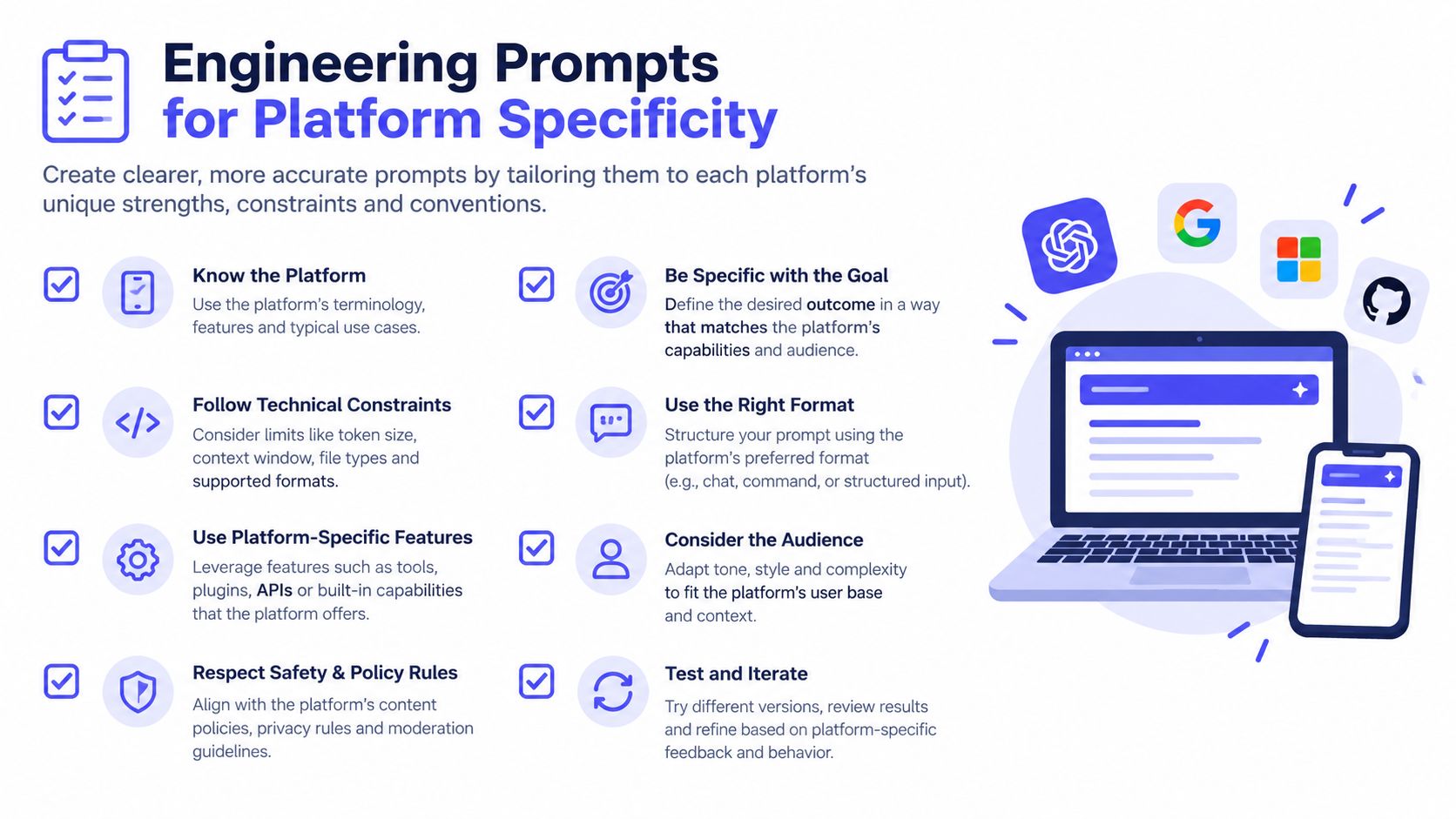
A caption that works on LinkedIn can fail on TikTok even when both versions promote the same idea. LinkedIn readers may expect a clear professional insight, while TikTok users may respond better to a fast hook connected to the visual or spoken moment. Instagram may need a caption that complements an image, and X may reward a compact thought that stands on its own.
Major social AI tools describe separate generation modes for Instagram, LinkedIn, TikTok, X, Facebook, Pinterest, and YouTube, with different tone and length defaults for each network (HubSpot's social caption generator guidance). That separation reflects a basic operational truth: cross-platform publishing requires adaptation, not duplication.
Build prompts from fixed variables
A reusable prompt becomes more reliable when it treats the brief as a set of fields rather than one loose instruction. Include:
- Platform: Name the network and describe the role of the caption within the post format.
- Audience: Identify the person reading, not just a broad demographic label.
- Core idea: State the one message the post must communicate.
- Hook style: Choose a question, observation, surprising contrast, practical tip, or direct claim.
- Voice: Define the brand's preferred level of warmth, confidence, humor, and formality.
- Length: Set a practical boundary that suits the channel and asset.
- CTA: Specify the exact action, such as saving, commenting, visiting a page, or requesting a demo.
- Hashtags and emojis: State whether they're allowed, limited, or excluded.
- Restrictions: List words, claims, tones, or promises the draft must avoid.
A modular prompt might read:
Write three LinkedIn captions for operations managers. Use a direct, practical tone. Lead with the problem of scattered publishing approvals. Explain one workflow benefit from the source material. End with a question that invites professional discussion. Don't use emojis, hype, or unsupported performance claims.
For a short-form video, the instructions should change:
Write three TikTok captions for small business owners. Start with a concise curiosity hook connected to the video's first visual. Keep the language conversational. Use one clear action for viewers. Avoid corporate language and generic phrases such as “take your content to the next level.”
Generate variants, not clones
Multiple variants are useful only when each has a distinct strategic angle. Ask for one educational version, one outcome-focused version, and one audience-question version. Then compare them against the asset and campaign goal.
Don't ask for a large batch without defining what should differ. That produces near-duplicates, often with the same hook and interchangeable adjectives. A smaller set of deliberately varied options gives the editor something to choose between.
This video offers an additional visual reference for thinking about prompt construction and platform adaptation:
The final check is platform-native judgment. Read the caption beside the actual image or video, not in isolation. If the words compete with the asset, repeat its obvious details, or ask for an action the platform context doesn't support, revise the prompt before revising the sentence.
Streamlining Workflows with PostSyncer
Generation becomes valuable when it connects to the work that follows. A social manager shouldn't have to copy a draft from one tool, download an asset from another, paste the caption into a calendar, and then repeat the process for every network. Each handoff creates room for formatting mistakes, missing approvals, and inconsistent versions.
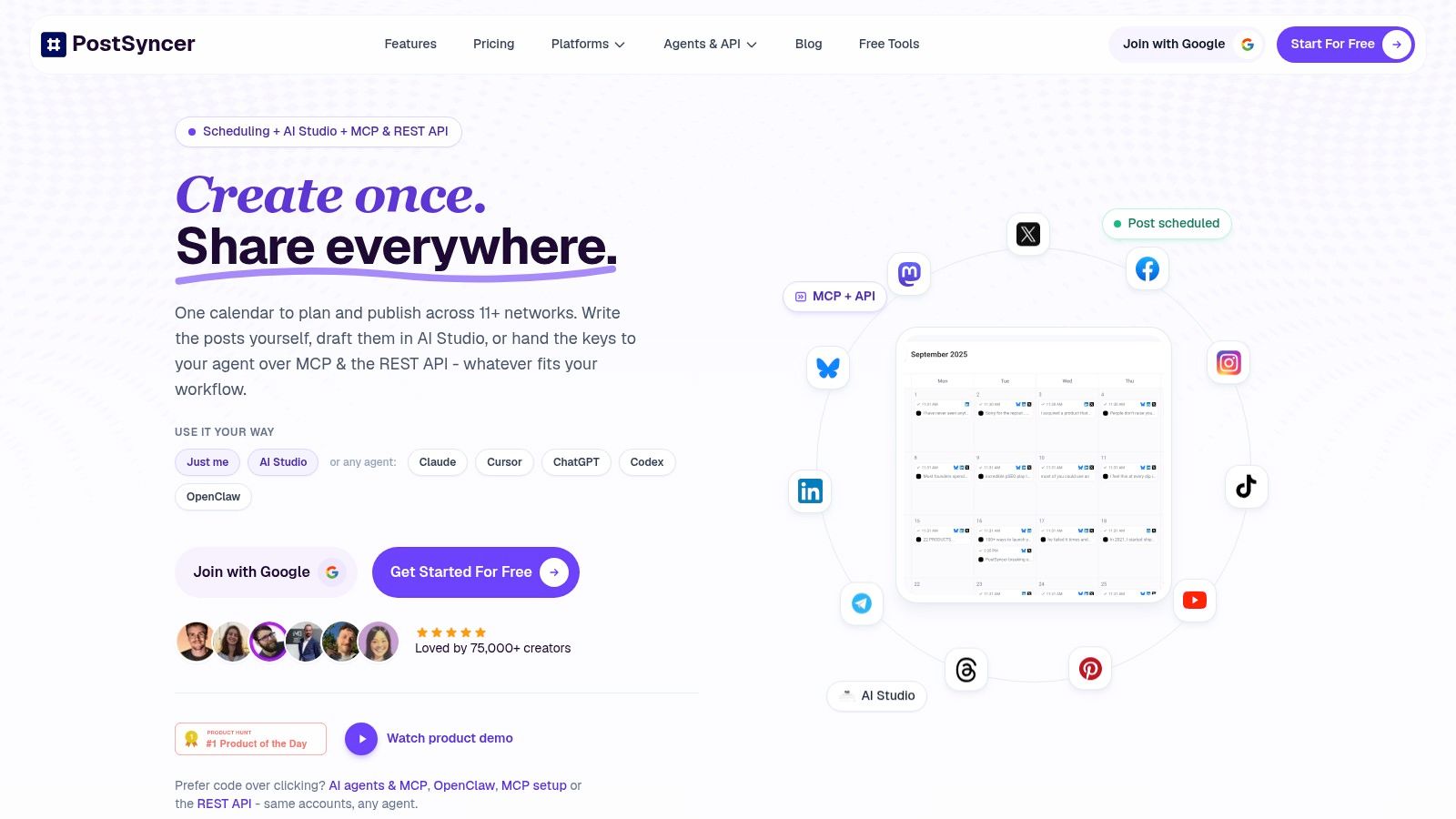
A practical workflow starts with one source asset. That might be a blog URL, product image, PDF, video, or short campaign brief. The AI Content Agent in PostSyncer can use those inputs to create captions, hooks, and hashtags, giving the team material to review instead of requiring a separate brainstorming session for every channel.
A workable publishing sequence
Start with the source, then define the campaign intent. If the source is a product image, tell the system which feature deserves attention and which audience should respond. If it's a blog URL, identify the article's strongest takeaway rather than asking for a generic promotion.
Next, create separate drafts for the intended networks. Review the wording beside the relevant visual, remove anything unsupported, and add the detail that makes the post belong to the brand. An approval workflow can then give a client, editor, or legal reviewer a clear place to comment before publication.
The approved versions move into a visual content calendar, where the team can check spacing, campaign balance, labels, and publishing order. That view matters because a technically correct caption can still be poorly timed if several similar posts appear together or if a product announcement is separated from its supporting content.
Remove copy-and-paste friction
A connected workspace can also help with repurposing. One article might become a professional insight, a short educational caption, a video hook, and a visual post, but each version should retain the original message while changing its emphasis. The manager can compare those versions in one campaign rather than tracking them across disconnected documents.
PostSyncer also supports scheduling and publishing for major social networks, alongside approval workflows, multi-workspace organization, analytics, and AI-assisted content creation. Those capabilities don't replace the editorial review described earlier. They make it easier to apply that review consistently before the content reaches the audience.
The useful test is whether the workflow gives the team a visible path from source asset to generated draft to approved post to performance review. If the generator creates attractive copy but leaves the rest of the process manual, it solves only the first bottleneck. An integrated process addresses the operational delay that usually follows.
Evaluation Criteria for Choosing a Tool
A basic caption box and a professional content operations platform may both produce fluent sentences. They don't solve the same problem. The first is useful for an individual who needs an idea. The second should help a team manage context, versions, approvals, publishing, and learning.
Talkwalker reported that AI adoption for text creation grew 86% between 2023 and 2024, with 77% of marketers using AI to produce social media text from scratch (reported benchmark details). As adoption grows, the selection question shifts from “Can this tool write a caption?” to “Can this tool help us produce accountable, platform-appropriate content repeatedly?”
AI Caption Tool Evaluation Matrix
| Capability | Basic Tool | Professional Platform |
|---|---|---|
| Platform conditioning | May offer one general prompt | Provides separate instructions, defaults, or workflows for each network |
| Brand voice memory | Relies on repeated manual instructions | Stores reusable brand guidance, examples, and restrictions |
| Source handling | Accepts a short text prompt | Works with URLs, images, videos, PDFs, and campaign context |
| Variant creation | Produces similar rewrites | Creates deliberate options for different angles, audiences, and formats |
| Team collaboration | Individual drafting | Includes approvals, comments, roles, labels, and shared workspaces |
| Publishing | Requires manual copy and paste | Connects generated content to calendars and scheduling |
| Measurement | No direct feedback loop | Connects posts with platform and content performance insights |
| Editorial control | Limited revision context | Keeps drafts, approved versions, and campaign organization together |
What to test before committing
Ask the tool to process the same source for different networks. Look for meaningful adaptation in the hook, rhythm, level of explanation, and CTA. If every result has the same structure with a platform name substituted, the system is probably wrapping a general text model rather than conditioning the output properly.
Test brand voice with a difficult brief, not an easy product announcement. Supply a restrained tone, a prohibited phrase, and a specific audience. Good tools should make those constraints visible and repeatable. They shouldn't force the team to paste a long brand document into every request.
Then test the handoff. Can another team member review the draft without asking where it came from? Can the approved version reach the calendar without reformatting? Can the team identify which source, platform, and campaign the caption belongs to?
Pricing matters, but workflow fit matters first. A low-cost generator that creates extra manual work may be expensive in staff time. A platform with stronger collaboration and publishing controls can be more appropriate for agencies, in-house teams, and brands that need a dependable process rather than occasional inspiration.
Scaling Your Content Operations
The strategic shift isn't from human writing to machine writing. It's from isolated drafting to structured content production. Teams that scale well define the source, audience, platform, voice, CTA, and review standard before they generate anything. They create variants intentionally, edit for authenticity, and move approved content through a calendar instead of leaving it in a chat window.
Start with a workflow audit. Identify where your team loses time: turning one idea into platform versions, finding source details, collecting approvals, formatting posts, or reviewing performance. Apply an AI social media caption generator where the work is repetitive and low risk, while keeping human ownership over positioning, claims, humor, cultural nuance, and final approval.
A clear workflow standardization guide can help teams document those handoffs so quality doesn't depend on one person remembering every preference. Standardization should make good judgment easier to repeat, not turn every caption into a rigid template.
The next step is content reuse with discipline. A content repurposing workflow can help transform a core asset into channel-specific drafts while preserving the central message. Review each version as its own piece of communication, then use analytics to identify which angles deserve further development.
AI won't remove the need for creators. It gives them more room to make decisions that require taste and context. The winning workflow combines fast machine-assisted drafting, strict platform conditioning, thoughtful human editing, and an organized publishing system.
PostSyncer combines AI-assisted caption and content generation with a visual calendar, approvals, multi-network scheduling, and analytics, so teams can move from source material to reviewed social posts in one workspace. Visit PostSyncer to evaluate a more connected workflow for creating platform-specific captions without losing human control.