

Which caption does more damage: a dozen clumsy word errors scattered through the middle of a clip, or a single wrong number in the line you most want viewers to remember?
Most comparisons of captioning software answer a narrower question than the one that matters. They publish an accuracy figure and call it a day. But a percentage tells you how often the software gets words right in general. It says nothing about whether the wrong words land on your product name, your price, or your call to action. A caption set can be 90 percent accurate and still break the one claim you paid to make.
Treat an AI caption generator for video the way you'd treat any fast first drafter with predictable habits. Learn where it fails, check those spots every time, and the rest of the text can go out with a glance. That's a review workflow, not a headline number.
What an AI Caption Generator Does for Video
A viewer opens your 40 second product clip on a train and keeps the sound off. The footage is sharp, the hook lands, and they scroll past in four seconds because nothing on screen told them what they were hearing.
An AI caption generator solves that specific problem. It listens to the audio track, writes down what it hears, stamps a start and end time on each line, and puts the result on screen. Think of a fast stenographer who gets one listen and never asks you to repeat yourself. In a quiet room, the transcript comes out close to perfect. Add a coffee grinder, a street, a ceiling fan, or two people talking over each other, and the stenographer mishears exactly what a human would mishear.
Three outputs, three different jobs
- A transcript. Plain text you can edit, search, and repurpose into a video description, a blog section, or an email.
- A timed caption file. An SRT or VTT file carrying start and end times, uploaded next to the video so the player shows each line at the right moment.
- Burned-in captions. Text rendered into the video frames, which plays everywhere, including on platforms that display captions without asking.
Captions aren't an accessibility side quest anymore. In 2025, Wistia reported that more than 60% of surveyed AI-using brands had used or planned to use AI captions for their videos, as DataConomy's summary of the Wistia findings reports. The tools cluster in four places: a creator cutting one long interview into ten vertical clips, an agency producing for three brands at once, a SaaS team recording a product walkthrough, and an e-commerce brand shipping short product demos every week.
Two decisions are worth making before you open any tool. First, whether every post needs captions. Vertical short-form almost always does, since sound-off viewing is the default there. Second, which output your platforms expect, because burned-in text for TikTok, Reels, and Shorts is a different product from the SRT file YouTube wants. The video marketing for social media guide covers how those clips slot into a wider distribution plan.
Caption Accuracy Benchmarks and What They Mean
A single accuracy percentage can hide the errors that matter most. Accuracy is the share of spoken words transcribed correctly; word error rate (WER) counts substitutions, deletions, and insertions, so lower WER is better. The measures are related, but they are not interchangeable in every test.
A 2025 multi-platform study reported average AI-caption accuracy near 89.8%, with some newer ASR systems reaching approximately 93% under tested conditions, according to the Bureau of Internet Accessibility's review of AI caption accuracy. At 89.8%, roughly one word in ten is wrong. That could be a harmless article, or a changed product name, amount, or instruction. The percentage alone cannot tell you which.
Recognition improved quickly on benchmarks. A 2023 ACM study of speech recognition progress found leading ASR models cut benchmark WER from 13.25% in 2015 to 2.5% in 2021, an 81.1% relative reduction. Commercial captioning services compared in 2022 achieved accuracy rates from 69% to 88% for high-resource languages such as English and German. Clean benchmark audio is different from footage with noise, overlapping voices, or unfamiliar terms.
The table shows how widely results can vary across tests. Treat each number as a result from its specific setup, not a promise for your videos.
| Test or study | Metric | Reported result | What it means for you |
|---|---|---|---|
| ACM study of leading ASR models, 2015 to 2021 | Word-error rate | 13.25% down to 2.5% (81.1% relative reduction) | Recognition improved sharply, but your audio may not match benchmark conditions |
| Commercial captioning services compared in 2022 | Accuracy, English and German | 69% to 88% | Use captions as a draft and review them before publishing |
| Multi-platform AI caption study (2025) | Average accuracy | About 89.8% | Roughly one word in ten may need correction |
| Newer ASR systems under tested conditions (2025) | Accuracy | About 93% | Results depend on the audio and test conditions |
Review errors by their effect on meaning, not just their count. A misplaced comma may go unnoticed; a changed price, name, or negation can mislead viewers. For a practical comparison, use the same three clips with two tools, then count errors and mark which ones alter meaning. Choose clips that reflect your real recordings, accents, and vocabulary. That gives you a useful workflow for checking captions before they go live, rather than relying on a headline percentage.
How Speech Recognition Turns Audio into Text
Every caption error has an origin, and knowing the two stages tells you where it started.
Stage one maps sound to words
The recognizer takes a stream of audio and chooses the most probable sequence of words, having learned from very large collections of recorded speech. It hears sound, not meaning. That's why the first failures are homophones like their, there, and they're, plus unfamiliar brand names and industry jargon the model has rarely met.
This same pass produces the timing. Every recognized word is stored with a start and end time, and those timestamps are what keep text glued to the speaker's lips and to your cuts. Once you trim a video after generating, those times drift and the whole file needs regenerating.
Stage two reads the sentence
A language model then reads each line in context and repairs what sound alone couldn't settle: punctuation, capitalization, and locally garbled phrases. It's a genuine improvement, because a human reading a transcript fixes those things without thinking.
The same pass can also invent. When audio is noisy, accented, technical, or has overlapping speakers, a generative model may write the sentence most likely to follow rather than the words really spoken. That produces a caption that is fluent, plausible, and wrong.
The safe rule: the correction pass may not invent speech, change a quantity, or delete a sound cue such as [music], and the original transcript stays on file so any large semantic edit can be compared against it later.
Label the failure before you edit the word. A sound error means the recognizer misheard clean audio, so fix it with a custom vocabulary or a re-record of that line. A language-pass error means the model rewrote something the recognizer got right, so check the original transcript. A recording problem means one mic caught two people and a fan, and no amount of editing will make that stable next time.
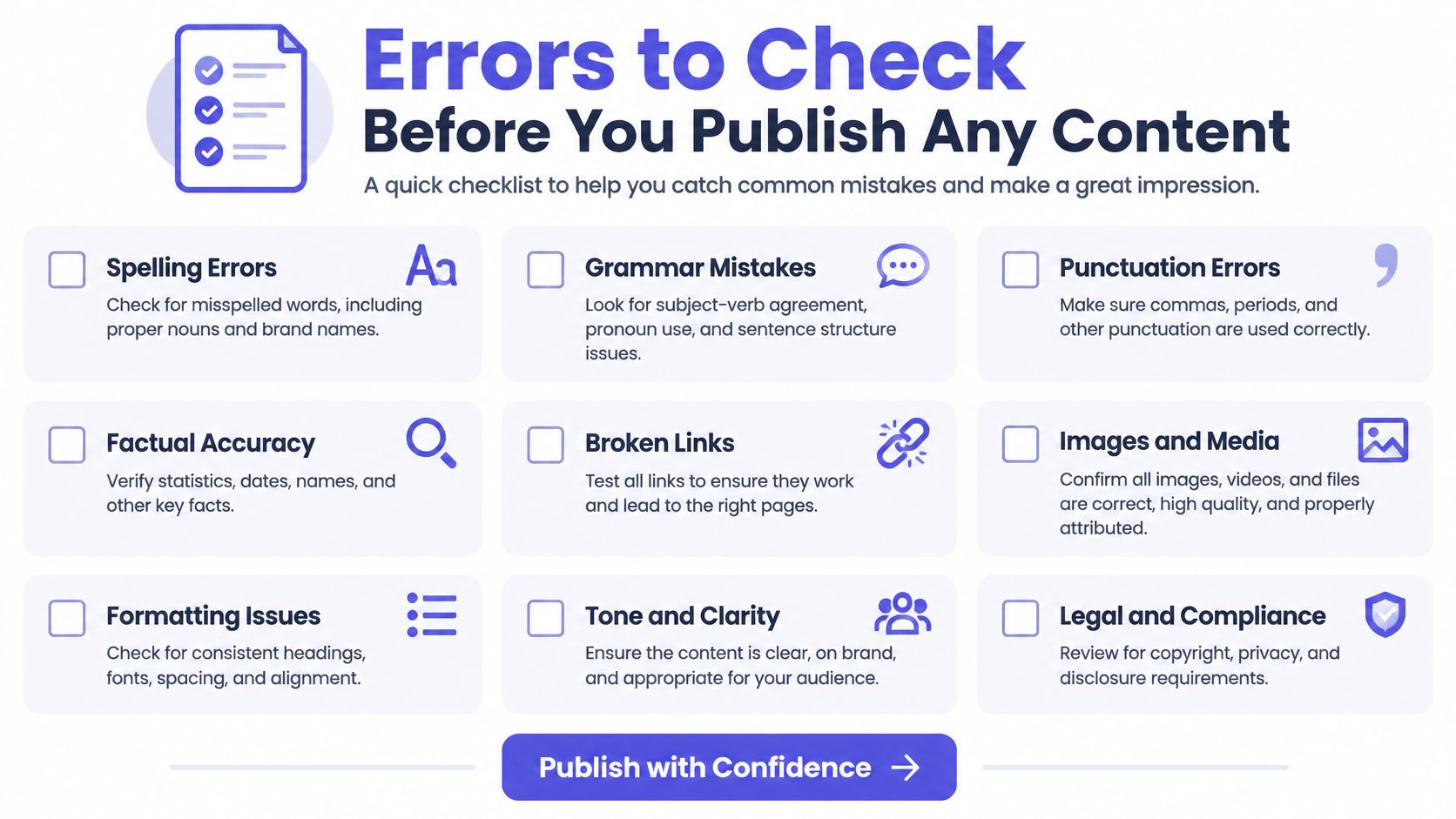
Errors to Check Before You Publish
A 45 second LinkedIn clip makes the case. The founder says "we passed 2,000 users last quarter" and the caption reads "we passed 200 users last quarter." Later she names the product Cloud Sync, and the caption says "cloud sink." Both captions are legible. Both are correctly timed. Both are styled to brand. The first changes a claim about the business, and the second makes the brand look careless to anyone who notices.
Readability is not correctness. Viewers judge captions by synchronization, line length, speaker identification, punctuation, and whether an error changes what they understood. None of those are captured by an accuracy percentage.
Error rates also move with the material. A benchmark of 9,860 educational audio files, more than 8,700 hours and 62 million spoken words, reported median WER values of 96.4%, 28.6%, and 11.8% for the evaluated models, while YouTube's WER varied roughly from 30.9% to 39.5% across the conditions examined, according to the study of captioning accuracy across lecture audio. A tool that shows confidence scores lets you send weak segments to a person rather than publishing blind. Measure error rates on your own brand footage, because a handful of misses in product names, prices, URLs, or compliance language changes meaning even when overall accuracy looks healthy.
| Error type | Example | Review action |
|---|---|---|
| Numbers and prices | "2,000 users" becomes "200 users" | Check every figure against the source script |
| Brand and product names | Cloud Sync becomes cloud sink | Add the term to the custom vocabulary before generating |
| URLs and handles | Domain or @handle misspelled | Copy the link from the source text, not from the transcript |
| Calls to action | Click the link becomes click the lynx | Re-read the final line in context |
| Speaker changes | Two speakers merged into one | Add speaker labels where the voice changes |
| Homophones | their, there and they're mixed up | Read the sentence aloud in context |
| Sound cues | Music or laughter dropped | Keep bracketed cues such as [music] where they matter |
Six items go on the must-check list every time: names of people and products, numbers and currencies, URLs and handles, calls to action, speaker changes, and sound cues. A written quality assurance process turns that list from a personal habit into a step someone owns before publishing.
One more pass is worth the effort. Have a viewer who is deaf or hard of hearing watch the finished clip and tell you where they lost the thread. They'll catch missing speaker labels and unclear cues that a hearing reviewer skips right over.
Captions fail quietly. A viewer who couldn't follow the video doesn't complain, they leave.
How to Generate and Publish Captions Step by Step
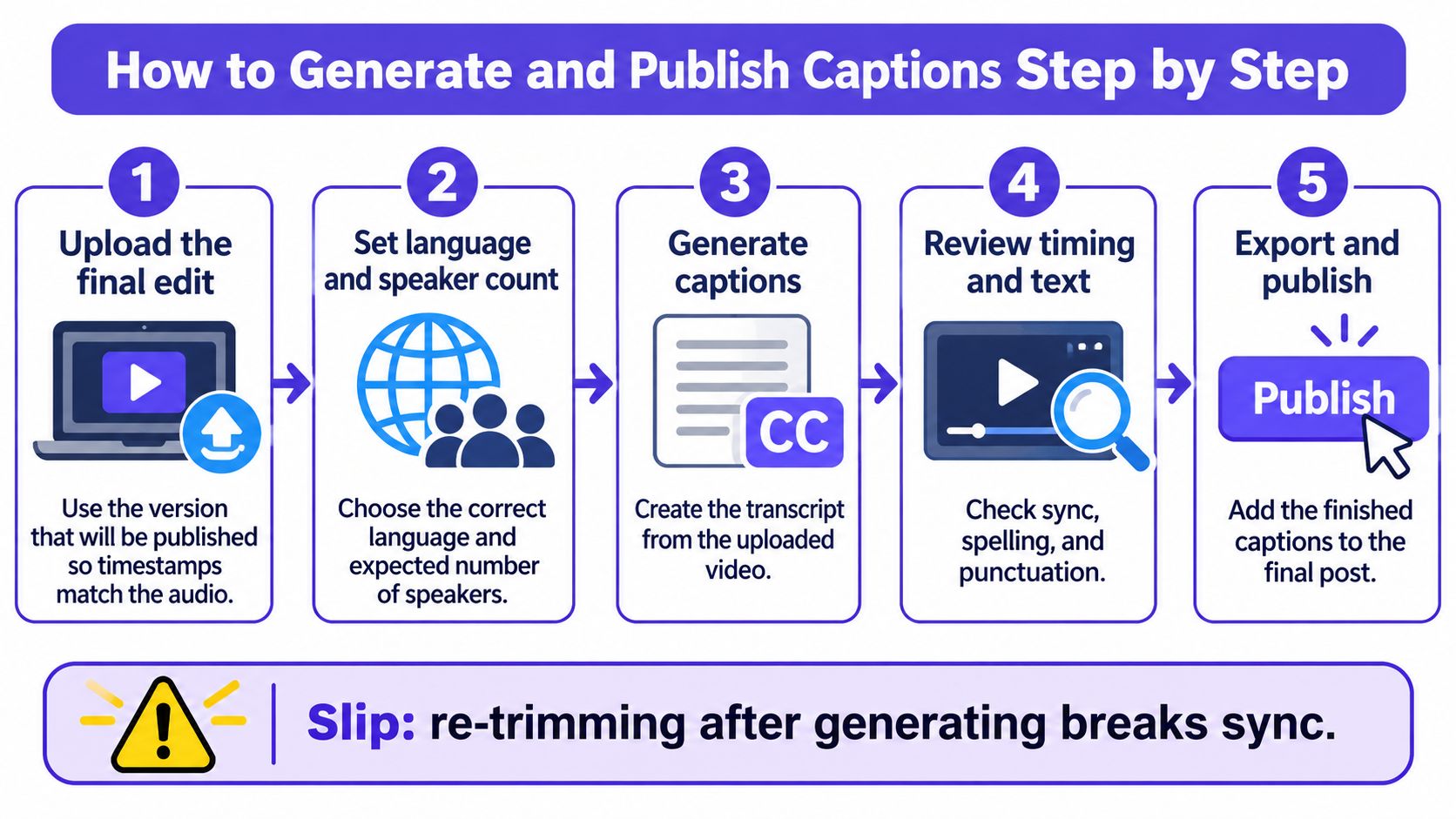
A reliable caption workflow starts with the final video file and ends with a full preview of the post. Each step catches a different kind of problem, from timing drift to text hidden by platform controls.
- Upload the final edit. Generate captions from the version you plan to publish so the timestamps match the audio. Trimming the video afterward can shift every caption out of sync.
- Set the language and expected speaker count. Choosing two speakers can help the tool mark a handoff; choosing one may cause it to combine both voices. For a bilingual clip, run a separate pass for each language.
- Generate captions with word-level timestamps. These let you adjust one late word or line without moving the rest. With paragraph-level timing, a small correction can require regenerating a much larger section.
- Review flagged segments first. Check uncertain words, names, prices, and the closing call to action before making cosmetic edits. These mistakes can change what the viewer understands.
- Break lines to fit the screen. Aim for one or two lines of roughly 30 to 40 characters so captions remain readable on a phone. Long lines can run beneath platform buttons.
- Style captions for the platform. Use strong contrast and place text above the bottom area where TikTok and Reels show usernames, descriptions, and controls. The editor preview may not show those overlays.
- Use a correction pass only when you can compare versions. In a 52-video study, researchers reported that ChatGPT-3.5 correction reduced word error rate from 23.07% to 9.75%, with BLEU increasing from 0.67 to 0.85 and ROUGE-2 from 0.96 to 0.97, according to the ACM study on LLM-based caption post-editing. Context can help a language model correct homophones, punctuation, and phrasing, but it can also introduce new errors. Compare the revised text with the original transcript; if the tool does not show both, make corrections by hand.
- Export the format the destination supports. Burn captions into short vertical videos, or use an SRT or VTT file for YouTube and other players that accept caption files. If the player does not support the uploaded format, viewers may see no captions.
- Preview on mute, on a phone, then attach. Watch the entire clip with sound off and check that each line appears at the right moment, stays readable, and avoids on-screen controls. Attach the approved caption file to the post only after this final check.
A finished caption set should feel effortless to follow. Names and numbers match the source, speaker changes remain clear, and every line is visible when the video is viewed on a phone.
Add AI Captions to Your Next Scheduled Post
Your caption file is checked and the video is exported. What's left is getting it in front of people, and that's the stage where a good clip usually stalls, because the file sits in a folder and the draft sits in a calendar and nobody owns the handoff.

Close that gap in the draft itself. Attach the finished SRT, VTT, or burned-in file right next to the post copy, so the caption and the text travel together and approval covers both. Then hand it to the approver with the meaning checklist signed off: names, numbers, handles, calls to action. Pick the file each network expects, burned-in for TikTok and Reels, an uploaded SRT or VTT for YouTube. Schedule each network into its own peak window from that single checked master rather than re-uploading a fresh export per platform.
Here's the scheduling flow in practice:
Captions, video, and copy in one place removes the step where files get separated. The Auto Caption Generator is included on every plan, AI Studio drafts captions, images, and short videos, and the AI Caption Generator sits in the same workspace as the calendar and approvals, so a checked file goes straight to the scheduled post.
If review and scheduling currently sit on one person's desk and you're adding help, a remote social media manager can own this checklist end to end and keep the review from becoming the bottleneck. For vertical formats specifically, the steps in how to schedule Instagram Reels cover the timing and file details those posts need.
Then measure. Watch completion and watch time for two weeks on the captioned posts and compare them with your earlier uncaptioned ones, because the review only pays off if the captions hold viewers longer.
Take the next video already sitting on your calendar. Run it through the checklist and schedule it only after every name and number is verified.
PostSyncer keeps the caption draft, the review, and the publishing calendar in one workspace, so a checked caption file goes out without a second tool or a re-upload. Draft the clip in AI Studio with captions attached, then schedule the same video to TikTok, Reels, YouTube, LinkedIn, and the rest from a single calendar. Visit PostSyncer to start with the Auto Caption Generator, which is included on every plan.