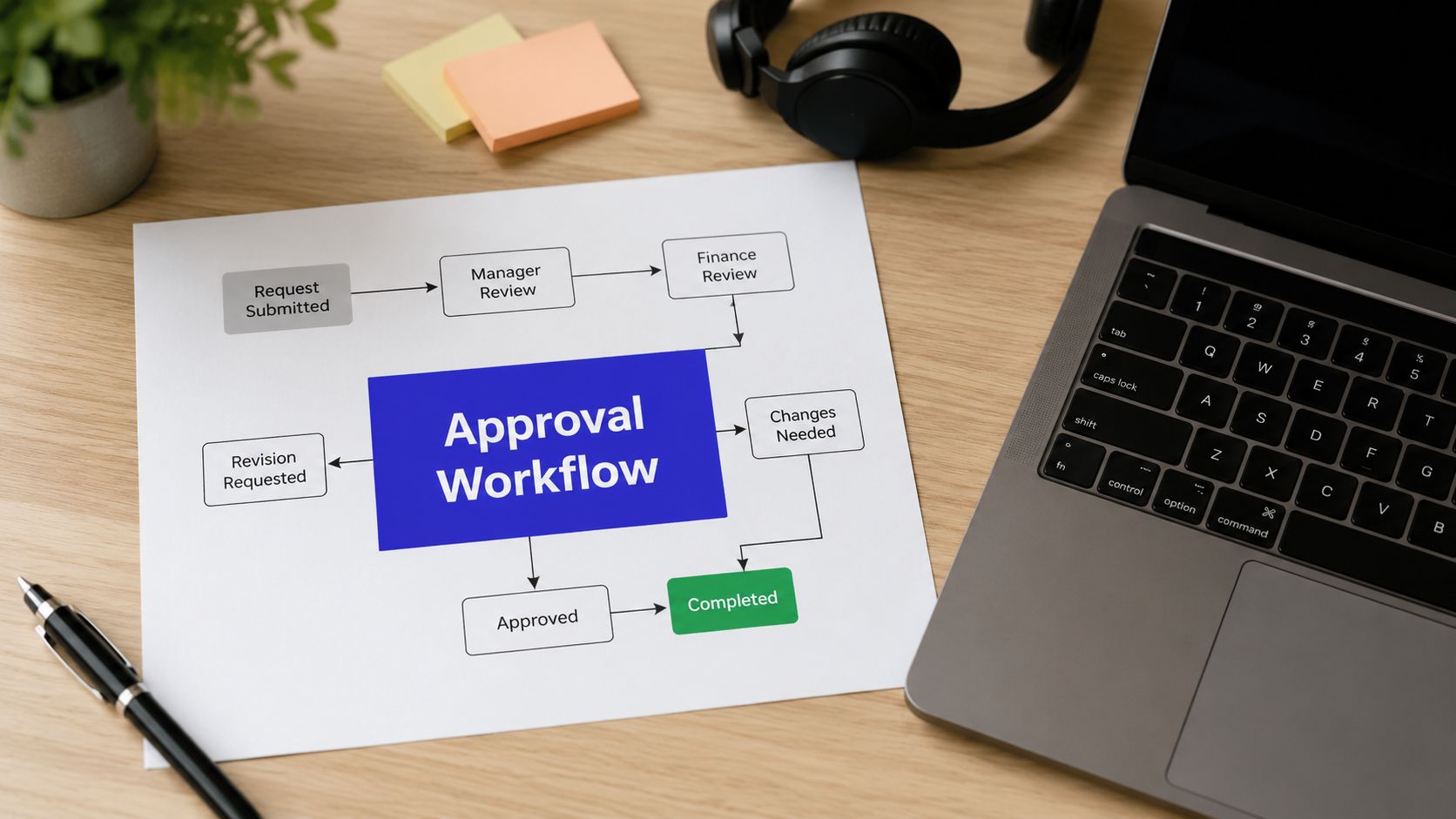












Tuesday afternoon, a Black Friday teaser has been waiting in an approver's queue for nine hours. The social manager refreshes an inbox, the client asks why nothing is live, and the next post sits behind the blocked card in the calendar. One missed review window turns into a reshuffled schedule, rushed edits, and a creative team that starts treating the approval process as an obstacle instead of a safeguard.
A reusable approval workflow template fixes the operating problem, not just the document problem. It defines roles, stages, service-level agreements, escalation paths, and audit records, then runs those rules where the work already happens. This guide builds that system for social teams, shows how to configure it inside PostSyncer, follows a campaign through the flow, and identifies the metrics that reveal whether the process is helping or creating more work.
When a Post Is Stuck on an Approver
The stuck teaser usually isn't the core issue. The core issue is that nobody can answer four basic questions quickly: who owns the next decision, what exactly must they check, when is the review overdue, and who takes over if the assigned person is unavailable?
A shared document rarely answers all four. A Slack reminder may prompt action once, but it doesn't create a durable record or change the routing logic. The result is familiar: the social manager chases an approver, the creator waits for feedback, the publisher holds the slot, and the client sees uncertainty instead of a controlled process.
Practical rule: If a post can become overdue without the system identifying an owner and a next action, the workflow isn't operational yet.
Start by treating every post as a work item with a visible state. “Draft,” “internal review,” “client review,” “revisions,” “approved,” and “scheduled” should mean different things, with clear entry and exit conditions. A card shouldn't move because someone feels it has progressed. It should move because a defined action has occurred.
The template also needs a fallback. At the first SLA breach, notify the assigned reviewer and their manager. If the delay continues, route the item to a backup approver. If the post remains blocked, flag the campaign lead for reassignment. Escalation isn't punishment. It protects the publishing calendar from depending on one person's memory.
By the end of this setup, you'll have four practical assets:
- A configurable template: Roles, stages, targets, and escalation rules that your team can reuse.
- A working workspace: A PostSyncer board connected to the content calendar and team permissions.
- A campaign trace: One launch moving from draft through revision and scheduling.
- A measurement layer: KPIs that show where the process works and where it needs tuning.
The strongest workflows don't remove judgment from approvals. They remove avoidable uncertainty around judgment.
What an Approval Workflow Template Actually Is
An approval workflow template is a reusable control layer for moving work from submission to a final decision. It specifies who reviews what, in which order, against which criteria, within what time window, and what happens when the window expires.
That definition matters because many downloadable templates are only checklists. They list stages such as “draft,” “review,” and “publish,” but leave the operating details to individual memory. A real workflow needs ownership, timing, routing, and evidence. Oracle's project-request documentation illustrates this evolution through dedicated milestone fields and a separate status-history page that records workflow approval status entries, turning an approval process into an auditable record rather than a static form (Oracle's project-request workflow documentation).
The five components that make the template durable
Stage definitions: Every stage needs an entry condition and an exit condition. “Internal Review” begins only when the brief and assets are complete. It ends when the reviewer approves or requests changes.
Role assignments: Assign work to roles such as Reviewer or Approver, not to a person whose availability may change. Keep the role-to-person mapping separate so staffing changes don't require rebuilding the flow.
SLA targets: Set a time expectation for each stage. Cycle time means the elapsed time from submission to final decision, while stage turnaround isolates the time spent in a particular review step. These distinctions form part of the standard KPI framework for approval operations (approval workflow metrics and market context).
Escalation rules: Define who gets notified when a stage exceeds its SLA, when a backup takes over, and when the campaign lead must intervene.
Audit log: Record the item, decision, approver, timestamp, comments, revisions, and final approved version.
| Capability | Checklist Template | Real Approval Workflow Template |
|---|---|---|
| Ownership | Names a stage | Assigns a role and backup |
| Timing | May include a general deadline | Sets an SLA for each stage |
| Routing | Relies on manual handoffs | Moves work according to decisions and rules |
| Exceptions | Tells people to follow up | Escalates overdue work automatically |
| Evidence | Stores a final file | Preserves decisions, comments, versions, and timestamps |
This is also why approval design belongs beside broader workflow automation planning. A maintained control layer can help teams recover revenue with automation when manual follow-up is consuming time that should go toward delivery, client work, or campaign execution. For social teams evaluating implementation options, a dedicated social media approval tool is more useful than a generic checklist when the approval state must remain connected to publishing.
The best template isn't the most elaborate one. It's the one a new team member can understand, a manager can audit, and an operations lead can modify without breaking every active campaign.
Roles, Stages, and SLA Targets in the Template
A practical social approval flow starts with four roles. The Creator drafts and submits the content. The Reviewer checks brand voice, platform fit, copy quality, and asset readiness. The Approver has final sign-off authority, often representing the client, brand owner, or marketing lead. The Publisher schedules or releases the approved post and confirms that the live version matches the approved version.
Keep those roles distinct even when one person performs more than one of them. The separation clarifies responsibility and makes reassignment possible during leave, workload spikes, or client changes.
The default stage sequence
Use five sequential stages for a standard post:
Draft: The Creator adds copy, creative, channel, campaign, deadline, and required context. Entry requires a complete brief. Exit requires submission for review.
Internal Review: The Reviewer checks messaging, formatting, platform fit, links, tags, and obvious brand issues. Exit is approval or a specific revision request.
Brand or Legal Check: The designated brand, compliance, or legal role checks claims, disclosures, sensitive wording, and required terms. Low-risk content can bypass this stage when governance allows.
Final Approval: The Approver makes the release decision. “Looks fine” in a separate chat shouldn't count as completion. The decision belongs on the work item.
Scheduled or Published: The Publisher sets the publishing time, confirms the selected account and asset, and records the final status.
Set timing before the board goes live
Use these default targets for a standard post:
| Stage | Default SLA |
|---|---|
| Draft | 24 hours |
| Internal Review | 4 business hours |
| Brand or Legal Check | 8 business hours |
| Final Approval | 4 business hours |
Together, these targets create roughly one business day of review capacity for a standard post, excluding time spent waiting for the Creator to prepare the draft. Teams can tighten the path for regulated campaigns or use a lighter route for low-risk channels.
Escalation should be explicit:
- At 100% of the SLA: Notify the assigned reviewer and their manager.
- At 150% of the SLA: Route the item to a backup approver.
- At 200% of the SLA: Flag the campaign lead for reassignment.
This structure follows the broader benchmark logic that healthy workflows should monitor stage waits, decisions at each step, and work in progress, with standard approval cycle time kept under 48 hours, first-time approval above 70%, and SLA compliance above 85% (approval workflow KPI guidance).

Building the Template Inside PostSyncer
Build the workflow as a board that reflects how work moves, not how your team describes it in a meeting. In a PostSyncer workspace, create a dedicated approval workflow board and add these columns: Draft, Internal Review, Client or Brand Review, Revisions, Approved, and Scheduled. Add work-in-progress limits where queues tend to grow, because an unlimited column hides capacity problems.

Configure the board in six passes
1. Create the board and stages. Use the workspace board for approvals rather than burying review status in a text field. Map each column to a meaningful state, and make “Revisions” a visible return path rather than an informal comment thread.
2. Invite the team and assign permissions. Add the Creator, Reviewer, Approver, and Publisher as workspace members. Use permissions to control who can edit, comment, approve, and move cards into publishing states. Assign a backup for every decision-making role.
3. Attach timing to card age rules. Configure card age rules for each stage. For example, set the Internal Review threshold to 24 hours and Brand Review to 48 hours when those are the operating targets for that workspace. Keep the rule visible to the assignee so the timer is a working commitment, not an internal spreadsheet detail.
4. Build the escalation lane. Add a red Escalation lane or label. Create an automation that moves cards past their SLA into that lane and pings the backup approver. The campaign lead should receive a separate notification only when the higher escalation threshold is reached.
5. Create a reliable label taxonomy. Use labels for channel, campaign, and risk tier. A consistent taxonomy lets managers filter the board without reading every card and makes later reporting more useful.
6. Save the card structure. Store the brief and asset checklist in a reusable card template. Required fields should include the post copy, creative, channel, campaign, deadline, risk tier, approver role, and revision reason. A card should enter Draft with enough context for the Reviewer to act without searching through email.
Comments should remain attached to the card, with the reviewer identifying the exact wording or asset issue. Teams that need deeper collaboration can also review how collaborative editing in PostSyncer fits beside the approval state, but don't let editing access blur the difference between feedback and authorization.
The content calendar then becomes the publishing view, while the board remains the control view. A post isn't ready because it appears on a calendar. It's ready because the required approval state is recorded and the Publisher has a clear handoff.
Running a Campaign Through the Template
Consider a five-post product launch week. The social media manager creates five cards from the saved template instead of starting five blank tasks. Each card inherits the channel, campaign tag, deadline, risk tier, and asset checklist, so the team begins with a shared operating record.
The Creator opens the first card, adds the copy and creative, then moves it from Draft to Internal Review. The Reviewer receives the notification, checks platform fit and brand voice, and makes two line edits in the card comments. Once the Creator confirms those edits, the Reviewer advances the card to Client or Brand Review.

The brand approver opens the same card, sees the current asset and the threaded feedback, and requests one wording change. The card moves to Revisions. That move matters because it distinguishes a new work state from a casual comment, and the relevant SLA timer resets when the Creator receives the task again.
What each person does
The Creator updates the copy, responds to the comment, and resubmits the card. The Approver then reviews the changed wording rather than reconstructing the entire discussion from scattered messages. After sign-off, the card moves to Approved, where the Publisher sets the publishing time in the content calendar and verifies the destination account.
During the launch, one escalation fires because the assigned approver doesn't respond within the configured window. The backup approver receives the notification, completes the review, and keeps the campaign moving. The card history preserves the handoff, the comments, the revision, the approval decision, and the final scheduling action.
That record also helps settle disputes. If a client asks which version was approved, the team can inspect the card instead of comparing file names or searching chat history. If a post is published incorrectly, the team can identify whether the failure occurred in drafting, review, approval, or scheduling.
The workflow succeeds because every role has a bounded action. The Creator doesn't wait for an ambiguous “someone to review.” The Approver doesn't need to request the latest file. The Publisher doesn't have to guess whether a comment constitutes sign-off.
Metrics That Tell You If the Template Is Working
A workflow should produce evidence, not just movement. Track the measures that expose waiting, rework, and overloaded decision-makers, then use the result to tune the system rather than adding more stages.
Cycle time measures the elapsed time from submission to final decision. Break it down by stage, because an acceptable overall number can hide a queue in Brand Review or Final Approval. Industry benchmark reporting has documented a median manual construction change-order cycle of 14.3 days compared with 5.7 days for an automated path, while the owner or architect review stage represented 58% of total cycle time (the approval workflow metrics reference). The lesson transfers to social operations: identify the stage that waits, don't merely demand that everyone work faster.
First-pass approval rate shows how many cards reach approval without entering Revisions. A low rate usually points upstream to incomplete briefs, unclear criteria, or missing context. Improve the card template before adding another reviewer.
SLA compliance rate measures the share of stage transitions completed within the configured SLA. Use it to distinguish a bad target from a capacity problem. If one approver repeatedly misses the target, reassign the role or add a backup before shortening every team's window.
| Metric | What It Measures | Healthy Target |
|---|---|---|
| Cycle time | Submission to final decision, with stage breakdown | Under 48 hours for standard approvals |
| First-pass approval rate | Cards approved without a revision stage | Above 70% |
| SLA compliance | Stage transitions completed within target | Above 85% |
These targets come from operational benchmark guidance for approval workflows (benchmark recommendations for approval operations). PostSyncer's reporting view should be used to inspect stage age, approval outcomes, and queue concentration. Supporting measures such as approver load and revision count help explain why a primary KPI drifts, but don't turn every available field into a management target.
A healthy dashboard leads to a specific intervention. Repeated revisions call for a better brief. SLA misses call for reassignment or escalation. Long queues call for a risk-tiered route, not automatically another approval gate.
Your Approval Workflow Checklist Before You Launch
Run this checklist in the standup before activating the template. Every answer should be yes or no, with one named owner for any “no.”
Scope and access
- Coverage: Does the template clearly state which channels, brands, and workspaces it covers?
- Role ownership: Does each stage have an assigned Creator, Reviewer, Approver, Publisher, and backup?
- Permissions: Can each person edit, comment, approve, and schedule only where their role requires it?
- Risk routing: Does the team know which content can use a lighter path and which content requires Brand or Legal Check?
Flow readiness
- Stages: Are Draft, Internal Review, Client or Brand Review, Revisions, Approved, and Scheduled mapped to real actions?
- SLA timers: Are the target times configured on the relevant board columns?
- Escalations: Do reminders, backup routing, and campaign-lead reassignment work end to end?
- Labels: Can the team filter by channel, campaign, and risk tier without creating new naming conventions?
- Notifications: Has someone tested the full path from submission to final approval?
- Card template: Does every new card inherit the brief, asset checklist, deadline, and approval fields?
Post-launch control
- Baseline: Will the team capture cycle time, first-pass approval rate, and SLA compliance during the first week?
- Ownership: Is one named lead responsible for reviewing those metrics?
- Tuning: Is there a scheduled review after the first operating period to adjust targets, routing, or the brief?
For teams formalizing the broader content approval process, this checklist is the minimum control surface. Don't launch until a sample post has completed every notification, handoff, escalation, approval, and scheduling action.

PostSyncer gives teams a shared workspace for planning, reviewing, labeling, approving, and scheduling social content without separating the approval record from the publishing calendar. Build your approval workflow template, run one campaign through it, and visit PostSyncer to put the process into practice.