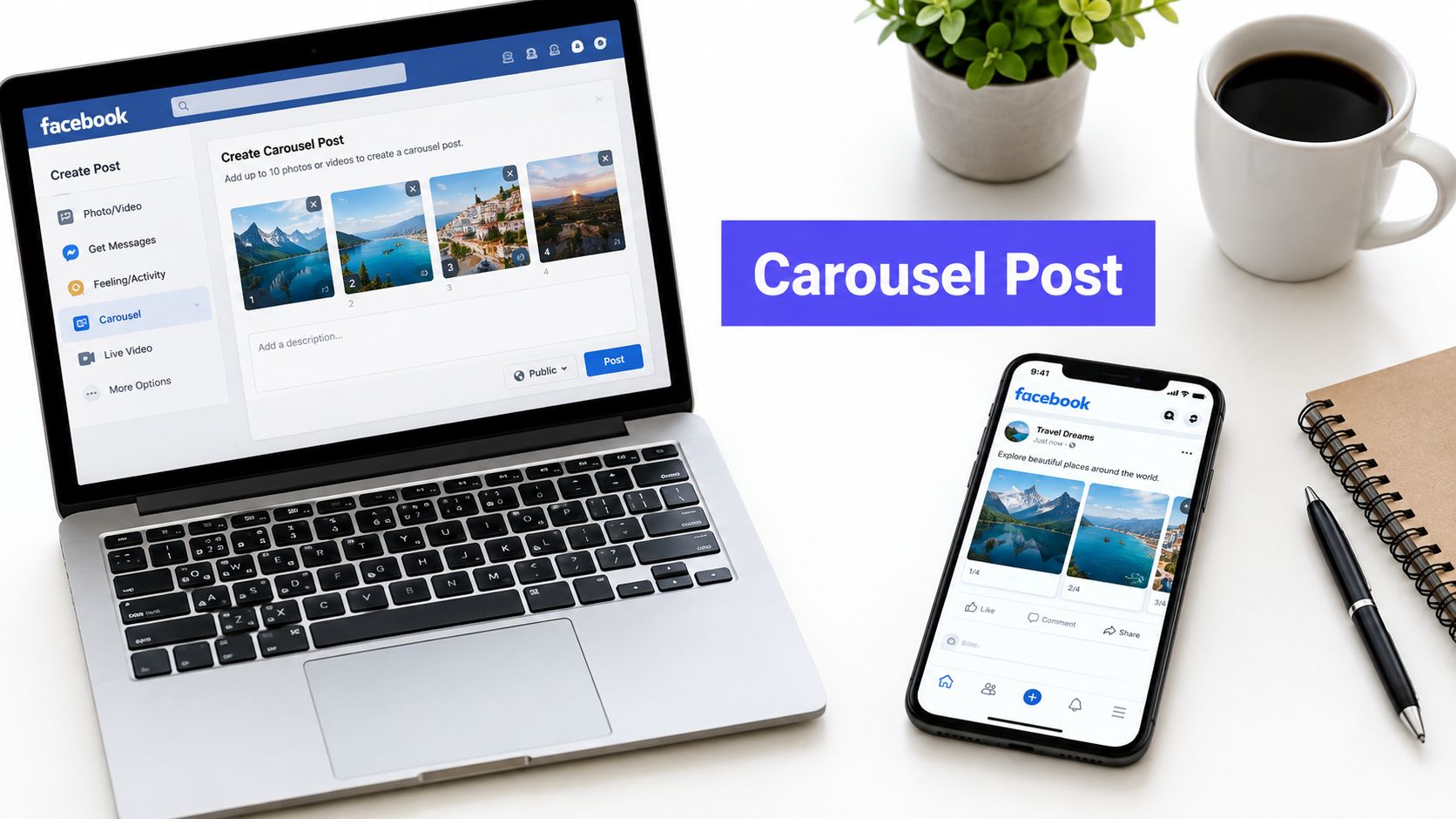












You've got the photos ready. Five product shots, or a tidy little tutorial you've broken into slides, and you know it would work better as something people can swipe through than as one crowded image. Then you open your Facebook Page composer and stall. There's a photo button, a video button, and nothing that clearly says carousel.
That is the exact spot where wasted time happens, because how to create a carousel post on Facebook depends entirely on which kind of carousel you mean. Get that choice right first, and the design, upload, and scheduling steps that follow get much simpler.
What a Facebook Carousel Actually Is in 2026
A shop owner I worked with kept uploading product photos one at a time, then wondering why shoppers only ever saw the first one. She'd heard carousels got more attention, but she couldn't find the button everyone talked about. Her problem wasn't effort. It was vocabulary.
The Format in Plain Terms
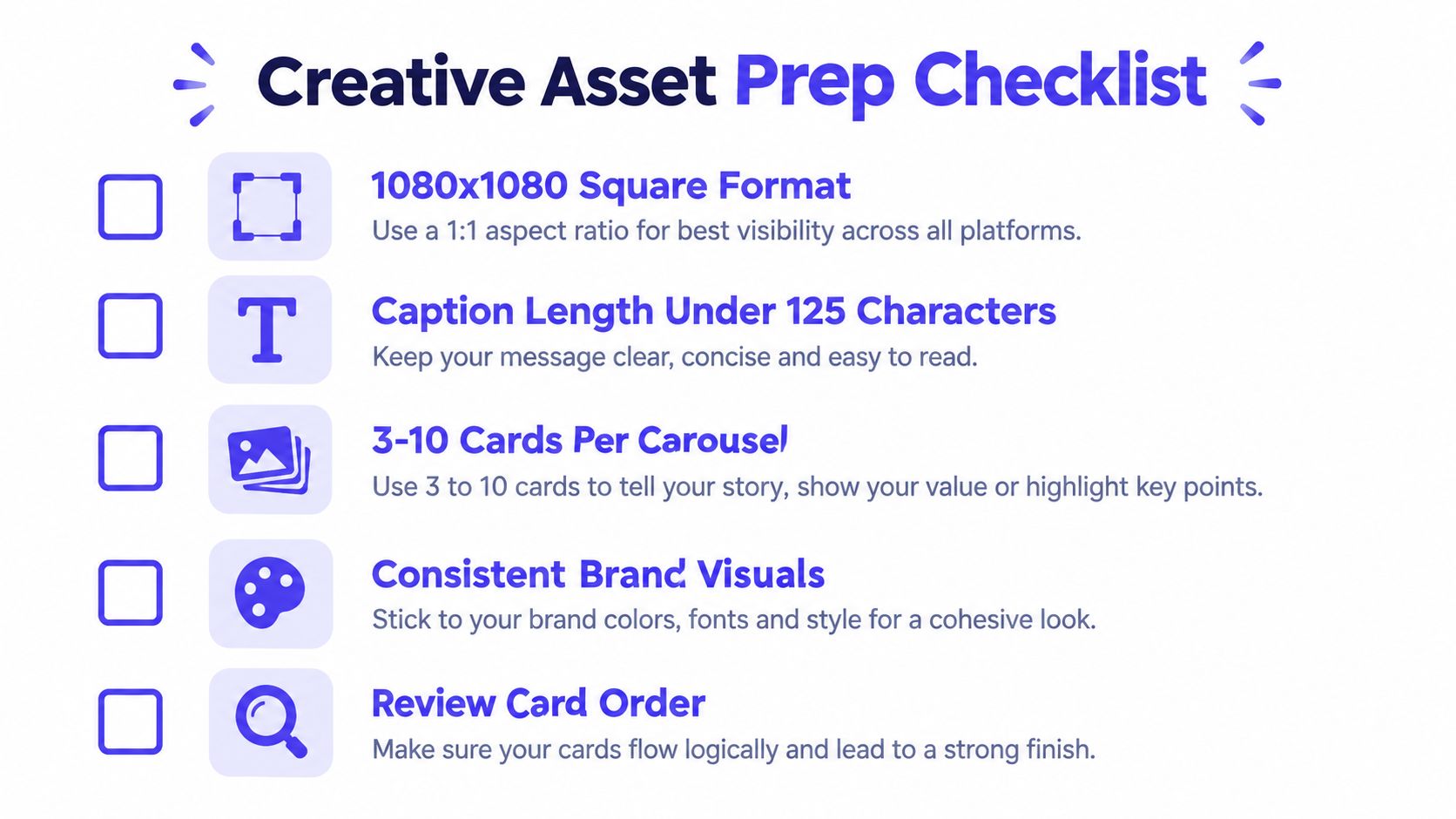
A Facebook carousel is a sequence of media cards presented as one connected unit. People move through it by swiping on mobile or clicking arrows on a computer. Meta defines a carousel as an ad containing at least 2 and up to 10 images or videos, with each card able to include its own headline, description, link, and call to action. That 2 to 10 card range is your production boundary from the start.
Think of it as a short story, not a photo dump. The first card establishes the hook, the middle cards deliver the value, and the final card gives people a clear next action. That structure works for a step by step tutorial, a product collection, a before and after sequence, a customer story, or a set of educational slides.
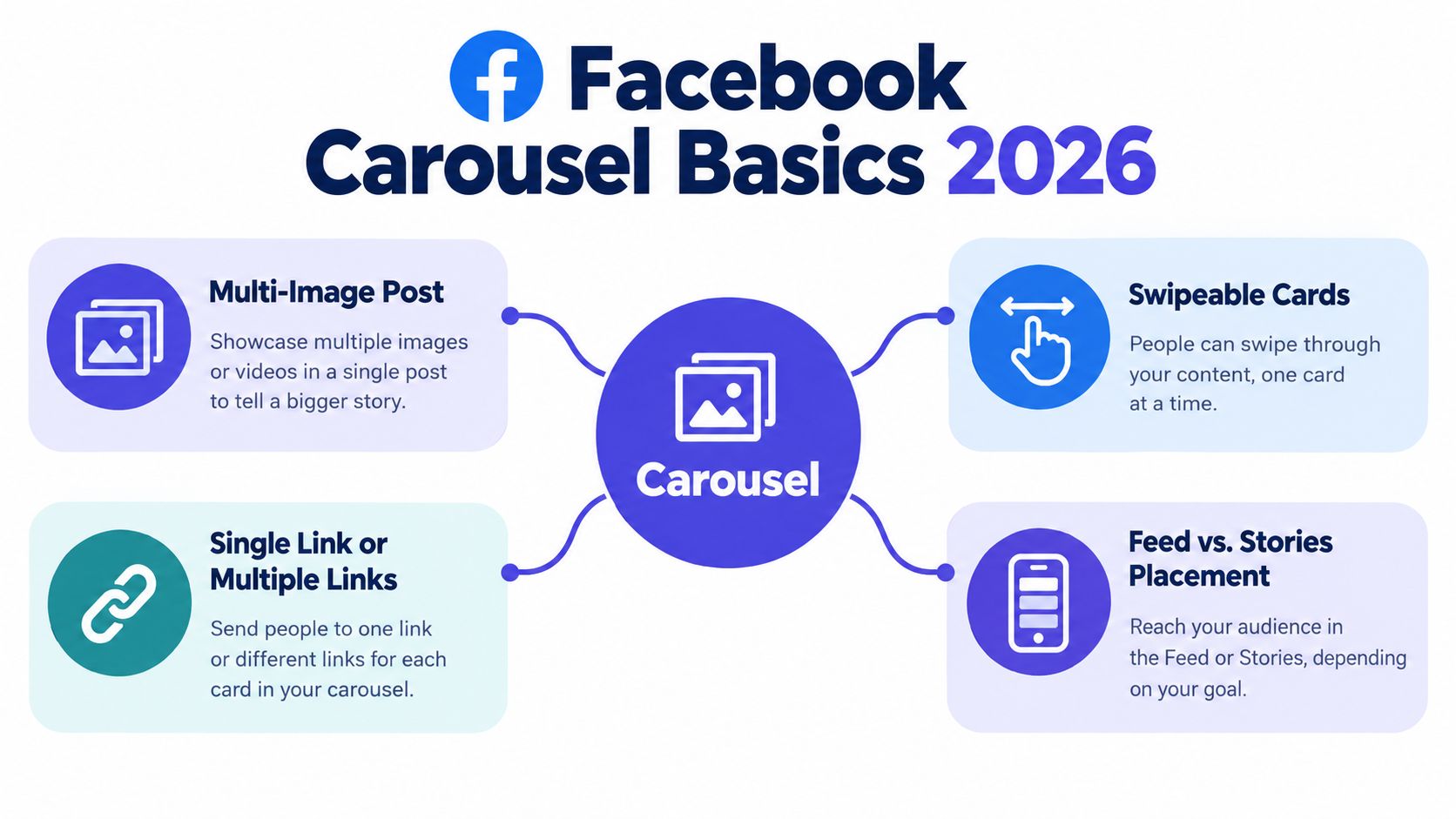
A single image has to do everything at once. A carousel lets you spread the job across cards, so each one can carry one idea, one product, or one step without cramming. That's why people tend to spend longer with sequenced content. They've got a reason to keep moving.
A carousel isn't several posts stapled together. It's one narrative that only makes full sense in order.
Here's the catch that confuses almost everyone. The word carousel covers two different workflows on Facebook. One is an organic Page post built from multiple images or videos. The other is a paid ad unit built in Meta Ads Manager, where those individual headlines, links, and calls to action per card live.
If you don't separate those two paths before you start designing, you'll build the wrong thing. You'll expect clickable links on every organic card, or you'll pay for ads when all you needed was an educational post. The mental model is simple. Organic is one content unit. Paid is a set of individually linked cards.
Organic Post vs Paid Carousel Ad
Choose based on what you want a swipe to do. If you want people to learn, save, or share, organic usually fits. If you want each card to send someone to a specific product page, you need the ad workflow.
What Each Path Can Actually Do
| Capability | Organic Page Post | Paid Ads Manager Carousel |
|---|---|---|
| Link structure | One link in the post text | Separate destination URL per card |
| Headlines and CTAs | Shared caption for the whole post | Own headline, description, and call to action per card |
| Best use | Education, storytelling, engagement | Product ranges, card level conversion |
| Tracking | Post level engagement | Card level clicks and results |
| Budget needed | No ad spend | Paid distribution |
The distinction matters most when you're repurposing a product catalog or a tutorial. Available guidance indicates that the single-link limitation applies to the post text for organic publishing, while per-card URLs belong to the advertising workflow. So the honest answer to the common question, can every image in my organic carousel have its own clickable link, is no. That capability belongs to ads.
Why the Carousel Button Seems Missing
If you can't find a carousel option in the normal Page composer, you're not missing a setting. On the organic side, the feature often appears as a multi-image post rather than something labeled Carousel. The explicit carousel format, with individual cards you add one by one, lives at the ad level in Ads Manager.
This affects more than links. Paid carousels involve budget, audience choices, campaign objectives, and ad approval. Organic posts involve none of that, but they also give you less granular data. If you're planning to put spend behind sequential product creative later, the guide from Wojo Media on ad scaling is a useful companion for thinking about how Facebook and Instagram ads grow beyond a single post.
Practical rule: Pick organic for one shared message, paid for many destinations. Decide that before anyone opens a design file.
Making this call early also changes how you schedule. Organic carousels slot into your normal content calendar. Paid carousels belong in a campaign structure with testing and tracking attached. Confusing the two is how teams end up rebuilding finished creative.
Preparing Your Cards and Creative Assets
Good carousels are decided before upload, not during it. Start with one sequential objective, such as a product range, a step by step tutorial, or a problem to solution narrative. That single choice determines your card order.
Lock the Technical Specs First
Use a consistent 1:1 or 4:5 aspect ratio across every card, since a 1080 by 1080 pixel square works as a dependable cross placement baseline according to Hootsuite's carousel ad specifications covering ratios and file limits. The same source notes that Facebook Feed supports JPG, PNG, MP4, MOV, and GIF assets, with image files up to 30 MB and video files up to 4 GB, so export with those ceilings in mind.
Copy length causes more ugly truncation than bad design does. Keep primary text near 80 characters, card headlines near 45 characters, and descriptions near 18 characters to reduce truncation in Feed, per that same Hootsuite guidance. Write short first, then cut again.
For a deeper look at how dimensions change across placements, it's worth checking the best size for a Facebook post before your designer exports final files. Creators who want more ad specific layout examples can also compare notes with the AdCrafty carousel ad guide.
Give Every Card a Job
- Card one earns the swipe: Lead with your value proposition or strongest product, because many people won't move past it.
- Middle cards teach or show: Give each one a clear role, and don't repeat the same claim in different words.
- Final card directs: Summarize the benefit and present one measurable next step.
The most common production mistake is mixing dimensions or crops between cards. Inconsistent ratios create awkward padding or cropping and break visual continuity, which makes the whole sequence feel patched together. Export every card at the same size, in deliberate order, with matching framing.
Name your files in sequence before upload. It sounds trivial until you're dragging thumbnails around trying to remember whether step three came before the before photo. A clean handoff, numbered files, final copy, and one destination per paid card, saves real time later.
Uploading and Scheduling With PostSyncer
Once your assets are ready, the publishing routine should be boring in the best way. Boring means repeatable, checkable, and hard to get wrong at the end of a long day. That sounds like a small thing until you've published a five-card sequence with steps two and three swapped.
The Step by Step Routine
- Open your workspace and pick Facebook: Start a new post and select your Facebook Page as the destination.
- Upload cards in deliberate order: Add your numbered images or videos so the sequence matches your plan, hook first, call to action last.
- Write one concise caption: Keep it focused, with descriptive context for the cards and a single call to action rather than three competing ones.
- Preview before you commit: Check the post as it will appear on mobile and desktop, and confirm the first card still makes sense on its own.
- Publish or schedule: Post immediately, or place it on the calendar for a planned slot.
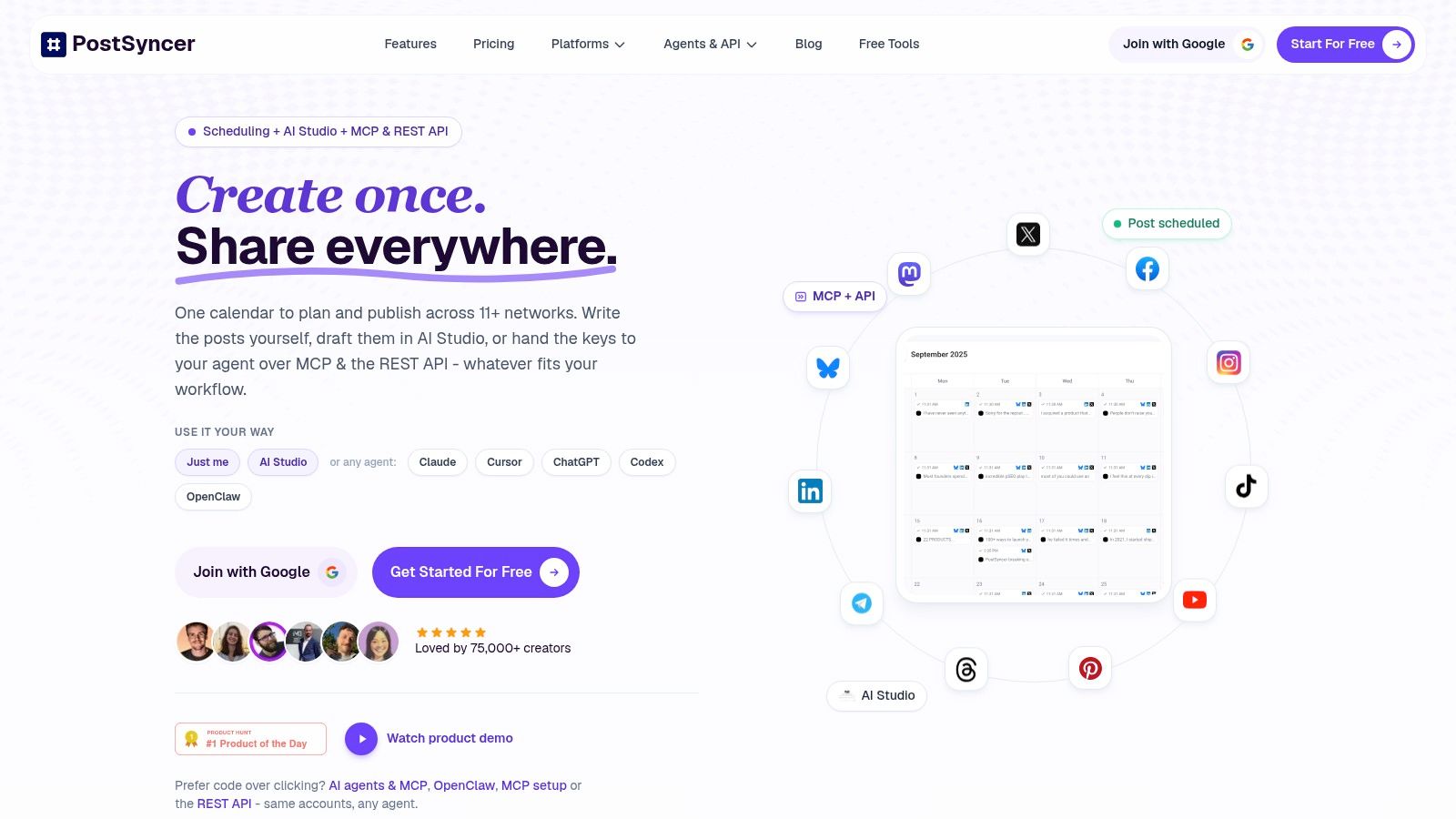
The reason to run this through a scheduler instead of posting natively each time is planning visibility. PostSyncer lets teams schedule posts, reels, carousels, and shorts across every major network from a single workspace, with a visual content calendar and approval workflows. For Facebook specifically, the dedicated Facebook scheduler keeps your carousel queue in the same view as the rest of your content.
Where This Helps Teams Most
A visual content calendar stops you from accidentally running two product carousels back to back. Approval workflows matter when a client or manager needs to sign off on card order and caption copy before anything goes live. Labels help you sort carousels by product line or campaign, and separate workspaces keep agency clients from bleeding into each other.
If you're also mapping how Facebook connects to the rest of your stack, you can browse the Facebook integration to see how those connections are typically structured. The goal is fewer last minute scrambles, not a bigger stack.
Paid carousels follow a different path, and mixing the two workflows is where most scheduling mistakes happen. The ad build itself lives in Ads Manager: you create the campaign and ad set, choose your objective and audience, select the carousel format at the ad level, and add cards manually or pull them from a catalog. Keep your scheduler for the organic calendar, and keep Ads Manager for per-card links, budgets, and placements. I treat them as two separate checklists, because the moment a paid card ends up in the organic queue, fixing it costs more time than the split ever would.
Check the preview on your actual phone before scheduling. Desktop previews hide cramped text and awkward crops that mobile exposes instantly.
Measuring What Actually Matters After Publishing
Likes feel good and tell you almost nothing. A carousel is a funnel, so measure it like one, from first glance to final click.
Read the Funnel in Order
Start with thumb-stop indicators such as 3-second video views or outbound click-through rate. These tell you whether card one earned attention. Then move down to card-level link clicks, landing-page views, cost per result, and conversion rate for paid campaigns. Each stage answers a different question, and skipping stages leads to bad fixes.
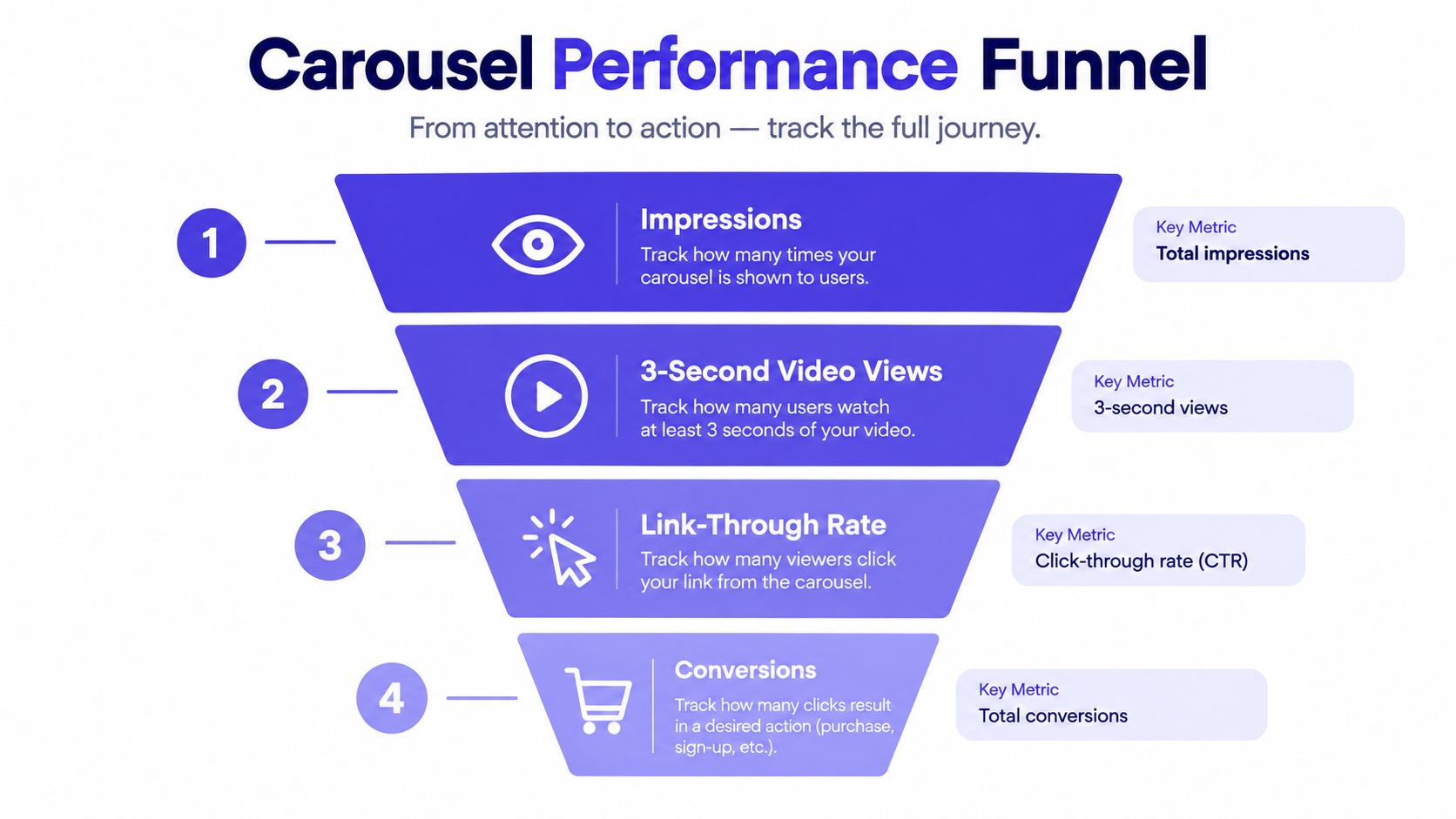
If people stop but don't swipe, your hook works and your second card doesn't. If they swipe but don't click, your story works and your offer or destination needs attention. For ecommerce, connect each paid card to the most relevant product page so the click matches the card someone tapped.
Benchmark With Caution
Context keeps you from panicking at modest numbers. Buffer's analysis of 52 million Facebook posts from 213,000 accounts reported a median Facebook engagement rate of 3.6%, but that figure is not a guaranteed carousel success rate. Segment your expectations by industry, audience size, paid versus organic distribution, and objective before judging a result.
If you want a broader framework for tying these numbers together, the breakdown of how to track social media analytics helps you decide which metrics deserve weekly attention.
The optimization cycle itself is simple. Keep the narrative structure, replace the weakest opening card, headline, or destination, and change one major variable per test so the result is interpretable. Compare paid carousels against a single-image control using the same audience, budget, objective, and attribution window.
Avoid the usual traps. Don't optimize for engagement when the business needs leads or sales. Don't declare a winner before enough impressions or conversions accumulate. And don't bury dense text inside images, then blame the format when nobody reads it.
Design and Accessibility Habits That Travel
A carousel that looks sharp on your desktop monitor can fall apart on a phone, in a different placement, or for someone who can't rely on the visuals alone. Design for the least forgiving context first.
Habits That Protect Every Carousel
- Make card one standalone: It should communicate the topic and the payoff even if nobody swipes further.
- Keep critical text away from edges: Cropping varies by placement, and edge text is the first casualty.
- Use consistent framing: Matching backgrounds, margins, and image treatment make separate cards read as one sequence.
- Skip tiny typography: If text needs zooming on a phone, it won't get read.
Accessibility is part of craft, not an afterthought. Text embedded in images isn't a substitute for descriptive caption copy, so write a caption that conveys the core message for people who can't, or don't want to, swipe through visuals. Avoid sequences that depend only on subtle color differences to make sense. If removing color breaks the meaning, the design needs another cue.
There's a discipline question hiding here too. An analysis of 70 million posts found average Facebook engagement settling at 0.15% across industries in 2025, which makes padding a carousel with extra cards a weak strategy. Each additional card has to earn attention.
When a sequence feels long, shorten it. Cut the card that repeats its neighbor, merge two thin points into one strong one, and test the tighter version. A short carousel that people finish beats a long one they abandon halfway.
The swipe test: Cover every card except the first. If a stranger can't tell what they'll gain by swiping, rewrite card one before touching anything else.
Test the finished sequence on a phone, in bright light if you can, before it goes out. That's closer to how your audience will meet it.
FAQ on Facebook Carousel Posts
Why Don't I See a Carousel Option in the Page Composer
Because organic publishing usually presents it as a multi-image post, not a labeled carousel format. You upload multiple images or videos into one post, order them deliberately, and publish. The explicit carousel builder, where you add individual cards with their own details, is part of the Ads Manager workflow.
Can Every Image in My Organic Post Have Its Own Link
No. Organic posts work as one content unit with a single link in the post text. Per card destination URLs, headlines, and calls to action belong to paid carousel ads. If sending people to different product pages is the whole point, build it as an ad from the start instead of retrofitting an organic post.
How Many Cards Should I Use
Use as many as your story needs and no more, within the format's card range covered earlier in this guide. A tutorial needs a card per step. A product range needs a card per product you want clicked. If a card doesn't add a new idea, product, or step, cut it. Completion matters more than card count.
How Does Scheduling Fit a Multi-Network Workflow
Build the sequence once, then adapt it per network rather than copying blindly. Square, consistently sized cards travel well between Facebook and Instagram, but captions, link handling, and calls to action differ by platform. Scheduling from one workspace lets you plan those versions side by side on a single calendar, get approvals in one place, and keep the Facebook version's card order intact while other networks get their own tweaks.
The workflow for how to create a carousel post on Facebook really comes down to three decisions. Pick organic or paid first, give every card a distinct job, and measure the funnel instead of the applause. Do those consistently and carousels stop being a format you fiddle with and start being a format you rely on.
Ready to put your next carousel on a real schedule instead of posting it in a rush? PostSyncer lets you build, preview, and schedule Facebook carousels alongside your Instagram, TikTok, LinkedIn, and other channels from one visual calendar, with approval workflows for your team. Start your free trial today and ship your first sequenced post this week.