











You've got a deadline, a half-built outline, and research scattered across browser tabs, analytics dashboards, and old campaign docs. An AI content brief generator can pull those inputs into one working plan, but it can't decide which claims your brand can stand behind or what your audience needs.
The useful question isn't whether AI can produce an outline. It's whether your team can turn a brief into accurate, distinctive content, adapt it across channels, and learn from what happens after publication.
What an AI Content Brief Generator Actually Does
An AI content brief generator is a planning tool. It takes inputs such as audience needs, search context, brand rules, and production requirements, then organizes them into instructions a writer or creative team can use. It doesn't replace the strategist who decides which angle matters, or the subject-matter expert who checks whether a claim is true.
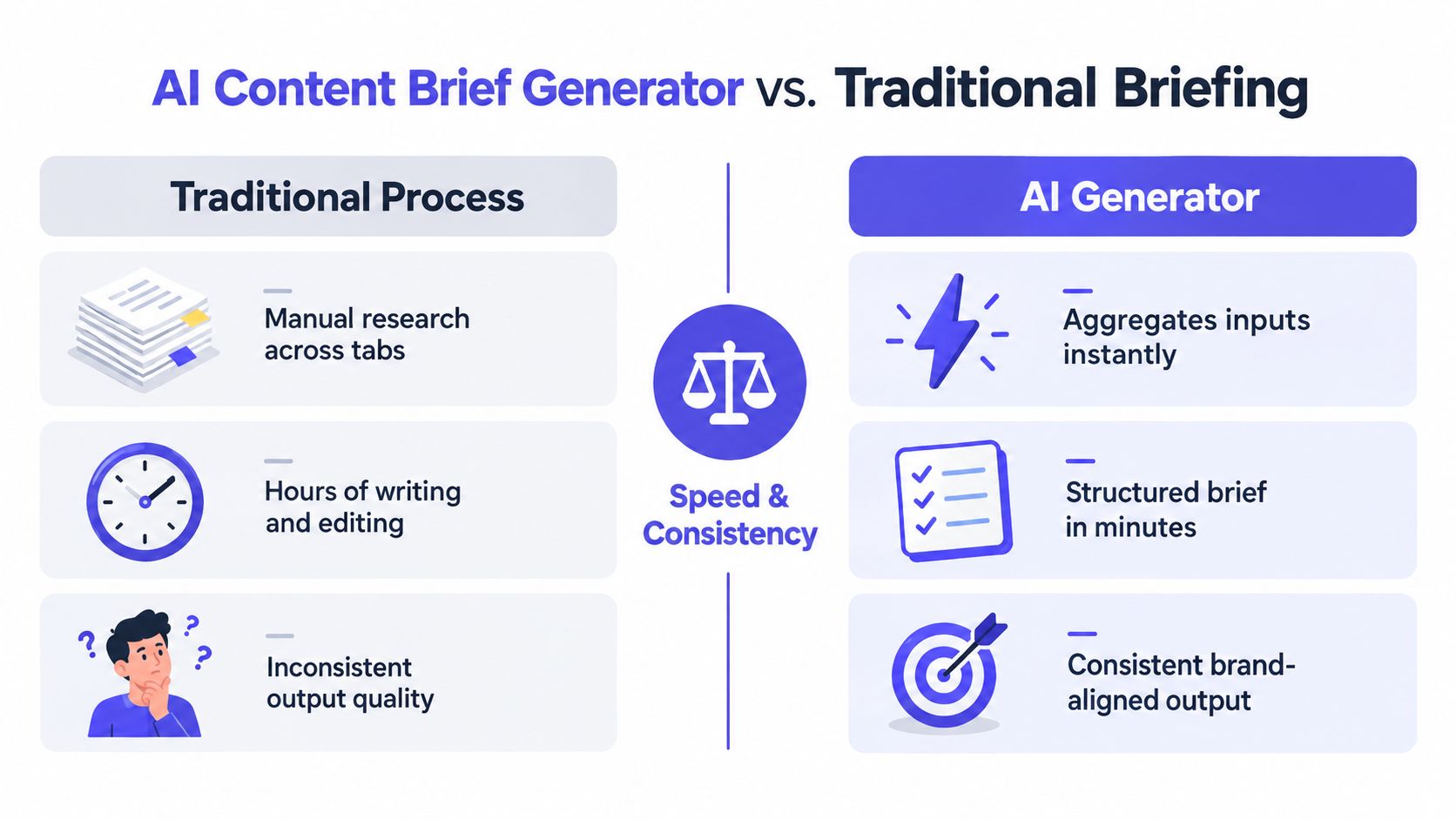
That distinction separates a brief generator from a generic AI writer. A writer generates prose; a brief generator structures the work before drafting. It also goes beyond a basic SEO tool, which might return keyword suggestions without specifying how the content should answer the audience's question or how a team should review the result.
Four jobs a useful generator can support
Research synthesis brings notes, search context, audience insights, and source material together. The result should identify what needs evidence, not merely summarize whatever the model has seen.
Outline construction maps the content to a reader's task. A strong outline gives each section a purpose, such as answering a question, comparing options, or explaining a process.
Channel adaptation turns the central idea into distinct formats for social platforms, email, or video. The subject stays consistent, but the hook, length, and presentation change.
Review scaffolding records source notes, brand requirements, open questions, and approval steps. A brief becomes a governance artifact rather than a disposable outline.
In a 2024 Content Marketing Institute survey, 89% of marketers said they used generative AI tools. Common applications included brainstorming topics (62%), summarizing content (53%), and writing drafts (44%), according to the Content Marketing Institute's content marketing statistics. Briefing fits into this broader shift toward AI-assisted planning and production, but it works best as a coordination layer, not a shortcut to publishing more generic copy.
| Workflow Step | Manual Brief | AI Content Brief Generator |
|---|---|---|
| Gather research | Manually collect notes across tools | Organize supplied research into a shared structure |
| Set direction | Strategist builds the outline from scratch | Suggest an outline for the strategist to revise |
| Apply brand rules | Writer checks separate guidelines | Include voice and constraints as prompt inputs |
| Prepare review | Add checks and sources manually | Create fields for evidence, ownership, and approval |
For teams comparing their planning needs with outside support, content SEO services can be a useful reference point for how research, briefs, and editorial execution fit together.
Practical rule: Let the generator organize decisions. Don't let it make the decisions that require brand knowledge, evidence, or editorial judgment.
Gathering the Inputs the Generator Needs
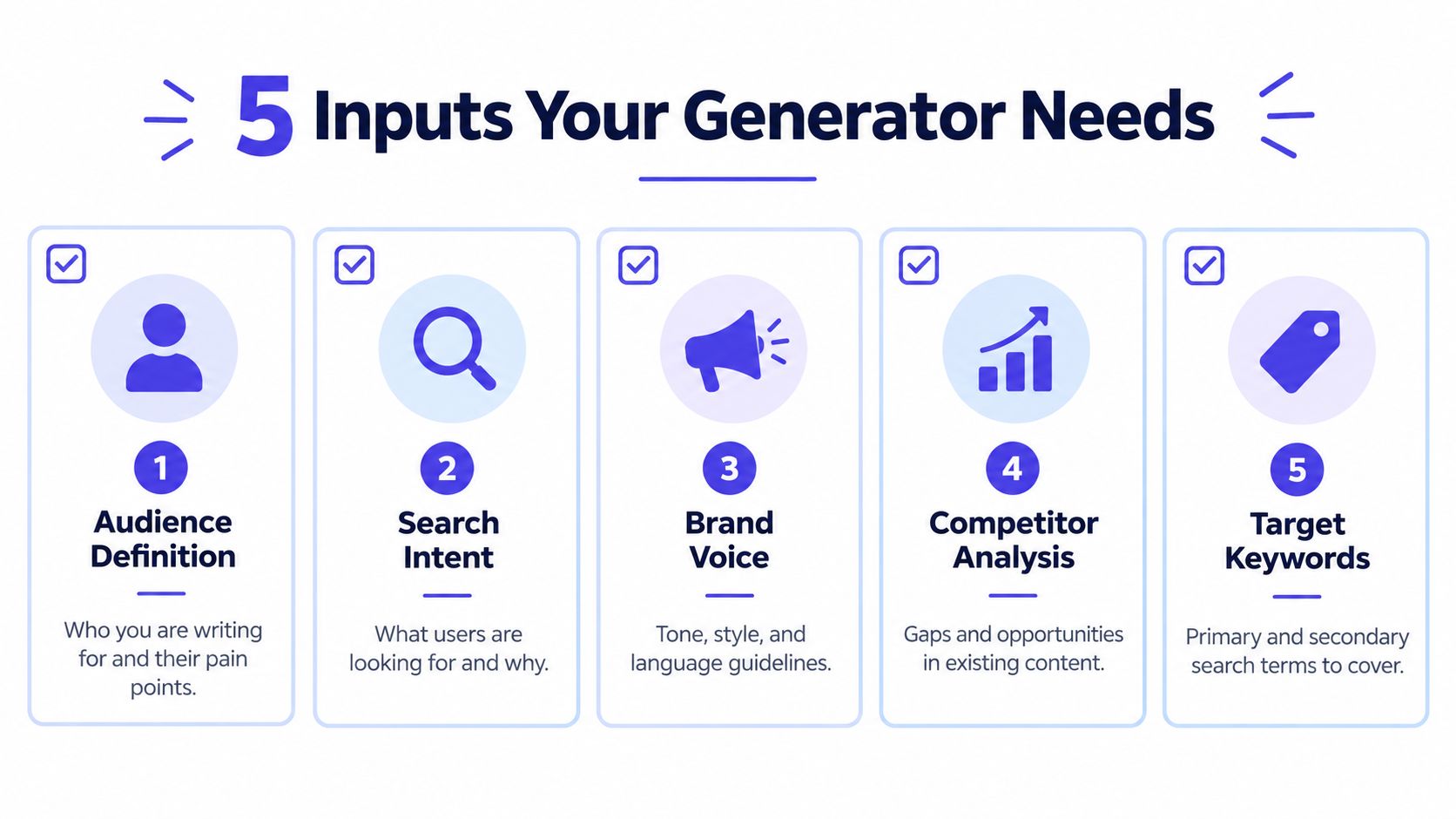
A generator can only work with the context it receives. Give it a vague topic and it will usually return a plausible, broad outline. Give it a defined audience, search intent, credible references, brand rules, and production constraints, and the brief becomes much easier to assess and use.
Start with audience definition. “Small businesses” is too broad to guide a useful piece. Specify who's reading, what they're trying to do, what they already know, and what gets in their way. For example, “a solo marketing manager who needs an approval-ready social campaign without a dedicated editor” gives the generator a reader and a task.
Next, clarify search intent and keyword context. Include the main query, related terms you've validated, and what the searcher likely expects to find. Don't ask the model to invent search volume or difficulty. Treat those as research inputs to verify with your own SEO tools.
Make the inputs concrete
Competitive references should show what you reviewed and what opportunity you see. “Analyze competitors” doesn't say whether you want to match a format, address an unanswered question, or add a practitioner perspective. A content gap analysis guide can help frame that review around missing audience needs rather than copying the headings other pages use.
Brand and voice rules should describe observable choices: preferred terminology, sentence style, claims to avoid, and whether the voice is conversational or formal. “Sound professional” isn't a rule a reviewer can reliably enforce.
Production constraints shape the brief's scope. State the asset type, channels, deadline, available experts, required approvals, and any legal or accessibility requirements. If you need a blog post plus short social adaptations, say so before the outline is generated.
| Input | Weak version | Strong version |
|---|---|---|
| Audience | “Marketers” | “An in-house social manager coordinating posts with a small editorial team” |
| Intent | “Rank for this keyword” | “Help readers choose a practical workflow, then compare approaches” |
| References | “Look at competitors” | “Review these pages for recurring questions and unanswered needs” |
| Voice | “Friendly and professional” | “Direct, plain language; define technical terms; avoid unsupported superlatives” |
| Constraints | “Make it comprehensive” | “Create a blog brief with channel adaptations, source notes, and editorial checks” |
Google's guidance is a useful reminder that AI-generated content gets no special ranking advantage and is assessed on usefulness, originality, and quality principles such as E-E-A-T. The Google Search guidance on AI-generated content supports a practical standard: supply the evidence and audience context that help a team produce something valuable, then review the result rather than treating the generated outline as finished work.
Writing the Prompts and Building Your Brief Template
Prompts should tell the generator what to produce, what it must not assume, and how to flag missing information. If a brief sounds polished but gives a writer no way to verify its claims, the prompt hasn't done its job.

Start with a reusable system prompt
Use a system instruction that makes uncertainty visible:
You are a content strategist creating reviewable briefs. Use only the audience, source material, keywords, brand rules, and constraints provided. Do not invent statistics, quotations, product details, or citations. Mark unsupported claims as “Needs verification.” Separate confirmed facts from recommendations. Create an intent-led outline and list the evidence, expert input, and approvals required before drafting.
Then provide a topic-specific user prompt:
Create a brief for a long-form blog post about [topic].
Audience: [specific reader and their task].
Search context: [primary query, related terms, and intent].
References reviewed: [URLs or supplied notes].
Brand rules: [voice, approved terminology, prohibited claims].
Production needs: [format, channels, owner, deadline, approvals].
Include an outline with a purpose for each section, evidence requirements, open questions, and a review checklist. If any input is missing, ask for it rather than guessing.
A reusable template makes outputs easier to compare and approve. Keep it in a shared document or workflow system, and version changes so writers know which instructions apply.
{
  "metadata": {
    "topic": "",
    "asset_type": "",
    "owner": "",
    "status": ""
  },
  "audience": {
    "reader": "",
    "task": "",
    "knowledge_level": ""
  },
  "intent": {
    "primary_query": "",
    "intent_summary": "",
    "related_topics": []
  },
  "outline": [
    {
      "heading": "",
      "reader_need": "",
      "key_points": []
    }
  ],
  "evidence_requirements": [
    {
      "claim_or_question": "",
      "source_or_expert_needed": "",
      "verification_status": ""
    }
  ],
  "review_notes": {
    "brand_checks": [],
    "compliance_checks": [],
    "approvals": []
  }
}
For a blog article about onboarding software, the brief might direct the writer to compare setup needs, identify questions a buyer should ask, and leave any product-performance claims for verification. For a multi-asset campaign about the same topic, the outline can instead specify a short video hook, a carousel explaining selection criteria, and a LinkedIn post for operations leaders. The facts stay consistent; the format and audience angle change.
Iterate for usefulness, not polish
Use follow-up prompts to address a specific weakness:
- Tone: “Revise the outline for a direct, helpful voice. Keep the claims and evidence requirements unchanged.”
- FAQs: “Suggest questions the audience may still have. Label these as suggestions, not verified search data.”
- Expertise: “Identify where a subject-matter expert could add firsthand experience. Don't fabricate experience or credentials.”
- Evidence: “List every factual claim that needs a source before drafting.”
A Semrush analysis of 42,000 blog posts reported that purely AI-generated content appeared in the top search position roughly 9% of the time, compared with about 80% for content classified as human-written. Those observations aren't proof that AI causes lower rankings, but they are a good reason to use AI for planning and require human direction and verification. A practical content brief writing guide can also help teams align the generated structure with clear writer instructions.
Turning One Brief into Multi-Platform Content
A shared brief should preserve the central message while allowing each channel to speak its own language. A TikTok script, a LinkedIn post, and a Pinterest pin shouldn't be the same paragraph with a different character limit. Each needs a distinct reason to exist and a hook suited to how people use that platform.
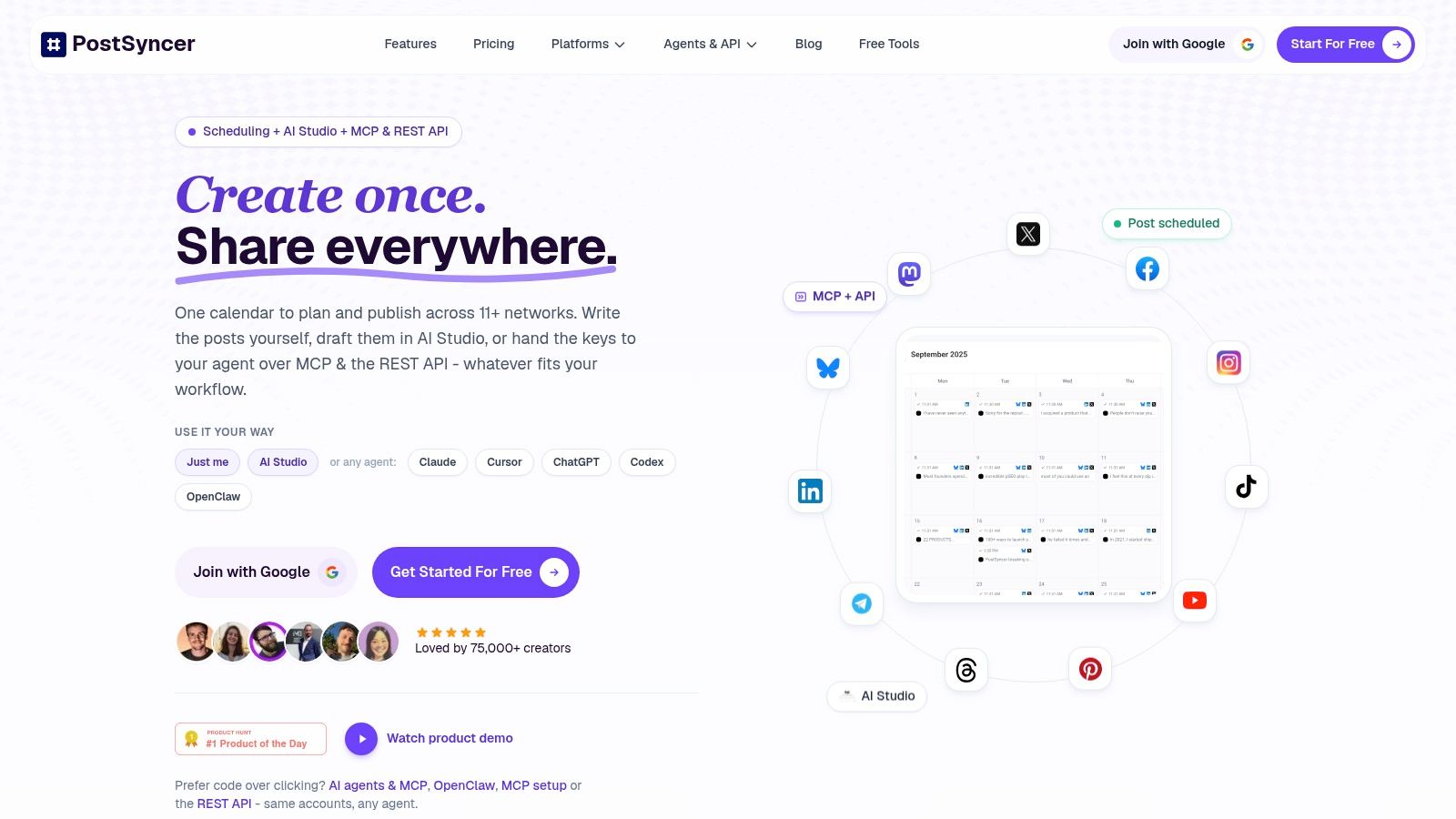
Translate the brief into a small adaptation instruction for each channel: audience, format, key point, hook, call to action, and review owner. A short-form video might open with a specific problem and demonstrate one practical decision. A carousel can break the same idea into a sequence of steps. A LinkedIn post may focus on the operational trade-off behind those steps.
| Platform | Format Focus | Hook Style |
|---|---|---|
| TikTok | Short video or demonstration | Lead with a visible problem or surprising decision |
| Reel, carousel, or story | Start with a relatable scenario or useful takeaway | |
| Text post, document, or video | Frame a professional challenge and a practical point of view | |
| YouTube | Short or longer explainer | Promise a clear answer, then deliver it in order |
| X | Concise text or thread | Open with a sharp claim or question worth unpacking |
| Video, image, or community post | Begin with a familiar situation and invite a response | |
| Threads | Short conversational post | Start with an observation that invites discussion |
| Pin or visual guide | Make the solution and intended use easy to recognize |
Give every adaptation its own place in the content calendar. Add its format, owner, approval state, planned publication date, and source brief. That lets an editor trace a post back to its claims and helps the social team see what's ready, what needs review, and what depends on another asset. A documented content repurposing workflow can help teams turn one core idea into channel-specific work without losing track of the source material.
For product-led campaigns, an asset may also need to move from educational content to a comparison or buying guide. A tool that helps create pre-sell listicles from product URLs can support that kind of format, but the team still needs to verify product information and distinguish useful comparisons from unsupported claims.
Keep the source attached: Each platform adaptation should retain a link to the approved brief, source notes, and the person responsible for review.
AI-related incidents are a real governance concern: more than 70% of advertising professionals reported encountering an issue such as hallucinations, bias, or off-brand content, while fewer than 35% planned to increase investment in AI governance over the following 12 months, according to HubSpot's coverage of AI in content marketing. Make the approval state visible before content reaches a publishing queue. That way, channel adaptation doesn't become unreviewed republishing.
The video below offers a look at social scheduling in practice.
Review, Iteration, and the Feedback Loop
A generated brief isn't approved just because it's well formatted. Assign a person to each review decision, and record what they checked. In a small team, one editor may own several stages, but the evidence and approval trail should still be clear.
Use four checkpoints:
- Verify facts and sources. The brief owner checks that each factual claim has a traceable source or is marked for verification. A subject-matter expert reviews claims where specialist knowledge matters.
- Check brand and compliance. The brand owner or legal reviewer looks for prohibited claims, confidential information, regulated language, and voice mismatches.
- Confirm search intent. The SEO lead checks whether the outline answers the actual audience need, rather than forcing keywords into sections that don't belong.
- Make the editorial call. An editor decides whether the angle is distinctive, the structure is coherent, and the team has enough evidence to start drafting.
Keep an audit trail inside the brief
Record source links, dates checked, open questions, reviewer names or roles, and decisions. If an AI suggestion is rejected, note why. That record gives the writer context and helps the team spot recurring weaknesses in prompts or inputs. Don't put sensitive customer or client information into an unapproved tool; set clear rules for what teams can share and where approved materials belong.
The final check happens after publication. Review qualified organic clicks, engagement by platform, conversions, and content-assisted revenue against the objective defined for the project. These measures answer different questions: clicks show whether content attracts relevant visitors, engagement indicates whether a platform adaptation resonates, and conversions help connect content with business outcomes.
Feed the learning into the next brief, not just the next report. If a channel-specific hook earns attention but produces few meaningful actions, keep the format lesson and revisit the message or call to action. If a section repeatedly needs expert correction, update the evidence requirements or involve that expert earlier. The goal is a review system that improves decisions, not a faster route to approve whatever the generator produces.
Tips for Rolling Out AI Briefs Across a Team or Agency
Start with ownership. Name who supplies the audience and search context, who maintains brand rules, who checks evidence, and who gives final editorial approval. Store the approved prompt and template where writers already work, and make it easy to find the latest version. Agencies should keep client-specific rules and sources separated so one brand's instructions don't leak into another's work.
Training matters more than adding another prompt library. A 2025 marketing-AI survey found that 62% of marketers identified education and training as a top adoption barrier, 68% reported receiving no formal AI training, and 75% lacked a one- to two-year AI roadmap, according to the IAB's State of Data report. Teach the team to identify unsupported claims, protect sensitive inputs, and adapt content by channel. For multilingual or regulated brands, require a fluent reviewer or qualified compliance owner rather than assuming translation or general review is enough.
Measure the workflow, not just the amount published:
- First month: Check whether briefs contain the agreed inputs and whether owners can find the current template.
- Second month: Review where drafts stall, which fields trigger repeated corrections, and whether approvals are documented.
- Third month: Compare the team's estimated briefing effort with its review burden, then revise prompts and ownership where work has merely shifted from research to correction.
Don't ask the generator to make the editorial call, leave sources undocumented, or treat every channel as interchangeable. A useful system saves repeated coordination while keeping human judgment visible.
PostSyncer brings social planning, scheduling, approval workflows, and analytics together in one workspace, giving teams a way to carry approved ideas from brief to platform-specific publishing. Visit PostSyncer to see how it can support a more organized content workflow.