











Navigating the crowded market of AI-powered platforms can be overwhelming. Content creators, social media managers, and marketing teams face a significant challenge: identifying which tools genuinely enhance productivity and which are just passing trends. This guide cuts through the noise, providing a curated and comprehensive list of the best AI tools for content creation available today, designed to streamline your entire workflow from initial concept to final publication.
We've organized these resources into distinct categories to help you pinpoint the exact solution you need, whether it's for ideation, writing, editing, or generating stunning visuals. Instead of generic descriptions, you'll find a detailed analysis of each tool, including its core features, specific pros and cons, ideal user profiles, and transparent pricing information. We also provide screenshots and direct links to each platform, so you can explore them immediately.
This listicle serves as a practical resource, focusing on how these tools solve real-world content challenges. We'll examine everything from generating blog post drafts with Jasper and editing podcasts with Descript to creating entire social media campaigns with a comprehensive solution like PostSyncer. For those specifically focused on visuals, understanding the nuances of different image and video generators is crucial. For an extensive overview of how AI is transforming content workflows and a list of top tools, delve into this guide on responsible AI tools for visual content creation from Virtuall. Our goal is to equip you with the insights needed to build a powerful, efficient, and innovative content creation stack.
1. PostSyncer
PostSyncer earns its top position by consolidating the entire social media content lifecycle into a single, AI-powered platform. It’s an exemplary choice for creators, agencies, and marketing teams aiming to replace a fragmented toolkit with a unified, efficient workflow. This platform is more than just a scheduler; it's a complete content creation and management suite designed for scalability and collaboration.
The platform's core strength lies in its AI Content Studio and AI Video Creator, which transform raw ideas into polished, platform-specific posts. From generating captions and scripts to creating entire videos from text prompts, PostSyncer significantly accelerates the production pipeline. This makes it one of the best AI tools for content creation for teams who need to produce high volumes of quality content consistently.

Key Features and Use Cases
PostSyncer excels with a feature set that addresses real-world marketing challenges. Its drag-and-drop visual calendar provides a clear overview of all scheduled content, including native support for complex formats like Instagram Reels, YouTube Shorts, and carousels.
- AI Content Studio: Generate high-quality copy for posts, ads, and scripts using monthly AI credits (starting at 200/mo). This is ideal for overcoming writer's block and maintaining a consistent brand voice.
- Team-Friendly Model: A significant advantage is the inclusion of unlimited team members on all plans without per-user fees. This structure, combined with multi-workspace support and approval workflows, is perfect for agencies managing multiple client accounts or large marketing departments.
- Unified Inbox with AI: Manage comments and messages from all connected platforms in one place. The AI auto-reply feature helps maintain engagement by providing instant, intelligent responses.
- Comprehensive Analytics: Track performance metrics and conduct competitive analysis directly within the platform to refine your content strategy based on data-driven insights.
Pricing Structure
PostSyncer offers transparent and flexible pricing with a 7-day free trial.
- Starter: $19/month ($15/mo billed annually)
- Pro: $49/month ($39/mo billed annually)
- Pro Plus: $99/month ($79/mo billed annually)
Plans differ primarily in the number of social accounts, workspaces, and monthly AI credits. Its straightforward pricing and robust feature set provide exceptional value, especially for teams. For a deeper dive into leveraging its AI capabilities, you can learn more about PostSyncer's approach to AI-driven social media content creation.
- Pros:
- All-in-one AI workflow centralizes content creation and scheduling.
- Cost-effective team pricing with unlimited users.
- Broad platform support, including Reels, Shorts, and carousels.
- Strong collaboration features and insightful analytics.
- Cons:
- Base plans have limits on connected social accounts per workspace.
- Monthly AI credits do not roll over.
Website: https://postsyncer.com
2. OpenAI – ChatGPT
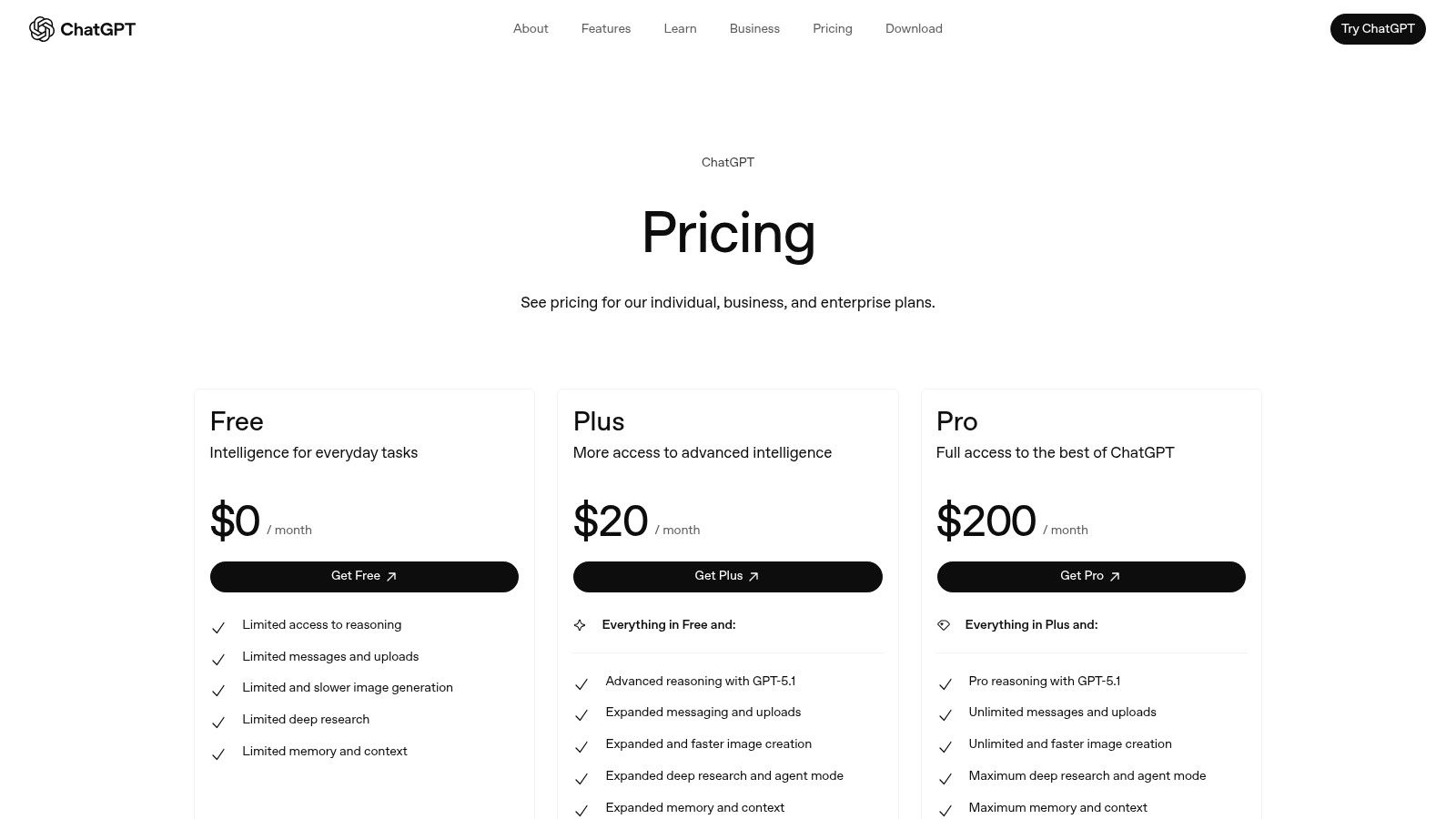
As a foundational and versatile AI, ChatGPT from OpenAI is an indispensable asset for nearly any content creation workflow. It excels at the core tasks of ideation, drafting, and rewriting, acting as a powerful assistant for overcoming writer's block or refining initial concepts. Its multimodal capabilities, allowing for voice, image, and file uploads, expand its utility beyond simple text generation into research and analysis.
For teams, the platform’s real value lies in its customizability. Using Custom GPTs, you can build specialized assistants trained on your brand’s voice, style guides, or specific project data. This ensures consistency and standardizes outputs, making it one of the best AI tools for content creation at scale. Business and Enterprise tiers add crucial administrative controls and SSO for secure, procurement-friendly deployment in larger organizations.
Key Features and Use Cases
- Best For: General-purpose content ideation, drafting, research, and creating customized AI workflows for teams.
- Unique Offering: Custom GPTs allow creators to build and share specialized AI assistants tailored to specific tasks, from writing social media captions in a certain brand voice to analyzing customer feedback data.
- Pros: Excellent model quality for text-based tasks, a robust ecosystem with continuous feature updates, and strong multimodal input support.
- Cons: Advanced features and higher usage limits require a paid subscription, and team plans have a per-user cost model that can add up.
As you utilize tools like ChatGPT for content generation, it's crucial to understand a practical guide on new methods for visibility, such as this article on how to get your content cited by ChatGPT. This ensures your own brand's content has a chance to be surfaced within these powerful models.
Pricing and Access
- Free: Access to the base model with usage limitations.
- Plus ($20/month): Access to the latest models (like GPT-4), higher limits, and advanced features like DALL-E, browsing, and data analysis.
- Team ($25/user/month): Higher message caps, admin console, and team workspace.
- Enterprise: Custom pricing for large-scale deployment with SSO and enhanced security.
Website: https://openai.com/chatgpt/pricing/
3. Adobe Firefly + Adobe Express
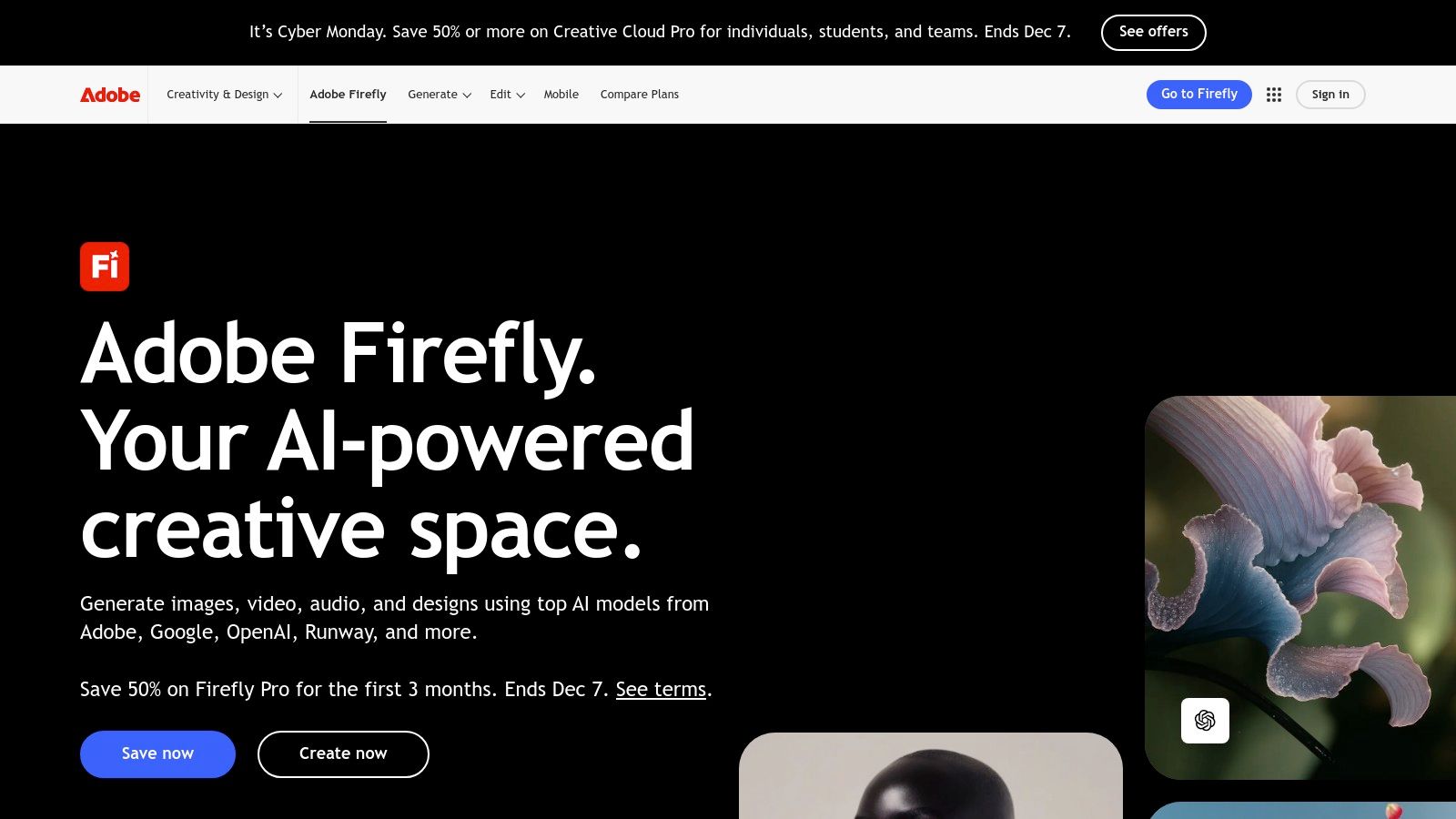
Adobe’s entry into generative AI, Firefly, is a powerhouse for design-first content creation, especially when integrated with Adobe Express. Trained on Adobe Stock and public domain content, it’s designed for commercial safety, making it ideal for brands and agencies. Its strength lies in augmenting existing creative workflows rather than just generating standalone assets, allowing designers to use features like generative fill and text-to-image directly within familiar applications.
The combination with Adobe Express provides a streamlined workflow for creating social media and marketing assets. Users can generate an image with Firefly and immediately bring it into an Express template, apply brand kits, and even schedule it to social channels. This tight integration makes it one of the best AI tools for content creation teams that already operate within the Adobe Creative Cloud ecosystem and need a reliable, template-driven process for producing on-brand visuals at scale.
Key Features and Use Cases
- Best For: Creative teams and marketers needing commercially safe, on-brand visual content integrated into existing design workflows.
- Unique Offering: Deep integration across the Adobe Creative Cloud suite (Photoshop, Illustrator, etc.) and a generative credit system that works across all apps, plus robust template and brand kit features in Adobe Express.
- Pros: Commercially safe outputs trained on licensed content, seamless workflow from generation to publication, and a strong library of templates for quick asset creation.
- Cons: The generative credit system can be confusing for new users, and understanding which plan includes specific entitlements can be complex as pricing evolves.
Pricing and Access
- Free: A limited number of monthly generative credits.
- Premium ($9.99/month for Express): More monthly credits, premium templates, and advanced features.
- Creative Cloud Plans: Generative credits are included in most Creative Cloud subscriptions, with amounts varying by plan.
- Enterprise: Custom pricing with pooled credits and advanced admin controls.
Website: https://www.adobe.com/sensei/generative-ai/firefly.html
4. Canva – Magic Studio
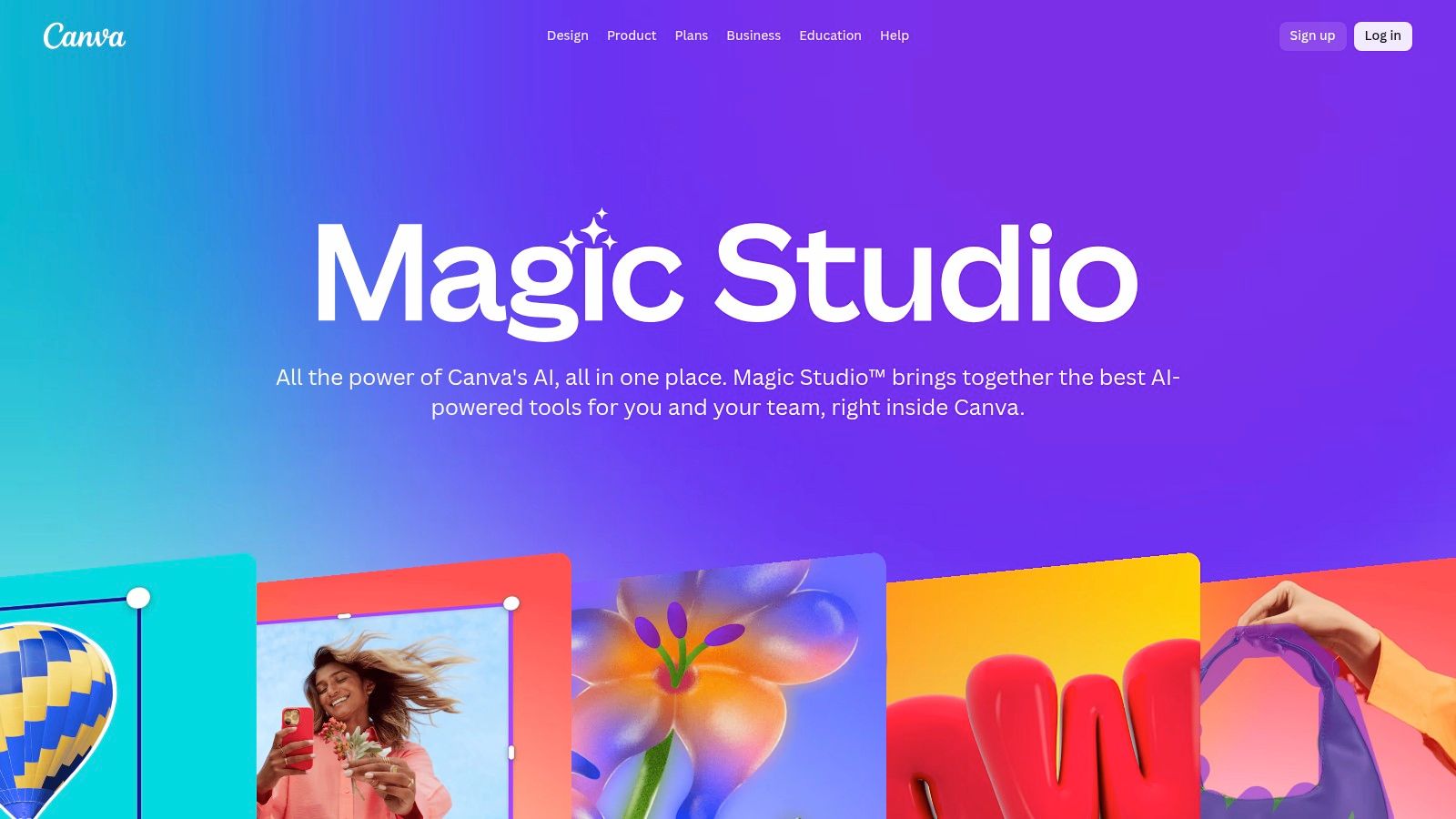
Canva has evolved from a simple design tool into a comprehensive AI-powered content suite with its Magic Studio. It integrates generative AI features directly into its user-friendly, drag-and-drop editor, allowing creators to generate designs, text, images, and even short videos from a single prompt. This seamless integration makes it one of the best AI tools for content creation for those who need to produce visually appealing assets quickly without a steep learning curve.
For marketing teams and social media managers, the true power of Canva lies in its end-to-end workflow. You can go from a basic idea to a fully designed, on-brand social media post, presentation, or marketing asset in minutes. The platform combines AI generation with vast template libraries, Brand Kits for maintaining visual consistency, and a built-in content planner for scheduling, streamlining the entire content lifecycle for individuals and teams alike.
Key Features and Use Cases
- Best For: Rapidly creating branded social media content, presentations, and marketing materials, especially for non-designers.
- Unique Offering: Magic Studio embeds a full suite of AI tools (Magic Write, Magic Design, AI image generation) directly within the familiar Canva editor, eliminating the need to switch between different applications for ideation and design.
- Pros: Extremely gentle learning curve, very fast from concept to finished asset, and excellent for maintaining brand consistency through Brand Kits.
- Cons: Most advanced AI features are locked behind paid subscriptions, and the per-user pricing for teams can become costly for larger organizations.
By integrating tools like Canva, teams can significantly speed up their asset production. To see how it fits into a broader strategy, explore this guide on social media content creation tools.
Pricing and Access
- Free: Basic editor with limited access to templates and AI features (e.g., 50 Magic Write uses total).
- Pro ($14.99/month per person): Unlocks the full Magic Studio suite, Brand Kits, Content Planner, and a vast library of stock assets.
- Teams ($29.99/month per person for the first 5 people): Includes all Pro features plus real-time collaboration, team reporting, and administrative controls.
Website: https://www.canva.com/magic/
5. Jasper
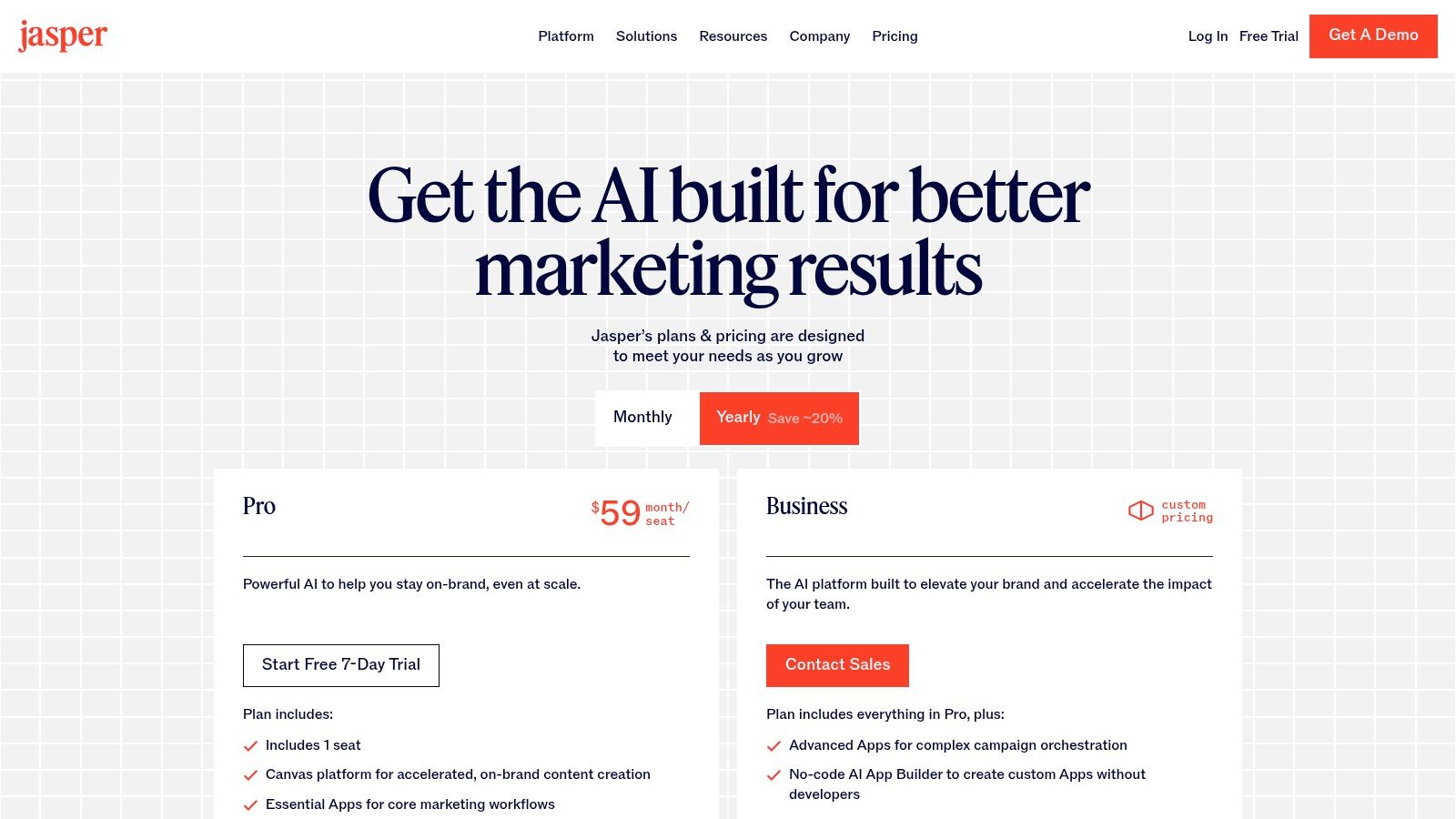
Jasper is a marketing-focused AI platform engineered specifically for creating brand-safe content across blogs, ads, emails, and landing pages. Its strength lies in providing a controlled environment for teams, using features like Brand Voice, Knowledge, and Audience profiles to ensure every output aligns with established guidelines. This focus on consistency makes it an excellent choice for businesses aiming to standardize their content production.
The platform moves beyond basic generation with its long-form Canvas editor and multi-channel campaign tools, facilitating a more strategic approach to content creation. Higher-tier plans introduce no-code app builders and marketing "Agents," transforming it from a simple writer into a comprehensive AI marketing operating system. These capabilities solidify its position as one of the best AI tools for content creation within established marketing teams.
Key Features and Use Cases
- Best For: Marketing teams standardizing on-brand content creation at scale for blogs, social media, and advertising campaigns.
- Unique Offering: A suite of brand-centric controls, including Brand Voice, Knowledge, and Audience profiles, that govern AI outputs to maintain marketing consistency across all channels.
- Pros: Excellent for teams focused on brand alignment, offering mature workflows for long-form content and integrated campaigns.
- Cons: The per-seat pricing is higher than many general-purpose tools, and unlocking its most powerful features often requires a Business or Enterprise plan.
Pricing and Access
- Creator ($39/user/month, billed annually): 1 Brand Voice, 50 Knowledge Assets, and SEO mode.
- Pro ($59/user/month, billed annually): 3 seats, 3 Brand Voices, 150 Knowledge Assets, and collaboration features.
- Business (Custom Pricing): Unlimited features, advanced admin controls, API access, and dedicated support.
Website: https://www.jasper.ai/pricing
6. Copy.ai
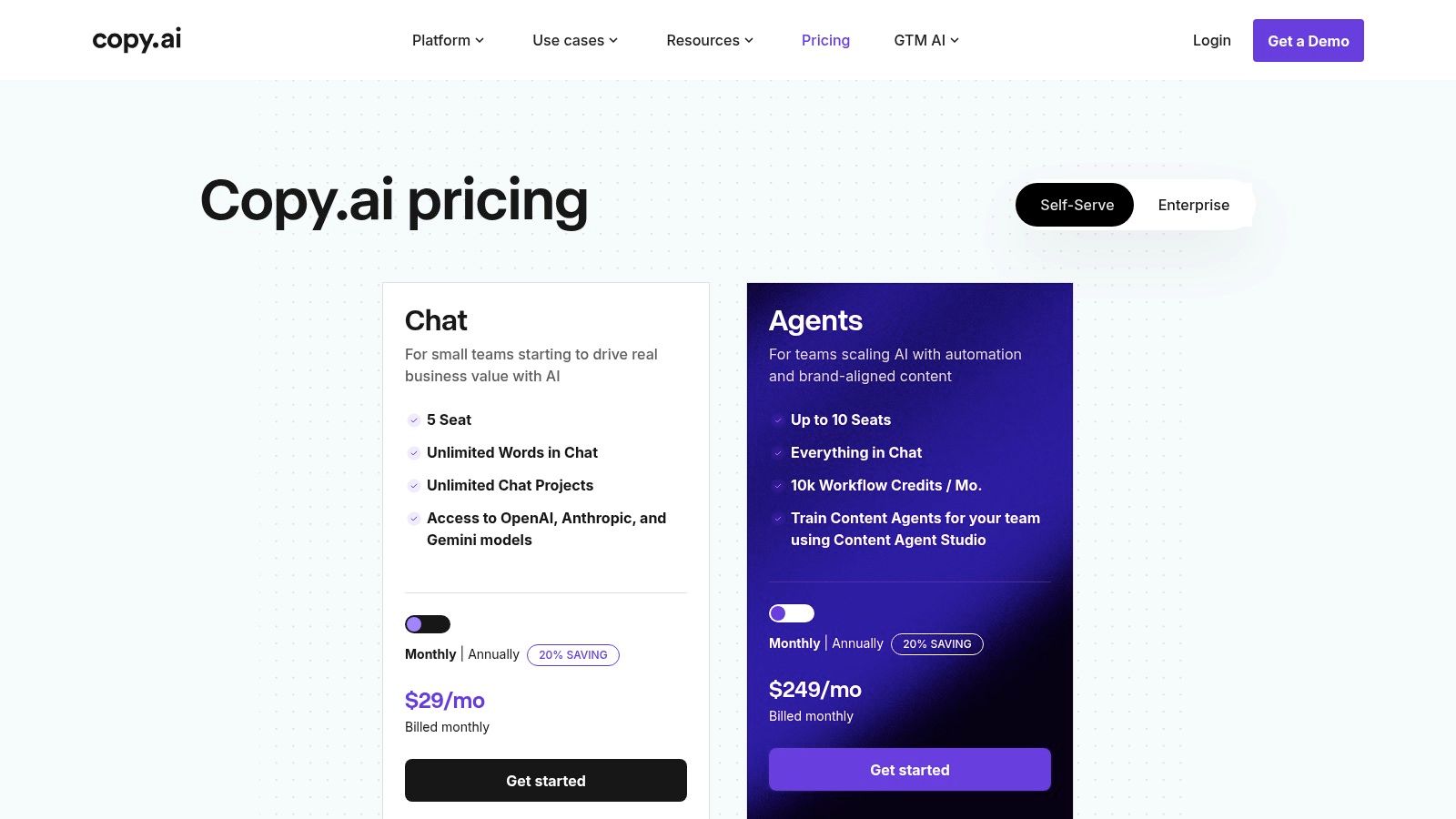
Copy.ai is an AI-powered platform specifically engineered for marketing and sales teams that need to produce high volumes of collateral efficiently. It moves beyond simple text generation by offering chat-based creation, pre-built workflows, and access to multiple leading AI models, including those from OpenAI, Anthropic, and Google. This multi-model approach allows teams to choose the best engine for specific tasks, from crafting persuasive sales emails to generating engaging blog posts.
The platform's real power for businesses lies in its workflow automation and team-based features. With its Content Agent Studio, users can build reusable "agents" to automate repetitive content tasks, ensuring brand consistency and saving significant time. For organizations looking to scale their content output while maintaining control, Copy.ai provides one of the best AI tools for content creation, blending creative assistance with practical, process-driven automation.
Key Features and Use Cases
- Best For: Sales and marketing teams creating high-volume collateral, from ad copy and product descriptions to outreach emails and social media content.
- Unique Offering: The ability to access multiple best-in-class AI models within a single platform and build custom workflow "agents" to automate content production at scale.
- Pros: Excellent for producing sales and marketing content, offers model flexibility, and includes growing automation capabilities. Unlimited words in its Chat feature on paid plans is a major benefit.
- Cons: The workflow credit system can add complexity to budgeting and forecasting costs. Its most powerful automation tools are reserved for higher-tier plans.
Pricing and Access
- Free: Up to 2,000 words in Chat and limited workflow credits.
- Pro ($36/month, billed annually): Unlimited words, 5 user seats, and 500 workflow credits.
- Team ($188/month, billed annually): 20 user seats and 3,000 workflow credits.
- Enterprise: Custom pricing for unlimited seats, credits, and advanced features.
Website: https://www.copy.ai/prices
7. Descript
Descript revolutionizes audio and video editing by transforming it into a process as simple as editing a text document. Ideal for podcasters, course creators, and social media managers, it automatically transcribes media, allowing you to edit the video or audio by simply deleting or moving words in the text. This transcript-driven workflow dramatically speeds up the post-production process, making it one of the best AI tools for content creation for anyone working with spoken-word media.
Its suite of AI-powered features, like Studio Sound for noise removal and Overdub for voice cloning, automates tasks that once required technical expertise and hours of manual work. By integrating such powerful tools into an intuitive, text-based interface, Descript empowers creators to produce professional-quality content with unprecedented efficiency. This streamlined approach makes it easier to build a comprehensive content creation workflow from raw recording to final, polished clips.
Key Features and Use Cases
- Best For: Podcasters, video creators, and marketers who need a fast, intuitive way to edit spoken-word content like interviews, tutorials, and social media clips.
- Unique Offering: Text-based video and audio editing. The ability to edit media by manipulating its transcript is a game-changer for workflow speed and accessibility.
- Pros: Excellent for creators who prefer editing via transcripts, powerful one-click AI enhancements like Studio Sound and filler word removal, and a fast workflow from recording to polished clips.
- Cons: AI voice cloning and heavy effects can consume transcription credits quickly on lower-tier plans, and mastering advanced multitrack editing features has a learning curve.
Pricing and Access
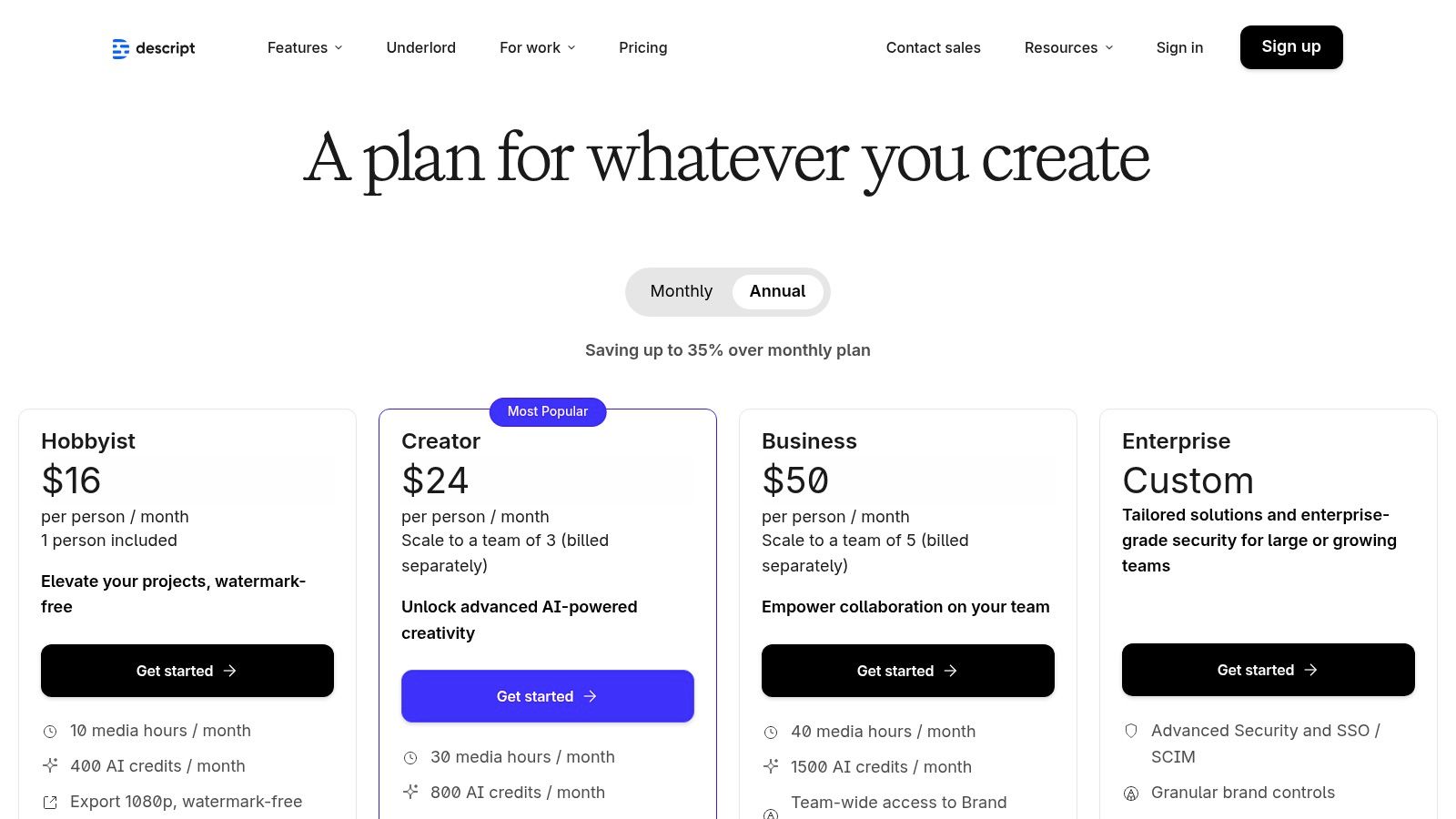
- Free: Includes 1 hour of transcription per month and limited watermarked video export.
- Creator ($12/user/month): 10 hours of transcription, watermark-free exports, and Overdub features.
- Pro ($24/user/month): 30 hours of transcription, unlimited Overdub, and advanced AI features like Studio Sound Pro.
- Enterprise: Custom pricing for teams needing advanced security, SSO, and dedicated support.
Website: https://www.descript.com/pricing
8. Runway
Runway has established itself as a frontrunner in generative video, offering a comprehensive suite of AI-powered tools that go far beyond simple text-to-video. It's an all-in-one video creation platform designed for professionals and creators who need to produce high-quality concept videos, social clips, and advertisements without traditional production overhead. The platform's strength lies in its advanced generative models, like Gen-3 and Gen-4, which can create stunningly realistic and imaginative video sequences from text or image prompts.
Beyond pure generation, Runway integrates a full editing workflow, including upscaling, performance capture, lip-syncing, and custom text-to-speech voices. This combination makes it one of the best AI tools for content creation when an end-to-end video solution is required. For teams, Runway provides collaborative workspaces and enterprise-level features like SSO, allowing for streamlined asset management and secure access for larger creative departments.
Key Features and Use Cases
- Best For: Creating high-quality, short-form generative video for social media, concept art, and advertising.
- Unique Offering: Its integrated suite of tools combines advanced generative video models (Gen-3/Gen-4) with a full post-production workflow, including AI-powered editing, audio features, and motion tracking.
- Pros: One of the most capable and high-quality text-to-video and image-to-video tools available, with flexible plans scaling from individual creators to large enterprises.
- Cons: The credits-based system can be consumed quickly, especially when generating longer or high-resolution videos, and watermark removal is only available on paid tiers.
Pricing and Access
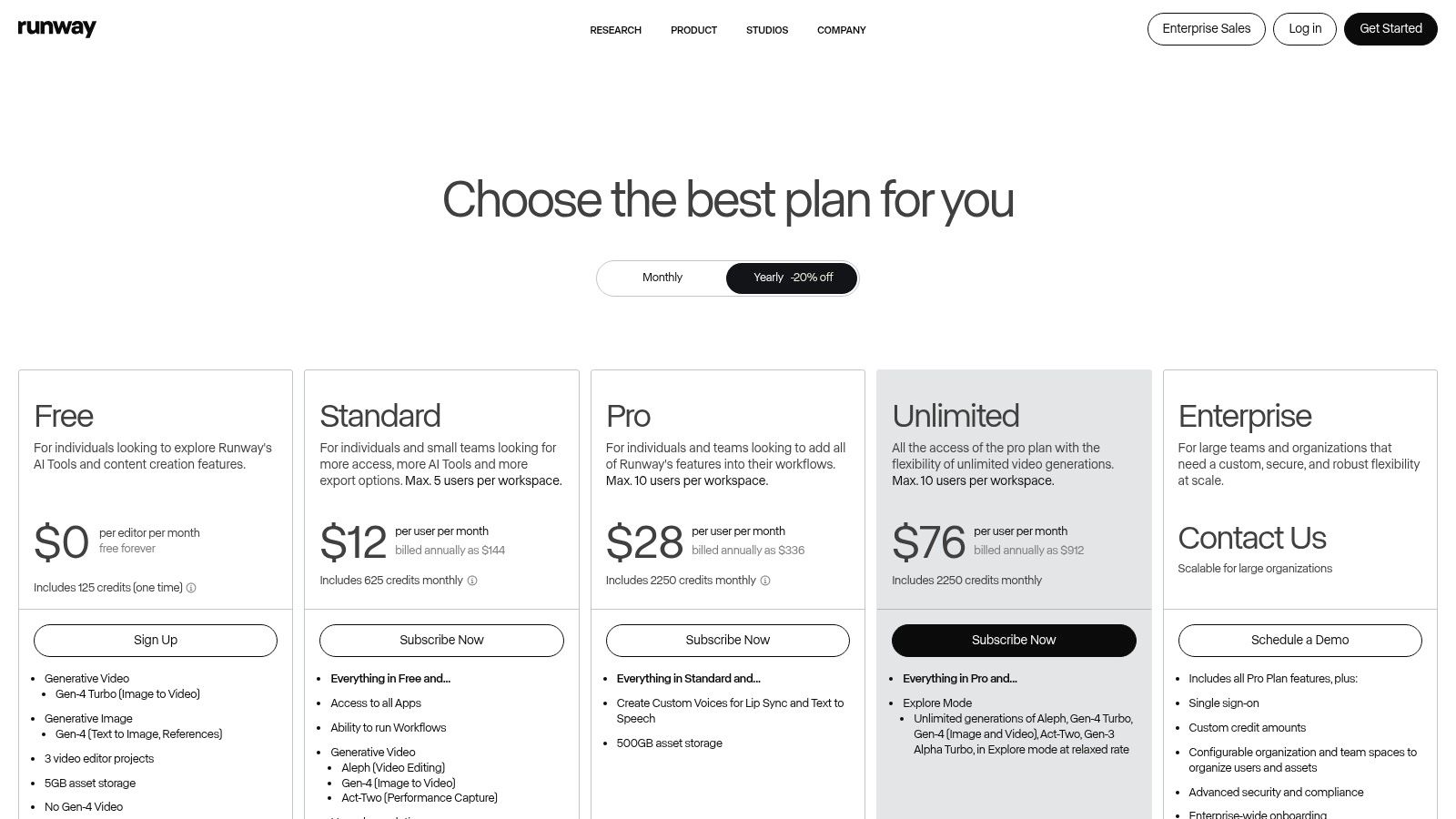
- Free: Basic access with 125 credits (non-renewing), limited features, and a watermarked export.
- Standard ($12/user/month): 625 monthly credits, no watermark, 4K exports, and access to more AI Magic Tools.
- Pro ($28/user/month): 2250 monthly credits, access to all AI tools, and more upscaling and motion capture options.
- Unlimited ($76/user/month): Unlimited video generations (in a relaxed mode) and 2250 credits for other tasks.
- Enterprise: Custom pricing for dedicated infrastructure, advanced security, and team training.
Website: https://runwayml.com/pricing
9. G2 – AI Writing Assistants category
While not a creation tool itself, G2's AI Writing Assistants category is an indispensable research hub for comparing and selecting the right software. Instead of relying on individual reviews, G2 aggregates thousands of verified user ratings and organizes them into dynamic grids. This allows content creators and marketing teams to filter tools by market segment, specific features, and user satisfaction, providing a clear, data-driven view of the competitive landscape.
The platform excels at helping you move from a broad search to a qualified shortlist. By leveraging its detailed comparison features and seasonal Grid reports, you can quickly identify top performers and understand how different products stack up against each other. This meta-tool is one of the best AI tools for content creation decision-making, ensuring your investment is based on real-world user experiences rather than just vendor marketing.
Key Features and Use Cases
- Best For: Researching, comparing, and selecting AI writing tools based on verified, aggregated user reviews and satisfaction data.
- Unique Offering: The G2 Grid reports visually plot tools based on market presence and user satisfaction, offering a quick yet comprehensive overview of category leaders, contenders, and niche players.
- Pros: Provides a large, current dataset of user reviews to inform buying decisions, and offers helpful shortlists and side-by-side product comparisons.
- Cons: The presence of vendor promotions and rapidly changing rankings can be noisy, and some product categories are broad, requiring careful filtering.
Pricing and Access
- Free: Access to all user reviews, category grids, and comparison tools is free for software buyers.
- Vendor Profiles: G2 offers paid profiles and marketing services for software vendors looking to enhance their visibility on the platform.
Website: https://www.g2.com/categories/ai-writing-assistant
10. Capterra – AI Writing Assistant software
While not a creation tool itself, Capterra’s curated software directory is an essential resource for researching and comparing the best AI tools for content creation. Instead of relying on a single source, it provides a broad market overview, allowing you to filter options based on specific needs like grammar checking, multi-language support, or paraphrasing capabilities. This makes it a valuable starting point for any team evaluating new software.
The platform excels at providing skimmable comparisons, vendor pages, and quick pricing summaries that streamline the initial research phase. Its Shortlist pages offer editor-curated selections, helping you narrow down a crowded field. By aggregating user reviews and key feature data in one place, Capterra helps marketing teams make more informed decisions when building their content creation tech stack, ensuring they find a tool that fits their budget and workflow requirements.
Key Features and Use Cases
- Best For: Researching, comparing, and discovering new AI writing assistants based on specific features, pricing, and user reviews.
- Unique Offering: The "Shortlist" and feature-based filtering system allows users to quickly create a customized list of top-rated tools that match their exact criteria, saving significant research time.
- Pros: Provides clear, skimmable comparisons for buyers; offers good breadth across tools suitable for small to medium-sized businesses.
- Cons: Sponsored placements can influence the order of listings, so it's wise to validate findings with other sources. Some listings may be out-of-date, requiring a direct check on vendor sites.
Pricing and Access
- Free: The directory is completely free to access and use for research and comparison purposes.
Website: https://www.capterra.com/ai-writing-assistant-software/shortlist/
11. Product Hunt – Artificial Intelligence topic
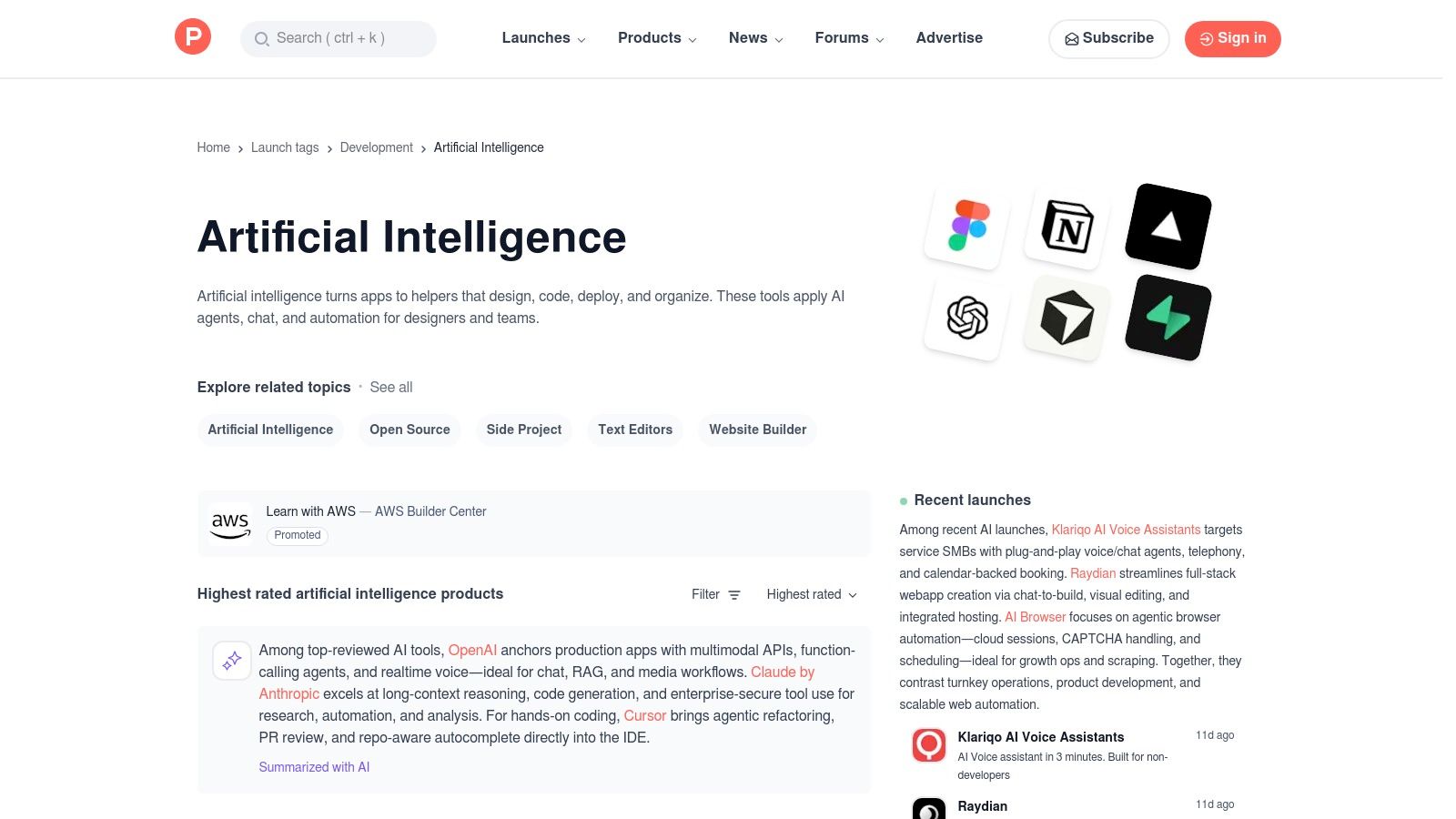
Instead of being a single tool, Product Hunt’s Artificial Intelligence topic section is a discovery engine for the very latest AI applications. It's an essential resource for staying on the cutting edge, offering a daily feed of new and trending tools for writing, design, video, and more. This community-driven platform is where you can spot emerging solutions before they become mainstream.
The real value for content creators lies in the community context. Each product launch is accompanied by maker comments, user reviews, and often live demos, providing practical insights for evaluation. For anyone looking to find niche or highly specialized AI solutions, Product Hunt is one of the best resources for discovering innovative and best-in-class AI tools for content creation as they emerge.
Key Features and Use Cases
- Best For: Discovering and evaluating brand-new, early-access, and trending AI content creation tools.
- Unique Offering: A community-driven feed that provides daily highlights of top AI product launches, complete with maker comments, demos, and user feedback for real-world validation.
- Pros: The fastest way to find emerging content tools, and maker discussions provide practical insights for evaluation before you commit.
- Cons: The quality and support for early-stage tools can vary widely, and features or pricing may change rapidly after the initial launch.
Pricing and Access
- Free: Browsing, commenting, and following topics is completely free.
- Pricing for listed tools: Varies by product. Many tools featured on Product Hunt offer special early-adopter discounts or lifetime deals to the community.
Website: https://www.producthunt.com/topics/artificial-intelligence
12. Futurepedia – AI tools directory
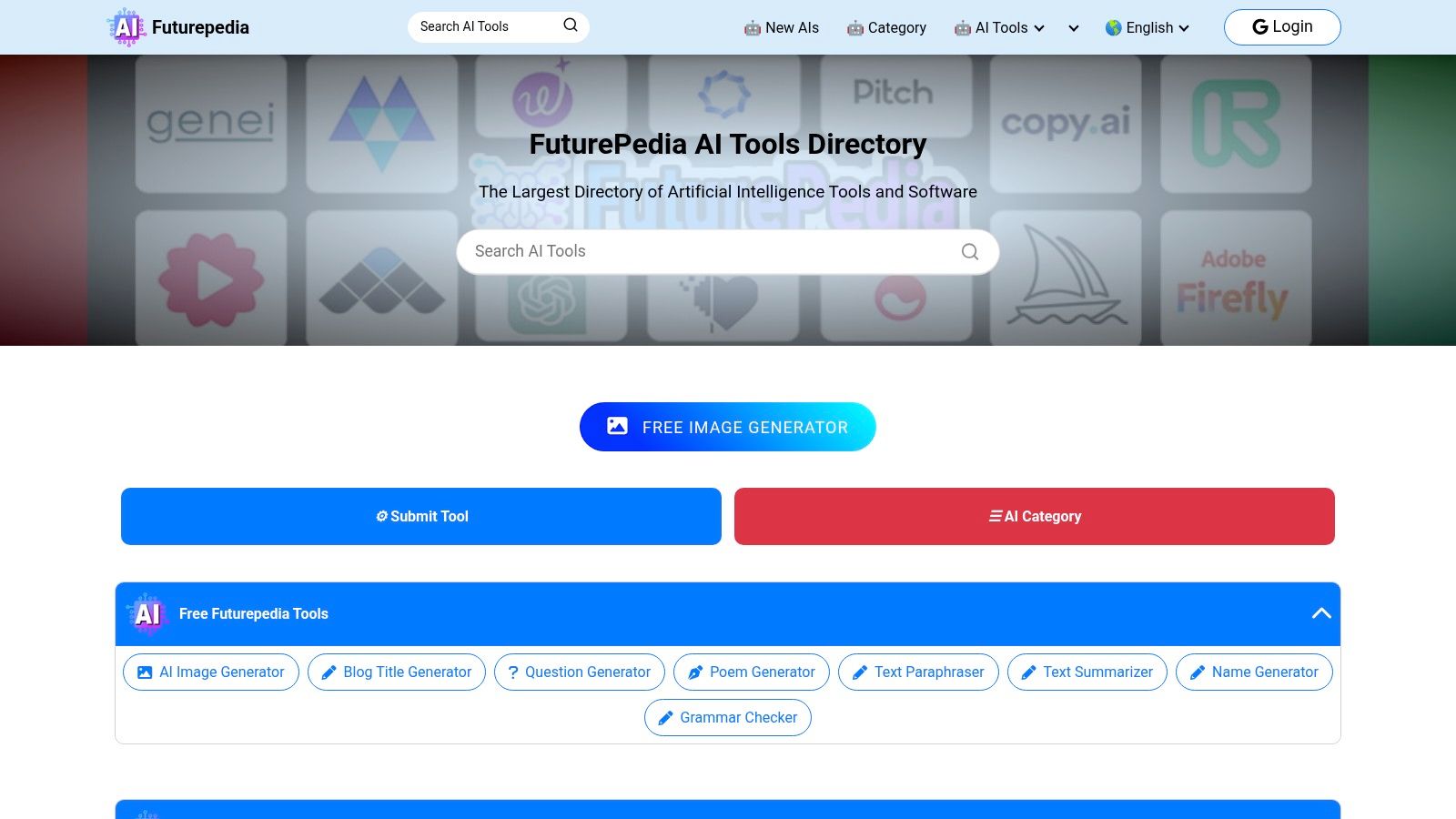
Instead of being a single tool, Futurepedia serves as an essential discovery engine for the entire AI ecosystem. It is one of the largest and most comprehensive directories of AI tools, meticulously categorized for tasks like writing, image generation, video editing, and marketing. For content creators, this platform is an invaluable resource for finding specialized or niche applications that solve very specific problems, moving beyond the well-known generalist platforms.
The directory's real strength lies in its organization. Users can filter by category, pricing model, and features, or browse sections for newly added and trending tools. This makes it an efficient starting point when you need to find the best AI tools for a new content creation task but don't know where to begin. It also offers a suite of free utility generators, such as a summarizer and blog title creator, adding immediate practical value.
Key Features and Use Cases
- Best For: Discovering new, specialized, or niche AI tools for any content creation task.
- Unique Offering: An extensive, filterable directory with thousands of AI tools, combined with free, built-in AI generators for quick tasks like creating titles or paraphrasing text.
- Pros: Excellent for finding lesser-known tools to fit a specific workflow, updated frequently with new additions, and free to use for discovery and basic generation.
- Cons: The quality of listed tools can vary greatly, requiring users to perform their own due diligence. The platform is a directory, not a review site, so deep analysis is limited.
Pricing and Access
- Free: The directory and its collection of basic AI utility generators are completely free to access and use.
Website: https://www.future-pedia.com/
Top 12 AI Content Creation Tools Comparison
| Product | Core features | UX & Quality (★) | Value & Price (💰) | Target (👥) | Unique selling points (✨) |
|---|---|---|---|---|---|
| PostSyncer 🏆 | AI Content Studio, AI Video Creator, drag‑n‑drop calendar, analytics, approvals | ★★★★★ — intuitive, team-focused | 💰 $19–$99/mo (annual ~20% off); 7‑day trial; no per‑user fees | 👥 Creators, agencies, marketing teams | ✨ Unlimited team members/roles, multi‑workspaces, unified inbox, transparent pricing 🏆 |
| OpenAI – ChatGPT | Multimodal drafting, Custom GPTs, search & file tools | ★★★★★ — best-in-class language quality | 💰 Free → paid tiers; business per‑seat for teams | 👥 Creators, researchers, teams needing text automation | ✨ Custom GPTs, multimodal inputs, rapid iteration |
| Adobe Firefly + Express | Text→image/video, generative fill, templates, brand kits | ★★★★☆ — design-grade tools | 💰 CC subscription + credits; commercial-use outputs | 👥 Design-forward teams & marketers | ✨ Deep Creative Cloud integration, Firefly Boards, templates |
| Canva – Magic Studio | AI design/video, templates, brand kits, content planner | ★★★★☆ — very easy, fast outputs | 💰 Free + Pro ($12–$15/mo); team plans | 👥 Non-designers, small teams, marketers | ✨ Drag‑drop editor + Magic tools for quick social assets |
| Jasper | Brand Voice, long-form Canvas, campaign tools, API | ★★★★☆ — marketing-centric UX | 💰 Higher per-seat pricing; business tiers | 👥 Marketing teams, agencies | ✨ Brand profiles, campaign workflows for scale |
| Copy.ai | Chat-based copy, multi-model access, automation Agents | ★★★☆☆ — solid for volume copy | 💰 Seats & workflow credits; mid-range | 👥 Sales & marketing teams | ✨ Multi-model choice, Content Agent Studio |
| Descript | Transcript-driven audio/video editing, Overdub, auto-captions | ★★★★☆ — ideal for pod/video editing | 💰 Subscription tiers; some features credited | 👥 Podcasters, educators, video creators | ✨ Text-based editing, Overdub voice cloning, Studio Sound |
| Runway | Generative video (Gen‑4/3), TTS, lip-sync, upscaling | ★★★★☆ — powerful but credit-limited | 💰 Credits-based; pay for high-res exports | 👥 Video creators, studios, agencies | ✨ Advanced text→video models, custom voices & capture |
| G2 – AI Writing Assistants | User reviews, grids, vendor badges, comparisons | ★★★★☆ — dependable review data | 💰 Free to browse; vendor ads possible | 👥 Buyers, procurement, researchers | ✨ Verified reviews, category grids & "Best Of" reports |
| Capterra – AI Writing | Category shortlists, feature filters, vendor pages | ★★★★☆ — skimmable comparisons | 💰 Free to browse; sponsored listings | 👥 SMB buyers, researchers | ✨ Editor shortlists, pricing snapshots, easy filters |
| Product Hunt – AI | Daily launches, demos, maker comments, community votes | ★★★★☆ — great for discovery | 💰 Free; early-access often | 👥 Makers, early adopters, scouts | ✨ Fastest place to spot new AI tools & maker feedback |
| Futurepedia – AI directory | Thousands of tools, filters, quick summaries, generators | ★★★☆☆ — broad but variable | 💰 Free directory access | 👥 Tool explorers, niche hunters | ✨ Huge coverage of niche tools + free utility generators |
Final Thoughts
The landscape of content creation is undergoing a seismic shift, and as we've explored, artificial intelligence is the tectonic force driving this change. Navigating this new terrain can feel overwhelming, but the journey from manual effort to AI-augmented efficiency is more accessible than ever. The collection of tools detailed in this guide represents the pinnacle of this revolution, offering specialized solutions across every stage of the content lifecycle, from the first spark of an idea to the final analytics report.
We’ve seen how platforms like ChatGPT and Jasper can shatter writer's block, transforming a simple prompt into a structured blog post or a series of compelling social media captions. We've delved into the visual magic of Adobe Firefly and Canva’s Magic Studio, which empower anyone to generate stunning, on-brand imagery without needing a design degree. For video and audio, tools like Descript and Runway are democratizing production, making complex editing tasks as simple as editing a text document.
From Individual Tools to an Integrated Workflow
The core takeaway is not merely a list of the best AI tools for content creation; it's an understanding that the real power lies in building an intelligent, interconnected workflow. A single tool, while powerful, often creates an isolated silo of efficiency. The true strategic advantage comes from creating a "stack" where each tool hands off its output to the next, streamlining the entire process.
Consider this practical workflow:
- Ideation: Use ChatGPT to brainstorm a month's worth of content pillars based on audience pain points.
- Writing: Feed those ideas into a specialized tool like Copy.ai to generate initial drafts for social media posts.
- Visuals: Create corresponding graphics for each post using Adobe Express or Canva, ensuring visual consistency.
- Scheduling & Publishing: Finally, bring all these assets into a central hub like PostSyncer to schedule, publish, and manage the content across all your channels.
This integrated approach transforms a series of disconnected tasks into a fluid, highly efficient content engine.
How to Choose the Right AI Tool for Your Needs
Selecting the perfect tool from this extensive list depends entirely on your specific context. Don't chase the most hyped platform; instead, focus on your unique requirements.
Here are the key factors to consider before you commit:
- Primary Use Case: Are you primarily a writer, a video editor, or a social media manager? Prioritize tools that excel at your most time-consuming task. A solo creator might prioritize a versatile tool like Canva, while an agency might need the robust writing capabilities of Jasper.
- Integration Capabilities: How well does the tool play with your existing software (e.g., your project management system, cloud storage, or social media scheduler)? Seamless integrations are critical for preventing workflow friction.
- Team Collaboration: If you work with a team, look for features like shared workspaces, user roles, and collaborative editing. Tools designed for enterprise use will offer more robust options here.
- Budget and Scalability: Start with free trials to validate a tool’s value. Assess the pricing tiers and ensure the platform can grow with your needs, from a solo operation to a full-fledged marketing department.
By grounding your decision in these practical considerations, you can confidently invest in a solution that not only solves your immediate problems but also supports your long-term growth. The era of AI in content creation is not about replacing human creativity; it's about amplifying it. These tools are your new collaborators, ready to handle the repetitive work so you can focus on the strategic thinking and unique storytelling that truly connects with your audience.
Ready to unify your AI-powered content into a seamless social media strategy? Stop juggling multiple platforms and bring your text, images, and videos together in one place. Discover how PostSyncer serves as the central command for your entire content workflow by visiting PostSyncer to start streamlining your publishing process today.