












Getting more views on YouTube really comes down to a simple, two-part formula: create great content that people are actually searching for and then make sure they can find it. It's a blend of art and science—you have to make videos people love while also playing nice with the YouTube algorithm through smart titles, thumbnails, and descriptions.
Laying the Groundwork for Sustainable Channel Growth
Before you even think about your first viral hit, you need to build a solid foundation. This is where we move beyond generic advice and start building the strategic engine that will drive consistent views for years to come. The first, and most important, step is to stop thinking in broad topics and start carving out a specific, well-defined niche.
Instead of just starting a "cooking channel," what about a "30-minute vegan meals for busy professionals" channel? See the difference? This kind of focus attracts a dedicated community that is way more likely to watch every video you put out, subscribe, and engage. A tight niche makes your content instantly recognizable and builds a loyal audience that trusts your expertise.
Find Your Unique Angle Through Competitor Analysis
Once you've zeroed in on your niche, it's time to do some recon on the competition. The goal here isn't to copy them, but to find the gaps they've left wide open.
Take a look at the top channels in your space. What topics are they covering over and over? More importantly, what are they not covering? What questions are viewers constantly asking in the comments that nobody is answering?
These gaps are goldmines. If every other creator is making long, super-detailed tutorials, maybe there’s an opening for quick, under-five-minute summary videos. This is how you find your unique voice and avoid getting lost in a sea of lookalike content. To see how these strategies play out in the real world, check out this compelling case study on YouTube channel growth where a staffing firm successfully boosted its views by getting strategic.
This foundational process—defining your niche, analyzing the landscape, and setting up your channel for success—is what separates the channels that last from the ones that fizzle out.
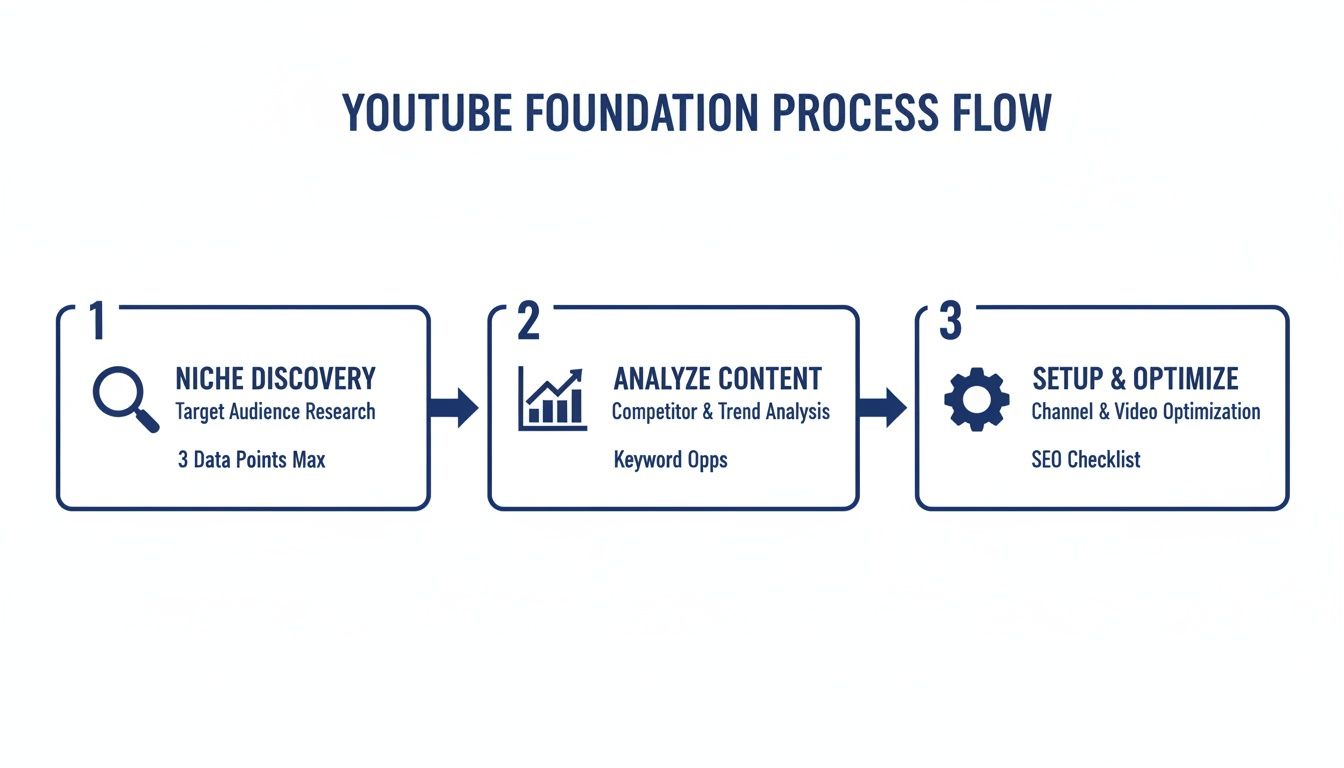
This simple flow really highlights how a methodical approach is the key to building a channel that consistently earns views. It's about moving from a big idea to a sharp, specific execution.
Optimize Your Channel for Success
Finally, let's nail down the essential but often-overlooked channel setup details. These technical bits and pieces signal to the YouTube algorithm that you're a serious creator, which can directly impact how often your content gets recommended.
Here are the key setup tasks you can't afford to skip:
- Channel Verification: This is a no-brainer. Verifying your account with a phone number unlocks crucial features like uploading videos longer than 15 minutes, creating custom thumbnails (a must!), and live streaming.
- Complete Your "About" Page: Don't leave this blank! Write a keyword-rich description of your channel. Tell people who you are, what kind of content you create, and who it's for. This helps both viewers and YouTube's algorithm understand what your channel is all about.
- Create a Channel Trailer: A short, punchy trailer is your elevator pitch. It can quickly convert curious visitors into subscribers by giving them an exciting preview of what to expect.
- Organize with Playlists: Grouping your videos into logical playlists is one of the easiest ways to encourage binge-watching. This increases your channel's session time, which is a powerful signal to the algorithm.
Think of this whole process as calibrating your channel for success from day one. Once your groundwork is solid, you'll also need a smart upload schedule. If you want to dive deeper, you might be interested in learning about the https://postsyncer.com/blog/best-time-to-upload-video-on-youtube to give your videos the best possible start. With this foundation in place, every single video you publish will have a clear purpose and a much higher chance of connecting with the right audience.
Mastering YouTube SEO to Rank Higher and Get Discovered
Getting views on YouTube starts with a simple premise: people have to find your video first. While a killer video idea is the heart of your content, YouTube SEO is the circulatory system that pumps it out to a massive audience.
Here's the thing: YouTube isn't just a video-sharing site. It's the second-largest search engine in the world. When you start treating it that way, you can make the algorithm your best friend instead of your biggest enemy. This all comes down to optimizing your video’s metadata—the title, description, and tags—to match what real people are searching for.
Optimizing your content isn’t about trying to game the system. It’s about giving YouTube clear, powerful signals that help it connect your video with the exact people who will get the most value from it. And that process begins way before you even think about hitting "upload."
Uncovering What Your Audience Is Searching For
The entire foundation of good YouTube SEO is solid keyword research. You need to crawl inside your audience's head and figure out the exact words and phrases they're typing into that search bar. Don't guess. Use data.
A fantastic, and often overlooked, starting point is the YouTube search bar itself. Just start typing a broad topic related to your video and watch the autocomplete suggestions roll in. These aren't random guesses; they are real, popular searches that people are making right now.
- For example: If your video is about baking sourdough, type in "how to make sourdough." You'll immediately see suggestions like "how to make sourdough starter from scratch," "how to make sourdough bread for beginners," and "how to make sourdough bread without a dutch oven."
These phrases are gold. They're specific, high-intent keywords you can build your entire video strategy around. Targeting a more niche, long-tail keyword like "sourdough for beginners" gives you a much better chance of ranking quickly compared to a hyper-competitive term like just "baking."
Writing Titles and Descriptions That Rank
Got your primary keyword? Great. Now it's time to craft a title that’s both discoverable and ridiculously clickable. Your title has two jobs: appeal to the algorithm and grab a human's attention.
A simple formula that works wonders is: Primary Keyword + Compelling Benefit or Hook. This structure makes your video findable while sparking enough curiosity to earn the click. So, instead of a boring "Sourdough Bread Recipe," go for something like "Easy Sourdough for Beginners // NO Kneading Required!"
Your description is your next most powerful SEO weapon. Please, don't just write a single sentence and call it a day. Think of it as a mini-blog post for your video, aiming for a detailed 200-300 words.
- Make sure your primary keyword appears within the first 25 words.
- Use timestamps to break up the video. This helps viewers find what they need and can even create "key moment" links directly in Google search results.
- Naturally weave in related keywords and phrases throughout the text.
- Don't forget to add links to your social profiles, other videos, or relevant products.
This level of detail gives YouTube a ton of rich context, dramatically increasing its ability to understand what your video is about and rank it for a wider range of search terms.
Before you publish, it helps to run through a quick checklist to make sure all your SEO elements are in place.
YouTube SEO Elements Checklist
| SEO Element | Best Practice | Why It Matters |
|---|---|---|
| Video Title | Include the main keyword. Add a benefit or hook. Keep it under 60 characters. | Grabs attention in search results and tells the algorithm the video's main topic. |
| Description | Write 200-300 words. Place the main keyword in the first 25 words. Add timestamps and links. | Provides deep context for the algorithm and valuable information for viewers. |
| Tags | Use a mix of specific, broad, and channel tags (10-15 total). | Helps YouTube categorize your video and show it in suggested feeds. |
| Thumbnail | High-contrast, clear text, expressive face. Consistent with your brand. | The #1 factor influencing click-through rate. A bad thumbnail kills a great video. |
| Spoken Keywords | Say your main keyword within the first 30 seconds of the video. | YouTube transcribes your audio, using spoken words as another ranking signal. |
Following this checklist for every video ensures you're not leaving any "SEO juice" on the table.
Using Tags to Expand Your Reach
Finally, let's talk about video tags. While they aren't as critical as they once were, tags still help YouTube categorize your content and, more importantly, surface it in the "suggested videos" sidebar next to similar content. The best approach is to use a healthy mix of tag types. To speed this up, a quality YouTube tags generator tool can give you a ton of great ideas.
For creators who also run a blog or website alongside their channel, integrating your SEO efforts can be huge. Tools like the Rank Math SEO plugin help you optimize your written content to complement your video strategy.
Here’s a simple tagging framework to use for every video:
- Specific Tags: Start with your primary keyword and a few close variations (e.g., "how to make sourdough bread for beginners," "beginner sourdough recipe").
- Broad Tags: Add more general tags that describe the overall category (e.g., "baking," "bread recipe," "home cooking").
- Channel Tags: Always include tags with your channel name to help YouTube recommend your own videos next to each other, encouraging binge-watching.
By putting these fundamental SEO pieces together, you stop hoping for views and start building a clear, repeatable system that helps your ideal audience find you every single time.
Creating Thumbnails and Titles That Compel Clicks
Think of the YouTube homepage as the world's most crowded billboard. In that sea of content, your thumbnail and title are your entire sales pitch, and you have less than a second to make it count.
Before anyone hears a single word you say, they’ve already made a snap judgment. If they don't click, the rest of your hard work is for nothing.
This duo is the single biggest factor driving your click-through rate (CTR), a metric YouTube's algorithm watches like a hawk. A high CTR signals to YouTube that people find your video irresistible, which is a massive win in the quest for more views.
The Psychology of a Great Thumbnail
A killer thumbnail isn't just a pretty picture; it's a visual hook designed to spark intense curiosity. The goal is to make a viewer feel like they have to click to see what's inside.
Forget trying to create a complex masterpiece. The best-performing thumbnails are often brutally simple, focusing on a few core elements to stop the scroll.
From my experience, these are the components that work time and time again:
- Expressive Faces: Our brains are hardwired to connect with faces, especially ones showing strong emotions like shock, joy, or confusion. It creates an instant emotional connection.
- High Contrast and Bold Colors: Your thumbnail needs to pop, whether someone is in dark mode on their phone or light mode on a desktop. Use bright, contrasting colors to cut through the visual noise.
- A Clear Focal Point: What's the one thing you want the viewer to lock onto? Whether it’s your face, a product, or a wild outcome, make sure the eye is drawn to a single, obvious spot.
- Minimal, Punchy Text: If you add text, keep it to three or four powerful words. Use a bold, clean font that’s legible even on a tiny mobile screen.
Crafting Titles That Create a "Curiosity Gap"
Your title and thumbnail need to work together like a one-two punch. The thumbnail grabs their attention, and the title provides the context that makes them need an answer.
For example, a title like "I Tried the World's Spiciest Noodle" is decent. But pair that with a thumbnail of your face, beet red and sweating, with a giant arrow pointing at the bowl? Now you've created a micro-story. The viewer sees the dramatic effect before they know the cause, and they click to connect the dots.
Key Takeaway: Stop describing your video. Instead, your title and thumbnail should ask a question that the video promises to answer. The thumbnail shows the "what," and the title hints at the "why" or "how."
This synergy is everything. In a world where the average video length is 11.7 minutes, getting that initial click is the whole game. A well-optimized thumbnail and title combo can boost click-through rates by up to 30%—a massive advantage when you're competing against billions of videos. You can even see what’s catching fire right now by checking out what's new and trending on YouTube's official trends site.
Testing Your Way to Higher Clicks
Never assume you know what your audience wants to click on. The only real way to know is to test your ideas and let the data guide you.
For your next video, try making two completely different thumbnails.
- Version A: A close-up shot of your face showing a powerful, clear emotion.
- Version B: A graphic-heavy design that focuses on the final result or an object from the video.
Publish your video with Version A as the thumbnail. Wait 24 hours, then dive into your YouTube Analytics and check the click-through rate. After that, swap it out for Version B and give it another 24 hours.
Compare the CTRs. This simple A/B test is pure gold. It gives you invaluable, real-world data about what grabs your specific audience, helping you make smarter decisions that get you more views over time.
Using YouTube Shorts to Fuel Explosive Audience Growth
Short-form video has completely flipped the script on content, and if you're not using YouTube Shorts, you're leaving a massive opportunity on the table. It’s no longer just a fun trend; it's a core strategy for getting your channel in front of a huge, scroll-hungry audience.
Unlike your traditional long-form videos that ask for a real commitment from the viewer, Shorts are all about rapid-fire consumption. This is your chance to reach people who have never even heard of your channel. Think of Shorts as the perfect appetizer—they're the top-of-funnel discovery tool that gets viewers hooked and hungry for your main course.
The secret sauce is understanding the Shorts algorithm. It's built for speed and rewards quick engagement like watch-through rate and shares. Your video has to snatch attention in the very first second to stop the scroll.
Creating Shorts That Capture Attention
Making a killer Short is a totally different beast than producing a 10-minute deep dive. The pacing is frantic, the energy is high, and your message has to land immediately. There is zero room for a slow build-up.
A great hook isn't just important; it's everything. Kick things off with a bold statement, a surprising visual, or a question that makes someone stop and think, "Wait, what?" The goal is to make them feel like they have to see how it ends.
Here are a few ideas that work like a charm for the Shorts format:
- Quick Tips & Hacks: Pull one golden nugget of info from a longer video and serve it up as a punchy, 30-second tip.
- Behind-the-Scenes Clips: Show off your personality and give a peek into your process. This is how you build a real connection.
- Trending Challenges & Audio: Jumping on trends is a fast track to discovery. You get to ride the wave of what people are already looking for.
- Myth-Busting: Find a common misconception in your niche and tear it down in 15 seconds. These are incredibly shareable.
Your Shorts need to feel like they belong on a phone. That means bold, easy-to-read text on the screen and keeping the energy high from start to finish.
Repurposing Content the Smart Way
One of the most efficient ways to keep the Shorts algorithm happy is by repurposing clips from your existing long-form videos. This creates a powerful feedback loop where your main videos and your Shorts are constantly promoting each other.
Don't just slice out a random segment, though. You need to hunt for the "golden moments" in your videos—the biggest laugh, the most shocking reveal, or that one killer piece of advice. Those are the moments destined to become a compelling Short.
A huge pro-tip: when you create a Short from a longer video, always add a clear call-to-action that points viewers back to the full piece. A simple text overlay like "Full tutorial in my latest video!" can drive a ton of traffic back to your primary content.
This is how you get more views on your main videos while simultaneously feeding a new audience through the Shorts shelf. For a step-by-step on how to do this efficiently, check out our guide on how to take clips from YouTube videos—it'll streamline your whole workflow. You're essentially leaving breadcrumbs for new viewers, guiding them from a quick discovery to becoming a loyal part of your community.
Scheduling and Analyzing Your Shorts Performance
Consistency is the name of the game with Shorts. To keep up a steady stream of content without completely burning out, a scheduling tool is a non-negotiable. It helps you publish your content when your audience is actually awake and scrolling.
To really squeeze the most juice out of your efforts, you need to post when people are watching. That’s where tools like PostSyncer come in handy, letting you auto-optimize your schedule based on when your audience is most active on their phones. In a world where 62% of U.S. users (and 1.5 billion globally) are on YouTube daily, smart scheduling is what separates the pros from the amateurs.
But don't just set it and forget it. Dive into your analytics. See which Shorts pop off and which ones fall flat. This data tells you exactly what your audience wants, so you can double down on what works and get more views without all the guesswork. For a better sense of how data drives growth, take a look at these eye-opening YouTube statistics.
By combining fast-paced, engaging videos with smart repurposing and data-backed scheduling, you can turn YouTube Shorts into a powerful engine for explosive channel growth.
Boosting Audience Retention to Keep Viewers Watching Longer
Getting someone to click your thumbnail is a huge win, but honestly, that's only half the battle. If viewers bail in the first few seconds, you’ve just sent a terrible signal to the YouTube algorithm: your video didn't live up to its promise. This is where audience retention becomes your most important metric for real, sustainable channel growth.
High retention tells YouTube one simple, powerful thing: "People who click this video actually like this video." When the algorithm sees viewers sticking around, it starts pushing your content to a much wider audience, way beyond your subscribers. This is how you break out of the hundreds of views and into the thousands.
It all comes down to holding attention. Your job is to create a viewing experience so engaging that clicking away feels like they're going to miss out on something important.
Master the First 15 Seconds
You have an incredibly small window to convince a new viewer they've made the right choice. The first 15 seconds of your video are absolutely make-or-break. Treat them like the most valuable real estate you own.
This is your hook. You have to immediately confirm that you're going to deliver on the promise of your title and thumbnail. Forget the long, animated intros or vague, rambling welcomes. Get straight to the value.
For example, if your video is titled "How to Bake the Perfect Sourdough Loaf," don't start with a five-minute history of bread. Show them a shot of a gorgeous, perfectly baked loaf and say, "In the next ten minutes, I'm going to show you the three secrets to getting a crust just like this, even if you're a total beginner."
Keep the Momentum with Pattern Interrupts
Once you've hooked them, the next challenge is keeping them engaged for the entire video. The human brain is wired for novelty, and watching a static shot of someone talking for minutes on end is a recipe for boredom—and a quick click away.
This is where pattern interrupts come into play. These are just small, strategic changes in your video's flow that constantly reset the viewer's attention. It's surprisingly effective.
Here are a few simple but powerful pattern interrupts you can start using right away:
- Quick Zooms: A subtle punch-in on your face when you’re making an important point adds a ton of visual energy.
- B-Roll and Cutaways: Instead of just talking about something, show it. If you mention a piece of software, cut away to a screen recording of it in action.
- On-Screen Text & Graphics: Use text overlays to highlight key takeaways or important numbers. Simple graphics can break up the visual monotony and drive your point home.
These don't need to be complicated or fancy. The goal is just to introduce a new visual or auditory element every 10-20 seconds to keep the viewer’s brain actively locked in.
Use Analytics to Pinpoint Drop-Off Points
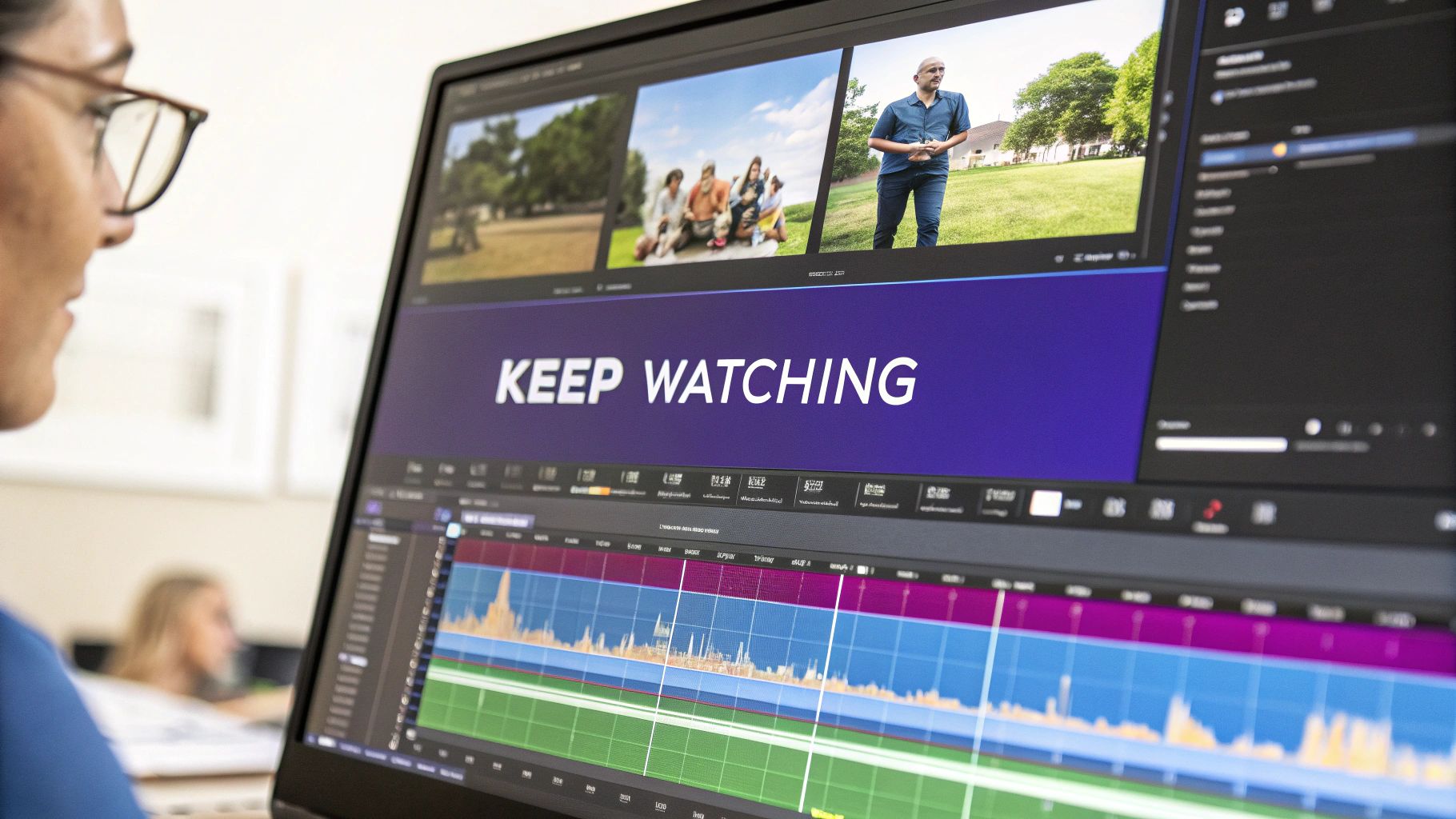
Your best teacher for improving audience retention is your own data. YouTube Analytics gives you a detailed graph for every single video, showing you the exact moments where viewers are losing interest and leaving.
Go into YouTube Studio, click on a specific video, and head to the "Engagement" tab. The audience retention graph there is a goldmine. Look for the sharp dips—those are the problem spots you need to analyze.
Did you spend too long on one point? Was there a confusing explanation or just a boring visual? Identifying these drop-off points is like getting a free roadmap for what to fix. You can see precisely what isn't working, which lets you refine your editing and storytelling for every video you make from now on.
By obsessing over those first few seconds, keeping the energy up with smart edits, and learning from your analytics, you can dramatically improve your audience retention. This not only makes your current subscribers happy but also proves to YouTube that your content is worth promoting—the real key to getting more views.
Going Live to Build Community and Drive Viewership
If you're only uploading pre-recorded videos, you're missing out on a massive opportunity. Going live on YouTube offers a raw, unfiltered way to connect with your audience in real-time, and honestly, it’s one of the best ways to turn casual subscribers into a loyal community.
Think about it. A live stream creates a sense of urgency and exclusivity. Your viewers get to hang out with you, ask questions, and be part of a shared experience. This isn't a one-way broadcast; it's a two-way conversation, and that direct engagement builds a connection that a polished, edited video just can't replicate.
Content Ideas for Engaging Live Streams
Of course, not everything works for a live format. The best ideas are the ones that feed off audience participation and have that spark of spontaneity.
- Interactive Q&As: This is the easiest and often the most effective live stream you can do. Let your audience pick your brain. It provides immediate value and shows you’re actually listening to them.
- Behind-the-Scenes Workshops: Pull back the curtain and show people your process. Whether you’re editing your next video, sketching a design, or mapping out content ideas, this kind of transparency builds serious trust.
- Collaborative Sessions: Team up with another creator in your niche and go live together. You get to tap into their audience, they get to tap into yours, and the dynamic between two people often creates much more engaging content.
And the numbers don't lie. Live streaming is a huge deal on YouTube, pulling in over 5 billion watch hours in key months and grabbing a bigger audience share than traditional cable TV. It's especially powerful for reaching younger viewers, with 42% of viewers aged 18-34 tuning in. You can dig into more of these numbers in these eye-opening YouTube live streaming statistics.
The magic of live streaming is its immediacy. It transforms your channel from a one-way broadcast into a two-way dialogue, which is essential for long-term community building and getting more views on YouTube.
To make sure people actually show up, you need to promote your stream ahead of time. Post about it on all your socials. Schedule it on YouTube so it shows up on your channel with a simple thumbnail and title to build some anticipation.
And once the stream is over, don't just let that content die. Go back through the recording and find the best moments—a fantastic answer to a question, a hilarious interaction, or a key insight. Chop those up into shareable clips or Shorts to squeeze every last drop of value out of your live session and pull in even more viewers.
Of course. Here is the rewritten section, designed to sound like an experienced human expert and match the provided examples.
Your Top Questions About Getting More YouTube Views, Answered
As you get deeper into growing your channel, a lot of questions start to pop up. I get it. I’ve been there. Let’s tackle some of the most common ones I hear from creators who are trying to break through.
How Long Does It Really Take to Get More Views on YouTube?
This is the big one, and I'll be straight with you: YouTube is a marathon, not a sprint. While you might see a video get lucky and take off overnight, real, sustainable growth usually takes about 6 to 12 months of consistent work. That means uploading quality videos regularly, nailing your SEO, and actually talking to the people who leave comments.
Consistency is the name of the game. Dropping one incredible video every few months just doesn't build the same momentum as posting solid, reliable content on a schedule. You’re building a relationship with both your audience and the algorithm.
Think of your first year as building a library. Every single video is another entry point, another chance for someone to find you. The more quality assets you have in that library, the faster your overall views will climb.
Help! Why Did My YouTube Views Suddenly Drop?
First off, don't panic. A sudden dip in views is super common, and it can be jarring. Often, it's just seasonal. Think about it—viewership naturally slows down during major holidays or in the summer when everyone's trying to get outside.
Lately, though, there's been another culprit: changes in how YouTube counts views, especially from people using ad-blockers. A ton of creators have seen their view counts drop while their likes, comments, and even revenue hold steady. This is a huge clue that the audience is still watching; the numbers are just being reported differently.
If you see a drop, look at your other engagement signals before you change your whole strategy:
- Likes and Comments: Are people still interacting at the same rate?
- Audience Retention: Is your average view duration holding up?
If those metrics look normal, the dip is probably due to things outside of your control, not a problem with your content.
Does Deleting Old Videos Hurt My Channel?
As a general rule, try to avoid hitting that delete button. I know it's tempting, especially if a video feels dated or has low views. But even that underperforming video contributes to your channel's total watch time and could randomly get discovered by a new audience years from now. When you delete it, you lose that asset forever.
The only time I’d ever consider deleting a video is if it contains dangerously outdated information or completely misrepresents what your brand is about today. Even then, a better move is usually to just un-list it. This pulls it from public view and search, but it keeps the watch time data and lets you share it with a direct link if you ever need to.
Ready to stop guessing and start growing? PostSyncer's AI-powered scheduling and analytics tools help you post at the perfect time and understand what content drives views. Streamline your workflow and make data-driven decisions by visiting https://postsyncer.com to start your free trial.



