











We've all been there. You schedule a post, think you're ahead of the game, and then... you can't find it. A last-minute typo needs fixing, or maybe you need to shift the time, but the post is nowhere to be seen. It’s a common, frustrating part of social media management.
The good news? Your content isn't lost in the digital ether. It's just tucked away in one of three places, depending on how you scheduled it in the first place. You can find your scheduled Instagram content:
- Within the Instagram app itself (if you have a Professional account).
- Inside the Planner in Meta Business Suite.
- On the dashboard of whatever third-party scheduling tool you used.
Think of it this way: each scheduling method creates its own little content silo. A post scheduled in Buffer won't show up in Meta's Planner, and a post scheduled in the Instagram app won't appear in your Hootsuite calendar.
Your Quick Guide to Finding Scheduled Instagram Posts
Knowing where to look saves a ton of time and helps you avoid those mini panic attacks when a post seems to have vanished.
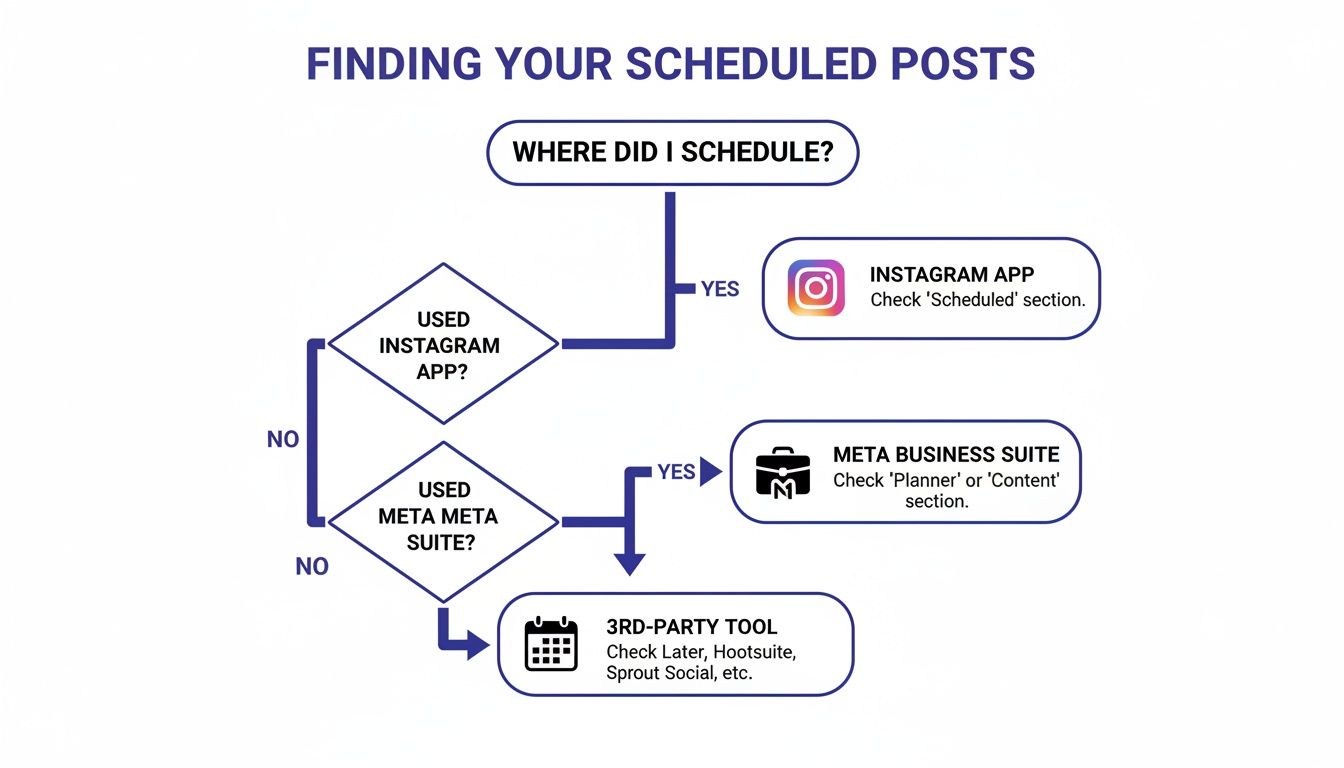
This decision tree gives you a quick visual path. Start with the tool you used to schedule, and you'll find your post waiting for you.
To simplify this even further, here's a quick comparison of your options for viewing that scheduled content.
Where to Find Your Scheduled Posts: A Quick Comparison
| Method | Best For | Key Features | Limitations |
|---|---|---|---|
| Instagram App | Quick, on-the-go edits and checks directly from your phone. | • Mobile-first access • Simple interface • Great for last-minute changes |
• Only shows posts scheduled within the app • Limited to Professional accounts |
| Meta Business Suite | Managing both Instagram and Facebook content in a unified calendar. | • Visual calendar view • Manages posts, Stories, and Reels • Cross-platform planning |
• Can feel clunky on mobile • Doesn't show posts from third-party tools |
| Third-Party Schedulers | Centralizing your entire social media workflow across multiple platforms. | • A single dashboard for all channels • Advanced features (e.g., content recycling) • Team collaboration options |
• Subscription cost • Only shows posts scheduled within that specific tool |
Ultimately, the best way to keep your content calendar organized is to choose one primary tool and stick with it. If you're looking for a deeper dive into the mechanics, check out our guide on how to schedule posts on social media. Picking the right workflow from the start is the secret to never losing track of a post again.
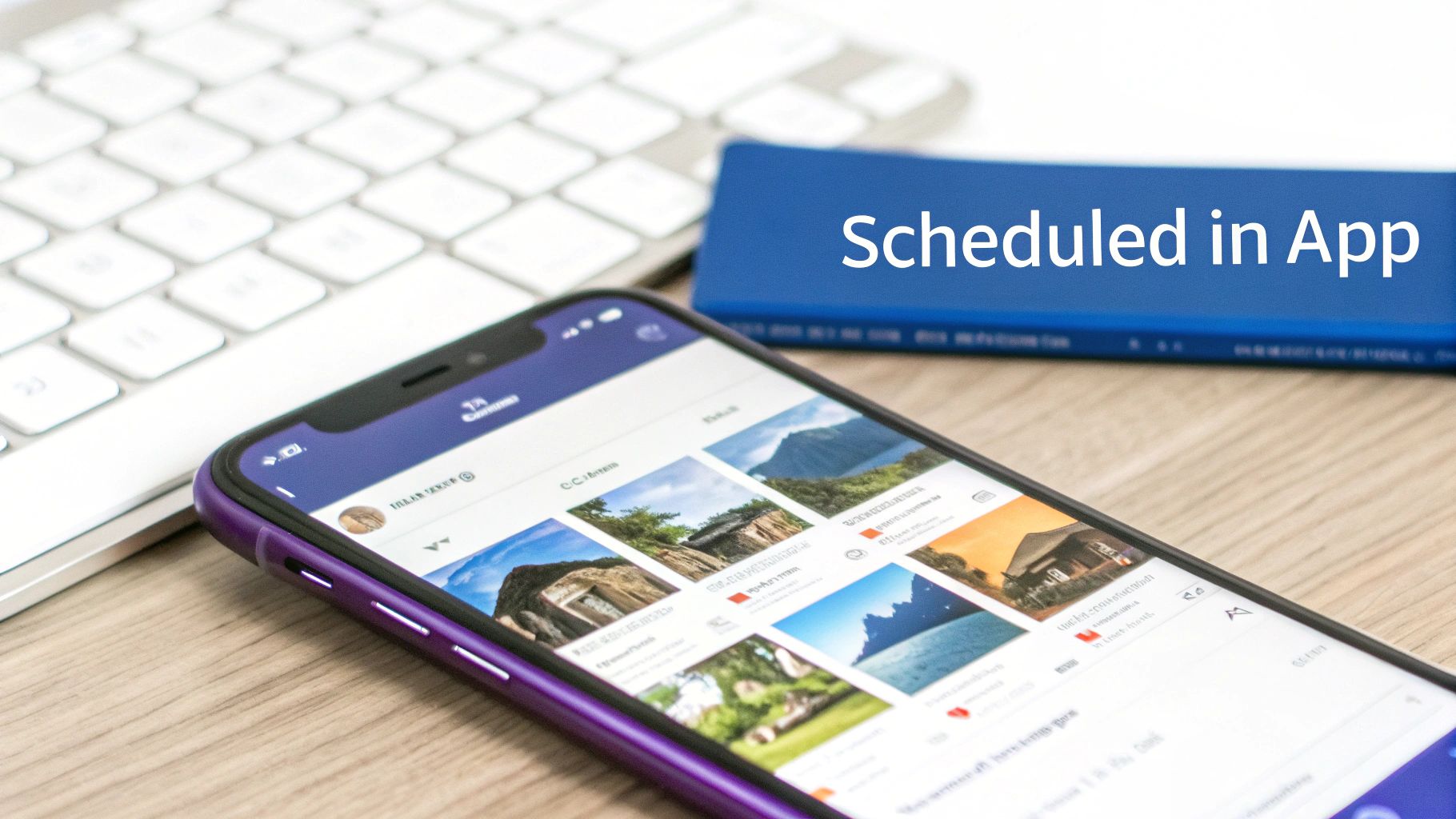
Viewing Scheduled Content Directly in the Instagram App
For creators and brands who live on their phones, Instagram’s native scheduling feature is a lifesaver. It’s perfect for queuing up content right after you’ve finished editing a Reel or photo, without ever having to jump over to a desktop.
But finding those scheduled posts later? That’s not always so obvious.
The ability to see scheduled posts on Instagram is a fantastic tool, but it's tucked away and only available for Business or Creator accounts. If you’re still using a Personal profile, you just won’t see the option.
Navigating to Your Scheduled Content
Once you know where to look, finding your content lineup is a breeze. It’s clearly designed for quick, on-the-go tweaks—perfect for when you spot a typo in a caption or want to shift a post to a more optimal time.
Here's how to get there:
- First, tap the plus (+) icon at the bottom of your screen, just like you’re about to create a new post.
- On the New Post screen, look for the hamburger menu icon (three horizontal lines) in the top-right corner and tap it.
- A small menu will pop up. Select “Scheduled content.”
And that's it. This screen is your command center for everything you’ve scheduled right inside the app. You'll see a clean list of all your upcoming posts and Reels, each showing its publish date and time. From here, you can tap into any of them to make edits.
My Two Cents: Previewing your scheduled posts here is a massive advantage. You get to see exactly how the post will look in the Instagram feed, which helps you catch any weird formatting and make sure your grid aesthetic stays on point before it goes live.
This feature, which Instagram rolled out in late 2022, was a big deal. It lets Professional accounts plan up to 25 posts per day and schedule content as far as 75 days out. That’s a pretty solid native tool for anyone trying to manage their content calendar without leaving the app. If you want to dig deeper into the specifics, you can find more details about scheduling on Instagram straight from the source.
Using Meta Business Suite to Manage Your Content Calendar
If you're juggling both Instagram and Facebook for your brand, you know the struggle of keeping things aligned. This is where Meta Business Suite becomes your command center. It gives you a much wider, more strategic view than what you can see in the Instagram app alone, putting all your scheduled content into a proper, interactive calendar.
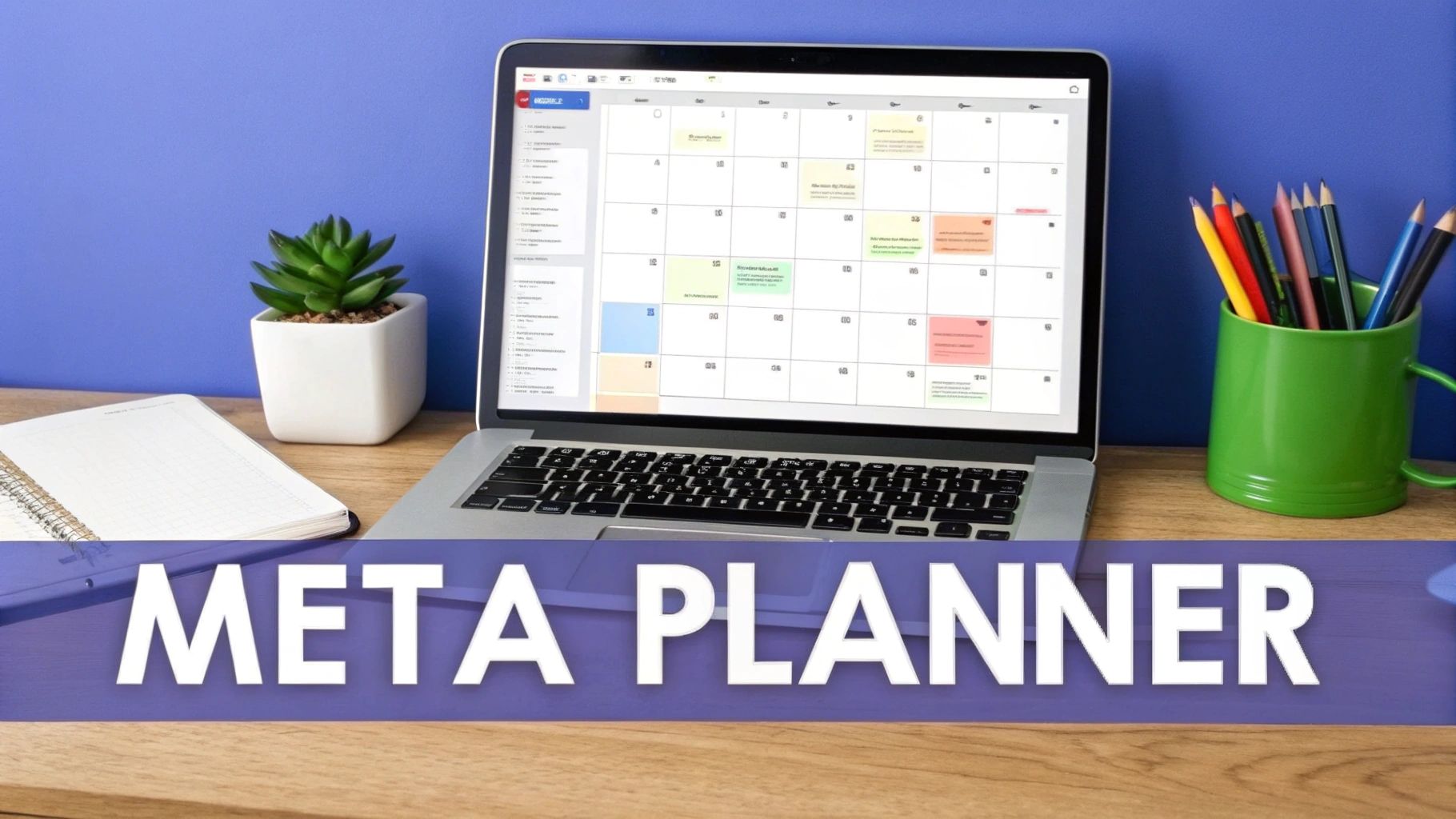
Forget a simple list of upcoming posts. The Suite’s “Planner” tab is all about giving you that bird's-eye view of your entire content strategy. You can actually see the rhythm and flow of your publishing schedule across both platforms, knowing exactly what’s going live and when.
This centralized hub is a lifesaver for preventing content clashes and making sure your campaigns are perfectly synced. Imagine running a week-long promotion—seeing every single scheduled post in one place is the only way to guarantee your messaging stays consistent and lands at just the right time.
Finding and Filtering Your Content
Getting to your scheduled posts in the Business Suite is a piece of cake. Once you're logged in, just look for the "Planner" or "Content" tab over in the left-hand menu. Clicking on it opens up your calendar, already populated with every single post, Reel, and Story you've got in the pipeline.
But the real magic is in the filtering options. This is how you cut through the noise and find exactly what you're looking for, fast.
- Filter by Platform: Need to focus just on Instagram? One click. Want to see how your IG posts look next to your Facebook content? Easy.
- Filter by Content Type: You can instantly pull up all your scheduled Reels or just your upcoming Stories to double-check the flow.
- Filter by Status: This is key. Isolate only your "Scheduled" posts to separate them from drafts or things you've already published.
This level of control is a massive time-saver. Instead of scrolling for days, you can find that specific Instagram Reel scheduled for next Tuesday in just two clicks. It turns what could be a messy calendar into an organized, actionable plan.
The Business Suite isn’t just for looking, either. You can drag and drop posts to new dates, duplicate a high-performing post to tweak it for Facebook, or spot gaps in your content plan that need to be filled. This is where you graduate from just scheduling to true strategic content planning, ensuring you have a balanced and effective presence online.
Hunting Down Your Posts in Third-Party Scheduling Tools
While Instagram's own scheduling features are handy in a pinch, any serious social media manager knows that dedicated third-party platforms are the real workhorses. These tools are much more than simple schedulers; they’re the command center for your entire content strategy, giving you a bird's-eye view of everything in your pipeline.
This is where the native apps fall short. A powerful Instagram scheduler like PostSyncer gives you a single, visual calendar for all your platforms. It's one thing to schedule an Instagram post, but it's another to see exactly how it lines up with your upcoming TikTok videos, LinkedIn articles, and Facebook updates. This complete picture is what helps you build a truly balanced and strategic content mix.
This integrated approach is also critical if you're trying to post more often—a key driver of account growth. A detailed Buffer analysis of over two million posts found that accounts posting at least 10 times a week saw 0.66% follower growth. More importantly, that activity earned them 24% more reach per post compared to those who posted less.
How to Navigate a Third-Party Calendar
Every platform has its own unique layout, but the core experience is almost always built around a visual content calendar. To track down your scheduled Instagram posts, you'll usually start by clicking into the main "Calendar" or "Publisher" section of your tool.
From there, the real power comes from the filters. You can slice and dice your view to find exactly what you need:
- Filter by Social Profile: This is a lifesaver for agencies. You can instantly isolate the view to show content for just one specific Instagram account instead of digging through a dozen client calendars.
- Filter by Campaign or Label: Got a big launch coming up? Grouping posts by a campaign tag like "Summer Sale" lets you see how the entire initiative is set to roll out over the coming weeks.
- Filter by Content Status: Quickly toggle between your Scheduled, Draft, and already Published posts to manage your entire workflow in one place.
The big win here is context. When you see your scheduled Instagram content on a multi-platform calendar, you immediately spot potential problems—like accidentally pushing the same exact message to every channel at once. This perspective helps you avoid audience fatigue and makes each post feel native to its platform. It’s the difference between just filling slots and actually executing a thoughtful strategy.
Why a Centralized View of Your Scheduled Posts Is a Game-Changer
Knowing how to find your scheduled posts is one thing. Understanding why seeing them all in one place is so important is what will really level up your social media game. When your content calendar is fragmented across different apps and platforms, you're essentially flying blind.
A centralized view turns that chaos into clarity, giving you full control over your brand’s story.
This isn't just about making life easier; it's about executing a smarter strategy. Think about an e-commerce brand gearing up for a big product launch. A single dashboard showing their scheduled Instagram Reels, Facebook announcements, and TikTok teasers ensures every post drops at the perfect moment. It creates a cohesive, high-impact campaign instead of a messy, disjointed one.
For agencies juggling multiple clients, this unified perspective is absolutely non-negotiable. Trying to manage ten different content calendars without a central hub is a recipe for disaster. It leads to embarrassing post overlaps, inconsistent messaging, and a ton of missed opportunities.
Unlock Some Serious Strategic Advantages
Having a single, unified calendar does a lot more than just show you what’s coming up. It lets you spot content gaps before they become a problem, prevent your audience from getting tired of the same old message, and maintain a consistent brand voice everywhere you post. This bird's-eye view is the foundation for building a truly solid online presence.
This is where the real power lies:
- Catching Mistakes Before They Happen: You can instantly see if you've accidentally scheduled a lighthearted meme right after a serious company announcement, avoiding that awkward tonal whiplash.
- Keeping Everything Consistent: It guarantees your brand’s voice and visuals stay coherent, whether you’re posting a Story on Instagram or an article on LinkedIn.
- Nailing Your Timing: Advanced tools like PostSyncer can even analyze your entire schedule—across all platforms—to suggest the absolute best times to post based on holistic engagement data, not just what Instagram tells you.
The goal is to move beyond simply filling slots on a calendar. Centralized visibility helps you craft a deliberate content journey for your audience, making every post part of a larger, more effective strategy.
At the end of the day, having a clear, organized content plan is fundamental. For a detailed walkthrough on setting up your own workflow, check out our guide on how to create a social media calendar that actually drives results. This organized approach is what connects the dots between seeing your schedule and achieving your marketing goals.
Got Questions? We've Got Answers
Even with the best planning, content scheduling can throw you a curveball. Let's tackle some of the most common questions and roadblocks that pop up when you're trying to find and manage your scheduled Instagram posts.
"Why Can't I See My Scheduled Posts in the Instagram App?"
This is a classic, and the answer is usually pretty simple. If you're hunting for the "Scheduled Content" option in your Instagram app and coming up empty, it’s almost always because you're using a Personal account.
This feature is reserved for Business and Creator accounts, which come with a whole suite of professional tools. The fix takes less than a minute: just pop into your settings and switch your profile over to a Professional Account. Once you've done that, the option to see and manage your natively scheduled posts should be right where it's supposed to be.
"Can I Edit a Post After I've Scheduled It?"
Absolutely, but how you can edit depends entirely on where you scheduled it.
Instagram App or Meta Suite: These native tools are great for quick fixes. You can easily tweak captions, update tags, change locations, or adjust the scheduled time. But if you need to swap out the actual photo or video? You’ll probably have to delete the post and start from scratch.
Third-Party Schedulers: This is where you get real flexibility. Most dedicated scheduling platforms let you edit every single part of a post—including changing the media file itself—without having to trash the whole thing and reschedule.
The bottom line is your editing power is tied to your tool. Instagram's own options are fine for minor text changes, but a robust third-party platform gives you the control needed for a dynamic content calendar and those inevitable last-minute creative pivots.
"What Happens If I Schedule Posts from Different Tools at Once?"
This is a critical point that trips up even seasoned social media managers. When you schedule content across different platforms, those systems work in total isolation from each other. They don't talk.
A post you set up in Buffer will only show up on your Buffer calendar. A Reel you scheduled in the Instagram app will only be visible in the app's "Scheduled Content" menu. There is no magical, unified queue that pulls everything together.
This is exactly why committing to a single management tool is a non-negotiable best practice. It eliminates the guesswork, prevents you from accidentally double-posting, and gives you a single source of truth for your entire content strategy. No more calendar chaos.
Stop juggling multiple calendars and start seeing your entire social media strategy in one place. With PostSyncer, you can schedule, manage, and analyze all your content from a single, intuitive dashboard. Start your free 7-day trial of PostSyncer today!



