

In January 2025, the world had approximately 5.24 billion active social-media user identities, after adding 206 million identities in 12 months, according to the DataReportal Digital 2025 Global Overview Report. Those identities aren't necessarily unique people, but the scale changes what a planner has to do. You're no longer queuing a few posts for one feed.
You're coordinating formats, captions, approvals, comments, and reporting across networks that reward different behavior. That's why social media planning apps should be judged as operating tools, not as prettier calendars. The right choice depends on your accounts, approvers, workspaces, and publishing volume, and on whether you adapt each idea for its network or copy it everywhere.
Quick Picks by Team Situation
| Team situation | Priority to rank first | Shortlist category |
|---|---|---|
| Solo creator, 1-3 accounts | Low cost and short-form video scheduling | Lightweight schedulers with free tiers |
| Small business, 2-5 networks | Shared calendar, recurring posts and comments inbox | Mid-tier schedulers with team seats |
| In-house marketing team | Approval queues, roles and brand labeling | Tools with approval workflows and permissions |
| Digital agency, many client brands | Multiple workspaces and per-client reporting | Multi-workspace platforms with separate calendars |
| E-commerce brand | Bulk scheduling, content library and launch planning | Bulk-scheduling tools with content libraries |
| Enterprise or regulated team | Single sign-on, audit logs and data terms | Enterprise suites, confirmed with the vendor |
A solo creator doesn't need multi-tier approvals. You need a simple calendar, dependable scheduling for reels and short-form video, and a price that stays low while you're testing formats. The limit is clear, because a lightweight tool usually won't give you client approvals, separate workspaces, or deep reporting later.
A small business has a different bottleneck. You're keeping several networks active with limited staff, so a shared calendar, recurring posts, and one place to handle comments matter more than advanced analytics. An in-house team needs control over who drafts, who approves, and which label marks a campaign, product line, or region. Without roles and approval queues, the calendar becomes a shared document with publishing attached.
Agencies should rank separation first. Each client needs its own accounts, calendar, assets, and exportable report, or staff will waste time untangling brands. E-commerce teams need launch capacity, which means bulk scheduling, a reusable content library, and strong support for product-led short video. Enterprise and regulated teams shouldn't start with features at all. Confirm single sign-on, audit logs, retention, and data-processing terms with the vendor before a trial.
Count the accounts, workspaces, and approvers you'll need in twelve months before comparing any feature list.
That count drives your real cost and your workflow. A missing hashtag tool is annoying. Hitting a workspace or seat limit during a client launch is expensive.
Why Multi-Network Planning Became an Operations Job
Say a small retailer posts a product photo to Instagram, a founder update to LinkedIn, a short demo to TikTok, and opening hours to Facebook. Each post needs a different crop, caption length, posting time, and follow-up. Multiply that by weekly campaigns and you've built an operations job, even if only two people do the work.
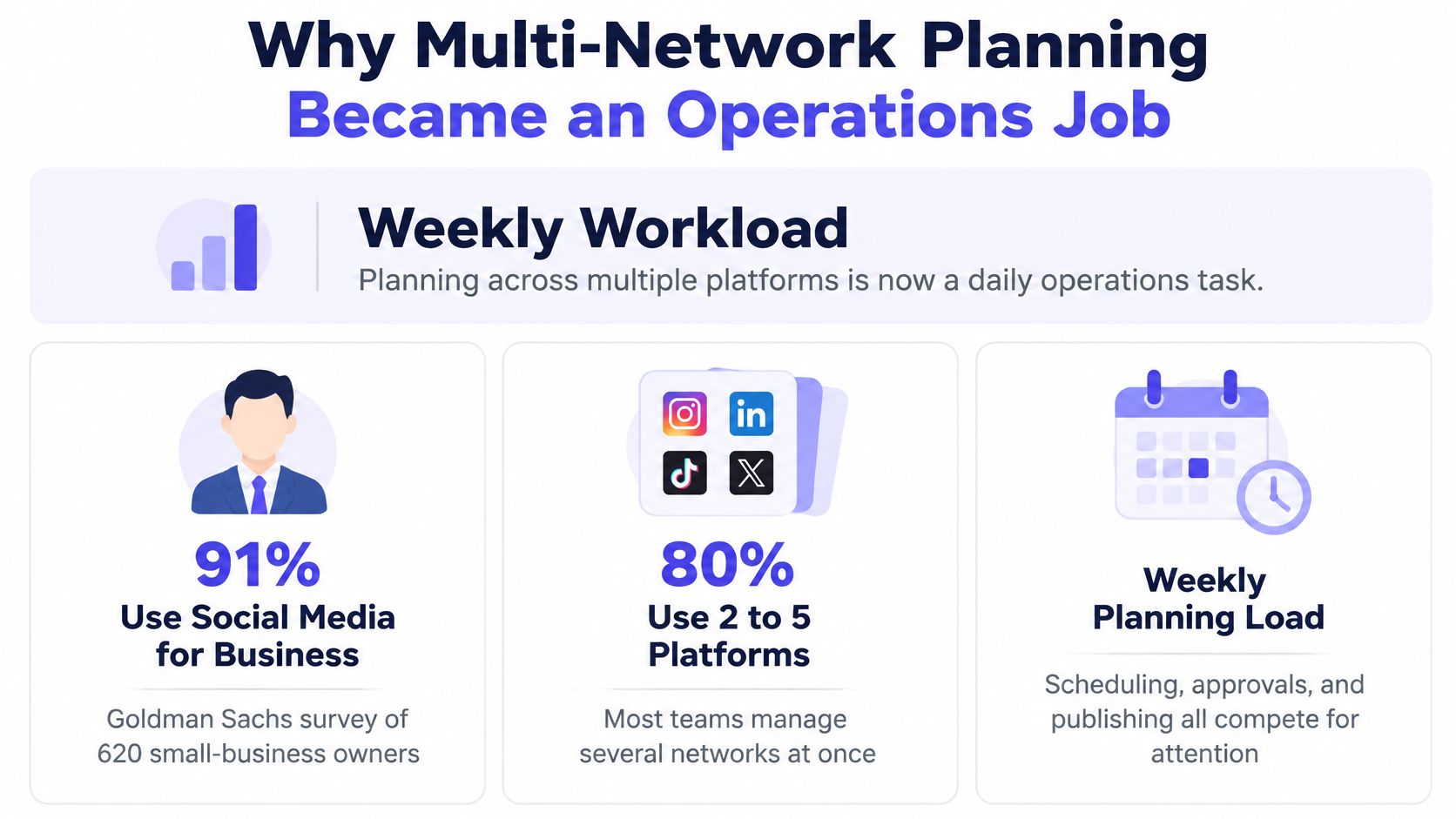
The Goldman Sachs 10,000 Small Businesses survey of 620 participating owners found that 91% used social media for business purposes. In that survey, 80% used between two and five social platforms, and 65% said they posted at least weekly on a social platform. That's a recurring production cycle, not occasional broadcasting.
Tool use has followed that load. The Brandwatch Marketer of 2025 report found that 59% of surveyed marketers said they used social media management tools in 2025. The reason isn't novelty. A planner removes repeated handoffs when it's set up around real ownership.
The Weekly Work a Planner Has to Absorb
- Ideation: collect topics, hooks, and campaign dates in one backlog.
- Format adaptation: turn one idea into a carousel, short video, text post, or pin.
- Scheduling: assign dates, times, accounts, labels, and owners.
- Approvals: route drafts to the person who can sign off.
- Publishing: send each version through the correct account connection.
- Comment handling: answer questions, hide spam, and escalate complaints.
- Review: compare results by network, format, and campaign.
A tool won't fix an undefined process. If nobody knows who approves, which accounts belong to which brand, or how often each network should publish, software just makes the confusion faster. A clear approval workflow for team publishing gives the calendar an owner and an endpoint, so drafts don't sit in chat threads.
Run a simple audit before you shop. List every network you publish on, the formats each one needs, the approver for each brand, and the hours spent weekly on scheduling, comments, and reporting. If that list shows repeated manual work across accounts, a planning app can earn its cost. If you're publishing rarely to one network, a native scheduler may be enough.
Feature Comparison Across Leading Planning Apps
| Tool | Calendar style | Approval workflow | AI repurposing | Analytics depth |
|---|---|---|---|---|
| Buffer | Queue and calendar | Approvals on team plans | AI drafting assistant | Engagement reports |
| Hootsuite | Calendar with bulk tools | Approval workflows | AI copy assistant | Deep reporting on higher tiers |
| Later | Visual grid planner | Basic team review | AI caption writer | Plan-based analytics by network |
| Planable | Collaborative calendar | Built-in client approvals | AI captions and rewrites | Basic reporting |
| Sprout Social | Calendar linked to inbox | Approval workflows | AI assistant | Advanced analytics |
| PostSyncer | Drag-and-drop visual calendar | Approval workflows and labeling | AI Content Agent and AI Video Creator | Real-time analytics by platform and timing |
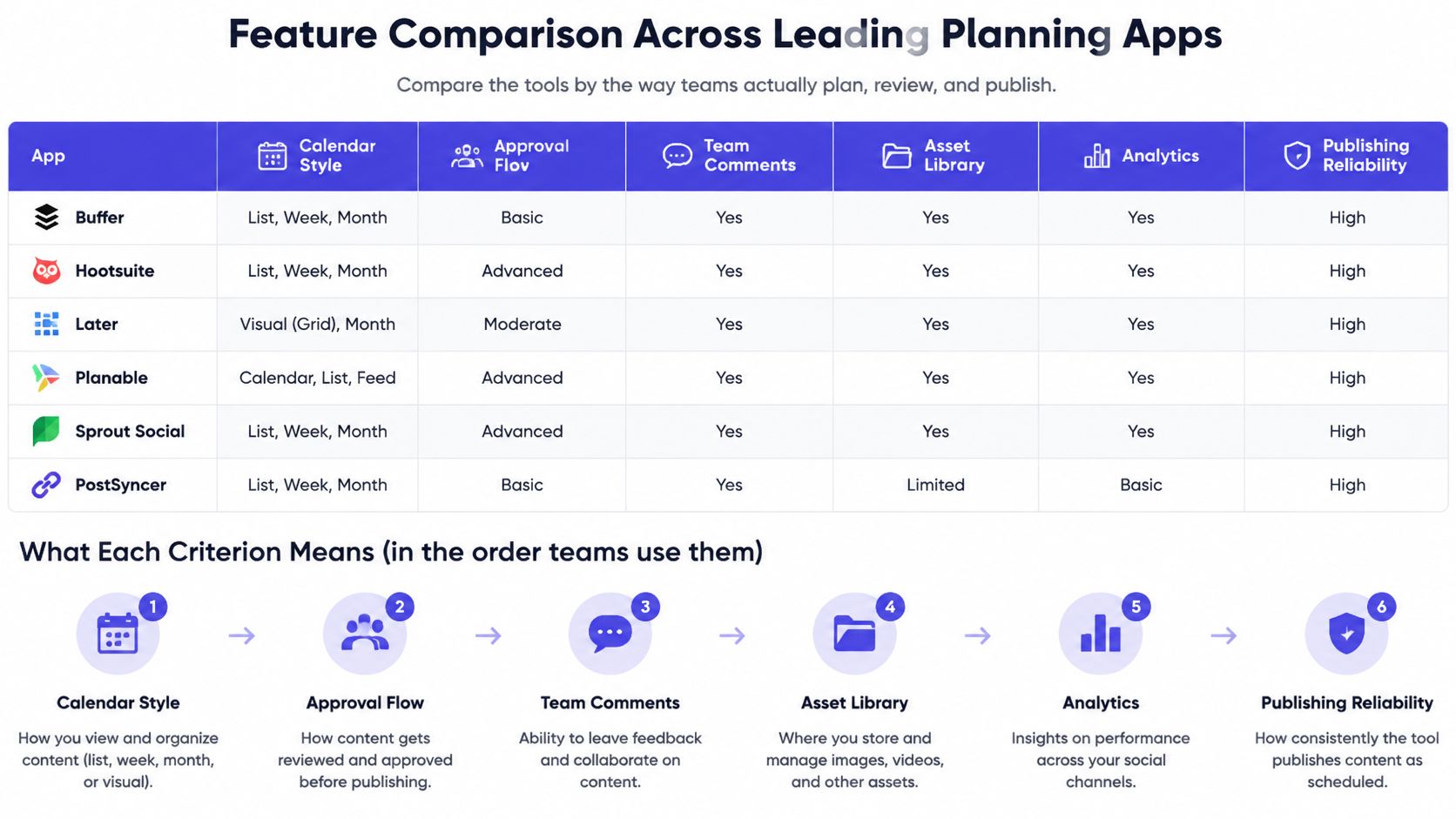
Check every cell against the vendor's current plan page before you buy. Vendors move approval, reporting, and AI features between tiers, and a feature shown in a demo may not sit in the plan you're pricing. I would score the table with your own accounts connected, because calendar speed and permissions look different under real volume.
Calendar Style Shapes the Week
A visual drag-and-drop calendar suits teams that plan in campaigns and need to spot gaps, overlaps, and launch days at a glance. A queue-based tool suits a steady rhythm, where each account has fixed slots and the next approved post fills the next opening. Neither is better in isolation. The test is whether you can move a launch, filter by label or client, and reschedule a batch without opening every post.
Visual grid planning helps brands whose Instagram or TikTok profile layout matters. It helps less when most work is text-led LinkedIn publishing or long YouTube descriptions. Ask whether the calendar shows every network together and separately, because a combined view is useful for planning, while a single-account view is where errors get caught.
Approval Workflow Only Matters When Someone Signs Off
If you publish your own posts, multi-step approval adds clicks without reducing risk. If a manager, client, legal reviewer, or franchise owner signs off, approval becomes the feature that protects the schedule. Look for required approvers, comments on the exact draft, version history, and automatic publishing after final approval.
External review matters for agencies. A client who must create an account just to approve a post will reply by email instead, and the workflow splits again. Confirm whether rejected posts return to the author with comments intact and whether approval status is visible in the calendar.
PostSyncer differentiator: Its drag-and-drop visual calendar, approval workflows, labeling, and AI Content Agent give multi-brand teams planning, review, and repurposing in one workspace.
AI Repurposing Should Create Variants, Not Copies
Judge AI by output quality per network, not by speed alone. A useful tool rewrites the hook, caption length, call to action, and format notes for TikTok, Instagram, LinkedIn, and YouTube instead of copying one paragraph into every composer. It should also keep a human in control of claims, pricing, names, and dates.
Ask where generated drafts land. If AI output bypasses approval, it creates risk. If it lands as a labeled draft with the source material attached, reviewers can check it quickly.
Analytics Depth Decides Whether Comparisons Are Fair
Basic engagement reports may be enough for a solo creator who needs to know which posts earned comments and saves. Agencies and in-house teams need exports by client, campaign, label, format, and date range. Advanced tools add competitor views, inbox performance, and custom dashboards, but those features only help if someone uses them in weekly decisions.
Score each app only on the two criteria your team uses most often. A creator might rank calendar speed and AI drafting. An agency should rank approvals and reporting. Buying for a feature you'll open once a quarter distorts the choice.
Cost Models and Team Limits to Compare
Planning apps don't price on the same unit, so the same team can receive very different bills from tools that look similar. The pricing unit matters more than the headline monthly price. Your cost follows whichever resource grows fastest in your setup, whether that's profiles, people, brands, or generated content.
| Pricing model | How costs grow | Watch for |
|---|---|---|
| Per social account | Cost rises with each connected profile | Agencies with many client brands pay quickly |
| Per seat | Cost rises with each editor or approver | Large in-house teams should count approvers |
| Per workspace | Cost rises with each separate brand or client | Match workspace limits to the client count |
| AI credits | Cost rises with generated captions and video | Check monthly caps and overage charges |
| Free tier | No cost within a limited scope | Check account and post limits before committing |
| Enterprise contract | Custom pricing by volume | Confirm single sign-on, data terms and support levels |
Worked Examples Expose the Real Unit
Say you manage 12 accounts, 3 workspaces, and 4 approvers. Under per-account pricing, adding a regional profile raises the bill even if your team stays the same. Under per-seat pricing, those four approvers may cost as much as your editors, even though they only review drafts. Under per-workspace pricing, a new client triggers the increase, while extra reviewers inside an existing workspace may not.
That example shows why you shouldn't compare starter prices without your own counts. A creator with five profiles may pay little under per-account pricing. An agency with forty client accounts may find the same model becomes the largest line item, while workspace pricing stays more predictable if client count is stable.
Hidden Limits That Change the Bill
- AI credits: captions may be cheap, while generated video can consume the monthly allowance faster, so confirm overage charges and whether unused credits roll over.
- Analytics retention: short history windows make year-on-year campaign comparisons impossible unless you export reports on schedule.
- Scheduled post caps: free tiers often limit accounts, queued posts, or both, which can break a monthly planning habit.
- Annual discounts: confirm whether annual billing changes the pricing unit, seat minimum, or workspace bundle, not only the monthly rate.
Enterprise contracts need a separate check. Price may bundle support level, security review, single sign-on, and audit access, so compare those terms beside the volume rate. Don't accept a quote until the vendor states which limits trigger a new tier.
Multiply the accounts, workspaces, and seats you'll need in twelve months, not today, and compare that total across plans.
Checking Publishing Reliability Before You Commit
Ten accounts publishing in the same launch window will expose weaknesses a clean calendar view hides. Queue priority, token refresh, rate-limit handling, and failure reporting decide whether posts go out. Test each behavior during the trial while switching costs nothing.
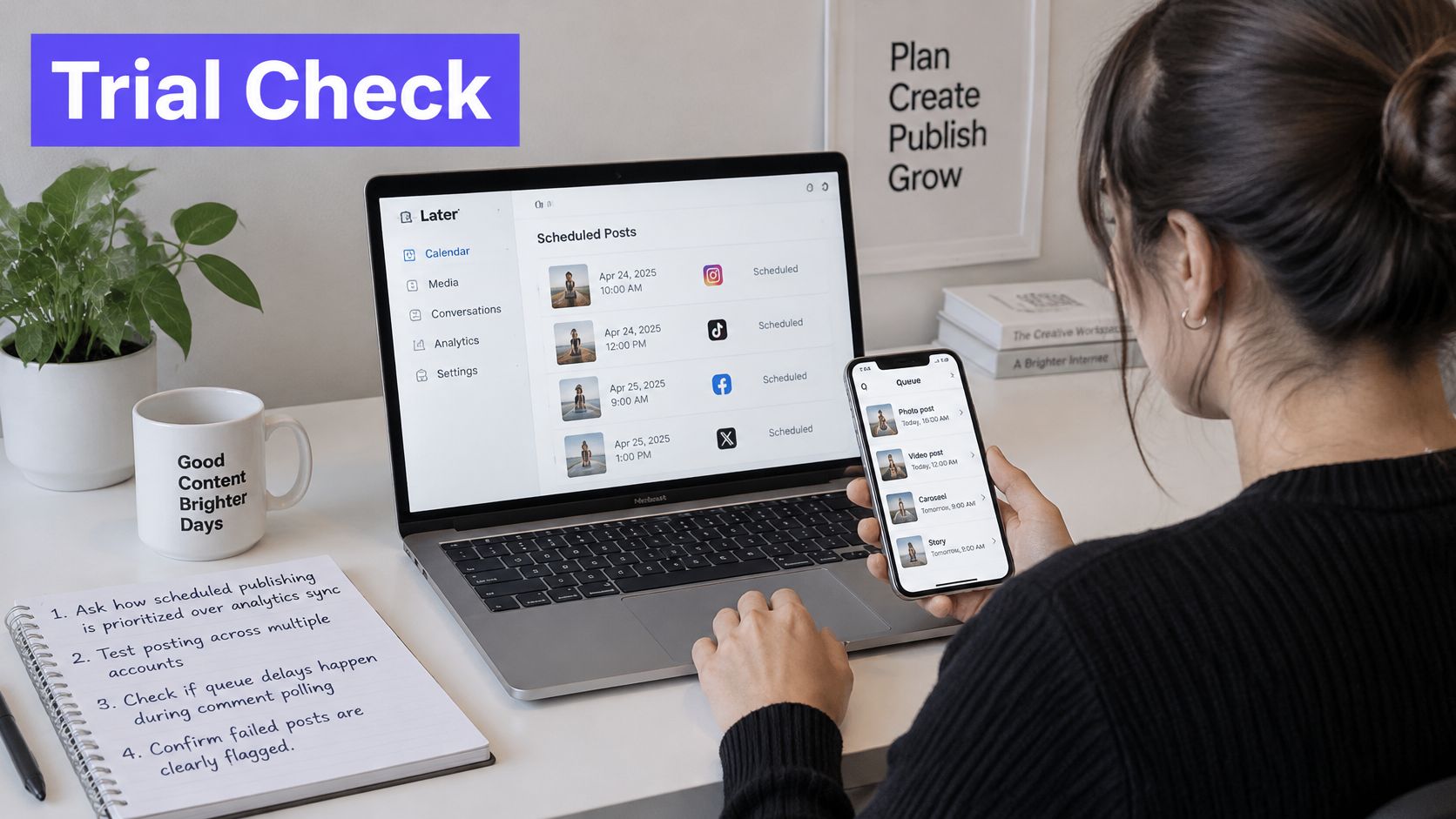
Meta's Graph API rate limiting documentation states that calls use rolling-window limits and gives an app-level formula of 200 calls multiplied by the number of daily active users. Calls that exceed call, CPU, or total-time limits fail until usage drops. You do not need to model that quota. Confirm the planning app queues publishing ahead of analytics sync, caches metadata, and backs off after errors instead of retrying immediately.
Run This Verification List During the Trial
- Publishing priority: ask whether scheduled publishing, token refresh, and failure recovery run ahead of analytics sync, because polling many accounts for comments and metrics can consume quota faster than publishing.
- Per-network status: confirm that each post shows delivery status and retry reason by network. One global published state can hide a failed Instagram or LinkedIn post.
- Token refresh: check that connections refresh automatically and warn you before expiry. One expired token stops a week of queued posts without notice.
- Rate-limit handling: ask whether jobs are queued, retries are deduplicated, and backoff applies after errors.
- Launch capacity: schedule several accounts to publish in the same window and ask how the app reserves headroom for campaign bursts.
Those answers separate a calendar interface from a production publishing system. Two apps can show identical month views and behave very differently when traffic spikes. A closer look at the mechanics of the social media scheduling API layer helps you phrase sharper questions for support before you commit.
Reliability also includes the work around the post. If social drafts start from articles or product pages, make sure your source publishing process is stable first. Teams that repurpose store content can use the Shopify blog publishing guide from Rankira to check how articles move from draft to publication before they become scheduled social posts.
End the trial with a launch-day batch. Schedule posts across every connected network in one realistic window, include video and image formats, and confirm that each post goes out on time with a delivery record you can inspect. A failure should show which network failed, why it failed, and what retry happened next.
Adapting One Idea for Each Network Without Losing Quality
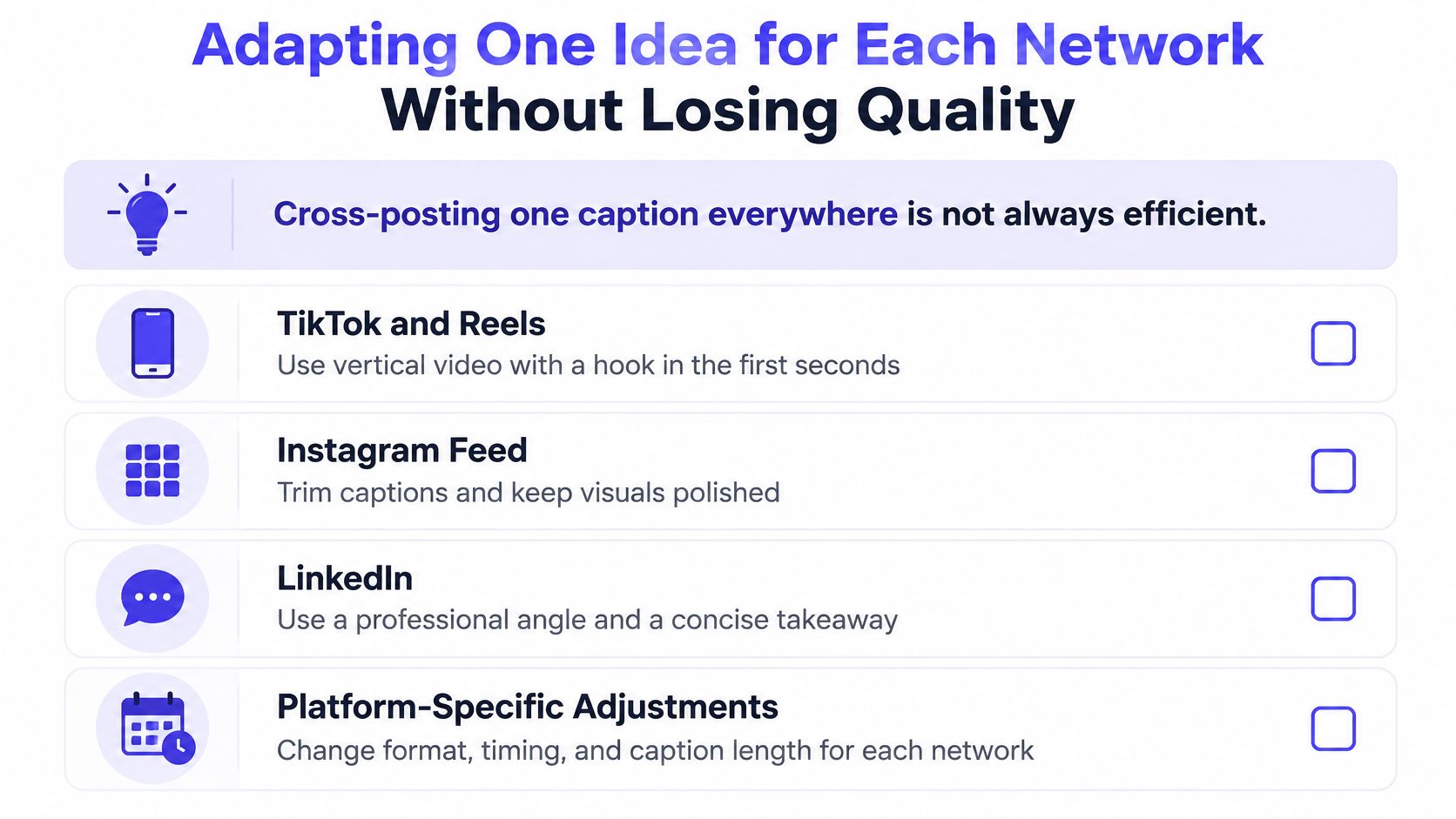
Posting the same caption to every network saves drafting time and often costs performance. The hook, pacing, and call to action that work on LinkedIn rarely work unchanged on TikTok or Threads. Coverage is a quantity win. Adaptation is where quality is decided.
Research indexed by AIS points to a familiar tension for repurposing teams: PACIS 2025 research indexed by AIS reports broad AI use in marketing workflows while warning that over-automated output turns bland and disengages audiences. Use AI to draft variants fast, then let a person protect voice, facts, and concrete examples.
What Changes by Network
TikTok and Reels need vertical video with the hook in the first seconds, readable captions, and no slow setup before the payoff. Instagram carousels work when each slide has one job, the first slide reads as a headline, and the last slide asks for a save or share. LinkedIn rewards a clear professional point of view with a concrete example and scannable native text. YouTube needs separate titles and descriptions for Shorts and long-form because discovery and viewing intent differ. Threads needs a shorter, conversational claim that invites a reply.
Build accessibility into each variant from the start. Caption the video. Add alt text. Check contrast so overlaid text stays readable. Retrofitting those details after approval creates errors across a full schedule.
A Three-Part Adaptation Method
Keep one core message, then change headline and format per network. One product lesson can become a TikTok demonstration, an Instagram carousel with steps, a LinkedIn post about the business decision, and a YouTube Short that answers one objection. The claim stays consistent. Proof, pacing, and call to action fit each surface.
Set a human approval checkpoint before anything publishes. Reviewers should verify names, numbers, pricing, disclosure needs, and whether the copy sounds like your brand rather than a template. A structured content repurposing strategy makes that checkpoint repeatable instead of relying on last-minute edits in each composer.
PostSyncer's AI Content Agent can generate captions and hooks from a URL, PDF, or text, and its approval workflows keep a human sign-off before anything is published.
Prove the adaptation was worth it. Publish an adapted version and compare it against an unmodified cross-post on the same network in a similar time window. Compare reach, saves, comments, and clicks against that account's median for the same format, using raw platform numbers with a measurement timestamp.
Agency teams often run this as a simple rule. Adapt format first. Rewrite the opening line. Match the call to action to the network. If adapted posts do not beat the account's own format median after several tests, change the adaptation.
Choose Your App and Run a Two-Week Trial
Start with one or two apps that match your team situation, not with a long feature tour. A shortlist built on accounts, workspaces, approvers, and publishing volume will already remove tools that can't fit. Then use the trial to test real work under real deadlines.
For a multi-network test, PostSyncer covers 11+ networks, including Twitter/X, Facebook, Instagram, TikTok, YouTube, Pinterest, Threads, Telegram, LinkedIn, Bluesky, and Mastodon. It offers a free trial with core features and the ability to connect social media accounts, so you can judge the calendar and publishing flow with your own profiles.
The Two-Week Trial Sequence
- Load real content: put two planned weeks of posts into the calendar, including messy items like carousels, short video, links, and recurring posts.
- Connect every network: confirm each account connection, posting identity, time zone, and preview before you schedule at volume.
- Run one approval cycle: use the actual approver, include a rejection with comments, and confirm the revised draft returns for final sign-off.
- Schedule a launch batch: publish across networks in one window and check per-network delivery records, retry notes, and timestamps.
- Export one report: compare it with native platform numbers for the same time window, using raw metrics before you trust any combined score.
- Score narrowly: judge each app only on the two criteria your team uses most, such as approvals and calendar speed, or bulk scheduling and reporting.
Don't let a vendor-led demo substitute for these steps. Demos use clean sample content, while your bottlenecks appear in client comments, expired connections, late approvals, and launch changes. I would pay only after the app handles one ordinary week and one pressured launch without staff rebuilding posts natively.
Before you subscribe, write down one number-based forecast: accounts, workspaces, and seats needed in twelve months. Price that future setup on monthly and annual terms, including AI use and extra workspaces. By the end of the trial, you should know whether the calendar stays usable, approvals end in automatic publishing, delivery records are trustworthy, and reports match native numbers closely enough for decisions.
Start your two-week test with real posts, real approvers, and every network you publish on, then keep the app that holds up under that load. PostSyncer gives creators, teams, and agencies a visual calendar, approval workflows, AI content help, and publishing across 11+ networks from one workspace. Visit PostSyncer to begin the free trial, connect your accounts, and schedule your first launch batch with delivery records you can verify.