











You've got a month of Instagram content ready, but the workflow still feels improvised. Feed posts sit in one folder, Reels need separate captions, Stories require manual publishing, and approvals happen across email, chat, and spreadsheets. By the time performance reviews begin, nobody can clearly explain which tool handled what or why a post missed its best publishing window.
The right social media scheduler for Instagram depends on more than whether it can queue a photo. Publishing limitations, visual planning, approval workflows, analytics, network coverage, pricing structure, and the number of brands your team manages all affect the decision. Instagram now supports scheduling through its app, Meta Business Suite, and third-party platforms, so the practical question is which workflow each tool handles best, not whether scheduling is possible at all. Planable's overview of Instagram scheduling explains how native and external tools now fit into mainstream publishing operations.
The comparison below focuses on the job each platform solves best, from grid planning and lightweight publishing to analytics, client approvals, agency management, and unified content production. PostSyncer is the featured all-in-one choice for teams that want to create once and distribute across major networks, but every tool has a sensible use case. If you're also evaluating AI social media content creation, the deciding factor may be whether content generation and publishing live in the same workspace.
1. PostSyncer
PostSyncer fits teams that treat Instagram as one part of a wider publishing workflow. Its visual calendar places feed posts, carousels, Reels, and Stories beside content for TikTok, Facebook, X, LinkedIn, YouTube, Threads, Pinterest, Telegram, Bluesky, Mastodon, and other networks. Teams can prepare a campaign once, adapt it for each channel, and schedule distribution without maintaining separate queues for every platform.
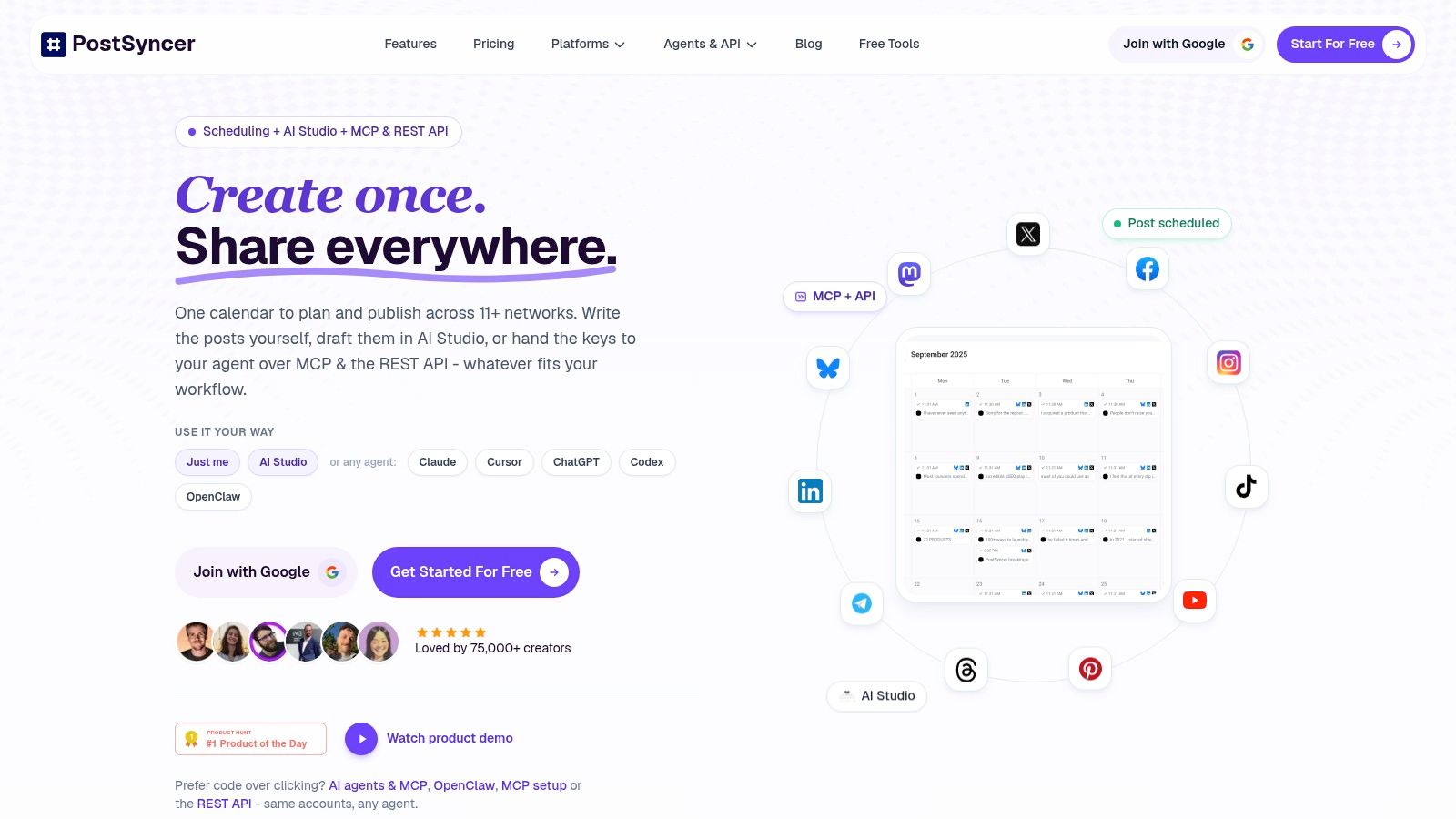
Its main advantage is the content-production layer. AI Studio creates captions, hooks, images, and short videos from URLs, PDFs, text, images, or video. The AI Video Creator and AI Content Agent help turn existing material into platform-specific assets, reducing the work required to start each post. CSV and Excel uploads also support bulk scheduling when campaign content is already organized in a spreadsheet.
Where PostSyncer earns its place
Agencies and multi-brand teams get unlimited team members, role-based approvals, labels, and multiple workspaces. A unified comments inbox keeps post-publication engagement in the same system. AI auto-replies, spam filtering, and contact CRM tools can reduce the need to switch between separate engagement and customer-management tools.
PostSyncer also supports automation beyond browser-based publishing. REST API access, webhooks, CLI options, and MCP or agent integrations can connect scheduled publishing with Claude, Cursor, ChatGPT, and OpenClaw. OAuth connections, encryption, and GDPR compliance address account access and data handling. Plans start at $29 per month, with annual billing saving approximately 20%. Pro is around $49 per month, and Pro Plus is around $99 per month. Every plan includes a 7-day free trial, according to the supplied PostSyncer commercial information.
Practical rule: Choose PostSyncer when Instagram planning, AI creation, approvals, engagement, analytics, and cross-network publishing belong in one workspace.
The trade-off is scope. Teams with simple Instagram needs may use only a fraction of its features, while high-volume publishers should check limits for API posting, storage, AI credits, and additional workspaces. For setup details, follow this guide to scheduling Instagram posts.
Best for: Unified content production, cross-platform publishing, AI-assisted creation, agency workspaces, engagement, and automation.
2. Later
Later remains one of the best choices for a visual Instagram workflow. Its grid planner lets you arrange upcoming posts before they go live, which matters for brands where the relationship between adjacent images is part of the content strategy. Drag-and-drop planning is faster than mentally reconstructing the feed from a folder of exported designs.
Later supports Instagram images, carousels, Reels, and Stories where the API allows automatic publishing. It also offers best-time-to-post suggestions, hashtag tools, media organization, and a multi-platform calendar. The interface is approachable for creators and small marketing teams that want to see the visual result before they commit to a queue.
The limitation is Instagram's publishing boundary, not just Later's design. Music, stickers, interactive elements, and some native effects may require notification publishing, which means a person still has to complete the post inside Instagram. That distinction matters for Stories in particular. Instagram's native scheduler also doesn't fully auto-publish interactive Story elements such as polls, questions, countdowns, location, or music, so no third-party scheduler can eliminate every manual exception. Metricool's coverage of Instagram's scheduling changes explains this capability gap clearly.
Advanced collaboration and analytics are also reserved for higher tiers. Later is therefore excellent when the central question is, “Will the feed look right?” It's less compelling if the same team needs deep customer-care workflows, developer automation, or extensive cross-brand governance. For a wider tool comparison, review these best social media scheduling tools.
Best for: Visual planning, feed aesthetics, Instagram-native content organization, and creator-friendly publishing.
3. Buffer
Buffer is the lightweight option for people who want to start scheduling without implementing a large social operations system. Its interface is quick to understand, and its per-channel pricing makes it possible to add accounts gradually rather than committing to a broad suite from the beginning. That simplicity suits freelancers, solo creators, and small teams with a straightforward Instagram calendar.
Paid plans support auto-publishing and unlimited queued posts, while Instagram users can schedule a first comment and manage hashtag groups. Buffer also includes a browser extension and API access, including on the free tier, so it can fit both manual curation and modest automation workflows.
The trade-off is depth. Buffer's collaboration and approval tools are lighter than those in platforms designed for agencies or enterprise teams, and advanced reporting sits behind paid tiers. It also isn't the right choice if you expect a unified inbox, social listening, complex client routing, or AI video production inside the same platform.
That narrow scope is also its advantage. A small business that needs to prepare Instagram posts, maintain a queue, and review basic performance may not benefit from buying a platform full of features it won't use. Before choosing, compare the workflow against this practical guide to scheduling social media posts.
Buffer is a good starting point when publishing consistency matters more than operational breadth.
Best for: Lightweight publishing, simple queues, freelancers, and teams that want a low-friction entry point.
4. Hootsuite
Hootsuite is built for organizations that need scheduling to sit beside governance, monitoring, approvals, and reporting. It supports cross-network publishing, brand monitoring, competitor tracking, and a social inbox, with stronger approval and routing controls available on upper tiers. Its long operating history also makes it familiar to larger marketing departments that need administrator controls.
The platform's value appears when several people share responsibility for a publishing calendar. A reviewer can check scheduled content, managers can control access, and reporting can be handled within the same broader social operations environment. Its AI assistance, branded as “Wisdom” in the supplied product notes, supports drafting and recommendations across plans.
The cost and learning curve are the practical drawbacks. Hootsuite is usually harder to justify for a solo creator who only needs Instagram posts and Reels, and trial accounts have daily posting limits with some features disabled. A team should also confirm which analytics, monitoring, and approval capabilities are included in the selected plan rather than assuming the full suite is available at entry level.
Hootsuite works best when the business has enough profiles, stakeholders, and reputational risk to benefit from centralized controls. If the main requirement is just visual feed planning, Later or PLANOLY will usually feel more direct.
Best for: Governance, high-volume operations, approvals, monitoring, and mature cross-network teams.
5. Sprout Social
Sprout Social is the premium choice for teams that treat Instagram as part of customer care, reporting, and brand management. Scheduling includes optimal send-time guidance, post analytics, profile analytics, and a consolidated Smart Inbox. Higher tiers add tagging, sentiment capabilities, listening, advocacy, and expanded analytics, creating a much broader system than a publishing queue.
The Smart Inbox is the central reason to consider Sprout. Comments, mentions, and private messages can be organized in one place, then assigned or tagged so customer-care responsibilities don't disappear inside individual accounts. That workflow is especially useful when marketing, support, and communications teams all respond to the same Instagram presence.
The downside is commercial structure. Pricing is per seat, so costs rise as more people need access, and some advanced functionality requires higher tiers or add-ons. A small company with one person writing and publishing posts probably won't get enough value from the reporting and care infrastructure to justify that overhead.
Sprout Social also makes sense when stakeholders expect polished reporting rather than screenshots from Instagram Insights. Its analytics and collaboration features are designed for recurring business reviews, but teams should map their required metrics and inbox workflows before purchasing. The platform offers a 30-day free trial, and nonprofit pricing is available, based on the supplied product notes.
Best for: Premium analytics, customer care, stakeholder reporting, and enterprise collaboration.
6. Loomly
Loomly solves a specific coordination problem: turning social ideas into an approved marketing calendar. Its interface centers on calendars, post previews, recurring posts, bulk posting, best-time guidance, and approval workflows. That makes it useful for a marketing team where Instagram content must pass through a client, brand manager, or legal reviewer before publication.
The platform supports Instagram feed content and Reels, with collaboration features that keep comments and revisions attached to the relevant post. Slack and Microsoft Teams integrations can help teams bring review notifications into existing communication channels, while mobile apps and two-factor authentication support day-to-day account management.
Loomly's clean calendar is its strongest practical feature. A reviewer can see what's planned, identify gaps, and approve content without navigating a complicated enterprise dashboard. It's a better fit than a basic scheduler when the problem is approval friction, but it won't replace a dedicated listening or engagement platform.
Pricing is per user, which can become expensive when clients or extra collaborators need access. Annual discounts of 25% and nonprofit discounts of 50% are included in the supplied product notes, so teams should calculate the cost using the actual number of reviewers, not only the number of people who publish.
Best for: Calendar-led planning, client reviews, recurring content, and straightforward approvals.
7. PLANOLY
PLANOLY is a natural fit for Instagram-first creators who care about the grid but also want practical publishing features around it. The visual planner makes it easier to test how images will sit together, while the broader platform supports Reels, content ideas, trend planning, link-in-bio selling, and direct messages.
Automatic publishing works where platform permissions allow it. Some Reels, music, stickers, and native effects still require notification-based or manual publishing, so PLANOLY shouldn't be sold as a complete replacement for the Instagram app. That limitation is important for creators whose content depends on native audio or interactive Story elements.
The product is approachable and its add-ons make growth easier to understand. A creator can start with a focused Instagram workflow, then add users or social sets as the operation expands. Collaboration remains lighter than in enterprise suites, however, so an agency with complex permissions and several layers of client approval may outgrow it.
PLANOLY's link-in-bio and storefront features also give it a commercial angle that basic schedulers lack. If Instagram is the main discovery channel and the feed itself is a brand asset, the visual planning experience may matter more than a large network list.
Best for: Instagram grid planning, creator workflows, link-in-bio commerce, and budget-conscious small teams.
8. Metricool
Metricool is the analytics-led choice in this group. Its smart planner combines scheduling with recurring posts, autolists, best-time guidance, and performance reporting. That combination helps marketers move beyond “what should we publish next?” and ask “which formats, platforms, and publishing windows deserve more attention?”
Instagram feed posts, Reels, and Stories can be auto-published where the API permits. Music and stickers still create manual exceptions, and product tagging isn't supported through the API, so a team should test its actual content formats during the trial rather than judging the platform from the calendar alone.
The reporting depth is particularly useful for small and midsize teams that need more than native platform dashboards but don't want an enterprise suite. Collaborators and multi-brand workspaces support agency use, while recurring schedules and autolists reduce the work of rebuilding a content queue.
The product's pricing can feel complex because advanced analytics and additional brands may involve add-ons. That complexity is manageable when reporting is the main buying reason, but less attractive for a creator who only wants a visual Instagram planner. Metricool also won't replace advanced listening or sentiment analysis for reputation-sensitive brands.
Best for: Analytics, recurring publishing, autolists, and performance-led content decisions.
9. SocialPilot
SocialPilot is designed around agency throughput. It combines direct Instagram Reels publishing, bulk scheduling, a social inbox, client approvals, and white-label PDF reports with support for networks including Threads, Bluesky, TikTok, YouTube, and Pinterest. The result is a practical operating layer for agencies managing many profiles without moving every client into a separate workspace.
Client approval is the feature to inspect closely. Agencies can prepare content, send it through review, and produce branded reports without assembling the same deliverables manually for every account. Account and user limits are competitive at mid-tier levels, and Ultimate and Enterprise plans include unlimited users according to the supplied product notes.
SocialPilot's interface is more utilitarian than design-led competitors. That isn't necessarily a problem for an agency, where speed, account capacity, and repeatable processes may matter more than a polished visual planner. Creators who want to arrange a beautiful Instagram grid may prefer Later or PLANOLY.
Some advanced security and white-label features are reserved for higher tiers. The 14-day trial gives teams enough time to connect representative client accounts and test bulk scheduling, approvals, reporting, and Reels publishing before committing.
Best for: Agency account management, client approvals, bulk scheduling, and white-label reporting.
10. Agorapulse
Agorapulse suits teams that manage Instagram publishing alongside customer conversations. It supports unlimited post scheduling, a labeled calendar, team assignments, saved replies, and automated moderation rules on Advanced tiers. Its network coverage includes Instagram, Threads, TikTok, YouTube, Pinterest, LinkedIn, Facebook, and Google Business.
The unified inbox is its clearest advantage over a scheduling-only tool. Customer-care teams can assign conversations, reuse approved replies, and manage messages from a shared queue rather than separate account logins. Reporting also helps agencies and in-house teams relate publishing activity to ongoing engagement.
That workflow comes with a pricing trade-off. Agorapulse charges per user and provides fixed profile slots on core tiers, so costs may increase as more teammates require access. Benchmarking, listening, and advanced analytics sit on higher tiers or add-ons. Buyers should first confirm that the inbox and assignment features justify the plan, then assess whether the extra intelligence tools fit the budget.
A 30-day free trial gives teams time to test the full care process. Connect an Instagram account, invite the people handling messages, and measure whether assignments and moderation rules reduce response work. Review the inbox workflow before judging the calendar alone.
Best for: Customer care, shared inbox management, team assignments, reporting, and agency operations.
Top 10 Instagram Scheduler Comparison
| Tool | Core features | UX & quality | Price & value | Target audience | Standout / Unique |
|---|---|---|---|---|---|
| PostSyncer 🏆 | Schedule to 11+ networks, visual calendar, AI Studio & Video Creator, unified inbox, REST API & webhooks | ★★★★★, polished calendar & AI workflows, secure/GDPR | 💰 Starter ~$29/mo • Pro ~$49 • Pro+ ~$99 • 7‑day trial; generous AI credits | 👥 Creators, in‑house teams, agencies, social managers | ✨ AI Content Agent, AI Video Creator, unlimited team members, multi‑workspace |
| Later | Visual-first Instagram planner, auto-publish where allowed, hashtag tools, analytics | ★★★★☆, intuitive IG grid & drag‑drop | 💰 Free tier; paid plans for advanced features | 👥 IG-focused creators & small teams | ✨ Grid preview + IG-native publishing workflow |
| Buffer | Lightweight scheduler, auto-publish, first‑comment scheduling, browser extension, API | ★★★★, simple, fast to adopt | 💰 Free + transparent per-channel paid plans | 👥 Freelancers, small teams, startups | ✨ Predictable pricing & easy scaling |
| Hootsuite | Cross-network scheduling, social inbox, listening (add‑ons), advanced analytics & approvals | ★★★★, mature enterprise UI, governed workflows | 💰 Enterprise-priced; higher cost per seat | 👥 Large orgs, enterprise social teams | ✨ Robust admin controls, scalable monitoring |
| Sprout Social | Scheduling with optimal send times, Smart Inbox, deep reporting, customer-care tools | ★★★★, premium collaboration & reporting | 💰 Premium per-seat pricing; 30‑day trial | 👥 In‑house teams needing stakeholder reporting & care | ✨ Enterprise-grade analytics & Smart Inbox |
| Loomly | Clean marketing calendar, approval workflows, idea generation, bulk posting | ★★★★, calendar-centric, easy approvals | 💰 Per-user pricing; discounts (annual/nonprofit) | 👥 Agencies & teams focused on calendar planning | ✨ Intuitive content calendar + client approvals |
| PLANOLY | Instagram grid planner, auto-post where allowed, DM automation, link-in-bio storefront | ★★★★, creator-friendly visual tools | 💰 Budget-friendly tiers + add‑ons | 👥 Creators, small brands, influencers | ✨ Link‑in‑bio commerce & DM automations |
| Metricool | Scheduling, recurring posts/autolists, best-time guidance, strong analytics | ★★★★, analytics-forward UX | 💰 Free for one brand; add‑ons for advanced reports | 👥 Data-driven creators & small agencies | ✨ Deep analytics value for price |
| SocialPilot | Direct Reels publishing, bulk scheduling, client approvals, white‑label reports | ★★★★, practical, agency-oriented | 💰 Competitive mid-tier pricing for multi-account setups | 👥 Agencies managing many profiles | ✨ White‑label PDF reports & generous account limits |
| Agorapulse | Unlimited scheduling, team assignments, saved replies, automated moderation rules | ★★★★, strong inbox & care workflows | 💰 Per-user pricing; clear tiers, 30‑day trial | 👥 Teams focused on customer care & reporting | ✨ Mature unified inbox & moderation tools |
Choose the Scheduler That Matches Your Workflow
The best Instagram scheduler is the one that removes your most expensive manual step. If your team spends its time rearranging the feed, choose Later or PLANOLY. Their visual planning workflows make the most sense for creators, retailers, and brands where the grid, Reels presentation, and media organization shape the publishing process.
Choose Buffer when you need a lightweight starting point. It's easy to adopt, supports dependable Instagram publishing, and avoids forcing a small team into a complex social management system. Metricool is the better choice when recurring publishing and analytics drive decisions. Its autolists, reporting, and performance views help teams connect scheduling with what works.
Approval-led teams should look at Loomly. It gives marketing calendars and stakeholder reviews a central home without the operational weight of a large enterprise suite. Agencies that need many accounts, client approvals, and branded reports should consider SocialPilot, especially when account capacity matters more than design polish.
For mature governance, inbox, care, monitoring, and reporting workflows, Hootsuite, Sprout Social, and Agorapulse are the more appropriate options. Hootsuite suits organizations that need administrative control and broad monitoring. Sprout Social is strongest when premium analytics and customer-care coordination justify per-seat pricing. Agorapulse offers a clear team inbox and assignment workflow for businesses that need publishing connected to daily community management.
PostSyncer fits a different requirement. It's the strongest all-in-one option when Instagram scheduling needs to sit beside AI content creation, cross-platform publishing, unlimited team collaboration, unified engagement, analytics, and API-based automation. Its AI Studio, AI Video Creator, and AI Content Agent can turn existing source material into captions, hooks, images, and short videos, while its calendar distributes the finished content across major networks. That makes it particularly suitable for agencies, multi-brand teams, SaaS companies, e-commerce businesses, and creators who want to reduce the number of disconnected tools in their workflow.
Decision test: Don't compare feature lists until you've compared the work your team repeats every week.
Run a practical trial before selecting a subscription. Connect representative Instagram accounts, schedule the formats you publish, and test both automatic publishing and manual exceptions for Stories, music, stickers, product tags, and other native elements. Invite the reviewers, not just the account owner, then measure whether approvals, revisions, and comment handling happen faster inside the platform.
Finally, calculate total cost rather than headline price. Include users, profiles, brands, add-ons, storage, AI credits, API usage, and extra workspaces. A low-cost scheduler can become expensive when every collaborator or social account adds a fee, while a broader platform can be better value if it replaces separate AI, engagement, analytics, and automation tools. Creators can use this scheduling guide for creators as a practical reference while designing the publishing routine.
PostSyncer combines Instagram scheduling with AI-assisted captions, hooks, images, short videos, cross-platform publishing, approvals, engagement, analytics, and automation in one workspace. Connect your real accounts, test the formats and review steps your team uses, and visit PostSyncer to start the free trial.